Overview

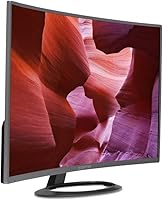
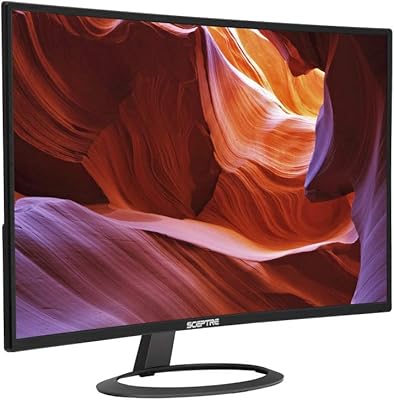
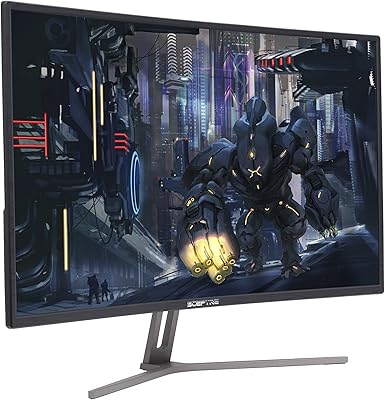
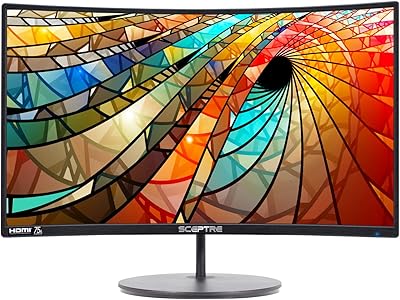
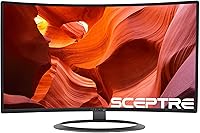
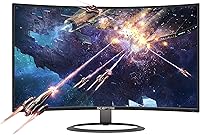
The Sceptre C328W-1920R 32″ Curved Gaming Monitor entered the market in 2017 as one of the more affordable ways to get a large curved screen on your desk, and it still holds that position today. The 1800R curve wraps your peripheral vision just enough to make gaming and movie-watching feel more enveloping than a flat panel would, without requiring a premium price to get there. Sceptre dressed it in a metallic black finish that looks noticeably cleaner than the plastic-heavy competition at this price. If you are a casual gamer, home office worker, or simply buying your first curved display, this 32-inch gaming display offers a reasonable starting point — nothing more, nothing less.
Features & Benefits

Running at 75Hz refresh rate rather than the standard 60Hz makes scrolling and in-game motion noticeably smoother, even if it won't satisfy competitive players chasing 144Hz or higher. The 5ms response time is fine for casual play — ghosting won't be an issue in story-driven games or platformers, though fast-twitch esports titles are a different story. Pixel density is the honest trade-off here: 1080p spread across 32 inches can look soft when you are sitting close, so viewing distance matters. HDMI, DisplayPort, and VGA cover virtually every device you would plug in. The blue light shift mode is a quiet but practical addition for long sessions, and 311 cd/m² handles typical indoor lighting adequately.

Best For

This 32-inch gaming display makes the most sense for budget-conscious buyers who want the experience of a large curved screen without spending significantly more than necessary. Console gamers connecting a PlayStation or Xbox via HDMI will get solid results — the 75Hz cap is not really a limitation for most consoles anyway. Students and home office users who care more about screen real estate than color precision will find it practical for spreadsheets, browsing, and video calls. It also works well as a secondary display on a wide desk where size matters most. Anyone upgrading from a small flat monitor will feel the difference immediately. Color-critical work or competitive PC gaming, though, belong on a different panel entirely.

User Feedback

With a 4.1-star average across around 315 reviews, the Sceptre curved screen earns its rating mostly on value for size. Buyers regularly praise how big and immersive the panel feels right out of the box, and many note that setup is refreshingly straightforward. The criticism that surfaces most often centers on color accuracy and contrast — neither matches what you would get from a better-equipped IPS display. Some users were understandably confused by the factory sticker bearing code C325W-1920RR on a unit marketed as the C328W-1920R; Sceptre addresses this in the product notes, but it still rattles first-time buyers. Stand stability draws occasional complaints as well. The sample size is respectable, though not large enough to draw firm conclusions about long-term durability.

Pros

  • A 32-inch curved screen at this price point is genuinely hard to beat for sheer value.
  • The 1800R curve adds real immersion for casual gaming and movies without feeling gimmicky.
  • 75Hz is a meaningful improvement over 60Hz for everyday gaming smoothness.
  • HDMI, DisplayPort, and VGA ports mean it works with nearly any device you already own.
  • The metallic black finish looks far more refined than most budget displays in this range.
  • Blue light shift mode is a practical feature for long work or late-night gaming sessions.
  • Setup is straightforward and quick, with minimal technical hurdles out of the box.
  • Compatible with both Windows and macOS, making it flexible across different work setups.
  • The wide screen footprint is excellent for multitasking with multiple windows side by side.
  • Console gamers get a large, immersive display without paying for specs their hardware cannot use.

Cons

  • Pixel density at 1080p on a 32-inch panel looks soft when sitting at a typical desk distance.
  • Color accuracy and contrast fall well short of what IPS panels deliver, even affordable ones.
  • The stand offers limited adjustability, making ergonomic positioning harder than it should be.
  • A factory sticker bearing a different model code has caused genuine confusion among new buyers.
  • Brightness tops out at 311 cd/m², which struggles in rooms with significant natural light.
  • Not a serious option for competitive gaming where refresh rate and response time actually matter.
  • The glossy screen surface picks up reflections more aggressively than a matte-coated alternative.
  • Build quality feels consistent with its budget positioning — functional, but not confidence-inspiring.
  • No height or pivot adjustment limits how well you can adapt it to your desk and seating setup.
  • The 315-review pool, while decent, leaves some uncertainty around long-term reliability and durability.

Ratings

The scores below were generated by AI after analyzing verified buyer reviews worldwide for the Sceptre C328W-1920R 32″ Curved Gaming Monitor, with spam, bot-submitted, and incentivized feedback actively filtered out to ensure the results reflect genuine ownership experiences. Across more than 315 verified ratings, a clear pattern emerged: real buyers consistently reward this display for delivering large-screen curved immersion at a price most competitors cannot match, while flagging honest shortcomings around color fidelity, pixel density, and build rigidity. Both the strengths and the pain points are transparently reflected in every category below.

Value for Money
88%
Most buyers felt they were getting considerably more screen than their budget normally allows. The combination of a 32-inch curved panel at this price point consistently surprised first-time owners who expected corners to be cut more aggressively than they were.
A small subset of reviewers felt the value equation weakened once they compared color output and stand quality to slightly pricier alternatives. At desk distance, some buyers questioned whether the size advantage justified the pixel density trade-off for PC use.
Picture Clarity
61%
39%
For casual gaming, streaming, and general web browsing viewed from a comfortable distance, the 1080p image is clean and watchable without obvious compression artifacts. Console gamers in particular reported satisfaction with how games look at standard viewing distances.
At typical PC desk distances, the pixel density of 1080p spread across 32 inches becomes a noticeable weakness — text and fine details appear softer than they would on a smaller panel at the same resolution. Users doing detailed work like spreadsheets or photo editing flagged this as a real frustration.
Color Accuracy
54%
46%
For everyday content consumption — casual gaming, YouTube, Netflix — colors are vibrant enough to be enjoyable, and the glossy surface gives them a slightly punchy quality that some users genuinely preferred for entertainment use.
Users with any experience using IPS-class displays noticed the color accuracy gap immediately. Contrast is flat by comparison, and gradients in darker scenes tend to look muddy rather than deep. Anyone doing design, photography, or color-sensitive editing should look elsewhere without hesitation.
Immersion & Curve
83%
The 1800R curvature is the standout feature for most happy buyers, particularly those upgrading from flat panels. Open-world games, racing titles, and cinematic content felt noticeably more enveloping, and users frequently mentioned it as the main reason they were satisfied with the purchase.
A few buyers felt that 1080p resolution limited how much the curve actually enhanced immersion — at this screen size, the softness of the image slightly undercuts the wraparound effect that higher-resolution curved panels deliver more convincingly.
Refresh Rate Performance
74%
26%
Going from 60Hz to 75Hz is a modest but perceptible step up, and casual gamers playing story-driven or slower-paced titles appreciated the smoother scrolling and motion. Console users were particularly satisfied since most console output aligns naturally with this refresh ceiling.
PC gamers accustomed to 100Hz or higher found 75Hz underwhelming for fast-paced titles, where the difference between frames becomes very apparent. Competitive gamers almost universally flagged this as insufficient for anything beyond casual or single-player gameplay.
Response Time
69%
31%
For the typical buyer — someone playing RPGs, sports simulations, or using the display for productivity — the 5ms response time does the job without producing distracting ghosting or trailing effects during normal usage.
In fast-action games where rapid motion is constant, a small but vocal group of users noticed trailing that made fine tracking slightly frustrating. This is not a panel tuned for competitive gaming, and the response time reinforces that positioning clearly.
Build Quality
58%
42%
The metallic black finish genuinely sets this display apart visually from budget plastic rivals, and most buyers acknowledged it looked better on a desk than they expected for the price. The overall assembly felt solid enough for everyday stationary use.
The stand was a recurring complaint — it wobbles under minor desk vibration and offers almost no adjustability beyond a basic tilt. Several users noted that the chassis feels noticeably thinner and less rigid when handled compared to displays from established mid-range brands.
Stand & Ergonomics
47%
53%
The stand keeps the monitor stable on a flat surface under normal conditions, and the basic tilt adjustment is enough for users who simply set it and leave it in place without changing their desk setup frequently.
No height adjustment, no swivel, and no pivot function make ergonomic customization nearly impossible without a third-party arm. Users who sit at different heights or share the display between family members found the fixed positioning genuinely limiting for comfort over long sessions.
Connectivity
82%
18%
Having HDMI, DisplayPort, and VGA all on a single budget monitor is genuinely useful and appreciated by buyers connecting multiple devices or working with older hardware. Switching between a console and a PC without needing an adapter was a highlight for several reviewers.
The port selection covers the basics well, but the absence of USB hub functionality or audio passthrough left some buyers who expected those conveniences slightly disappointed. Nothing about the connectivity is broken — it's just not feature-rich beyond the essentials.
Eye Comfort
71%
29%
The blue light shift mode was well received by users who spend long hours in front of the screen for work or gaming. Several buyers noted reduced eye fatigue during late-night sessions compared to monitors without a similar built-in feature.
The glossy screen surface works against eye comfort in well-lit rooms by generating visible reflections that force the eye to work harder. Flicker performance under low brightness settings also drew occasional complaints from users sensitive to subtle screen flicker.
Setup & Installation
84%
Buyers across all technical experience levels praised how straightforward the out-of-box setup process was. The monitor attaches to its stand quickly, cable connections are clearly labeled, and most users had a working display within minutes of opening the box.
The factory code sticker (C325W-1920RR) on a unit sold as the C328W-1920R caused unnecessary confusion among a meaningful number of first-time buyers who worried they had received the wrong product. Sceptre explains the discrepancy in the product notes, but it created avoidable anxiety during unboxing.
OS & Device Compatibility
79%
21%
Plug-and-play behavior across Windows 7 through 10 and several macOS versions made this a reliable choice for mixed-device households. Most users reported no driver issues and immediate display recognition upon first connection.
A handful of Mac users running newer operating systems beyond those officially listed encountered minor compatibility quirks that required manual resolution settings adjustments. Support documentation from Sceptre for newer OS versions is limited.
Brightness & Visibility
62%
38%
In controlled indoor environments with moderate ambient lighting, 311 cd/m² is enough to produce a watchable, reasonably vivid image for both work and entertainment without causing discomfort.
Users in bright rooms or near windows found the brightness ceiling frustratingly low, especially combined with the glossy surface that compounds reflection issues. In sunlit environments, the image can appear washed out and difficult to read comfortably.
Longevity & Reliability
66%
34%
The majority of buyers who have owned this curved Sceptre monitor for extended periods reported no major hardware failures, and the panel continued functioning as expected through regular daily use without significant degradation.
The sample size of around 315 reviews limits long-term reliability conclusions, and a smaller subset of users reported pixel or backlight issues emerging after extended ownership. The budget-tier component quality introduces more uncertainty over a multi-year lifespan than premium alternatives would.

Suitable for:

The Sceptre C328W-1920R 32″ Curved Gaming Monitor is a strong pick for anyone taking their first step into curved displays without wanting to spend heavily to get there. Console gamers in particular will find it a natural fit — plugging in via HDMI and gaming at the refresh rates most consoles actually output means the 75Hz ceiling rarely becomes a real constraint. Students and home office workers who need a large screen for multitasking, research, or casual media will appreciate having all that real estate without the premium price tag. It also makes sense as a secondary monitor for a wider desk setup, where size and visual presence matter more than fine-tuned color output. Anyone currently using a flat panel smaller than 27 inches will notice an immediate and satisfying change in how immersive everyday content feels.
Not suitable for:

Buyers who sit close to their monitors and care about crisp image quality should think carefully before committing here — 1080p stretched across 32 inches produces a noticeably lower pixel density than the same resolution on a 24-inch screen, and that softness is hard to ignore at typical PC desk distances. Competitive PC gamers who rely on fast reaction times and ultra-smooth motion will find this curved Sceptre monitor lacking, as 75Hz and 5ms do not keep pace with the 144Hz or faster displays purpose-built for that audience. Graphic designers, photographers, or anyone doing color-sensitive work should look elsewhere entirely, since the panel's color accuracy and contrast are not reliable enough for professional visual tasks. Those who need a bright display for use near windows or in well-lit rooms may also run into limitations, as 311 cd/m² is modest by modern standards. If you are expecting a rock-solid premium build with a sturdy, adjustable stand, this display will likely disappoint.

Specifications

  • Screen Size: The panel measures 32 inches diagonally, providing a wide viewing area suitable for multitasking and immersive gaming.
  • Panel Curve: The 1800R curvature radius wraps the screen gently toward the viewer, matching a natural field of vision for reduced eye strain over long sessions.
  • Resolution: Native resolution is 1920x1080 (Full HD 1080p), delivering standard high-definition clarity across the 16:9 aspect ratio panel.
  • Refresh Rate: The display supports a maximum refresh rate of 75Hz, producing noticeably smoother motion than a standard 60Hz panel.
  • Response Time: Rated at 5ms response time, the panel handles everyday gaming and general use without significant ghosting or trailing artifacts.
  • Brightness: Peak brightness is rated at 311 cd/m², which is adequate for typical indoor environments with controlled ambient lighting.
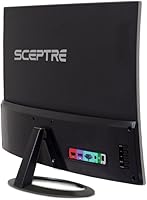
  • Connectivity: Input options include one HDMI port, one DisplayPort, and one VGA port, covering a wide range of modern and legacy devices.
  • Screen Surface: The panel features a glossy screen surface, which can enhance color vibrancy but may produce visible reflections in brightly lit rooms.
  • Blue Light Shift: A built-in blue light shift mode reduces high-energy blue light emission, which can help reduce eye fatigue during extended use.
  • Aspect Ratio: The monitor uses a standard 16:9 widescreen aspect ratio, compatible with the vast majority of content, games, and operating systems.
  • Dimensions: The assembled monitor measures 28.38 inches wide, 7.99 inches deep, and 19.05 inches tall, requiring a desk with at least 30 inches of horizontal clearance.
  • Weight: The unit weighs 12.1 pounds with the stand attached, making it manageable for a single person to position and adjust.
  • Color & Finish: The monitor ships in a metallic black finish, giving it a cleaner, more modern appearance than typical matte plastic builds at this price tier.
  • OS Compatibility: Compatible with Windows 7, Windows 8, Windows 10, macOS High Sierra, macOS Sierra, and OS X El Capitan out of the box.
  • Model Number: The official retail model number is C328W-1920R; units may also carry a factory test sticker labeled C325W-1920RR, which is a known variance Sceptre acknowledges.
  • Manufacturer: This display is designed and manufactured by Sceptre Inc., a California-based company known for producing budget-friendly consumer displays and televisions.
  • First Available: The monitor was first listed for sale in August 2017 and has remained in production without discontinuation since then.
  • VESA Mounting: The panel is designed for use with the included stand; buyers intending to wall-mount should verify VESA compatibility with Sceptre directly before purchasing a separate mount.

Related Reviews

Sceptre C325W-1920R 32-inch Curved Monitor
75%
91%
Value for Money
83%
Build Quality
67%
Display Clarity
86%
Curvature & Immersion
61%
Gaming Performance
More
Sceptre C325B-144R 32″ Curved Gaming Monitor
75%
88%
Value for Money
91%
Refresh Rate Performance
74%
Image Quality
61%
Pixel Density & Sharpness
83%
AMD FreeSync
More
ZZA Z32D 32″ Curved Gaming Monitor
68%
88%
Gaming Performance
84%
Value for Money
81%
Picture Contrast & Blacks
79%
Motion Clarity
72%
Build Quality
More
KOORUI G3221SC 32″ Curved QHD Gaming Monitor
69%
83%
Picture Quality
81%
Gaming Performance
86%
Value for Money
41%
HDR Performance
67%
Color Accuracy
More
Sceptre C278W-1920R 27″ Curved Monitor
71%
91%
Value for Money
83%
Curvature & Immersion
67%
Image Quality
76%
Refresh Rate & Motion
71%
Build Quality
More
Gawfolk GF320C 32-Inch Curved Gaming Monitor
75%
88%
Refresh Rate Performance
83%
Image Quality
76%
Motion Clarity
86%
Curvature & Immersion
91%
Value for Money
More
AOC C32G2 32″ Curved Gaming Monitor
76%
91%
Value for Money
84%
Gaming Performance
73%
Image Quality
88%
Refresh Rate & Smoothness
83%
Curvature & Immersion
More
Samsung 32″ Odyssey G65B Curved Gaming Monitor
77%
88%
Image Clarity
91%
Refresh Rate Performance
74%
HDR Quality
87%
Motion & Response
83%
Curvature & Immersion
More
KTC H32S17C 32-inch Curved Gaming Monitor
72%
91%
Value for Money
84%
Gaming Performance
76%
Picture Quality
52%
HDR Experience
67%
Color Accuracy
More
Samsung 32-Inch S39C Curved Gaming Monitor
83%
88%
Display Quality
91%
Value for Money
86%
Eye Comfort
89%
Ease of Setup
85%
Build Quality
More

FAQ

Yes, it connects easily via HDMI, which is the standard output on both PlayStation and Xbox consoles. The 75Hz refresh rate aligns well with what most consoles actually output, so you won't be leaving performance on the table.

It depends on how close you sit. At a typical TV-style distance of a few feet, 1080p on 32 inches looks perfectly fine. However, if you're sitting close to the screen as you would at a PC desk, the image can appear softer than it would on a smaller monitor at the same resolution. This is one of the most honest trade-offs with this display.

No, this is a known and documented issue. Sceptre acknowledges that units carry a factory test code sticker labeled C325W-1920RR, while the retail model sold is the C328W-1920R. The products are the same — the sticker refers to an internal factory identifier, not a different product entirely.

Yes, DisplayPort on this display supports the full 75Hz refresh rate. If you're connecting via HDMI, you should also be able to reach 75Hz, though it's worth double-checking your system's display settings to confirm the output is set correctly after connecting.

The stand on the Sceptre C328W-1920R 32″ Curved Gaming Monitor offers limited adjustability. You can tilt the panel slightly, but there is no height adjustment or pivot function built in. If ergonomic flexibility matters to you, you may want to look into a separate monitor arm that fits the panel's VESA mount pattern.
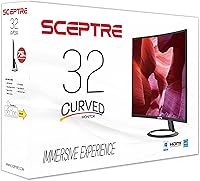
It can be. Glossy screens are more prone to catching reflections from windows or overhead lighting than matte-coated panels. If your workspace gets a lot of natural light, you may find the reflections distracting. Positioning the monitor away from direct light sources helps significantly.

Yes, this curved Sceptre monitor is compatible with macOS High Sierra, Sierra, and OS X El Capitan. You may need an appropriate adapter depending on which ports your Mac has available, but the display itself functions normally once connected.

Blue light shift reduces the amount of high-frequency blue light the screen emits, which some users find reduces eye strain and fatigue during long sessions. It does slightly warm the color tone of the display, so it's most practical for evening use or long work sessions rather than tasks where accurate color matters.

For general productivity work — documents, spreadsheets, video calls, web browsing — the 32-inch gaming display offers a generous amount of screen space that makes multitasking more comfortable. The blue light mode is a helpful addition for all-day use. Just keep in mind that the stand's limited adjustability may require some creative desk arrangement to get a comfortable viewing angle.

At this price and size, the main competitors are broadly similar in specs. The Sceptre curved screen has the advantage of the 1800R curve and the metallic finish, which stand out visually. Where it tends to fall behind is panel color performance and stand quality, which some competing brands handle slightly better. If the curve is important to you, this display is competitive; if you want better color reproduction, it's worth shopping around.