Overview

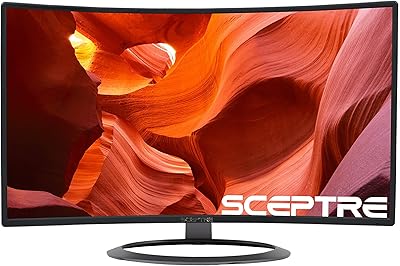
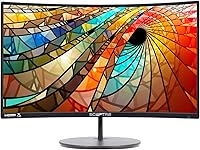
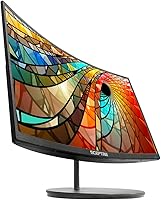
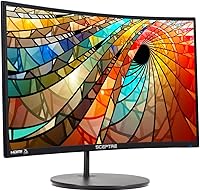
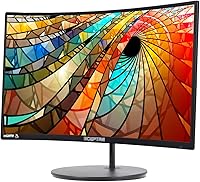
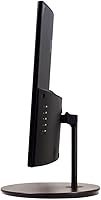
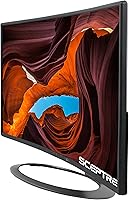
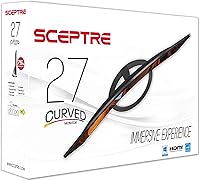
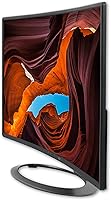
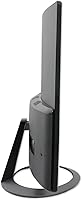
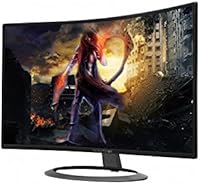
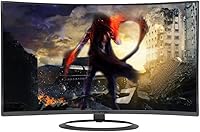
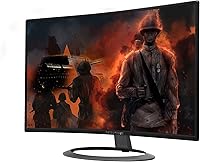
The Sceptre C278W-1920R 27″ Curved Monitor is one of the more honest value plays in the curved display market — it doesn't pretend to be something it isn't. For buyers who want to try a curved screen without committing serious money, the 27-inch size and 1800R curvature hit a sweet spot that's genuinely noticeable from a typical desk distance. Sceptre isn't a flashy brand, but they've been around long enough to know how to build a functional monitor at a low price. The slim profile and metallic black finish look cleaner than you'd expect at this tier, giving it a surprisingly polished appearance for the money.

Features & Benefits

The 1800R curvature on this curved monitor is tight enough that you actually feel it — at arm's length, the screen wraps around your peripheral vision in a way that flat displays simply don't. That said, the 1080p resolution across 27 inches is worth being upfront about: pixel density is lower than on a smaller 1080p panel, so text won't look razor-sharp if you sit very close. The 75Hz refresh rate isn't groundbreaking, but scrolling and video playback feel noticeably smoother than on a standard 60Hz screen. The 5ms response time handles everyday tasks cleanly, and having HDMI, DisplayPort, and VGA all in one display means you can hook up practically anything, old or new. Built-in speakers work fine for background audio.

Best For

This Sceptre display makes the most sense for people who want more desk real estate without overthinking it. Home office workers gain a wide, immersive workspace that makes browser tabs and documents feel less cramped. Students on a budget get a genuinely large screen that handles schoolwork, streaming, and light gaming without a premium price tag. Entry-level gamers will appreciate the curved experience and the bump to 75Hz, though anyone serious about competitive play will want something faster. The VGA input is also a quiet selling point — if you've got older hardware kicking around, this monitor accommodates it without an adapter hunt. It's a practical, no-fuss choice for first-time curved monitor buyers.

User Feedback

With over 2,000 ratings averaging 4.3 stars, the reception for the C278W-1920R is broadly positive, especially given its price point. Buyers consistently praise the easy assembly, the visual impact of the curve, and how much screen they're getting for the cost. Criticisms are real, though: color accuracy isn't a strong suit, and a number of users have reported backlight bleed along the edges. The stand doesn't offer height or tilt adjustment beyond a basic angle, which bothers some people more than others. Speakers get called adequate, rarely more. Longevity reviews are genuinely mixed — some units hold up fine over years, while others show issues early. It's the classic budget trade-off, and worth keeping in mind.

Pros

  • The 1800R curve is noticeable and genuinely adds to the sense of screen presence at a normal desk distance.
  • A 27-inch curved display at this price point is hard to beat for sheer value per screen size.
  • Setup is quick and straightforward — most buyers report being up and running within minutes.
  • The 75Hz refresh rate delivers visibly smoother scrolling and video compared to standard 60Hz monitors.
  • HDMI, DisplayPort, and VGA inputs make this one of the more flexible options in its class.
  • The metallic black finish looks cleaner and more premium than the price tag suggests.
  • Built-in speakers are functional enough for background music or video calls in a pinch.
  • Wide 178-degree viewing angles mean the image holds up even when you're not sitting dead center.
  • Broad OS compatibility covers Windows and macOS without needing any special drivers or software.
  • At over 2,000 reviews averaging 4.3 stars, buyer satisfaction is strong for a budget-tier display.

Cons

  • Pixel density at 1080p across 27 inches is soft — close-up text and fine detail lack sharpness.
  • Backlight bleed has been reported by a meaningful number of users, particularly near screen edges.
  • The stand offers no height adjustment, making ergonomic positioning a real challenge for taller users.
  • Color accuracy is limited, making this curved monitor a poor fit for any color-sensitive work.
  • Long-term durability is inconsistent — some units hold up well, others show problems within a year or two.
  • Built-in speakers are thin and tinny; they work, but you will want something better fairly quickly.
  • The glossy screen surface picks up glare easily in brightly lit rooms or near windows.
  • No tilt range beyond a basic fixed angle, which limits how you can position it on the desk.

Ratings

The scores below for the Sceptre C278W-1920R 27″ Curved Monitor were generated by our AI review engine after analyzing thousands of verified global buyer reviews, with spam, bot submissions, and incentivized feedback actively filtered out. Each category reflects the real distribution of praise and frustration reported by everyday users — not a curated highlight reel. Where the display genuinely delivers, the scores show it; where it falls short, we don't soften that either.

Value for Money
91%
Among budget monitors, this Sceptre display consistently earns its strongest praise in this category. Buyers repeatedly express surprise at how much screen — and how much curve — they're getting at this price point, often noting they expected far less. For first-time curved monitor buyers or students on tight budgets, the perceived return on investment is genuinely high.
The value calculation shifts if you factor in potential quality consistency issues. A small but vocal subset of buyers received units with noticeable defects out of the box, and at this price tier, replacement logistics can be frustrating. The value story is strong on average, but not guaranteed for every individual unit.
Curvature & Immersion
83%
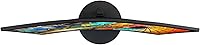
The 1800R curve is one of the tighter radii available in this size class, and buyers consistently notice it. Sitting at a normal desk distance, the screen wraps into peripheral vision in a way that enhances both movie-watching and extended work sessions. Users upgrading from flat monitors frequently describe it as a meaningful change in how engaged they feel.
A handful of users find the 1800R curvature too aggressive, particularly when viewing straight horizontal lines or spreadsheets with long rows, which can appear slightly distorted. It's also worth noting the immersion benefit drops considerably if you're viewing the screen from an angle or sharing it with someone sitting beside you.
Image Quality
67%
33%
For casual browsing, streaming, and everyday productivity, the Full HD image is functional and reasonably clean. Colors are vibrant enough to make videos and games look engaging at a glance, and the wide 178-degree viewing angle means brightness and color shift minimally as you move around the desk.
Pixel density at 1080p across 27 inches is the most common technical complaint — text isn't sharp, and anyone doing detail-heavy work will notice. Color accuracy is also limited; the panel doesn't cover a wide color gamut, which makes it unsuitable for photo editing or any color-critical workflow. Backlight bleed is reported frequently enough to be a real concern.
Refresh Rate & Motion
76%
24%
The jump from 60Hz to 75Hz is subtle but real — scrolling feels marginally smoother, and video playback benefits from a slight reduction in judder. For casual gaming and general desktop use, buyers describe the motion experience as noticeably better than entry-level 60Hz displays they've used before.
Competitive or enthusiast gamers will find 75Hz falls well short of what modern gaming demands. Fast-paced titles expose the limitation quickly, and the monitor has no adaptive sync support to help with tearing. It's a comfortable refresh rate for its intended audience, but misrepresenting it as a gaming monitor would be dishonest.
Build Quality
71%
29%
The slim bezel and metallic black finish give this curved monitor a cleaner look than most buyers expect at this price. The chassis feels reasonably solid on the desk, and the overall aesthetic is understated enough to fit most home office environments without looking out of place.
The stand is a consistent weak point — it wobbles more than users would like and offers only a minimal tilt range with no height adjustment. Long-term durability feedback is genuinely split, with some buyers reporting solid performance over years while others flag early failures in the backlight or panel.
Connectivity
88%
Having HDMI, DisplayPort, and VGA all on a single budget monitor is practically unusual and genuinely useful. Users who connect multiple devices — like a gaming console via HDMI and an older work PC via VGA — appreciate not needing adapters or a separate switch. Setup across different devices is described as quick and hassle-free.
There is no USB hub functionality, which is an increasingly common feature even at modest price points. Input switching requires navigating the on-screen menu, which a few buyers describe as slow and unintuitive. Those with USB-C only devices will need an adapter, as that connection type is absent entirely.
Response Time
73%
27%
At 5ms, this display handles day-to-day tasks and casual gaming without noticeable ghosting under normal conditions. Users playing slower-paced or single-player games report no issues, and everyday desktop tasks like video playback and web browsing are smooth with no trailing artifacts.
In fast-moving scenes or during competitive gaming, some users report visible ghosting or motion blur that the 5ms spec doesn't fully eliminate. The panel's response behavior is more characteristic of a VA-style curve than a true fast-switching IPS or TN panel, so the real-world result doesn't always match the advertised number.
Setup & Installation
89%
Unboxing and setup get consistent praise across the review base. The stand attaches without tools, the cables are clearly designated, and the on-screen menu is accessible enough for first-time monitor buyers to navigate without consulting the manual. Most users report being fully operational within 15 to 20 minutes.
The included documentation is sparse, and a small number of buyers encountered driver or display recognition issues on specific system configurations. The OSD button placement on the back of the monitor is awkward to reach, which becomes frustrating during initial calibration or when switching inputs regularly.
Built-in Speakers
48%
52%
The speakers exist and function, which is more than many competing displays in this class offer. For quick video calls, casual YouTube watching, or background audio when headphones aren't convenient, they're adequate as a temporary fallback option.
Volume is limited and audio quality is thin and lacking in bass — two or three hours of use and most buyers are reaching for headphones or a Bluetooth speaker. Users who rely on their monitor's audio for daily work report disappointment quickly, and the speakers are widely considered the weakest component of the entire package.
Color Accuracy
54%
46%
Out of the box, colors are punchy and saturated enough to look fine for entertainment use. Watching movies or playing colorful games, the average buyer won't find the color rendition offensive — it's broadly acceptable for non-critical use cases.
For anyone who needs color fidelity — photographers, video editors, designers, or even buyers who are just particular about skin tones in movies — the panel's limited gamut and poor factory calibration are a real problem. There are no meaningful calibration options accessible through the OSD to compensate for the deficiency.
Stand & Ergonomics
43%
57%
The stand keeps the monitor stable on a flat desk and is included at no extra cost, which is expected but worth noting. For users whose desk height already matches their preferred eye level, the fixed height may never become a noticeable issue.
The complete absence of height adjustment is the single most criticized ergonomic limitation of this display. Taller users or those with standing desks regularly flag this as a significant problem, often resulting in additional spending on a VESA arm just to achieve a comfortable viewing position. The pivot and swivel limitations compound the issue for dual-monitor arrangements.
Screen Uniformity
61%
39%
In typical bright-room usage — standard office lighting or daylight — screen uniformity is acceptable and most buyers don't notice any major irregularities during everyday tasks. The panel performs reasonably well when displaying light-colored content like documents or web pages at moderate brightness.
Backlight bleed is a recurring complaint, particularly in dark scenes or when using the monitor in a dimly lit room. Clouding in the corners is noted by a meaningful proportion of reviewers, and the glossy screen surface amplifies the perception of unevenness in certain lighting conditions.
Compatibility
86%
The broad OS compatibility — covering multiple generations of Windows and macOS — means this display plugs in and works without driver headaches on a wide range of systems. Buyers using both Mac and PC setups in the same workspace appreciate the flexibility this provides.
Some macOS users have noted that Retina-optimized workflows feel particularly compromised on a 1080p panel at this size, since macOS UI scaling makes the lower pixel density more apparent than on Windows. Compatibility with very new OS versions beyond Sceptre's official support list is untested and not guaranteed.
Longevity & Reliability
58%
42%
A solid share of buyers report using the C278W-1920R daily for two or more years without incident, which suggests the hardware is capable of lasting when manufacturing tolerances fall on the right side. The 50,000-hour lamp life rating is a reasonable benchmark for expected backlight endurance under normal use.
Quality consistency is the central reliability concern — failure rates at the one-to-two year mark are reported frequently enough to suggest this isn't an isolated issue. Buyers who hit problems often describe dead pixels, backlight failure, or panel defects, and the warranty and customer support experience from Sceptre is described as inconsistent at best.

Suitable for:

The Sceptre C278W-1920R 27″ Curved Monitor is a practical fit for anyone stepping into the curved display world without wanting to spend heavily upfront. Home office workers who spend long hours browsing, writing, or managing spreadsheets will appreciate the wide 27-inch view and the subtle but real sense of immersion the 1800R curve adds to a standard desk setup. Students building out their first workstation get a lot of screen for a modest investment — it handles schoolwork, video calls, and Netflix without complaint. Casual gamers who care more about screen presence than frame-rate precision will find the 75Hz refresh and 5ms response perfectly adequate for the kinds of games they're playing. It's also a smart pick for anyone juggling older and newer hardware, since the HDMI, DisplayPort, and VGA inputs mean you're covered across a wide range of devices without hunting for adapters.

Not suitable for:

Buyers with high expectations around image quality will likely walk away disappointed by this Sceptre display. The 1080p resolution spread across 27 inches results in a pixel density that's noticeably softer than smaller or higher-resolution panels — if you do detailed photo editing, graphic design, or read dense text up close for hours, that's going to bother you. Competitive gamers should look elsewhere entirely; 75Hz is a step up from 60Hz, but it's nowhere near what fast-paced online play demands. The stand offers minimal adjustability, with no height control, which can become a real ergonomic frustration during long sessions. Users who've had poor experiences with budget monitor reliability may also want to weigh the mixed long-term durability feedback before committing. And if audio quality matters to you at all, the built-in speakers are barely a stopgap — external speakers or headphones are essentially non-optional.

Specifications

  • Screen Size: The display measures 27 inches diagonally, providing a wide viewing area suited to single-monitor desk setups.
  • Resolution: Native resolution is 1920x1080 Full HD, delivering standard 1080p clarity across the panel.
  • Panel Type: Uses a curved LED-backlit panel with a glossy screen surface finish.
  • Curvature: The panel features an 1800R curvature radius, one of the more aggressive curves available at this screen size.
  • Refresh Rate: Supports a maximum refresh rate of 75Hz, offering smoother motion than standard 60Hz displays.
  • Response Time: Rated at 5ms response time, which keeps motion blur and ghosting at an acceptable level for general use.
  • Aspect Ratio: Standard 16:9 widescreen aspect ratio, compatible with virtually all modern video and content formats.
  • Viewing Angle: Offers 178-degree horizontal and 178-degree vertical viewing angles, maintaining image consistency across a wide range of positions.
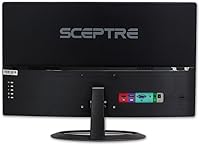
  • Connectivity: Includes one HDMI port, one DisplayPort, and one VGA port for broad device compatibility.
  • Built-in Audio: Integrated stereo speakers are included, providing basic audio output without requiring external devices.
  • OS Support: Compatible with Windows 7, Windows 8, Windows 10, macOS High Sierra, macOS Sierra, and OS X El Capitan.
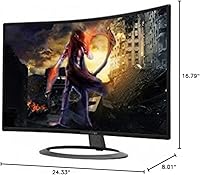
  • Dimensions: The monitor measures 7 x 21 x 16 inches (depth x width x height) including the stand.
  • Weight: Total unit weight is 3.24 pounds, making it relatively lightweight for a 27-inch curved display.
  • Color Finish: Available in a metallic black finish with a slim, ultra-thin bezel profile on three sides.
  • Lamp Life: The backlight is rated for approximately 50,000 hours of operational life under typical usage conditions.
  • Stand Adjustability: The included stand supports basic tilt adjustment only, with no height, swivel, or pivot functionality.
  • Power: Designed for standard AC power input; no external power brick is required for typical desktop operation.
  • VESA Mount: The monitor is compatible with standard VESA mounting patterns, allowing for wall or arm mounting if preferred over the included stand.

Related Reviews
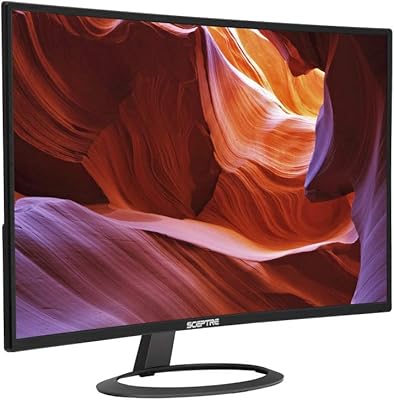
Sceptre C275W-1920RN 27″ Curved LED Monitor
71%
88%
Value for Money
83%
Display Curvature & Immersion
61%
Image Sharpness & Clarity
69%
Refresh Rate & Gaming Performance
78%
Build Quality & Design
More
Sceptre C325W-1920R 32-inch Curved Monitor
84%
92%
Value for Money
87%
Picture Quality
89%
Immersive Experience
90%
Ease of Setup
85%
Build Quality
More
Sceptre C328W-1920R 32″ Curved LED Gaming Monitor
79%
89%
Value for Money
82%
Display Quality
91%
Immersion/Curvature
85%
Ease of Setup
77%
Build Quality
More
Sceptre C275B-FWT240 27″ Curved Gaming Monitor
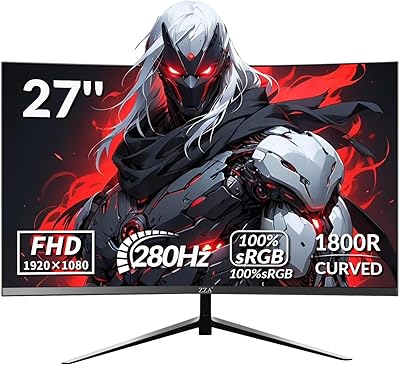
75%
91%
Refresh Rate Performance
88%
Value for Money
79%
Panel Contrast & Color
83%
Motion Clarity
61%
Build Quality
More
Samsung CF391 27″ Curved Monitor
74%
88%
Value for Money
91%
Screen Size Impact
83%
Curve Effect
61%
Image Sharpness
69%
Refurbished Condition
More
ZZA 27-inch Curved Monitor
86%
89%
Display Quality
92%
Color Accuracy
85%
Ergonomics
88%
Build Quality
90%
Ease of Setup
More
ZZA Z27H1K280HZ 27″ Curved Gaming Monitor
70%
88%
Refresh Rate Performance
84%
Value for Money
76%
Image Quality & Color Accuracy
67%
Motion Clarity & Response
89%
Contrast & Black Levels
More
AOC C27G2Z 27″ Curved Gaming Monitor
80%
93%
Refresh Rate Performance
88%
Response Time & Motion Clarity
79%
Color Accuracy & Vibrancy
86%
Contrast & Black Levels
62%
Resolution & Pixel Density
More
Raywego Q270B13 27-inch Curved Monitor
70%
83%
Image Contrast & Depth
51%
Brightness & Visibility
76%
Color Accuracy
78%
Refresh Rate & Motion
63%
Gaming Performance
More
AOC C27G4H 27″ Curved Gaming Monitor
89%
93%
Performance
95%
Display Quality
87%
Ergonomics/Adjustability
91%
Value for Money
89%
Compatibility (Console)
More

FAQ

Yes, most buyers find the assembly process quick and intuitive. The stand attaches without tools in most cases, and connecting via HDMI or DisplayPort is straightforward. You should be up and running within 15 to 20 minutes of unboxing.

At a typical arm's-length sitting distance, the 1800R curve is genuinely noticeable — more so than shallower 3000R or 4000R curves you'll find on some other monitors. It adds a sense of wrap that flat screens don't have, especially during movies or gaming.

This is an honest trade-off worth knowing before you buy. At 27 inches, 1080p results in a lower pixel density than on a 24-inch panel at the same resolution. If you sit close and look at fine text for long periods, you may notice it's not razor-sharp. For general browsing, video, and casual gaming, most people find it perfectly acceptable.

Yes, the VGA input means you can connect legacy hardware directly without needing an adapter. That's one of the more practical features of this display, especially if you're working with an older tower or budget graphics card.

It is. The monitor works with macOS High Sierra, macOS Sierra, and OS X El Capitan via HDMI or DisplayPort. Newer macOS versions also tend to work fine, though Sceptre's official compatibility list covers those specific releases.

They're adequate for background audio, video calls, or occasional YouTube watching, but don't expect much in terms of volume or sound quality. Most users who care about audio end up using headphones or a small external speaker pretty quickly.

Unfortunately, no. The stand only offers a basic tilt angle and nothing more — no height adjustment, no swivel, and no pivot. If ergonomics matter to you, it's worth budgeting for a monitor arm, which is straightforward since the display is VESA-compatible.

It has come up in a noticeable number of user reviews, particularly along the edges of the panel. It's not universal, but it's common enough that you should be aware of it. If you're sensitive to uneven lighting — especially in dark room gaming or movie watching — it's worth factoring in.

For casual gaming — think single-player adventures, strategy games, or anything that isn't ultra-competitive — 75Hz is a comfortable step up from 60Hz and works well. If you're playing fast-paced online shooters where frame rates and response times directly affect performance, you'll want to look at a 144Hz or higher display instead.

User feedback on longevity is genuinely mixed. Some buyers report years of trouble-free use, while others have encountered issues within the first year or two. It's fair to say that this is a budget-tier product, and the build quality reflects that — it's not built to the same standard as more expensive brands, so your mileage may vary.

Where to Buy