Overview

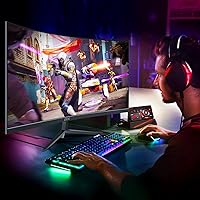
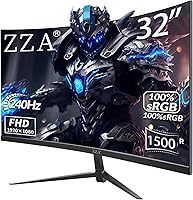
The ZZA Z32D 32″ Curved Gaming Monitor enters a crowded market with a straightforward pitch: a large, fast curved screen at a price that doesn’t require serious budget gymnastics. Made by Jetta (Shenzhen), ZZA isn’t a household name, and that’s worth knowing before you buy — though anonymity alone doesn’t disqualify a product. The 32-inch VA panel with 1500R curvature is the headline here, wrapping your field of view in a way that flat screens simply don’t. The value proposition is real, but so are the compromises. One thing to note before anything else: no built-in speakers, so plan accordingly.
Features & Benefits

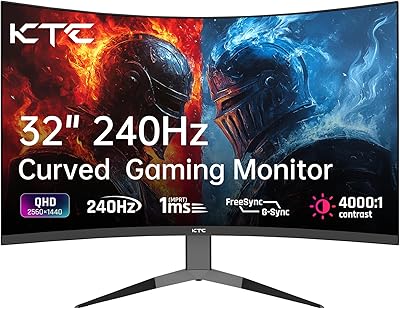
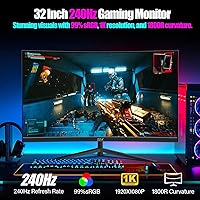
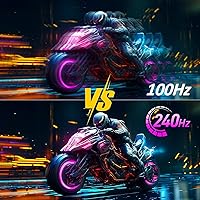
At 240Hz with 1ms response, this curved gaming monitor is built for speed. In fast-paced shooters or racing titles, that combination genuinely reduces ghosting and motion blur — the kind of difference you feel within the first few minutes. The VA panel brings a 4000:1 contrast ratio to the table, producing rich, deep blacks that IPS panels at this price range can’t match, though color accuracy and viewing angles are a known trade-off. FreeSync Premium keeps things tear-free when your frame rate dips, which matters if you’re on a mid-range GPU. The included DisplayPort cable means you’re ready to hit 240Hz out of the box, no extra purchase needed.

Best For

This budget 240Hz screen hits its stride for competitive FPS gamers who care about smoothness over pixel density. At 32 inches with a 1080p panel, the pixel density is on the lower side — noticeable if you sit close, less so if you’re a meter back. If you plan to mount it on a VESA arm, the 100x100mm compatibility makes that straightforward, since the tilt-only stand won’t satisfy everyone’s ergonomic needs. Console players and PC users sharing one desk will appreciate the dual HDMI and DisplayPort inputs. It’s also a natural choice for anyone upgrading from flat screens who wants their first taste of a curved display without overspending.

User Feedback

Buyers generally respond well to the ZZA 32-inch display’s smoothness, with many noting the 240Hz difference is immediately apparent coming from a 60Hz or 144Hz monitor. The value-to-spec ratio draws frequent praise. That said, backlight bleed is a recurring complaint — not surprising for a VA panel at this price point, but worth setting expectations around. A handful of buyers mention that out-of-box color accuracy needs some tuning; a quick calibration pass helps noticeably. The stand’s limited adjustability comes up often enough to matter, particularly for users who don’t have a monitor arm handy. Build quality appears solid for the category, with few reports of DOA units or shipping damage, which is a reasonable baseline for a lesser-known brand.

Pros

  • 240Hz refresh rate delivers genuinely smooth motion in fast-paced games, not just a spec sheet number.
  • The 4000:1 contrast ratio produces deep, rich blacks that budget IPS panels simply cannot match.
  • A 32-inch curved screen at this price point is rare and offers real immersion for the money.
  • FreeSync Premium keeps gameplay tear-free even when frame rates fluctuate on mid-range GPUs.
  • Includes a DisplayPort cable in the box, so you can hit 240Hz without an extra purchase.
  • VESA 100x100mm compatibility makes it easy to pair with a monitor arm for a cleaner desk setup.
  • Dual inputs (HDMI 2.0 and DP 1.4) make switching between a PC and a console straightforward.
  • Build quality holds up well for the price tier, with few reported DOA or shipping damage issues.
  • The 1500R curvature feels natural at typical desk distances and reduces peripheral distortion.

Cons

  • 1080p resolution on a 32-inch panel means lower pixel density — text and fine details look noticeably soft up close.
  • Backlight bleed is a recurring complaint and a known risk with VA panels in this price category.
  • The tilt-only stand offers no height, swivel, or pivot adjustments, limiting ergonomic flexibility.
  • HDR performance is underwhelming in practice — the implementation is edge-lit and adds little over standard mode.
  • Out-of-box color accuracy needs calibration; the default picture profile leans cooler than most users prefer.
  • ZZA is a lesser-known brand with limited customer support infrastructure compared to established monitor makers.
  • No built-in speakers means you must budget for external audio from the start.
  • Only one USB port is included, which is restrictive for users who need hub functionality.
  • HDMI 2.0 caps out below 240Hz, so PC gamers must use DisplayPort to access the full refresh rate.

Ratings

Our AI-generated scores for the ZZA Z32D 32″ Curved Gaming Monitor are drawn from thousands of verified buyer reviews worldwide, with spam, bot-generated, and incentivized submissions actively filtered out before analysis. The ratings below reflect both the genuine strengths buyers praise and the recurring frustrations that show up across real ownership experiences. Nothing has been softened or inflated — what you see is an honest composite of what people actually report after living with this budget 240Hz screen.
Gaming Performance
88%
Buyers consistently describe the jump to 240Hz as immediately noticeable, especially coming from 60Hz or 144Hz panels. In fast FPS titles, enemy movement tracks more cleanly and the overall feel is snappier in ways that are hard to ignore once experienced.
A handful of users note that getting a stable 240Hz signal requires using DisplayPort specifically, and some had initial confusion with HDMI connections defaulting to lower refresh rates. The experience is strong, but only when set up correctly.
Value for Money
84%
Buyers repeatedly highlight that getting a 32-inch curved screen with 240Hz at this price tier is genuinely difficult to beat. Most competing options at a similar price either drop the size, the refresh rate, or the curvature — rarely all three together.
Some buyers feel the value calculation shifts once they factor in the cost of external speakers and a better stand or monitor arm. A few also note that similarly priced monitors from more established brands occasionally go on sale and close the gap.
Picture Contrast & Blacks
81%
19%
The VA panel’s 4000:1 contrast ratio translates into noticeably deep blacks during dark dungeon sequences, horror games, or nighttime racing scenes. Users who game in dim or dark rooms specifically call out this strength as one of the monitor’s best real-world qualities.
The strong contrast can occasionally cause dark shadow areas in games to become murky and lose visible detail, a known VA characteristic. Some buyers also note gamma feels slightly off out of the box, requiring manual adjustment to avoid crushed blacks.
Motion Clarity
79%
21%
At 240Hz with FreeSync Premium active, tearing and stutter are largely non-issues for AMD GPU users. Competitive gamers report that tracking moving targets in shooters feels more controlled compared to panels running at half the refresh rate.
Some users report mild VA-specific smearing — a faint trail on fast-moving objects, particularly on dark backgrounds — which the 1ms MPRT rating doesn’t fully eliminate in practice. It’s subtle, but perfectionists will notice it.
Build Quality
72%
28%
Most buyers find the physical construction acceptable for the price, with a sturdy enough panel and back housing that doesn’t feel dangerously flimsy. Shipping damage reports are relatively low, which suggests reasonable protective packaging from the factory.
The stand feels lightweight and somewhat hollow, and a few users mention slight wobble when typing or desk vibrations occur. The overall plastics don’t project a premium feel, which is expected at this tier but still noted consistently in feedback.
Stand & Ergonomics
48%
52%
VESA 100x100mm compatibility at least gives users an escape route — those who invest in a third-party monitor arm gain full positioning freedom and effectively solve the ergonomic shortcomings of the included stand entirely.
The tilt-only stand is a persistent complaint across reviews. No height adjustment, no swivel, and no pivot means taller users or those with multi-monitor setups often struggle to find a comfortable viewing angle, particularly during long sessions.
Color Accuracy
61%
39%
After manual calibration in the OSD — specifically adjusting color temperature to a warmer preset and pulling back contrast — the image quality improves meaningfully for everyday use and casual gaming.
Out of the box, the color profile skews noticeably cool and slightly oversaturated. For photo editing or color-sensitive creative work, this panel simply isn’t calibrated or panel-type appropriate, and even post-calibration it won’t satisfy color-critical workflows.
Backlight Uniformity
54%
46%
During normal gameplay on bright or mid-tone scenes, backlight consistency is generally acceptable and not a primary distraction for most users who reported on this topic.
Backlight bleed in the corners is one of the most frequently flagged issues, showing up most visibly on black loading screens and title cards in games or films. At this price with a VA panel, some bleed is essentially expected, but the degree varies noticeably unit to unit.
HDR Experience
43%
57%
Enabling HDR mode does produce a marginally punchier image in titles that support it, and some buyers enjoy the increased brightness ceiling it unlocks in certain game presets.
HDR on this curved gaming monitor is edge-lit and falls well short of true local dimming performance. Most experienced users recommend leaving HDR off, as the halo blooming and washed-out look in bright scenes tends to degrade image quality rather than improve it.
Connectivity
76%
24%
Having both HDMI 2.0 and DisplayPort 1.4 inputs covers the common dual-device use case — a PC on DP and a console on HDMI — without needing a switch box. The included DP cable is a small but genuinely appreciated inclusion.
The single USB port is limiting for users who expected hub functionality, and input switching has no dedicated physical button on some firmware versions, requiring a few OSD clicks. Not a dealbreaker, but worth knowing.
Screen Curvature
78%
22%
At a normal desk distance, the 1500R curvature feels natural and adds a real sense of depth in open-world and racing games. First-time curved monitor users consistently describe the transition from flat panels as immediately positive.
At 32 inches, a 1500R curve is on the more aggressive end, and a small number of users find it slightly uncomfortable for productivity tasks like spreadsheets or document editing where straight horizontal lines are expected to be, well, straight.
Setup & Out-of-Box Experience
74%
26%
Assembly is straightforward and takes most users under ten minutes. The included DisplayPort cable means you can connect to a PC and be running at full 240Hz without hunting for accessories, which buyers appreciate.
The quick-start documentation is minimal, and some users initially struggled to locate the refresh rate setting in Windows display options. A clearer setup guide specific to enabling 240Hz would reduce early confusion for less tech-savvy buyers.
Brand Reliability
58%
42%
The majority of units arrive without defects and perform as specified, and most buyers do not encounter issues during the standard return window, which limits immediate financial risk when purchasing through a major retail platform.
ZZA’s after-sales support infrastructure is thin compared to established brands. Long-term warranty service, driver updates, and customer support responsiveness are areas where the brand’s limited market presence becomes a real concern for some buyers.
Pixel Density & Sharpness
56%
44%
For gaming at typical sitting distances of 70cm or more, most users find the 1080p image at 32 inches perfectly enjoyable, especially when high frame rates keep the experience smooth and fluid.
The pixel density sits around 69 PPI, which is genuinely low for a desktop monitor at this size. Text rendering looks noticeably soft in Windows, and users who sit close or frequently switch to productivity tasks are the most likely to find it frustrating.

Suitable for:

The ZZA Z32D 32″ Curved Gaming Monitor is a strong fit for budget-conscious gamers who want a large, fast display without stretching into premium territory. If your primary games are competitive shooters, battle royales, or racing titles, the 240Hz refresh rate and 1ms response time will make a tangible difference you can feel in everyday sessions. The 1500R curve on a 32-inch screen creates genuine immersion at a normal desk distance, making it a satisfying step up for anyone currently on a flat 1080p monitor. Console and PC users who switch between devices will appreciate having both HDMI 2.0 and DisplayPort 1.4 available without needing an external switch. Those planning to use a monitor arm will find the VESA 100x100mm compatibility a welcome feature, effectively sidestepping the stand’s limited adjustability entirely.
Not suitable for:

The ZZA Z32D 32″ Curved Gaming Monitor is not the right call for buyers who value sharp pixel density, as 1080p spread across 32 inches produces a noticeably softer image, especially when sitting close to the screen. Creative professionals — photographers, video editors, or graphic designers — should look elsewhere, since VA panels trade color accuracy and wide viewing angles for contrast, and the HDR implementation here is edge-lit at best, not the true HDR experience those workflows demand. Anyone who needs height, swivel, or pivot adjustability from their stand will find the tilt-only base frustrating for long work-from-home or productivity sessions. Buyers who want integrated audio without a separate speaker setup will also need to account for the missing built-in speakers. Finally, if brand pedigree and long-term manufacturer support matter to your purchase decision, ZZA’s limited market presence may give you pause.
Specifications

  • Screen Size: The display measures 32 inches diagonally, offering a large viewing area suited for immersive gaming at typical desk distances.
  • Panel Type: Uses a VA (Vertical Alignment) panel, which delivers stronger contrast and deeper blacks compared to IPS, at the cost of slightly narrower viewing angles.
  • Resolution: Native resolution is 1920x1080 (Full HD), providing a familiar 16:9 aspect ratio across the full 32-inch panel.
  • Refresh Rate: Supports a maximum refresh rate of 240Hz, enabling noticeably smoother motion in fast-paced games when driven via DisplayPort 1.4.
  • Response Time: Rated at 1ms response time (MPRT), which helps reduce motion blur and ghosting during high-speed gameplay sequences.
  • Curvature: Features a 1500R curvature radius, meaning the screen arc matches a circle with a 1500mm radius for a moderately immersive wrap around the viewer.
  • Contrast Ratio: Contrast ratio is specified at 4000:1, allowing for visibly deeper blacks and more defined shadow detail compared to typical IPS panels at this price.
  • Adaptive Sync: Supports AMD FreeSync Premium, which dynamically matches the monitor’s refresh rate to the GPU output to eliminate screen tearing and reduce stutter.
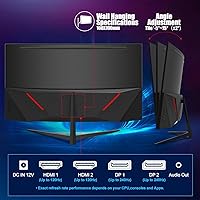
  • Connectivity: Equipped with one DisplayPort 1.4 input and one HDMI 2.0 input, supporting up to 240Hz over DP and standard high-definition signals over HDMI.
  • Included Cable: A DisplayPort cable is included in the box, allowing users to immediately access the full 240Hz refresh rate without a separate purchase.
  • USB Ports: The monitor provides one USB port, offering basic peripheral passthrough without full hub functionality.
  • VESA Mount: Compatible with standard 100x100mm VESA mounting patterns, making it easy to attach to most third-party monitor arms or wall mounts.
  • Tilt Adjustment: The included stand supports tilt adjustment ranging from -5° to +20° (±3° tolerance), with no height, swivel, or pivot adjustments available.
  • Dimensions: Fully assembled with stand, the monitor measures 28 x 7 x 19.6 inches (width x depth x height), fitting most standard desks comfortably.
  • Weight: The unit weighs 13.77 pounds with the stand attached, which is typical for a 32-inch curved display in this category.
  • Speakers: This monitor does not include built-in speakers; users will need external speakers or headphones for audio output.
  • Manufacturer: Manufactured by Jetta (Shenzhen) E-commerce Co., Ltd., operating under the ZZA brand name.
  • Model Number: The official model number is Z32D, which can be used to identify firmware updates, replacement parts, or compatibility documentation.

Related Reviews
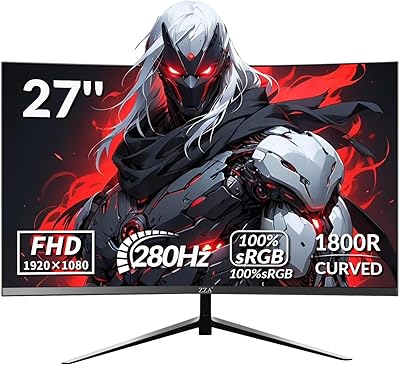
ZZA Z27H1K280HZ 27″ Curved Gaming Monitor

70%
88%
Refresh Rate Performance
84%
Value for Money
76%
Image Quality & Color Accuracy
67%
Motion Clarity & Response
89%
Contrast & Black Levels
More
KOORUI G3221SC 32″ Curved QHD Gaming Monitor

69%
83%
Picture Quality
81%
Gaming Performance
86%
Value for Money
41%
HDR Performance
67%
Color Accuracy
More
Gawfolk GF320C 32-Inch Curved Gaming Monitor
75%
88%
Refresh Rate Performance
83%
Image Quality
76%
Motion Clarity
86%
Curvature & Immersion
91%
Value for Money
More
Samsung 32-Inch S39C Curved Gaming Monitor
83%
88%
Display Quality
91%
Value for Money
86%
Eye Comfort
89%
Ease of Setup
85%
Build Quality
More
Samsung Odyssey G55C 32″ Curved Gaming Monitor
78%
88%
Image Sharpness & Resolution
84%
Refresh Rate & Motion Clarity
91%
Curvature & Immersion
93%
Value for Money
57%
HDR Performance
More
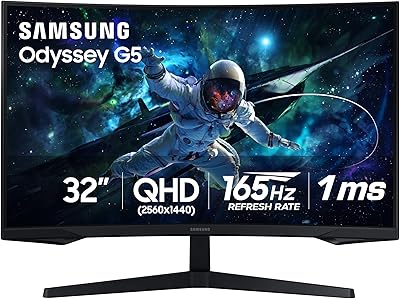
KTC H32S17C 32-inch Curved Gaming Monitor
72%
91%
Value for Money
84%
Gaming Performance
76%
Picture Quality
52%
HDR Experience
67%
Color Accuracy
More
AOC C32G2 32″ Curved Gaming Monitor
76%
91%
Value for Money
84%
Gaming Performance
73%
Image Quality
88%
Refresh Rate & Smoothness
83%
Curvature & Immersion
More
Samsung 32″ Odyssey G65B Curved Gaming Monitor

77%
88%
Image Clarity
91%
Refresh Rate Performance
74%
HDR Quality
87%
Motion & Response
83%
Curvature & Immersion
More
Sceptre C325B-144R 32″ Curved Gaming Monitor
75%
88%
Value for Money
91%
Refresh Rate Performance
74%
Image Quality
61%
Pixel Density & Sharpness
83%
AMD FreeSync
More
KTC H32S17F 32-inch Curved Gaming Monitor
73%
91%
Refresh Rate Performance
88%
Value for Money
86%
Motion Clarity
74%
Color & Visual Quality
61%
Resolution & Sharpness
More

FAQ

You’ll need to use the DisplayPort 1.4 connection to hit 240Hz — the included DP cable handles this out of the box. The HDMI 2.0 port tops out at 144Hz for 1080p, so if you’re plugging in via HDMI, you won’t reach the panel’s full refresh rate. For PC gaming at 240Hz, just use the DisplayPort and you’re set.

Honestly, pixel density is on the lower side here — around 69 PPI — so if you sit very close (under 60cm), you may notice individual pixels, especially in text-heavy apps or slower games. For fast-paced gaming viewed from a normal distance of 70–90cm, most people find it perfectly acceptable. It’s a real trade-off worth considering if you plan to use this as a general-purpose work monitor.

Yes, it works with NVIDIA graphics cards for standard display output at any refresh rate the GPU supports. However, FreeSync Premium adaptive sync is primarily an AMD technology, and while some NVIDIA GPUs support it via G-Sync Compatible mode, that compatibility is not guaranteed and depends on your specific card and driver version. AMD GPU users will get the most seamless adaptive sync experience.

VA panels at this price point are known to have some backlight bleed, particularly in the corners, and this curved gaming monitor is no exception based on user reports. It’s most noticeable on full-black or very dark screens. During normal gameplay it rarely becomes distracting, but if you frequently watch movies in a dark room or use the monitor for dark-themed creative work, it’s something to keep in mind.

The default color profile tends to run a little cool and oversaturated for most users’ tastes. A quick trip into the OSD to adjust color temperature to ‘Warm’ and dial back contrast slightly makes a noticeable improvement. You don’t need a hardware colorimeter, but spending five minutes with the on-screen settings is worth it.

Yes, the monitor supports the standard 100x100mm VESA pattern, so it’s compatible with the vast majority of third-party monitor arms. Since the included stand only tilts and doesn’t adjust for height or swivel, many users actually prefer running an arm for a more ergonomic setup. Just make sure your arm is rated for at least 14 pounds.

Yes, via the HDMI 2.0 port. Modern consoles output at up to 120Hz over HDMI at 1080p, so you won’t hit the full 240Hz that way, but 120Hz is still a significant upgrade over 60Hz and the experience is smooth. Just be aware that console FreeSync support varies by game and system settings.

You’ll need either external desktop speakers connected to your PC or a headset. The monitor itself has no 3.5mm audio output, so your audio chain runs entirely through your PC or console. For most gamers this isn’t an issue since headsets are the norm, but it’s worth factoring in if you were expecting to plug speakers directly into the display.

At a standard sitting distance of around 70–90cm, the 1500R curve feels natural and adds a mild sense of immersion without being extreme. It wraps your peripheral vision just enough to make games feel more engaging without distorting straight lines in productivity apps. Compared to a 1800R curve, it’s slightly more aggressive — some people love it, others prefer a subtler curve.

ZZA is made by Jetta (Shenzhen), a Chinese OEM manufacturer that produces displays under various brand names. They’re not a household name like LG or Samsung, which means customer support infrastructure and long-term warranty backing are more limited. That said, user reports on build quality have been generally positive for the price category. If you buy through Amazon, the platform’s return and buyer protection policies serve as a reasonable safety net during the early ownership window.