Overview

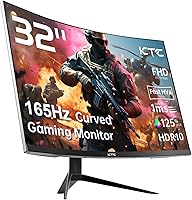
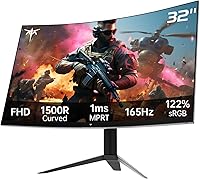
The KTC H32S17C 32-inch Curved Gaming Monitor enters a crowded budget segment with one clear argument: a lot of screen for not a lot of money. KTC isn't a household name like LG or Samsung, but this curved gaming monitor has quietly climbed to #66 in Computer Monitors on Amazon, which says something real about buyer satisfaction. The 1500R VA panel is the centerpiece — it wraps your field of view without demanding a premium price. One honest caveat worth flagging upfront: FHD 1080p on a 32-inch display produces lower pixel density than some buyers expect, so those who prioritize razor-sharp text and fine detail may want to think carefully before committing.

Features & Benefits

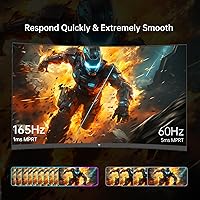
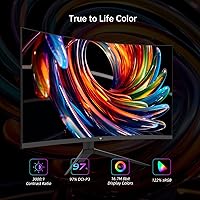
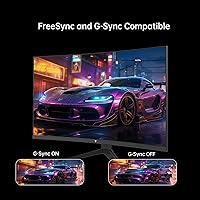
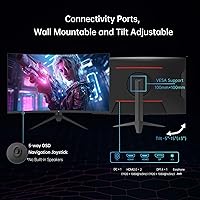
At 165Hz with FreeSync Premium and G-Sync compatibility, this curved gaming monitor handles mid-range GPUs without the screen-tearing headaches that plague cheaper panels. A quick note on the 1ms spec: that figure refers to MPRT, a motion blur reduction measurement, not true pixel response time — it is still smooth in practice, just not the same benchmark as GtG. The 122% sRGB color gamut on a VA panel delivers rich contrast and punchy colors that genuinely outperform many IPS competitors at this screen size. HDR10 is present, but at 350 nits of brightness, dramatic highlights are not realistic — it is functional rather than impactful. Connectivity covers HDMI, DisplayPort, USB, and a 3.5mm audio jack, and VESA mounting is supported.

Best For

This VA curved display hits its stride for budget-conscious gamers — particularly those upgrading from a smaller 24-inch or 60Hz screen, where the jump to 32 inches and 165Hz will feel immediately rewarding. Console and PC gamers who care more about immersion and fluidity than pixel-perfect sharpness will find plenty to like here. The 1500R curve also helps users with shallow desk setups, since the bend compensates for edge distortion without needing extra viewing distance. Home office workers who game casually in the evenings are equally well served. Creative professionals — photo editors and colorists especially — should invest in a panel built specifically for color accuracy rather than this one.

User Feedback

With a 4.4-star rating across a solid volume of reviews, the general consensus on the KTC 32-inch panel leans positive. Buyers frequently praise how immersive the curve feels during long gaming sessions and how vibrant the colors appear straight out of the box. On the critical side, a recurring theme is that 1080p can look noticeably soft at this screen size when sitting close — not a dealbreaker for most, but a common surprise. Several reviewers also point out that the stand lacks height adjustment, making the included VESA compatibility more of a necessity than a bonus. KTC's customer support draws mixed mentions, with most problems eventually resolved but response times occasionally inconsistent.

Pros

  • A 32-inch curved screen at this price tier is genuinely hard to beat for pure value.
  • The 165Hz refresh rate keeps gameplay smooth and responsive, even in competitive titles.
  • FreeSync Premium and G-Sync compatibility work well with a wide range of mid-range GPUs.
  • The VA panel delivers rich contrast and punchy colors that outperform many IPS rivals at this size.
  • Matte anti-glare coating handles ambient light well, making it usable in brighter rooms.
  • VESA 100x100mm support makes it easy to mount on a third-party arm for better ergonomics.
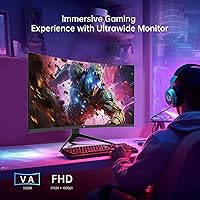
  • The 1500R curve reduces edge distortion and adds a sense of immersion during long sessions.
  • Solid port selection — HDMI, DisplayPort, USB, and audio jack — covers most common setups.
  • A 4.4-star aggregate rating from real buyers adds meaningful confidence to the purchase.

Cons

  • FHD 1080p on a 32-inch panel produces noticeable softness for users who sit close to the screen.
  • The stand offers only tilt adjustment — no height, swivel, or pivot options are included.
  • HDR10 at 350 nits delivers minimal real-world impact; do not buy this display expecting true HDR performance.
  • The 1ms spec refers to MPRT motion blur reduction, not native pixel response time — a meaningful distinction some buyers overlook.
  • KTC is a relatively unknown brand, and long-term reliability data is limited compared to established manufacturers.
  • Out-of-box color calibration may require manual adjustment to get the most accurate results.
  • Customer support response times have been inconsistent based on user reports, which adds some post-purchase risk.
  • At 18 pounds, the panel is on the heavier side, which is worth considering if you plan to mount it on a lightweight arm.

Ratings

The scores below reflect our AI-driven analysis of verified global buyer reviews for the KTC H32S17C 32-inch Curved Gaming Monitor, with spam, bot-generated, and incentivized feedback actively filtered out to protect accuracy. We have weighed both the genuine praise and the recurring frustrations to give you a clear, unvarnished picture of where this panel excels and where it falls short. Strengths and real pain points are reflected equally — no sugarcoating.

Value for Money
91%
Buyers consistently describe this curved gaming monitor as one of the best large-screen deals they have found at this price point. Getting a 32-inch 165Hz VA panel with adaptive sync for the cost of a mid-range 27-inch monitor from a mainstream brand strikes most users as a genuinely good trade.
A small segment of buyers feel the value calculation changes once they notice the 1080p softness at 32 inches — for those users, paying slightly more for a 1440p panel in hindsight felt like the smarter move. Brand recognition concerns also make a few buyers hesitant about long-term support.
Gaming Performance
84%
The 165Hz refresh rate is the headline win here, and users playing fast-paced shooters and racing games consistently praise how smooth and responsive the experience feels compared to their previous 60Hz or 75Hz displays. FreeSync Premium and G-Sync compatibility add real practical value for owners of mid-range GPUs from both AMD and Nvidia.
The 1ms MPRT spec causes some confusion post-purchase — users expecting true 1ms GtG pixel response occasionally report that fast-moving dark scenes show faint ghosting, which is a known characteristic of VA panels rather than a defect. Competitive esports players sensitive to input latency may notice the difference versus a premium IPS gaming monitor.
Picture Quality
76%
24%
Colors out of the box are vivid and punchy, with the VA panel delivering noticeably deeper blacks and stronger contrast than IPS alternatives at a comparable size. The 122% sRGB gamut makes games and streaming content look lively, and users switching from older TN panels often describe the color experience as a significant step forward.
The FHD resolution is the most common complaint in picture quality discussions — at 32 inches, 1080p simply does not hold up well for users who sit close to the screen or do a lot of text-heavy work. Fine detail in games and desktop applications appears slightly soft compared to what you would get from a 27-inch 1080p or a 32-inch 1440p panel.
HDR Experience
52%
48%
HDR10 support at least ensures compatibility with HDR-flagged content from streaming platforms and modern games, and users do report a modest improvement in shadow detail and highlight rendering compared to standard SDR mode. For buyers who have never owned an HDR-capable display, the feature adds a degree of novelty.
At 350 nits peak brightness, the HDR implementation is widely considered underwhelming by buyers who anticipated a meaningful visual upgrade. Specular highlights do not pop and dark scenes do not get the kind of local dimming treatment that makes HDR genuinely impactful — several reviewers explicitly advise others to ignore the HDR checkbox when evaluating this panel.
Color Accuracy
67%
33%
For general gaming and multimedia consumption, the out-of-box color presentation is warm and pleasing without requiring immediate calibration. The 122% sRGB coverage means colors look rich and saturated in games and videos, which is exactly what most buyers in this category are after.
The VA panel is not factory calibrated to tight tolerances, and users doing photo editing or graphic design work quickly notice color shifts along the edges due to the limited viewing angles inherent to VA technology. This display is not recommended for any workflow where Delta-E accuracy or wide color gamut precision matters.
Immersion & Curvature
88%
The 1500R curve is one of the most frequently praised aspects across user reviews — buyers describe feeling genuinely pulled into games in a way that flat monitors simply cannot replicate at this price point. Single-player games with wide environments benefit most, and the curve also helps reduce edge distortion for users sitting closer to the screen.
A minority of buyers find the 1500R curvature slightly too aggressive for productivity use cases like spreadsheets or reading long documents, particularly when working across multiple windows simultaneously. Those coming from flat monitors need a short adjustment period before the curve stops drawing attention to itself.
Stand & Ergonomics
54%
46%
The included stand holds the panel securely and does not wobble or drift during normal desktop use, which is the baseline expectation. VESA 100x100mm support gives buyers a clear upgrade path to a third-party monitor arm without any compatibility concerns.
Tilt-only adjustment frustrates a significant number of users who need to raise the screen height or rotate the panel to fit their desk setup comfortably. Multiple reviewers recommend budgeting for a monitor arm from the start, effectively treating the included stand as temporary packaging rather than a long-term solution.
Build Quality
71%
29%
The panel chassis feels reasonably solid for a budget-tier display, with minimal flex in the bezel and a three-sided near-borderless design that looks clean and modern on a desk. Buyers note the overall construction does not feel cheap or hollow despite the accessible price.
Some users flag that the plastics used on the rear housing and stand base feel lightweight and slightly inexpensive to the touch compared to mainstream monitor brands. Long-term durability data is limited given that KTC is not yet an established name with a well-documented reliability track record.
Connectivity
82%
18%
The port selection covers the practical needs of most buyers — HDMI and DisplayPort handle PC and console connections simultaneously, and the USB passthrough and 3.5mm audio jack reduce the cable clutter that comes with desktop audio adapters and peripheral hubs. Most users describe the connectivity layout as straightforward and functional.
The HDMI port does not support 165Hz — buyers need to use DisplayPort to reach the maximum refresh rate from a PC, which catches some users off guard during setup. Console gamers are capped at a lower refresh rate ceiling over HDMI, which is a hardware limitation worth knowing before purchase.
Anti-Glare Performance
78%
22%
The matte anti-glare coating handles typical home office and gaming room lighting well, diffusing overhead lights and side-window reflections without noticeably degrading image clarity. Users working in mixed-light environments during the day consistently mention not needing to reposition the monitor to avoid distracting glare.
In rooms with strong direct sunlight hitting the screen at a low angle, the coating provides incomplete protection and can produce a hazy diffused glow. The coating also adds a faint texture to the image that some color-sensitive users find slightly distracting compared to glossy alternatives.
Setup & Out-of-Box Experience
79%
21%
Assembly is described as quick and intuitive by the majority of buyers, with the stand attaching in minutes and all necessary cables included in the box. The on-screen display menu is navigable without consulting a manual, and the monitor powers on ready to use with a reasonably pleasant default picture preset.
A handful of users note that the included documentation is sparse, and that getting to the full 165Hz requires manually switching the refresh rate in system display settings — something not flagged clearly in the setup guide. Default color temperature also runs slightly warm, which a few buyers mistook for a panel defect before adjusting the settings.
Customer Support
58%
42%
Users who have needed warranty assistance report that KTC does respond to support requests and has resolved hardware issues for some buyers without requiring a difficult return process. The brand appears to be actively engaged with customer feedback on the Amazon platform.
Response times from KTC support are inconsistent according to multiple reviewers, with some buyers waiting several days for a reply during busy periods. As a lesser-known brand without a widespread retail presence, the support infrastructure does not yet match what established competitors like LG or Asus offer, which adds minor post-purchase risk.
Resolution Sharpness
61%
39%
For pure gaming at typical desk distances — around two to three feet — FHD 1080p at 165Hz is smooth and entirely playable, and many buyers upgrading from smaller 1080p screens find the image size itself rewarding regardless of pixel density. Action-heavy games at distance mask the lower PPI effectively.
Sitting close to a 32-inch 1080p screen makes individual pixels distinguishable, and text rendering in browsers and productivity apps looks noticeably softer than on a 27-inch equivalent or any 1440p display at this size. This is the single most common source of post-purchase disappointment among buyers who use the monitor for both work and gaming.

Suitable for:

The KTC H32S17C 32-inch Curved Gaming Monitor is a strong fit for budget-conscious gamers who want a big, immersive screen without spending a fortune on a flagship display. If you are currently running a 24-inch or 60Hz monitor, the jump to this panel will feel like a genuine upgrade — the extra screen real estate and fluid 165Hz refresh rate make a noticeable difference in fast-paced games. PC gamers with mid-range AMD or Nvidia GPUs will particularly appreciate the FreeSync Premium and G-Sync compatibility, which helps eliminate tearing without requiring a high-end card. The 1500R curve is also a practical advantage for users with shallower desks, since it reduces edge distortion and keeps the viewing experience comfortable at close range. Home office workers who do some casual gaming in the evenings will find the large VA panel handles spreadsheets, video calls, and gaming sessions equally well.

Not suitable for:

The KTC H32S17C 32-inch Curved Gaming Monitor is not the right call for anyone who sits close to their screen and values sharp, crisp text above all else — at 32 inches, FHD 1080p produces a pixel density that some users will notice as softness, particularly in desktop applications and web browsing. Professional photo editors, graphic designers, and video colorists should look elsewhere entirely; the VA panel's color accuracy, while vibrant, is not calibrated to the standards that creative work demands. The HDR10 implementation at 350 nits is too limited to satisfy users expecting the dramatic highlight contrast of higher-end HDR displays — it is listed as a feature, but it is not a selling point in practice. Anyone wanting full ergonomic control — height adjustment, portrait rotation, or a wide swivel range — will find the stand restrictive. Finally, buyers who strongly prefer established brands with proven long-term support infrastructure may feel uncertain about committing to KTC.

Specifications

  • Screen Size: The display measures 32 inches diagonally, offering a wide viewing area well-suited to gaming and multitasking.
  • Panel Type: Uses a VA (Vertical Alignment) panel with a 1500R curvature radius, providing deep contrast ratios and a gently immersive curved field of view.
  • Resolution: Native resolution is 1920 x 1080 pixels (Full HD), delivering standard 1080p output across the full 32-inch surface.
  • Refresh Rate: Supports a maximum refresh rate of 165Hz, enabling noticeably smoother motion in fast-paced games compared to standard 60Hz displays.
  • Response Time: Rated at 1ms MPRT (Moving Picture Response Time), a motion blur reduction metric that differs from native GtG pixel transition speed.
  • Color Gamut: Covers 122% of the sRGB color space, producing vibrant, saturated colors that exceed the standard sRGB range typical of entry-level monitors.
  • Brightness: Peak brightness is rated at 350 cd/m² (nits), which is adequate for indoor use but limits the effectiveness of the HDR10 feature.
  • HDR Support: Compatible with HDR10 content, though the 350-nit brightness ceiling means the dynamic range improvement over SDR is modest in practice.
  • Sync Technology: Supports both AMD FreeSync Premium and is G-Sync Compatible, reducing screen tearing across a wide range of mid-range graphics cards.
  • Connectivity: Equipped with one DisplayPort, one HDMI port, USB passthrough, and a 3.5mm headphone jack for flexible peripheral and audio connections.
  • VESA Mount: Includes a standard 100 x 100mm VESA mounting pattern, making it compatible with most third-party monitor arms and wall mounts.
  • Tilt Adjustment: The included stand supports tilt adjustment ranging from -5° to +15°, but does not offer height, swivel, or pivot adjustments.
  • Screen Surface: Features a matte anti-glare coating that reduces reflections from ambient light sources, improving visibility in moderately lit rooms.
  • Aspect Ratio: Standard 16:9 widescreen aspect ratio, compatible with all modern gaming consoles, PCs, and streaming content formats.
  • Dimensions: The assembled unit measures approximately 27.99 x 20.7 x 9.89 inches (W x H x D) including the stand.
  • Weight: Total assembled weight is 18.04 pounds, which is within normal range for a 32-inch curved display but worth checking against lighter monitor arms.
  • Power Supply: Operates on 19V DC input, with a power adapter included in the box for direct connection to a standard wall outlet.
  • GamePlus Features: Includes on-screen GamePlus utilities such as customizable crosshair overlays, a Black Equalizer mode for shadow detail, and an in-game FPS timer.

Related Reviews
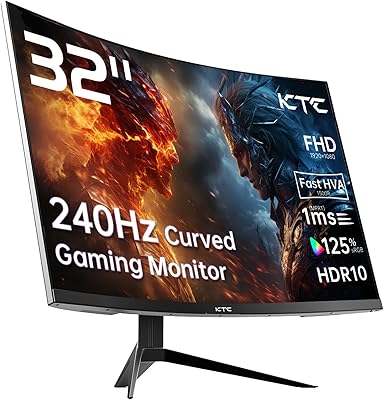
KTC H32S25E 32-inch Curved Gaming Monitor
73%
88%
Gaming Performance
84%
Image Clarity
86%
Curvature & Immersion
82%
Out-of-Box Color
53%
HDR Quality
More
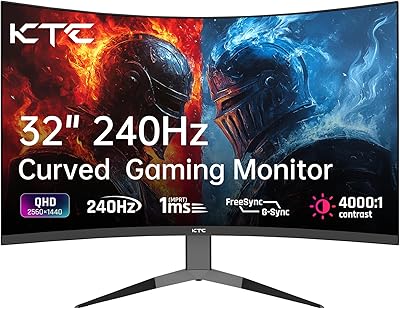
KTC H32S17F 32-inch Curved Gaming Monitor
73%
91%
Refresh Rate Performance
88%
Value for Money
86%
Motion Clarity
74%
Color & Visual Quality
61%
Resolution & Sharpness
More
KOORUI G3221SC 32″ Curved QHD Gaming Monitor

69%
83%
Picture Quality
81%
Gaming Performance
86%
Value for Money
41%
HDR Performance
67%
Color Accuracy
More
Samsung 32-Inch S39C Curved Gaming Monitor
83%
88%
Display Quality
91%
Value for Money
86%
Eye Comfort
89%
Ease of Setup
85%
Build Quality
More
AOC C32G2 32″ Curved Gaming Monitor
76%
91%
Value for Money
84%
Gaming Performance
73%
Image Quality
88%
Refresh Rate & Smoothness
83%
Curvature & Immersion
More
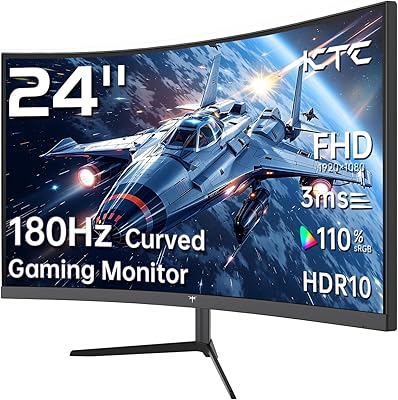
KTC 24-inch 1500R Curved Gaming Monitor

86%
94%
Gaming Performance
89%
Display Quality
92%
Value for Money
87%
Build Quality
83%
Ergonomics
More
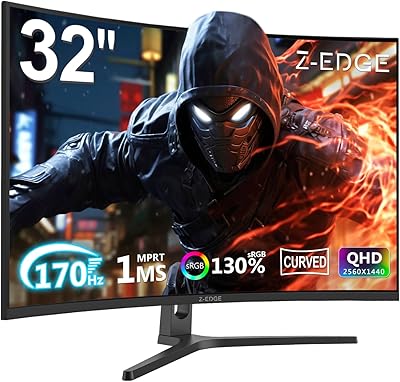
Gawfolk GF320C 32-Inch Curved Gaming Monitor
75%
88%
Refresh Rate Performance
83%
Image Quality
76%
Motion Clarity
86%
Curvature & Immersion
91%
Value for Money
More
Z-Edge UG32 32-inch Curved Gaming Monitor
84%
91%
Gaming Performance
88%
Display Quality
85%
Design and Build Quality
84%
Ease of Setup
90%
Refresh Rate and Responsiveness
More
TITAN ARMY C32C1S 32-inch Curved Gaming Monitor
77%
88%
Gaming Performance
83%
Image Quality
91%
Refresh Rate & Smoothness
86%
Value for Money
67%
Build Quality
More
Pixio PXC328 32-inch Curved Gaming Monitor
77%
88%
Image Quality
92%
Contrast & Black Levels
86%
Refresh Rate & Smoothness
78%
Response Time & Motion Clarity
87%
Curvature & Immersion
More

FAQ

This is the most important question to answer honestly: yes, pixel density is lower on a 32-inch 1080p panel than it would be on a 24-inch or 27-inch screen. If you sit within two feet of the display, you may notice that text and fine details look slightly softer than on a higher-resolution monitor. For gaming at normal desk distances, most users find it perfectly acceptable, but if sharp text is a priority for your workflow, this is worth considering before buying.

Not quite. MPRT stands for Moving Picture Response Time and measures how long each pixel stays visible during motion, which affects perceived blur rather than actual pixel switching speed. True GtG (gray-to-gray) response time, which is what most performance benchmarks use, is typically higher on VA panels. MPRT is still useful — motion looks smooth in practice — but it is not a direct apples-to-apples comparison with GtG specs on competing monitors.

It works with both. This curved gaming monitor supports AMD FreeSync Premium natively and is also G-Sync Compatible, which means most modern Nvidia GPUs can take advantage of adaptive sync through the DisplayPort connection. Just make sure your GPU drivers are up to date and that you enable G-Sync Compatible mode in the Nvidia Control Panel.

Realistically, the HDR10 support on this panel is entry-level. At a peak brightness of 350 nits, the difference between HDR and SDR content is noticeable but not dramatic — you will not get the bold highlights and deep blacks of a proper HDR display. Think of it as a mild enhancement rather than a premium feature. If HDR is a key factor in your buying decision, you will want to look at monitors with higher peak brightness.

Yes, the KTC H32S17C 32-inch Curved Gaming Monitor includes a standard 100 x 100mm VESA mounting pattern, so it is compatible with most monitor arms and wall mounts. Just check that the arm you are considering is rated for at least 18 pounds to handle the weight of the panel safely.

The stand holds the panel securely and does not wobble excessively under normal conditions. That said, user reviews do note it is a basic stand — tilt only, no height or swivel adjustment. For a monitor in this price range, the overall build is solid, but those wanting more ergonomic flexibility should plan to pair it with a monitor arm from the start.

Yes, with some caveats. The HDMI port handles 1080p at 120Hz from current-gen consoles, which is a great combination for fast gaming. Note that the 165Hz maximum refresh rate is only achievable over DisplayPort from a PC, not via HDMI at that frame rate. Still, for console gaming, this VA curved display is a strong pick given the screen size and smooth performance.

Out of the box, the colors are vibrant and generally pleasing for gaming and general use. Some users have noted the default settings lean slightly warm, and a minor brightness adjustment can improve comfort during long sessions. For casual use, most buyers will be satisfied without touching the settings. For more accurate work, spending ten minutes in the on-screen display menu to dial in brightness and color temperature is worth it.

VA panels have narrower viewing angles than IPS panels — that is a known trade-off of the technology. On a 32-inch curved display, this is less of a problem than it sounds, because the curve keeps the edges of the screen more directly in front of you. For solo use at a normal desk setup, viewing angles are fine. If you regularly share the screen with others sitting beside you, the image can shift in color and contrast at sharper angles.

The matte anti-glare surface does a solid job diffusing reflections from windows and overhead lights. It is not fully immune to bright direct light sources, but for typical home office and gaming room environments it performs well. If your desk is directly in front of a window, some diffused glow may still be visible, but it is far less distracting than on a glossy panel.

Where to Buy

