Overview

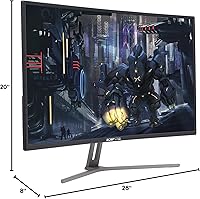
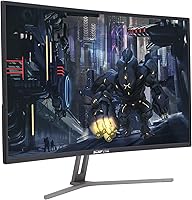
The Sceptre C325B-144R 32″ Curved Gaming Monitor enters the 144Hz space at a price point that puts high-refresh gaming within reach of a much wider audience. The 1800R curvature wraps the 32-inch panel just enough to pull peripheral vision into the action without feeling exaggerated — a welcome effect at this screen size. Paired with a 1920x1080 resolution, the 144Hz panel keeps motion crisp and responsive, which matters far more than pixel count in fast-paced gaming. The metal black finish looks sharper than you might expect here, though the build is functional rather than refined. If you are upgrading from a 60Hz flat screen on a tight budget, this curved gaming monitor deserves a serious look — just temper expectations for flagship-level polish.
Features & Benefits

The jump from 60Hz to 144Hz refresh rate is immediately noticeable — tracking fast opponents or reacting to sudden movements feels genuinely smoother in practice. AMD FreeSync is a real advantage for Radeon GPU users; screen tearing disappears without the premium cost of G-Sync, though Nvidia setups will not benefit in the same way. The 1800R curve helps reduce eye travel across the wide panel, which can ease fatigue during longer sessions. Connectivity covers HDMI, DisplayPort, and DVI, making it straightforward to switch between a PC and a console without adapters. The built-in FPS and RTS modes adjust contrast and brightness for those genres, though many users will likely prefer dialing in settings manually. One honest caveat: there is no HDR support on this display.

Best For

This budget 144Hz screen is a natural fit for gamers making their first move into high-refresh territory, especially those on AMD-based rigs who can use FreeSync fully. Anyone running both a PC and a console will appreciate having HDMI, DisplayPort, and DVI all available without hunting for adapters. The fast-paced genre crowd — shooters, racing titles, sports games — will get the most value from the 144Hz panel, where frame rate consistency matters more than resolving fine detail. Viewing distance matters here: sitting roughly three feet or more softens pixel density concerns considerably. If you sit very close or rely on the monitor for text-heavy productivity work, the 1080p trade-off at 32 inches becomes more apparent and harder to ignore.

User Feedback

Buyers consistently praise the out-of-box image quality for what they paid — colors come through vibrant and punchy without heavy calibration right out of the box. The 144Hz experience draws the most enthusiasm, particularly from those upgrading from 60Hz panels who find the difference immediately obvious. On the downside, users who work with text or detailed UI elements frequently note that sharpness at this pixel density can feel soft when sitting close. The stand offers limited adjustability — tilt is present, but height adjustment is not, which frustrates users wanting a more ergonomic arrangement. Long-term reliability feedback across the first year is broadly positive, with few reported hardware issues, and most buyers ultimately accept the trade-offs given what this display costs.

Pros

  • The 144Hz refresh rate delivers a genuinely smoother gaming experience compared to standard 60Hz monitors.
  • AMD FreeSync effectively eliminates screen tearing for Radeon GPU users at no extra cost.
  • Out-of-box color vibrancy impresses most buyers for a monitor at this price tier.
  • The 1800R curve adds a sense of immersion on the 32-inch panel without feeling overdone.
  • HDMI, DisplayPort, and DVI inputs make switching between a PC and console straightforward.
  • This curved gaming monitor holds up well over the first year, with few reported hardware failures.
  • The metal black design looks more polished than typical budget monitors in this category.
  • FPS and RTS game presets offer a quick starting point for genre-specific tuning.
  • Large screen real estate at 32 inches suits gaming and casual media use well.
  • Competitive pricing makes high-refresh curved gaming accessible for first-time upgraders.

Cons

  • Pixel density at 1080p across 32 inches produces noticeably soft text when sitting close to the screen.
  • The stand offers tilt only — no height adjustment makes ergonomic positioning awkward for many users.
  • FreeSync provides little benefit for Nvidia GPU owners, limiting adaptive sync to AMD setups.
  • No HDR support means contrast and highlight performance fall short for cinematic or visually rich games.
  • The glossy screen surface picks up reflections in bright rooms, which can distract during play.
  • Stand rigidity has been flagged by some users as less stable than expected at this size.
  • Color accuracy out of the box suits gaming but is not reliable enough for any color-sensitive work.
  • No USB hub or built-in speakers means extra clutter or purchases for a complete desk setup.

Ratings

Our AI rating system analyzed thousands of verified global buyer reviews for the Sceptre C325B-144R 32″ Curved Gaming Monitor, actively filtering out incentivized, bot-generated, and spam submissions to surface what real users actually experience. The scores below reflect both the genuine strengths and the honest trade-offs that come with this display, so you can make a confident, informed decision without surprises.

Value for Money
88%
For gamers who want a 32-inch curved 144Hz experience without stretching their budget, this display consistently overdelivers on perceived value. Buyers repeatedly express surprise at the image quality and feature set they receive relative to what they paid, making it one of the more satisfying purchases in the budget monitor segment.
The value proposition does depend on realistic expectations — users who compare it directly to pricier 1440p or IPS panels tend to feel the gap more acutely. Those who buy expecting a premium experience rather than a budget-appropriate one occasionally feel let down by the build and image limitations.
Refresh Rate Performance
91%
The jump to 144Hz is where this monitor earns its strongest praise. Gamers upgrading from a 60Hz panel describe the difference as immediately obvious — faster target tracking, smoother camera movement, and a general sense of responsiveness that makes fast-paced titles noticeably more enjoyable to play.
The 144Hz benefit is most apparent in games that can consistently push high frame rates, which requires a capable GPU. Users with mid-range or aging hardware may not always hit frame rates that fully take advantage of the refresh rate, limiting the practical payoff.
Image Quality
74%
26%
Out of the box, colors come through vibrant and punchy enough that most users are genuinely pleased without needing to touch the settings. For gaming and casual media viewing, the image holds up well and the 1800R curve adds depth that makes the picture feel more immersive than a flat panel at the same size.
The glossy surface exaggerates reflections in rooms with overhead lighting or windows nearby, which can make daytime gaming uncomfortable. Color accuracy is not reliable enough for any work that requires it, and the lack of HDR keeps contrast and highlight performance firmly in standard-range territory.
Pixel Density & Sharpness
61%
39%
At a typical gaming distance of three feet or more, 1080p across 32 inches looks acceptable for fast-moving content where sharpness is less critical. Users focused purely on gaming report that the trade-off is livable, especially when fluid motion at 144Hz compensates for the lower pixel density.
Sitting closer to the screen reveals obvious softness in text, fine UI elements, and detailed static images — a recurring complaint from users who also use this display for work or browsing. Anyone accustomed to a sharp 1440p panel at this size will likely find the downgrade in clarity difficult to accept.
AMD FreeSync
83%
FreeSync performs reliably for AMD Radeon GPU users, effectively eliminating the screen tearing that would otherwise appear in fast-paced gaming scenarios. The fact that this feature comes included at this price point is a genuine advantage, and users with compatible setups consistently report a cleaner, more polished gaming experience because of it.
FreeSync compatibility with Nvidia graphics cards is inconsistent and driver-dependent, so many users simply cannot benefit from it. This limits the feature to a subset of buyers and means Nvidia GPU owners are essentially paying for a spec they cannot fully use.
Build Quality
69%
31%
The metal black finish elevates the visual impression of the monitor beyond what most budget displays offer, and first-time unboxers frequently comment that it looks more solid than expected. The overall construction is functional and sturdy enough for a stationary desk setup where it will not be moved often.
The stand feels less rigid than the price tier of premium monitors, and some users have reported subtle wobble when adjusting the screen or brushing against the desk. Long-term, the plastic components show more visible wear than the metal-accented frame suggests at first glance.
Stand & Ergonomics
47%
53%
The stand is stable enough for basic desk use and does not require any tools to assemble, which most users find straightforward out of the box. For users whose desk height naturally aligns with the fixed stand position, it functions without issue.
The stand supports tilt only — there is no height adjustment, swivel, or pivot, which is a real limitation for users who need a precise ergonomic setup. A significant number of buyers end up purchasing a separate monitor arm to compensate, which adds cost and effort that should not be necessary at this screen size.
Connectivity
82%
18%
Having HDMI, DisplayPort, and DVI available simultaneously is practical and flexible, letting users keep a PC and a console connected at the same time without unplugging anything. For a dual-device desk setup, this range of inputs removes a common friction point entirely.
The monitor does not include a USB hub, which limits convenience for users who want to connect peripherals directly through the display. Cable management around the back of the unit is also somewhat awkward given the stand design.
Gaming Modes
63%
37%
The FPS and RTS presets give new users a quick way to adjust the image for their genre without digging into manual calibration, and some buyers find the FPS mode genuinely useful for spotting enemies in darker game environments. It is a thoughtful addition for the target audience.
Experienced users tend to find the presets too aggressive and prefer manual settings after a short trial period. The modes are limited in number and not granular enough for anyone who takes image tuning seriously, making them a feature that many users try once and then ignore.
Motion Clarity
79%
21%
At 144Hz, fast motion in action games and racing titles stays visibly sharper than what users recall from 60Hz panels, and the curved screen helps keep peripheral motion within the natural viewing cone rather than pulling the eye to flat edges. For the genres this monitor targets, motion handling feels solid.
The panel's response time, while adequate for casual to moderate gaming, does not match the snappiness of higher-end TN or fast IPS panels. Users playing at very high frame rates in competitive titles may notice faint ghosting behind fast-moving objects under close inspection.
Setup & Installation
86%
Assembly is quick and requires no tools — the stand clicks into place and the monitor is ready to use in a few minutes. Most users have no trouble connecting their devices and getting a picture up on the first attempt, which is a low-friction experience that holds up well in buyer feedback.
The on-screen display menu navigation is functional but not especially intuitive, and some users find it takes a few sessions to locate the settings they need. Input switching between HDMI and DisplayPort is also slightly slower than on higher-end panels with dedicated hardware buttons.
Long-Term Reliability
77%
23%
Over the first twelve months of ownership, most users report no major hardware issues — the panel stays consistent and the backlight does not degrade noticeably. For a budget display used primarily for gaming sessions, the reliability track record from verified buyers is reasonably reassuring.
A small but notable share of users report backlight inconsistencies or dead pixels emerging after extended use, and customer support experiences with the manufacturer have been mixed. The warranty terms are standard but the service process can feel slow for buyers who encounter issues.
Screen Curvature
78%
22%
The 1800R curvature strikes a balance that feels immersive during gaming without making the display look distorted when used for browsing or productivity. Users who have owned flat monitors for years describe the curve as a pleasant adjustment that feels natural after a short break-in period.
At 32 inches, the curve is noticeable but less dramatic than it would be on a wider ultrawide display, which may leave buyers expecting a more enveloping effect slightly underwhelmed. A small number of users also note minor geometric distortion near the screen edges during non-gaming use.
Out-of-Box Calibration
72%
28%
Colors and brightness levels straight out of packaging are good enough for immediate gaming use without any manual adjustment, which most buyers in this segment appreciate. The default settings lean toward vibrant rather than accurate, which works well for gaming content and casual viewing.
For anything beyond gaming — photo browsing, video editing, or even extended desktop work — the default calibration skews warm and saturated in ways that become distracting. There is no factory calibration report included, and achieving a neutral, accurate image requires patience and a bit of trial and error.

Suitable for:

The Sceptre C325B-144R 32″ Curved Gaming Monitor is a strong pick for budget-conscious gamers who want their first real taste of high-refresh gaming without spending a lot. If you are currently on a 60Hz flat panel and mostly play fast-paced titles — shooters, racing games, or sports sims — you will notice an immediate difference in how fluid and responsive the action feels. AMD Radeon GPU users get extra value here because FreeSync actually does what it promises, eliminating tearing without any additional cost or workaround. The range of inputs (HDMI, DisplayPort, and DVI) also makes it a practical choice for anyone running a PC and a console off the same desk. Sit roughly three feet back and the 1080p resolution across the 32-inch curved panel looks vibrant and immersive enough for long gaming sessions.
Not suitable for:

The Sceptre C325B-144R 32″ Curved Gaming Monitor is a harder sell if sharp pixel density matters to you in everyday use. At 1080p across a 32-inch panel, text and fine UI details can look noticeably soft if you sit close — anyone doing design work, coding, or document editing for hours at a time will likely find this frustrating. Nvidia GPU users should also know that FreeSync compatibility with non-AMD cards is limited and unreliable, so the adaptive sync benefit largely disappears. The stand provides only basic tilt adjustment with no height or swivel control, which can be a real issue for users who need a precise ergonomic setup. There is no HDR support on this display either, so anyone chasing richer contrast and highlight detail in cinematic titles should look at a higher-spec panel instead.
Specifications

  • Screen Size: The panel measures 32 inches diagonally, providing a wide viewing area suited for immersive gaming at typical desk distances.
  • Resolution: Native resolution is 1920x1080 (Full HD), delivering sharp visuals for gaming at this screen size when viewed from an appropriate distance.
  • Refresh Rate: The display supports a maximum refresh rate of 144Hz, enabling significantly smoother motion compared to standard 60Hz monitors.
  • Panel Curvature: The 1800R curvature radius wraps the screen gently around the viewer's field of vision to reduce eye travel and enhance immersion.
  • Adaptive Sync: AMD FreeSync is supported, synchronizing the display's refresh rate with compatible AMD Radeon GPU output to eliminate screen tearing.
  • Aspect Ratio: The panel uses a 16:9 widescreen aspect ratio, which is standard for gaming, streaming, and general desktop use.
  • Screen Surface: The display features a glossy screen surface, which enhances color vibrancy but may produce reflections in brightly lit environments.
  • Inputs: Connectivity includes one DisplayPort, one HDMI port, and one DVI port, supporting a range of PCs and gaming consoles.
  • Game Modes: Built-in FPS and RTS game presets adjust contrast and brightness profiles to suit the visual demands of those specific genres.
  • HDR Support: This monitor does not support HDR (High Dynamic Range), so peak brightness and contrast performance are limited to standard dynamic range.
  • Dimensions: The monitor measures 28.6 x 20.7 x 6.5 inches with the stand attached, requiring adequate desk depth for stable placement.
  • Weight: The unit weighs 12.5 pounds including the stand, making it manageable for a single person to position and adjust.
  • Stand Adjustment: The included stand supports tilt adjustment only; height, swivel, and pivot adjustments are not available on this model.
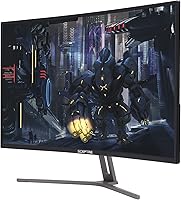
  • Color Finish: The monitor is finished in metal black, giving it a cleaner, more premium appearance than typical all-plastic budget displays.
  • Brand & Model: Manufactured by Sceptre Inc., this unit carries model number C325B-144R and belongs to the C325B product series.
  • Release Year: The monitor was first made available in May 2018, positioning it as an established entry-level option in the 144Hz curved segment.
  • VESA Compatibility: The monitor is expected to support standard VESA mount patterns, allowing third-party monitor arms to replace the stock stand if needed.
  • Power: The display uses an internal power supply typical for monitors in this class, with no external power brick required.

Related Reviews
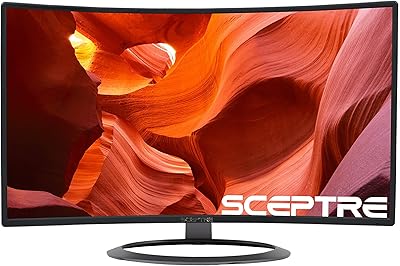
Sceptre C328W-1920R 32″ Curved Gaming Monitor
70%
88%
Value for Money
61%
Picture Clarity
54%
Color Accuracy
83%
Immersion & Curve
74%
Refresh Rate Performance
More
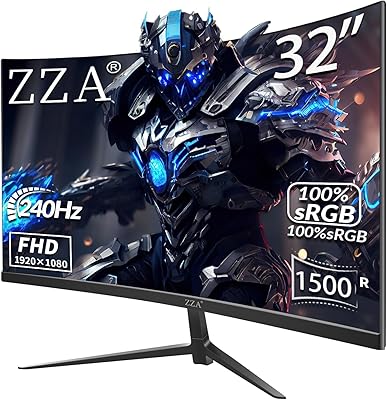
ZZA Z32D 32″ Curved Gaming Monitor

68%
88%
Gaming Performance
84%
Value for Money
81%
Picture Contrast & Blacks
79%
Motion Clarity
72%
Build Quality
More
KOORUI G3221SC 32″ Curved QHD Gaming Monitor

69%
83%
Picture Quality
81%
Gaming Performance
86%
Value for Money
41%
HDR Performance
67%
Color Accuracy
More
AOC C32G2 32″ Curved Gaming Monitor

76%
91%
Value for Money
84%
Gaming Performance
73%
Image Quality
88%
Refresh Rate & Smoothness
83%
Curvature & Immersion
More
Samsung 32-Inch S39C Curved Gaming Monitor
83%
88%
Display Quality
91%
Value for Money
86%
Eye Comfort
89%
Ease of Setup
85%
Build Quality
More
KTC H32S17C 32-inch Curved Gaming Monitor

72%
91%
Value for Money
84%
Gaming Performance
76%
Picture Quality
52%
HDR Experience
67%
Color Accuracy
More
Samsung Odyssey G55C 32″ Curved Gaming Monitor
78%
88%
Image Sharpness & Resolution
84%
Refresh Rate & Motion Clarity
91%
Curvature & Immersion
93%
Value for Money
57%
HDR Performance
More
Gawfolk GF320C 32-Inch Curved Gaming Monitor
75%
88%
Refresh Rate Performance
83%
Image Quality
76%
Motion Clarity
86%
Curvature & Immersion
91%
Value for Money
More
Samsung 32″ Odyssey G65B Curved Gaming Monitor
77%
88%
Image Clarity
91%
Refresh Rate Performance
74%
HDR Quality
87%
Motion & Response
83%
Curvature & Immersion
More
Sceptre C325W-1920R 32-inch Curved Monitor
75%
91%
Value for Money
83%
Build Quality
67%
Display Clarity
86%
Curvature & Immersion
61%
Gaming Performance
More

FAQ

It will work as a display with any GPU, but FreeSync adaptive sync is only reliably active with AMD Radeon graphics cards. If you are on an Nvidia card, the monitor still runs at 144Hz — you just will not get the tear-elimination benefit of FreeSync unless your specific card and driver version support FreeSync over DisplayPort.

It depends on how close you sit. At around three feet or more, the pixel density is acceptable for gaming and media — colors and motion look good. If you sit closer or spend a lot of time reading text, you may notice the image looks a bit soft compared to a 1440p panel at the same size. For pure gaming, most users find it perfectly fine.

The monitor has HDMI, DisplayPort, and DVI inputs, so you can have multiple devices plugged in simultaneously and switch between them using the on-screen menu. It is a practical setup for anyone sharing desk space between a console and a computer.

It is subtle but present. The curve is not dramatic enough to look distorted when using the monitor for non-gaming tasks, but it does add a sense of depth and wraps your peripheral vision into the image during gaming. Most users find it comfortable rather than distracting.

The monitor is expected to support standard VESA mounting, which would let you replace the fixed stand with a third-party monitor arm. This is actually a good upgrade path given that the stock stand only tilts and offers no height adjustment.

Cable bundle contents can vary, and it is not guaranteed that all necessary cables are included. It is worth having a DisplayPort cable ready if you plan to run at 144Hz, since HDMI versions vary and not all HDMI cables reliably support that refresh rate.

Input lag on this budget 144Hz screen is generally considered low enough for casual to moderately competitive gaming. It is not a panel marketed toward professional esports play, but for everyday FPS or racing game use, response times are not a practical concern for most players.

No, this curved gaming monitor does not include built-in speakers. You will need external speakers or headphones for audio, which is pretty standard for monitors in this price range.

These presets adjust the monitor's brightness, contrast, and sometimes sharpness to suit the typical visual conditions of each genre. FPS mode tends to brighten shadows to make enemies easier to spot, while RTS mode adjusts for the broader overview typical of strategy games. They are a starting point, but many users prefer to tune settings manually after trying them.

The stand is functional but basic. It keeps the monitor steady under normal conditions, but a few users have noted it feels less rigid than expected at this screen size. If stability or ergonomics are important to you, a monitor arm is a worthwhile addition.