Samsung 32″ Odyssey G65B Curved Gaming Monitor
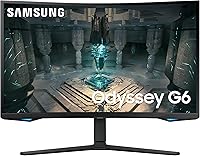
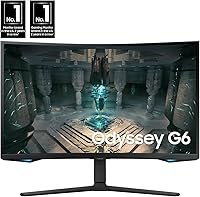
Samsung 32″ Odyssey G65B Curved Gaming Monitor — image 1
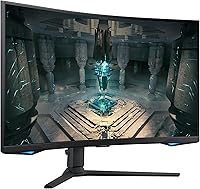
Samsung 32″ Odyssey G65B Curved Gaming Monitor — image 2
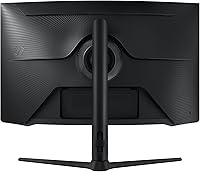
Samsung 32″ Odyssey G65B Curved Gaming Monitor — image 3
Samsung 32″ Odyssey G65B Curved Gaming Monitor — image 4
Samsung 32″ Odyssey G65B Curved Gaming Monitor — image 5
Samsung 32″ Odyssey G65B Curved Gaming Monitor — image 6
Samsung 32″ Odyssey G65B Curved Gaming Monitor — image 7
Samsung 32″ Odyssey G65B Curved Gaming Monitor — image 8
Samsung 32″ Odyssey G65B Curved Gaming Monitor — image 9
Samsung 32″ Odyssey G65B Curved Gaming Monitor — image 10
Samsung 32″ Odyssey G65B Curved Gaming Monitor — image 11
Samsung 32″ Odyssey G65B Curved Gaming Monitor — image 12
77%
23%

Overview

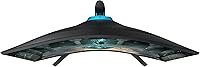
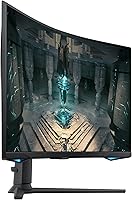
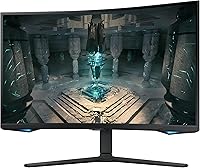
The Samsung 32″ Odyssey G65B Curved Gaming Monitor sits in a competitive spot where high-refresh performance meets genuinely usable resolution — a combination that's harder to find at this tier than you'd expect. The aggressive 1000R curve pulls you into the screen in a way flat panels at this size simply can't match, and the matte black chassis looks restrained rather than flashy. This is a display built for PC gamers who don't want to choose between smooth gameplay and sharp visuals. The Gaming Hub feature adds a layer of on-screen control most competitors skip, letting you tweak key settings without tabbing out of your game.

Features & Benefits

At 2560x1440 resolution, the Odyssey G65B hits a practical sweet spot — noticeably crisper than 1080p without pushing your GPU the way 4K does. Running at 240Hz with a 1ms GTG response time, fast-paced shooters and racing titles feel genuinely responsive; ghosting is minimal and motion blur stays out of your way. The DisplayHDR 600 certification delivers real improvements in contrast and highlight detail — dark environments look properly shadowed rather than washed out — though it is not a substitute for a true reference-grade HDR display. FreeSync Premium Pro handles frame-rate fluctuations cleanly, and two USB 3.0 ports on the back add convenient peripheral access without extra hubs.

Best For

This Samsung curved monitor is most at home in competitive gaming setups where refresh rate and resolution both matter — think fast-paced shooters or sim racing titles. If you are upgrading from a 1080p monitor and do not want to jump straight to 4K, this 32-inch gaming display is a natural next step. AMD GPU owners get the most out of FreeSync Premium Pro without the workarounds Nvidia users sometimes need. The 1000R curve works best at close-to-mid seating distances, so deep desks may diminish the effect. It also handles single-monitor productivity reasonably well, though the standard 16:9 aspect ratio means it is no replacement for a true ultrawide setup.

User Feedback

With a 4.2-star average across over 500 ratings, most buyers come away satisfied — but the feedback surfaces a few honest friction points. Color performance and contrast in HDR-enabled titles draw consistent praise, and the panel holds its own against similarly priced rivals. On the downside, stand ergonomics are a recurring frustration; height adjustment is limited, and a fair number of owners end up buying a VESA arm to get the angle right. The Gaming Hub software divides opinion — some appreciate the quick-access controls, others see it as bloat. Worth flagging: Samsung's marketing references a 21:9 ultrawide view, but this is a standard 16:9 panel, so manage expectations around that claim before purchasing.

Pros

  • QHD resolution at 32 inches delivers noticeably sharper visuals than 1080p without demanding top-tier GPU hardware.
  • 240Hz refresh rate keeps fast-paced gameplay smooth and responsive in a way that lower-refresh monitors cannot match.
  • DisplayHDR 600 produces genuine contrast improvements in supported titles — darker scenes look properly dark.
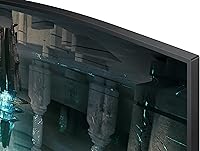
  • The 1000R curve creates strong peripheral immersion at close-to-mid seating distances.
  • FreeSync Premium Pro handles frame-rate drops cleanly, keeping the image tear-free even in demanding scenes.
  • Two USB 3.0 ports on the back reduce desktop clutter by keeping peripherals connected directly to the display.
  • The Gaming Hub lets you adjust key display settings on the fly without leaving your game.
  • Matte black design is understated and blends into most desk setups without looking overwrought.
  • Color and contrast performance consistently earns praise from owners, especially in HDR-enabled titles.
  • At its price point, the spec-to-cost ratio is competitive against comparable QHD high-refresh alternatives.

Cons

  • Stand ergonomics are genuinely limited — height adjustment is minimal and many owners end up needing a VESA arm.
  • The 21:9 ultrawide game view claim in marketing does not reflect reality; this is a standard 16:9 aspect ratio panel.
  • Gaming Hub software divides opinion — a portion of users find it adds complexity without meaningful value.
  • DisplayHDR 600 is solid for gaming but falls well short of reference HDR quality; do not expect cinema-grade results.
  • Nvidia GPU users may face compatibility friction with FreeSync and should test before assuming full feature support.
  • The 1000R curve loses its immersive advantage quickly if your seating distance is greater than average.
  • At 16.3 pounds with a wide footprint, repositioning the display on a crowded desk is more awkward than expected.
  • No height-adjustable stand out of the box means extra cost if ergonomic positioning is important to you.

Ratings

The scores below for the Samsung 32″ Odyssey G65B Curved Gaming Monitor were generated by our AI after analyzing verified buyer reviews from multiple global markets, with spam, bot-submitted, and incentivized feedback actively filtered out. Each category reflects the honest consensus of real owners — strengths and frustrations weighted equally — so you get a transparent picture of where this 32-inch gaming display excels and where it falls short.

Image Clarity
88%
Owners consistently note how much sharper QHD looks compared to their previous 1080p panels, especially in open-world games where fine texture detail becomes visible for the first time. At 32 inches, the pixel density hits a comfortable sweet spot — crisp without demanding a flagship GPU.
A minority of users coming from high-end 4K displays find the jump to QHD less impressive than expected. Pixel-level sharpness on small UI text in productivity use cases can also look slightly softer than a 4K panel at the same screen size.
Refresh Rate Performance
91%
The 240Hz panel makes a real, felt difference in competitive shooters — tracking fast-moving targets feels noticeably more controlled, and the overall sense of motion fluidity is among the best buyers report at this resolution tier. Owners of the Odyssey G65B frequently mention it as the feature they would least want to give up.
To actually sustain frame rates that justify 240Hz at QHD, you need a fairly powerful GPU — mid-range cards will often hover below 144Hz in demanding titles, leaving some of that refresh headroom unused. The benefit is most pronounced in esports-style games rather than visually intensive AAA titles.
HDR Quality
74%
26%
DisplayHDR 600 lands noticeably above the HDR 400 certification common on budget gaming monitors — dark areas in games carry genuine depth, and highlights in fire or explosion effects feel brighter and more distinct. Owners playing HDR-enabled titles report a visible improvement in scene contrast that cheaper panels cannot match.
It is not OLED and it is not mini-LED — the local dimming behavior can produce mild blooming around bright objects against dark backgrounds. Buyers expecting cinema-grade HDR will find the experience falls short; this is a gaming-first implementation, and the results reflect that.
Motion & Response
87%
The 1ms GTG response time keeps ghosting minimal even during the most frantic gameplay — fast-moving enemies in shooters stay clean and readable rather than leaving trails. Most owners switching from 60Hz or 144Hz panels describe the motion handling as one of the biggest upgrades they noticed immediately.
Response time performance can vary slightly depending on which overdrive mode is selected in the OSD; the most aggressive setting introduces minor inverse ghosting that some users find distracting. Finding the right balance requires a few minutes of manual tuning rather than trusting the default setting.
Curvature & Immersion
83%
The 1000R curve is aggressive enough to make a meaningful difference during long gaming sessions — peripheral edges stay in focus more naturally, and immersive genres like racing sims or first-person exploration titles feel genuinely more enveloping than on a flat 32-inch panel. Owners frequently credit the curve for reducing eye strain during extended play.
The effect diminishes significantly if you sit more than 36 inches from the screen, and some users working with spreadsheets or architectural software find that straight horizontal lines appear subtly bowed near the edges. The curve is purpose-built for gaming, not balanced desk work.
Adaptive Sync
84%
FreeSync Premium Pro handles frame-rate variability smoothly across the supported range — screen tearing disappears entirely during GPU-limited moments, and the low-frame-rate compensation keeps things watchable even when performance dips. AMD GPU owners report a completely plug-and-play experience with zero configuration friction.
Nvidia users face inconsistency — G-Sync Compatible mode works on some cards but is not officially certified, and a subset of owners report occasional sync dropouts at the high end of the refresh range. If you are running an Nvidia GPU, adaptive sync is not guaranteed to be flawless.
Stand & Ergonomics
51%
49%
The stand is stable and does not wobble during normal desk use — for buyers who happen to sit at the exact height the stand provides, setup is quick and the display holds its position reliably. The base footprint is manageable for most standard desks.
Height adjustment is extremely limited, and tilt range is narrow — this is the single most complained-about aspect across owner reviews, and it is a legitimate frustration. A significant portion of buyers end up purchasing a VESA arm separately just to achieve a comfortable viewing angle, which adds cost and setup time.
Build Quality
72%
28%
The overall construction feels solid for a gaming monitor at this tier — the panel housing does not flex noticeably when adjusting position, and the matte finish resists fingerprints reasonably well. The no-frills aesthetic holds up over time without looking cheap.
Compared to premium competitors, the plastic quality on the stand neck and rear housing feels a grade below what the price might suggest. A handful of owners have reported minor backlight bleed in corners, which is more noticeable during dark-scene gaming.
Color Accuracy
78%
22%
Out of the box, the Odyssey G65B produces vivid, punchy colors that look great in gaming contexts — skin tones in cinematic cutscenes and saturated game environments both render with energy and depth. The panel covers a solid portion of the DCI-P3 color space, which shows in HDR content.
Factory calibration is tuned for gaming vibrancy rather than accuracy — color temperature runs slightly warm by default, and delta E performance is not competitive for color-critical work. Graphic designers or video editors using this display for professional content should expect to spend time on manual calibration.
Connectivity
79%
21%
Having two USB 3.0 ports built into the monitor is a genuine convenience — owners use them for mice, keyboards, or charging cables without needing a separate hub cluttering the desk. The combination of HDMI and DisplayPort inputs covers most common connection scenarios.
There is no USB-C port, which is an increasingly common ask from buyers who want to connect a laptop with a single cable. The HDMI port is also not the latest generation, which limits bandwidth for users trying to push maximum refresh rates from HDMI-only source devices.
Gaming Hub Software
63%
37%
For users who actually engage with it, Gaming Hub offers a genuinely useful shortcut to display settings without interrupting gameplay — switching HDR modes or checking the FPS overlay without opening a menu is a small but real quality-of-life improvement during long sessions.
Opinion is split almost evenly on whether the software adds value or just adds clutter — a notable portion of owners disable it after the first week. The interface is not always intuitive, and a few users have reported it introducing minor display glitches that required a power cycle to clear.
Setup Experience
81%
19%
Physical assembly is straightforward — the stand clicks into the panel without tools, and the monitor is ready to use in under five minutes. Plug-and-play compatibility across Windows and major consoles means most users are up and running quickly.
Getting FreeSync and HDR configured together properly requires navigating multiple settings across both the monitor OSD and GPU control panel, which trips up less experienced users. The manual covers the basics but is sparse when it comes to optimizing the display for specific game genres.
Value for Money
76%
24%
When the full feature set is considered — 240Hz, QHD, DisplayHDR 600, and FreeSync Premium Pro on a 32-inch curved panel — the Odyssey G65B delivers a competitive combination that would cost more on comparable alternatives from other brands. For the right buyer, the spec-to-price ratio is genuinely strong.
The stand limitations and the absence of USB-C are harder to overlook at this price point, where buyers reasonably expect a more complete package. Factoring in the likely cost of a VESA arm, the real out-of-pocket cost edges closer to premium territory, which softens the value argument somewhat.

Suitable for:

The Samsung 32″ Odyssey G65B Curved Gaming Monitor is built for PC gamers who have outgrown 1080p but are not ready — or do not have the GPU headroom — to push 4K. If your library leans toward fast-paced shooters, sim racing, or any genre where frame rate and motion clarity genuinely affect performance, the 240Hz panel at QHD resolution is a compelling combination that few rivals match at this price tier. AMD GPU owners in particular will find the FreeSync Premium Pro integration runs cleanly without the compatibility friction that sometimes comes with Nvidia setups. The 1000R curve rewards users who sit relatively close to the screen — roughly an arm's length away — where it creates a natural peripheral wrap that a flat panel of the same size simply cannot replicate. It also works well as a single-monitor daily driver, handling productivity tasks during the day and gaming sessions in the evening without feeling like a compromise in either direction.

Not suitable for:

The Odyssey G65B is not the right call for buyers expecting a true ultrawide experience — despite some marketing language that implies otherwise, this is a standard 16:9 panel, and anyone coming from or shopping for a 21:9 display will find the aspect ratio disappointing. Content creators or designers who need color-accurate, professionally calibrated output should also look elsewhere; this display is tuned for gaming contrast and vibrancy rather than color fidelity. If ergonomic flexibility is a priority for you, the stand's limited adjustment range is a genuine obstacle — there is no height travel to speak of, and getting a comfortable viewing angle often means buying a separate VESA arm. Users who prefer sitting far back from large screens will also lose much of the immersive benefit the 1000R curve is designed to provide. Finally, Nvidia GPU owners should verify compatibility before committing, since FreeSync Premium Pro functions best in an AMD ecosystem.

Specifications

  • Screen Size: The panel measures 32 inches diagonally, offering generous screen real estate without exceeding typical single-monitor desk setups.
  • Resolution: Native resolution is 2560x1440 (QHD), delivering roughly 1.7 times the pixel density of a standard 1080p display.
  • Refresh Rate: The panel supports a maximum refresh rate of 240Hz, enabling exceptionally smooth motion during fast-paced gameplay.
  • Response Time: GTG response time is rated at 1ms, minimizing motion blur and ghosting in high-action scenes.
  • Panel Curvature: The screen uses a 1000R curvature radius, the most aggressive curve commonly available on consumer gaming monitors.
  • Aspect Ratio: The native aspect ratio is 1.78:1 (16:9), which is standard widescreen — not ultrawide.
  • HDR Standard: The display carries VESA DisplayHDR 600 certification, supporting a peak brightness sufficient for meaningful HDR contrast in compatible content.
  • Sync Technology: AMD FreeSync Premium Pro is supported, providing adaptive sync, low-frame-rate compensation, and HDR support within the FreeSync range.
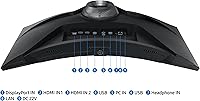
  • USB Ports: Two USB 3.0 ports are built into the monitor, allowing direct connection of peripherals without a separate hub.
  • Video Inputs: The monitor includes HDMI and DisplayPort inputs for connecting PCs, consoles, or other compatible source devices.
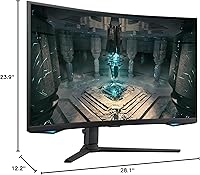
  • Dimensions: With the stand attached, the monitor measures approximately 28.1 inches wide, 23.9 inches tall, and 12.2 inches deep.
  • Weight: The full unit including the stand weighs 16.3 pounds, which is typical for a curved 32-inch display in this category.
  • Color: The chassis and stand are finished in matte black, with no RGB lighting or aggressive styling on the exterior.
  • Power: The monitor runs on AC power at 240 volts and does not include a battery or USB-C power delivery.
  • VESA Compatibility: The display supports VESA mounting, allowing owners to replace the included stand with a third-party monitor arm.
  • Software Feature: Samsung Gaming Hub is built into the monitor, offering on-screen access to display settings like FPS counter, response time, and HDR mode without leaving the game.
  • Availability: The Odyssey G65B was first made available in November 2022 and carries model number LS32BG652ENXGO.

Related Reviews
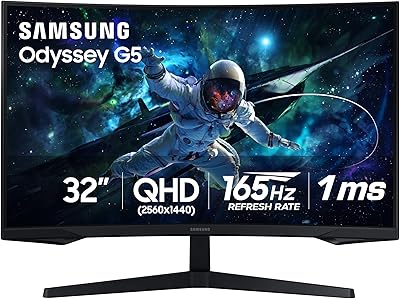
Samsung Odyssey G55C 32″ Curved Gaming Monitor

78%
88%
Image Sharpness & Resolution
84%
Refresh Rate & Motion Clarity
91%
Curvature & Immersion
93%
Value for Money
57%
HDR Performance
More
Samsung 27″ Odyssey QHD G65B Curved Gaming Monitor
80%
88%
Picture Quality
92%
Gaming Performance
78%
Build Quality
85%
Curved Display Experience
90%
Price to Performance Ratio
More
Samsung Odyssey G32A 32″ Gaming Monitor

75%
91%
Refresh Rate Performance
74%
Response Time & Motion Clarity
53%
Image Sharpness & Pixel Density
67%
Color Accuracy & Vibrancy
83%
Contrast & Black Levels
More
Samsung 32-Inch S39C Curved Gaming Monitor
83%
88%
Display Quality
91%
Value for Money
86%
Eye Comfort
89%
Ease of Setup
85%
Build Quality
More
Samsung Odyssey G50D 32-inch QHD Gaming Monitor
78%
91%
Gaming Performance
88%
Image Sharpness & Clarity
83%
Color Accuracy & Vibrancy
79%
Panel Uniformity & Viewing Angles
58%
HDR Performance
More
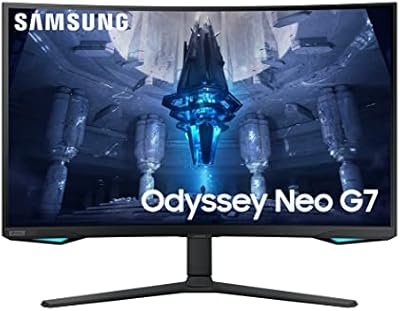
Samsung Odyssey Neo G7 32″ 4K Gaming Monitor
86%
94%
Gaming Performance
91%
Display Quality
88%
Value for Money
90%
Ease of Setup
93%
Color Accuracy
More
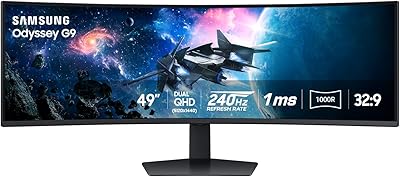
Samsung Odyssey G9 49-inch Curved Gaming Monitor
82%
93%
Visual Clarity
90%
Immersion & Curvature
94%
Gaming Performance (FPS)
60%
Ease of Setup
88%
Build Quality
More
Samsung 32″ Odyssey Neo G8 Gaming Monitor
77%
93%
Image Quality
91%
HDR Performance
89%
Refresh Rate & Smoothness
88%
Contrast & Black Levels
86%
Response Time & Motion Clarity
More
Samsung Odyssey G70B 32-inch 4K Gaming Monitor
70%
84%
Image Quality
47%
HDR Performance
76%
Gaming Performance
53%
Panel Consistency
71%
Samsung Gaming Hub
More
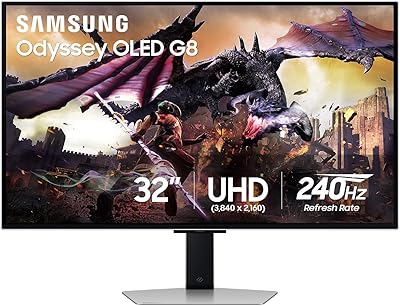
Samsung Odyssey G8 32″ OLED Gaming Monitor
77%
94%
Image Quality
92%
Gaming Performance
76%
Burn-in Protection
89%
Build Quality
61%
Value for Money
More

FAQ

The Samsung 32″ Odyssey G65B Curved Gaming Monitor officially supports AMD FreeSync Premium Pro, which works natively with AMD GPUs. Nvidia GPUs can still drive the display and use it at full resolution and refresh rate, but adaptive sync compatibility depends on your specific card and driver version — it is worth checking Nvidia's G-Sync Compatible list before assuming full feature support.

You can run the full 2560x1440 resolution at 240Hz simultaneously — no resolution trade-off required. That said, you will need a fairly capable GPU to consistently push frame rates high enough to take advantage of 240Hz in demanding titles at QHD settings.

The included stand offers limited ergonomic adjustment. Height travel is minimal, and many owners find it insufficient for comfortable long-session positioning. If getting the exact right eye level matters to you, budgeting for a VESA monitor arm is a practical step — the display does support VESA mounting.

No, the Odyssey G65B is a standard 16:9 widescreen display with a 1.78:1 aspect ratio. Some marketing language references an ultrawide game view feature, but that refers to a software mode that adds black bars to simulate a wider crop in certain games — the physical panel itself is not 21:9. If you want a true ultrawide, this is not the right display.

DisplayHDR 600 is a meaningful step up from the HDR 400 certification you find on budget panels — blacks look genuinely dark and highlights in supported games carry real punch. That said, it is not comparable to the HDR performance you would get from an OLED or a high-end mini-LED display. For gaming at this price tier, it is one of the stronger HDR implementations available, but keep expectations grounded.

At close-to-mid seating distances — roughly 24 to 36 inches from the screen — the curve feels natural and edge distortion is minimal. If you sit much farther back, the curvature can look more pronounced and straight lines near the edges may appear slightly bowed. The curve is best appreciated when you are centered and at a comfortable desktop distance.

Gaming Hub is Samsung's on-screen overlay that lets you change display settings like response time mode, screen ratio, and HDR without digging into the OSD menu mid-game. It is genuinely useful for quickly switching profiles between titles. Whether you find it valuable depends on how often you adjust settings — some owners love it, while others ignore it entirely after the first week.

Yes, both consoles connect via HDMI and the display handles 1440p output from the PS5 natively. Xbox Series X also supports 1440p over HDMI. You will not reach 240Hz from a console — current-gen consoles cap out at 120Hz — but you will still get a sharp, responsive image with low input lag. FreeSync is not supported over HDMI from consoles.

At 32 inches, the 1000R curve does a lot of the heavy lifting — it keeps the edges of the screen within comfortable focus without requiring you to move your eyes as far as you would on a flat panel of the same size. Most gamers using this display at a standard desk depth find it comfortable. If you have a very shallow desk or sit unusually close to your monitor, the size could feel overwhelming.

The Odyssey G65B does not include built-in speakers, so you will need headphones or external speakers for audio output. This is common for gaming monitors in this category, where the assumption is that most users already have a preferred audio setup.

Where to Buy