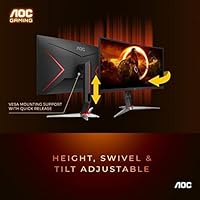


Overview

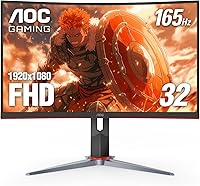
The AOC C32G2 32″ Curved Gaming Monitor is a straightforward pitch: big screen, deep curve, and smooth gameplay without the eye-watering price tag those features usually command. At 32 inches with a 1500R curvature, it wraps noticeably around your peripheral vision at a normal desk distance — which is the whole point. AOC has built a solid reputation in the budget-to-mid-range monitor space, and this curved AOC monitor backs it up with a zero dead pixel warranty that spans three years. One honest caveat worth stating upfront: running FHD resolution on a 32-inch panel is a genuine trade-off you should think through before purchasing.

Features & Benefits

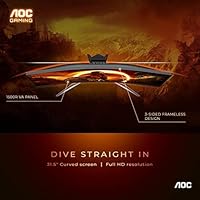
At 165Hz with FreeSync Premium, the C32G2 handles fast-paced gameplay with noticeably less screen tear and judder — a real, tangible difference during frantic action, especially with a mid-range GPU. The 1ms response is MPRT, not GtG, so it reflects motion clarity rather than raw pixel transition speed; still more than adequate for most gaming. The VA panel punches above its weight in contrast and black depth — dark scenes look genuinely rich — though viewing angles are narrower than IPS, which matters less sitting centered at your own desk. The height-adjustable stand adds welcome ergonomic flexibility, and the three-sided frameless design keeps things tidy, particularly in a multi-monitor arrangement. Port selection covers DisplayPort, two HDMI inputs, and VGA, with cables included.

Best For

This 32-inch gaming display hits a specific sweet spot. If you game at a normal desk distance — roughly arm's length — the 1500R curve does its job well without feeling excessive, and smooth high-refresh motion is genuinely appreciated in fast genres like shooters or racing. Console gamers plugging in via HDMI will find the dual inputs convenient. It's also a natural pick for anyone building a budget multi-monitor rig, since the slim bezels help the screens visually connect. The one audience it doesn't suit as well: anyone doing precision creative work or highly competitive esports where pixel density and color accuracy at this screen size are non-negotiable priorities.

User Feedback

With nearly 8,000 ratings averaging 4.6 out of 5, the C32G2 has clearly resonated with buyers. The most consistent praise centers on sheer screen size and how smooth gameplay feels at high refresh rates — reviewers frequently note it as a step up they immediately noticed. The pixel density question comes up regularly in critical reviews: at 32 inches, FHD is softer than most people who sit close to their screen would prefer. Some users also mention that VA ghosting becomes visible in very dark, fast-moving scenes — a known limitation of the panel type. Out-of-box color calibration gets mixed remarks, though most find it acceptable after minor adjustments. Long-term owners generally report the stand holds up well, and those who needed warranty service speak positively of AOC's support.

Pros

  • At 32 inches with a 1500R curve, the sense of immersion at a normal desk distance is genuinely noticeable.
  • 165Hz refresh rate keeps fast gameplay smooth and responsive without requiring a high-end GPU to reach.
  • AMD FreeSync Premium eliminates tearing effectively, making it a practical match for mid-range Radeon cards.
  • The VA panel produces deep blacks and strong contrast that make dark games look far better than flat budget IPS screens.
  • Three-sided frameless design is clean and practical, especially useful in side-by-side multi-monitor setups.
  • Height-adjustable stand is a feature often stripped from budget monitors — its inclusion here adds real everyday value.
  • DisplayPort and two HDMI ports cover most connection needs, and both cables are included in the box.
  • A three-year zero dead pixel warranty provides meaningful long-term peace of mind at this price point.
  • Out-of-box color saturation is vivid enough for casual gaming and media consumption without immediate calibration.
  • Overall build quality feels solid for the category, with owners reporting reliable long-term performance.

Cons

  • FHD resolution at 32 inches results in noticeably soft image quality for anyone sitting closer than arm's length.
  • VA ghosting in fast dark scenes is a real issue — visible trailing can occur in games with lots of shadow and rapid motion.
  • The 1ms response is MPRT, not GtG, which means actual pixel transition times are slower than the headline figure implies.
  • Viewing angles are narrower than IPS panels, which becomes apparent when others are watching from the side.
  • Out-of-box color calibration can be inconsistent, and some users need to adjust settings before colors look accurate.
  • Backlight uniformity on VA panels at this price tier sometimes shows subtle clouding, particularly on dark backgrounds.
  • No USB hub built into the stand, which is a convenience increasingly common on competing displays in this category.
  • At nearly 16 pounds, the monitor is bulky enough that repositioning it on a desk is a two-handed job.

Ratings

The scores below reflect an AI-driven analysis of thousands of verified global buyer reviews for the AOC C32G2 32″ Curved Gaming Monitor, with spam, bot activity, and incentivized feedback actively filtered out before scoring. Each category is weighted against real ownership experiences — from first-week impressions to long-term daily use — so both genuine strengths and recurring frustrations are represented honestly. Where buyers consistently disagreed, those tensions are captured in the pros and cons rather than averaged away.

Value for Money
91%
This is the category where the C32G2 earns its strongest praise across the board. Buyers repeatedly note that getting a 32-inch curved display with a 165Hz refresh rate and FreeSync Premium at this price point feels like a genuine deal, especially compared to similarly specced alternatives that cost significantly more.
A small segment of buyers who upgraded from 1440p monitors felt the FHD resolution undercut the perceived value — for them, the savings weren't enough to offset the visible drop in image sharpness at this screen size.
Gaming Performance
84%
At 165Hz with FreeSync Premium active, gameplay in fast-paced titles feels notably fluid, and screen tearing is effectively eliminated for AMD GPU users. Reviewers playing racing games, shooters, and action RPGs consistently praised how smooth the experience feels during extended sessions.
VA ghosting in dark, fast-moving scenes is a real and recurring complaint — players who favor dark atmospheric games report visible trailing behind moving objects, particularly when overdrive is set too conservatively. It does not ruin gameplay, but it is noticeable.
Image Quality
73%
27%
The VA panel's contrast performance genuinely impresses in this price range — dark scenes have depth and blacks look rich rather than washed-out gray, which makes a meaningful difference in moody game environments and cinematic content. Color vibrancy is also strong for a budget-tier display.
FHD resolution at 32 inches is the most polarizing aspect of this monitor, and buyers who sit close to their screen or care about text clarity notice the pixel density limitation daily. Out-of-box color accuracy also drew criticism, with some units showing a warm color cast that required manual correction.
Refresh Rate & Smoothness
88%
Moving from a 60Hz display to the C32G2 at 165Hz is a difference most users describe as immediately obvious — scrolling, cursor movement, and in-game motion all feel substantially cleaner. Even users who cannot consistently hit high frame rates in demanding titles appreciate the ceiling the panel provides.
The 1ms response is MPRT rather than GtG, which means some informed buyers felt slightly misled when they noticed that dark-to-dark pixel transitions were slower than the marketing implied — a limitation inherent to VA technology at this tier.
Curvature & Immersion
83%
At arm's length, the 1500R curve wraps the screen into peripheral vision in a way that flat monitors simply cannot replicate, and this is one of the most frequently praised aspects of the display. Reviewers playing open-world and racing titles specifically call out how the curve adds a sense of being inside the scene.
A few buyers who use the monitor for productivity as well as gaming found the curvature slightly distracting when working with straight lines in spreadsheets or design applications. At extreme angles — say, watching from across the room — the curve can also introduce minor image distortion.
Build Quality
76%
24%
The overall construction feels solid for a monitor in this category — the panel housing has minimal flex, and the stand base is wide enough to feel stable on a desk without wobbling. Long-term owners generally report no structural degradation after a year or more of daily use.
The stand's tilt range is limited, and it lacks swivel or pivot adjustments, which frustrated buyers who wanted more flexibility in positioning. Some users also noted that the plastic used on the back panel feels noticeably thin when handling the monitor during setup.
Stand & Ergonomics
71%
29%
Height adjustment is a genuine advantage here — it is a feature many competing monitors at this price strip out entirely, and being able to raise or lower the screen makes a practical difference for taller or shorter users working long hours at their desk.
The absence of swivel and pivot functionality limits positioning flexibility, and several reviewers noted that the height adjustment mechanism feels slightly stiff and clicky rather than smooth. Those wanting full ergonomic control will likely need a third-party VESA arm.
Connectivity
82%
18%
Having two HDMI 2.0 ports and a DisplayPort 1.2 covers most users' needs without requiring a switch box — buyers running a PC and console simultaneously particularly appreciated being able to leave both devices plugged in and just toggle inputs. The inclusion of both cable types in the box was a well-received practical touch.
The VGA port is an oddity that feels outdated and takes up space that a USB hub or audio pass-through port would have served better. There is no headphone jack or audio output on the monitor itself, which surprised some buyers expecting one.
Color Accuracy
63%
37%
For gaming and everyday media consumption, the colors are vibrant and pleasing — the wide sRGB coverage makes games and videos look punchy and saturated in a way that casual buyers respond positively to right out of the box.
Buyers with calibration tools found the factory settings fell noticeably short of accurate — color temperature tends to run warm and gamma can be inconsistent across the panel. This is not a monitor for color-critical work, and even casual users sometimes notice skewed skin tones in video content before adjusting settings.
Viewing Angles
58%
42%
For a single user sitting centered in front of the screen, the viewing angles are entirely adequate — colors and brightness hold up well within the normal straight-on position that gaming setups typically involve.
Step more than 30 to 40 degrees off-axis and contrast and color shift noticeably — a well-documented limitation of VA panels. Buyers who share their screen with others nearby, or who set the monitor at an unusual angle, reported this as a frustrating daily issue.
Setup & Installation
86%
Assembly is genuinely straightforward — the stand clicks together without tools and the monitor attaches securely in a matter of minutes. Buyers consistently noted that the included cables mean they could be up and running immediately after unboxing without any extra purchases.
The monitor's weight of nearly 16 pounds means solo setup can be awkward, particularly when trying to attach the panel to the stand while balancing it safely. A handful of reviewers also mentioned that the OSD button placement on the underside of the panel is not intuitive to locate by feel.
OSD & Menu Usability
61%
39%
The OSD offers a reasonable range of adjustments — brightness, contrast, color temperature, and overdrive settings are all accessible, and the options available are sufficient for dialing in a personalized image profile after a few minutes of tinkering.
Navigation relies on physical buttons rather than a joystick, which many buyers found fiddly and slow compared to competitors. Locating the correct button in a dark room without looking behind the monitor is a recurring complaint, and the menu logic is not immediately intuitive for first-time AOC monitor owners.
Backlight Uniformity
57%
43%
In typical gaming and video content, backlight irregularities are largely masked by the varied on-screen imagery — most buyers do not notice any issues during normal use, and the strong contrast performance of the VA panel helps compensate for minor uniformity variations.
On solid dark backgrounds — a common test for this — a meaningful number of buyers reported visible clouding or blooming in the corners and edges of the panel. This is a known VA limitation at this price tier, and it is most visible during system boot screens or in games with heavy dark loading screens.
Warranty & Support
87%
The 3-year zero dead pixel policy is a standout commitment at this price point — buyers who have needed to use it report AOC's support team handled replacements without excessive friction, and the policy's zero-tolerance threshold for dead pixels sets it apart from competitors that require multiple pixels to fail before acting.
Some international buyers noted that warranty processes varied significantly by region, with response times and replacement availability less reliable outside North America and Western Europe. A few users also found the online registration process clunky, which is a minor but needless friction point.

Suitable for:

The AOC C32G2 32″ Curved Gaming Monitor is a strong match for PC and console gamers who want a large, immersive screen without spending serious money to get there. If your gaming sessions lean toward action, racing, or open-world titles where screen presence and fluid motion matter more than pin-sharp pixel density, this curved display delivers exactly that. AMD FreeSync Premium makes it a particularly good pairing with mid-range Radeon GPUs, where tear-free gameplay is appreciated but spending extra on a premium sync-certified panel is hard to justify. Multi-monitor builders will also find the slim three-sided bezel design genuinely useful — the seams between screens are minimal enough to feel cohesive. Home office users who game in the evenings and need one versatile screen for both tasks will appreciate the ergonomic stand and the range of input options, including dual HDMI for switching between a PC and a console without swapping cables.

Not suitable for:

Anyone who sits close to their screen — within two feet or so — should think carefully before buying the C32G2, because FHD resolution spread across 32 inches produces a pixel density that becomes visibly soft at short distances, especially with text-heavy content or detailed UI elements. Competitive esports players who need the absolute sharpest image and fastest pixel response should look elsewhere, as the VA panel's GtG response is not on par with fast IPS alternatives, and ghosting in rapid dark scenes is a real limitation. Creative professionals who rely on accurate color reproduction across wide viewing angles will find the VA panel falls short compared to IPS or OLED options. The AOC C32G2 32″ Curved Gaming Monitor is also not ideal for users who want a 1440p experience at this screen size — the jump in clarity from FHD to QHD at 32 inches is meaningful, and if pixel density is important to you, the resolution here will be a persistent source of frustration.

Specifications

  • Screen Size: The panel measures 32 inches diagonally, providing a large viewing area suited to immersive gaming at typical desk distances.
  • Panel Type: Uses a VA (Vertical Alignment) panel, which delivers strong contrast and deep blacks compared to IPS alternatives at a similar price.
  • Resolution: Native resolution is 1920x1080 (Full HD), spread across the full 32-inch panel surface.
  • Refresh Rate: Supports a maximum refresh rate of 165Hz, enabling noticeably smoother motion in fast-paced games compared to standard 60Hz displays.
  • Response Time: Rated at 1ms using the MPRT (Moving Picture Response Time) measurement method, which reflects motion clarity rather than raw pixel transition speed.
  • Curvature: Features a 1500R curve radius, designed to wrap the screen around the viewer's natural field of vision at arm's-length desk distances.
  • Aspect Ratio: Standard 16:9 widescreen aspect ratio, compatible with virtually all gaming and media content without letterboxing.
  • Sync Technology: Supports AMD FreeSync Premium, which dynamically matches the monitor's refresh rate to GPU output to reduce screen tearing and stuttering.
  • Connectivity: Includes one DisplayPort 1.2, two HDMI 2.0 inputs, and one VGA port, with a DisplayPort cable and one HDMI cable included in the box.
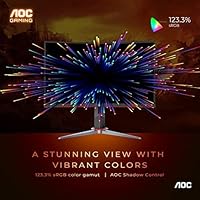
  • Color Gamut: Covers approximately 123% of the sRGB color space, producing vivid, saturated colors well beyond the standard sRGB range.
  • Contrast Ratio: Rated at 80,000,000:1 using AOC's dynamic SmartContrast system, which adjusts backlight intensity based on on-screen content.
  • Design: Three-sided frameless construction with ultra-narrow borders, making it a practical choice for side-by-side multi-monitor configurations.
  • Stand: Includes a height-adjustable stand, allowing users to raise or lower the screen to find a comfortable ergonomic position.
  • Dimensions: Assembled unit measures approximately 28.08 inches wide, 20.88 inches tall, and 20.88 inches deep with the stand attached.
  • Weight: The complete assembled unit weighs approximately 15.95 pounds, including the stand.
  • Warranty: Backed by AOC's 3-year zero dead pixel policy, covering manufacturing defects including any dead pixels present from the time of purchase.
  • Surface Finish: The screen surface has a glossy finish, which can enhance color vibrancy but may reflect ambient light in brightly lit rooms.
  • Manufacturer: Designed and branded by AOC and manufactured by TPV Technology, one of the largest display manufacturers in the world.

Related Reviews
ZZA 32″ Curved Gaming Monitor
83%
88%
Display Quality
94%
Gaming Performance
91%
Value for Money
89%
Curvature & Immersion
85%
Ease of Setup
More
AOC C27G2Z 27″ Curved Gaming Monitor
80%
93%
Refresh Rate Performance
88%
Response Time & Motion Clarity
79%
Color Accuracy & Vibrancy
86%
Contrast & Black Levels
62%
Resolution & Pixel Density
More
KOORUI G3221SC 32″ Curved QHD Gaming Monitor
69%
83%
Picture Quality
81%
Gaming Performance
86%
Value for Money
41%
HDR Performance
67%
Color Accuracy
More
AOC C24G42E 24″ Curved Gaming Monitor
86%
92%
Value for Money
95%
Gaming Performance
88%
Display Quality
84%
Design and Build
91%
Color Accuracy
More
AOC CQ27G4ZH 27″ Curved Gaming Monitor
87%
95%
Gaming Performance
90%
Display Quality
85%
Build Quality
87%
Ergonomics
92%
Value for Money
More
AOC C27G4H 27″ Curved Gaming Monitor
89%
93%
Performance
95%
Display Quality
87%
Ergonomics/Adjustability
91%
Value for Money
89%
Compatibility (Console)
More
Gawfolk GF320C 32-Inch Curved Gaming Monitor
75%
88%
Refresh Rate Performance
83%
Image Quality
76%
Motion Clarity
86%
Curvature & Immersion
91%
Value for Money
More
Samsung Odyssey G55C 32″ Curved Gaming Monitor

78%
88%
Image Sharpness & Resolution
84%
Refresh Rate & Motion Clarity
91%
Curvature & Immersion
93%
Value for Money
57%
HDR Performance
More
Samsung 32-Inch S39C Curved Gaming Monitor
83%
88%
Display Quality
91%
Value for Money
86%
Eye Comfort
89%
Ease of Setup
85%
Build Quality
More
KTC H32S17C 32-inch Curved Gaming Monitor
72%
91%
Value for Money
84%
Gaming Performance
76%
Picture Quality
52%
HDR Experience
67%
Color Accuracy
More

FAQ

Honestly, it depends on how close you sit. At arm's length — roughly 2.5 to 3 feet — most people adjust to it quickly and stop noticing during gameplay. If you sit closer than that, or if you spend a lot of time reading text, the softness becomes more apparent. For gaming, it's generally fine; for productivity-heavy work, it can be a daily annoyance.

Not exactly. The 1ms figure on the C32G2 is measured using MPRT, which describes how clearly moving objects appear rather than how fast individual pixels transition. Raw GtG pixel transition on a VA panel like this is typically slower than fast IPS alternatives marketed to competitive players. For casual to mid-level competitive gaming it performs well, but dedicated esports monitors with true fast-IPS panels have an edge in the fastest pixel transitions.

Nvidia has supported FreeSync monitors through its Adaptive Sync compatibility program since the GTX 10-series, so many Nvidia cards will work with this curved AOC monitor. That said, compatibility isn't guaranteed across every GPU model, and you'll need to enable it manually in the Nvidia Control Panel. It's worth checking Nvidia's official list of validated FreeSync monitors before assuming it will work with your specific card.

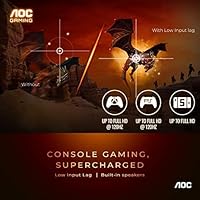
Yes. The dual HDMI 2.0 inputs make it straightforward to connect current-generation consoles, and you can have two devices plugged in simultaneously and switch between them using the monitor's input menu. Keep in mind that consoles typically output at 60Hz, so you won't be using the full 165Hz capability unless your console supports higher frame rates in specific titles.

It's a legitimate limitation worth knowing about. In games with lots of dark environments and rapid movement — think dark corridors in shooters or night-time racing sequences — you may see a faint trailing effect behind moving objects. It's not severe enough to ruin the experience for most players, but it is noticeable if you're looking for it, particularly compared to fast IPS panels. Enabling overdrive in the monitor's OSD settings helps reduce it, though cranking overdrive too high can introduce inverse ghosting.

The included stand is genuinely usable — it adjusts for height, which is more than many budget monitors offer. If you want tilt, swivel, or pivot, you'd need a third-party arm, and the monitor is VESA compatible (100x100mm pattern) for that purpose. For most setups, the stock stand gets the job done without needing an upgrade.

AOC's 3-year zero dead pixel policy means they will replace the panel if any dead pixels are present — even just one — from the moment you unbox it, for the duration of the warranty period. Many monitor warranties only kick in after a certain number of dead pixels are present, so this is a notably buyer-friendly policy at this price point. Keep your purchase receipt and register the product with AOC to make any future claim straightforward.

For most gaming purposes, it's acceptable straight out of the box — colors are vivid and contrast is strong. However, some users find the default color temperature runs slightly warm, and brightness may be higher than necessary in a typical room. Spending five minutes in the OSD to dial back brightness and tweak the color temperature to a neutral setting usually gets you to a noticeably better result without needing a hardware calibrator.

Physically, yes — the three-sided frameless design keeps bezels minimal, so the gaps between screens are small and relatively unobtrusive. You'll need a GPU capable of driving three displays simultaneously, and at 32 inches per panel, a triple setup requires a fairly wide desk. The display itself has no technical restrictions preventing it from being used in a multi-monitor arrangement.

The C32G2 does not include built-in speakers, so audio will need to come from an external source — headset, soundbar, or desktop speakers. On the noise front, there are no active cooling components inside the monitor, so it operates completely silently during use, which is the norm for displays of this type.

Where to Buy