Overview

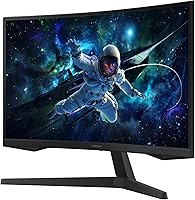
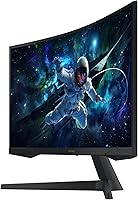
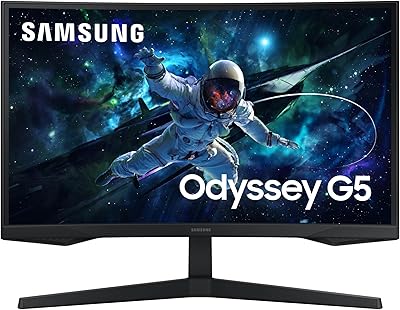
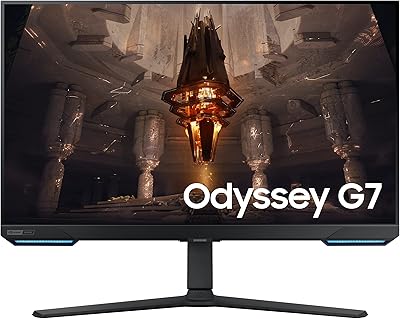
The Samsung Odyssey G55C 32″ Curved Gaming Monitor sits in a crowded mid-range market, but Samsung's Odyssey lineup has earned enough credibility that this entry deserves a close look. At its price point, the combination of QHD resolution and a 165Hz refresh rate is genuinely competitive. What makes this curved gaming monitor stand out physically is its 1000R curvature — a tighter bend than most rivals offer at this tier, designed to match the natural curve of human vision more closely. It's a solid panel for the money, but it's worth being clear: this is not a professional-grade or flagship display, and buyers should calibrate their expectations accordingly.

Features & Benefits

The jump from 1080p to QHD on a 32-inch screen is immediately noticeable — text is sharper, distant game textures resolve more cleanly, and the extra real estate helps with productivity too. The 165Hz refresh rate keeps motion fluid in fast games, and the advertised 1ms response time is worth contextualizing: it's an MPRT figure rather than native pixel response, so real-world blur reduction is good but not quite on par with the fastest IPS panels. AMD FreeSync handles tearing for Radeon users. HDR10 is present, but the VA panel lacks local dimming zones, so the impact is modest rather than dramatic. Eye Saver Mode and flicker-free operation are practical additions for long sessions.

Best For

The Odyssey G55C hits a sweet spot for a specific type of buyer. If you're running an AMD GPU and want a 32-inch QHD display without breaking the bank, this is an obvious candidate. Single-player, story-driven games — the kind where atmosphere matters — get a real boost from the tight curve, which wraps the image convincingly around your field of view. Competitive gamers will appreciate the high refresh rate, though those chasing absolute pixel-response performance may want to consider IPS alternatives. This 32″ Samsung display also works as a dual-purpose screen for home office use, provided you're comfortable with VA viewing angles. It is not the right fit for color-critical creative work.

User Feedback

Owners are generally satisfied, with picture quality and the immersive curve drawing the most consistent praise — many describe the visual impact as punching above the price tier. Out-of-box color accuracy gets favorable mentions too, which is not always a given on VA panels. On the downside, the stand is a recurring complaint: it offers tilt but lacks height and pivot adjustment, frustrating buyers who want a more ergonomic setup. HDR also tends to underwhelm in practice, with the difference from SDR feeling subtle at best. Some units show minor backlight bleed in dark scenes, though this appears inconsistent across production runs rather than a universal issue.

Pros

  • QHD on a 32-inch screen is a noticeable and immediate upgrade over 1080p in both games and everyday tasks.
  • The 1000R curve is among the tightest in the mid-range segment and delivers a genuinely immersive feel in atmospheric games.
  • High refresh rate keeps motion smooth and fluid, especially appreciated by anyone upgrading from a 60Hz panel.
  • AMD FreeSync works reliably out of the box with no complicated setup required.
  • Out-of-box color calibration is better than expected for a VA gaming panel at this price.
  • Deep VA contrast makes dark game environments and cinematic scenes look rich without washing out.
  • Eye Saver Mode and flicker-free backlight make extended sessions noticeably less fatiguing.
  • Solid build quality and clean aesthetics fit a wide range of desk setups without looking cheap.
  • Includes a DisplayPort cable in the box, so you can connect and start gaming immediately.
  • Offers strong value in the 32-inch QHD category, consistently outperforming similarly priced rivals in user satisfaction.

Cons

  • Stand only tilts — no height, swivel, or pivot adjustment, which is a real ergonomic limitation for many setups.
  • HDR10 support sounds impressive on paper but delivers only a modest real-world improvement over standard dynamic range.
  • Backlight bleed in corners appears in a notable share of units and is especially distracting during dark full-screen content.
  • VA panel viewing angles shift color and contrast when viewed off-axis, limiting its usefulness for side-by-side viewing.
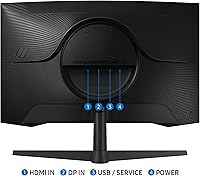
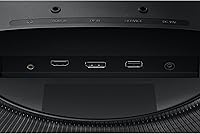
  • No USB hub or built-in ports make cable management and multi-device switching more cumbersome than it should be.
  • The on-screen display menu relies on unlabeled physical buttons that take time to navigate intuitively.
  • Nvidia GPU users cannot access G-Sync compatibility, reducing the monitor's appeal for a large portion of the PC gaming audience.
  • Only two video inputs total limits flexibility for buyers connecting both a PC and a gaming console simultaneously.

Ratings

The Samsung Odyssey G55C 32″ Curved Gaming Monitor scores here reflect an AI-driven analysis of verified global buyer reviews, with spam, bot-generated, and incentivized feedback actively filtered out. The result is an honest picture of where this curved gaming monitor genuinely excels and where real-world owners have run into friction. Both the strengths and the recurring pain points are represented transparently in every category below.
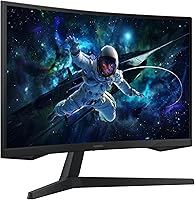
Image Sharpness & Resolution
88%
Owners consistently note how much of a difference QHD makes on a 32-inch screen compared to their previous 1080p setups. Game environments look noticeably more detailed, and text in desktop use is crisp enough that many buyers stopped reaching for a secondary monitor.
A handful of users coming from premium IPS panels feel the VA panel's contrast can slightly soften perceived sharpness in bright, complex scenes. It is not a widespread complaint, but pixel-peepers will notice the difference.
Refresh Rate & Motion Clarity
84%
At 165Hz, fast-paced games like shooters and racing titles run with a fluidity that buyers upgrading from 60Hz find genuinely striking. The high refresh rate is the feature most frequently called out as the single best reason to choose this monitor.
The advertised response time is an MPRT figure, not a native panel measurement, and users who scrutinize motion in dark scenes do report some trailing — a known characteristic of VA technology. It does not ruin the experience, but it is real.
Curvature & Immersion
91%
The 1000R curve is the feature that surprises buyers most positively. Users playing open-world and story-driven games describe the peripheral wrap as genuinely immersive, with the screen feeling like it surrounds rather than sits in front of them.
A small number of buyers find the curve distracting when using the display for spreadsheet work or reading long documents. At 32 inches, the bend is noticeable from all angles, which is a matter of taste rather than a defect.
Value for Money
93%
Across hundreds of reviews, the price-to-performance ratio is the single most praised aspect. Buyers repeatedly point out that competing monitors with similar specs cost noticeably more, making the Odyssey G55C feel like a smart buy in the mid-range gaming space.
A few buyers who stretched their budgets for this monitor expected slightly better HDR performance and a more ergonomic stand than what shipped in the box. When those two elements fall short, the value perception takes a small hit.
HDR Performance
57%
43%
HDR10 support means compatible games and content do engage the mode, and buyers do report that dark, atmospheric scenes benefit from deeper blacks compared to SDR on a non-HDR VA panel. For the price tier, having HDR at all is appreciated.
This is the most common disappointment in critical reviews. Without full-array local dimming, the HDR ceiling is low, and many buyers find the difference from SDR underwhelming in practice. Marketing language around HDR sets expectations this hardware cannot fully meet.
Stand & Ergonomics
51%
49%
The stand is sturdy enough that the panel does not wobble during use, and out-of-box setup is straightforward. For buyers who place the monitor on a standard desk and never adjust it again, the stand functions adequately.
Limited to tilt adjustment only — no height, swivel, or pivot — this is the most frequently cited frustration across low and mid-star reviews. Buyers with multi-monitor setups or non-standard desk heights often end up purchasing a VESA arm separately, adding cost.
Color Accuracy (Out of Box)
76%
24%
For a VA gaming panel in this class, out-of-box calibration earns more praise than expected. Colors look rich and punchy in games, and several buyers noted they were satisfied without any manual adjustments to the default picture mode.
Users with color-sensitive workflows — photo editing, graphic design — find the VA gamut and default calibration insufficient. Viewing angle limitations also shift color and contrast when the panel is not viewed head-on, which affects multi-viewer setups.
Contrast & Black Levels
86%
VA panel contrast is where the Odyssey G55C genuinely outperforms comparably priced IPS monitors. Dark game environments and cinematic cutscenes show deep, inky blacks that make the picture feel more dramatic and cinematic during evening gaming sessions.
Backlight bleed in the corners shows up in a consistent subset of reviews, particularly noticeable in full-screen dark scenes. It appears to vary between units rather than being universal, but buyers who receive affected panels find it distracting and hard to unsee.
Build Quality & Aesthetics
79%
21%
The chassis feels solid for its weight class, and Samsung's restrained design — mostly matte black with subtle Odyssey branding — fits into a wide range of desk setups without looking cheap or overly aggressive. Assembly is clean and takes under ten minutes.
Plastic construction throughout means it does not feel premium when handled up close, and the stand base takes up a meaningful footprint on smaller desks. No RGB lighting, which some gaming buyers expect at this price.
Connectivity & Port Selection
68%
32%
Having both HDMI and DisplayPort covered means the monitor works with most modern PCs, consoles, and laptops without needing an adapter. A DisplayPort cable is included in the box, which saves an immediate additional purchase.
Only two video inputs total, and no USB hub functionality whatsoever. Buyers who juggle multiple devices — a PC and a console, for example — find themselves reaching for a switch or unplugging cables more often than they would like.
Eye Comfort & Long Session Use
82%
18%
Eye Saver Mode and flicker-free backlight are not just checkbox features here — buyers who game or work for four or more hours at a stretch mention noticeably less eye fatigue compared to their previous monitors. It is a practical, low-glamour benefit that adds up.
Eye Saver Mode shifts the color temperature toward warmer tones visibly enough that some users disable it while gaming because it affects their perception of in-game colors. It is effective, but not subtle.
Gaming Performance (Competitive)
78%
22%
For casual-to-intermediate competitive players — people grinding ranked matches rather than competing professionally — the combination of high refresh rate and FreeSync delivers a smooth, responsive experience that holds up well in fast-paced titles.
Hardcore competitive players who prioritize the fastest possible pixel response will find dedicated IPS or TN gaming monitors more suitable. The VA panel's inherent response characteristics are a real limitation at the top end of competitive play.
Setup & Out-of-Box Experience
83%
Buyers consistently describe assembly as fast and hassle-free, with clear instructions and minimal parts. The monitor arrives well-packaged, and most users report having it running within fifteen minutes of opening the box.
The on-screen display menu receives occasional criticism for being navigational friction — physical buttons without labeling require a short learning curve before settings feel intuitive to adjust.
AMD FreeSync Performance
87%
AMD GPU owners report that FreeSync integration works reliably, with screen tearing effectively eliminated across a wide range of frame rates. The practical result is a noticeably smoother experience in GPU-demanding titles without any configuration headaches.
Buyers with Nvidia GPUs lose access to the primary sync benefit, and G-Sync compatibility is not officially supported. This makes the monitor a stronger proposition for AMD system owners than for the broader PC gaming audience.
Desk Footprint & Size Practicality
72%
28%
At 32 inches, the screen is large enough that single-monitor setups feel complete and immersive. Buyers who previously used a 27-inch display frequently mention that the extra size makes a tangible difference in gaming and productivity.
The stand base extends fairly deep, which can crowd smaller or shallower desks. Buyers in compact spaces occasionally report that the curve combined with the screen size makes ideal viewing distance tricky to achieve without repositioning their chair.

Suitable for:

The Samsung Odyssey G55C 32″ Curved Gaming Monitor is purpose-built for PC gamers who want a meaningful upgrade from a 1080p display without committing to flagship-tier pricing. If you spend most of your gaming time in immersive single-player titles — open-world games, RPGs, narrative adventures — the tight 1000R curve will genuinely add to the experience in a way that a flat monitor at the same size simply cannot match. AMD GPU owners get the most out of this display, since FreeSync works reliably and eliminates tearing without any fuss. It also makes a strong case as a dual-purpose screen for home office setups where you game in the evenings: the QHD resolution handles productivity tasks comfortably, and the eye-care features reduce fatigue during long working days. Casual-to-intermediate competitive gamers will find the high refresh rate more than adequate for ranked play in most popular titles.

Not suitable for:

Buyers with specific professional needs or high expectations around certain features will likely find the Odyssey G55C falls short in meaningful ways. Color-critical workflows — photography, video editing, illustration — demand more accurate and consistent color reproduction than a VA gaming panel with limited viewing angles can reliably deliver. The HDR implementation is technically present but practically underwhelming; if a cinematic HDR experience is a priority for you, this panel will disappoint despite what the spec sheet implies. Hardcore competitive players chasing the absolute fastest pixel response will be better served by IPS or TN alternatives where native response times are genuinely lower. The stand is also a real ergonomic limitation: without height or pivot adjustment, buyers who share a desk, use an unusual chair height, or want a multi-monitor arrangement will almost certainly need to budget for a VESA arm on top of the monitor price. Finally, Nvidia GPU users lose the primary sync benefit entirely, making this a less compelling pick for that audience.

Specifications

  • Panel Type: Uses a VA (Vertical Alignment) panel, which delivers deeper blacks and higher native contrast than IPS alternatives at this price tier.
  • Screen Size: 32″ diagonal display, offering substantially more screen real estate than the 27-inch monitors that dominate the mid-range gaming category.
  • Resolution: QHD resolution at 2560×1440 pixels provides roughly 1.7 times the pixel density of a Full HD panel at the same screen size.
  • Refresh Rate: Runs at up to 165Hz, keeping motion smooth and fluid across a wide range of game genres and GPU outputs.
  • Response Time: Rated at 1ms using MPRT (Moving Picture Response Time) measurement, which reflects motion blur reduction rather than native pixel transition speed.
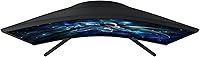
  • Curvature: Features a 1000R curve radius, one of the tightest available in consumer monitors and designed to align closely with the natural curvature of human vision.
  • HDR Support: Compatible with HDR10 content, though the panel does not include full-array local dimming, which limits peak HDR brightness and contrast impact.
  • Sync Technology: Supports AMD Radeon FreeSync, synchronizing the monitor's refresh rate with the GPU output to reduce screen tearing and stuttering.
  • Connectivity: Equipped with one HDMI port and one DisplayPort input; no USB hub, audio jack pass-through, or additional peripheral ports are included.
  • Included Cables: Ships with a DisplayPort cable in the box; an HDMI cable is not included and must be sourced separately if needed.
  • Aspect Ratio: Standard 16:9 widescreen aspect ratio, compatible with virtually all modern gaming, streaming, and productivity content without letterboxing.
  • Eye Care: Incorporates Eye Saver Mode for blue light reduction and a flicker-free backlight to reduce eye strain during extended use.
  • Speakers: No built-in speakers are included; audio output requires external speakers or headphones connected to the source device.
  • Smart Features: No smart platform, app integration, or remote control functionality is present on this monitor.
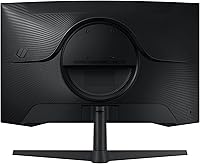
  • Stand Adjustments: The included stand supports tilt adjustment only; height, swivel, and pivot adjustments are not available without a third-party VESA mount.
  • VESA Compatibility: The panel supports VESA mounting, allowing buyers to use a third-party monitor arm or wall mount for greater ergonomic flexibility.
  • Dimensions: Assembled monitor with stand measures approximately 28″ wide, 21″ tall, and 10.7″ deep, requiring meaningful desk depth due to the curved base.
  • Weight: Complete unit with stand weighs 11.5 pounds, which is manageable for a single-person setup but worth accounting for on lighter desk surfaces.
  • Power Input: Rated for 240V input; a compatible power adapter for regional use should be verified before purchase outside standard North American markets.
  • Release Date: First made available for purchase in April 2024 as part of Samsung's refreshed Odyssey G5 series lineup.

Related Reviews

Samsung 32″ Odyssey G65B Curved Gaming Monitor
84%
91%
Display Quality
93%
Gaming Performance
87%
Curvature Immersion
88%
HDR Performance
90%
Response Time
More
Samsung Odyssey G55C 27-inch Curved Gaming Monitor
76%
91%
Image Sharpness
89%
Refresh Rate & Motion
84%
Curvature & Immersion
86%
Value for Money
58%
HDR Performance
More
Samsung Odyssey G32A 32″ Gaming Monitor
75%
91%
Refresh Rate Performance
74%
Response Time & Motion Clarity
53%
Image Sharpness & Pixel Density
67%
Color Accuracy & Vibrancy
83%
Contrast & Black Levels
More
Samsung 32-Inch S39C Curved Gaming Monitor
83%
88%
Display Quality
91%
Value for Money
86%
Eye Comfort
89%
Ease of Setup
85%
Build Quality
More
Samsung Odyssey G50D 32-inch QHD Gaming Monitor
78%
91%
Gaming Performance
88%
Image Sharpness & Clarity
83%
Color Accuracy & Vibrancy
79%
Panel Uniformity & Viewing Angles
58%
HDR Performance
More
Samsung 27″ Odyssey QHD G65B Curved Gaming Monitor
80%
88%
Picture Quality
92%
Gaming Performance
78%
Build Quality
85%
Curved Display Experience
90%
Price to Performance Ratio
More
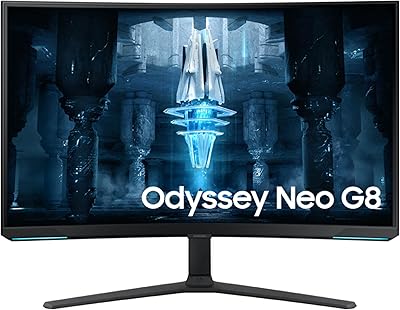
Samsung 32″ Odyssey Neo G8 Gaming Monitor
77%
93%
Image Quality
91%
HDR Performance
89%
Refresh Rate & Smoothness
88%
Contrast & Black Levels
86%
Response Time & Motion Clarity
More
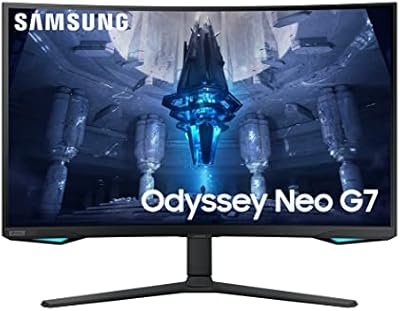
Samsung Odyssey Neo G7 32″ 4K Gaming Monitor
86%
94%
Gaming Performance
91%
Display Quality
88%
Value for Money
90%
Ease of Setup
93%
Color Accuracy
More
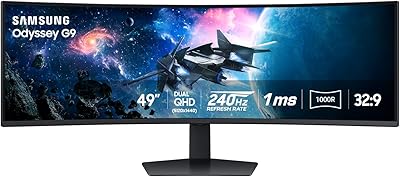
Samsung Odyssey G9 49-inch Curved Gaming Monitor
82%
93%
Visual Clarity
90%
Immersion & Curvature
94%
Gaming Performance (FPS)
60%
Ease of Setup
88%
Build Quality
More
Samsung Odyssey G8 32″ OLED Gaming Monitor
77%
94%
Image Quality
92%
Gaming Performance
76%
Burn-in Protection
89%
Build Quality
61%
Value for Money
More

FAQ

It will work fine with an Nvidia GPU for display purposes — you will get QHD at 165Hz without any issues. However, FreeSync is an AMD-specific sync technology, and this monitor does not carry official G-Sync Compatible certification, so Nvidia users will not benefit from adaptive sync. If you are on Team Green and screen tearing bothers you, that is worth factoring into your decision.

It is an MPRT figure, which stands for Moving Picture Response Time. This is a measurement of how long each frame is visible using backlight strobing, not how fast the pixels physically transition. Native VA pixel response is slower, and in very dark fast-motion scenes you may notice some trailing. It is still a competent performer for most gaming, but do not expect it to match a high-end IPS panel on pure motion clarity.

Very noticeable — in a good way for most people. At 32 inches the curve is clearly visible from a normal sitting distance, and it creates a genuine sense of depth and wrap in games with wide environments. A small number of users find it slightly disorienting for flat document work, but the majority adapt quickly and end up preferring it.

Yes, the HDMI port supports console connections. Keep in mind that FreeSync will only apply if you are using a compatible AMD-based source, and consoles may cap output at different refresh rates than what the panel is capable of. For PS5 and Xbox Series X owners, consoles running at 120Hz over HDMI 2.0 will work well, though you will not hit the full 165Hz ceiling that way.

Honestly, HDR on the Samsung Odyssey G55C 32″ Curved Gaming Monitor is functional but not transformative. The panel lacks the local dimming zones needed to produce the sharp contrast transitions that make HDR visually impactful. You will notice slightly richer highlights in compatible content, but buyers expecting a dramatic leap in picture quality when toggling HDR on are likely to feel underwhelmed. For most users, a well-calibrated SDR image looks comparable or even cleaner.

Unfortunately not. The included stand only supports tilt adjustment. There is no height raise or lower, no swivel left or right, and no portrait pivot. If your desk setup requires the monitor to sit higher or at a different angle, you will need a VESA-compatible monitor arm, which is an additional purchase. This is one of the most consistent complaints from real owners, so it is worth planning for upfront.

Most buyers find the out-of-box picture quality acceptable to good without any manual calibration — which is above average for a VA gaming panel. The default game mode tends to be vibrant and punchy, which suits most gaming use cases. If you want more accurate color for productivity or movie watching, spending a few minutes in the OSD adjusting color temperature and brightness will get you there without needing external calibration hardware.

It handles productivity tasks well enough. QHD resolution on a 32-inch panel gives you comfortable screen space for side-by-side windows, document editing, and browser work. The main trade-off is viewing angle — VA panels shift in color and contrast when viewed off-axis, so if you share your screen with someone sitting beside you, they will see a dimmer, slightly washed-out image. For solo use, it is a capable all-day work and game display.

No built-in speakers and no headphone jack on the monitor itself. All audio needs to be handled through your PC, console, or a separate DAC or audio interface. If you use a headset plugged directly into your computer, this is a non-issue, but buyers expecting to plug desktop speakers into the display will need to rethink their audio routing.

It appears in a meaningful subset of units but is not universal. Reviews show a pattern of minor corner bleed that becomes visible in full-screen dark scenes — think cutscenes or loading screens with black backgrounds. Whether your specific unit shows it is somewhat luck-of-the-draw with VA manufacturing tolerances. If you receive a panel with noticeable bleed that bothers you in normal use, it is worth contacting the retailer for an exchange rather than assuming all units are identical.

Where to Buy