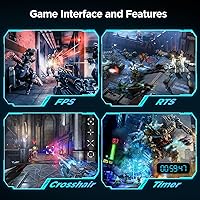
Overview

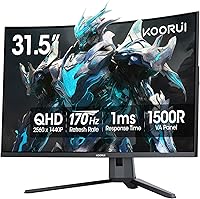
The KOORUI G3221SC 32″ Curved QHD Gaming Monitor is a budget-friendly option from KOORUI, a value-tier brand that has been quietly building a reputation among cost-conscious PC gamers. At its core, this is a VA panel display — which means you get genuinely deep blacks and a strong 3000:1 contrast ratio, but some viewing angle flexibility is traded away compared to IPS alternatives. The 1500R curvature wraps the image more aggressively than a flatter 1800R screen, and at 32 inches it feels intentional rather than superficial. Set expectations accordingly — this is a capable daily-driver for gaming and general use, not a professional color-grading tool.
Features & Benefits

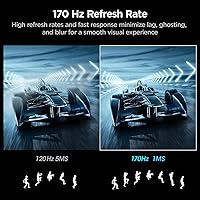
At 170Hz with 1ms response, this curved QHD monitor holds its own for fast-paced gaming — though that 1ms figure is MPRT, not GtG, so real-world motion clarity may not match IPS-based competitors. The jump to QHD 2560x1440 on a 31.5-inch panel is genuinely noticeable: sharper text, more detailed environments, and better pixel density than 1080p at this size. Color coverage at 90% DCI-P3 makes games look punchy and saturated, but the HDR10 support is largely cosmetic — 300 nits of peak brightness simply cannot deliver the contrast that proper HDR requires. On the ergonomics side, the stand offers tilt only, with no height or swivel range, which is a real limitation if your desk setup demands more flexibility.

Best For

This budget curved monitor is a strong fit for PC gamers playing FPS titles, racing games, or action-heavy games who want a big, immersive screen without overspending. It is also a natural upgrade path for anyone coming from a 1080p 24-inch setup — the combination of a larger panel and higher resolution is a meaningful visual step forward. Home office users who also game will appreciate the extra screen real estate QHD offers for multitasking, though the absence of built-in speakers and a USB hub means planning around those gaps. Console players connecting via HDMI should note the 144Hz cap on those ports, and anyone needing precise color accuracy or full ergonomic adjustability should look at alternative options.

User Feedback

Buyers consistently praise image quality and color vibrancy for the price — the contrast and curve together create a genuinely involving picture for gaming. On the downside, stand wobble comes up repeatedly in user reports, and some units show noticeable backlight bleed in dark scenes, which is not unusual for VA panels but worth knowing before buying. The HDR10 label draws skepticism from experienced buyers who understand that 300 nits simply cannot produce a real HDR experience. Shipping and out-of-box issues, including dead pixels and damaged packaging, account for a fair share of the lower-star reviews. The 1-year panel warranty is also notably shorter than what competing brands offer at this tier — a factor worth weighing before committing.

Pros

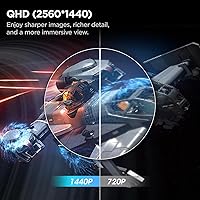
  • QHD resolution at 32 inches delivers a sharp, detailed picture that is a clear step up from 1080p at this size.
  • The 170Hz refresh rate keeps gameplay fluid and responsive for most mid-range gaming rigs.
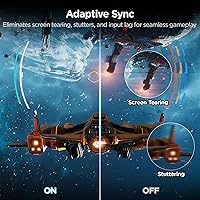
  • Adaptive Sync support effectively eliminates screen tearing without needing a specific GPU brand.
  • The VA panel produces deep blacks and a 3000:1 contrast ratio that makes dark game environments look genuinely dramatic.
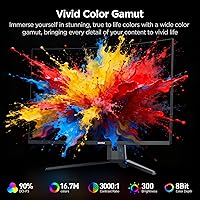
  • 90% DCI-P3 color coverage gives games and media a punchy, vivid look straight out of the box.
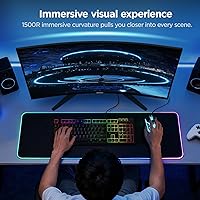
  • The 1500R curve adds a tangible sense of wrap at 32 inches that flatter panels at this size simply cannot match.
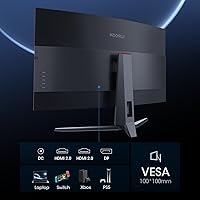
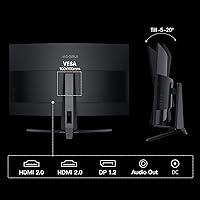
  • Dual HDMI 2.0 ports plus DisplayPort 1.2 gives you enough connectivity for a PC and a console simultaneously.
  • VESA 100x100mm compatibility means you can ditch the stand and wall-mount or use an aftermarket arm easily.
  • The price-to-screen-size-and-resolution ratio is among the most competitive in the budget curved monitor segment.

Cons

  • The stand offers tilt adjustment only — no height, swivel, or pivot, which limits desk setup flexibility significantly.
  • The 1ms response time is MPRT-rated, not GtG, so actual pixel transition speed is slower than that figure implies.
  • HDR10 support is largely a checkbox feature here; 300 nits peak brightness cannot produce a real HDR experience.
  • Some units arrive with backlight bleed that becomes visible during dark scenes or when using dark desktop backgrounds.
  • VA panel ghosting in fast, dark motion sequences is a known trade-off that sensitive gamers will likely notice.
  • HDMI 2.0 ports cap out at 144Hz, meaning you must use DisplayPort to access the full 170Hz refresh rate.
  • Panel warranty coverage lasts only one year, which is shorter than what several competing brands offer at a similar price.
  • Stand wobble has been flagged by multiple buyers, particularly on desks subject to vibration or accidental bumps.
  • Dead pixels and packaging damage appear in enough out-of-box reports to suggest quality control is inconsistent.
  • No built-in speakers or USB hub means additional desk clutter or extra purchases for a complete setup.

Ratings

The scores below were generated by our AI after analyzing thousands of verified global user reviews for the KOORUI G3221SC 32″ Curved QHD Gaming Monitor, with spam, incentivized, and bot-flagged submissions actively filtered out before processing. Each category reflects the honest consensus of real buyers — the genuine strengths and the recurring frustrations alike — so you can make a fully informed decision before purchasing.

Picture Quality
83%
Users consistently describe the image as punchy and vibrant straight out of the box, with the VA panel's deep blacks making night-time gaming environments look genuinely atmospheric. The 3000:1 contrast ratio draws frequent praise from buyers who previously used budget IPS panels and were immediately struck by the difference in shadow depth.
Color accuracy drifts noticeably when viewed from wider angles, which becomes apparent when others are watching alongside you or when a second monitor sits at an angle nearby. A handful of users also noted that factory calibration is inconsistent across units, with some panels skewing slightly warm or green out of the box.
Gaming Performance
81%
19%
At 170Hz with Adaptive Sync active, the KOORUI 32-inch gaming display handles fast FPS and racing titles without tearing or judder, and casual to mid-level competitive players found the experience genuinely smooth during extended sessions. The combination of high refresh rate and a large curved panel makes the screen feel engaging in a way that smaller flat monitors simply do not replicate.
The 1ms response time is MPRT-rated rather than GtG, and in practice some users playing very fast, dark-scene games noticed faint trailing — a limitation inherent to the VA panel technology rather than a flaw specific to this unit. Hardcore competitive players who prioritize pixel-perfect motion clarity above all else may find an IPS-based alternative more satisfying.
Value for Money
86%
Across hundreds of reviews, the most repeated sentiment is that this budget curved monitor delivers far more visual impact than its price tag suggests, particularly for buyers upgrading from a 1080p panel at a smaller size. The combination of QHD resolution, 170Hz refresh rate, and a large curved panel at this price bracket is genuinely difficult to beat.
The strong value proposition comes with real compromises — limited ergonomics, a one-year panel warranty, and inconsistent quality control mean the asking price only feels fair if your unit arrives without issues. Buyers who factor in the cost of a third-party monitor arm to compensate for the stand's limitations will find the effective value slightly lower than it first appears.
HDR Performance
41%
59%
The HDR10 mode does process HDR signals and produces marginally richer color in compatible game titles when compared to SDR output, which some casual users found satisfying enough for movie watching in a dim room. For buyers who are not deeply familiar with true HDR implementations, the mode does add a subtle visual improvement they notice and appreciate.
At 300 nits of peak brightness, the panel simply cannot deliver the specular highlights or deep tone-mapped shadows that define a real HDR experience, and experienced buyers are unanimous in calling the HDR10 badge a checkbox feature rather than a meaningful capability. Several reviewers specifically warned others not to factor HDR into their purchase decision for this monitor.
Color Accuracy
67%
33%
The 90% DCI-P3 coverage means colors in games and streamed content look rich and well-saturated for everyday use, and most buyers who are not doing professional creative work found the out-of-box color presentation more than acceptable. A few technically inclined users noted that after manual calibration, deltaE averages improved meaningfully.
Factory calibration varies enough across units that some users reported needing to adjust white balance and gamma before the image looked neutral, and the panel is not suitable for color-critical work like photo retouching or video grading. The VA panel's inherent color shift at off-axis angles further limits its usefulness for any application requiring consistent accuracy from multiple viewing positions.
Build Quality
72%
28%
The overall chassis feels solid and well-assembled for the price, with a matte plastic finish that resists fingerprints and does not look cheap on a desk. Most buyers described the physical build as punching above its weight, noting the panel itself feels sturdy and the bezels are reasonably thin on three sides.
The stand is the most criticized physical component, with a notable number of users reporting wobble that becomes apparent whenever a desk is bumped or a mechanical keyboard is used vigorously nearby. The wobble issue does not affect image quality directly, but it creates an impression of lesser build integrity that undercuts the otherwise solid feel of the panel.
Ergonomics & Adjustability
44%
56%
The tilt range of -5° to 20° covers the basic adjustment most single-monitor users need for a comfortable seated eye level, and the VESA 100x100mm compatibility means buyers who invest in a monitor arm can unlock full positional freedom. For users whose desk height already places the screen at a natural eye level, the stand works adequately without modifications.
The complete absence of height adjustment, swivel, and portrait pivot is a genuine limitation that buyers notice immediately, and it is the single most mentioned structural complaint across all review tiers. Users with non-standard desk heights or multi-monitor configurations consistently report needing to buy an aftermarket arm just to get the screen into a comfortable position.
Screen Uniformity
63%
37%
A majority of units arrived with acceptable uniformity for gaming and video use, where the content on screen is dynamic enough that minor brightness variation across the panel is not distracting. Buyers using the monitor primarily for gaming reported that uniformity issues rarely affected their experience.
Backlight bleed — visible as a soft glow along the panel edges during dark scenes or a black desktop — appears frequently enough in user reports that it cannot be dismissed as a rare occurrence. Users who watch a lot of dark cinematic content or work with dark-mode interfaces are more likely to find it bothersome, and the VA panel's clouding can worsen when the display has not warmed up fully.
Connectivity
74%
26%
Having two HDMI 2.0 ports and a DisplayPort 1.2 input means most users can connect a PC and a console simultaneously without swapping cables, which buyers with mixed setups found genuinely convenient. A DisplayPort cable is included in the box, which is a practical inclusion that saves an immediate extra purchase.
The HDMI 2.0 bandwidth ceiling at 144Hz means anyone connecting via HDMI is leaving 26Hz of the panel's capability unused, which is an easy trap for buyers who do not read the fine print. There is no USB hub, no USB-C port, and no built-in KVM functionality, which limits desk cable management options compared to slightly pricier competing monitors.
Immersion & Curvature
84%
The 1500R curve at 32 inches wraps the image around your peripheral vision in a way that feels intentional and genuinely immersive during extended gaming sessions, with racing and open-world game buyers being particularly enthusiastic about the effect. Users upgrading from flat panels of the same size consistently describe the curve as one of the most immediately noticeable improvements to their gaming environment.
The aggressive 1500R radius is not universally liked — a minority of buyers who primarily use the screen for productivity work or web browsing found the curve slightly disorienting for reading long documents or working with straight-line graphics. Sitting closer than the recommended distance amplifies this effect.
Out-of-Box Experience
61%
39%
The majority of buyers reported a straightforward unboxing and setup process, with the stand attaching tool-free in a few minutes and the display powering on without driver installation needed. Users appreciated that a DisplayPort cable was included, reducing the friction of getting up and running quickly.
Dead pixels, cosmetic scuffs, and damaged packaging appear with enough frequency in lower-star reviews to suggest that KOORUI's quality control and shipping protection could be more consistent. These are not universal issues, but the volume of complaints suggests a meaningful minority of buyers are receiving units that require return or exchange before they can use the monitor at all.
Warranty & Support
53%
47%
KOORUI's customer support team is described as responsive in a reasonable proportion of reviews, with buyers reporting that warranty claims and replacement requests were processed without excessive friction when issues were raised promptly. The three-year coverage on accessories is a generous gesture that adds some reassurance for stand and cable longevity.
The one-year panel warranty is the most criticized aspect of the ownership experience, sitting noticeably below the two- to three-year display warranties that comparable budget monitor brands have started offering. Several buyers only discovered the limited panel coverage after their unit developed an issue outside the window, making this a well-documented source of post-purchase regret.
Brightness & Visibility
66%
34%
At 300 nits, the display handles typical indoor gaming and office lighting conditions well enough, and the matte screen coating reduces glare effectively in most home environments without washing out colors the way glossy coatings can. Users in moderately lit rooms rarely complained about needing more brightness for day-to-day use.
In bright rooms with windows or overhead lighting directly overhead, 300 nits starts to feel limiting, and users who sit near a window during daylight hours noted that the image appears washed out without adjusting room lighting. The brightness ceiling also directly undermines the HDR10 feature, reinforcing that this is a panel designed for controlled indoor environments rather than adaptable to varied lighting conditions.
Noise & Thermals
88%
The monitor runs completely passively — no fans, no audible coil whine reported across the overwhelming majority of reviews — making it a quiet addition to any desk setup, which buyers in noise-sensitive home office environments particularly appreciated. The panel stays cool to the touch even after extended gaming sessions of several hours.
A small number of users reported faint coil whine at specific brightness levels, which while uncommon is worth being aware of for buyers in very quiet environments. This appears to be a unit-specific variance rather than a systemic design issue, but it contributed to a few lower-star reviews from sensitive users.

Suitable for:

The KOORUI G3221SC 32″ Curved QHD Gaming Monitor is a genuinely solid pick for PC gamers who want a noticeable upgrade from a smaller 1080p screen without spending a lot of money. The jump to QHD at 32 inches makes a real difference in both visual sharpness and sense of immersion, and the 170Hz refresh rate with Adaptive Sync handles fast-paced FPS, racing, and action titles well. Casual to mid-level competitive players will find the combination of speed and resolution hard to match at this price point. It also works well for hybrid home-office and gaming setups, where the extra screen real estate helps with multitasking during the day and the curve pays off during evening gaming sessions. Console players can connect via HDMI, though they should understand the 144Hz cap that comes with that connection.
Not suitable for:

Anyone who needs precise, calibrated color output for photo editing, video grading, or design work should look elsewhere — this budget curved monitor is not built for that use case, and its factory calibration is not intended to meet professional standards. The HDR10 badge on the KOORUI G3221SC 32″ Curved QHD Gaming Monitor may catch your eye in the spec sheet, but at 300 nits of peak brightness the real-world HDR experience is minimal at best, so if HDR performance matters to you, this panel will disappoint. Users who require full ergonomic flexibility — height adjustment, portrait pivot, or wide swivel range — will find the tilt-only stand frustrating, particularly for multi-monitor arrangements or shared desks. VA panel ghosting in fast dark scenes can bother sensitive players, and those with wide viewing angle requirements, such as users sitting off-axis, will notice color and contrast shift more than they would on an IPS alternative. Finally, buyers who expect long-term peace of mind from their warranty should note that panel coverage here is shorter than what many competing brands provide.
Specifications

  • Panel Type: Uses a VA (Vertical Alignment) panel, which delivers strong contrast and deep blacks but has narrower viewing angles than IPS alternatives.
  • Screen Size: The active display area measures 31.5 inches diagonally, marketed as a 32-inch class monitor.
  • Resolution: Native resolution is 2560x1440 (QHD), providing noticeably sharper detail than 1080p at this screen size.
  • Refresh Rate: Supports up to 170Hz natively, with 144Hz also available depending on connection type and system configuration.
  • Response Time: Rated at 1ms using the MPRT (Moving Picture Response Time) measurement method, not GtG pixel transition time.
  • Curvature: Features a 1500R curve radius, which is more aggressively curved than the 1800R panels common at this screen size.
  • Color Gamut: Covers 90% of the DCI-P3 color space, producing vivid and punchy colors suited to gaming and general media consumption.
  • Brightness: Peak brightness is rated at 300 cd/m², which is adequate for indoor use but insufficient for a meaningful HDR experience.
  • Contrast Ratio: Static contrast ratio is 3000:1, a characteristic strength of VA panels that helps dark scenes look genuinely deep.
  • HDR Support: Carries HDR10 certification, though practical HDR impact is limited given the 300 nits brightness ceiling.
  • Connectivity: Includes two HDMI 2.0 ports, one DisplayPort 1.2 port, and one 3.5mm audio output jack; no USB hub is included.
  • Adaptive Sync: Compatible with Adaptive Sync technology, supporting both AMD FreeSync and select NVIDIA G-Sync Compatible setups to reduce screen tearing.
  • Tilt Adjustment: The included stand supports tilt adjustment between -5° and 20°; no height, swivel, or portrait pivot is available.
  • VESA Mounting: The panel is VESA 100x100mm compatible, allowing removal of the factory stand in favor of wall mounts or third-party monitor arms.
  • Dimensions: The monitor with stand measures approximately 27.98 x 20.07 x 9.67 inches (W x H x D).
  • Weight: The panel alone weighs 14.55 lbs; total packaged weight is higher and should be considered when planning desk or arm load capacity.
  • Panel Warranty: The display panel is covered by a 1-year limited warranty, which is shorter than the 3-year coverage KOORUI offers on included accessories.
  • Accessories Warranty: Non-panel accessories, including the stand, cables, and power adapter, are covered under a separate 3-year limited warranty.
  • In-Box Contents: The package includes the monitor, stand assembly, one DisplayPort cable, a user manual, and a power adapter; no HDMI cable is included.
  • Aspect Ratio: Standard 16:9 widescreen aspect ratio, consistent with the majority of PC games, streaming content, and desktop environments.

Related Reviews

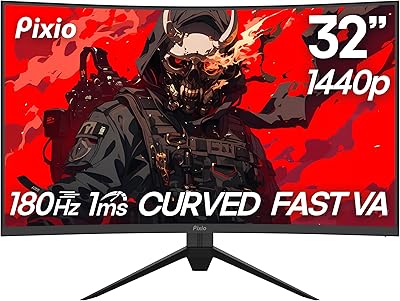
Pixio PXC328 32-inch Curved Gaming Monitor
77%
88%
Image Quality
92%
Contrast & Black Levels
86%
Refresh Rate & Smoothness
78%
Response Time & Motion Clarity
87%
Curvature & Immersion
More
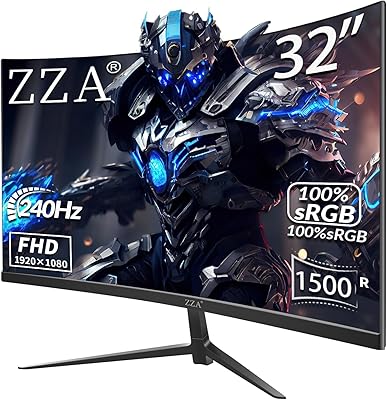
ZZA Z32D 32″ Curved Gaming Monitor
68%
88%
Gaming Performance
84%
Value for Money
81%
Picture Contrast & Blacks
79%
Motion Clarity
72%
Build Quality
More
KOORUI 27E3Q 27-inch QHD Gaming Monitor
76%
88%
Value for Money
83%
Image Quality
76%
Refresh Rate Performance
91%
Stand & Ergonomics
47%
HDR Performance
More
Samsung 32″ Odyssey G65B Curved Gaming Monitor
77%
88%
Image Clarity
91%
Refresh Rate Performance
74%
HDR Quality
87%
Motion & Response
83%
Curvature & Immersion
More
AOC C32G2 32″ Curved Gaming Monitor
76%
91%
Value for Money
84%
Gaming Performance
73%
Image Quality
88%
Refresh Rate & Smoothness
83%
Curvature & Immersion
More
Gawfolk GF320C 32-Inch Curved Gaming Monitor
75%
88%
Refresh Rate Performance
83%
Image Quality
76%
Motion Clarity
86%
Curvature & Immersion
91%
Value for Money
More
KTC H32S17C 32-inch Curved Gaming Monitor
72%
91%
Value for Money
84%
Gaming Performance
76%
Picture Quality
52%
HDR Experience
67%
Color Accuracy
More
Samsung 32-Inch S39C Curved Gaming Monitor
83%
88%
Display Quality
91%
Value for Money
86%
Eye Comfort
89%
Ease of Setup
85%
Build Quality
More
CUNPU 32-Inch Gaming Monitor QHD 165Hz
86%
93%
Display Quality
91%
Gaming Performance
85%
Build Quality
88%
Ergonomics and Adjustability
90%
Ease of Setup
More
Samsung Odyssey G55C 32″ Curved Gaming Monitor
78%
88%
Image Sharpness & Resolution
84%
Refresh Rate & Motion Clarity
91%
Curvature & Immersion
93%
Value for Money
57%
HDR Performance
More

FAQ

You need DisplayPort 1.2 to reach the full 170Hz refresh rate on this monitor. HDMI 2.0 tops out at 144Hz, so if you are connecting a PC and want maximum smoothness, make sure you are using the included DisplayPort cable rather than an HDMI cable.

Yes, both consoles connect via HDMI and will work with this curved QHD monitor. Keep in mind that the HDMI 2.0 ports cap at 144Hz, and QHD output from consoles depends on the specific console settings and game support, so your experience may vary compared to a PC connection.

Honestly, not dramatically so. The KOORUI G3221SC 32″ Curved QHD Gaming Monitor carries an HDR10 badge, but at 300 nits of peak brightness the display cannot produce the highlight punch or shadow detail that proper HDR requires. You can enable HDR10 mode and it will process HDR signals, but do not expect the kind of HDR performance you would get from a dedicated HDR display with 600 nits or more.
The 1ms figure here is MPRT — a measurement of how long a pixel appears on screen per refresh cycle, not the actual pixel transition speed. Real GtG response on VA panels at this price is typically in the 4–8ms range. In practice, you may notice some trailing in very fast, dark motion sequences, which is a known characteristic of budget VA panels.

Yes, the panel supports VESA 100x100mm mounting, so any standard monitor arm or wall bracket with that pattern will work. Removing the stand and using an arm is actually a popular choice with this monitor since it compensates for the limited ergonomic range of the factory stand.

Adaptive Sync on this display works with AMD FreeSync-compatible setups natively. Many NVIDIA GPUs also support it under the G-Sync Compatible program, but compatibility is not guaranteed for every card. It is worth checking NVIDIA's official G-Sync Compatible monitor list or testing in your own setup before assuming full support.

It varies unit to unit, which is fairly typical for budget VA panels. Some buyers report minimal bleed that is only visible on a solid black screen in a dark room, while others have received units with more noticeable glow in the corners. If backlight uniformity is important to you, keep the return window in mind when you first set it up.

No — the included stand only supports tilt between -5° and 20°. There is no height adjustment, no swivel, and no pivot for portrait orientation. If you need any of those adjustments, your best option is to pick up a VESA-compatible monitor arm separately, since the panel does support 100x100mm mounting.

It handles both reasonably well. The QHD resolution gives you noticeably more desktop space for having multiple windows open side by side, and the screen size makes reading and multitasking comfortable. Just be aware there are no built-in speakers and no USB hub, so if you rely on those for a work setup you will need to source them separately.

The panel itself is covered for one year, which is on the shorter end compared to competitors that often offer two or three years on the display. The stand, cables, and other accessories get a separate three-year warranty, which is an unusual split. Make sure you register the product and hold onto your purchase receipt, as you will need it if anything goes wrong within that first year.