Overview

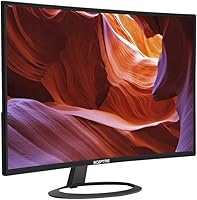
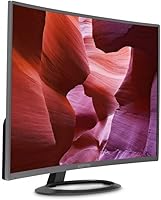
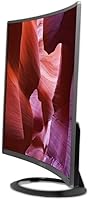
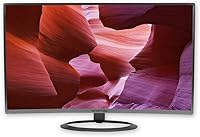
The Sceptre C325W-1920R 32-inch Curved Monitor is one of those rare budget displays that punches noticeably above its weight class. Sceptre has never been a flashy brand, but they have carved out a reliable niche by keeping things practical and affordable. This curved monitor features an 1800R curvature that gently wraps around your field of view — something you genuinely appreciate after a few hours of work or binge-watching. The slim metal chassis looks and feels more expensive than the price suggests. It has been on the market since 2016 and accumulated a substantial base of real-world buyers, which says something about its staying power.

Features & Benefits

At 32 inches, spreading 1080p resolution across that much screen does come with a trade-off — pixel density is lower than on a smaller FHD panel, and you may notice some softness if you sit close. That said, most people using this Sceptre display at a normal desk distance will not find it distracting. The 1800R curve makes movies and wide spreadsheets feel more natural to scan. Connectivity is well-covered with HDMI, DisplayPort, and VGA, so switching between a laptop and a desktop is painless. The blue light shift mode is a quiet but useful addition for late-night sessions, and the built-in speakers handle video calls without needing to plug anything else in.

Best For

This budget curved screen is a natural fit for home office workers who want a large workspace without spending heavily. If you are writing documents, managing tabs, or doing light spreadsheet work, the extra screen real estate makes a genuine difference. Casual gamers will enjoy the immersive feel for single-player titles, though competitive players demanding ultra-fast response times and high refresh rates should look elsewhere — the 5ms response time is adequate, but this display is not tuned for esports. Students setting up their first proper workstation will appreciate how much screen they get here. It also works well as a secondary display or a dedicated media screen in a living area.

User Feedback

With a 4.3-star average built on over 850 ratings, this curved monitor has earned genuine credibility in its category. Buyers consistently highlight the size-to-value ratio and the metal build, which feels more solid than most expect at this price tier. On the critical side, some users sitting close to the screen find text slightly soft — a real trade-off that comes with 1080p stretched across 32 inches. The built-in speakers draw mixed reactions: fine for occasional use, but thin-sounding compared to even modest external options. A few buyers flagged stand wobble under certain desk conditions. Long-term reliability comments are generally positive but varied, so keeping warranty details handy is a reasonable precaution.

Pros

  • Large 32-inch curved screen creates a genuinely immersive viewing experience for movies and casual gaming.
  • The metal chassis feels solid and looks noticeably more premium than the price tier suggests.
  • HDMI, DisplayPort, and VGA ports cover virtually every common device connection without adapters.
  • Built-in speakers handle basic audio needs like video calls without requiring extra desk clutter.
  • Blue light shift mode is a practical addition for users who spend long evening hours at their desk.
  • VESA mount compatibility gives flexibility to wall-mount and free up desk space.
  • A 4.3-star average across 850-plus real-world ratings signals consistent buyer satisfaction over years.
  • The 1800R curve reduces the need to pan your eyes across a flat wide screen during extended sessions.
  • Buyers upgrading from a smaller flat monitor get a meaningful jump in workspace and immersion at low cost.

Cons

  • At 32 inches with 1080p resolution, text and fine detail can appear noticeably soft for close-up work.
  • The 60Hz refresh rate is a hard ceiling for gamers who need smooth high-frame-rate performance.
  • Built-in speaker quality is thin — functional at best, and easily outclassed by even budget desktop speakers.
  • Some buyers have reported stand wobble, which can be distracting on desks with any vibration.
  • The glossy screen surface picks up reflections in bright rooms, which can become annoying over time.
  • Long-term reliability feedback from owners is inconsistent, making warranty coverage an important consideration.
  • Shipping damage has been flagged by a subset of buyers, so inspecting the unit on arrival is advisable.
  • No high refresh rate or adaptive sync support limits appeal for anyone who games even semi-seriously.

Ratings

The scores below were generated by AI after analyzing verified buyer reviews for the Sceptre C325W-1920R 32-inch Curved Monitor from global sources, with automated filtering applied to remove incentivized, duplicate, and bot-generated submissions. The result is an honest composite picture of how real owners experience this budget curved screen day-to-day — strengths and frustrations included. Both the consistent praise and the recurring pain points are reflected transparently so you can make a genuinely informed call.

Value for Money
91%
Among buyers who specifically shopped for large curved displays on a tight budget, this Sceptre display consistently ranks as one of the most satisfying purchases. The combination of screen size, curvature, and metal construction at this price tier repeatedly surprises first-time buyers who expected something that felt cheaper.
A handful of reviewers felt the value case weakened slightly after factoring in the resolution trade-off — getting 1080p across 32 inches means you are not getting pixel-perfect sharpness, and some buyers feel a smaller, sharper panel might have served them better for the same money.
Build Quality
83%
The metal chassis is one of the most frequently praised aspects of this budget curved screen. Users coming from all-plastic monitors in the same price range are often genuinely surprised by how solid the unit feels on their desk, and the slim profile adds to that premium impression.
Stand stability is a recurring issue in buyer feedback — a meaningful number of users report wobble when bumping the desk or typing heavily. The stand mechanism feels less refined than the chassis itself, which creates an inconsistency in overall build impression.
Display Clarity
67%
33%
For streaming, casual browsing, and document work viewed from a normal desk distance, the 1080p image looks clean and well-lit. Colors are reasonably vibrant for a budget panel, and most users who sit 2 to 3 feet away report satisfaction with everyday visual output.
Pixel density is the core weakness here — at 32 inches with a 1080p signal, text and fine detail look noticeably soft if you sit closer than average. Users who do a lot of reading, spreadsheet work, or any task requiring crisp small text tend to flag this as a real daily frustration.
Curvature & Immersion
86%
The 1800R curve earns consistent praise from users who upgraded from flat monitors, particularly for media consumption and single-player gaming. Several reviewers noted that wide documents and panoramic content feel more natural to scan without the eye strain that comes with flat ultra-wide displays.
A small portion of buyers find the curve less dramatic than expected at 32 inches, particularly those who had seen more aggressive curvatures in stores. It is subtle enough that occasional users may not notice a strong benefit, especially if the screen is positioned off-axis.
Gaming Performance
61%
39%
For casual and single-player gaming, the 5ms response time and the immersive curve make for a genuinely enjoyable experience. Users playing RPGs, strategy games, or story-driven titles report that the screen size and curvature add real atmosphere to gameplay sessions.
Competitive gamers find this display inadequate — 60Hz is a hard ceiling that rules out smooth high-frame-rate play, and there is no adaptive sync support to handle frame tearing. Anyone who games seriously even part of the time will hit these limitations fast.
Connectivity
88%
Having HDMI, DisplayPort, and VGA all on a single budget monitor is genuinely useful. Users who switch between a work laptop and a desktop gaming rig appreciate being able to keep both connected simultaneously, and the VGA port keeps older hardware in play without adapters.
There is no USB hub functionality and no audio output jack beyond the built-in speakers, which means users who want to connect headphones directly to the monitor are out of luck. For a modern setup, a dedicated headphone port would have rounded out the connectivity story.
Built-in Speakers
54%
46%
For video calls, occasional YouTube clips, and background audio, the built-in speakers get the job done without any extra setup. Users who work from home and just need basic audio during meetings consistently rate them as adequate for that limited use case.
The moment you actually listen critically, the thinness of the sound becomes obvious — there is very little bass and the volume ceiling is low. Multiple reviewers specifically mention replacing them with even entry-level desktop speakers within weeks of purchase.
Eye Comfort
79%
21%
The blue light shift mode is a quiet but genuinely useful feature for late-night workers and students who log long hours at the desk. Several buyers with a history of eye fatigue mentioned the mode made extended sessions feel noticeably less straining over the course of an evening.
The glossy screen surface works against eye comfort in bright rooms — reflections from windows or overhead lighting can create persistent glare hotspots that no software setting fixes. Users with bright home offices or south-facing desks flag this as an ongoing irritant.
Setup & Installation
84%
Most buyers report getting the monitor assembled and running in under 15 minutes. The stand attaches without tools, ports are clearly labeled, and the on-screen menu is straightforward enough that users rarely consult the manual for basic adjustments.
Cable management options behind the stand are minimal, so desks can look cluttered if you are running multiple connections. A small number of buyers also reported that the out-of-box calibration needed brightness and contrast adjustment before the image looked its best.
Ergonomics & Adjustability
58%
42%
The VESA compatibility is a genuine saving grace here — users who invest in a monitor arm get full tilt, swivel, and height control, transforming the ergonomic flexibility of this budget curved screen considerably without spending much.
The included stand offers essentially no height or tilt adjustment beyond a basic fixed angle, which is a real limitation for taller users or anyone with specific ergonomic needs. Without a separate arm, finding a comfortable long-term viewing position can require improvising with books or risers.
Shipping & Packaging
66%
34%
The majority of buyers receive the unit intact and well-padded, and the unboxing experience is clean and organized for a budget product. Most setup-ready buyers can go from box to working display within a few minutes of arrival.
Shipping damage reports appear with enough frequency in the review pool to be a genuine concern — bent corners, cracked bezels, and dead pixels on arrival are all mentioned by a visible minority of buyers. Inspecting the unit immediately and documenting any damage is strongly advisable.
Long-term Reliability
69%
31%
A substantial portion of owners have used this Sceptre display for two or more years without significant issues, which is encouraging for a budget-tier product. The metal construction likely contributes to the panel holding up better physically than comparable all-plastic alternatives.
Reliability feedback splits more than it does for premium displays — backlight issues, input recognition problems, and speaker degradation appear in the longer-term reviews at a rate that warrants attention. Keeping warranty details and purchase records accessible is a reasonable precaution for this price tier.
OS & Device Compatibility
89%
Official support for both Windows and macOS is confirmed and works reliably in buyer-reported experience. Console users connecting via HDMI also report plug-and-play compatibility with PlayStation and Xbox platforms without configuration headaches.
The monitor predates widespread USB-C adoption, so MacBook users and modern laptop owners will need an adapter to connect via HDMI or DisplayPort. This is a minor friction point rather than a dealbreaker, but it is an extra purchase some buyers do not anticipate.

Suitable for:

The Sceptre C325W-1920R 32-inch Curved Monitor is a strong choice for anyone who wants a large, immersive display without committing to a premium budget. Home office workers who spend long hours reading documents, managing browser tabs, or sitting through video calls will genuinely appreciate the extra screen real estate and the gentle 1800R curve that makes wide content easier to scan without turning your head. Students setting up their first proper desk setup get a lot of monitor for their money here — the metal build feels more serious than the price implies. Casual gamers who care more about feeling pulled into a game world than chasing high frame rates will find the curved panel adds real atmosphere to slower-paced or narrative-driven titles. It also works well as a media and streaming screen, particularly for users who want a cinematic feel from their couch or a secondary viewing area.

Not suitable for:

Buyers with more demanding visual requirements will likely find this Sceptre display limiting in a few key ways. Spreading 1080p across 32 inches results in a lower pixel density than on a smaller panel, and anyone who sits close to the screen — especially for reading fine text or doing detailed design work — may notice that softness fairly quickly. Graphic designers, photographers, and video editors who need accurate color reproduction and sharp detail at close range should look at higher-resolution options. Competitive gamers who rely on fast refresh rates and minimal input lag will find the 5ms response time and standard 60Hz output fall short of what modern gaming monitors offer. The built-in speakers are also a convenience rather than a real audio solution, so audiophiles or users who want decent sound without external gear will be disappointed. If long-term reliability without any risk is a priority, the mixed durability feedback from some buyers is worth factoring into the decision.

Specifications

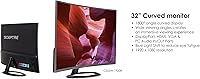
  • Screen Size: The display measures 32 inches diagonally, offering a wide viewing area suited to multitasking and media consumption.
  • Panel Curvature: An 1800R curvature radius gently bends the screen to better match the natural arc of human peripheral vision.
  • Resolution: Native resolution is 1920x1080 Full HD, which provides standard clarity across the panel at typical viewing distances.
  • Aspect Ratio: The panel uses a 16:9 widescreen aspect ratio, compatible with virtually all modern video content and desktop layouts.
  • Response Time: The display offers a 5ms response time, adequate for everyday computing tasks and casual gaming sessions.
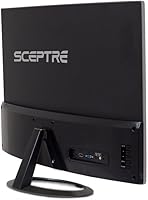
  • Connectivity: Input options include one HDMI port, one DisplayPort, and one VGA port to accommodate a broad range of devices.
  • Built-in Audio: Integrated speakers are included in the chassis, providing basic audio output without requiring external speakers for light use.
  • Eye Care: A blue light shift mode is built in to reduce high-energy blue light emission during extended viewing sessions.
  • VESA Mount: The monitor supports VESA wall mounting at a 600x400mm pattern, compatible with most standard third-party arms and brackets.
  • Surface Type: The screen uses a glossy panel surface, which can enhance color vibrancy but may reflect ambient light in bright environments.
  • Physical Dimensions: With the stand attached, the unit measures approximately 28.38 x 7.99 x 19.05 inches (length x depth x height).
  • Weight: The complete unit weighs approximately 12.1 pounds, making repositioning manageable for a single person.
  • Without Stand: Panel-only dimensions measure approximately 28.38 x 16.61 x 0.35 inches, reflecting the slim bezel-to-bezel profile.
  • Contrast Ratio: A dynamic contrast ratio of 12,000:1 is rated for this panel, contributing to perceived depth between dark and bright image areas.
  • Color: The monitor is finished in a Metal Black colorway that suits neutral desk setups and blends with most peripherals.
  • OS Compatibility: Confirmed compatible operating systems include Windows 7, 8, and 10, as well as macOS High Sierra, Sierra, and OS X El Capitan.
  • Stand Included: A factory stand is included in the box, allowing the monitor to be used immediately without purchasing a separate mount.
  • Manufacturer: The display is designed and sold by Sceptre Inc., a California-based brand specializing in value-tier display hardware.

Related Reviews
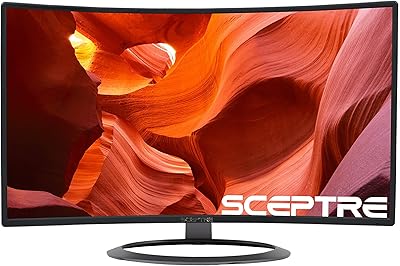
Sceptre C328W-1920R 32″ Curved Gaming Monitor
70%
88%
Value for Money
61%
Picture Clarity
54%
Color Accuracy
83%
Immersion & Curve
74%
Refresh Rate Performance
More
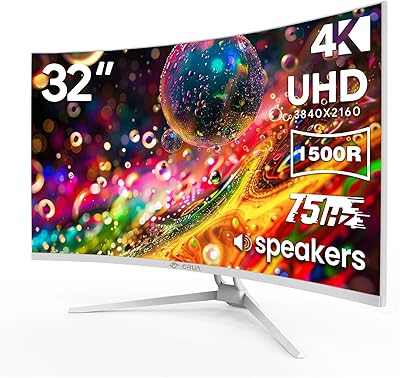
CRUA CR320C 32″ Curved 4K Monitor
73%
91%
Image Sharpness
78%
Color Accuracy
88%
Contrast & Black Levels
84%
Curvature & Immersion
67%
Refresh Rate & Smoothness
More
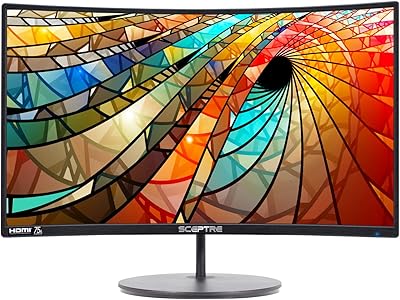
Sceptre C278W-1920R 27″ Curved Monitor
71%
91%
Value for Money
83%
Curvature & Immersion
67%
Image Quality
76%
Refresh Rate & Motion
71%
Build Quality
More
KOORUI G3221SC 32″ Curved QHD Gaming Monitor
69%
83%
Picture Quality
81%
Gaming Performance
86%
Value for Money
41%
HDR Performance
67%
Color Accuracy
More
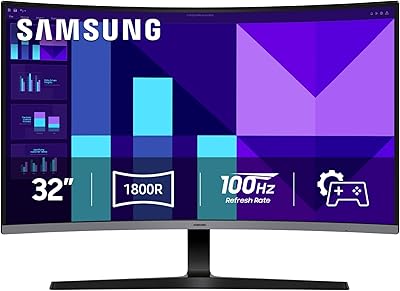
Samsung 32-inch S39GD Curved Monitor
73%
83%
Value for Money
58%
Image Sharpness & Resolution
88%
Curve & Immersion
79%
Refresh Rate & Motion Smoothness
84%
Eye Comfort & Fatigue
More
LG 32MR50C-B 32-Inch Curved Monitor

75%
91%
Value for Money
78%
Picture Quality
83%
Refresh Rate & Motion Handling
52%
Ergonomics & Stand
84%
Curvature & Immersion
More
Gawfolk GF320E 32-inch Curved Monitor
73%
88%
Image Sharpness & Resolution
83%
Contrast & Color Depth
86%
Curvature & Immersion
84%
Value for Money
52%
Stand Stability
More
KTC H32S17C 32-inch Curved Gaming Monitor

72%
91%
Value for Money
84%
Gaming Performance
76%
Picture Quality
52%
HDR Experience
67%
Color Accuracy
More
AOC C32G2 32″ Curved Gaming Monitor
76%
91%
Value for Money
84%
Gaming Performance
73%
Image Quality
88%
Refresh Rate & Smoothness
83%
Curvature & Immersion
More
Samsung 32-Inch S39C Curved Gaming Monitor
83%
88%
Display Quality
91%
Value for Money
86%
Eye Comfort
89%
Ease of Setup
85%
Build Quality
More

FAQ

It depends on how close you sit and what you use it for. At a typical desk distance of 2 to 3 feet, most people find it acceptable for general work and media. If you sit closer or do a lot of reading and fine text work, you may notice some softness — that is a genuine trade-off with 1080p at this screen size, and worth knowing before you buy.

Yes, macOS is officially supported, including High Sierra, Sierra, and El Capitan. You will likely need a USB-C to HDMI or USB-C to DisplayPort adapter depending on which MacBook you have, since the monitor uses standard HDMI and DisplayPort inputs rather than USB-C.

It does — HDMI connectivity makes it compatible with current and previous-generation consoles. Just keep in mind the panel runs at 60Hz, so you will not get the benefit of higher frame rates that some newer consoles can output.

They are fine for video calls and background audio, but do not expect much beyond that. The sound is thin and lacks bass, which is typical for slim monitor speakers. If audio quality matters to you at all, a basic desktop speaker or headset will be a clear upgrade.

Actually, yes — this is one of its stronger use cases. The 32-inch curved panel creates a noticeably more cinematic feel compared to a flat screen of the same size, and most streaming content at 1080p looks solid from a comfortable couch or desk distance.

Absolutely. The monitor supports a standard 600x400mm VESA pattern, so it is compatible with most monitor arms and wall brackets sold separately. Switching to an arm is also a good solution if you find the included stand wobbles more than you would like.

The panel runs at 60Hz, which is standard for this category. It is perfectly fine for office work, media, and casual gaming, but competitive gamers who need 144Hz or higher will want to look at a different monitor entirely.

At 32 inches, the 1800R curve does make a practical difference. It reduces the need to pan your eyes across the edges of the screen and can make long work sessions feel slightly less fatiguing. It is subtle rather than dramatic, but most people who switch from a flat monitor at this size find they prefer it after a few days.

For casual use, it is workable, but for serious editing work it has real limitations. The glossy surface can cause distracting reflections, the 1080p resolution limits fine detail work, and the color accuracy has not been validated for professional color-critical tasks. If editing is a priority, a higher-resolution IPS panel would serve you better.

It comes up regularly enough in buyer feedback to be worth mentioning, though it is not universal. Some users report noticeable wobble, particularly on desks with any vibration. If stand stability is a concern, using the VESA mount option with a third-party arm is a straightforward way to avoid the issue altogether.