Overview

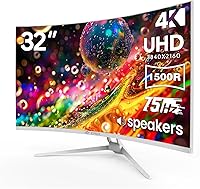
The CRUA CR320C 32″ Curved 4K Monitor is a straightforward pitch: big, sharp, and curved without a big-brand price tag. CRUA isn't a household name, and that's worth acknowledging upfront — but the hardware specs tell a reasonable story for what you're paying. The centerpiece is a 32-inch VA curved panel with a 1500R curvature that provides genuine immersion for everyday use. That white finish is a real differentiator too; most monitors in this space are matte black, so this one actually stands out on a modern desk. Just don't expect a high-refresh gaming rig — this is built for productivity, media, and casual daily use.
Features & Benefits

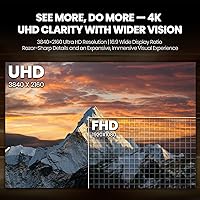
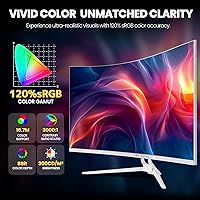
At 3840×2160 resolution stretched across 32 inches, the pixel density hits a sweet spot — text stays crisp, photos look detailed, and you don't need to sit two feet away to appreciate it. The 1500R curve pulls the screen edges into your peripheral vision in a way that genuinely cuts down on neck movement compared to a flat panel. Color coverage at 120% sRGB with a 3000:1 contrast ratio means blacks look deep and colors stay vivid, which is useful for photo editing or content watching. The 75Hz refresh and AMD FreeSync pairing keeps video smooth and tear-free. HDMI 2.0, DisplayPort 1.4, built-in speakers, and VESA mounting round out a well-connected, low-clutter package.

Best For

This curved 4K monitor makes the most sense for home office workers who spend long hours on documents, spreadsheets, or video calls and want more screen real estate without spending a fortune. Hobbyist photographers and casual content creators will appreciate the color accuracy at this price point — it won't replace a calibrated studio display, but it's a meaningful upgrade over a basic 1080p screen. Casual gamers who prioritize resolution over raw frame rate will be comfortable here. The white design is a natural fit for anyone building a clean, modern desk setup. Students or first-time buyers stepping up from a smaller screen will likely find this display transforms their daily workflow.

User Feedback

Buyers who've picked up the CRUA 32-inch display tend to lead with the same observation: the image looks sharper and more immersive than expected for the price. The curved VA panel earns consistent praise for its depth and color richness in everyday use. That said, the stand gets mixed reviews — tilt adjustment is limited, which frustrates users who want more ergonomic control, and a few note the chassis feels lightweight for its size. The built-in speakers are adequate for a video call or background audio, but they won't replace even a modest external setup. Setup is reportedly quick, and the VESA mount option is a genuine plus. Brand support responsiveness remains an open question given how new CRUA is to the market.

Pros

  • Sharp 4K detail on a 32-inch panel makes everyday productivity tasks noticeably more comfortable and spacious.
  • The 1500R curved VA panel creates a genuinely immersive viewing experience that flat monitors at this size cannot match.
  • 120% sRGB coverage delivers rich, accurate color for hobbyist photo editing and media consumption without a steep price.
  • A deep 3000:1 contrast ratio gives blacks real depth, which makes movies and dark-themed interfaces look much better.
  • AMD FreeSync keeps video and casual gaming smooth without the screen tearing that plagues non-synced displays.
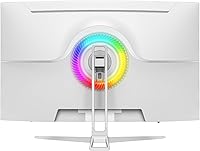
  • The white colorway is a rare and practical design choice that stands out in a market dominated by identical black bezels.
  • HDMI 2.0 and DisplayPort 1.4 connectivity covers modern PCs, laptops, and consoles without needing adapters.
  • VESA mount compatibility gives users the freedom to ditch the stand entirely and use a preferred monitor arm.
  • Built-in speakers handle video calls and background audio without requiring extra desk accessories.
  • A matte screen surface cuts glare effectively, making this curved 4K monitor comfortable in bright or mixed-light rooms.

Cons

  • The stand offers very limited ergonomic adjustment, making comfortable positioning a challenge for many desk setups.
  • At 260 cd/m² brightness, this white curved screen may struggle in very bright or window-facing environments.
  • The 75Hz refresh rate is a noticeable step down for anyone accustomed to high-refresh gaming monitors.
  • Build quality feels lightweight for its size, with some users noting the chassis lacks the solidity of pricier panels.
  • CRUA is a newer brand with limited long-term reliability data and an unproven track record for post-purchase support.
  • Built-in speakers are barely adequate — thin sound with little bass, not suitable for music or immersive media audio.
  • Color accuracy out of the box may require manual calibration to fully realize the advertised sRGB coverage.
  • No USB hub or additional ports means connectivity is limited strictly to video inputs with no peripheral passthrough.
  • At 16.22 pounds, the CRUA 32-inch display is bulky enough that repositioning it solo is mildly inconvenient.
  • Response time specifications are not prominently disclosed, which is a concern for users sensitive to motion blur.

Ratings

The CRUA CR320C 32″ Curved 4K Monitor scores below reflect AI-synthesized analysis of verified global buyer reviews, with spam, bot activity, and incentivized feedback actively filtered out. Across thousands of real user experiences, this curved display earns genuine praise in several key areas while showing clear, honest limitations that budget-conscious shoppers should weigh carefully. Both the standout strengths and the recurring frustrations are represented transparently in every category score.
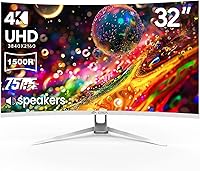
Image Sharpness
91%
Users consistently describe the jump to 4K on a 32-inch panel as immediately noticeable — text is crisp at normal viewing distances, fine details in photos are clearly resolved, and spreadsheets or multi-window layouts feel much more comfortable to work in all day. The pixel density hits a sweet spot for this screen size.
A handful of users note that realizing the full sharpness benefit requires a GPU capable of driving 4K output, and those connecting older laptops or budget PCs sometimes find themselves running at a lower resolution without realizing it, which undercuts the experience significantly.
Color Accuracy
78%
22%
The 120% sRGB coverage and deep 3000:1 contrast ratio produce colors that look rich and punchy straight out of the box, which hobbyist photographers and casual content creators find genuinely satisfying for editing and media consumption without needing a calibration device.
Some users with color-critical workflows note that out-of-box accuracy varies between units, and without factory calibration data or an ICC profile provided by CRUA, achieving consistent results requires manual tweaking that less experienced users may not know how to do.
Contrast & Black Levels
88%
The VA panel's deep blacks are one of the most praised aspects of this display — users watching movies or using dark-mode interfaces at night remark that the black levels look genuinely cinematic compared to IPS panels they had previously owned in the same price range.
VA panels are known for a phenomenon called black smearing in fast motion, and a portion of reviewers mention that dark scenes in action sequences or fast-scrolling dark backgrounds can exhibit a subtle ghosting or muddiness that IPS alternatives handle more cleanly.
Curvature & Immersion
84%
The 1500R curve draws frequent praise from users transitioning from flat panels — at typical desk distances of two to three feet, the screen edges fall naturally into peripheral vision, reducing the need to turn your head and making long work sessions feel noticeably less tiring over time.
A minority of users find the 1500R curve slightly too aggressive for purely productivity-focused use, particularly when working with documents that require precise straight-line judgment, such as architectural layouts or certain types of design work where flat reference is expected.
Refresh Rate & Smoothness
67%
33%
For everyday productivity tasks, video streaming, and casual gaming, 75Hz paired with AMD FreeSync delivers a clean and tear-free experience that most non-competitive users find entirely satisfying — video playback in particular looks fluid and natural across all tested content types.
Users upgrading from 144Hz or higher panels find 75Hz immediately underwhelming, and this gap is especially noticeable in fast-paced games where motion blur and input lag become more apparent. Competitive gamers should treat this as a firm dealbreaker rather than an acceptable compromise.
Build Quality
62%
38%
At this price tier, most buyers consider the construction acceptable — the panel itself feels reasonably solid, the bezels are slim, and the white finish holds up well to normal desk handling without showing scratches or discoloration in early use.
The stand draws consistent criticism for feeling lightweight and slightly wobbly, and the overall chassis plasticity is noticeable when handling or repositioning the monitor. Several reviewers describe it as feeling less premium than the spec sheet suggests, particularly around the base and hinge.
Stand & Ergonomics
48%
52%
The included stand keeps the monitor stable at a fixed height for users whose desk and chair setup happens to align naturally with it, and for those who plan to immediately swap to a VESA arm, the stand is a non-issue entirely.
No height adjustment and only basic tilt functionality make this stand one of the most commonly cited frustrations across all reviews. Users who spend long hours at their desk and rely on monitor height for posture management will almost certainly need to purchase a separate monitor arm to use this display comfortably.
Setup & Installation
83%
The assembly process is consistently described as quick and intuitive — most users report having the monitor connected and running within ten to fifteen minutes, with the on-screen display menu being straightforward to navigate for adjusting brightness, contrast, and input selection.
The included documentation is minimal, and users who want to enable specific features like AMD FreeSync or the blue light filter need to locate those settings independently within the OSD, which can take some trial and error without a detailed guide.
VESA Compatibility
86%
The 75×75mm VESA pattern works reliably with a wide range of aftermarket monitor arms, and users who make the switch report that the improved ergonomic positioning transforms how comfortable the display is to use — making this one of the best upgrades available for this specific monitor.
The 75mm pattern is on the smaller side compared to the more common 100×100mm standard, so buyers need to double-check compatibility before purchasing an arm. Most arms support both, but it is an extra verification step that occasionally catches people off guard.
Built-in Speakers
41%
59%
The integrated speakers are a genuine convenience for video calls and background listening when an external audio setup is not available — they produce clear mid-range speech intelligibility that makes conference calls perfectly functional without requiring anything else on the desk.
Bass response is essentially absent, volume headroom is limited, and music or movie audio sounds noticeably thin and hollow. The overwhelming consensus is that anyone who cares even modestly about audio quality should budget for external speakers or use headphones instead.
Glare & Matte Coating
81%
19%
The matte anti-glare surface handles reflections from windows and overhead lights effectively, and users in mixed-light home office environments appreciate being able to work without constantly repositioning to avoid screen glare — a small but meaningful daily quality-of-life improvement.
Some users feel the matte coating introduces a very slight haze or softness to the image in bright content, which is a known trade-off with anti-glare coatings. It is subtle enough that most users do not notice, but those coming from glossy panels may find it a minor adjustment.
Connectivity
79%
21%
Having both HDMI 2.0 and DisplayPort 1.4 available covers a broad range of devices — users commonly run a laptop via HDMI and a desktop PC via DisplayPort simultaneously, making input switching between devices a simple and cable-free process during a typical workday.
There is no USB hub, no headphone jack pass-through, and no USB-C port, which feels like a meaningful omission for a monitor targeting home office users who often rely on monitor-side connectivity to reduce cable clutter. Users with modern USB-C-only laptops will need a separate hub.
Blue Light Filter
74%
26%
The built-in blue light reduction mode is easy to enable and makes a noticeable difference during late-night use — several users specifically mention using it for evening reading and coding sessions, reporting less eye strain and an easier wind-down before sleep compared to their previous displays.
The filter visibly warms the color temperature of the screen, which some users find too yellow for color-sensitive work even at lower filter settings. It functions as an either-on or either-off mode rather than offering granular control, which limits its practicality for users who want a subtle reduction.
Value for Money
82%
18%
Across the board, buyers consistently express that the combination of 4K resolution, VA curved panel, AMD FreeSync, and built-in speakers at this price point represents a compelling package — particularly for users who have been priced out of the 4K curved monitor market by flagship pricing from major brands.
The value equation softens somewhat when accounting for the limited stand ergonomics and the brand uncertainty factor. A few users who experienced early issues found the support process slow and opaque, which introduces a risk premium that is difficult to quantify but worth considering for longer-term ownership.
Brand Reliability
54%
46%
Early adopters who have had no issues report being satisfied with the purchase and willing to recommend the brand based on the hardware performance alone — the product functions as advertised for the majority of buyers, which counts for a lot at this price level.
CRUA's short history in the market means there is limited data on how these units hold up past the one-year mark, and several reviewers note that reaching customer support has been inconsistent in responsiveness. For buyers who factor post-purchase support into their decision, this remains a genuine and unresolved concern.

Suitable for:

The CRUA CR320C 32″ Curved 4K Monitor is a strong fit for remote workers and home office users who want a large, sharp display to cut down on window-switching and eye strain during long workdays. The 4K resolution at 32 inches means spreadsheets, documents, and browser tabs all have room to breathe without feeling cramped. Hobbyist photographers and casual content creators will find the 120% sRGB color coverage genuinely useful — it's not a professional color-critical tool, but it's a meaningful step above a standard budget panel. Students upgrading from a 1080p or 24-inch screen will likely feel an immediate difference in how much more comfortable extended sessions become. The white design also makes it a natural pick for anyone building a clean, modern workspace where most black monitors would look out of place.
Not suitable for:

The CRUA CR320C 32″ Curved 4K Monitor is not the right call for competitive or fast-paced gamers — 75Hz is a functional refresh rate for casual play, but anyone coming from a 144Hz or 165Hz panel will immediately feel the difference and likely regret the switch. Professional photographers, videographers, or graphic designers who need factory-calibrated color accuracy and wide color gamut coverage beyond sRGB should look toward purpose-built monitors with hardware calibration support. The stand offers limited ergonomic flexibility, so users who need significant height or pivot adjustment for posture reasons may find the mounting situation frustrating without investing in a third-party arm. Those expecting quality audio output from the built-in speakers will be disappointed — they work in a pinch but are no substitute for even an entry-level external speaker or headset. Buyers who prioritize long-term brand support and warranty reliability may also want to weigh the risks that come with a newer, less-established manufacturer.
Specifications

  • Screen Size: The panel measures 32 inches diagonally, providing ample screen real estate for multitasking, media, and productivity work.
  • Resolution: Native resolution is 3840×2160 pixels (4K UHD), delivering sharp detail and high pixel density across the full 32-inch surface.
  • Panel Type: Uses a VA (Vertical Alignment) panel, which offers deeper blacks and higher contrast compared to typical IPS panels at this price tier.
  • Curvature: The screen features a 1500R curvature radius, designed to match the natural curve of human vision and reduce peripheral distortion.
  • Refresh Rate: Supports a 75Hz refresh rate, suitable for smooth everyday computing, video playback, and casual gaming sessions.
  • Color Gamut: Covers 120% of the sRGB color space, providing richer and more saturated colors than standard 100% sRGB monitors.
  • Brightness: Peak brightness is rated at 260 cd/m², which is adequate for indoor use but may fall short in very bright or sunlit environments.
  • Contrast Ratio: Static contrast ratio is 3000:1, enabling noticeably deeper blacks and better image depth compared to most IPS-based alternatives.
  • Screen Surface: The display uses a matte anti-glare coating, which reduces reflections from ambient light sources and overhead lighting.
  • Connectivity: Includes one HDMI 2.0 port and one DisplayPort 1.4 port, supporting 4K output from modern PCs, laptops, and compatible game consoles.
  • VESA Mount: The monitor is VESA compatible with a 75×75mm mounting pattern, allowing use with most standard third-party monitor arms and wall mounts.
  • Built-in Audio: Integrated speakers are included for basic audio output, intended as a convenience feature for calls and casual media rather than quality listening.
  • Sync Technology: AMD FreeSync is supported, which dynamically synchronizes the display refresh rate with the GPU output to reduce screen tearing.
  • Blue Light Filter: A built-in blue light filter mode is available to reduce eye fatigue during extended use, particularly in low-light evening environments.
  • Aspect Ratio: The panel uses a standard 16:9 widescreen aspect ratio, compatible with the vast majority of content, software, and video formats.
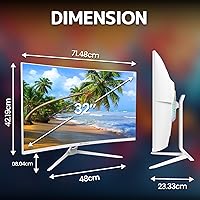
  • Dimensions: The monitor body measures approximately 28×16.6×1 inches (width × height × depth), not including the stand.
  • Weight: The unit weighs 16.22 pounds, which is typical for a 32-inch curved panel but worth noting if frequent repositioning is needed.
  • Colorway: Available exclusively in white, which sets it apart visually from the predominantly black monitor market and suits modern desk aesthetics.
  • Model Number: The official model number is CR320C, manufactured and sold under the CRUA brand.
  • Release Date: This model became available in January 2025, making it a relatively new entry with limited long-term reliability data available at this time.

Related Reviews
Dell S3221QS 32″ 4K UHD Curved Monitor

86%
96%
Display Clarity
94%
Color Accuracy
91%
Curvature Comfort
89%
Ergonomics & Adjustability
87%
Connectivity Options
More
ViewSonic VX3267U-4K 32-inch 4K IPS Monitor

74%
91%
Image Sharpness
83%
USB-C Functionality
76%
Color Accuracy
54%
HDR Performance
47%
Stand & Ergonomics
More
ViewSonic VP3256-4K 32-Inch 4K UHD Monitor
88%
94%
Display Quality
92%
Color Accuracy
88%
Ergonomics & Comfort
86%
Build Quality
90%
Ease of Setup
More
ViewSonic VP3268A-4K 32-inch 4K UHD IPS Monitor
86%
94%
Color Accuracy
88%
Ergonomics/Comfort
91%
Build Quality
83%
HDR Performance
85%
Connectivity Options
More
ViewSonic VX3276-4K-MHD 32-inch 4K Monitor

76%
91%
Image Clarity & Sharpness
74%
Color Accuracy
86%
Contrast & Black Levels
61%
HDR Performance
58%
Refresh Rate & Motion Handling
More
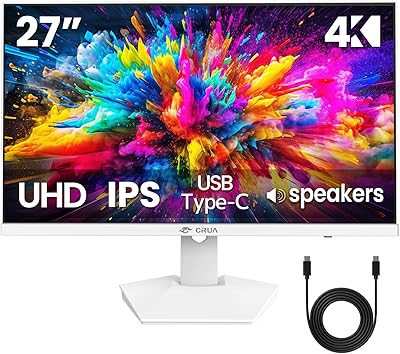
CRUA 27″ 4K UHD Monitor
83%
91%
Display Quality
94%
Color Accuracy
88%
Ease of Setup
85%
Build Quality
74%
Gaming Performance
More
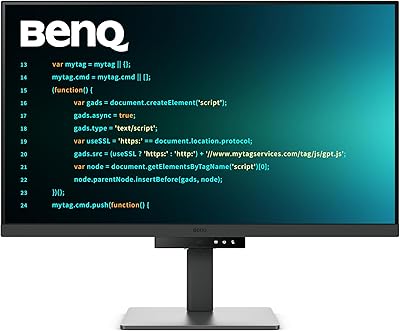
BenQ RD320U 32” 4K Monitor
87%
94%
Display Quality
89%
Ergonomics & Comfort
91%
Eye-care Features
93%
Color Accuracy
80%
Size & Desk Compatibility
More
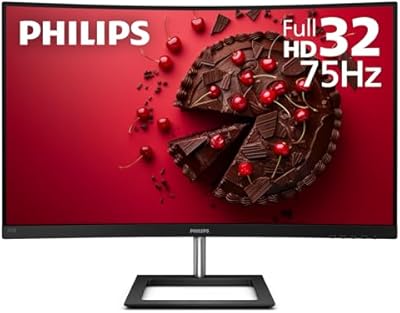
Philips 322E1C 32″ Curved Monitor
87%
93%
Display Quality
88%
Immersion & Curvature
90%
Color Accuracy
85%
Gaming Performance
91%
Ease of Setup
More
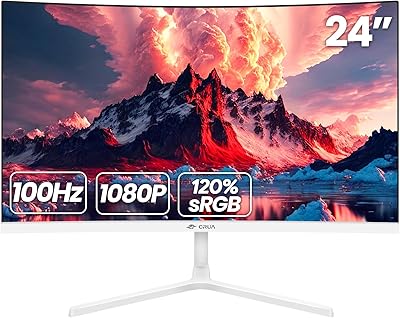
CRUA 24-Inch Curved Monitor
84%
88%
Display Quality
91%
Value for Money
84%
Ease of Setup
80%
Gaming Performance
79%
Build Quality
More
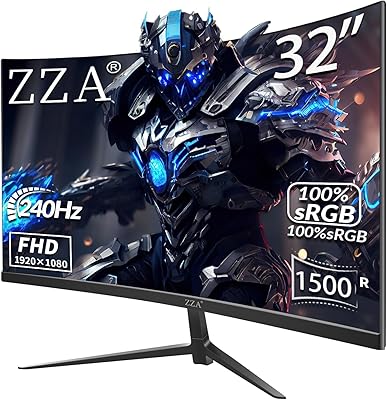
ZZA 32″ Curved Gaming Monitor
83%
88%
Display Quality
94%
Gaming Performance
91%
Value for Money
89%
Curvature & Immersion
85%
Ease of Setup
More

FAQ

The 120% sRGB coverage is a real spec, not just a talking point, and it does produce noticeably richer colors than a standard monitor. That said, it is not factory-calibrated, so for hobbyist use it performs well, but professional photographers who need precise, verified color accuracy should look at purpose-built calibrated displays. A quick manual calibration via your OS settings can improve consistency meaningfully.

Yes, the HDMI 2.0 port is compatible with both consoles. Keep in mind that the monitor is capped at 75Hz, so you won't get the 120fps output those consoles support — you'll be limited to 4K at up to 60Hz through HDMI 2.0. For most single-player gaming that is perfectly fine, but competitive multiplayer players may notice the ceiling.

Setup is generally reported as straightforward — the stand attaches without tools in most cases, and the on-screen menu is simple to navigate. As for cables, it's always worth confirming what's included in the box, since budget monitors sometimes only include one cable type. Having a spare HDMI or DisplayPort cable on hand is never a bad idea.

The stand supports basic tilt adjustment, but height adjustment is not available. This is one of the more common frustrations buyers mention. If you need proper ergonomic positioning, investing in a VESA monitor arm is genuinely worth it — the 75×75mm VESA pattern makes swapping to an arm easy and opens up a lot more flexibility.

They are usable in the sense that they work for video calls, background music, or YouTube — but they are thin-sounding and lack any real bass. Think of them as a fallback, not a feature. If audio quality matters to you at all, even a modest external speaker or a decent headset will be a significant improvement.

That's a fair concern. CRUA is a newer brand with a limited track record, which does mean there is less long-term reliability data available compared to established names. The hardware specs are legitimate and the product ranks well on Amazon, but if you place a high priority on brand-backed warranty support and proven durability over years of use, that uncertainty is worth factoring into your decision.

Yes, it does — you can connect via DisplayPort 1.4 directly or use an HDMI 2.0 connection with an adapter if your MacBook only has USB-C ports. MacOS will recognize the display and support 4K output. Just be aware that some MacBook models may require a specific USB-C to DisplayPort or USB-C to HDMI 2.0 cable to hit full 4K resolution.

At 32 inches, a 1500R curve is noticeable and immersive without being overwhelming. It works especially well if you are sitting within two to three feet of the screen, which is typical for most desk setups. It is more curved than the popular 1800R monitors, so if you have never used a curved screen before, it may take a day or two to fully adjust, but most users find it comfortable quickly.

Yes, the 75×75mm VESA pattern means it is compatible with a wide range of wall mounts and monitor arms available on the market. Removing the included stand and going wall-mounted is a practical option, especially for saving desk space or achieving a cleaner look. Just make sure your wall mount is rated for at least 17 pounds to handle the weight safely.

It is actually one of the stronger use cases for this white curved screen. The deep 3000:1 contrast ratio makes dark scenes look genuinely cinematic, the 4K resolution handles high-bitrate streaming content from services like Netflix or Disney+ beautifully, and the curve adds a subtle but real sense of immersion. The matte coating also cuts reflections during evening viewing, which helps a lot.