Overview

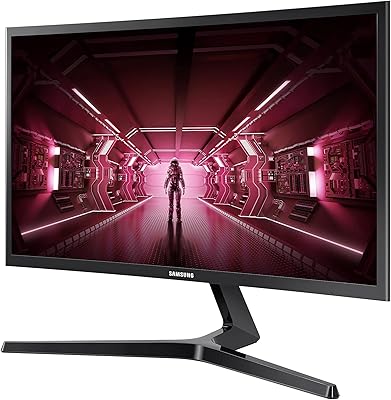
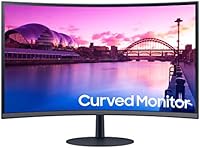
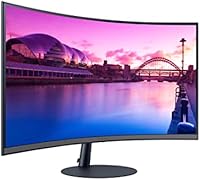
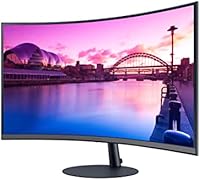
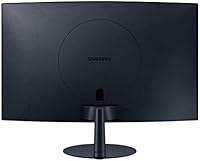
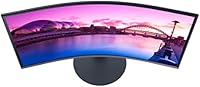
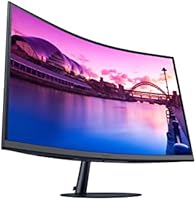
The Samsung S39C 32-Inch Curved Gaming Monitor lands in that sweet spot where budget shoppers and casual gamers actually overlap. It is built around a 32-inch FHD panel with a 1000R curve, a tighter bend than you will find on most monitors in this price range, and the idea is to wrap the screen around your natural field of view rather than leaving it flat and wide. Samsung is not trying to compete with high-refresh esports panels here, this is an entry-level gaming and everyday-use display, plain and simple. What stands out physically is the build quality: a slim metal stand and fabric-textured back give it a more polished, less plasticky feel than typical budget monitors.

Features & Benefits

Most of what this curved monitor does well comes down to comfort over raw performance. The 1000R curve is meant to match your eyes natural field of view, and after a few hours of writing or browsing, you do notice less eye strain than flat screens tend to cause. The 75Hz refresh rate paired with AMD FreeSync keeps casual gaming and video smooth enough, though it is not chasing competitive frame rates. Flicker Free tech and Eye Saver Mode quietly work in the background to cut down on fatigue during long sessions. You also get dual HDMI and triple DisplayPort inputs for connecting several devices, plus built-in speakers that handle basic audio without needing a separate setup.

Best For

This 32-inch screen makes the most sense for casual gamers who want that curved, immersive feel without paying extra for a high refresh rate they might not even use. It is also a strong pick for students or home office workers who spend long stretches staring at a screen and want something large and comfortable rather than razor sharp. If pixel density is your top priority, this is not the panel for you, since the resolution stays at FHD despite the bigger size. But for anyone who wants to skip buying separate speakers and just plug in and go, the built-in audio adds a nice bit of convenience that simplifies the whole desk setup.

User Feedback

Real owners tend to agree on a few things. The curve and overall size get singled out repeatedly as genuinely comfortable for long use, whether that is gaming, working, or just watching shows in the evening. Build quality also earns praise, with several buyers calling out the stand and overall finish as nicer than expected for the price. On the flip side, some feedback points out that FHD stretched across 32 inches looks noticeably softer up close compared to smaller 1080p displays, so text and fine detail are not as crisp. A smaller group of competitive players also mention that 75Hz refresh starts to feel limiting once you get into faster-paced, twitch-reflex titles.

Pros

  • The 1000R curve genuinely reduces eye strain during long work or gaming sessions
  • 32-inch screen size feels noticeably more comfortable than smaller standard monitors
  • AMD FreeSync keeps casual gaming and video playback smooth without stutter
  • Slim metal stand and fabric-textured back look more premium than typical budget monitors
  • Built-in 5W speakers eliminate the need for a separate desktop speaker setup
  • Flicker Free and Eye Saver Mode help with fatigue during extended screen time
  • Frameless bezel design looks clean in both single and multi-monitor setups
  • Dual HDMI and triple DisplayPort inputs make connecting multiple devices easy

Cons

  • FHD resolution stretched across 32 inches looks noticeably softer up close
  • 75Hz refresh rate feels limiting for fast-paced, competitive gaming titles
  • Lacks the pixel density needed for detailed photo or design work
  • Not a fit for buyers wanting a high-refresh esports-focused gaming panel
  • Built-in speakers handle basic audio but lack real depth or bass
  • Matte surface can slightly soften image vibrancy compared to glossy panels
  • Curved screen design may not suit multi-monitor productivity arrangements well
  • Item weight and stand footprint require a reasonably deep desk surface

Ratings

These scores for the Samsung S39C 32-Inch Curved Gaming Monitor are generated by AI after analyzing thousands of verified buyer reviews from across the globe, with spam, bots, and incentivized feedback filtered out before scoring. Each category below reflects a balanced read of what real owners consistently praise and what they wish was different, so you can weigh the tradeoffs honestly before buying this curved monitor.

Eye Comfort & Curve
89%
Long-time desk workers and students consistently mention that the 1000R curve genuinely cuts down on eye fatigue during multi-hour sessions of writing, browsing, or studying. The tighter curve feels immersive without being gimmicky once you adjust to it.
A small number of buyers found the curve took a few days to get used to, especially when switching from a flat monitor. Those doing precise graphic work occasionally noted slight distortion near the screen edges.
Display Sharpness
58%
42%
Buyers using this 32-inch screen for casual browsing, streaming, or general office tasks say the image still looks clean enough at normal viewing distances. Colors appear reasonably accurate for everyday content like spreadsheets or video playback.
Stretching FHD resolution across 32 inches is the most repeated complaint, with users noting text and fine UI details look noticeably softer up close compared to smaller 1080p panels. This makes it a weaker pick for detailed creative or design work.
Gaming Performance
71%
29%
Casual gamers playing story-driven or slower-paced titles appreciate how AMD FreeSync keeps motion smooth without tearing during everyday gaming sessions. The curve adds a sense of immersion that many find genuinely enjoyable for relaxed play.
Competitive players consistently flag the 75Hz refresh rate as limiting once games get fast-paced, mentioning visible motion blur during quick reflex moments. It is not built for esports-level responsiveness.
Build Quality
86%
The slim metal stand and fabric-textured back are frequently called out as feeling sturdier and more premium than expected for this price tier. Owners often mention the overall construction feels more solid than typical budget monitors.
A few buyers wished the stand offered more height or tilt adjustment range for ergonomic setups. The plastic bezel trim, while minimal, can flex slightly under firm pressure.
Audio Quality
61%
39%
For simple desk setups, the built-in 5W speakers save the hassle of buying separate audio gear, and several users mention they are perfectly fine for casual video calls or background music while working.
Audio depth and bass are noticeably thin, and anyone watching movies or gaming seriously will likely want external speakers or headphones. It is functional convenience, not a real sound solution.
Connectivity
84%
Having dual HDMI ports plus DisplayPort gives users enough flexibility to keep a laptop, console, and desktop all connected without constant cable swapping. This setup works well for shared home office and gaming stations.
There is no USB-C input, which some buyers note as a missed convenience for newer laptops that rely on a single cable for both video and charging.
Value for Money
83%
Given the screen size, curve quality, and included extras like built-in speakers and a metal stand, many reviewers feel this Samsung display delivers more than expected for the price point compared to similarly priced flat monitors.
Buyers expecting QHD-level sharpness for everyday use sometimes feel the FHD resolution makes the value proposition weaker than the size alone suggests.
Everyday & Office Use
88%
Remote workers and students repeatedly praise how comfortable this screen feels during long workdays, crediting the curve and Eye Saver Mode for reducing the usual end-of-day eye fatigue from staring at a monitor.
Multitasking with several windows side by side can feel slightly cramped at FHD resolution compared to higher-resolution alternatives of similar size.
Setup & Stand Stability
80%
20%
Most buyers report a straightforward, tool-light setup process, with the included stand feeling stable enough for everyday desk use without wobbling during typing or mouse movement.
A handful of users mention the stand takes up more desk depth than expected due to the monitor's size and curve, which can be tight on smaller desks.
Screen Surface & Glare Control
78%
22%
The matte coating helps reduce glare in rooms with overhead lighting or nearby windows, which several reviewers appreciate for daytime use in home offices.
A small subset of buyers feel the matte finish slightly mutes color vibrancy compared to glossier panels, particularly when watching bright, colorful content.
Bezel & Aesthetic Design
85%
The frameless, virtually bezel-less design earns consistent compliments for looking modern and clean on a desk, especially paired with the fabric-textured back panel that elevates the overall look beyond typical budget monitors.
Some users in multi-monitor setups note the curve makes seamless side-by-side alignment with a second flat monitor a bit more visually awkward than with flat panels.
Long-Session Comfort
87%
This is one of the most praised aspects overall, with users in long work, study, or gaming sessions reporting genuinely less eye strain thanks to the combined effect of the curve, Flicker Free tech, and Eye Saver Mode.
A few buyers with very bright ambient lighting still found themselves wanting an even stronger anti-glare solution despite the eye comfort features working well otherwise.

Suitable for:

The Samsung S39C 32-Inch Curved Gaming Monitor works best for people who value comfort and screen presence over raw sharpness or competitive performance. Casual gamers who enjoy the immersive feel of a curved display but do not need triple-digit refresh rates will find this hits a comfortable middle ground. It is also a smart pick for students and home office workers who spend hours at a screen each day, since the 1000R curve and eye comfort features genuinely help reduce that end-of-day eye fatigue. Anyone setting up a simple desk who wants to skip buying external speakers will appreciate having decent built-in audio already covered. Buyers who care more about size and viewing comfort than pixel-level sharpness will likely walk away satisfied.

Not suitable for:

Anyone chasing sharp detail or doing close-up creative work like photo editing or design should think twice, because stretching FHD resolution across a 32-inch panel makes text and fine detail look noticeably softer than on a smaller 1080p screen. Competitive gamers who rely on fast reaction times will likely find the 75Hz refresh rate limiting once they get into faster-paced, twitch-reflex titles. The Samsung S39C 32-Inch Curved Gaming Monitor also is not the right choice for multi-monitor productivity setups where pixel density matters more than curve or size. If built-in speaker quality matters beyond basic convenience, audiophiles should plan on external audio instead. Buyers expecting a premium high-refresh gaming panel at this price point will probably feel let down.

Specifications

  • Screen Size: The display measures 32 inches diagonally, making it noticeably larger than standard desk monitors.
  • Resolution: It runs at FHD 1920x1080 resolution, which is standard definition rather than QHD or 4K.
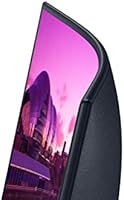
  • Curvature: The panel uses a 1000R curve, one of the tighter curves available, designed to match the natural curve of human vision.
  • Refresh Rate: The monitor supports a 75Hz refresh rate, suited for casual gaming and everyday use rather than competitive esports.
  • Adaptive Sync: AMD FreeSync is included to reduce screen tearing and stuttering during compatible gaming sessions.
  • Screen Surface: A matte screen coating helps cut down on glare and reflections from overhead lighting or windows.
  • Connectivity: The monitor includes two HDMI ports and supports DisplayPort connections for a total of three video inputs.
  • Audio: Built-in 5-watt speakers are included, allowing basic audio playback without external speakers.
  • Eye Comfort Tech: Flicker Free technology and Eye Saver Mode work together to reduce blue light and screen flicker during extended use.
  • Bezel Design: The display uses a frameless, virtually bezel-less design on three sides for a cleaner look.
  • Stand: It ships with a slim metal stand designed for stability without a bulky footprint.
  • Rear Finish: The back panel has a fabric-textured finish rather than standard glossy plastic.
  • Item Weight: The monitor weighs 14.1 pounds, which is manageable for one person to set up alone.
  • Dimensions: Overall dimensions are 10.7 x 27.9 x 20.3 inches when fully assembled on its stand.
  • Power Input: The monitor operates on a 19-volt power supply, typical for monitors in this size class.
  • Color: It is available in a black finish that suits most desk setups and home office environments.

Related Reviews
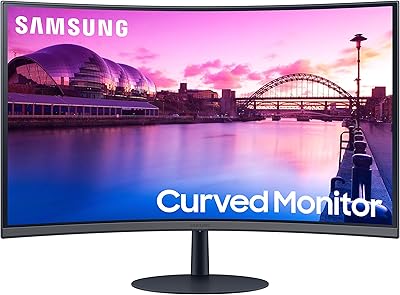
Samsung S39C 27-Inch Curved Gaming Monitor
75%
83%
Picture Quality & Color Accuracy
88%
Curvature & Immersion
61%
Refresh Rate & Gaming Performance
86%
Eye Comfort & Long-Session Usability
79%
Build Quality & Aesthetics
More
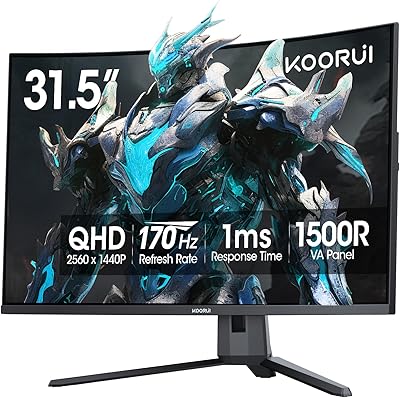
KOORUI G3221SC 32″ Curved QHD Gaming Monitor
69%
83%
Picture Quality
81%
Gaming Performance
86%
Value for Money
41%
HDR Performance
67%
Color Accuracy
More
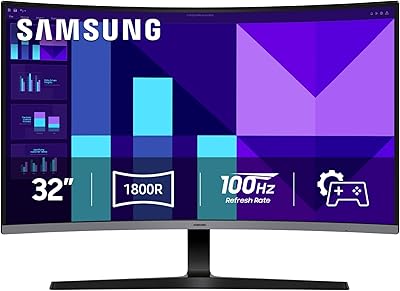
Samsung 32-inch S39GD Curved Monitor
73%
83%
Value for Money
58%
Image Sharpness & Resolution
88%
Curve & Immersion
79%
Refresh Rate & Motion Smoothness
84%
Eye Comfort & Fatigue
More
Samsung CRG5 24-Inch Curved Gaming Monitor
78%
88%
Value for Money
83%
Image Quality
81%
Gaming Performance
86%
Curvature & Immersion
84%
FreeSync Performance
More
AOC C32G2 32″ Curved Gaming Monitor
76%
91%
Value for Money
84%
Gaming Performance
73%
Image Quality
88%
Refresh Rate & Smoothness
83%
Curvature & Immersion
More
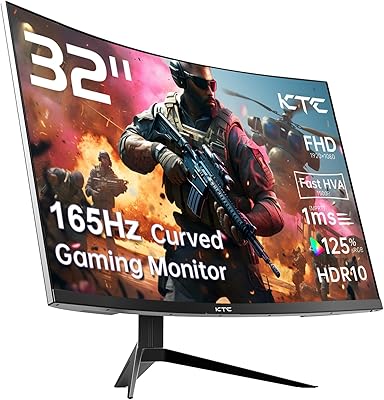
KTC H32S17C 32-inch Curved Gaming Monitor
72%
91%
Value for Money
84%
Gaming Performance
76%
Picture Quality
52%
HDR Experience
67%
Color Accuracy
More
Gawfolk GF320C 32-Inch Curved Gaming Monitor
75%
88%
Refresh Rate Performance
83%
Image Quality
76%
Motion Clarity
86%
Curvature & Immersion
91%
Value for Money
More
Samsung 32″ Odyssey G65B Curved Gaming Monitor
77%
88%
Image Clarity
91%
Refresh Rate Performance
74%
HDR Quality
87%
Motion & Response
83%
Curvature & Immersion
More
Samsung Odyssey G55C 32″ Curved Gaming Monitor
78%
88%
Image Sharpness & Resolution
84%
Refresh Rate & Motion Clarity
91%
Curvature & Immersion
93%
Value for Money
57%
HDR Performance
More
KTC H32S25E 32-inch Curved Gaming Monitor
73%
88%
Gaming Performance
84%
Image Clarity
86%
Curvature & Immersion
82%
Out-of-Box Color
53%
HDR Quality
More

FAQ

It leans toward casual gaming rather than competitive play. The 75Hz refresh rate with AMD FreeSync handles smoother motion just fine for relaxed sessions, but if you are deep into fast-paced shooters or esports titles, you will likely want something with a higher refresh rate.

Most people adjust within a day or two and actually end up preferring it, especially for long sessions. The 1000R curve is meant to reduce eye strain by matching your natural field of view, so tasks like writing, browsing, or watching videos tend to feel more comfortable rather than distracting.

Honestly, it is the one tradeoff to know about going in. At 32 inches, FHD resolution looks a bit softer up close compared to smaller 1080p displays, so if sharp text and fine detail are a priority, this may not be the best match.

The built-in 5W speakers are good enough for casual use like watching videos or background sound while working. They are not going to replace a proper speaker setup if audio quality really matters to you, but for basic convenience they do the job.

You get two HDMI ports plus DisplayPort, so you can realistically keep a couple of devices connected and switch between them without constantly unplugging cables.

Reviewers consistently mention the stand and overall build quality as a pleasant surprise for the price point. It feels more solid than a lot of monitors in this category, with the metal stand adding to that sturdier feel.

Most monitors in this size and category support standard VESA mounting, though it is always worth double-checking the exact mounting pattern before buying an arm or bracket separately.

Yes, this is genuinely one of its strongest points. Between the 1000R curve, Flicker Free technology, and Eye Saver Mode, a lot of buyers report noticeably less fatigue during extended computer use compared to flatter screens.

It is worth measuring your desk space first, since the dimensions and curve mean it takes up more visual real estate than a typical flat monitor. It fits comfortably on most standard desks, but very compact setups might feel tight.

It is best suited for casual gamers, students, and home office users who want a large, comfortable screen for everyday tasks and relaxed gaming, rather than buyers chasing maximum sharpness or competitive-level performance.