SANWA GMATB128GR Ergonomic Trackball Mouse
Overview
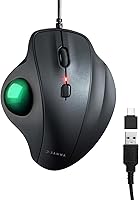
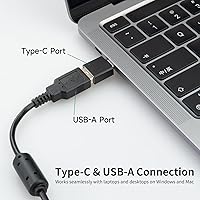
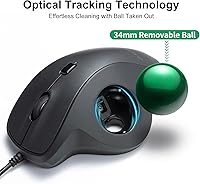
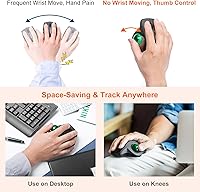
The SANWA GMATB128GR Ergonomic Trackball Mouse comes from SANWA SUPPLY, a Japanese peripheral brand with a long track record in office accessories, and it targets users dealing with wrist discomfort or repetitive strain. The concept is simple: a thumb-operated 34mm green trackball lets your hand rest in a more natural position without needing a flat surface to move across. Plug it in via USB-A — or snap on the included USB-C adapter for modern laptops — and it works immediately, no driver required. This is a solid entry-level ergonomic pick, not a precision tool for power users, but it delivers genuine practical value at its price.
Features & Benefits
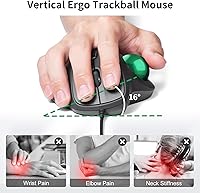
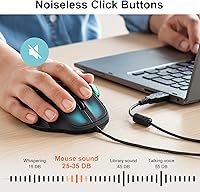
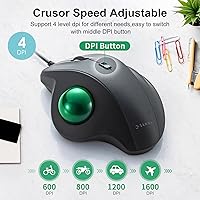
The ergonomic posture this wired trackball mouse encourages — hand tilted slightly sideways, wrist hovering rather than flat — can meaningfully reduce forearm tension during long desk sessions. The silent click buttons are a genuine highlight: they are noticeably quiet without feeling mushy, which matters if you share an office or work late at night. Switching between the four DPI settings is handled by a dedicated button, and the LED color flash tells you instantly which level is active. At 5.8 oz, it is light enough to toss in a bag. The snap-on USB-C adapter is a small but thoughtful touch that saves you hunting for a dongle.
Best For
The SANWA ergonomic trackball really earns its place on the desk of anyone who types for hours and has started noticing wrist or forearm strain. It is also a natural fit for people in shared or quiet environments — think open-plan offices, libraries, or hospital workstations — where even a conventional mouse's click sounds add unnecessary noise. Because it works on any surface, including your lap or a couch cushion, remote workers and frequent travelers may find it more practical than a standard mouse. If you are new to trackballs, this thumb-controlled mouse is a low-risk starting point without the steep learning curve of finger-operated models.
User Feedback
Across nearly 1,900 ratings, this thumb-controlled mouse sits at a solid 4.0 stars — not perfect, but consistently well-regarded for the comfort it offers. Buyers who switched from a conventional mouse frequently mention reduced hand fatigue as the biggest win. The silent clicks also draw consistent praise from office and library users. That said, a recurring complaint worth taking seriously is the 34mm trackball size, which users with larger hands find restrictive and slightly imprecise. Mac users should go in with clear expectations: several report that certain functions do not work as advertised on newer macOS versions. Build quality is described as adequate for the price, though the scroll wheel has drawn mixed feedback.
Pros
- Encourages a more natural hand position that can help reduce wrist and forearm fatigue during long work sessions.
- Silent left and right click buttons are genuinely quiet — a practical advantage in shared offices or late-night use.
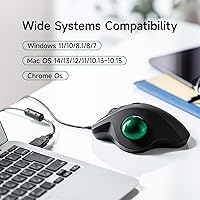
- Plug-and-play setup works immediately on both Windows and macOS with zero driver installation.
- The snap-on USB-C adapter means modern laptop users do not need a separate hub or dongle.
- Four DPI levels with an LED indicator make it easy to switch between tasks like browsing and spreadsheet work.
- At 5.8 oz, this wired trackball mouse is light enough to pack in a bag without adding noticeable weight.
- Works on any surface — including your lap or a couch — which is a genuine convenience for remote workers.
- Backed by a one-year warranty and lifetime technical support, which is reassuring at this price tier.
- SANWA SUPPLY has a solid reputation as a Japanese peripheral brand, lending credibility to the build quality.
- Ranked in the top 60 in its Amazon category, reflecting broad buyer satisfaction across nearly 1,900 ratings.
Cons
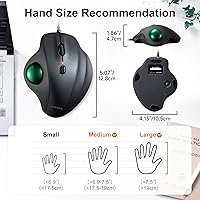
- The 34mm trackball is smaller than most competing models, which users with medium to large hands often find restrictive.
- macOS support is capped at version 10.15, leaving users on newer Apple systems with potentially missing functionality.
- No programmable buttons or software customization — what you see is exactly what you get.
- The scroll wheel feel has drawn mixed feedback, with some buyers describing it as cheap or imprecise.
- A wired-only design means cable management is a consideration, especially on tidy or minimal desk setups.
- The 1600 DPI maximum is too low for users who need fine precision in design, photo editing, or technical work.
- Build quality is functional but feels budget-tier — do not expect the rigidity of a premium peripheral.
- The thumb-operated format requires an adjustment period, and some users never fully warm to it after switching from a standard mouse.
Ratings
The SANWA GMATB128GR Ergonomic Trackball Mouse scores below are produced by our AI rating engine after analyzing verified global buyer reviews, with spam, bot activity, and incentivized feedback actively filtered out. Each category reflects what real users actually experienced during daily use — not what the marketing copy promises. Both the genuine strengths and the recurring frustrations are represented honestly in every score.
Ergonomic Comfort
Trackball Size & Precision
Silent Click Performance
Build Quality
Scroll Wheel Feel
DPI Range & Switching
macOS Compatibility
Windows Compatibility
Plug-and-Play Setup
Surface Independence
Value for Money
Portability & Weight
Warranty & Support
Suitable for:
The SANWA GMATB128GR Ergonomic Trackball Mouse is a strong match for office workers, students, and remote employees who spend long hours at a desk and have started noticing discomfort in their wrist or forearm. Because the thumb controls the ball rather than your whole arm moving across a surface, the hand rests in a more relaxed, natural position — something people dealing with early repetitive strain symptoms often find genuinely helpful. It works on virtually any surface, including a couch cushion or your lap, which makes it unusually practical for people who do not always work at a traditional desk. The silent click buttons are a real asset in shared workspaces, open-plan offices, libraries, or anywhere noise is a genuine concern. Anyone new to trackballs will also find this wired trackball mouse an approachable starting point, since the thumb-operated design has a shorter learning curve than finger-operated alternatives, and the plug-and-play setup means there is nothing to configure.
Not suitable for:
The SANWA GMATB128GR Ergonomic Trackball Mouse is not the right tool for users who need high-precision cursor control, such as graphic designers, CAD drafters, or competitive gamers, as the 34mm trackball is on the smaller side and the DPI ceiling of 1600 is modest by professional standards. People with larger hands should approach this one carefully — multiple buyers have flagged that the compact ball size makes fine control feel cramped and less accurate over time. Mac users should also be aware that some functions do not work properly on newer macOS versions, and SANWA's own documentation caps support at macOS 10.15, which is several major releases behind the current system. If you rely on advanced software customization, programmable buttons, or macro support, this thumb-controlled mouse offers none of that. Finally, anyone expecting a premium build with a satisfying mechanical scroll wheel may find the overall construction a bit underwhelming at this price point.
Specifications
- Trackball Size: The thumb-operated trackball measures 34mm in diameter, which is smaller than many competing models on the market.
- Trackball Color: The trackball is green, which also serves as a visual identifier for the model variant.
- DPI Settings: Four selectable DPI levels are available: 600, 800, 1200, and 1600, switchable via a dedicated button.
- DPI Indicator: An LED light flashes to confirm the currently active DPI level, providing instant visual feedback without requiring a screen.
- Connection Type: The mouse connects via USB-A and includes a snap-on USB-C adapter for use with modern laptops and devices lacking a full-size USB port.
- Cable Type: The mouse uses a wired corded connection only; there is no wireless or Bluetooth mode available.
- Button Noise: Both the left and right primary buttons use a silent mechanism designed to significantly reduce click noise in shared or quiet environments.
- Driver Requirement: No driver or software installation is required; the mouse operates as a plug-and-play device on supported operating systems.
- Windows Support: Compatible with Windows 7, 8, 8.1, 10, and 11 without additional software.
- macOS Support: Officially supported on macOS 10.13 through 10.15; some features may not function correctly on newer macOS versions beyond 10.15.
- Weight: The mouse weighs 5.8 oz, making it lightweight enough for portable or travel use.
- Dimensions: The unit measures 5 x 4.3 x 0.1 inches, reflecting its compact and low-profile footprint.
- Control Method: Cursor movement is controlled entirely by the thumb rolling the trackball, eliminating the need to move the mouse across a surface.
- Ergonomic Design: The vertical orientation positions the hand in a more natural, handshake-style posture intended to reduce forearm pronation and wrist strain during extended use.
- Warranty: The mouse is backed by a one-year manufacturer warranty and lifetime technical support from SANWA SUPPLY.
- Manufacturer: Made by SANWA SUPPLY, a well-established Japanese peripheral and office equipment brand.
- Model Number: The official model number is GMATB128GR, which identifies this specific color and configuration variant.
- Market Rank: The mouse holds a Best Sellers Rank of #54 in the Computer Trackballs category on Amazon at time of review.
Related Reviews
SANWA GMABTTB41 Bluetooth Ergonomic Trackball Mouse
SANWA GMAERG9N2 Wired Vertical Mouse
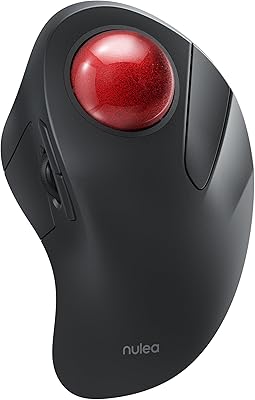
Nulea M505 Wireless Trackball Mouse

SABLUTE Wireless Trackball Mouse
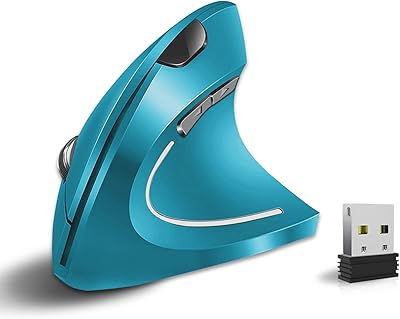
Vassink Ergonomic Vertical Wireless Mouse
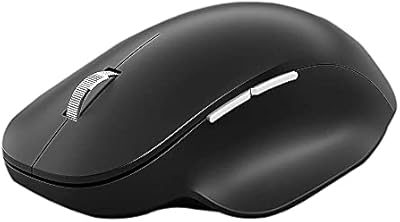
Microsoft Bluetooth Ergonomic Mouse

seenda Wireless Trackball Mouse
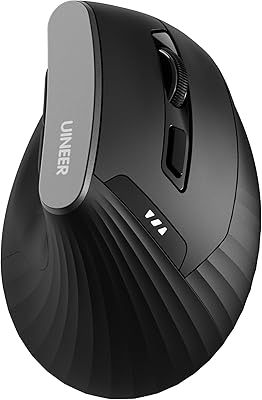
Uineer A06 Vertical Ergonomic Mouse
Kensington Orbit Trackball Mouse