SANWA GMABTTB41 Bluetooth Ergonomic Trackball Mouse


Overview
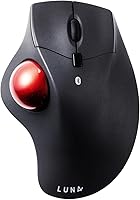
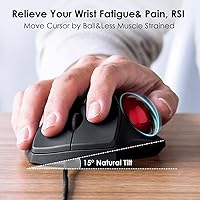
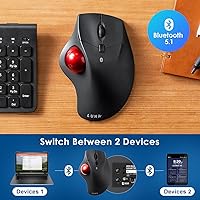
The SANWA GMABTTB41 Bluetooth Ergonomic Trackball Mouse is a mid-range input device from Japanese manufacturer SANWA, built around the idea that your wrist shouldn't have to work so hard. The 40mm thumb-controlled trackball sits at a 19-degree tilt, keeping your hand in a more natural resting position than a flat conventional mouse. At just 5.1 ounces, it's light enough to toss in a bag without a second thought. Bluetooth 5.1 powers the connection, and it runs on two AA batteries — not included, which is worth noting upfront. For anyone curious about ergonomic input without spending a fortune, this trackball mouse offers a reasonable entry point.
Features & Benefits
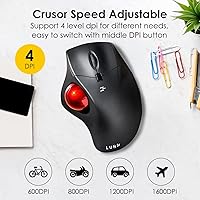
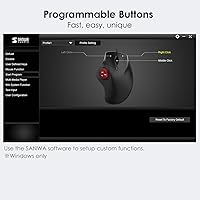
This ergonomic mouse covers the practical bases well. There are four DPI settings — 600, 800, 1200, and 1600 — switchable with a dedicated button, so you can dial in precision for detail work or speed things up for general navigation. The left and right click buttons are genuinely quiet, a small but real benefit if you share a workspace or tend to work late when others are sleeping. It pairs with two Bluetooth devices simultaneously, so switching between a laptop and a tablet takes only a button press. The wireless range stretches to about 33 feet in open space. One caveat worth flagging clearly: button customization software only runs on Windows, leaving Mac and Chrome OS users without that configurability entirely.
Best For
The SANWA Bluetooth trackball is a practical pick for anyone who spends long hours at a desk and is starting to feel it in their wrist or shoulder. Office workers managing RSI symptoms, students pulling long study sessions, or anyone with carpal tunnel discomfort will likely appreciate the reduced wrist movement that trackball navigation allows. It also suits people juggling two devices — a work laptop and a personal tablet, for instance — where the dual-pairing function saves real time. Quiet environments like libraries, shared offices, and late-night home setups are where the silent buttons matter most. Mac users should know going in that programmable features won't be accessible to them without the Windows-only software.
User Feedback
Across roughly 118 ratings, this ergonomic mouse lands at 3.9 out of 5, which tells a fairly honest story. Many buyers report real comfort gains after switching from a standard mouse, particularly those with wrist pain who say the thumb-control design takes pressure off their forearm. That said, first-time trackball users frequently mention a noticeable adjustment period — expect a week or two before cursor control feels natural. Some reviewers note that the build quality feels modest for the price, with buttons that lack the crispness of pricier alternatives. The absent batteries draw occasional gripes. Bluetooth reliability earns mostly positive marks, though a handful of users report inconsistent connections when switching between paired devices.
Pros
- The thumb-controlled trackball keeps wrist movement to a minimum, offering genuine relief for people with RSI or carpal tunnel symptoms.
- Silent click buttons are genuinely quiet, not just marginally softer, making them suitable for shared or noise-sensitive environments.
- Dual Bluetooth pairing lets you switch between two devices with a single button press, saving real time throughout the workday.
- At 5.1 ounces and a compact footprint, this trackball mouse travels well without adding bulk to a bag.
- Four DPI levels cover a wide range of tasks, from careful precision work at 600 DPI to faster general navigation at 1600 DPI.
- Bluetooth 5.1 provides a stable connection with a range of roughly 33 feet, plenty for typical desk setups.
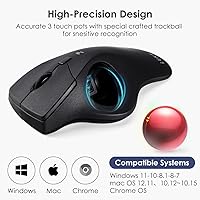
- Broad OS compatibility means it works across Windows, macOS, Android, iOS, iPadOS, and Chrome OS right out of the box.
- The 19-degree tilt angle positions the hand in a noticeably more natural posture compared to a flat mouse.
- The accessible price makes ergonomic trackball input available without requiring a large upfront investment.
Cons
- Batteries are not included, which is an immediate inconvenience right out of the box.
- Button customization software only works on Windows, leaving Mac and Chrome OS users with a fixed, non-configurable layout.
- New trackball users should expect a real adjustment period of one to two weeks before cursor control feels natural.
- Build quality feels modest at this price, with buttons that lack the tactile crispness found on pricier alternatives.
- A small number of users report inconsistent Bluetooth connections when actively switching between two paired devices.
- There is no USB dongle option, which may be a problem in environments where Bluetooth interference is common.
- The 40mm trackball may feel too small for users with larger hands, reducing comfort during extended sessions.
- No rechargeable battery option means ongoing costs for AA batteries over the long term.
Ratings
Our AI rating system analyzed verified global buyer reviews for the SANWA GMABTTB41 Bluetooth Ergonomic Trackball Mouse, actively filtering out incentivized, bot-generated, and low-quality feedback to surface what real users genuinely experienced. The scores below reflect both the standout strengths and the recurring frustrations that showed up consistently across hundreds of real-world use cases. Nothing has been softened — where buyers struggled, the scores show it.
Ergonomic Comfort
Trackball Precision
Bluetooth Connectivity
Noise Level
Build Quality
DPI & Sensitivity Control
Software & Customization
Dual-Device Pairing
Battery Life
OS Compatibility
Portability
Value for Money
Setup & Ease of Use
Suitable for:
The SANWA GMABTTB41 Bluetooth Ergonomic Trackball Mouse is a strong fit for desk workers who have started noticing persistent wrist soreness, shoulder tension, or early signs of repetitive strain injury. Because the trackball stays fixed and your thumb does the navigating, your wrist stays largely stationary — a meaningful shift for anyone who has spent years dragging a conventional mouse across a pad for hours each day. Students working in libraries or people sharing open office spaces will appreciate the silent click buttons, which genuinely reduce the small but constant noise of normal mice. The dual Bluetooth pairing is a practical advantage for anyone who regularly works across two devices, whether that means a work laptop and a personal tablet or a desktop and a phone. Its lightweight build and modest footprint also make it easy to carry in a bag, so mobile workers or frequent travelers get the ergonomic benefit without hauling extra weight.
Not suitable for:
The SANWA GMABTTB41 Bluetooth Ergonomic Trackball Mouse has real limitations that certain buyers should weigh carefully before purchasing. If you rely on a Mac or Chrome OS and want to remap buttons or customize the mouse behavior, you are out of luck — the companion software is strictly Windows-only, and there is no workaround. Power users or enthusiasts who expect the pinpoint tracking precision of a high-end optical mouse may find the 40mm trackball underwhelming, particularly for tasks like detailed photo editing or fine graphic work. New trackball users should also be honest with themselves: the learning curve is real, and some people simply never adapt comfortably to thumb-controlled navigation after years on a standard mouse. Those who prefer a plug-and-play USB dongle setup rather than Bluetooth — common in environments with wireless interference — will also want to look elsewhere, since there is no USB receiver option here. Finally, if you want a mouse that feels premium in the hand, the build quality at this price point is functional rather than impressive.
Specifications
- Trackball Size: The mouse uses a 40mm optical trackball controlled by the thumb for cursor movement.
- DPI Levels: Four sensitivity settings are available: 600, 800, 1200, and 1600 DPI, switchable via a dedicated button.
- Connectivity: Connects via Bluetooth 5.1 BLE (Class 2) with no USB dongle required.
- Device Pairing: Supports simultaneous pairing with two Bluetooth devices, switchable with a single button press.
- Tilt Angle: The body is angled at 19 degrees to position the hand and wrist in a more neutral, relaxed posture.
- Dimensions: The mouse measures 6.1 x 4.25 x 1.85 inches (length x width x height).
- Weight: The unit weighs 5.1 ounces, making it lightweight enough for travel and portable desk setups.
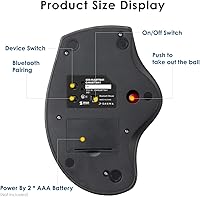
- Power Source: Powered by 2 AA batteries, which are not included in the box.
- Wireless Range: Operates at a range of approximately 33 feet in open, unobstructed conditions.
- Click Noise: Left and right click buttons are designed to be silent, reducing audible noise during use.
- Buttons: Includes a left button, right button, pairing button, scroll wheel button, and a DPI count switch button.
- Sensor Type: Uses an optical sensor with three-dot positioning technology for trackball tracking.
- Frequency: Operates on the 2.402 to 2.480 GHz frequency range standard for Bluetooth devices.
- OS Compatibility: Compatible with Windows 11/10/8.1/8/7, macOS 10.12 and later, Chrome OS, Android 7 and above, iOS 13, and iPadOS 13.4.
- Software Support: Programmable button customization is available via downloadable SANWA software for Windows only; Mac and Chrome OS are not supported.
- Profile: Uses the HID (Human Interface Device) Bluetooth profile, allowing plug-and-play use on compatible operating systems.
- Model Number: The official model number for this mouse is GMABTTB41, manufactured by SANWA SUPPLY.
- Availability: First listed on Amazon in June 2022 and currently ranked in the top 100 of the Computer Trackballs category.
Related Reviews
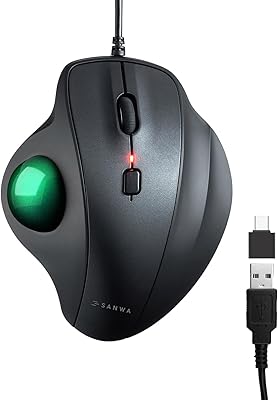
SANWA GMATB128GR Ergonomic Trackball Mouse
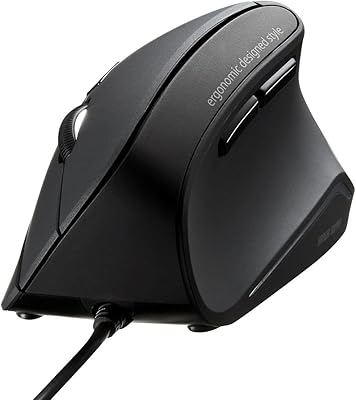
SANWA GMAERG9N2 Wired Vertical Mouse
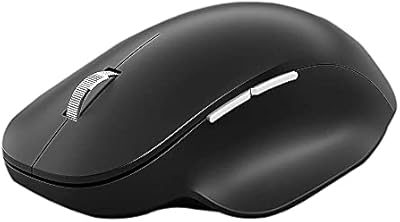
Microsoft Bluetooth Ergonomic Mouse
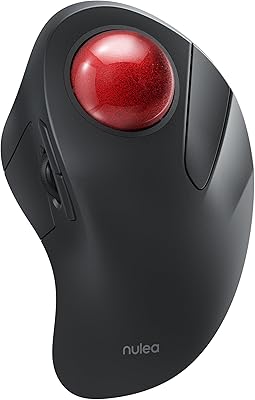
Nulea M505 Wireless Trackball Mouse
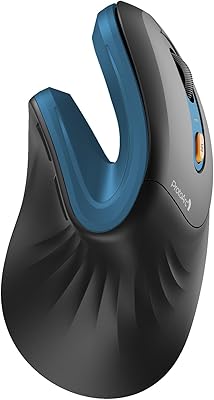
ProtoArc EM11 NL Ergonomic Vertical Wireless Mouse
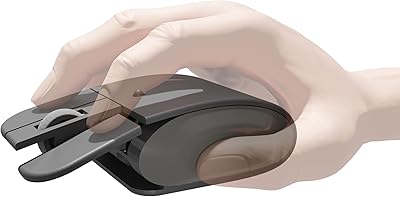
Elasto M4 Ergonomic Wireless Mouse
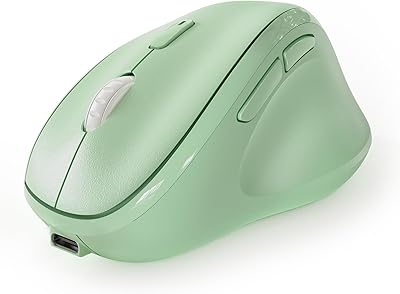
Micropack MP-V01B Vertical Wireless Mouse
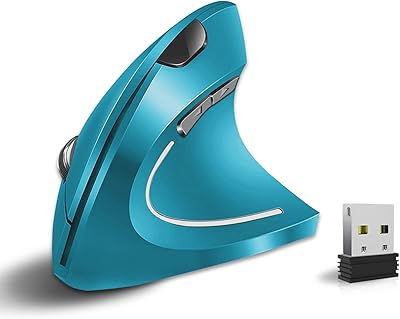
Vassink Ergonomic Vertical Wireless Mouse

SABLUTE Wireless Trackball Mouse
