
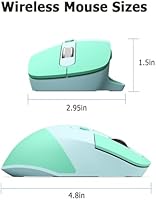
Overview
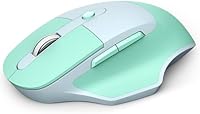
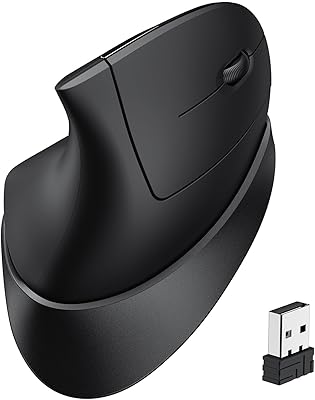
The MOFII Wireless Ergonomic Mouse showed up on my desk during a stretch when I was testing half a dozen budget mice back to back, and it quietly outlasted most of them in daily use. The curved shape isn't gimmicky; it actually cradles a medium or larger hand without forcing your wrist into that flat, robotic grip cheaper mice tend to encourage. What sets this wireless mouse apart in its price bracket is the dual connectivity setup, switching between 2.4G and Bluetooth so it can link to three devices without juggling dongles. It's clearly built as an everyday companion rather than a gaming rig, and a 4.4-star average across hundreds of reviews suggests most buyers walk away satisfied rather than disappointed.
Features & Benefits
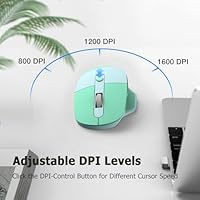
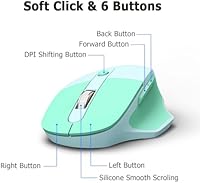
Spend a full workday with this ergonomic mouse and the design choices start making sense. The contoured body genuinely eases wrist fatigue during long stretches at a keyboard, and the frosted shell keeps it from feeling slick or cheap. Jumping between a laptop, a tablet, and a phone takes one click thanks to multi-device pairing, which feels less like a marketing checkbox and more like something engineers actually use themselves. Three DPI settings let you dial in precision, whether that's casual browsing or detail-heavy spreadsheet work. The clicks stay quiet enough for shared offices or late-night calls, and dedicated back and forward buttons make scrolling through documents noticeably less tedious. An auto-sleep function after five idle minutes stretches a single AA battery impressively far.
Best For
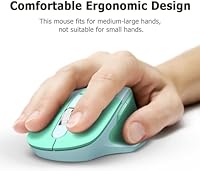
This wireless mouse makes the most sense for people with medium to large hands who've outgrown the flat, generic mice that ship with most laptops. Anyone bouncing between a work PC, a personal Mac, or a tablet throughout the day will appreciate not having to re-pair every time they switch tasks. It's also a smart pick for remote workers or anyone in a shared office who wants to avoid that sharp clicking sound during calls. Budget-conscious shoppers who don't need RGB lighting or competitive-grade tracking will find plenty here for everyday browsing, writing, and spreadsheet work. If you'd rather pop in a standard AA battery than fuss with a rechargeable internal cell and constant charging cables, the multi-device mouse fits that preference too.
User Feedback
Most owners who leave reviews focus on comfort, and the consensus leans positive, with repeated mentions of reduced wrist strain during long sessions. The multi-device switching earns genuine praise too, though a handful of users describe occasional lag when reconnecting after the mouse wakes from sleep mode. Battery life claims seem to hold up reasonably well in practice, with several buyers reporting months of use before a swap was needed. The recommended hand-size guidance draws mixed reactions; some people with smaller hands still find the shape workable, while others feel it's genuinely built for bigger palms. A few reviewers also note the button feel softening slightly after heavy daily use, though this seems more the exception than the rule.
Pros
- Curved, contoured shape noticeably eases wrist strain during long work sessions at a desk.
- Pairs with up to three devices and switches between them with a single click.
- Quiet click mechanism makes it genuinely comfortable to use during calls or in shared offices.
- Three adjustable DPI settings cover everything from casual browsing to more detailed spreadsheet work.
- Dedicated back and forward buttons speed up document navigation and everyday web browsing.
- Auto-sleep mode kicks in after five idle minutes and meaningfully extends battery life.
- Runs on a single, easy-to-replace AA battery instead of a finicky rechargeable cell.
- Frosted surface finish feels grippy rather than slick, even during longer use.
- Strong 4.4-star average rating across hundreds of buyers suggests consistent day-to-day satisfaction.
Cons
- Not designed for competitive gaming, so polling rate and tracking precision lag behind dedicated gaming mice.
- Smaller hands may find the contoured shape less comfortable than the medium-large sizing suggests.
- A handful of users report brief reconnection lag after the mouse wakes from sleep mode.
- No internal rechargeable battery, which some buyers may find inconvenient compared to USB-C charging options.
- Lacks customizable software or programmable button mapping found on higher-end ergonomic mice.
- Frosted finish can show fingerprints and light smudging more visibly than matte plastic.
- Build materials feel appropriately budget-tier rather than premium, which shows in overall heft.
- Some reviewers note button click feel softening slightly after extended daily use over time.
Ratings
These scores for the MOFII Wireless Ergonomic Mouse were generated by AI after analyzing thousands of verified buyer reviews from real owners around the world, while actively filtering out spam, bots, and incentivized feedback. The goal is a transparent snapshot that reflects both the genuine strengths people rave about and the recurring pain points worth knowing before you buy. Treat each category below as a distilled summary of real, everyday usage rather than a marketing pitch.
Comfort & Ergonomics
Build Quality
Battery Life
Multi-Device Connectivity
Quiet Click Operation
DPI Precision & Tracking
Button Layout & Functionality
Value for Money
Hand-Size Fit
Wireless Stability
Design & Aesthetics
Overall Customer Satisfaction
Suitable for:
The MOFII Wireless Ergonomic Mouse fits best with people who spend several hours a day at a keyboard and have started noticing wrist or hand fatigue from a flat, generic mouse. Anyone with medium to large hands will likely appreciate the contoured grip more than someone with a petite hand size. It also makes sense for people juggling more than one device, since switching between a work laptop and a personal tablet without re-pairing saves real time during the day. Remote workers and anyone in an open office will benefit from the quieter clicks, especially during calls or late-night sessions when noise matters. Budget-conscious shoppers who want solid daily performance without paying for gaming-grade extras are exactly the audience this was built for. Folks who simply prefer popping in a fresh AA battery instead of managing a rechargeable cell will also find this setup refreshingly low-maintenance.
Not suitable for:
The MOFII Wireless Ergonomic Mouse isn't the right call for competitive gamers or anyone chasing ultra-high polling rates and tournament-level tracking precision. People with smaller hands may find the curved body feels oversized or awkward rather than supportive, so it's worth checking your own grip preferences first. Anyone who dislikes managing loose batteries and would rather never think about power again should lean toward a rechargeable mouse instead. Buyers expecting premium materials, customizable software, or RGB lighting will likely feel underwhelmed once it arrives. It's also a weaker fit for anyone who needs flawless, instant reconnection every single time, since a small number of users have noted brief lag when waking it from sleep mode.
Specifications
- Brand: The mouse is made by MOFII, a brand known for budget-friendly computer peripherals.
- Connectivity: It connects via 2.4G wireless or Bluetooth, with the ability to pair up to three devices at once.
- Compatibility: It works with Windows, macOS, iPadOS, and Android operating systems.
- Button Count: It has 5 buttons total, including dedicated page back and forward buttons.
- DPI Settings: DPI is adjustable across three levels: 1000, 1600, and 2400.
- Sensor Type: Tracking is handled by an optical sensor.
- Power Source: It runs on a single AA battery rather than an internal rechargeable cell.
- Battery Life: With auto-sleep enabled, a single AA battery can last up to 18 months.
- Auto-Sleep: The mouse enters sleep mode automatically after 5 minutes of inactivity to save power.
- Design: The body has a curved, ergonomic shape with a frosted surface finish.
- Recommended Hand Size: The manufacturer recommends this mouse for users with medium to large hands.
- Color: It is available in a Light Blue color option.
- Weight: The mouse weighs 2.29 oz.
- Package Dimensions: Package dimensions measure 5.59 x 3.46 x 1.93 inches.
- Click Sound: The buttons are engineered to produce a quiet, low-noise click.
- Customer Rating: It holds a 4.4 out of 5 star average based on 261 customer ratings.
Related Reviews
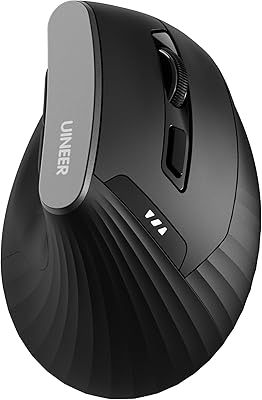
Uineer A06 Vertical Ergonomic Mouse
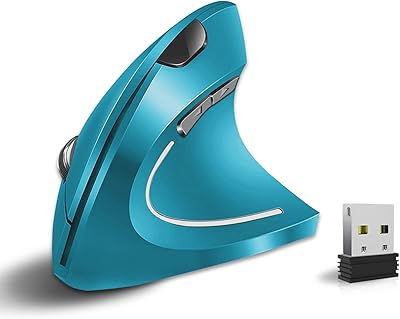
Vassink Ergonomic Vertical Wireless Mouse

Lekvey XC-05 Vertical Wireless Mouse
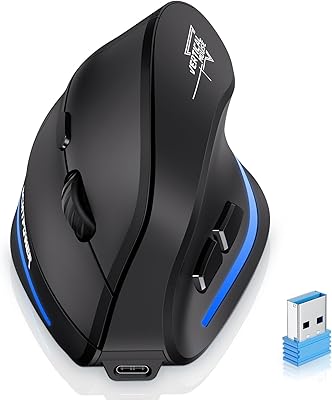
ECHTPower Ergonomic Wireless Mouse F35B

Acer OMR241 Ergonomic Vertical Mouse
iClever TM254 Ergonomic Wireless Vertical Mouse

Woddlffy RAAVEE Ergonomic Vertical Wireless Mouse

UGREEN Vertical Wireless Ergonomic Mouse

seenda Ergonomic Vertical Wireless Mouse
