
Overview
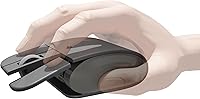
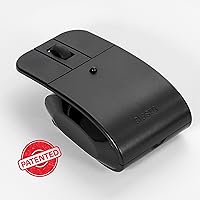
The Elasto M4 Ergonomic Wireless Mouse is a genuinely niche device — built not for the average user, but for anyone who spends long hours clicking and ends each day with sore fingers or an aching wrist. Its standout feature is a patented floating button mechanism that keeps your fingertip from ever pressing against a hard surface. Unlike vertical mice that tilt your hand sideways, this light-click mouse stays flat and feather-light at just 2.1 ounces. It connects via Bluetooth or a USB dongle and runs on a standard AA battery. Specialist tool, honest limitations included.
Features & Benefits
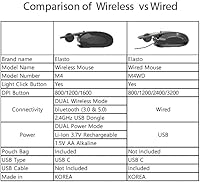
The central idea behind the Elasto M4 is simple but genuinely clever. Each button is built like a small springboard — elastic and suspended — so your finger never bottoms out against rigid plastic with every click. Over hundreds of clicks a day, that reduction in finger impact adds up. Wireless-wise, it covers Bluetooth 3.0, 5.0, and a 2.4GHz dongle, so pairing to a laptop, tablet, or desktop takes seconds. Three DPI steps — 800, 1200, and 1600 — handle most everyday tasks just fine. One heads-up: the listing mentions an optional rechargeable battery, but neither the battery nor charging cable comes in the box. Plan accordingly.
Best For
This light-click mouse makes the most sense for people dealing with repetitive strain injuries, carpal tunnel, or arthritis — specifically those who click constantly throughout the day and feel it by evening. Writers, data-entry workers, and anyone else glued to a desk for hours at a stretch will find the fatigue reduction worth it. Multi-device users will appreciate how quickly it switches between Bluetooth connections. One thing to consider: there are no side navigation buttons, so if you rely on back and forward shortcuts in your browser or file manager, this probably is not the right fit. The flat profile also suits people who find bulky vertical mice awkward rather than helpful.
User Feedback
Buyers who stick with the Elasto M4 through the adjustment period — typically one to two weeks — generally report a real difference in daily finger soreness. That is the most consistent praise: less discomfort after long sessions. On the critical side, power users miss the side buttons badly, and a few note that the flat shape takes some relearning after years with conventional mice. Build quality feedback is mixed; most find the click mechanism holds up well over months, though some report a gradual change in button feel with heavy use. Battery life on AA is solid according to most accounts. Overall, this ergonomic mouse earns its niche reputation, but it rewards patient users.
Pros
- The floating button design meaningfully reduces finger fatigue during long daily clicking sessions.
- At just 2.1 ounces, this light-click mouse is genuinely easy to handle for hours without strain.
- Bluetooth 3.0, 5.0, and a USB dongle give you solid flexibility across desktops, laptops, and tablets.
- iOS compatibility via Bluetooth is a practical bonus for mixed Apple and PC households.
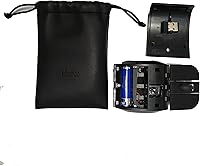
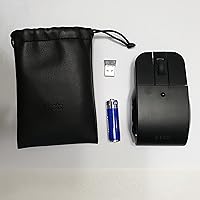
- The included AA battery gets you up and running immediately, no extra purchase needed.
- Users managing repetitive strain injuries frequently report feeling less hand discomfort after a few weeks of use.
- The patented elastic button mechanism is a real engineering distinction, not just a marketing claim.
- Three DPI levels cover everyday productivity tasks without overcomplicating the experience.
- Its flat, minimal profile is a practical alternative for users who find vertical mice cumbersome or oversized.
- Battery life on the standard AA is reported as solid by most long-term users.
Cons
- No side navigation buttons, which is a genuine daily frustration for anyone used to browser shortcuts.
- The rechargeable battery and charging cable are not included despite being listed as an option.
- The adjustment period can run one to two weeks, and not every buyer will commit to that learning curve.
- Some users report the button feel gradually changes with months of heavy use.
- The 1600 DPI ceiling limits usefulness on high-resolution displays or for precise creative work.
- The flat, thin profile may not provide enough palm support for users with larger hands.
- No software or companion app means you cannot remap buttons or customize DPI beyond the three presets.
- Build quality feedback is mixed, with a subset of buyers questioning long-term durability at this price point.
Ratings
The scores below for the Elasto M4 Ergonomic Wireless Mouse were generated by our AI system after analyzing verified purchase reviews from buyers worldwide, with spam, bot activity, and incentivized feedback actively filtered out before scoring. Each category reflects both the genuine praise and the recurring frustrations real users reported after weeks or months of daily use. Nothing has been smoothed over — the numbers show where this light-click mouse genuinely delivers and where it falls short.
Click Comfort
Ergonomic Design
Wireless Connectivity
Button Layout
Adjustment Period
Build Quality
DPI Performance
Power & Battery
Weight & Portability
Multi-Device Compatibility
Value for Money
Setup & Ease of Use
Cursor Tracking
Suitable for:
The Elasto M4 Ergonomic Wireless Mouse was clearly designed with a specific person in mind: someone whose hands hurt, and who has started dreading long stretches at the computer because of it. If you're managing carpal tunnel syndrome, mild arthritis, or the kind of finger fatigue that builds up from hundreds of daily clicks, this ergonomic mouse addresses that problem more directly than most options on the market. Office workers, writers, data-entry professionals, and anyone clocking six or more hours daily at a desk will likely notice a real difference in how their fingers feel by end of day. It also suits people who move between devices frequently — the Bluetooth 3.0 and 5.0 support alongside a USB dongle makes pairing to a laptop, desktop, or tablet genuinely quick and flexible. Those who prefer a flat mouse profile and find vertical ergonomic designs awkward or uncomfortable will feel right at home here, provided they give themselves a couple of weeks to adapt to the floating button feel.
Not suitable for:
The Elasto M4 Ergonomic Wireless Mouse is a poor fit for power users who depend on side navigation buttons for browser shortcuts, file management, or any workflow that relies on quick forward and back actions — those buttons simply do not exist on this mouse. Gamers should look elsewhere entirely; the three DPI options top out at 1600, the flat form factor does not suit fast, sweeping movements, and precision gaming demands far more than this device offers. If you have zero patience for an adjustment period, this is also not the right buy — the floating button mechanism feels noticeably different from a standard click, and some users find the transition frustrating before it becomes natural. Buyers who want a rechargeable mouse right out of the box should know upfront that the Li-Ion battery and charging cable are sold separately, which adds cost and inconvenience. Finally, anyone looking for a conventional all-purpose mouse at a mid-range price will find more versatile options that do not require any behavioral adjustment.
Specifications
- Brand: Manufactured and sold directly by Elasto, a brand focused on comfort-oriented input devices.
- Model: This mouse carries the model designation M4.
- Dimensions: The mouse measures 4.1 x 2.5 x 0.04 inches, giving it an exceptionally flat, low-profile footprint.
- Weight: At 2.1 ounces, this is one of the lightest wireless mice available in the ergonomic category.
- Connectivity: Supports Bluetooth 3.0, Bluetooth 5.0, and a 2.4GHz USB dongle for flexible multi-device use.
- iOS Support: Bluetooth connectivity is compatible with iOS devices, making it usable with iPads and iPhones.
- Sensor Type: Uses an optical sensor for cursor tracking on standard desktop and laptop surfaces.
- DPI Settings: Offers three selectable DPI levels — 800, 1200, and 1600 — switchable via a dedicated button.
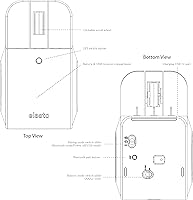
- Button Mechanism: Features patented elastic floating (bottomless) buttons that prevent fingertips from pressing against a hard surface during each click.
- Side Buttons: This mouse does not include side forward or backward navigation buttons.
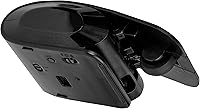
- Power Source: Ships with one AA battery included; optionally accepts a 3.7V Li-Ion rechargeable battery, which is sold separately.
- Li-Ion Battery: A rechargeable 3.7V Li-Ion battery and its charging cable are not included in the box and must be purchased separately.
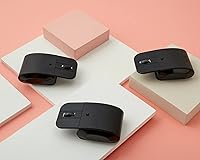
- Color: Available in black.
- Patent: The floating button mechanism is protected under US patent number 11,599,202 B2.
- OS Compatibility: Compatible with Windows and macOS via dongle or Bluetooth; iOS supported via Bluetooth.
- Market Rank: Ranked #1,421 in the Computer Mice category on Amazon at the time of listing.
- Availability: First made available to buyers in October 2022.
- Wireless Range: Operates at standard Bluetooth and 2.4GHz wireless ranges typical for desktop and personal workstation use.
Related Reviews
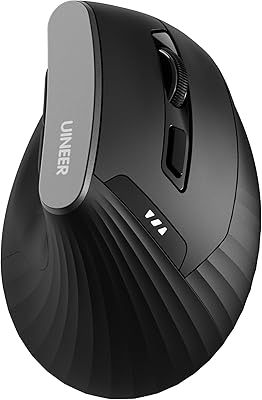
Uineer A06 Vertical Ergonomic Mouse
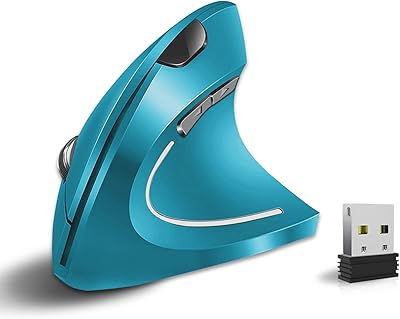
Vassink Ergonomic Vertical Wireless Mouse
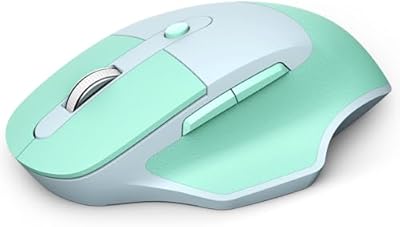
MOFII Wireless Ergonomic Mouse
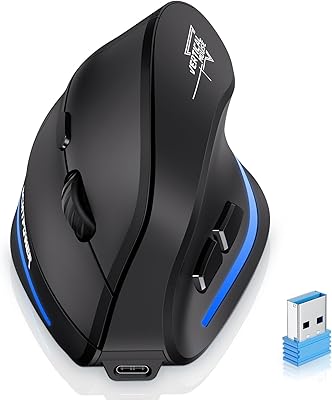
ECHTPower Ergonomic Wireless Mouse F35B

Acer OMR241 Ergonomic Vertical Mouse

Woddlffy RAAVEE Ergonomic Vertical Wireless Mouse
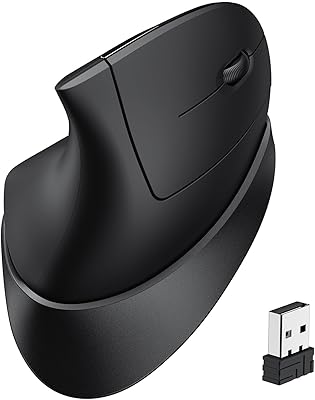
iClever TM254 Ergonomic Wireless Vertical Mouse

UGREEN Vertical Wireless Ergonomic Mouse
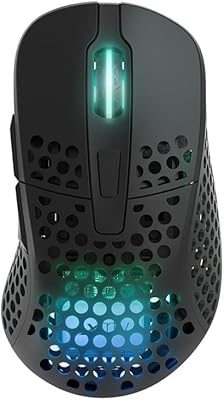
Xtrfy M4 Wireless Ultralight Gaming Mouse
