Overview

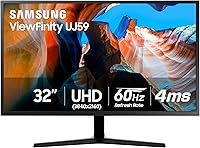
The Samsung 32″ UJ59 4K UHD Monitor has held its own in the mid-range display market since its 2018 launch — which, in a category that refreshes constantly, says something meaningful about its value. Built around a 31.5-inch VA panel, it offers noticeably more screen real estate than the standard 27-inch alternatives most buyers consider at this price tier. Colors appear richer and blacks run deeper than what you'd typically get from an IPS panel of comparable size. It competes squarely with budget 4K options from LG and AOC, but Samsung's build quality and bundled software features give it a quiet edge for home office users and casual gamers alike.
Features & Benefits

At its core, the UJ59 runs a 3840×2160 VA panel, which delivers noticeably deeper contrast and more saturated colors compared to IPS displays at similar sizes — a real advantage for watching films or casual photo work. AMD FreeSync keeps things smooth for mid-tier GPU owners, though the 60Hz refresh rate caps the ceiling, so don't expect the fluidity a 144Hz display delivers. The built-in UHD upscaling does genuine work on streaming content that isn't natively 4K, which is more useful day-to-day than it sounds. Picture-by-Picture lets you run two devices simultaneously at full quality — handy if you split time between a laptop and desktop. Eye Saver and Flicker-Free modes round out long-session comfort nicely.

Best For

This 32-inch display suits a fairly specific kind of buyer — and that's not a criticism. Remote workers and students who need room to run multiple windows without a second screen will appreciate the 4K canvas. Photo and video hobbyists get credible billion-shade color output without needing to invest in a professional-grade panel. Casual gamers coming from 1080p will notice a genuine visual upgrade in resolution and color depth; just don't come in expecting high-refresh performance. It also works well as a shared dual-input screen for someone alternating between a PC and a gaming console, thanks to the HDMI and DisplayPort connectivity. First-time 4K upgraders will likely find it a satisfying step forward.

User Feedback

Across nearly 3,600 ratings, the UJ59 earns consistent praise for its color vibrancy and sharpness relative to what you're paying — buyers frequently call out media consumption as a particular strong suit. The slim bezels also get positive mentions from people running multi-monitor setups. On the downside, the stand is a persistent frustration: tilt-only adjustment means you'll likely need a VESA arm if ergonomics matter to you, which adds to the total cost. Competitive gamers have flagged the 60Hz ceiling as a real limitation worth knowing upfront. A smaller number of users have reported backlight uniformity inconsistencies in dark scenes, though this appears to vary unit to unit and isn't a universal complaint.

Pros

  • 31.5-inch 4K screen gives you noticeably more usable workspace than the typical 27-inch alternative at this price.
  • VA panel delivers deeper blacks and richer contrast than IPS panels in the same budget range.
  • AMD FreeSync keeps gameplay smooth for mid-range GPU owners without requiring a premium display.
  • UHD upscaling makes 1080p streaming content look considerably better than it would on a native 4K panel without it.
  • Slim bezels make the UJ59 a clean, unobtrusive fit in dual-monitor or multi-screen desk setups.
  • Picture-by-Picture mode lets you run two full-resolution sources side by side — genuinely useful for multi-device workflows.
  • Eye Saver and Flicker-Free modes reduce fatigue during long office sessions in a way that is noticeable over time.
  • Despite launching in 2018, this 32-inch display continues to hold its own against newer competitors at the same price point.
  • Matte finish on the screen reduces glare effectively in bright room environments.
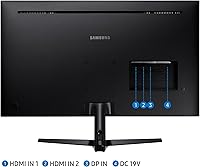
  • Straightforward plug-and-play setup with both HDMI and DisplayPort covered out of the box.

Cons

  • The stand offers tilt adjustment only — no height, swivel, or pivot, which is a recurring frustration for real-world users.
  • 60Hz refresh rate makes the monitor a poor choice for anyone who plays fast-paced competitive games regularly.
  • No USB hub means you will need a separate hub or dock if you rely on multiple peripherals at your desk.
  • Backlight uniformity can vary between units, with some buyers reporting visible unevenness on dark backgrounds.
  • Navigating the on-screen menu using rear-mounted buttons is fiddly and takes getting used to.
  • Color shifts noticeably when viewed from steeper off-axis angles, which matters in shared viewing situations.
  • Windows scaling requires manual configuration at 4K — less technically confident users may find initial setup frustrating.
  • Only two video inputs limits flexibility for anyone managing three or more connected devices at once.

Ratings

The Samsung 32″ UJ59 4K UHD Monitor earns its scores from an AI-assisted analysis of verified global buyer reviews, with spam, bot-submitted, and incentivized feedback actively filtered out before scoring. The result is a picture that reflects what real owners experience week after week — not just the honeymoon impressions. Strengths and frustrations are weighted equally, so what you see below is an honest cross-section of this display's real-world performance.
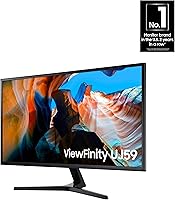
Image Clarity & Resolution
91%
Buyers consistently describe the jump to 4K on a 31.5-inch screen as immediately noticeable — text is crisp enough for long reading sessions, and fine detail in photos and video stands out without needing to lean in. For anyone upgrading from a 1080p display, the difference is hard to ignore.
At native 4K, some users note that Windows scaling needs manual adjustment to avoid interface elements appearing too small, which can frustrate less technical buyers during initial setup.
Color Reproduction
83%
The VA panel delivers richer, more saturated colors than most IPS competitors at this price point, making it a solid pick for hobbyist photo editing and casual video work. Streaming content in particular looks vibrant and punchy without appearing oversaturated.
Professional colorists will find the color accuracy falls short of wide-gamut or factory-calibrated panels. Out-of-the-box calibration is decent but not precise, and there is noticeable color shift when viewing from steeper off-angles.
Contrast & Black Levels
88%
This is where the VA panel technology genuinely earns its keep. Dark scenes in films and games show real depth rather than the washed-out grays that plague IPS displays at similar price ranges, making evening viewing noticeably more immersive.
In very bright room conditions, the deeper blacks can occasionally make shadow detail harder to read. A small number of buyers also noticed slight black crush in the darkest tones, which is a known characteristic of VA panels broadly.
Gaming Performance
61%
39%
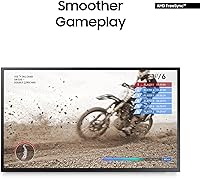
AMD FreeSync keeps screen tearing under control for mid-range GPU owners, and the Low Input Lag Mode provides a genuine responsiveness improvement during casual gameplay. For slower-paced genres — strategy, RPGs, adventure titles — the experience holds up well.
The 60Hz refresh rate is a hard ceiling, and fast-paced competitive gamers will feel it immediately coming from a 144Hz or 165Hz display. Response time is adequate but not exceptional, and motion blur in fast-scrolling scenes is visible enough to be distracting in shooters.
Ergonomics & Stand Design
43%
57%
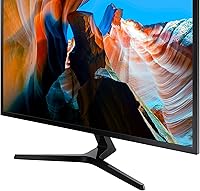
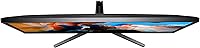
The Y-shaped stand has a stable footprint and a clean matte black aesthetic that suits most desk setups. It holds the panel firmly without wobble, and the overall physical build feels solid for the price.
Tilt adjustment is the only option — there is no height, swivel, or pivot. This is the single most complained-about aspect across user reviews, and buyers with specific ergonomic needs almost universally recommend budgeting for a VESA arm from the start.
UHD Upscaling
77%
23%
Samsung's upscaling engine does a credible job with 1080p and HD streaming content, smoothing out lower-resolution sources in a way that feels natural rather than processed. Regular Netflix and YouTube viewers in particular mention this as a pleasant surprise.
The upscaling is not a substitute for native 4K content — close inspection reveals softness on fine edges. It handles static content better than fast-moving video, where some artifacting can appear around high-contrast edges.
Productivity & Multitasking
82%
18%
The sheer screen real estate at 4K makes running multiple windows side by side genuinely practical without the text cramping that plagues smaller 4K screens. Picture-by-Picture mode for connecting two devices simultaneously is a real workflow advantage for users who split time between a laptop and desktop.
The on-screen menu for configuring PBP and PIP modes is not particularly intuitive, and a few reviewers mention it takes trial and error to get the split working correctly the first time.
Eye Comfort for Long Sessions
79%
21%
Eye Saver Mode and the Flicker-Free backlight make a meaningful difference during extended work sessions. Users who spend six or more hours daily at the screen mention reduced fatigue compared to their previous monitors, which is consistent with the hardware specs backing these features.
Eye Saver Mode shifts the color temperature noticeably warm, which some users find disruptive to color-sensitive work. There is no granular intermediate setting, so it feels like a binary trade-off between comfort and accuracy.
Build Quality & Aesthetics
74%
26%
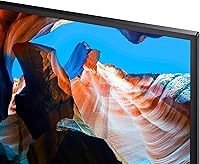
The slim bezels give the UJ59 a cleaner, more modern look than its age might suggest, and it fits neatly into multi-monitor arrangements without visual bulk. The matte black finish resists fingerprints reasonably well.
The plastic chassis feels mid-range rather than premium to the touch, and the back panel shows flex under light pressure. For a monitor that sits on a desk permanently this is rarely a practical issue, but it does undercut the premium presentation Samsung aims for.
Connectivity
72%
28%
Having both HDMI and DisplayPort covered means most desktop and laptop users can connect without adapters, and it supports the dual-input modes that make the PBP feature practical. Straightforward plug-and-play setup with no driver installation required.
There is no USB hub, which feels like a meaningful omission at this screen size and price. Only two video inputs total limits flexibility if you need three or more connected sources simultaneously.
Backlight Uniformity
58%
42%
The majority of units perform acceptably in everyday use, with no severe clouding or obvious hotspots during normal content. For buyers using the monitor primarily for office work and media, uniformity issues are rarely noticeable.
A consistent minority of reviewers report visible backlight bleed in corners and uneven brightness across solid dark backgrounds — a known risk with VA panels at this price tier. Severity appears to vary unit to unit, making it somewhat of a lottery.
Setup & Out-of-Box Experience
76%
24%
Physical assembly is quick and straightforward — the stand attaches without tools and the cable management is adequate. Default picture settings are usable immediately for most buyers without any calibration.
The on-screen display menu feels dated and navigating settings with the physical buttons on the back edge of the panel is fiddly. New users often need a few minutes just to figure out which button does what.
Value for Money
84%
For a 31.5-inch 4K VA display from a major brand with FreeSync and a suite of productivity features, the price-to-performance ratio holds up well even measured against newer competitors. It remains a sensible choice for budget-conscious buyers who want size and resolution without overpaying.
Competing monitors launched more recently sometimes offer better stand adjustability or higher refresh rates at a comparable price, so buyers willing to research alternatives may find slightly better bang for their dollar today.

Suitable for:

The Samsung 32″ UJ59 4K UHD Monitor is a strong fit for remote workers and students who spend long hours juggling spreadsheets, browser tabs, and documents simultaneously — the 31.5-inch 4K canvas gives you the kind of breathing room that makes a genuine difference in daily productivity. Hobbyist photographers and video editors on a budget will appreciate the VA panel's richer color output and deeper blacks compared to IPS alternatives at this price, even if it stops well short of professional-grade accuracy. Casual gamers who care more about immersive visuals and resolution than raw frame rates will find the 4K picture and FreeSync combination more than adequate for slower-paced or narrative-driven titles. It also works well as a shared hub for people who toggle between a desktop PC and a laptop or gaming console, thanks to the dual-input support and Picture-by-Picture mode. Anyone making their first jump from a 1080p display will likely find the visual upgrade immediately satisfying and hard to go back from.

Not suitable for:

The Samsung 32″ UJ59 4K UHD Monitor is not the right call for competitive or fast-paced gamers — the 60Hz refresh rate is a real ceiling, and anyone accustomed to 144Hz or higher will notice the difference in motion clarity almost immediately. Buyers who work at a standing desk or share the monitor between people of different heights will run into the stand's tilt-only limitation quickly; there is no height adjustment, swivel, or pivot, which means you are either buying a VESA arm on top of the asking price or compromising on posture. Professional colorists and graphic designers who depend on precise, calibrated output should look elsewhere — this is a hobbyist-grade VA panel, not a color-critical tool. If you need to connect more than two video sources simultaneously, the two-input setup will frustrate you, and the absence of a built-in USB hub means extra cable clutter for peripheral-heavy setups. Anyone on a very small desk may also find that 31.5 inches at typical viewing distances requires more space than they have comfortably available.
Specifications

  • Screen Size: The panel measures 31.5 inches diagonally, offering noticeably more usable screen area than the 27-inch displays common at this price tier.
  • Resolution: Native resolution is 3840×2160 pixels (4K UHD), delivering approximately 140 pixels per inch for sharp text and fine image detail.
  • Panel Type: Uses a VA (Vertical Alignment) panel, which provides deeper contrast ratios and richer blacks compared to IPS panels at a similar price.
  • Refresh Rate: Maximum refresh rate is 60Hz, which is adequate for everyday use and casual gaming but below the threshold for competitive fast-paced play.
  • Aspect Ratio: Standard 16:9 widescreen aspect ratio, compatible with all modern content formats including streaming, gaming, and productivity applications.
  • Color Depth: Supports approximately one billion color shades, enabling vivid and realistic image reproduction suitable for hobbyist photo and video work.
  • AMD FreeSync: AMD FreeSync is supported, synchronizing the monitor refresh rate with a compatible GPU to reduce screen tearing and stuttering during gameplay.
  • Inputs: Connectivity includes one HDMI port and one DisplayPort, supporting dual-device setups with Picture-by-Picture and Picture-in-Picture modes.
  • UHD Upscaling: Built-in Samsung UHD upscaling technology analyzes and enhances SD, HD, and Full HD signals to near-4K quality in real time.
  • Eye Care: Eye Saver Mode reduces blue light emission and the Flicker-Free backlight eliminates PWM flicker to reduce eye fatigue during extended sessions.
  • Game Mode: Dedicated Game Mode selectively boosts contrast in dark scene areas to improve visibility and reduce input lag for gaming applications.
  • Multi-Display: Picture-by-Picture (PBP) displays two full-resolution sources side by side simultaneously, while Picture-in-Picture (PIP) embeds a second source at up to 25% of screen size.
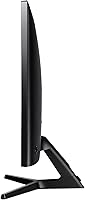
  • Stand Adjustment: The included stand supports tilt adjustment only; it does not offer height, swivel, or pivot adjustment out of the box.
  • VESA Compatibility: The display supports VESA wall-mount or arm attachment, allowing buyers to add a fully adjustable third-party mount as an alternative to the bundled stand.
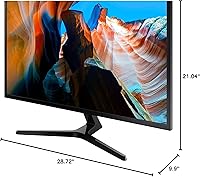
  • Dimensions: With the stand attached, the monitor measures approximately 28.72″ wide, 21.04″ tall, and 9.9″ deep.
  • Weight: Total weight with stand is 16.61 lbs, making repositioning manageable for a single person without assistance.
  • Screen Finish: The panel surface uses a matte anti-glare coating that reduces reflections in bright ambient lighting conditions.
  • Power: Operates on AC power at 110 volts, compatible with standard North American wall outlets with no adapter required.
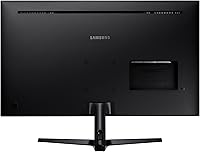
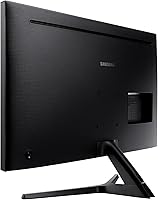
  • Color & Finish: The chassis and stand are finished in matte black with a metallic-accent Y-shaped base for a clean, neutral desktop appearance.
  • Release Date: Originally made available in April 2018, the UJ59 has remained in active production and retail availability since launch.

Related Reviews
Samsung ViewFinity S80D 32″ 4K Monitor
79%
93%
Image Clarity
81%
Color Accuracy
78%
Ergonomics & Stand
84%
Connectivity
88%
Eye Comfort
More
Samsung TU872 Series 32-Inch 4K UHD Monitor
83%
92%
Display Quality
88%
Ergonomics and Adjustability
85%
Connectivity Options
70%
Color Accuracy for Professional Work
80%
Build Quality and Durability
More
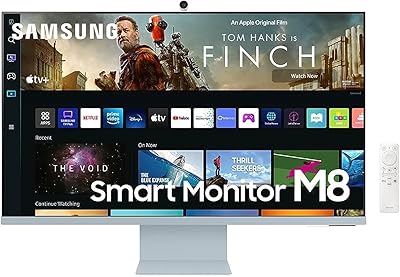
Samsung M8 Series 32-Inch 4K UHD Smart Monitor
86%
91%
Display Quality
88%
Ease of Use
87%
Video Call Functionality
85%
Connectivity Options
72%
Color Accuracy
More
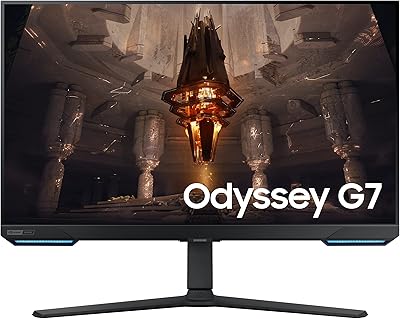
Samsung Odyssey G70B 32-Inch 4K UHD Gaming Monitor
82%
88%
Display Quality
91%
Gaming Performance
85%
Ergonomics & Comfort
70%
Color Accuracy
80%
Setup & Installation
More
ViewSonic VP3256-4K 32-Inch 4K UHD Monitor
88%
94%
Display Quality
92%
Color Accuracy
88%
Ergonomics & Comfort
86%
Build Quality
90%
Ease of Setup
More
ViewSonic VX3267U-4K 32-inch 4K IPS Monitor

74%
91%
Image Sharpness
83%
USB-C Functionality
76%
Color Accuracy
54%
HDR Performance
47%
Stand & Ergonomics
More
ViewSonic VP3268A-4K 32-inch 4K UHD IPS Monitor
86%
94%
Color Accuracy
88%
Ergonomics/Comfort
91%
Build Quality
83%
HDR Performance
85%
Connectivity Options
More
ViewSonic VX3276-4K-MHD 32-inch 4K Monitor

76%
91%
Image Clarity & Sharpness
74%
Color Accuracy
86%
Contrast & Black Levels
61%
HDR Performance
58%
Refresh Rate & Motion Handling
More
Samsung S80UA 27″ 4K UHD IPS Monitor
80%
93%
Image Sharpness & Clarity
88%
Color Accuracy
91%
USB-C Connectivity
89%
Viewing Angles
67%
HDR Performance
More
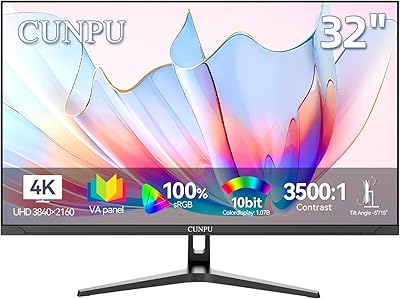
CUNPU 32-inch 4K UHD Computer Monitor
64%
88%
Image Sharpness
74%
Color Accuracy
83%
Contrast & Black Levels
53%
Brightness
41%
HDR Performance
More

FAQ

Yes, it connects to current and last-generation consoles via HDMI without any issues. Keep in mind that the 60Hz cap means you won't get anything above 60fps on screen, but for 4K console gaming at this price it is a practical and cost-effective setup.

Absolutely. The UJ59 has both an HDMI and a DisplayPort input, so you can keep two devices plugged in simultaneously. Using Picture-by-Picture mode, you can display both sources side by side on the same screen without unplugging anything.

Unfortunately, no. The included stand only tilts forward and backward — there is no height adjustment, swivel, or pivot. If ergonomics are important to you, budgeting for a VESA-compatible monitor arm is a smart move, as the display does support standard VESA mounting.

For hobbyist use, yes — the VA panel produces vibrant, accurate-looking colors with good contrast, and the billion-shade color support is a genuine advantage at this price. That said, if you are doing color-critical professional work that requires factory calibration or wide-gamut coverage, a dedicated professional display would serve you better.

Better than you might expect. The built-in UHD upscaling engine processes lower-resolution signals and enhances them toward near-4K quality in real time. It is not magic — native 4K content always looks sharper — but upscaled 1080p from Netflix or YouTube looks noticeably cleaner than it would on a monitor without this feature.

It depends entirely on what you play. For RPGs, strategy games, sports titles, or adventure games, 60Hz is perfectly fine and most players won't feel limited. If you play fast-paced shooters or racing games competitively and you are coming from a 144Hz display, the difference will be obvious and frustrating. Know your game library before committing.

There is always a minor trade-off with anti-glare coatings — they can very slightly soften perceived sharpness compared to a glossy panel in a controlled dim environment. In practice, most users find the benefit of reduced glare in real-world lighting conditions far outweighs any minimal impact on vibrancy.

A minority of buyers have reported uneven backlight uniformity, particularly noticeable on dark or solid-colored backgrounds. This appears to vary from unit to unit rather than being a universal defect. If you notice it on arrival, checking the return policy before purchase is a sensible precaution.

To drive games at native 4K and maintain smooth frame rates, yes — a reasonably capable GPU is recommended. For desktop productivity, web browsing, and video streaming at 4K, most modern integrated graphics or entry-level discrete GPUs handle it without problems. AMD FreeSync also requires a compatible AMD GPU to function.

For its price range, yes. The core specs — 4K VA panel, FreeSync, PBP, and a 31.5-inch screen — remain competitive against newer budget monitors. The main areas where it shows its age are the stand design and the absence of a USB hub, both of which are more common on newer displays. If those are not dealbreakers for your setup, the value proposition still holds up well.