
Overview
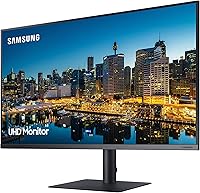
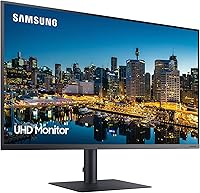
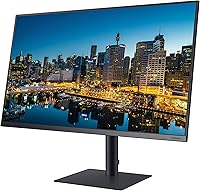
The Samsung TU872 32-Inch 4K Monitor was built for one specific kind of professional: someone who needs a sharp, reliable display without fussing over a tangle of cables and dongles. Released in 2020 as part of Samsung's business-focused lineup, the TU872 sits at a premium price point that signals serious intent — this is not a budget screen dressed up in specs. The 60Hz refresh rate tells you something important right away: this is a productivity tool, not a gaming display. If you're chasing high frame rates, look elsewhere. But if you need a crisp, expansive workspace that connects cleanly to your laptop, this Samsung business monitor deserves a close look.
Features & Benefits
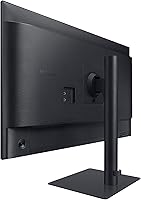
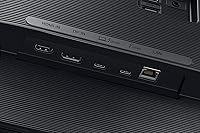
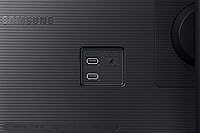
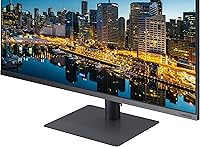
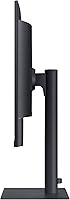
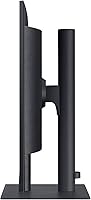
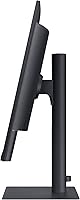
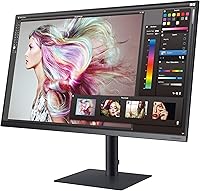
The VA panel at 3840×2160 delivers noticeably deep blacks and contrast — a meaningful edge over IPS panels in controlled lighting, and it draws less power in the process. The real standout, though, is Thunderbolt 3 connectivity. Plug in one cable from your laptop and you get a 4K signal, up to 85W of charging, and the ability to chain a second monitor without any additional hardware. The built-in USB 3.0 hub and RJ45 ethernet port keep desk cables to a minimum. The stand covers tilt, swivel, height, and pivot, and the ultra-thin bezel keeps things clean whether you work solo or across multiple screens.
Best For
This 32-inch 4K display hits its stride as a single-cable docking hub for Mac or PC laptop users — one cable in, and your machine is charged, connected to ethernet, and pushing 4K to the screen. Photographers and video editors will appreciate the pixel density for detail-heavy work, though the VA panel suits general creative review better than precision color-grading. Remote workers who prioritize ergonomics will find the stand genuinely useful day-to-day. Corporate buyers get the reassurance of a 3-year business warranty that fits neatly into Samsung-standard IT environments. Those running dual monitors will find the daisy-chain feature eliminates the need for a separate dock entirely.
User Feedback
With a 3.9 out of 5 across 121 ratings, this Samsung business monitor lands in solidly positive territory, though the full picture is worth examining. Buyers consistently praise the stand flexibility and Thunderbolt single-cable convenience as genuine deciding factors. On the critical side, the glossy panel draws repeated complaints — it catches reflections aggressively in bright rooms or near windows, a real concern if your workspace is not light-controlled. Some Windows users have flagged Thunderbolt compatibility hiccups with certain laptop models, so checking your hardware before purchasing is wise. The 3-year warranty, however, is a consistent bright spot, regularly cited by buyers treating this as a long-term investment.
Pros
- Thunderbolt 3 single-cable connection handles video, power, and data simultaneously — a genuine desk simplifier.
- The 4K VA panel produces deep contrast and rich shadow detail that IPS panels at this size rarely match.
- A fully articulating stand with height, tilt, swivel, and pivot adjustment makes ergonomic customization straightforward.
- Daisy-chaining a second monitor via Thunderbolt 3 eliminates the need for a separate dock or hub.
- The built-in RJ45 ethernet port keeps wired internet access clean and cable-free when using Thunderbolt input.
- Eye Saver Mode and hardware Flicker Free technology make extended work sessions noticeably more comfortable.
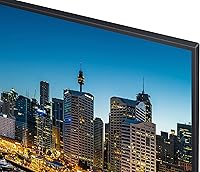
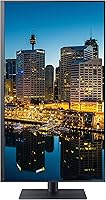
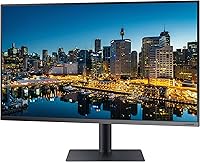
- The ultra-thin bezel integrates cleanly into multi-monitor setups without visual disruption between screens.
- A 3-year business warranty offers meaningful long-term protection and is frequently cited by buyers as a deciding factor.
- 100×100 VESA mounting support gives buyers the flexibility to wall-mount or use a third-party arm.
- Two USB 3.0 ports on the monitor reduce the need for a separate hub on cluttered desks.
Cons
- The glossy panel surface reflects overhead lights and windows aggressively, making bright-room use genuinely difficult.
- At 60Hz, this 32-inch 4K display offers no path to smoother motion — not a limitation to overlook before purchasing.
- Thunderbolt 3 compatibility with certain Windows laptops is inconsistent; some users report connection or charging issues.
- The ethernet port is only active when using the Thunderbolt 3 input, limiting its usefulness for DisplayPort or HDMI users.
- At this price, the absence of a higher refresh rate option feels like a meaningful gap compared to newer competitors.
- Color accuracy is solid for general work but falls short of factory-calibrated panels preferred by serious color-critical professionals.
- The monitor weighs over 22 pounds, making it harder to reposition frequently than lighter alternatives.
- No built-in speakers means users must source external audio, adding to desk footprint and cost.
Ratings
The Samsung TU872 32-Inch 4K Monitor scores below reflect an AI-driven analysis of verified buyer reviews sourced globally, with spam, bot-generated, and incentivized feedback actively filtered out before scoring. The TU872 earns strong marks in several areas that matter most to business professionals, while some recurring friction points around panel surface and refresh rate are equally represented in the results. Every score here — high or low — is grounded in patterns real owners reported after extended daily use.
Image Clarity
Thunderbolt 3 Connectivity
Glare & Panel Surface
Ergonomics & Stand
Build Quality
Refresh Rate
Single-Cable Docking
Daisy-Chain Capability
Eye Comfort
Value for Money
Setup & Installation
Multi-Monitor Suitability
Warranty & Support
Suitable for:
The Samsung TU872 32-Inch 4K Monitor was clearly designed with a specific professional in mind — someone who spends long hours at a desk, connects via laptop, and wants everything running through as few cables as possible. Mac users in particular will find the Thunderbolt 3 connection transformative: one cable handles power, video, and data simultaneously, which is genuinely useful in a tidy home office or corporate workstation. Creative professionals doing photo editing, design layout, or video review will benefit from the 4K resolution and VA panel contrast, which renders fine detail and shadows with satisfying depth. Remote workers who have invested in building an ergonomic setup will appreciate the stand's full range of adjustments — height, tilt, swivel, and pivot — giving them real control over posture throughout the day. For IT buyers standardizing equipment across teams, the 3-year business warranty and Samsung's enterprise reputation add a layer of long-term confidence that consumer monitors simply cannot match.
Not suitable for:
The Samsung TU872 32-Inch 4K Monitor is a poor fit for anyone hoping to use it as a gaming display — the 60Hz refresh rate is a hard ceiling, and no amount of connectivity features will change that. Competitive gamers or anyone sensitive to motion smoothness should look at dedicated gaming monitors with 144Hz or higher. The glossy panel surface is also a genuine dealbreaker if your workspace has windows or overhead lights you cannot control; glare can make the screen frustrating to use during daytime hours. Windows laptop users should verify Thunderbolt 3 compatibility with their specific machine before purchasing, as some have reported the single-cable connection behaving unexpectedly outside of Mac environments. Finally, the price tier assumes you are fully utilizing the Thunderbolt ecosystem — buyers who only need HDMI connectivity are paying a significant premium for features they will never touch, and a less expensive 4K monitor would serve them just as well.
Specifications
- Screen Size: The display measures 32 inches diagonally, offering substantial screen real estate for multitasking and detail-heavy work.
- Panel Type: A VA (Vertical Alignment) panel delivers deeper blacks and higher contrast ratios compared to typical IPS alternatives at this screen size.
- Resolution: Native resolution is 3840×2160 (4K UHD), providing sharp, pixel-dense output suited to fine detail work and document-heavy workflows.
- Refresh Rate: The panel runs at a maximum of 60Hz, making it well-suited for productivity but not recommended for fast-paced gaming.
- Aspect Ratio: Standard 16:9 widescreen aspect ratio ensures compatibility with virtually all modern content formats and video conferencing layouts.
- Screen Surface: The glossy panel surface enhances color vibrancy and contrast but can reflect ambient light noticeably in bright or window-facing rooms.
- Connectivity: Input options include one Thunderbolt 3 port, one DisplayPort, and one HDMI port, covering a wide range of modern devices.
- USB Hub: Two USB 3.0 ports are built into the monitor body, allowing peripheral devices to connect directly without a separate hub.
- Network Port: A built-in RJ45 ethernet jack enables wired LAN connectivity, but only functions when the Thunderbolt 3 input is actively in use.
- TB3 Power Delivery: The Thunderbolt 3 port supplies up to 85W of power to a connected laptop, supporting full charging over a single cable.
- Daisy Chaining: Thunderbolt 3 daisy-chaining allows a second compatible display to be connected through this monitor without requiring an additional dock.
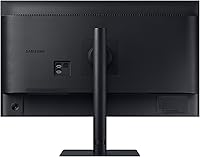
- Stand Adjustments: The included stand supports tilt, swivel, height adjustment, and a full 90-degree pivot for portrait orientation.
- VESA Compatibility: The monitor supports 100×100 mm VESA mounting, enabling use with wall mounts or third-party monitor arms.
- Eye Care: Eye Saver Mode reduces blue light emission and hardware-level Flicker Free technology eliminates screen flicker across all brightness levels.
- Bezel Design: Ultra-thin bezels on three sides minimize visual interruption, making the TU872 a practical choice for side-by-side multi-monitor configurations.
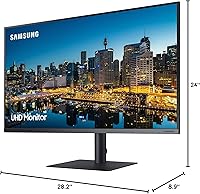
- Dimensions: With the stand attached, the monitor measures 28.2×8.9×24 inches (length × depth × height).
- Weight: The complete unit with stand weighs 22.3 pounds, which is typical for a 32-inch display but worth noting if frequent repositioning is needed.
- Warranty: Samsung includes a 3-year business warranty as standard, with extended warranty options available for purchase separately.
- Voltage: Rated for 110V operation, compatible with standard North American power outlets without any adapter.
- Color: Available in Black; the matte black finish on the chassis and stand blends cleanly into most professional desk environments.
Related Reviews
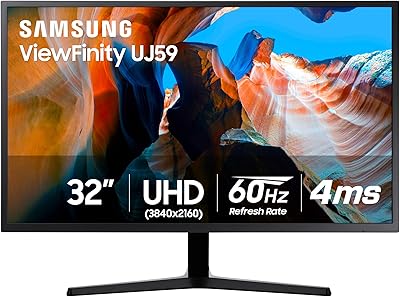
Samsung 32″ UJ59 4K UHD Monitor
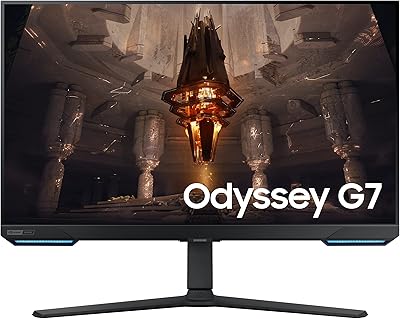
Samsung Odyssey G70B 32-inch 4K Gaming Monitor
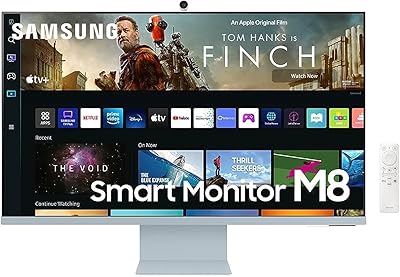
Samsung M8 32-Inch 4K Smart Monitor

ViewSonic VP3256-4K 32-inch 4K IPS Monitor

ViewSonic VX3267U-4K 32-inch 4K IPS Monitor

ViewSonic VX3276-4K-MHD 32-inch 4K Monitor

ViewSonic VP3268A-4K 32-inch 4K Monitor
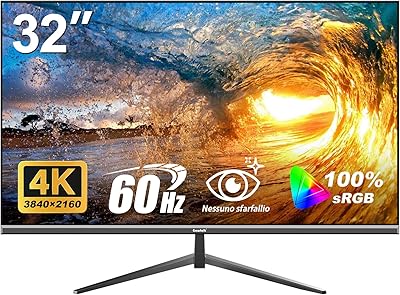
Gawfolk GF320F 32-Inch 4K UHD Monitor
BenQ MA320U 32-inch 4K Monitor