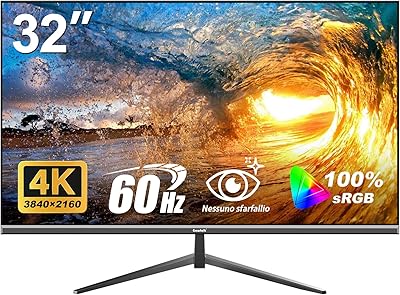
Overview

The CUNPU 32-inch 4K UHD Computer Monitor enters a crowded market where budget-conscious buyers are demanding more than just a passable image. CUNPU isn't a household name, but that's not automatically a problem — plenty of capable displays have come from lesser-known brands willing to compete on specs rather than marketing. The pitch here is straightforward: a large, sharp screen at a price that doesn't require much deliberation. It's aimed at home office workers, hobbyist creatives, and casual gamers looking for a meaningful resolution upgrade. Go in with calibrated expectations, though — this is a budget-tier panel, and some trade-offs come with that territory.
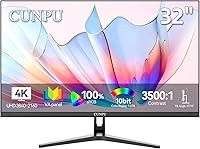
Features & Benefits

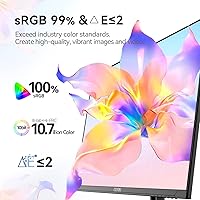
At 163 pixels per inch, the sharpness on this 32-inch 4K screen is genuinely impressive — text is crisp, and high-resolution images reveal detail a 1080p display simply can't match. One caveat worth flagging: the product title references a VA panel, while the description mentions IPS — a discrepancy buyers should clarify before purchasing. If it is indeed VA, that 3500:1 contrast ratio and deep black performance make sense. Color gamut is claimed at 100% sRGB and 100% DCI-P3, which is useful for hobbyist editing, though independent verification is advisable. HDR10 is included, but 300 nits of brightness caps real-world HDR impact — don't expect anything dramatic. Connectivity covers dual HDMI 2.0, one DisplayPort 1.4, and PIP/PBP support for dual-source workflows.

Best For

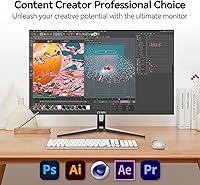
This budget 4K screen makes the most sense for home office workers who spend long hours in documents, spreadsheets, or video calls — the extra screen real estate and sharp text make a real difference in daily comfort. Students juggling multiple tabs or research-heavy tasks will find the large canvas genuinely useful. Hobbyist photo or video editors on a budget get reasonable color coverage for non-commercial work, though professionals should look toward calibrated, higher-brightness alternatives. Casual gamers connecting a console via HDMI will appreciate the visual clarity, as long as they're not chasing high refresh rates. It's also a strong fit for anyone upgrading from a 1080p display who wants a meaningful resolution boost without a steep price tag.

User Feedback

Buyers who've picked up the CUNPU display frequently praise image sharpness and color vibrancy as the standout strengths — for the price, visual quality appears to exceed expectations for many. Setup is generally described as hassle-free, and the OSD menu earns adequate marks for usability. On the downside, the stand draws recurring criticism for feeling flimsy, and the absence of height adjustment requires workarounds for ergonomic comfort. Brightness in well-lit rooms comes up repeatedly as a concern — 300 nits works in a controlled environment but struggles near natural light. Backlight bleed and panel uniformity issues appear in a portion of reviews, likely reflecting some unit variance. As a newer brand, CUNPU has limited long-term reliability data, so durability remains an open question.

Pros

  • Sharp 4K resolution at 163 PPI makes text and images noticeably crisper than typical 1080p displays.
  • The 3500:1 contrast ratio delivers impressively deep blacks for a monitor at this price point.
  • Wide 32-inch screen gives home office and student users meaningful multitasking space.
  • Dual HDMI 2.0 ports make it easy to connect a PC and console simultaneously.
  • DisplayPort 1.4 support provides a reliable high-bandwidth connection for desktop GPU users.
  • PIP and PBP modes let you run two input sources side-by-side without a second monitor.
  • Matte screen surface reduces glare and reflections in typical indoor environments.
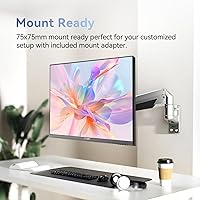
  • VESA 75x75mm compatibility means upgrading to a third-party monitor arm is straightforward.
  • Buyers consistently praise the out-of-box color vibrancy as a strong value highlight.
  • Setup and initial configuration are generally described as quick and uncomplicated.

Cons

  • At 300 nits, brightness is insufficient for use near windows or in well-lit workspaces.
  • The stand lacks height adjustment, which creates ergonomic challenges for many desk setups.
  • Multiple buyers report the stand feels flimsy and less stable than expected for a 32-inch panel.
  • The panel type listed in the title conflicts with the description, leaving buyers uncertain about what they're actually getting.
  • HDR10 support at this brightness level produces only marginal improvements over SDR content.
  • Some units show backlight bleed or panel uniformity issues, suggesting inconsistent quality control.
  • Refresh rate is not officially specified, making it unsuitable for motion-sensitive or competitive gaming.
  • CUNPU has limited brand history, so long-term durability and warranty support remain unproven.
  • Color gamut figures are manufacturer-claimed with no independent calibration data to back them up.

Ratings

The scores below for the CUNPU 32-inch 4K UHD Computer Monitor were generated by our AI system after analyzing verified global user reviews, with spam, bot-submitted, and incentivized feedback actively filtered out. The results reflect a candid synthesis of real buyer experiences — both the genuine strengths that make this display worth considering and the recurring pain points that could be dealbreakers depending on your setup. Nothing has been softened to flatter the product.
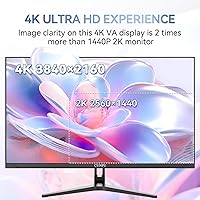
Image Sharpness
88%
At 163 PPI across a 32-inch screen, the jump from 1080p is immediately apparent to nearly every buyer who reviews this display. Text in documents looks crisp and tight, and high-resolution photos or 4K video content reveal detail that genuinely impresses at this price tier.
Some users note that scaling on Windows needs careful configuration to avoid blurry UI elements, which can frustrate less technical buyers. At typical desk distances, the sharpness advantage over a 27-inch 4K display is also less pronounced than some expect.
Color Accuracy
74%
26%
Out of the box, most buyers describe colors as vivid and well-saturated — a noticeable step up from budget 1080p panels. For casual photo editing, social content, and streaming, the color presentation earns consistent praise in everyday home use.
The DCI-P3 and sRGB coverage figures are manufacturer-claimed and unconfirmed by independent lab testing, which is a real concern for anyone doing color-critical work. A handful of users report the factory calibration skews slightly warm and benefits from manual adjustment.
Contrast & Black Levels
83%
The 3500:1 contrast ratio, characteristic of a VA-type panel, produces genuinely deep blacks that hold up well when watching darker content like films or thriller games. Users consistently note that shadow detail is better here than on comparably priced IPS alternatives.
Some buyers report subtle backlight bleed along the edges, particularly in the corners, which becomes visible when viewing dark scenes in a dim room. Panel uniformity is not perfectly consistent across all units, suggesting some variance in manufacturing quality control.
Brightness
53%
47%
In a controlled indoor environment with curtains drawn or overhead lighting managed, 300 nits is functional enough for comfortable extended use. Users in darker home office setups rarely flag brightness as an issue in their day-to-day experience.
This is the most consistently raised frustration in user feedback — 300 nits falls noticeably short the moment ambient light picks up. Anyone working near a window or in a bright open-plan space will find the screen washes out and eye strain follows quickly.
HDR Performance
41%
59%
HDR10 is technically present, and on well-mastered content the contrast improvement over standard SDR is mildly perceptible in very dark scenes. For buyers who have never used an HDR display before, the HDR badge at least opens the door to the format.
At 300 nits, this display cannot deliver the highlights or dynamic range that make HDR meaningful — seasoned users describe the HDR mode as largely cosmetic. Several reviewers recommend simply leaving HDR disabled and calibrating the SDR picture instead for better overall results.
Stand & Ergonomics
46%
54%
The stand ships pre-assembled in most units, making initial setup fast and requiring no tools. For users who happen to have their desk height and chair already in a fixed, comfortable position, the tilt-only adjustment may be sufficient from day one.
The lack of height or swivel adjustment is a recurring complaint, particularly among users who work long hours and need to fine-tune their monitor position for neck comfort. Multiple reviewers describe the stand itself as feeling lightweight and slightly wobbly for a 32-inch panel, which undermines confidence during adjustments.
Build Quality
61%
39%
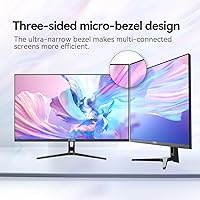
The thin bezel design gives the monitor a cleaner, more modern appearance than older budget displays, and the matte plastic chassis looks reasonably tidy on a desk. Several buyers comment that the overall fit and finish exceeded their expectations for the price bracket.
Closer inspection reveals the plastics feel lightweight and flex more than those on established brand competitors. Given that CUNPU is a newer manufacturer, there is limited data on how the chassis and internal components hold up after one or two years of daily use.
Connectivity
79%
21%
Having two HDMI 2.0 ports alongside a DisplayPort 1.4 input covers most real-world multi-device setups — users frequently mention switching between a laptop and a desktop or a PC and a console without needing a switch box. The inputs are clearly labeled and easy to access on the back panel.
The absence of USB-C is a notable gap for MacBook or modern laptop users who prefer a single-cable connection. It is also worth noting that HDR is explicitly unsupported via the DisplayPort input, which narrows its utility for buyers specifically relying on that connection for HDR content.
PIP and PBP Modes
72%
28%
The dual-source display modes work as advertised and are genuinely useful for users who want to reference a secondary device — coding while monitoring a secondary screen, or keeping a video call in a corner window while working. Setup through the OSD is manageable once you locate the right menu.
The OSD navigation for configuring PIP and PBP is not particularly intuitive, and a few users report needing to consult external guides to get it working correctly. Resolution scaling in PBP mode can feel cramped depending on the content being displayed side by side.
OSD & Setup Experience
68%
32%
Most buyers describe the initial unboxing and physical setup as quick and uncomplicated, with the stand attaching without tools and basic input detection working automatically. For plug-and-play productivity use, you can be up and running within minutes.
The on-screen display menu has a learning curve — button placement and menu hierarchy are not immediately obvious, and several users needed a few sessions before navigating it confidently. The manual included in the box is minimal and not particularly helpful for troubleshooting display settings.
Gaming Performance
57%
43%
For casual console gaming via HDMI, the 4K resolution and strong contrast make visually rich games look impressive, and users playing slower-paced or narrative titles report an enjoyable experience. The matte screen coating also reduces distracting reflections during longer gaming sessions.
The unspecified refresh rate — almost certainly 60Hz — and lack of adaptive sync support make this display a poor fit for fast-paced or competitive gaming where motion clarity matters. Buyers coming from a 144Hz or higher refresh rate monitor will notice the difference immediately and find it hard to go back.
Value for Money
81%
19%
For buyers whose priority is a large, sharp 4K screen for everyday productivity and media consumption on a limited budget, this display punches above what you might expect at its price point. The sheer amount of screen and resolution per dollar is the most consistently praised attribute in positive reviews.
The value proposition weakens for buyers who need brightness, verified color accuracy, ergonomic flexibility, or reliable long-term brand support — those needs push the conversation toward spending more. If you factor in the likely cost of a monitor arm to compensate for the limited stand, the total outlay rises noticeably.
Panel Type Transparency
38%
62%
The contrast performance and deep black levels are consistent with what a VA panel delivers, and if the display is indeed VA as stated in the title, that is genuinely a good fit for the content types this monitor targets. Buyers who receive a well-calibrated VA unit tend to be satisfied.
The outright inconsistency between the product title calling it VA and the description referencing IPS is a trust issue that several informed buyers have flagged and remains unresolved. Until CUNPU clarifies this publicly or independent reviewers confirm the panel type, buyers are making a partially informed purchase.
Matte Screen Coating
76%
24%
The anti-glare matte finish does a solid job reducing reflections in typical home office lighting, and users appreciate not having to reposition themselves or close blinds to see the screen clearly. For prolonged reading and document work, the non-reflective surface reduces visual fatigue.
A small number of users feel the matte coating introduces a subtle graininess to the image that is particularly visible on white or pastel backgrounds. Buyers accustomed to glossy panels may find the coating dulls the perceived vibrancy of colors slightly.
Brand Reliability
44%
56%
Early adopters who have used the display for several months without issues report a generally positive experience, and the product has accumulated enough reviews to suggest it is not a fly-by-night listing. Customer service responses appear prompt in a portion of documented cases.
CUNPU has essentially no established track record in the monitor market, which means long-term durability, firmware support, and warranty claims are genuine unknowns. Buyers who have had issues report mixed experiences with resolution speed, and there is no third-party repair ecosystem to fall back on.

Suitable for:

The CUNPU 32-inch 4K UHD Computer Monitor is a strong fit for home office workers who spend most of their day in documents, spreadsheets, or browser tabs and want noticeably sharper text without spending heavily. Students who multitask across multiple windows will appreciate the generous screen real estate — at 32 inches and 4K resolution, there's real breathing room compared to a typical 24-inch 1080p setup. Hobbyist photographers and video editors working on personal projects can take advantage of the wide color gamut coverage, provided they're not delivering work to professional print or broadcast standards. Casual console gamers connecting a PS5 or Xbox via HDMI will get a visually impressive picture, particularly in darker scenes where the high contrast ratio helps blacks look genuinely deep. Anyone upgrading from a 1080p monitor for the first time will likely be struck by how much more detail and clarity the panel reveals in everyday content.
Not suitable for:

The CUNPU 32-inch 4K UHD Computer Monitor is not the right choice for users working in brightly lit rooms or near windows, since 300 nits of peak brightness simply isn't enough to compete with strong ambient light. Competitive gamers should look elsewhere — the refresh rate is unspecified and almost certainly not high enough for fast-paced titles where motion clarity and response time are critical. Professional colorists, retouchers, or anyone delivering work to clients should be cautious: the DCI-P3 and sRGB coverage figures are manufacturer-claimed and unverified by independent testing, which matters when color accuracy is non-negotiable. The panel type inconsistency between the product title and description is also a genuine concern — buyers who specifically need a VA or IPS panel for technical reasons deserve a clearer answer before committing. Finally, those who require ergonomic flexibility — particularly height adjustment — will find the stand limiting and may need to budget separately for a monitor arm.
Specifications

  • Screen Size: The display measures 32 inches diagonally, offering substantial workspace for multitasking and content consumption.
  • Resolution: Native resolution is 3840×2160 pixels (4K UHD), delivering a pixel density of approximately 163 PPI for sharp, detailed imagery.
  • Panel Type: Listed as a VA panel in the product title, though the product description inconsistently references IPS — buyers should confirm before purchasing.
  • Brightness: Peak brightness is rated at 300 nits, which is adequate for dim to moderately lit rooms but limiting in bright or sunlit environments.
  • Contrast Ratio: Static contrast ratio is 3500:1, enabling noticeably deep blacks and strong shadow detail compared to typical IPS panels.
  • Color Gamut: Manufacturer claims 100% sRGB and 100% DCI-P3 coverage, along with support for 1.07 billion colors — figures that are unverified by independent testing.
  • HDR Support: HDR10 is supported, though real-world HDR impact is modest given the 300-nit brightness ceiling.
  • Refresh Rate: No refresh rate is officially specified in the product listing, which suggests a standard 60Hz output typical of productivity-focused displays.
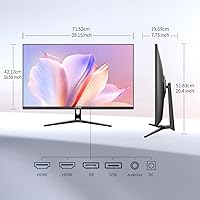
  • Connectivity: The monitor includes two HDMI 2.0 ports and one DisplayPort 1.4 input; note that HDR is not supported through the DisplayPort connection.
  • Viewing Angle: Rated at 178° horizontally and vertically, allowing good visibility from wide off-axis positions.
  • Bezel Design: Features a three-sided ultra-thin bezel, minimizing visual borders on the top and both sides of the screen.
  • PIP and PBP: Picture-in-Picture and Picture-by-Picture modes are supported, enabling two input sources to be displayed simultaneously on a single screen.
  • VESA Compatibility: The monitor is VESA 75×75mm compatible, making it straightforward to mount on most third-party monitor arms or wall mounts.
  • Stand Adjustment: The included stand supports tilt adjustment only; height, swivel, and pivot adjustments are not available.
  • Screen Surface: The panel uses a matte anti-glare coating to reduce reflections in typical indoor lighting conditions.
  • Aspect Ratio: Standard 16:9 widescreen aspect ratio, suited to most productivity, media, and gaming content.
  • Dimensions: With the stand attached, the monitor measures approximately 28.15″ wide, 20.4″ tall, and 7.75″ deep.
  • Weight: Total unit weight including the stand is 16.91 pounds, which is typical for a 32-inch display of this class.
  • Brand: Manufactured by CUNPU, a relatively new brand with limited long-term market presence or independent review history.
  • Model Number: The official model number is S027/32/34ES, as listed in the product specifications.

Related Reviews

ViewSonic VX3267U-4K 32-inch 4K IPS Monitor

74%
91%
Image Sharpness
83%
USB-C Functionality
76%
Color Accuracy
54%
HDR Performance
47%
Stand & Ergonomics
More
ViewSonic VP3256-4K 32-Inch 4K UHD Monitor
88%
94%
Display Quality
92%
Color Accuracy
88%
Ergonomics & Comfort
86%
Build Quality
90%
Ease of Setup
More
ViewSonic VP3268A-4K 32-inch 4K UHD IPS Monitor
86%
94%
Color Accuracy
88%
Ergonomics/Comfort
91%
Build Quality
83%
HDR Performance
85%
Connectivity Options
More
ViewSonic VX3276-4K-MHD 32-inch 4K Monitor

76%
91%
Image Clarity & Sharpness
74%
Color Accuracy
86%
Contrast & Black Levels
61%
HDR Performance
58%
Refresh Rate & Motion Handling
More
Gawfolk GF320F 32-Inch 4K UHD Monitor
72%
88%
Image Clarity
83%
Contrast & Color Depth
51%
Brightness
74%
Color Accuracy
81%
Viewing Angle
More
LG 32SQ780S 32-Inch 4K UHD Monitor
82%
91%
Display Quality
87%
Ergonomics and Adjustability
83%
Smart Features (webOS & ThinQ)
89%
Connectivity Options
78%
Ease of Setup
More
BenQ EW3280U 32-inch 4K UHD Monitor
83%
94%
Display Quality
91%
Color Accuracy
78%
Ease of Setup
70%
Audio Performance
89%
Connectivity
More
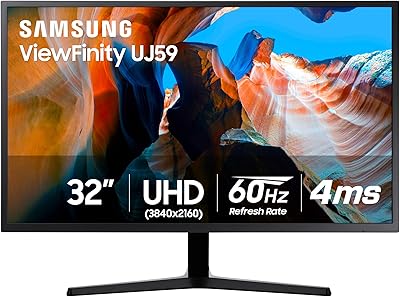
Samsung 32″ UJ59 4K UHD Monitor
74%
91%
Image Clarity & Resolution
83%
Color Reproduction
88%
Contrast & Black Levels
61%
Gaming Performance
43%
Ergonomics & Stand Design
More
LG 32″ 4K UHD webOS Smart Monitor
76%
86%
Picture Quality
83%
Smart Platform (webOS)
88%
USB-C Connectivity
84%
AirPlay 2 & Apple Ecosystem
74%
Value for Money
More
Dell G3223Q 32-inch 4K UHD Gaming Monitor
85%
92%
Display Quality
90%
Gaming Performance (144Hz, 1ms)
88%
Ergonomics & Comfort
85%
Build Quality & Design
75%
Connectivity & Ports
More

FAQ

It is native 4K — the panel runs at a true 3840×2160 resolution without upscaling. At 163 pixels per inch on a 32-inch screen, the sharpness is genuine and noticeable when viewing high-resolution content or fine text.

Yes, both consoles connect via HDMI 2.0, which supports 4K at 60Hz. You won't get 120Hz output since that requires HDMI 2.1, but for 4K gaming at 60 frames per second, it works well.

Honestly, not dramatically so. HDR10 is technically supported, but meaningful HDR requires significantly higher peak brightness — typically 600 nits or more for entry-level HDR, and 1000+ for premium results. At 300 nits, you'll see mild improvement in contrast on HDR content, but don't expect a cinematic transformation.

This is a legitimate concern, and the inconsistency in the product listing doesn't help. The title states VA, while the description references IPS in one section. Based on the 3500:1 contrast ratio spec — which is characteristic of VA panels — it is most likely a VA display, but we'd recommend reaching out to CUNPU directly to confirm before purchasing if panel type matters to your workflow.

For hobbyist use, it's a reasonable option — the wide color gamut coverage and 4K resolution give you accurate-looking colors and fine detail. That said, the color figures are manufacturer-claimed and unverified by independent calibration labs. If you're editing work destined for professional print or broadcast, a factory-calibrated display with verified coverage data would be a safer choice.

No — the included stand only tilts. There is no height, swivel, or pivot adjustment built in. If ergonomics are important to you, a VESA monitor arm is a practical solution since the display is 75×75mm VESA compatible.

This is one of the weaker points of the display. At 300 nits, it can struggle against strong ambient light or direct sunlight coming through a window. In a controlled or dim environment it looks great, but if your workspace is particularly bright, you may find yourself squinting or adjusting constantly.

Yes. Picture-by-Picture mode lets you display two full-resolution inputs side by side on the same screen simultaneously. This works well if you have a laptop and a desktop, for instance, and want to reference or transfer between them without switching inputs manually.

Most users find 32 inches comfortable at a normal desk viewing distance of roughly 2 to 3 feet. At 4K resolution, you can scale things comfortably without the screen feeling overwhelming. That said, if your desk is particularly shallow and you sit very close, some people find 32 inches slightly large for extended text-heavy work.

That's a fair question. CUNPU is a newer brand without the track record of established names, which makes long-term durability harder to assess. Early buyer feedback has been generally positive, but warranty service, replacement parts, and customer support responsiveness over the years remain unknowns. If brand reliability and after-sales support are priorities for you, that's worth factoring into your decision.