


Overview

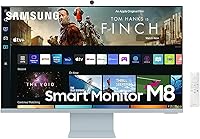
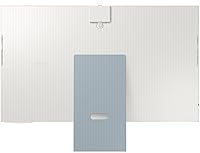
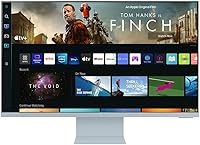
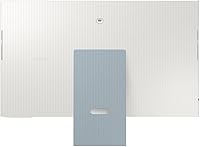
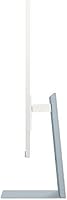
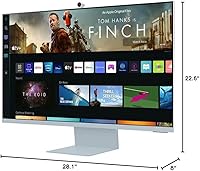
The Samsung M8 32-Inch 4K Smart Monitor arrived in 2022 as something genuinely hard to categorize — part desktop display, part streaming TV, part productivity hub. Samsung pitched it at people who want one screen to handle everything, and that pitch holds up surprisingly well in practice. The design is striking: slim, flat-backed, and available in four lifestyle colors that make most monitors look like office equipment by comparison. That said, this smart monitor is clearly built for a specific type of user. If you need high refresh rates for gaming or a no-frills workhorse display, it probably isn't your match.

Features & Benefits

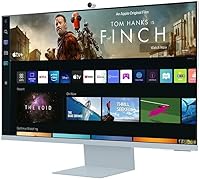
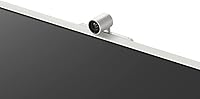
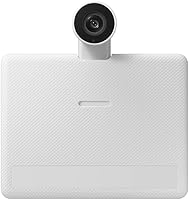
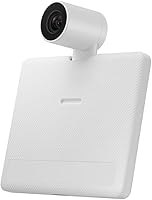
The M8 display runs on Samsung's Tizen smart TV platform, meaning you can open Netflix, YouTube, Prime Video, or HBO directly from the home screen — no laptop, no streaming stick, nothing extra plugged in. The 32-inch 4K panel is sharp for desk work and media consumption, with crisp text and vivid color reproduction. The included SlimFit webcam clips on magnetically, tilts, and detaches entirely when not needed, making it practical for daily video calls. Productivity tools like Microsoft 365 and Samsung DeX round things out nicely. Honest caveat: the 60Hz refresh rate is a real ceiling for anyone who plays fast-paced games.

Best For

This smart monitor makes the most sense for home office users who want their setup to pull double duty — handle work during the day and stream shows at night, without extra hardware involved. It's also a strong pick for smaller spaces like bedrooms or studio apartments where fitting both a TV and a monitor isn't realistic. Samsung ecosystem users get real value from DeX and mobile integration that others simply won't access. The color choices — white, pink, blue, green — appeal to buyers who care about how their workspace looks. It's a niche product, and being honest about that matters.

User Feedback

Owners of Samsung's all-in-one screen consistently praise the image quality and the convenience of having streaming apps built right in — many report it replaced both a monitor and a bedroom TV without issue. The webcam earns solid approval too. Where pushback shows up is on audio: the built-in speakers are functional, but underwhelming. The Smart Hub interface draws mixed reactions, with some finding navigation intuitive and others reporting occasional sluggishness. A number of buyers also question whether the premium pricing is justified for a 60Hz LED panel. Setup is generally painless, though a few flag the limited port selection as a minor frustration.

Pros

  • Built-in Netflix, YouTube, and Prime Video mean you never need a separate streaming device plugged in.
  • The 4K resolution makes text and images genuinely crisp for all-day desk work.
  • The SlimFit webcam is practical — it tilts, detaches cleanly, and includes a privacy cover for peace of mind.
  • Microsoft 365 and remote PC access work without a computer present, which is rare at any screen size.
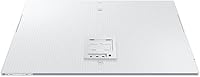
  • The slim, flat-backed design looks noticeably better on a desk than most monitors in this category.
  • Color options like pink, blue, and green make it one of the few monitors that fits a lifestyle-focused workspace.
  • Samsung TV Plus adds free live and on-demand content with no account or subscription required.
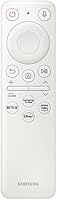
  • The included remote control makes navigating streaming apps from across the room genuinely convenient.
  • USB-C connectivity simplifies cable management for laptop users who want a single-cable setup.
  • Build quality is consistently praised by owners — it feels premium rather than plasticky.

Cons

  • The 60Hz refresh rate makes this smart monitor a non-starter for anyone who plays fast-paced or competitive games.
  • Built-in speakers are underwhelming — expect thin audio that won't satisfy anyone past casual background viewing.
  • The Smart Hub interface can feel sluggish to navigate, especially compared to a dedicated streaming device.
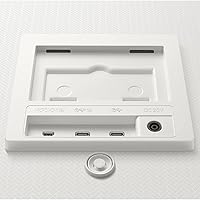
  • Port selection is limited, which becomes frustrating when you need to connect multiple peripherals simultaneously.
  • The premium price is difficult to justify on display specs alone if streaming and webcam features aren't central to your use case.
  • App availability on Tizen is narrower than on Roku or Fire TV, so niche streaming services may be missing.
  • The 32-inch size at 4K sits in an awkward spot — optimal viewing distance for 4K sharpness is closer than most desk setups allow.
  • Remote PC access, while useful, depends on a stable network and a secondary machine, limiting its real-world reliability.
  • Some users report occasional software quirks or firmware hiccups that require a reboot to resolve.

Ratings

The scores below reflect an AI-driven analysis of verified global buyer reviews for the Samsung M8 32-Inch 4K Smart Monitor, with spam, bot-submitted, and incentivized feedback actively filtered out before scoring. Each category is weighted against real-world usage patterns reported by actual owners — not spec sheets or manufacturer claims. Both the standout strengths and the recurring frustrations are honestly reflected in every score you see here.

Picture Quality
84%
Owners consistently praise the 4K sharpness for desk work and media consumption, noting that text rendering is crisp enough for long writing or reading sessions without eye strain. Streaming HDR content on Netflix and Prime Video looks genuinely vibrant, with colors that hold up well in typical room lighting.
The LED panel's contrast performance falls noticeably short of OLED alternatives at a similar price tier, with some users reporting that dark scenes in movies look washed out or lack real depth. Color accuracy also isn't certified for professional creative work, which limits its appeal for designers or photographers.
Smart TV Experience
88%
The built-in Tizen platform is widely praised for working reliably right out of the box — no dongle, no extra subscription, just Wi-Fi and you're watching Netflix within minutes. Samsung TV Plus adds a surprising amount of free live content that owners genuinely use, not just a checkbox feature.
The Tizen app library is narrower than competing platforms like Roku or Fire TV, and a handful of buyers report that less common streaming services are missing entirely. Navigation through the Smart Hub can feel slightly sluggish compared to a dedicated streaming stick, particularly when switching between multiple apps in quick succession.
Webcam Quality
81%
19%
The SlimFit webcam earns genuine appreciation from hybrid workers who use it daily — video call quality is solid for professional meetings, and the magnetic attachment makes repositioning it between desk angles quick and effortless. The detachable design with a built-in privacy cover is a practical detail that users notice and value.
In lower light conditions, the webcam image quality drops noticeably, which can be a problem for home office setups without good ambient lighting. A small but vocal group of users also notes that the webcam's field of view is a bit narrow, which makes it less ideal for shared desk setups or group calls.
PC-Free Productivity
73%
27%
For light productivity tasks like editing a Google Doc, attending a video meeting, or checking emails, the M8 display holds up surprisingly well without any PC involved. The remote PC access feature adds real value for users who need occasional access to a more powerful machine without being physically at their desk.
The PC-less experience has clear limits — resource-heavy tasks, complex spreadsheets, or anything requiring specialized software quickly expose the platform's constraints. Microsoft 365 runs acceptably, but users accustomed to a full desktop environment will notice the reduced responsiveness and occasional interface friction.
Design & Aesthetics
91%
The slim, flat-backed chassis and available color options make this one of the few monitors that buyers describe as something they actively wanted on their desk rather than something they settled for. The overall build feels premium at first touch, and the minimal cable design keeps setups looking clean.
The color options, while visually appealing, are a double-edged decision — buyers who repaint or redecorate their workspace later may find a pink or green monitor harder to integrate. A few owners also note that the glossy surfaces near the base attract fingerprints and dust more than expected.
Audio Performance
47%
53%
The built-in speakers are adequate for background music during a casual workday or for occasional video call audio, covering basic use cases without needing to plug in anything extra. Volume output is sufficient for a quiet room at normal listening distances.
This is one of the most consistent criticisms across owner reviews — the audio sounds thin, lacks bass, and struggles to fill even a medium-sized room with satisfying sound. Most buyers who use this screen for regular movie or TV watching end up pairing it with a Bluetooth speaker or headphones within the first few weeks.
Gaming Performance
38%
62%
The 4K resolution does make slower-paced or casual games look visually rich, and the screen size is comfortable for single-player narrative titles where frame rate is less critical. Casual gamers who mainly play strategy or simulation games report few complaints.
The 60Hz refresh rate is a firm ceiling that no setting or update can change, and it shows immediately in fast-paced or competitive games where motion blur and input lag become obvious. Buyers who purchased this hoping to game alongside their work and streaming use are among the most disappointed voices in owner feedback.
Connectivity Options
67%
33%
The USB-C port that handles both video input and laptop charging in a single cable is a genuine convenience that regular users highlight, especially those working from a single-cable laptop connection. Wi-Fi and Bluetooth connectivity are reliable and straightforward to set up.
The overall port count feels thin for a premium-priced all-in-one display — only one USB 3.0 and one HDMI port leaves little room for multiple peripherals without a hub. Users who run a mouse, keyboard, external drive, and laptop simultaneously find themselves constantly swapping cables.
Setup Experience
82%
18%
The initial unboxing and assembly process is widely described as painless, with the stand snapping into place without tools and the webcam attaching magnetically in seconds. Connecting to Wi-Fi and accessing streaming apps is fast enough that most buyers are up and running within ten to fifteen minutes.
Firmware updates during first-time setup can stall the process unexpectedly, and a smaller group of users reports confusion around Samsung account requirements for unlocking certain productivity features. Remote PC setup in particular requires a bit more technical comfort than the rest of the experience suggests.
Value for Money
58%
42%
For buyers who genuinely use the full range of features — streaming, webcam, PC-free productivity, and DeX integration — the all-in-one nature does justify a premium over a standard display. Users who replaced both a monitor and a bedroom TV report feeling better about the overall value proposition.
Buyers who primarily want a high-performing desktop display frequently feel the price is hard to justify when comparable or superior panels are available without the smart features at a lower cost. The 60Hz panel and limited audio quality become particularly sore points when evaluated against what this smart monitor costs.
Software & Interface
63%
37%
The Tizen interface is generally clean and responsive enough for everyday navigation, and Samsung's Universal Guide feature for content recommendations works better than most owners expected from a monitor-class device. Regular firmware updates have addressed some early bugs.
Smart Hub navigation occasionally freezes or lags, and app load times are noticeably slower than on dedicated streaming devices. A subset of users also reports that certain settings reset after software updates, which requires manually reconfiguring preferences more often than it should.
Build Durability
79%
21%
The overall construction quality is consistently rated as solid by owners who have used this smart monitor for a year or more — no common reports of stand wobble, hinge degradation, or panel delamination. The materials feel appropriately premium for the price tier.
The slim design does mean the chassis flexes slightly under pressure, which makes some owners cautious about cleaning the panel or adjusting the tilt. The webcam's magnetic attachment, while convenient, occasionally shifts position on its own if the desk experiences vibration.
Ergonomics & Adjustability
71%
29%
Height adjustment is available and covers a practical range for most seated desk setups, and VESA mount compatibility gives users who prefer a monitor arm real flexibility. The tiltable webcam adds a layer of adjustability that rivals with fixed cameras simply can't match.
There is no swivel adjustment on the stand, which means repositioning the screen for different desk angles requires physically rotating the entire base. Users with multi-monitor setups or those who frequently share their screen with a colleague nearby find this limitation frustrating in practice.

Suitable for:

The Samsung M8 32-Inch 4K Smart Monitor is genuinely well-suited for home office users who want a single, uncluttered setup that handles both professional tasks and evening entertainment without requiring extra hardware. If your daily routine involves video calls, document editing, and then unwinding with a streaming service, this smart monitor covers all of it from one screen. People living in compact spaces — a studio apartment, a small bedroom, or a shared living situation — will appreciate not needing a separate TV and display eating up room. Samsung ecosystem users in particular get added value, since DeX integration and mobile device connectivity work noticeably better when everything is already within the same brand's software environment. Lifestyle-conscious buyers who care about how their desk looks, not just what it does, will also find the color options and slim profile genuinely appealing rather than just a marketing footnote.

Not suitable for:

Buyers who prioritize gaming performance should look elsewhere before considering the M8 display — a 60Hz refresh rate is a hard ceiling that no software update will change, and competitive or fast-paced gaming demands considerably more. The Samsung M8 32-Inch 4K Smart Monitor is also a poor fit for audio-focused users; the built-in speakers are passable for casual content but fall short for anyone who cares about sound quality without adding external speakers. Creative professionals who need color-accurate panels certified for photo or video production work will want to verify the display specs carefully, as this screen is optimized for versatility rather than color-grading precision. Users deeply embedded in non-Samsung ecosystems — Apple, Google, or Microsoft Surface setups — will find some of the productivity and mobile integration features either limited or unavailable. Finally, budget-conscious buyers comparing raw display specs per dollar may find that a traditional monitor at a lower price point simply delivers more panel performance for the money.

Specifications

  • Screen Size: The display measures 32 inches diagonally, offering a generous working area suitable for multitasking and media consumption at desk distance.
  • Resolution: Native resolution is 3840x2160 (4K UHD), delivering sharp text and detailed imagery across the full panel surface.
  • Panel Type: The screen uses LED display technology, which provides solid brightness and color reproduction for general office and entertainment use.
  • Refresh Rate: The panel runs at a fixed 60Hz refresh rate, which is adequate for productivity and streaming but not suited for fast-paced gaming.
  • HDR Support: HDR is supported, allowing compatible content from streaming platforms to display with improved contrast and highlight detail.
  • Webcam: The included SlimFit webcam is tiltable and fully detachable, with a built-in privacy cover for security when not in use.
  • Smart Platform: Samsung's Tizen OS powers the built-in smart TV functionality, giving direct access to Netflix, YouTube, Prime Video, HBO, and Samsung TV Plus.
  • Connectivity: The monitor connects via Wi-Fi and Bluetooth wirelessly, and includes HDMI, USB-C, and USB 3.0 ports for wired device connections.
  • Speakers: Built-in stereo speakers are included and functional for casual use, though they do not deliver high-fidelity audio output.
  • Dimensions: The monitor measures 28.1″ wide, 22.6″ tall, and 8″ deep with the stand attached.
  • Weight: The unit weighs 14.8 lbs with the stand, making it manageable to reposition but not truly portable in daily use.
  • Aspect Ratio: Standard 16:9 widescreen aspect ratio is used, consistent with the majority of streaming content and productivity applications.
  • Color Options: The M8 is available in four finishes — White, Pink, Blue, and Green — allowing buyers to match their workspace aesthetic.
  • PC-Free Tools: Without any connected computer, users can access Microsoft 365 apps, a built-in web browser, Samsung DeX, and remote PC functionality.
  • Included Items: The box includes the monitor, stand, SlimFit webcam, remote control, batteries, USB-C cable, and power cable.
  • Model Number: The official model identifier is LS32BM80BUNXGO, which can be used to verify compatibility with accessories and warranty claims.
  • Voltage: The unit operates at 110 volts, making it compatible with standard North American power outlets without an adapter.
  • Operating Temp: Safe operating temperature ranges from 10°C to 40°C, with an acceptable humidity range of 10% to 80% non-condensing.

Related Reviews
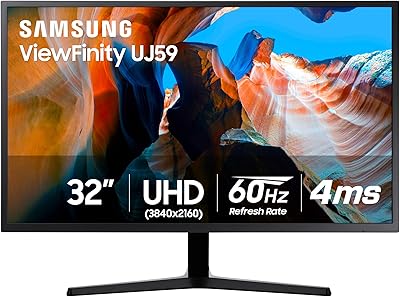
Samsung 32″ UJ59 4K UHD Monitor
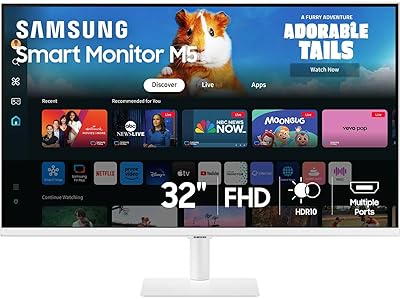
74%
91%
Image Clarity & Resolution
83%
Color Reproduction
88%
Contrast & Black Levels
61%
Gaming Performance
43%
Ergonomics & Stand Design
More
Samsung M50D 32-Inch FHD Smart Monitor
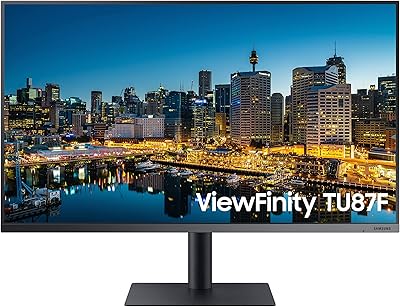
74%
88%
Smart TV Experience
58%
Image Sharpness
91%
Setup & Ease of Use
73%
Gaming Hub Value
83%
Samsung Ecosystem Integration
More
Samsung TU872 32-Inch 4K Monitor
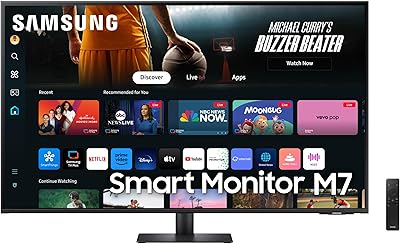
75%
88%
Image Clarity
84%
Thunderbolt 3 Connectivity
51%
Glare & Panel Surface
86%
Ergonomics & Stand
83%
Build Quality
More
LG 32″ 4K UHD webOS Smart Monitor
76%
86%
Picture Quality
83%
Smart Platform (webOS)
88%
USB-C Connectivity
84%
AirPlay 2 & Apple Ecosystem
74%
Value for Money
More
Samsung 43-Inch M7 4K UHD Smart Monitor
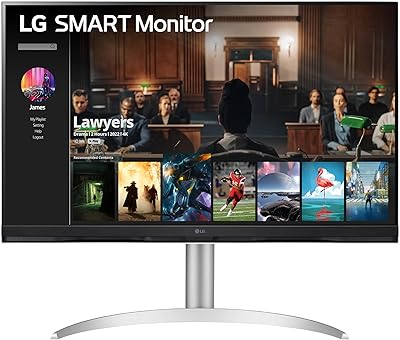
85%
94%
Display Quality
89%
Value for Money
86%
Gaming Performance
75%
Ease of Setup
92%
Eco-Friendly Features
More
Samsung Odyssey G70B 32-inch 4K Gaming Monitor

70%
84%
Image Quality
47%
HDR Performance
76%
Gaming Performance
53%
Panel Consistency
71%
Samsung Gaming Hub
More
Samsung 32-inch Q8F QLED 4K Smart TV
77%
88%
Picture Quality
91%
Color Accuracy
63%
Motion Handling
74%
Gaming Performance
69%
Smart TV Interface
More
ViewSonic VP3256-4K 32-inch 4K IPS Monitor

80%
93%
Color Accuracy
89%
Panel Clarity & Sharpness
88%
Build Quality & Stand
79%
USB-C Connectivity
86%
Ergonomics & Comfort
More
ViewSonic VX3267U-4K 32-inch 4K IPS Monitor

74%
91%
Image Sharpness
83%
USB-C Functionality
76%
Color Accuracy
54%
HDR Performance
47%
Stand & Ergonomics
More
ViewSonic VP3268A-4K 32-inch 4K Monitor
79%
93%
Color Accuracy
91%
Out-of-Box Calibration
88%
Build Quality
86%
Ergonomics & Stand
89%
Connectivity
More

FAQ

Yes, that is genuinely one of its strongest selling points. The built-in Tizen smart platform lets you stream, browse, and even work in Microsoft 365 without any PC attached. You do need a Wi-Fi connection, but beyond that, no external computer is required for most daily tasks.

Absolutely. You can connect a laptop via USB-C or HDMI and use it just like any other external display. The 4K resolution looks great for productivity work, and the USB-C connection can carry video and charge a compatible laptop simultaneously.

Honestly, not if gaming performance is your priority. The 60Hz refresh rate is a fixed limitation — you won't get the smooth motion that 144Hz or higher panels provide. For casual gaming or slower-paced titles it's fine, but competitive gamers should look at dedicated gaming monitors instead.

Most users find it genuinely good for everyday video conferencing on platforms like Google Meet or Zoom. The magnetic attachment makes it easy to position, and the fact that it detaches and has a privacy cover adds a layer of security that built-in webcams on laptops often skip.

They work fine as background audio while browsing or for occasional video calls, but if you plan to watch movies or listen to music regularly, you'll likely want to pair a Bluetooth speaker or connect headphones. The audio quality is functional rather than impressive.

Netflix, YouTube, Prime Video, and HBO are all accessible directly through the Tizen smart platform, along with Samsung TV Plus for free live content. The app library is decent but not as broad as Roku or Amazon Fire TV, so if you rely on a niche streaming service, it's worth checking availability before purchasing.

Yes, and that is actually one of the scenarios where the M8 display makes the most sense. The built-in streaming apps, remote control, and 32-inch screen make it a capable bedroom TV, while also serving as a desk monitor during the day. It's a practical dual-purpose setup for compact rooms.

Yes, AirPlay 2 is supported, so you can mirror or cast content from an iPhone or Mac directly to the screen without any adapter. It's a useful feature, though keep in mind the deeper Samsung DeX integration works exclusively with Samsung Android devices.

Most buyers report a smooth setup experience — connecting to Wi-Fi, signing into a Samsung account, and accessing streaming apps takes under ten minutes. The webcam snaps on magnetically with no tools required. A small number of users mention occasional firmware update prompts during first-time setup, which can add a few minutes.

The stand allows for height adjustment, which is helpful for ergonomic positioning. The monitor is also VESA mount compatible, so if you prefer a monitor arm for more flexibility or a cleaner desk setup, that option is available without any major modifications.

Where to Buy