
Overview
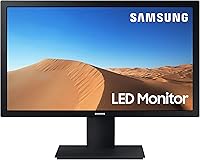
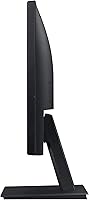
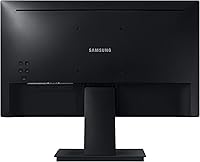
The Samsung S33A 22-Inch FHD Monitor is Samsung's straightforward answer to the demand for affordable, no-fuss displays that get the job done without breaking the bank. Built around a 22-inch VA panel, it fits comfortably on compact desks and works well as either a primary screen or a secondary one beside a laptop. The 1080p resolution is exactly what you'd expect at this size — sharp enough for documents, video calls, and general browsing. The design is clean and understated, with a slim black bezel and a lightweight body. Just don't expect adjustable ergonomics or creative-grade color accuracy. This is a practical, value-tier screen, and it doesn't pretend to be anything more.
Features & Benefits
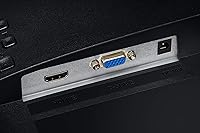
The 3000:1 contrast ratio is genuinely one of this Samsung monitor's strongest selling points. VA panels produce deeper blacks than IPS screens at a comparable price, and the S33A delivers on that front — dark scenes look noticeably richer than what you'd get from most budget IPS competitors. The 178-degree viewing angle means colors hold up reasonably well from the sides, which matters in shared office spaces. For anyone staring at a screen all day, the Flicker Free technology and Eye Saver Mode work quietly in the background to reduce strain. The HDMI and VGA ports cover both modern and legacy devices, and VESA mount support makes pairing with a monitor arm straightforward.
Best For
This 22-inch screen hits a sweet spot for anyone who needs a dependable display without spending much. It's a natural pick for remote workers and students who want a comfortable setup for long reading or writing sessions, and for offices where readability matters more than color-critical accuracy. The Game Mode adds some utility for casual play — bumping up shadow visibility in dark scenes — though anyone serious about gaming should look for higher refresh rates elsewhere. The inclusion of VGA alongside HDMI is a thoughtful touch for users still running older hardware. If desk space is tight, the VESA compatibility means a monitor arm is always a practical option.
User Feedback
Sitting at a 4.3-star average across over a hundred ratings, the S33A earns its score through consistency rather than spectacular highs. Buyers regularly mention how sharp text looks, how easy the monitor is to set up, and how the eye comfort features seem to make a real difference during long work days. The contrast is frequently called out as a standout quality at this price point. On the critical side, the glossy panel draws fair complaints — in bright rooms with overhead lights or nearby windows, glare can be distracting. The stand also offers very limited tilt adjustment, which frustrates users who care about ergonomics. Most buyers still feel they got solid value, with the trade-offs being manageable.
Pros
- The VA panel delivers a 3000:1 contrast ratio that produces noticeably deeper blacks than most IPS screens at a similar price.
- Text looks crisp and sharp at 1080p on a 22-inch screen, making it comfortable for long reading and writing sessions.
- Flicker Free technology and Eye Saver Mode genuinely reduce eye fatigue during extended work or study hours.
- The S33A supports both HDMI and VGA, making it compatible with a wide range of older and newer devices without adapters.
- VESA mount support gives users the option to pair it with a monitor arm and reclaim valuable desk space.
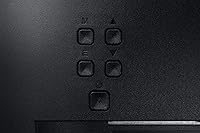
- Setup is straightforward out of the box, with minimal assembly and intuitive on-screen menu controls.
- The 178-degree viewing angle keeps the image consistent when viewed from the side, useful in shared or collaborative workspaces.
- At its price point, the build quality feels solid and the slim black design fits cleanly into most home or office setups.
- Game Mode adds visible shadow detail in dark scenes, which is a practical bonus for casual gaming sessions.
Cons
- The glossy screen surface reflects overhead lights and windows, which can be distracting in bright rooms.
- The stand offers only basic tilt adjustment — no height, swivel, or pivot options without a separate monitor arm.
- The refresh rate is standard 60Hz, which rules it out for anyone serious about fast-paced or competitive gaming.
- Color accuracy is average for the panel type, making it unsuitable for design, photo editing, or any color-sensitive work.
- The screen size tops out at 22 inches, which may feel limiting for users accustomed to larger displays or multi-window workflows.
- There is no built-in USB hub, so desk connectivity remains solely dependent on the two video input ports.
- The on-screen display menu can feel dated and slightly cumbersome to navigate compared to more recent monitor designs.
- Buyers in very bright environments may need to purchase a monitor arm or hood separately to manage glare effectively.
Ratings
The scores below reflect an AI-driven analysis of verified global buyer reviews for the Samsung S33A 22-Inch FHD Monitor, with spam, bot activity, and incentivized feedback actively filtered out before scoring. Each category is rated independently to give you an honest picture of where this screen genuinely delivers and where real buyers have run into frustrations. Both the highlights and the shortcomings are represented without sugarcoating.
Value for Money
Display Contrast
Eye Comfort
Setup & Ease of Use
Viewing Angles
Text Clarity
Build Quality
Stand & Ergonomics
Gaming Performance
Connectivity
Screen Surface
Color Accuracy
Portability & Weight
Suitable for:
The Samsung S33A 22-Inch FHD Monitor is a strong fit for anyone who needs a dependable everyday display without stretching their budget. Students setting up a first workstation will appreciate the compact 22-inch footprint, the easy plug-and-play setup, and the eye comfort features that help during long study sessions. Remote workers who spend hours reading documents, attending video calls, or managing spreadsheets will find the VA panel's contrast and wide viewing angle genuinely useful day-to-day. It also makes a smart secondary screen beside a laptop, adding real estate without demanding much desk space. Offices running a mix of older and newer hardware will value the rare combination of both VGA and HDMI inputs, which eliminates the need for adapters. Anyone who wants to mount their display on an arm will find the VESA compatibility a welcome practical touch.
Not suitable for:
The Samsung S33A 22-Inch FHD Monitor has clear limitations that make it a poor match for certain buyers, and it's worth being direct about them. Graphic designers, photo editors, or anyone who needs accurate, consistent color reproduction should look elsewhere — VA panels at this tier are not calibrated for color-critical work, and the glossy screen surface will compound the problem in well-lit rooms. Competitive or enthusiast gamers will find the screen underwhelming, as it lacks the high refresh rate and fast response time that demanding titles require. The stand offers only basic tilt adjustment, so users who need height, swivel, or pivot control will either need to invest in a monitor arm or feel the ergonomic shortfall quickly. If you regularly work in a bright environment with overhead lighting or large windows behind you, the glossy panel's tendency to catch reflections may become a persistent frustration rather than a minor inconvenience.
Specifications
- Screen Size: The display measures 22 inches diagonally, offering a compact footprint well suited to smaller desks and dual-monitor arrangements.
- Resolution: Native resolution is 1920x1080 (Full HD 1080p), which delivers clear, sharp imagery for everyday computing tasks at this screen size.
- Panel Type: The monitor uses a VA (Vertical Alignment) panel, which provides stronger contrast performance compared to IPS panels at a similar price tier.
- Contrast Ratio: A 3000:1 static contrast ratio produces noticeably deeper blacks and brighter whites, making dark scenes and high-contrast content look more defined.
- Aspect Ratio: The screen uses a standard 16:9 widescreen aspect ratio, compatible with virtually all modern video formats and operating system layouts.
- Viewing Angle: Both horizontal and vertical viewing angles reach 178 degrees, meaning the image stays consistent when viewed from wide off-axis positions.
- Screen Surface: The display features a glossy screen surface, which can enhance color vibrancy but may produce visible reflections in brightly lit environments.
- Connectivity: The monitor includes one HDMI port and one D-Sub (VGA) port, supporting both current-generation and legacy devices without requiring an adapter.
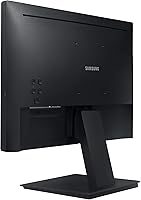
- VESA Mount: The rear panel is VESA mount compatible, allowing the monitor to be attached to a third-party monitor arm or wall mount bracket.
- Flicker Free: Flicker Free technology continuously stabilizes the backlight output to reduce screen flicker, which is a common contributor to eye fatigue during long sessions.
- Eye Saver Mode: Eye Saver Mode reduces the amount of blue light emitted by the screen, helping to minimize strain during extended evening or nighttime use.
- Game Mode: Game Mode adjusts on-screen contrast dynamically to bring out shadow detail in dark areas, providing a modest visibility improvement during casual gaming.
- Refresh Rate: The monitor operates at a standard 60Hz refresh rate, appropriate for general use and casual gaming but not suited to competitive or fast-paced gaming.
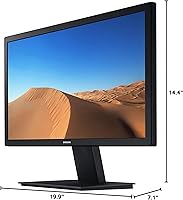
- Dimensions: Physical dimensions with the stand are 19.9 inches wide, 14.4 inches tall, and 7.1 inches deep, making it a compact unit for most desk configurations.
- Weight: The unit weighs 5.5 pounds including the stand, keeping it lightweight and easy to reposition or transport if needed.
- Color: The monitor is finished in black with a slim bezel design that blends into most home office and professional desk environments.
- Voltage: The monitor operates at 14 volts, and it is designed for use with the power adapter included in the box.
- Model Number: The official model identifier is LS22A330NHNXZA, which can be used to verify compatibility with replacement parts, drivers, or warranty claims.
Related Reviews
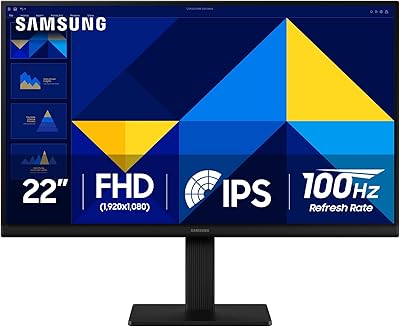
Samsung S30GD 22″ FHD Monitor
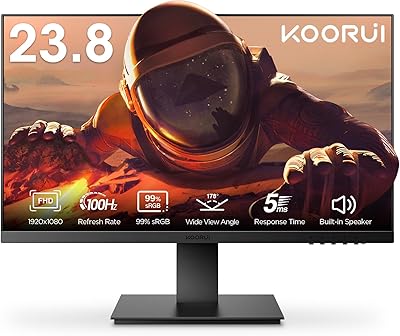
KOORUI P01 24-inch FHD Monitor
Samsung SR35 27-inch FHD Monitor
Samsung S22R350FHN 22-inch IPS Monitor
Samsung T37F 24-inch FHD IPS Monitor
Samsung FT45 24-Inch FHD IPS Monitor
Samsung S40GD 22-inch Business Monitor
Samsung M50D 32-Inch FHD Smart Monitor
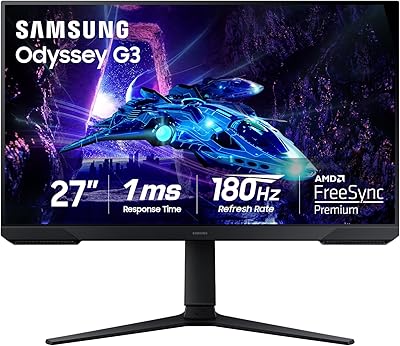
Samsung Odyssey G3 G30D 27″ Gaming Monitor