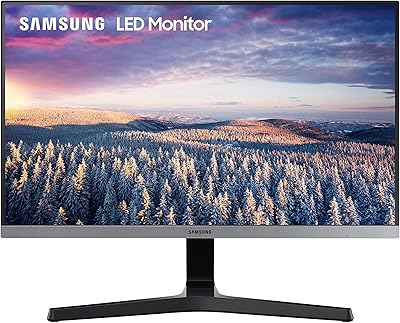
Samsung S40GD 22-inch Business Monitor

Overview
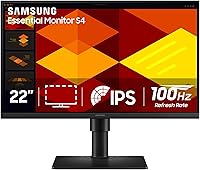
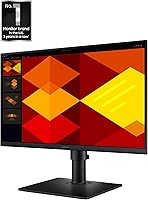
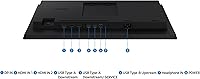
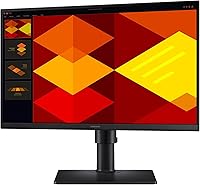
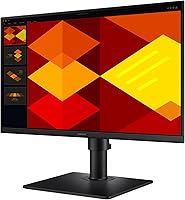
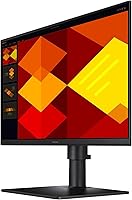
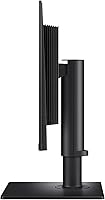
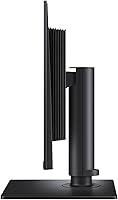
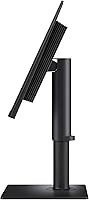
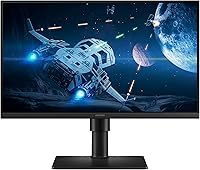
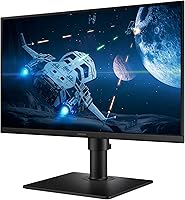
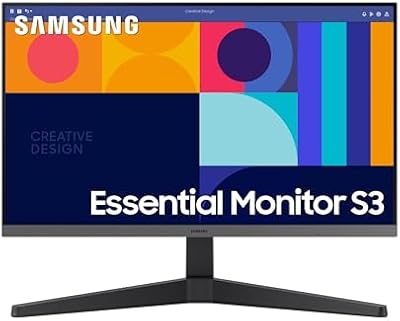
The Samsung S40GD 22-inch Business Monitor arrived in early 2025 as a practical, no-fuss option for professionals who want a reliable IPS display without paying premium prices. Its borderless IPS panel gives it a clean, modern look that fits naturally into shared office spaces or hybrid desk setups at home. At 22 inches, the footprint stays compact enough for tighter desks, yet the height-adjustable stand and pivot capability mean you are not locked into one position all day. Two USB 3.0 ports on the back add a level of convenience you do not always expect at this tier — plug in a keyboard, a drive, and you are set.
Features & Benefits
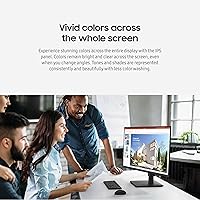
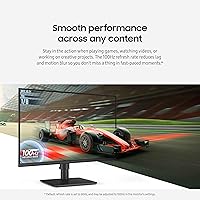
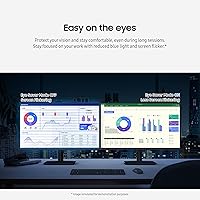
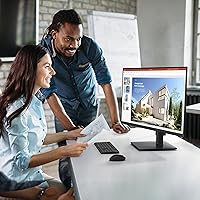
The IPS panel is where this 22-inch office display earns its keep. Colors stay accurate whether you are reviewing design mockups, working in spreadsheets, or watching a training video — and viewing angles are wide enough that a colleague leaning over your shoulder sees exactly what you see. The 100Hz refresh rate is not just a gaming spec; scrolling through long documents and switching between windows feels noticeably smoother than on a standard 60Hz panel. Eye Saver Mode handles blue light and flicker reduction, which matters more than most people realize during an eight-hour shift. Toss in the ultra-thin bezels and Game Picture Mode, and the S40GD covers a broader range of daily tasks than its business-focused label might suggest.
Best For
This Samsung business monitor makes the most sense for remote and hybrid workers who spend long hours at a desk and need a display that can adapt — raise the stand, pivot to vertical, done. IT managers outfitting multiple workstations on a controlled budget will appreciate the consistent IPS quality without over-speccing. If you are coming from an older 60Hz display, the jump to 100Hz will feel like a meaningful upgrade in day-to-day use. Students and freelancers who split time between productivity work and casual gaming will find the dual-purpose nature refreshing. The pivot feature also makes it a quiet favorite among developers and writers who prefer a vertical reading layout for code or long-form documents.
User Feedback
With around 93 ratings and a 4.6-star average, the S40GD is off to a solid start — though it is worth keeping that sample size in mind before drawing firm conclusions. Early buyers consistently praise the image clarity and stand build quality, noting that the ergonomic range feels premium for the price tier. A handful of users mention that out-of-box color calibration could use some fine-tuning before it looks its best, which is a fair consideration for color-sensitive work. The 22-inch size draws occasional comments from power users who wish they had gone larger for multitasking, but those upgrading from smaller screens tend to find it more than adequate for focused, single-task workflows.
Pros
- IPS panel holds color accuracy and wide viewing angles even during long collaborative sessions.
- The 100Hz refresh rate makes everyday scrolling and window-switching noticeably smoother than budget 60Hz displays.
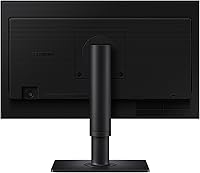
- Height adjustment and screen pivot work well and feel sturdy, not like an afterthought.
- Ultra-thin bezels keep the desk setup looking clean and work well in side-by-side multi-monitor arrangements.
- Eye Saver Mode with flicker-free and blue light reduction makes a real difference during eight-hour workdays.
- Two USB 3.0 ports on the monitor reduce cable clutter and hub dependency at the desk.
- The S40GD holds a 4.6-star average from early buyers, suggesting consistent build and performance quality.
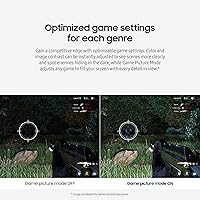
- Game Picture Mode gives this business display a practical dual-purpose edge for mixed-use households.
- Compact footprint fits smaller desks without sacrificing stand adjustability or screen usability.
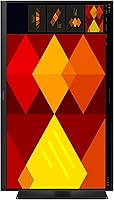
- Vertical pivot option is a genuine productivity boost for coding, long documents, and reading workflows.
Cons
- Out-of-box color calibration may need manual tweaking before it meets the expectations of color-sensitive workflows.
- At 22 inches and 1080p, the screen feels cramped for users who rely on multiple open windows simultaneously.
- No adaptive sync support limits appeal for users who want smooth gaming beyond basic frame rate improvements.
- The port selection is minimal — two USB 3.0 ports may not be enough for users with complex peripheral setups.
- With fewer than 100 ratings at launch, long-term reliability data is still limited compared to more established models.
- No built-in speakers means you will need external audio, which adds to desk clutter for some setups.
- The 1080p resolution cap makes it a poor fit for 4K content work or high-pixel-density display needs.
- Heavier users of productivity suites may outgrow the screen size faster than expected and regret not sizing up.
Ratings
The scores below reflect our AI-driven analysis of verified global user reviews for the Samsung S40GD 22-inch Business Monitor, with spam, incentivized submissions, and bot activity actively filtered out before scoring. Each category is evaluated on real-world usage patterns reported by buyers, not manufacturer claims, so both the strengths and the friction points are represented honestly. Where early adoption limits the sample size, scores are weighted conservatively to avoid overstating confidence.
Image Quality
Refresh Rate & Smoothness
Ergonomics & Stand
Eye Comfort
Build Quality
Bezel & Screen Space
Connectivity
Setup & Installation
On-Screen Display & Controls
Color Calibration Out of Box
Value for Price Tier
Gaming Performance
Brightness & Glare Handling
Suitable for:
The Samsung S40GD 22-inch Business Monitor is a strong fit for remote workers, hybrid professionals, and anyone spending the bulk of their day in front of a screen and wanting a display that adapts to them rather than the other way around. The height-adjustable, pivotable stand makes it genuinely useful for people who switch between landscape and vertical layouts — coders, writers, and document-heavy workers in particular will appreciate that flexibility. Small businesses or IT departments outfitting multiple desks on a controlled budget get reliable IPS consistency across every unit without the variance you sometimes see with cheaper panel types. Students and freelancers who use one monitor for everything — spreadsheets in the morning, a light gaming session at night — will find the 100Hz refresh rate and Game Picture Mode handle both roles without compromise. If you are upgrading from an aging 60Hz display and want a meaningful improvement in everyday smoothness, this 22-inch office display delivers that without asking you to overspend.
Not suitable for:
The Samsung S40GD 22-inch Business Monitor is not the right call for power users who rely on screen real estate to keep multiple windows, reference docs, and communication tools visible at once — 22 inches at 1080p simply does not give you enough breathing room for that kind of multitasking. Designers or photographers who need precise, out-of-box color accuracy may find the default calibration requires adjustment before the panel meets professional standards, which adds friction to an otherwise straightforward setup. The S40GD also tops out at 1080p, so anyone working with high-density content, 4K video editing, or fine-detail illustration will feel the resolution ceiling quickly. Competitive gamers should look elsewhere too — while 100Hz is a step up from 60Hz, serious gaming setups typically demand higher refresh rates and adaptive sync technologies this display does not offer. Finally, buyers who need extensive port variety beyond two USB 3.0 connections may find the connectivity options limiting for more complex desk configurations.
Specifications
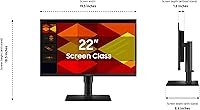
- Screen Size: The display measures 22 inches diagonally, providing a compact yet practical workspace footprint for desk environments.
- Panel Type: An IPS panel is used, which ensures consistent color reproduction and wide viewing angles compared to TN alternatives.
- Resolution: The native resolution is 1920x1080 (FHD 1080p), suitable for standard productivity tasks, video calls, and casual media consumption.
- Refresh Rate: The display runs at a maximum of 100Hz, reducing motion blur during fast-moving content compared to standard 60Hz panels.
- Aspect Ratio: The screen uses a 16:9 widescreen aspect ratio, which is the standard format for most modern software interfaces and video content.
- Bezel Design: Ultra-thin borderless bezels surround the panel on all sides, making it well-suited for side-by-side multi-monitor configurations.
- Stand Adjustments: The included stand supports height adjustment and a 90-degree pivot rotation, allowing both landscape and vertical screen orientations.
- Eye Care: Eye Saver Mode reduces blue light emission and eliminates screen flicker to help minimize eye fatigue during extended use.
- USB Ports: Two USB 3.0 ports are built into the monitor, enabling direct connection of peripherals without requiring a separate hub.
- Surface Type: The screen surface is flat, which reduces internal reflections and distortion compared to curved panel designs.
- Dimensions: The monitor measures 8.62 x 19.29 x 18.47 inches (depth x width x height) when assembled with the stand in place.
- Weight: The fully assembled unit weighs 7.05 pounds, making it manageable to reposition or transport between workspaces if needed.
- Color Finish: The monitor is available in black, with a matte plastic finish that blends into most standard office and home desk environments.
- Game Picture Mode: A dedicated Game Picture Mode adjusts contrast and image settings to fill the screen fully and enhance scene visibility during gaming.
- Model Number: The official Samsung model identifier for this unit is LS22D402GANXGO, which can be used for warranty registration and support inquiries.
- Availability Date: This monitor was first made available in February 2025, making it a relatively recent release within Samsung's business display lineup.
- Voltage: The monitor operates at 40 volts, and power requirements should be confirmed against local electrical standards before installation.
- Brand: Manufactured and sold by Samsung, a globally recognized electronics company with an established presence in the business monitor segment.
Related Reviews
Samsung S40GD 27-inch Business Monitor
Samsung S24D402GAN 24-inch Business Monitor
Samsung S22R350FHN 22-inch IPS Monitor
Samsung S43GC 24-Inch IPS Business Monitor
Samsung S27C432GAN 27-Inch Business Monitor
Samsung S33A 22-Inch FHD Monitor
Xiaomi A22i 22-Inch FHD Monitor
Samsung S30GD 22″ FHD Monitor
Samsung S33GC 24-Inch IPS Monitor