Overview
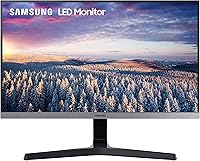
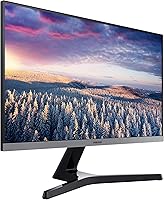
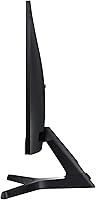
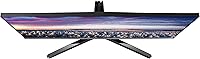
The Samsung SR35 27-inch FHD Monitor is a clean, no-fuss productivity display aimed at home office workers and students who want more screen without a complicated setup. Its three-sided near-borderless design and compact Y-shaped stand make it an obvious choice for anyone building a dual-monitor arrangement on a tight desk. The IPS panel is a genuine step up from the cheaper TN alternatives you find at this price tier — colors look more natural and off-axis viewing is noticeably better. The Dark Blue Gray finish is understated and fits comfortably alongside most modern setups. Just keep expectations in check: this is a workhorse display, not a creative or gaming rig.
Features & Benefits
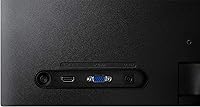
The IPS panel pays real dividends in daily use — sitting slightly off-angle, as you often do in a busy workspace, colors and contrast hold steady in a way a TN screen simply cannot match. Eye Saver Mode and flicker-free backlighting are genuinely useful for long work sessions; they take the edge off extended screen time without any noticeable impact on image quality. One honest caveat: at 27 inches, Full HD resolution starts to show its limits up close — text is clear enough, but fine detail will not be pixel-sharp. Dual connectivity via HDMI and D-Sub is practical, and the VESA-compatible panel makes arm or wall mounting straightforward.
Best For
This 27-inch IPS monitor is a natural fit for remote workers and students who spend most of their day in documents, spreadsheets, or video calls. The thin-bezel build makes it particularly appealing for dual-monitor setups where screen continuity matters. If you are moving up from a 21- or 24-inch display and do not want to spend heavily, the extra screen real estate genuinely changes how you work. The D-Sub port is worth noting for anyone still running an older desktop tower — a small detail that saves buying adapters. It is not the right pick for color-critical design work or fast-paced gaming, but for everyday productivity it covers the ground well.
User Feedback
With a 4.6-star average across nearly 800 ratings, the SR35 has clearly landed well with its target audience. Easy setup and image brightness come up repeatedly in positive reviews, alongside consistent praise for how much screen you get at this price. Most satisfied owners use it for office tasks, remote learning, or as a second screen — not gaming or photo editing, which is worth bearing in mind. On the critical side, a fair number of users flag pixel sharpness as a limitation when sitting close, which is a legitimate concern at this size and resolution. The stand's lack of height adjustment also surfaces often — if ergonomics matter to you, a monitor arm is worth budgeting for.
Pros
- IPS panel delivers noticeably better color accuracy and viewing angles than TN screens at a similar price.
- Eye Saver Mode and flicker-free backlighting make long work or study sessions easier on the eyes.
- Three-sided near-borderless design is ideal for clean, low-gap dual-monitor configurations.
- Compact Y-shaped stand has a small footprint, making it practical on cluttered or narrow desks.
- VESA compatibility gives you the flexibility to wall-mount or use a monitor arm without hassle.
- Both HDMI and D-Sub ports cover modern and legacy hardware without needing extra adapters.
- Setup is quick and straightforward — most users report being up and running in minutes.
- The understated Dark Blue Gray finish blends easily into modern home office or study environments.
- Strong 4.6-star rating across a large base of real buyers reflects consistent, reliable satisfaction.
- Universal voltage support makes it usable internationally without a separate power converter.
Cons
- At 27 inches, Full HD resolution produces a noticeably soft image for users who sit close to the screen.
- No height adjustment on the stand is a genuine ergonomic drawback for taller users or long work days.
- No pivot or swivel adjustment limits how you can position the SR35 on a shared or flexible desk.
- Only two ports total — users with multiple devices may need a switch or external hub.
- No built-in speakers means you will need external audio for video calls or media playback.
- 75Hz refresh rate is adequate for office use but leaves competitive or casual gamers underserved.
- The glossy screen surface can pick up reflections in bright rooms or near windows.
- No USB hub functionality, which is increasingly common on monitors at this price tier.
- Color gamut coverage is not specified for professional standards, limiting its use in design workflows.
Ratings
The scores below for the Samsung SR35 27-inch FHD Monitor were generated by our AI after analyzing verified buyer reviews from global markets, with spam, bot-submitted, and incentivized feedback actively filtered out. Each category reflects both what real users consistently praised and the genuine frustrations that surfaced across hundreds of honest assessments. Nothing has been softened — the strengths and the limitations are both represented as clearly as the data allows.
Value for Money
Image Quality
Eye Comfort
Build Quality
Stand & Ergonomics
Connectivity
Setup & Installation
Screen Design & Bezels
Brightness & Contrast
Gaming Performance
Color Accuracy
Port Accessibility
Dual Monitor Suitability
Suitable for:
The Samsung SR35 27-inch FHD Monitor is a strong match for remote workers, students, and anyone building a home office setup where screen comfort and clean aesthetics matter more than raw performance. If you spend most of your day in a browser, writing documents, attending video calls, or managing spreadsheets, the IPS panel and built-in eye-care features will serve you well over long sessions. It also makes a lot of sense as a second screen in a dual-monitor arrangement — the thin bezels keep the visual gap between displays minimal, and the compact stand base does not eat up precious desk space. Users upgrading from a 21- or 24-inch display will find the extra room genuinely useful for multitasking. The inclusion of both HDMI and D-Sub ports is a practical bonus for anyone still running older desktop hardware alongside a newer device.
Not suitable for:
The Samsung SR35 27-inch FHD Monitor is not the right tool for buyers who need sharp, pixel-dense output for close-up creative or technical work. At 27 inches with a 1080p resolution, pixel density sits around 82 PPI — noticeably softer than a QHD or 4K panel of the same size, which will frustrate graphic designers, photo editors, or anyone who scrutinizes fine detail on screen. Competitive gamers should also look elsewhere: the 75Hz refresh rate and 5ms response time are adequate for casual play but fall short of what a dedicated gaming monitor delivers. The stand offers only tilt adjustment, with no height or pivot options, which is a real ergonomic limitation for taller users or those who prefer a portrait orientation. If you need a display for color-critical professional work, the SR35 lacks the color space coverage and calibration accuracy that those workflows demand.
Specifications
- Screen Size: The panel measures 27 inches diagonally, offering a substantial workspace upgrade over typical 21- or 24-inch office displays.
- Resolution: Native resolution is 1920×1080 (Full HD), delivering standard HD clarity suited to everyday productivity and media consumption.
- Panel Type: An IPS (In-Plane Switching) panel is used, providing wider viewing angles and more natural color reproduction than entry-level TN alternatives.
- Aspect Ratio: The display uses a 16:9 widescreen aspect ratio, which is the standard format for office applications, video conferencing, and web browsing.
- Refresh Rate: The monitor runs at a 75Hz refresh rate, sufficient for general work and casual media use, though not optimized for competitive gaming.
- Response Time: Rated at 5ms response time, which is acceptable for productivity tasks but behind the 1ms panels found on dedicated gaming monitors.
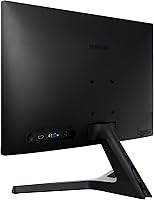
- Ports: Connectivity includes one HDMI port and one D-Sub (VGA) port, allowing simultaneous connection of two separate devices.
- VESA Support: The slim panel is VESA mount-compatible, enabling installation on a wall bracket or third-party monitor arm for flexible positioning.
- Stand Adjustment: The included stand supports tilt adjustment only; height, swivel, and pivot adjustments are not available without a third-party arm.
- Bezel Design: Three sides of the display feature a near-borderless bezel, making it visually clean and well-suited for side-by-side dual-monitor configurations.
- Eye Care: Eye Saver Mode reduces blue light output and flicker-free backlighting is built in, both aimed at reducing eye fatigue during extended use.
- Color: The unit is finished in Dark Blue Gray, a neutral and understated tone that fits comfortably in most modern home office or study environments.
- Dimensions: The monitor measures 24.08 × 18.22 × 9.86 inches (W × H × D) with the stand attached, giving it a compact physical footprint.
- Weight: Total weight with stand is 9.92 pounds, making it easy to reposition or transport if needed.
- Voltage: The power supply supports 100–240V universal input, so it can be used with standard outlets across different countries without a converter.
- Screen Surface: The display uses a glossy screen surface, which can enhance color vibrancy but may produce reflections in brightly lit rooms.
Related Reviews
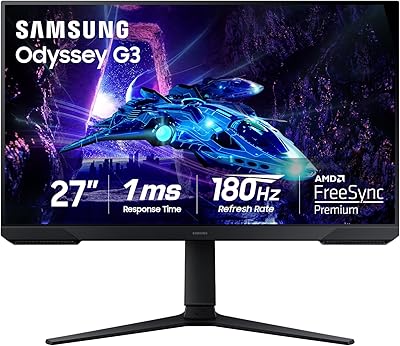
Samsung Odyssey G3 G30D 27″ Gaming Monitor
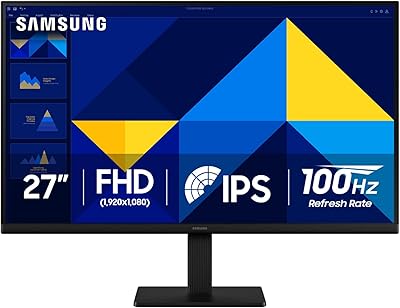
Samsung S30GD 27″ FHD IPS Monitor
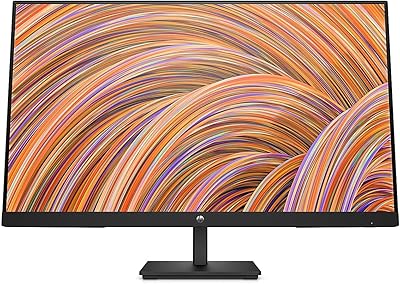
HP V27i 27-inch FHD IPS Monitor
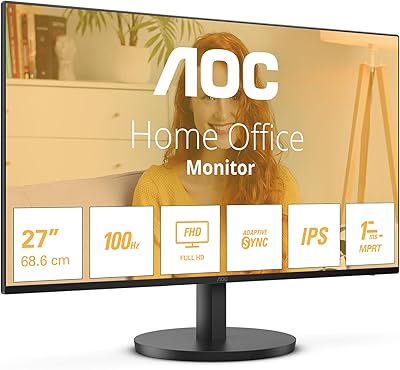
AOC 27B3HA2 27-Inch FHD Monitor
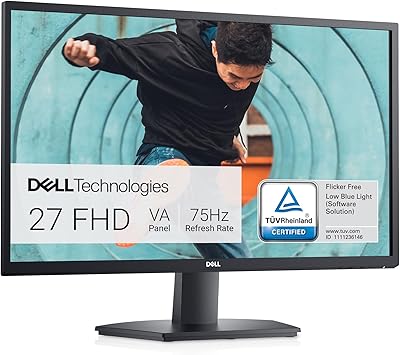
Dell SE2722HX 27-inch FHD Monitor
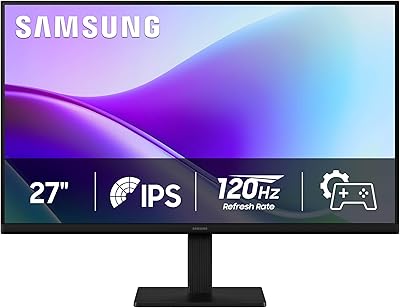
Samsung 27″ S32GF FHD IPS Monitor
Samsung Odyssey G50A 27-inch Gaming Monitor
Samsung FT45 24-Inch FHD IPS Monitor
Samsung S8 27-inch 4K IPS Monitor
