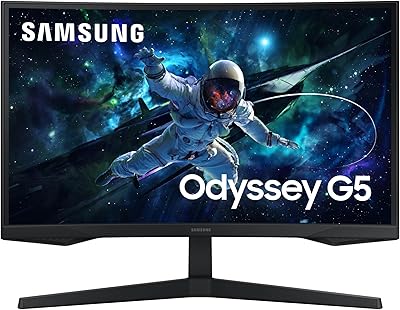
Overview

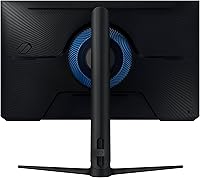
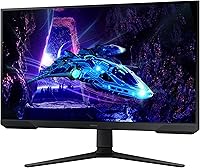
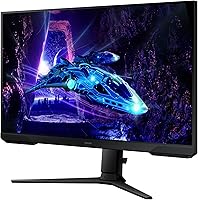
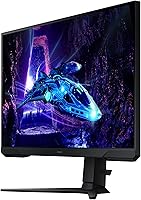
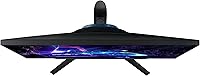
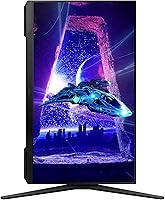
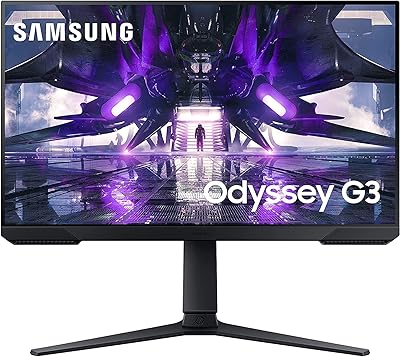
The Samsung Odyssey G3 G30D 27″ Gaming Monitor arrived in mid-2024 as Samsung’s most accessible entry into the Odyssey lineup, making a strong case for buyers who want reliable performance without a steep price. Built around a 27-inch VA flat panel at FHD 1080p, it’s clearly aimed at speed-focused gamers rather than anyone needing studio-accurate color reproduction. One genuinely pleasant surprise is the fully adjustable stand — height, tilt, swivel, and pivot are all included, which is rare at this price point. Worth noting: the glossy screen surface can be a factor if your setup gets significant ambient light.
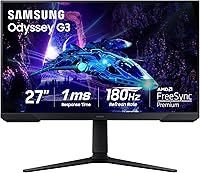
Features & Benefits

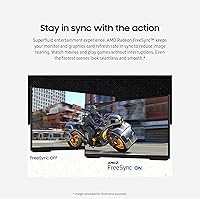
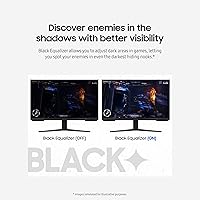
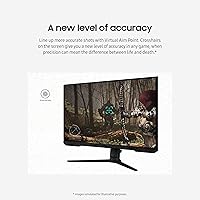
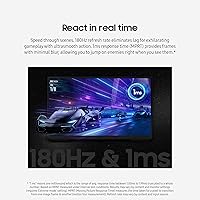
At 180Hz with 1ms response, the G30D keeps fast-paced action looking clean — transitions stay sharp during quick camera sweeps, and tracking moving targets feels noticeably more controlled than on standard 60Hz displays. AMD FreeSync integration works well with compatible GPUs, cutting out the screen tearing that ruins immersion mid-match. The Black Equalizer is one of those features you don’t realize you’ve been missing until you use it — pulling up shadow detail in dark environments gives you a genuine competitive edge in games like battle royales. Virtual Aim Point adds an on-screen crosshair, and the borderless three-sided design keeps dual-monitor arrangements looking tidy.

Best For

This Odyssey G3 is a natural fit for competitive FPS players who care more about reaction speed than pixel density — 180Hz at 1080p is exactly where this monitor thrives. If you’re currently on a 60Hz or 75Hz panel, the jump in fluidity is immediately obvious. It’s also a solid pick for students or hybrid home-office and gaming setups, where the ergonomic stand earns its keep during long workdays. AMD GPU owners get the added benefit of FreeSync running at full effectiveness. That said, creative professionals or buyers who strictly prefer 1440p sharpness on a 27-inch panel may find this Samsung gaming monitor falls short of those expectations.

User Feedback

Across more than 1,100 ratings and a 4.6-star average, the G30D has built a solid track record. The most consistent praise centers on how immediately noticeable the move to 180Hz feels, especially for buyers upgrading from budget 60Hz screens. The adjustable stand gets called out regularly as an unexpected bonus — multiple reviewers note it’s the kind of ergonomic flexibility you’d expect from a pricier display. On the critical side, some users find 1080p on 27 inches a touch soft compared to higher-resolution alternatives, particularly during desktop use. The glossy finish draws occasional complaints in bright rooms, and the absence of built-in speakers is noted, though rarely treated as a dealbreaker.

Pros

  • 180Hz refresh rate delivers genuinely smooth gameplay that’s a clear, immediate upgrade from 60Hz or 75Hz displays.
  • The fully adjustable stand — height, tilt, swivel, and pivot — is rare and genuinely useful at this price point.
  • AMD FreeSync works reliably to eliminate screen tearing without requiring a premium GPU.
  • Black Equalizer lets you tune shadow detail in dark game environments, giving a real competitive advantage.
  • Both HDMI and DisplayPort cables are included in the box, so you’re set up from day one.
  • Eye Saver Mode and flicker-free technology make extended gaming sessions noticeably less fatiguing.
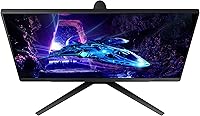
  • The 3-sided borderless design keeps dual-monitor arrangements looking clean and well-aligned.
  • Virtual Aim Point removes the need for third-party crosshair software in unsupported games.
  • Over 1,100 ratings with a 4.6-star average reflects strong, consistent buyer satisfaction.
  • The G30D punches above its price tier on build quality and stand ergonomics.

Cons

  • FHD 1080p on a 27-inch panel looks softer than 1440p alternatives, particularly during desktop or productivity use.
  • The glossy screen surface reflects ambient light and can cause glare in bright or window-facing rooms.
  • No built-in speakers means you’ll need external audio for any kind of desktop audio setup.
  • NVIDIA GPU users miss out on FreeSync benefits, as G-Sync compatibility is not guaranteed on this panel.
  • The VA panel’s color accuracy falls short for anyone doing creative or color-sensitive work.
  • No USB hub or built-in connectivity beyond HDMI and DisplayPort limits desk cable management options.
  • Buyers who need 1440p or 4K resolution for detailed single-player or cinematic games will find this limiting.
  • The glossy finish also shows fingerprints and dust more visibly than a matte-coated alternative.

Ratings

The Samsung Odyssey G3 G30D 27″ Gaming Monitor scores below are produced by our AI engine after analyzing thousands of verified global buyer reviews, with spam, bot-generated, and incentivized feedback actively filtered out. Ratings reflect genuine user experiences across both strengths and real-world frustrations, giving you a transparent picture of where this Odyssey G3 excels and where it falls short.
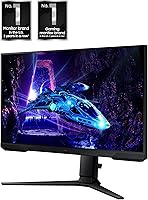
Gaming Performance
91%
Users who switched to this Odyssey G3 from 60Hz or 75Hz displays consistently describe the 180Hz experience as transformative for fast-paced titles. In competitive shooters and battle royales, the reduced motion blur makes tracking moving targets feel noticeably more controlled and responsive during actual matches.
The 1ms MPRT rating is a marketing-friendly measurement and real-world pixel response in complex scenes can be slightly longer, which some experienced monitor reviewers have noted. For the vast majority of casual-to-competitive gamers, though, this distinction rarely matters in practice.
Refresh Rate Value
88%
Getting 180Hz at this price tier is genuinely uncommon, and buyers repeatedly call it out as the single biggest reason they chose the G30D over competing options. The smoothness advantage over 144Hz panels is subtle but noticeable once you game side by side.
Reaching the full 180Hz requires a capable GPU and a DisplayPort connection — HDMI may cap output at lower rates depending on your hardware. Budget PC builds may not consistently push enough frames to fully utilize the refresh rate ceiling.
Ergonomics & Stand
93%
The fully adjustable stand — covering height, tilt, swivel, and pivot — is one of the most praised aspects of the G30D across user reviews, with many noting it rivals stands found on monitors costing significantly more. Students and hybrid workers especially appreciate being able to shift between a work-friendly upright position and a low gaming angle without tools.
The pivot function, which rotates the screen to portrait orientation, has a learning curve and the base can feel slightly less stable when the monitor is raised to its maximum height. It is not a major issue, but those who keep their monitors at full height extension may notice minor wobble when adjusting.
Image Clarity
67%
33%
For fast gaming at typical desk distances, 1080p on this 27-inch panel looks clean and sharp enough that most players do not feel deprived. Text in games renders crisply and colors have good punch for a VA panel in this category.
At 27 inches, 1080p produces a pixel density that is noticeably lower than a 1440p panel of the same size, and this becomes evident during desktop work, web browsing, or games with small on-screen text. Buyers coming from a high-DPI display or a smaller 24-inch 1080p screen may find the image quality step-down frustrating.
AMD FreeSync
84%
FreeSync works reliably and without configuration headaches for AMD Radeon GPU owners, keeping frame delivery smooth during frame-rate fluctuations that would otherwise produce visible tearing. Buyers consistently report that fast-moving scenes in racing games and shooters remain clean even when frame rates dip below the 180Hz ceiling.
NVIDIA GPU users cannot count on full FreeSync compatibility, as G-Sync Compatible certification is not confirmed for the G30D. Those running GeForce cards may experience inconsistent adaptive sync behavior, which partially undermines one of the monitor’s headline features.
Black Equalizer
82%
18%
The Black Equalizer feature earns genuine appreciation from users who play dark-environment-heavy games like horror titles or stealth shooters, where spotting enemies in shadowed corners can decide a match. It is configurable through the OSD and requires no software installation, making it immediately accessible.
Cranking the Black Equalizer too high washes out contrast in a way that makes scenes look unnaturally flat, so finding the right balance takes some experimentation. Users who play a wide variety of game genres may find themselves toggling it frequently rather than settling on a single sweet spot.
Screen Glare & Coating
61%
39%
In a controlled or dim gaming environment, the glossy coating actually makes colors look more vivid and saturated compared to typical matte-coated budget monitors. Users gaming in darker rooms or with bias lighting behind the display report a pleasant viewing experience with strong perceived contrast.
In normally lit rooms, particularly with windows behind or beside the desk, the glossy surface reflects light sources noticeably. A meaningful number of reviewers flagged glare as a recurring distraction during daytime use, and this is one of the more common sources of dissatisfaction in user feedback.
Build Quality
79%
21%
The overall construction feels solid for the price tier, with minimal flex in the panel bezel and a base that does not wobble during normal desk use. The matte-black finish resists minor scuffs and fits cleanly into most gaming desk setups without looking cheap.
The rear panel uses plastic throughout, and while it is assembled well, it does not have the premium-feel rigidity of more expensive monitors. A few users mention that cable management options behind the stand are limited, which can make the back of the setup look cluttered.
Value for Money
89%
The G30D consistently earns praise as one of the more complete packages in its price bracket, especially when buyers factor in the inclusion of both HDMI and DisplayPort cables and the premium-grade adjustable stand. For first-time 180Hz buyers or anyone on a strict budget, it is difficult to point to a competing option that offers as much across the board.
As prices on 1440p monitors continue to drop, the value equation for a 1080p 27-inch display becomes slightly harder to defend. Buyers who stretch their budget a little further could access sharper panels, which some users only realize in hindsight after spending time with the G30D at their desk.
Eye Comfort
81%
19%
The combination of Eye Saver Mode and flicker-free backlighting is genuinely appreciated by users who spend three or more hours gaming in a single session. Several reviewers note that switching to this monitor reduced the headaches and eye fatigue they previously experienced on older displays with PWM dimming.
Eye Saver Mode applies a noticeable warm color shift that can make content look yellow-tinted, which some users find disruptive during regular media consumption or productivity tasks. It is easy to toggle off, but buyers who need it running during gaming may have to accept some color temperature compromise.
Setup & OSD
77%
23%
Out-of-box setup is fast — the stand clicks together without tools, cables are included, and the monitor reaches a usable state in under ten minutes for most buyers. The OSD menu is logically laid out and accessing features like Black Equalizer or Virtual Aim Point does not require navigating multiple submenus.
The physical OSD joystick or button layout is functional but not especially intuitive the first few times, and some users initially struggle to locate the power button. There is no companion software for PC-side monitor control, so all settings adjustments require going through the on-monitor menu directly.
Multi-Monitor Compatibility
83%
The 3-sided borderless design makes the G30D a natural candidate for dual-monitor setups, with the slim bezels creating a tight, nearly seamless transition between screens when placed side by side. Users who run dual-display productivity and gaming rigs highlight how well-aligned two units look on a wide desk.
The base footprint of the stand is moderately wide, which can make fitting two units side by side on a smaller desk tighter than expected. Buyers with limited desk depth may want to consider a monitor arm to reclaim surface space in a dual-monitor configuration.
Connectivity
72%
28%
Having both HDMI and DisplayPort available means the G30D can simultaneously or alternately serve a PC and a console without needing an external switch. Both cables being included in the box saves buyers from an immediate extra purchase, which is a small but appreciated touch.
With only two video inputs total and no USB hub, the connectivity options are minimal compared to monitors in higher price tiers. Users who want to connect three or more devices will need an external HDMI or DisplayPort switch, adding cost and desk clutter.
Virtual Aim Point
74%
26%
The hardware-level crosshair overlay works in any game regardless of whether the title supports a native crosshair, which a subset of competitive FPS players find genuinely useful in titles that lock out third-party overlays. It requires no software and does not interact with anti-cheat systems.
The crosshair style and color options are limited compared to dedicated software solutions, and the overlay cannot be repositioned away from the screen center. For players who prefer more customization, the built-in Virtual Aim Point may feel too basic to replace their existing setup.

Suitable for:

The Samsung Odyssey G3 G30D 27″ Gaming Monitor is a strong match for competitive gamers who want high refresh-rate performance without paying a premium price. If you're currently playing on a 60Hz or 75Hz display, the jump to 180Hz is immediately felt in fast-paced titles like shooters, battle royales, and racing games — your inputs feel more connected to what's happening on screen. AMD GPU owners get a particularly clean experience thanks to FreeSync keeping frame delivery consistent. Students and hybrid workers who game in the evenings will also appreciate the fully adjustable stand, which makes it comfortable to use for both productivity and long gaming sessions. If your priority is speed and smoothness over pixel-perfect sharpness, this Odyssey G3 genuinely delivers where it counts.
Not suitable for:

The Samsung Odyssey G3 G30D 27″ Gaming Monitor is not the right call for buyers who prioritize visual fidelity or color accuracy. At 27 inches, a 1080p resolution can look noticeably soft compared to a 1440p panel of the same size — especially during desktop work, browsing, or any content that isn’t fast-paced gameplay. Graphic designers, video editors, and anyone doing photo work should look elsewhere, as the VA panel’s color reproduction isn’t calibrated for professional creative use. The glossy screen surface is also worth thinking about if your desk faces a window or sits under harsh overhead lighting, since reflections can become a real distraction. There are no built-in speakers, so buyers who prefer an all-in-one desk setup without external audio hardware may find the G30D incomplete for that kind of use.
Specifications

  • Screen Size: The panel measures 27 inches diagonally, offering a comfortable viewing area for both gaming and everyday desktop use.
  • Resolution: Native resolution is FHD 1920x1080 pixels, which provides a sharp enough image for fast-paced gaming at this screen size.
  • Panel Type: Uses a VA (Vertical Alignment) panel, which delivers deeper blacks and higher contrast ratios compared to typical IPS panels at this price tier.
  • Refresh Rate: Supports a maximum refresh rate of 180Hz, enabling noticeably smoother motion during fast gameplay compared to standard 60Hz displays.
  • Response Time: Rated at 1ms MPRT (Moving Picture Response Time), reducing motion blur during high-speed sequences in competitive gaming.
  • Aspect Ratio: Standard 16:9 widescreen aspect ratio, compatible with virtually all modern games, consoles, and PC video output.
  • Sync Technology: AMD FreeSync is supported, dynamically matching the monitor’s refresh rate to the GPU output to reduce screen tearing.
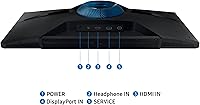
  • Connectivity: Includes one HDMI port and one DisplayPort input, with both cable types included in the box.
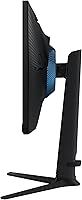
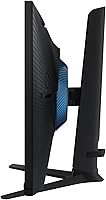
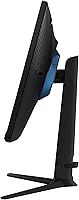
  • Stand Adjustments: The ergonomic stand supports height adjustment, tilt, swivel, and pivot, allowing for a wide range of personalized positioning.
  • Screen Surface: The panel features a glossy screen coating, which can enhance color vibrancy but may reflect light in bright environments.
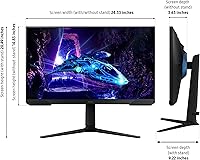
  • Dimensions: The monitor measures 9.2 x 24.3 x 20.5 inches with the stand attached, fitting comfortably on standard-width desks.
  • Weight: The full unit with stand weighs 9.7 pounds, making it manageable to reposition or move between setups.
  • Speakers: No built-in speakers are included; external audio hardware or headphones are required for sound output.
  • Eye Care: Eye Saver Mode reduces blue light emission and the panel is flicker-free, both aimed at reducing eye strain during extended sessions.
  • Special Features: Includes Black Equalizer for shadow detail adjustment, Virtual Aim Point crosshair overlay, and a 3-sided borderless design for clean multi-monitor setups.
  • Smart Features: No smart platform or built-in streaming apps are included; the monitor functions purely as a display output device.
  • Color: Available in black finish, with a clean, minimal design consistent with Samsung’s Odyssey gaming aesthetic.
  • Voltage: Operates at 240 volts; buyers outside compatible regions should verify local power compatibility before purchasing.
  • Release Date: First made available in July 2024, positioning it as a current-generation budget gaming monitor within Samsung’s Odyssey lineup.
  • Model Number: The official model identifier is LS27DG302ENXZA, useful for warranty registration, driver lookup, and compatibility verification.

Related Reviews
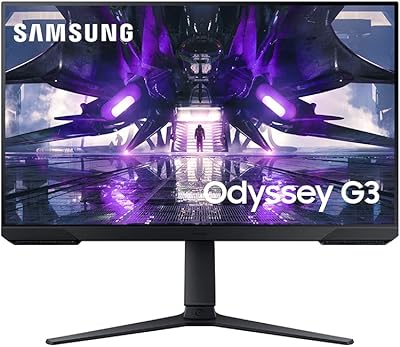
Samsung 27″ Odyssey G32A Gaming Monitor
80%
91%
Gaming Performance
93%
Refresh Rate & Smoothness
84%
Response Time & Motion Clarity
88%
Adaptive Sync (FreeSync Premium)
63%
Image Sharpness & Pixel Density
More
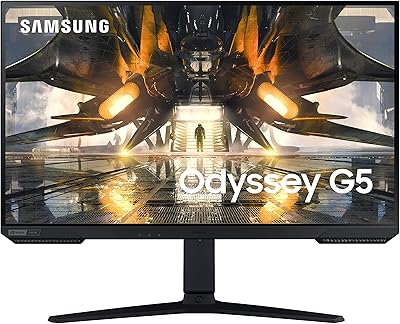
SAMSUNG Odyssey G50A 27-Inch Gaming Monitor
84%
94%
Gaming Performance
89%
Display Quality
86%
Ergonomics and Adjustability
92%
Color Accuracy
91%
G-Sync Compatibility
More
Samsung 27″ Odyssey QHD G65B Curved Gaming Monitor
80%
88%
Picture Quality
92%
Gaming Performance
78%
Build Quality
85%
Curved Display Experience
90%
Price to Performance Ratio
More
Samsung Odyssey G50D 27-Inch QHD Gaming Monitor
87%
91%
Display Quality
94%
Performance (Refresh Rate/Response Time)
88%
Ergonomics and Comfort
87%
HDR Support
70%
Color Accuracy
More
Samsung Odyssey G3 24-Inch FHD Gaming Monitor
83%
91%
Display Quality
94%
Gaming Performance (Refresh Rate/Response Time)
88%
Ease of Setup
85%
Ergonomics & Adjustability
89%
AMD FreeSync Performance
More
Samsung Odyssey G55C 27-inch Curved Gaming Monitor
76%
91%
Image Sharpness
89%
Refresh Rate & Motion
84%
Curvature & Immersion
86%
Value for Money
58%
HDR Performance
More
Samsung Odyssey G81SF 27-inch Gaming Monitor
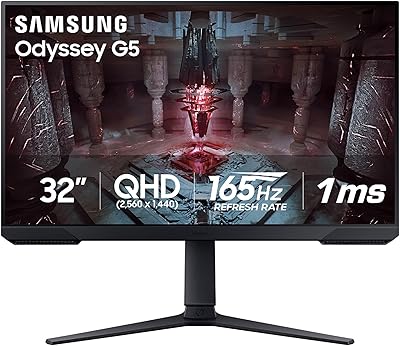
80%
96%
Image Quality
97%
Contrast & Black Levels
89%
Refresh Rate & Motion Clarity
88%
Glare Resistance & Matte Coating
91%
HDR Performance
More
Samsung 27-Inch Odyssey G51C Series QHD Gaming Monitor
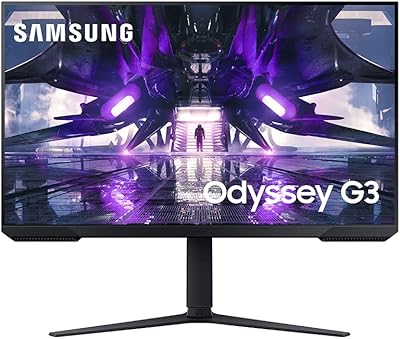
87%
92%
Display Quality
94%
Gaming Performance
87%
Value for Money
89%
Ergonomics & Comfort
74%
Brightness
More
Samsung 34″ Odyssey G5 Ultrawide Gaming Monitor
77%
91%
Immersion & Curvature
88%
Display Resolution & Sharpness
84%
Refresh Rate & Motion Clarity
86%
Contrast & Black Levels
71%
Color Accuracy & Vibrancy
More
Samsung Odyssey G32A 32″ Gaming Monitor
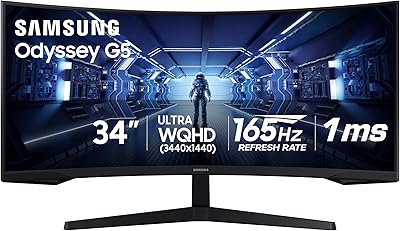
75%
91%
Refresh Rate Performance
74%
Response Time & Motion Clarity
53%
Image Sharpness & Pixel Density
67%
Color Accuracy & Vibrancy
83%
Contrast & Black Levels
More

FAQ

FreeSync is AMD’s sync technology, so it works natively with AMD Radeon graphics cards. That said, many NVIDIA GTX 10-series and newer cards support G-Sync Compatible mode, which may work with FreeSync displays — but it’s not officially certified on this panel, so results can vary. If you’re running an AMD GPU, you’ll get the full, reliable experience.

It’s a fair concern. At 27 inches, 1080p has a lower pixel density than 1440p, which can look slightly soft during desktop work or when viewing static content up close. For fast-paced gaming, though, most players won’t notice — the motion clarity at 180Hz tends to take priority. If you sit more than 2 feet from the screen, the difference is less apparent than you’d expect.

Yes, you can connect either console via HDMI. Keep in mind that current-gen consoles typically output at 4K or 1080p60 — they won’t drive the full 180Hz, since that requires a PC with DisplayPort or HDMI running at compatible frame rates. You’ll still get a clean 1080p image and can take advantage of the monitor’s response time for smoother gameplay.

The glossy coating does pick up reflections more than a matte-finished panel would. In a room with a window directly behind you or strong overhead lighting, you may notice some glare. It’s not unusually bad for a glossy display, but if your setup gets a lot of ambient light, it’s worth positioning the monitor to minimize direct light hitting the screen from behind you.

Samsung includes both an HDMI cable and a DisplayPort cable, which is a genuine convenience — many monitors at this price only include one or the other. The stand and base are also in the box and straightforward to assemble. No external power brick is needed; the power cable connects directly to the monitor.

The stand is one of the G30D’s genuine strong points. Height, tilt, swivel, and pivot adjustments all move smoothly without requiring tools. Once set, the monitor holds its position firmly. It’s noticeably more versatile than the fixed-tilt stands you typically find on monitors in this price range.

Yes, the monitor supports VESA mounting, so you can attach it to a third-party monitor arm or wall mount if you prefer. Removing the stand is straightforward, and using an arm can free up significant desk space while giving you even more positioning flexibility.

Not in a meaningful way for gaming. Black Equalizer selectively brightens dark areas without blowing out brighter parts of the image. It’s a menu-driven setting, so you can dial it in to a level that suits your preference or simply leave it off if you prefer the default picture. It’s a useful tool for spotting enemies in shadowy environments, not a replacement for proper brightness calibration.

It works fine for general productivity — document editing, video calls, and browsing are all comfortable on a 27-inch display. The adjustable stand makes it genuinely ergonomic for desk work. The main limitation is that 1080p at this screen size means text and fine detail aren’t as crisp as they would be on a higher-resolution panel, which some people notice more in work contexts than in gaming.

The Virtual Aim Point crosshair is displayed as an overlay directly on the monitor, independent of what’s running on screen. That means it works in any game, including titles that don’t offer a built-in crosshair option. It’s not a software cheat — it’s a hardware-level OSD feature, and you can choose from a few different crosshair styles in the monitor’s settings menu.

Where to Buy