
Overview
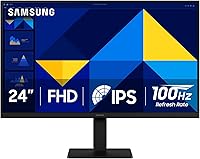
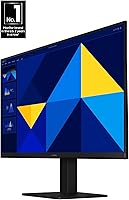
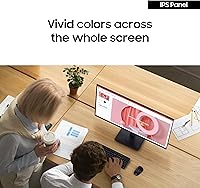
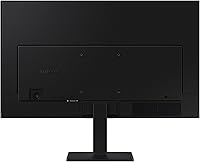
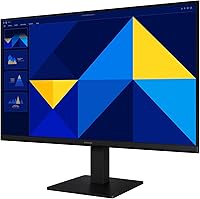
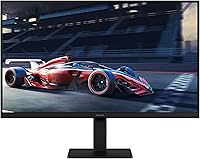
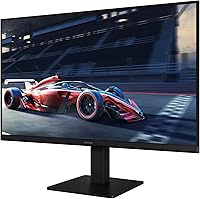
The Samsung S30GD 24″ FHD IPS Monitor arrived in late 2024 as one of the more honest budget displays on the market — no inflated claims, just a solid IPS panel at a price that doesn't hurt. That IPS distinction matters. Cheaper monitors at this tier often use TN panels, which look noticeably washed out from an angle. Here, colors stay consistent whether you're sitting straight or slightly off to the side. The slim bezels and sub-6-pound build keep things tidy on a crowded desk. This is a competent everyday display — great for browsing, productivity, and light media — but it isn't chasing professional color accuracy or high-refresh gaming performance.
Features & Benefits
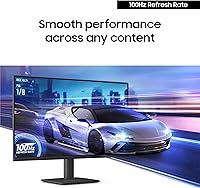
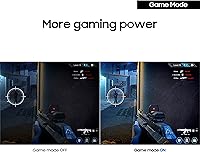
The S30GD's IPS panel is the headline feature here, and it earns that billing. Colors stay accurate and vibrant from wider angles — genuinely useful if someone else is watching your screen during a call or presentation. The 100Hz refresh rate is a step up from the 60Hz standard most budget displays offer. It won't compete with a dedicated gaming monitor, but scrolling, video playback, and light gaming all feel noticeably crisper. Eye care features — low blue light and flicker-free technology — make a real difference during long work sessions. Game Mode adds a quick contrast boost for darker scenes, and HDMI plus VGA ports keep connectivity options flexible for older hardware too.
Best For
This 24-inch IPS display is a natural fit for students and remote workers who spend long hours at their desk and want something comfortable and reliable without overspending. If you're coming from a laptop screen or an aging monitor, the jump in screen real estate and color quality is substantial. It also suits casual gamers who want their setup to feel more responsive without buying a dedicated gaming panel. Tight desk space or a multi-monitor plan in the works? The thin bezels make it practical for both. Just know upfront: if you need height adjustment or pivot rotation, the tilt-only stand will be a genuine limitation.
User Feedback
With a 4.5-star average built from nearly 860 ratings, the S30GD has clearly earned broad buyer satisfaction — that kind of consistency at this price tier is hard to dismiss. Most positive reviews highlight color quality for the price and how simple the out-of-box setup is. The clean design gets frequent praise too. On the critical side, the tilt-only stand draws legitimate complaints from taller users or anyone who prefers a more ergonomic position. The glossy screen is another honest caveat — in a bright room or near a window, glare becomes a real distraction. Overall, buyers feel the value-to-performance ratio holds up well.
Pros
- IPS panel delivers accurate, consistent color at a price point where TN panels typically dominate.
- The 100Hz refresh rate makes everyday scrolling, video, and casual gaming visibly smoother than a 60Hz screen.
- Built-in low blue light and flicker-free technology reduce eye fatigue during long work or study sessions.
- Ultra-thin bezels keep the desk setup looking clean and make multi-monitor expansion practical.
- At just over 5 pounds, the S30GD is easy to reposition, carry, or set up in a new space.
- HDMI and VGA ports cover both modern and legacy devices without requiring extra adapters.
- Game Mode offers a quick, useful contrast boost for dark scenes without diving into complex settings.
- A 4.5-star average across hundreds of buyers reflects genuine, consistent satisfaction rather than a handful of outliers.
- Setup is straightforward out of the box, with an HDMI cable included in the package.
- Samsung’s brand support and warranty reputation add a layer of confidence for budget-tier buyers.
Cons
- The tilt-only stand offers no height, swivel, or pivot adjustment, which is a real ergonomic limitation for many users.
- The glossy screen surface reflects light noticeably in bright rooms or near windows, causing distracting glare.
- 1080p resolution, while fine at 24 inches, will feel limiting for users who later want a sharper or larger display.
- No USB-C or DisplayPort connectivity limits compatibility with newer ultrabooks and productivity setups.
- Color accuracy is not factory-calibrated, making this 24-inch IPS display unsuitable for professional color work.
- The 100Hz refresh rate, while welcome, falls short of the higher rates competitive gamers typically need.
- No built-in speakers mean you’ll need external audio for any media or communication use.
- The stand feels basic and slightly wobbly under touch, which may bother users who frequently adjust their screen.
Ratings
The scores below are generated by our AI after analyzing verified global buyer reviews for the Samsung S30GD 24″ FHD IPS Monitor, with spam, bot-submitted, and incentivized feedback actively filtered out. Each category reflects what real users consistently praised or criticized across hundreds of honest purchases — not a curated highlight reel. Both the standout strengths and the genuine frustrations are reflected transparently in every score.
Color Accuracy
Eye Comfort
Motion Smoothness
Build Quality
Ergonomics
Glare & Reflections
Connectivity
Setup Experience
Value for Money
Image Sharpness
Game Mode Usefulness
Design & Aesthetics
Suitable for:
The Samsung S30GD 24″ FHD IPS Monitor is an excellent match for students, remote workers, and first-time monitor buyers who want a dependable daily display without overspending. If you're upgrading from a built-in laptop screen or a years-old monitor, the improvement in color consistency and screen real estate will feel substantial. The IPS panel's wide-angle viewing makes it a smart pick for shared workspaces or anyone who frequently turns the screen toward a colleague. Casual gamers who want a noticeably smoother experience over a standard 60Hz panel will also find the S30GD punches above its price class. Compact desks benefit from the slim bezels and lightweight frame, and the dual HDMI and VGA inputs make it easy to connect both modern laptops and older desktop systems without an adapter hunt.
Not suitable for:
The Samsung S30GD 24″ FHD IPS Monitor is not the right call for users with serious ergonomic needs — the tilt-only stand offers no height adjustment, swivel, or pivot, which can become a genuine discomfort issue during long sessions for taller users or those with specific posture requirements. Graphic designers, photo editors, or anyone working in color-critical environments should look elsewhere, as this display is not factory-calibrated and lacks the color space coverage professionals depend on. Competitive or hardcore gamers will likely find the 100Hz ceiling limiting when faster, more feature-rich gaming monitors are available at comparable price points. The glossy screen surface is also a real concern for bright rooms or window-facing desks, where glare can make the display genuinely difficult to use. Anyone who needs USB-C or DisplayPort connectivity will need to shop a different tier entirely.
Specifications
- Screen Size: The display measures 24 inches diagonally, a practical size for single-monitor home office and student desks.
- Panel Type: Uses an IPS (In-Plane Switching) panel, which maintains accurate color and contrast even when viewed from wide angles.
- Resolution: Native resolution is 1920 x 1080 (FHD 1080p), delivering sharp, clear detail at standard 24-inch viewing distances.
- Refresh Rate: Runs at 100Hz, providing noticeably smoother motion than the 60Hz panels common at this price tier.
- Aspect Ratio: Standard 16:9 widescreen aspect ratio, compatible with virtually all modern content and applications.
- Screen Surface: Glossy panel finish enhances color vibrancy but may produce visible reflections in brightly lit or window-facing environments.
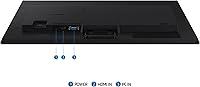
- Connectivity: Includes one HDMI port and one D-Sub (VGA) port, supporting both current-generation and older devices without adapters.
- Included Cable: An HDMI cable is included in the box, so most users can connect and start using the monitor immediately.
- USB Ports: Equipped with 2 USB 3.0 ports for connecting peripherals directly to the monitor.
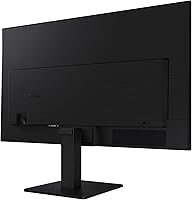
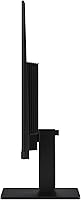
- Stand Adjustment: The stand supports tilt adjustment only; height, swivel, and pivot adjustments are not available on this model.
- Eye Care: Features built-in low blue light filtering and a flicker-free backlight to reduce eye strain during extended use.
- Game Mode: A dedicated Game Mode setting adjusts contrast and image settings on demand to improve visibility in dark or fast-moving scenes.
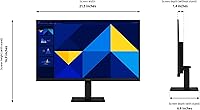
- Dimensions: The monitor measures 6.89 x 21.29 x 16.87 inches (D x W x H) with the stand attached.
- Weight: Weighs 5.29 pounds with stand, making it easy to reposition or transport between workspaces.
- Color: Available in black, with ultra-thin bezels on three sides for a clean, modern look.
- Voltage: Operates at 14 volts; a standard power adapter is included in the package.
- Model Number: Official model number is LS24D304GANXZA, part of Samsung’s S30GD series.
- Release Date: First became available in December 2024, making it one of Samsung’s most recently launched entry-level monitors.
Related Reviews
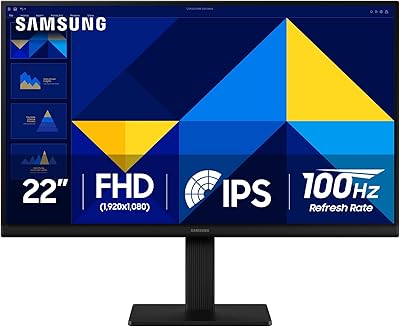
Samsung S30GD 22″ FHD Monitor
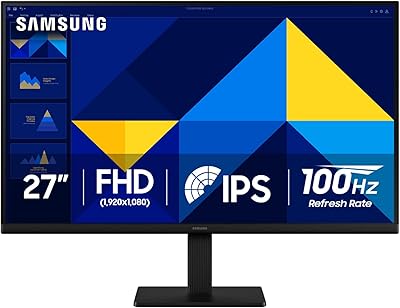
Samsung S30GD 27″ FHD IPS Monitor
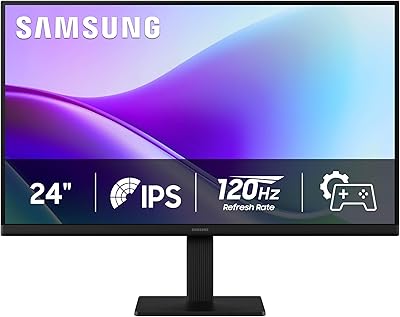
Samsung 24″ S32GF FHD IPS Monitor

ReHisk 241KV2 24-inch Gaming Monitor

Dell P2419H 24-Inch IPS Monitor
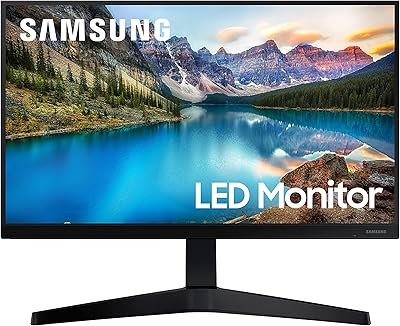
Samsung T37F 24-inch FHD IPS Monitor
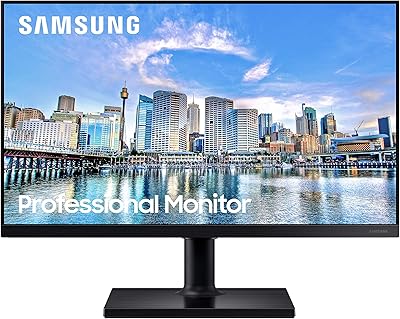
Samsung FT45 24-Inch FHD IPS Monitor

Dell E2420H 24-inch FHD IPS Monitor

HP Series 5 524sf 24-inch Monitor