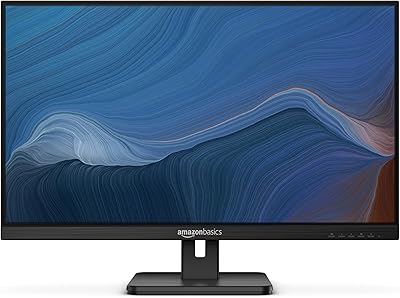
Samsung S30GD 27″ FHD IPS Monitor

Overview
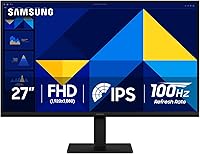
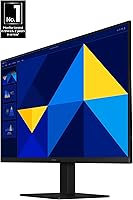
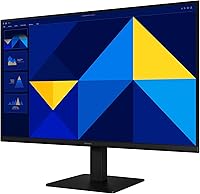
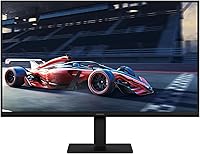
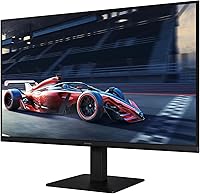
The Samsung S30GD 27″ FHD IPS Monitor arrived in late 2024 as a straightforward answer to a common question: can you get a decent IPS panel at a budget price without making painful compromises? Largely, yes. The IPS panel is the real draw here — at this price point, most competitors default to VA or TN technology, and the difference in color consistency is noticeable day-to-day. The slim bezels and lightweight chassis give it a clean look that punches above its class. One honest caveat worth stating upfront: 1080p spread across 27 inches is not particularly sharp, and anyone who sits close or values crisp text will feel that trade-off.
Features & Benefits
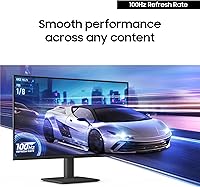
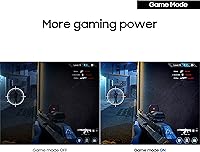
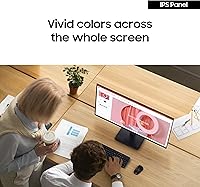
The 100Hz refresh rate is subtle but real — scrolling through documents or watching video feels noticeably smoother than a standard 60Hz panel, without any extra setup needed. The IPS technology keeps colors consistent whether you are viewing straight-on or from an angle, which matters for video calls and spreadsheets alike. A built-in Game Mode lets you quickly optimize contrast and screen fill for casual play, though this is not a dedicated gaming monitor — treat it as a handy bonus. Low blue light output and a flicker-free backlight make long working sessions genuinely more comfortable. Connectivity covers HDMI and D-Sub, with two USB 3.0 ports rounding out a practical setup.
Best For
This 27-inch Samsung display is a natural fit for students, remote workers, and anyone building a functional home office without spending heavily on a screen. The color accuracy and wide viewing angles make it solid for everyday productivity — documents, video calls, and light photo editing all look respectable without any fiddling. Entry-level gamers will appreciate the 100Hz smoothness for casual titles, though competitive players chasing high frame rates should look elsewhere. It is also a strong upgrade for anyone still running an older 60Hz TN panel, where the image quality improvement feels immediate. The slim profile and thin bezels work well in dual-monitor setups or clean, minimal desk arrangements.
User Feedback
With over 850 ratings averaging 4.5 stars and a top-15 ranking among all computer monitors on Amazon, the S30GD has earned broad real-world approval. Buyers consistently highlight color quality and the clean aesthetic, with many noting how painless the out-of-box setup is. The criticisms are worth acknowledging honestly. The tilt-only stand is the most recurring complaint — there is no height adjustment or pivot, which is a genuine ergonomic limitation regardless of price. The 1080p resolution on a 27-inch screen also draws occasional pushback from users who sit close or do detail-heavy work. That said, the majority report using it comfortably for both daily productivity and casual gaming without complaints.
Pros
- IPS panel delivers consistent, accurate colors even when viewed from an angle — a clear advantage over cheaper TN alternatives.
- The 100Hz refresh rate makes everyday scrolling, video, and casual gaming noticeably smoother than a standard 60Hz screen.
- Low blue light output and flicker-free backlight reduce eye strain during long work or study sessions.
- Slim bezels and a lightweight build make it easy to fit into tight desk spaces or pair with a second monitor.
- HDMI cable is included in the box, so you can get up and running without hunting for accessories.
- Two USB 3.0 ports add practical peripheral flexibility without needing a separate hub.
- Game Mode allows quick one-touch contrast and display adjustments for casual gaming sessions.
- Rated 4.5 stars by over 850 buyers, with consistent praise for image quality and straightforward setup.
- Released in late 2024, making it a current-generation option with up-to-date Samsung panel technology.
Cons
- 1080p resolution across 27 inches produces soft, low pixel density that is noticeable at normal sitting distances.
- The tilt-only stand offers no height, swivel, or pivot adjustment, limiting ergonomic flexibility significantly.
- Glossy screen surface picks up reflections in bright rooms, which can become distracting during daytime use.
- No USB-C port means newer laptops and devices require an adapter or separate cable solution.
- The 100Hz ceiling rules out the S30GD for competitive gaming where higher refresh rates matter.
- Budget monitor stands at this tier can feel lightweight and slightly wobbly under heavier peripherals or touch use.
- D-Sub (VGA) connectivity is dated and mostly useful only for legacy hardware connections.
- No height-adjustable stand means taller or shorter users may need a separate monitor arm for comfortable positioning.
Ratings
The scores below for the Samsung S30GD 27″ FHD IPS Monitor were generated by our AI system after analyzing hundreds of verified buyer reviews worldwide, with spam, bot activity, and incentivized feedback actively filtered out. Each category reflects the honest distribution of real user sentiment — strengths are credited where earned, and recurring pain points are scored without softening. The result is a transparent, balanced picture of what everyday buyers actually experience with this display.
Image Quality
Color Accuracy
Refresh Rate & Smoothness
Eye Comfort
Build Quality
Ergonomics & Adjustability
Gaming Performance
Connectivity
Setup & Ease of Use
Design & Aesthetics
Value for Money
Pixel Density & Sharpness
Viewing Angles
Multi-Monitor Compatibility
Suitable for:
The Samsung S30GD 27″ FHD IPS Monitor is a strong pick for students, remote workers, and home office users who want reliable, comfortable screen time without stretching their budget. The IPS panel delivers genuinely better color consistency than the TN and VA alternatives commonly found at this price, making it a practical choice for anyone who spends hours on documents, spreadsheets, or video calls. Casual gamers who play story-driven or slower-paced titles will appreciate the step up to 100Hz, which makes motion feel smoother without requiring a premium display investment. If you are currently running an older 60Hz TN panel, the visual improvement here will feel immediate and worthwhile. The slim bezels and compact footprint also make it a clean fit for dual-monitor setups or tidy, space-conscious desks.
Not suitable for:
Buyers who sit close to their screen or work regularly with fine text, detailed illustrations, or photo editing should think carefully before choosing the Samsung S30GD 27″ FHD IPS Monitor, since spreading 1080p across 27 inches produces a pixel density that noticeably lacks sharpness at close viewing distances. Competitive gamers who rely on high frame rates above 100Hz or need ultra-fast response times for fast-paced titles will find this display limiting. The tilt-only stand is a real ergonomic constraint — there is no height adjustment, swivel, or pivot, which becomes a daily frustration for anyone who needs precise screen positioning or uses an ergonomic workstation setup. Users who require USB-C connectivity or plan to daisy-chain monitors will also find the port selection falls short. If color-critical professional work like print design or video grading is on the agenda, a higher-resolution or color-calibrated panel is a better investment.
Specifications
- Screen Size: The display measures 27 inches diagonally, providing a wide viewing area suited for multitasking and general productivity.
- Panel Type: An IPS (In-Plane Switching) panel is used, offering wide viewing angles and consistent color reproduction across the screen.
- Resolution: Native resolution is 1920 x 1080 pixels (Full HD), delivering standard high-definition clarity across the 27-inch surface.
- Refresh Rate: The display runs at a 100Hz refresh rate, providing smoother motion than a standard 60Hz panel during everyday use and casual gaming.
- Aspect Ratio: A 16:9 widescreen aspect ratio is standard on this monitor, matching the output format of most computers, consoles, and streaming content.
- Screen Surface: The panel uses a glossy screen surface, which enhances color vibrancy but can reflect ambient light in brightly lit environments.
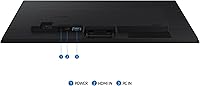
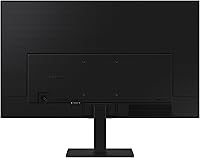
- Connectivity: Input options include one HDMI port and one D-Sub (VGA) port, covering both modern and legacy device connections.
- USB Ports: Two USB 3.0 ports are built into the monitor, allowing direct connection of peripherals such as keyboards, mice, or flash drives.
- Included Cable: An HDMI cable is included in the box, so the monitor can be connected to a compatible device immediately without purchasing additional accessories.
- Eye Care: The monitor incorporates a low blue light filter and a flicker-free backlight to reduce eye strain during extended viewing sessions.
- Game Mode: A dedicated Game Mode setting allows users to quickly optimize screen contrast and fill settings for a better casual gaming experience.
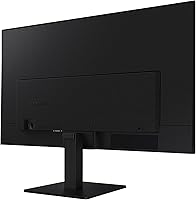
- Stand Adjustment: The included stand supports tilt adjustment only; height, swivel, and pivot adjustments are not available without a third-party monitor arm.
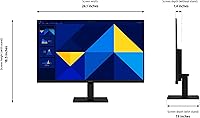
- Dimensions: Assembled monitor dimensions are 24.12 inches wide, 18.5 inches tall, and 7.89 inches deep including the stand.
- Weight: The monitor weighs 6.39 pounds, making it lightweight and easy to reposition or move between workspaces.
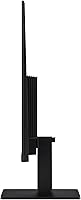
- Bezel Design: Ultra-thin bezels on three sides give the monitor a modern, minimal appearance and make it well-suited for side-by-side dual-monitor configurations.
- Color: The monitor is finished in black, with a clean matte plastic housing that fits most desk aesthetics without drawing attention.
- Input Voltage: The monitor operates at 14 volts and uses an internal power supply compatible with standard wall outlets.
- Model Number: The official model identifier is LS27D304GANXZA, used for warranty registration, driver downloads, and support inquiries.
- Release Date: This monitor became available in December 2024, making it a current-generation product within Samsung's Essential Monitor lineup.
- Brand & Series: Manufactured by Samsung, this display belongs to the S30GD series within the Essential Monitor family, targeting value-focused everyday users.
Related Reviews
Samsung S30GD 24″ FHD IPS Monitor
Samsung S30GD 22″ FHD Monitor
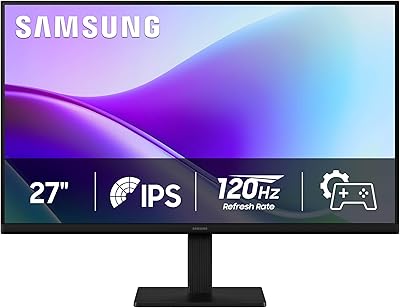
Samsung 27″ S32GF FHD IPS Monitor
Samsung SR35 27-inch FHD Monitor
Acer SB272 27-inch FHD IPS Monitor
Alienware AW2724HF 27″ Gaming Monitor
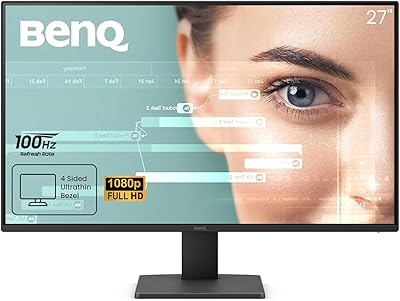
BenQ GW2791 27-inch FHD IPS Monitor
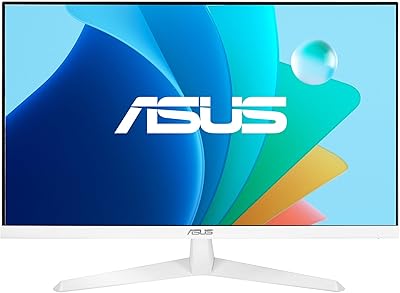
ASUS VY279HF-W 27″ FHD IPS Monitor
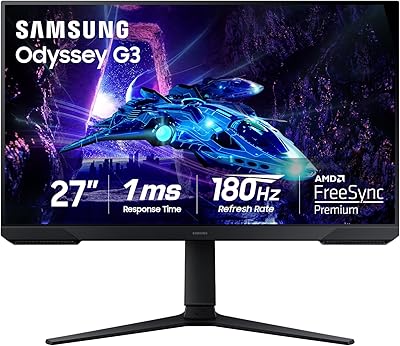
Samsung Odyssey G3 G30D 27″ Gaming Monitor