

Overview
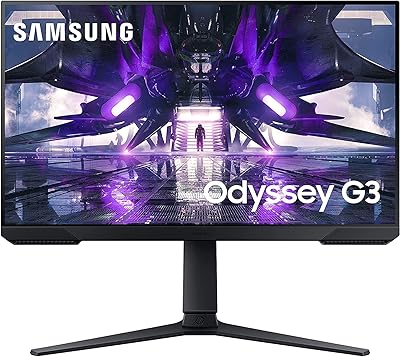
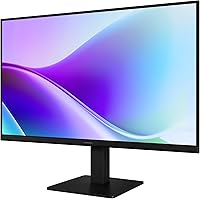
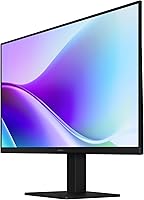
The Samsung 24″ S32GF FHD IPS Monitor is Samsung's 2025 entry into the affordable display market, and it makes a solid case for itself right out of the box. This Samsung display strikes a practical balance between everyday productivity and light gaming use, without asking a lot from your wallet. The ultra-thin bezels and slim chassis give it a clean, modern look that fits neatly into most desk setups without demanding attention. With a 4.4-star rating from over 100 verified buyers, it has earned real-world trust worth examining. That said, it is built for value-seekers, not power users chasing high-end specs.
Features & Benefits
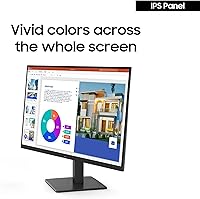
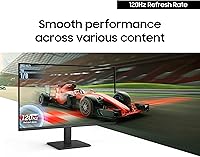
The S32GF monitor's IPS panel is arguably its strongest asset. Unlike TN panels that wash out colors when you shift your viewing angle, this 24-inch IPS screen holds its color accuracy impressively well across wide angles — a genuine advantage for anyone who shares a screen or multitasks. The 120Hz refresh rate is a meaningful step up from standard 60Hz displays, noticeably smoothing out video playback and casual gaming alike. Full HD 1080p is a reasonable fit for a 24-inch screen, though buyers expecting 1440p sharpness should set expectations accordingly. Flicker-free technology and Eye Saver Mode round things out for extended work sessions, keeping visual fatigue in check.
Best For
This Samsung display fits best in the hands of people who need a no-fuss daily screen for everyday use. Home office workers who spend hours on documents, video calls, or spreadsheets will appreciate the eye comfort features and steady color output. Students setting up a first desk or expanding to dual-monitor arrangements will find the size and weight hard to argue with. Casual gamers stepping up from a 60Hz panel will notice a real improvement in smoothness, though competitive esports players should look elsewhere for faster response times and higher resolutions. Content viewers who care about accurate colors without overpaying will also feel right at home here.
User Feedback
Buyers generally come away pleased with the S32GF monitor, particularly around picture quality and how little effort the setup requires. Colors look vibrant and accurate straight out of the box, and several reviewers noted how noticeably smoother the 120Hz panel feels compared to their older displays. The slim, lightweight build earns consistent praise too. Where things get more complicated is the stand — multiple buyers flagged limited ergonomic adjustment, noting you get basic tilt but no height control or pivot. A few also wished for more port variety. Still, most buyers feel this 24-inch IPS screen outperforms expectations at its price tier, and the consensus leans clearly positive.
Pros
- The IPS panel holds color accuracy well even when viewed from off-center angles.
- A 120Hz refresh rate delivers noticeably smoother motion compared to standard 60Hz monitors.
- Flicker-free technology and Eye Saver Mode make extended work sessions genuinely more comfortable.
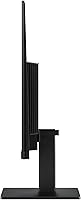
- The ultra-thin bezels and slim profile look clean and modern on any desk setup.
- At 5.3 pounds, this 24-inch IPS screen is easy to reposition or move between workspaces.
- Out-of-the-box color vibrancy is strong for the price tier, requiring little to no manual calibration.
- Setup is quick and straightforward — buyers consistently report being up and running within minutes.
- Full HD 1080p is a practical, sharp resolution for everyday productivity and casual media consumption at 24 inches.
- Samsung's brand reliability adds a layer of confidence for buyers cautious about off-brand budget monitors.
- A 4.4-star rating from real buyers signals consistent satisfaction across diverse use cases.
Cons
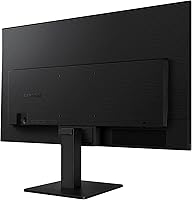
- The stand lacks height adjustment, making ergonomic positioning difficult for many desk configurations.
- No pivot or swivel capability limits flexibility for dual-monitor setups or portrait-mode use.
- The glossy screen surface can produce noticeable glare in rooms with bright overhead or natural lighting.
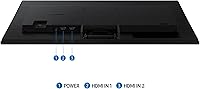
- Port selection is limited, which may frustrate users with multiple devices to connect simultaneously.
- 1080p resolution may feel soft to users accustomed to 1440p or higher-density displays.
- Response time specs are not aggressive enough for competitive or fast-paced online gaming.
- No USB-C input means users with modern laptops may need an additional adapter to connect.
- The S32GF monitor does not support HDR, which limits contrast depth for movie and content enthusiasts.
- Glossy coating, while enhancing color pop, can show fingerprints and smudges more readily than matte alternatives.
- Buyers in regions with different voltage standards should verify compatibility before purchasing.
Ratings
The Samsung 24″ S32GF FHD IPS Monitor scores below are generated by our AI system after analyzing verified global buyer reviews, actively filtering out incentivized, bot-generated, and duplicate submissions to reflect only genuine user experiences. This Samsung display earns strong marks in several key areas, but real pain points around ergonomics and connectivity keep it from a clean sweep. Both the highs and the frustrations are reflected transparently in every score below.
Color Accuracy
Refresh Rate & Motion Clarity
Eye Comfort
Ergonomics & Stand
Value for Money
Image Sharpness
Build Quality
Glare & Reflections
Connectivity
Setup Experience
Gaming Performance
Aesthetic Design
Brightness & Contrast
Suitable for:
The Samsung 24″ S32GF FHD IPS Monitor is a strong fit for anyone who needs a dependable, good-looking screen without committing to a premium budget. Home office workers who spend their days in spreadsheets, video calls, and browser tabs will appreciate the IPS panel's consistent color output and the eye comfort features that make long sessions more tolerable. Students outfitting a first desk — especially those considering a dual-monitor setup — get a lot of practical screen real estate at a weight and footprint that doesn't overwhelm a compact space. Casual gamers who are still running a 60Hz display will notice a genuine, tangible improvement moving to 120Hz, particularly in fast-moving games or action-heavy video content. Anyone who values accurate, vibrant color at a 24-inch size, and is not chasing pixel density above 1080p, will find this Samsung display hits a sweet spot that is hard to argue with at its price tier.
Not suitable for:
Buyers with more demanding expectations should think carefully before committing to the Samsung 24″ S32GF FHD IPS Monitor. If you do a lot of close-up design work, photo editing, or any task where fine pixel detail matters, the 1080p resolution on a 24-inch screen will start to feel limiting — 1440p panels are now accessible at comparable price points and offer noticeably sharper text and imagery. Competitive gamers who rely on fast response times and high refresh rates well above 120Hz will find this monitor undershoots what dedicated gaming displays offer. Ergonomics are a real concern too: the stand offers basic tilt adjustment but no height control or pivot, which creates problems for users with specific posture needs or multi-monitor alignment requirements. Those who need robust connectivity — multiple HDMI ports, USB-A hubs, or USB-C input — may find the port selection on the S32GF monitor frustratingly sparse. Finally, anyone sensitive to glare or working in a brightly lit room may struggle with the glossy screen surface under direct light.
Specifications
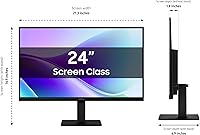
- Screen Size: The display measures 24 inches diagonally, offering a practical viewing area suited to standard desk distances.
- Panel Type: An IPS (In-Plane Switching) panel is used, providing consistent color reproduction and wide viewing angles compared to TN alternatives.
- Resolution: Native resolution is 1920x1080 (Full HD), delivering clear imagery appropriate for a 24-inch screen size.
- Refresh Rate: The panel runs at 120Hz, reducing motion blur and producing smoother visuals during gaming and fast-moving video content.
- Aspect Ratio: The screen uses a standard 16:9 widescreen aspect ratio, compatible with virtually all modern content formats.
- Screen Surface: The display features a glossy screen coating that enhances color vibrancy but may reflect ambient light in bright environments.
- Flicker-Free: The monitor uses flicker-free backlight technology to reduce eye fatigue during extended viewing sessions.
- Eye Saver Mode: A dedicated Eye Saver Mode reduces blue light output to help minimize eye strain during long work or study sessions.
- Bezel Design: Ultra-thin bezels surround the panel on all sides, supporting a clean aesthetic and tighter dual-monitor configurations.
- Dimensions: The monitor measures 6.89 x 21.28 x 12.61 inches (D x W x H) with the stand attached.
- Weight: The unit weighs 5.3 pounds, making it lightweight enough to reposition or transport without difficulty.
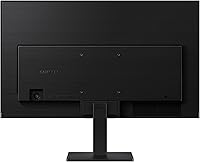
- Color: The monitor is finished in black, with a slim profile that complements most modern desk setups.
- Voltage: The monitor operates at 240 volts; buyers outside compatible regions should verify local voltage compatibility before purchase.
- Model Number: The official model number is LS24F320GANXZA, part of Samsung's S32GF series released in 2025.
- Availability: The product was first made available in June 2025 and holds a top-250 ranking in the Computer Monitors category on Amazon.
- Brand: Manufactured by Samsung, a globally recognized electronics brand with an established track record in display technology.
- Amazon Rating: The monitor holds a 4.4 out of 5 star average rating based on 118 verified customer reviews at the time of writing.
Related Reviews
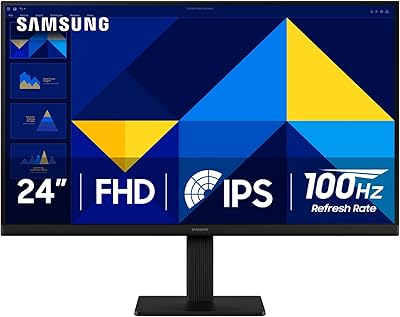
Samsung S30GD 24″ FHD IPS Monitor
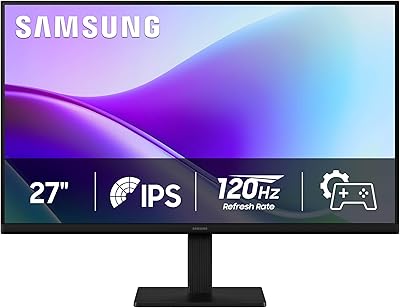
Samsung 27″ S32GF FHD IPS Monitor

Dell P2419H 24-Inch IPS Monitor

ReHisk 241KV2 24-inch Gaming Monitor

Dell E2420H 24-inch FHD IPS Monitor
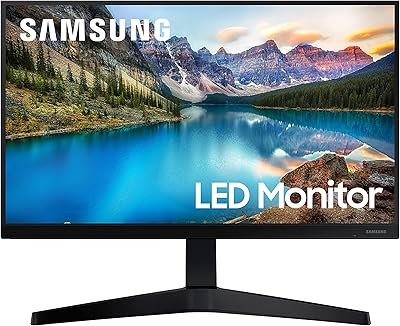
Samsung T37F 24-inch FHD IPS Monitor
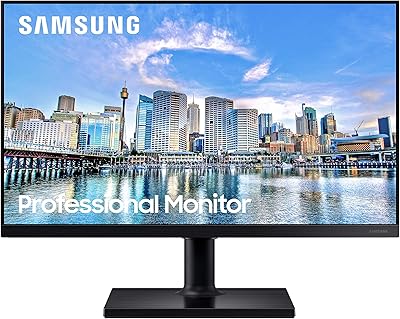
Samsung FT45 24-Inch FHD IPS Monitor

HP Series 5 524sf 24-inch Monitor
LG 24BK430H-B 24-Inch FHD IPS Monitor