Overview

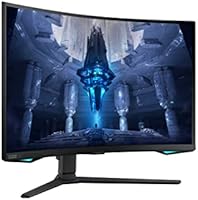
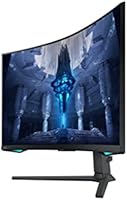
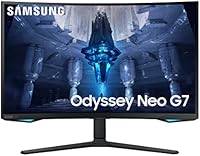
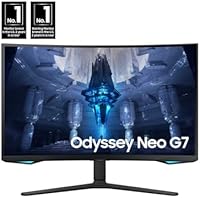
The Samsung 32″ Odyssey Neo G7 Gaming Monitor sits near the top of Samsung's Odyssey lineup, built for PC gamers who refuse to choose between cinematic image quality and competitive-grade speed. The Odyssey family has earned a strong reputation for pushing display technology forward, and the Neo G7 32″ represents that ambition fully — pairing Mini LED backlighting with a 165Hz refresh rate on a single 4K panel. The 1000R curvature is aggressive enough to genuinely wrap your field of view, not just a cosmetic flourish. Be clear-eyed about who this is for, though: it rewards players with the right hardware and the budget to match.
Features & Benefits

The centerpiece is Quantum Matrix Technology, which deploys 1,196 local dimming zones to control the backlight with far more precision than conventional LED panels. In practice, dark dungeon corridors stay genuinely dark while bright explosions punch hard — not washed out by neighboring lit zones. The 2,000-nit peak brightness makes HDR feel impactful, though that ceiling applies to small specular highlights rather than the entire screen simultaneously. At 165Hz with a 1ms GTG response time, motion stays crisp, and support for both Nvidia G-Sync and AMD FreeSync means most GPU owners get tear-free gameplay. The height-adjustable stand adds long-session comfort without needing an aftermarket arm.

Best For

This curved 4K gaming display makes the most sense for players who bounce between competitive shooters and immersive open-world games — it handles both without obvious compromise. If you're running an RTX 4070 or better, you can push demanding titles at 4K and still hit meaningful frame rates; anything less and you'll be dialing back resolution or settings regularly. HDR movie watching is genuinely enjoyable here, making it a solid pick for people who also stream content at their desk. Content creators doing color-critical work alongside gaming will appreciate the wide color volume. Upgraders coming from 1080p or 1440p flat panels will notice the difference immediately.

User Feedback

With a 4.0-star average from over 350 buyers, Samsung's Mini LED gaming monitor earns its praise mainly for HDR brightness impact and the solidity of the stand — reviewers consistently mention how well-built it feels straight out of the box. The criticisms are equally consistent: blooming around bright objects on dark backgrounds is the top complaint, and it is a real trade-off inherent to Mini LED technology, not a manufacturing defect. A handful of users also flag the on-screen menu as cluttered and unintuitive at first. Long-term owners generally feel the investment was justified, particularly those using it daily for both gaming and content consumption, though first-time Mini LED buyers occasionally express surprise at the blooming.

Pros

  • Mini LED backlighting with 1,196 local dimming zones delivers contrast that flat-panel LED monitors struggle to match.
  • HDR performance is genuinely impactful — bright highlights punch hard in supported games and movies.
  • The 1000R curvature fills peripheral vision naturally during extended gaming sessions.
  • 165Hz refresh rate keeps motion crisp even in fast-paced shooters and action titles.
  • Dual sync support covers both Nvidia and AMD GPU owners with no compatibility headaches.
  • The height-adjustable stand is sturdy and well-built, with real ergonomic range for different desk setups.
  • 4K resolution on a 32-inch panel produces sharp, detailed images with no obvious screen-door effect.
  • CoreSync ambient lighting adds a subtle but satisfying atmosphere that complements the on-screen action.
  • VESA mount compatibility gives users flexibility if they prefer a monitor arm over the included stand.
  • Buyers who invest in pairing the right GPU report that the overall experience feels well worth the cost after extended use.

Cons

  • Blooming around bright objects on dark backgrounds is noticeable and is an inherent Mini LED trade-off, not a fixable defect.
  • Driving 4K at 165Hz requires a high-end GPU; mid-range hardware will force resolution or quality compromises.
  • The on-screen display menu is layered and unintuitive until you spend time learning the layout.
  • At 19 pounds, this curved 4K gaming display is heavier than many alternatives, which matters if you reposition your setup often.
  • Peak brightness figures of 2,000 nits apply only to small highlight zones, not the full panel — full-screen HDR looks dimmer than specs suggest.
  • USB connectivity is limited to two USB 2.0 ports, which feels sparse for a monitor at this tier.
  • The aggressive 1000R curve can look distorted when viewing flat content like spreadsheets or documents.
  • There is no built-in USB-C or Thunderbolt port, which limits single-cable connectivity for laptop users.

Ratings

The Samsung 32″ Odyssey Neo G7 Gaming Monitor has been evaluated by our AI rating system after deep analysis of verified global buyer reviews, with spam, bot-generated, and incentivized feedback actively filtered out before scoring. Ratings across every category reflect both the genuine strengths that keep long-term owners satisfied and the recurring pain points that caused buyers to leave critical feedback. The result is a transparent, balanced scorecard designed to help you decide whether this curved 4K display is the right fit for your specific setup and expectations.
HDR Performance
83%
When playing HDR-enabled titles or watching Dolby Vision content, the Mini LED backlight produces highlight punch that genuinely stands apart from conventional VA panels. Explosions, sunlight through foliage, and neon-lit cityscapes all benefit from the high peak brightness in ways that owners describe as immediately noticeable on first use.
The 2,000-nit peak figure only applies to small, isolated highlight zones rather than the full panel simultaneously, which surprises buyers expecting uniform screen-wide brilliance. Full-screen HDR scenes with broadly bright content land closer to 400-600 nits in practice, which is good but not exceptional for the certification level claimed.
Contrast & Black Levels
88%
The VA panel foundation combined with 1,196 local dimming zones produces some of the deepest blacks available in a gaming monitor at this size, making space scenes, horror games, and nighttime environments look genuinely dark rather than muddy gray. Owners frequently single this out as the visual trait that convinced them the purchase was worthwhile.
Mini LED blooming around bright UI elements or weapon scopes on dark backgrounds is the most cited complaint across all buyer reviews, and it remains an inherent technology trade-off rather than something addressable through firmware updates. Users sensitive to this artifact — particularly in dark-room gaming — report it breaks immersion in specific game genres.
Refresh Rate & Motion
91%
At 165Hz with a 1ms GTG response time, fast-paced titles like Valorant, Apex Legends, and racing simulators feel crisp and responsive in a way that buyers upgrading from 60Hz or 144Hz panels describe as a clear step forward. Motion clarity during camera panning in open-world games is consistently praised as smooth and ghost-free.
Reaching 165Hz at native 4K resolution requires GPU hardware that not all buyers already own, and some reviewers report running the panel at lower refresh rates or reduced resolution to compensate. Buyers who expected to run demanding titles at full 4K and full refresh out of the box with a mid-range GPU were the most likely to feel let down.
Image Sharpness & Clarity
86%
4K on a 32-inch panel produces a pixel density that makes fine textures, text rendering, and intricate game environments look noticeably more detailed than the 1440p monitors most buyers are upgrading from. Reviewers who use this curved 4K gaming display for both work and gaming consistently mention the sharpness as a standout everyday benefit.
To appreciate the full resolution advantage, users need to sit at the right distance — too far back and the 32-inch panel makes 4K detail harder to distinguish, while too close amplifies the curvature effect on straight-line content. Buyers using it primarily for productivity note occasional font rendering quirks depending on Windows scaling settings.
Color Accuracy & Vibrancy
79%
21%
Out of the box, the Neo G7 32″ covers a wide color gamut that makes game environments and video content look vivid and saturated, particularly in the reds and blues that benefit most from the Quantum dot layer. Content creators who dabble in photo editing alongside gaming report that colors are punchy and generally pleasing without heavy calibration.
Factory calibration is inconsistent enough that some buyers receive units with a noticeable color temperature drift toward cool or warm, requiring manual white balance adjustment. Strict color accuracy for professional creative work is not the panel's primary strength, and users expecting sRGB-accurate output by default will need to dial in settings carefully.
Curvature & Immersion
77%
23%
The 1000R curve genuinely wraps the screen around the viewer's peripheral field at typical desktop distances, and buyers who game in immersive single-player titles describe it as one of the more physically engaging monitor experiences available at this size. Dark-room gaming sessions in particular benefit from the way the curve reduces reflective light bleed from surrounding environments.
The curvature is polarizing for users who also do productivity work on the same display, as horizontal lines near the screen edges appear visibly bowed when reading documents or working in spreadsheets. A handful of buyers who came from flat panels report needing several weeks to fully adjust before the curve stopped feeling distracting.
Build Quality & Aesthetics
84%
The physical build receives consistent praise from owners who note that the chassis feels solid and premium rather than hollow or flex-prone at the bezels. The matte black finish resists fingerprints well and integrates cleanly into both minimalist and gaming-themed desk setups without looking garish.
At 19 pounds, the assembled unit is heavier than many competitors, which makes repositioning it on a desk by yourself more cumbersome than expected. A small number of buyers report minor cosmetic inconsistencies on the back panel or stand collar, though structural defects appear to be rare based on review volume.
Stand & Ergonomics
82%
18%
The height-adjustable stand holds its set position firmly without creeping downward over time, which is something buyers with heavier monitors have learned to specifically check for. The adjustment range covers enough variance to suit both seated desktop users and those who prefer a slightly elevated angle for long gaming sessions.
The stand does not offer tilt or swivel range wide enough to satisfy users who frequently share the monitor between different seating positions or orientations. Pivot rotation into portrait mode is not supported, limiting flexibility for users who occasionally want a vertical layout for coding or reading long documents.
Sync & Compatibility
89%
Dual support for Nvidia G-Sync Compatible and AMD FreeSync Premium Pro means buyers do not need to worry about picking the right monitor for their GPU brand, which is genuinely useful for households with mixed hardware or for users planning a future GPU upgrade. Tear-free gameplay is consistently reported across both AMD and Nvidia setups without requiring manual configuration.
G-Sync operates in compatibility mode rather than full hardware G-Sync, which means the experience is very good but may fall slightly short of dedicated G-Sync Ultimate panels in edge cases at very low frame rates. A small number of buyers report occasional sync handshake delays when waking the monitor from sleep, requiring a cable re-plug to resolve.
Connectivity & Ports
58%
42%
The combination of DisplayPort and HDMI covers the most common connection scenarios for both PC and console users, and the two USB 2.0 ports offer basic peripheral passthrough for a keyboard or mouse without needing a separate hub. Setup is straightforward for the majority of gaming desktop configurations.
The absence of USB-C or Thunderbolt input is the most common connectivity complaint, particularly from laptop users who want single-cable docking. Only two USB 2.0 ports feels sparse for a display at this investment level, and the older USB standard limits charging and data throughput compared to what competing monitors now offer.
OSD & Software
61%
39%
Once users invest time learning the menu layout, the OSD offers a thorough range of picture customization options including fine-grained local dimming control, multiple HDR modes, and response time overdrive settings that allow real tuning beyond factory presets. Experienced monitor enthusiasts appreciate having that level of control available.
The on-screen menu navigation through a rear joystick is consistently flagged as non-intuitive by first-time Samsung Odyssey owners, with settings buried in nested sub-menus that are hard to find without reading the manual. Several buyers report accidentally changing the wrong settings and needing to reset to factory defaults to recover a good picture.
Ambient Lighting (CoreSync)
69%
31%
CoreSync works as advertised in dark-room setups, projecting ambient color from the screen onto the wall behind the monitor and meaningfully reducing the harsh contrast between a bright display and a completely dark room during late-night sessions. Buyers who use it consistently describe it as a subtle but genuine comfort benefit during long gaming hours.
The feature requires specific software configuration to work optimally, and buyers without a wall close enough behind their setup report it adds no practical value. Some users find the projected colors more distracting than soothing, particularly during fast-action gameplay where the wall lighting shifts frequently and draws attention away from the screen.
Value for Money
72%
28%
Long-term owners who use Samsung's Mini LED gaming monitor daily for both gaming and content consumption consistently report that the investment feels justified after three to six months, especially those coming from budget or mid-tier flat panels who experience the HDR and contrast improvements every session. For the target buyer, the feature set is genuinely competitive at the price tier.
Buyers who discover the Mini LED blooming after purchase, or who lack the GPU to fully exploit 4K at 165Hz, are far more likely to feel the pricing is not justified for their specific use case. Competing OLED panels are now approaching this price range and offer advantages in response time and contrast uniformity that make the value comparison more complicated than it was at launch.
Setup & Out-of-Box Experience
76%
24%
Physical assembly of the stand and panel is straightforward and takes most buyers under ten minutes with no tools required, and the included DisplayPort cable means the monitor is ready to use immediately after unboxing. First impressions of the display's brightness and curvature are almost universally positive even before any picture calibration is applied.
Default picture mode settings lean toward oversaturation and excessive sharpening, which means the out-of-box image quality does not reflect what the panel is truly capable of after proper calibration. Buyers who do not take time to adjust these defaults may form an inaccurate impression of the monitor's real color performance.

Suitable for:

The Samsung 32″ Odyssey Neo G7 Gaming Monitor is built for serious PC gamers who want a single display capable of handling both competitive multiplayer and visually rich single-player titles without meaningful compromise. If you own a high-end GPU — think RTX 4070 class or above — this curved 4K gaming display will actually get used at its full potential; you will have the horsepower to push demanding games at 4K and still maintain smooth frame rates. The 1000R curvature and Mini LED backlighting make a real difference for immersive open-world games and cinematic story-driven titles, where contrast and screen wrap matter far more than in competitive shooters alone. HDR movie watchers and streamers will also find genuine value here, since the brightness output is strong enough to make HDR content look noticeably different from a standard display. Content creators who dabble in color-sensitive work and then switch to gaming in the evening will appreciate the wide color volume without needing a second monitor.
Not suitable for:

The Samsung 32″ Odyssey Neo G7 Gaming Monitor is a poor match for anyone running a mid-range GPU or a system that is not purpose-built for high-performance gaming, simply because the hardware demands of 4K at high frame rates will leave that resolution largely wasted. Pure competitive gamers who prioritize frame rates above all else should know that many esports titles cap well below 165Hz at 4K on most rigs, and a 1440p monitor at the same refresh rate would often serve them better. Anyone sensitive to blooming — the faint halo of light that Mini LED panels can produce around bright objects on dark backgrounds — may find it distracting enough to undermine the otherwise excellent image quality. Buyers working in tight desk spaces should note that the 1000R curve and 32-inch panel require more depth and width clearance than a flat monitor of the same size. Finally, those who prefer a simple, straightforward on-screen menu experience may find the OSD here more layered than expected, with a learning curve before settings feel intuitive.

Specifications

  • Panel Size: The display measures 32 inches diagonally, offering a large viewing area well-suited to immersive gaming at typical desktop distances.
  • Resolution: Native resolution is 3840x2160 (4K UHD), delivering sharp detail and high pixel density across the full 32-inch panel.
  • Panel Type: Uses a VA panel with Quantum Mini LED backlighting, combining deep native contrast with precise, zone-level brightness control.
  • Refresh Rate: Supports a maximum refresh rate of 165Hz, enabling smooth motion in fast-paced games when paired with a capable GPU.
  • Response Time: Rated at 1ms GTG (gray-to-gray), minimizing ghosting and pixel trail during rapid on-screen movement.
  • Peak Brightness: Achieves up to 2,000 nits peak brightness on small highlight zones under HDR content, with typical full-screen brightness being considerably lower.
  • Contrast Ratio: Specified contrast ratio is 1,000,000:1, reflecting the deep blacks achievable through localized Mini LED dimming.
  • Dimming Zones: Incorporates 1,196 local dimming zones, allowing fine-grained control over backlight brightness across different regions of the screen simultaneously.
  • Curvature: The panel features a 1000R curvature radius, the most aggressive curve commonly found in gaming monitors, designed to match the human field of view.
  • HDR Support: Certified as Quantum HDR 2000, supporting HDR10 content with hardware-level brightness and contrast performance to back up the certification.
  • Sync Technology: Compatible with both Nvidia G-Sync and AMD FreeSync Premium Pro, eliminating screen tearing and stuttering across a broad range of GPU hardware.
  • Connectivity: Offers 1x DisplayPort, 1x HDMI, and 2x USB 2.0 ports; there is no USB-C or Thunderbolt input on this model.
  • Aspect Ratio: Standard 16:9 widescreen aspect ratio, compatible with all conventional gaming resolutions and video content without pillarboxing.
  • Stand Adjustments: The included stand supports height adjustment, allowing ergonomic positioning for different seating heights and desk configurations.
  • VESA Mount: VESA mounting pattern is 100x100mm, making it compatible with most third-party monitor arms and wall mounts.
  • Dimensions: Without the stand, the monitor measures 28.1 x 17.3 x 7.3 inches (W x H x D), requiring meaningful desk depth due to the curved panel.
  • Weight: The unit weighs approximately 19 pounds with the stand attached, which is on the heavier side for a 32-inch panel.
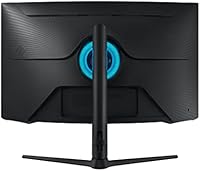
  • Ambient Lighting: Includes CoreSync technology that projects backlight colors matching on-screen content onto the wall behind the monitor for ambient immersion.
  • Power Supply: Accepts AC input ranging from 100 to 240 volts, making it compatible with power standards in most countries worldwide.
  • Color: Available in a matte black finish, consistent with the broader Odyssey gaming monitor aesthetic.

Related Reviews
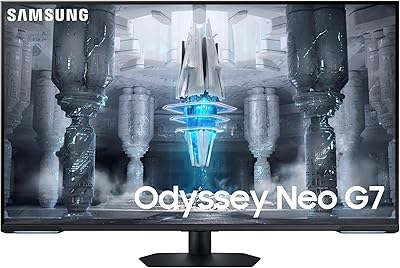
Samsung 32″ Odyssey Neo G8 Gaming Monitor
77%
93%
Image Quality
91%
HDR Performance
89%
Refresh Rate & Smoothness
88%
Contrast & Black Levels
86%
Response Time & Motion Clarity
More
Samsung 43″ Odyssey Neo G7 Gaming Monitor
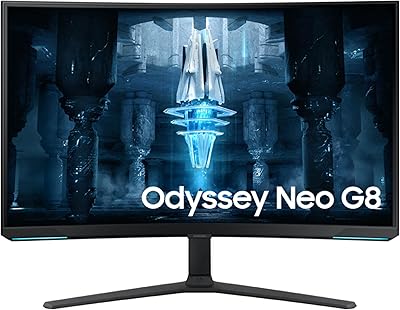
75%
83%
Picture Quality
74%
HDR Performance
86%
Gaming Performance
78%
Smart TV & Streaming Features
61%
Build Quality & Stand
More
Samsung Odyssey G32A 32″ Gaming Monitor
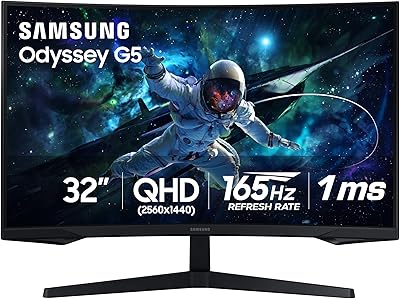
75%
91%
Refresh Rate Performance
74%
Response Time & Motion Clarity
53%
Image Sharpness & Pixel Density
67%
Color Accuracy & Vibrancy
83%
Contrast & Black Levels
More
Samsung 32″ Odyssey G65B Curved Gaming Monitor
77%
88%
Image Clarity
91%
Refresh Rate Performance
74%
HDR Quality
87%
Motion & Response
83%
Curvature & Immersion
More
Samsung Odyssey G55C 32″ Curved Gaming Monitor
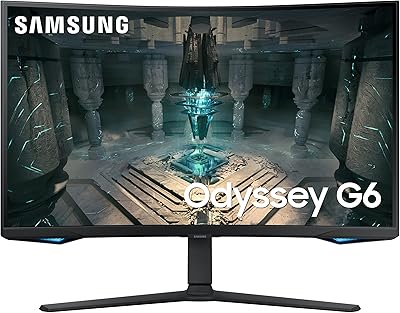
78%
88%
Image Sharpness & Resolution
84%
Refresh Rate & Motion Clarity
91%
Curvature & Immersion
93%
Value for Money
57%
HDR Performance
More
Samsung Odyssey G50D 32-inch QHD Gaming Monitor
78%
91%
Gaming Performance
88%
Image Sharpness & Clarity
83%
Color Accuracy & Vibrancy
79%
Panel Uniformity & Viewing Angles
58%
HDR Performance
More
Samsung Odyssey G70B 32-inch 4K Gaming Monitor
70%
84%
Image Quality
47%
HDR Performance
76%
Gaming Performance
53%
Panel Consistency
71%
Samsung Gaming Hub
More
Samsung Odyssey G7 28-inch 4K Gaming Monitor
78%
91%
Image Clarity
88%
Color Accuracy
87%
Gaming Performance
74%
Smart TV Usability
58%
Brightness & HDR
More
Samsung Odyssey G8 32″ OLED Gaming Monitor
77%
94%
Image Quality
92%
Gaming Performance
76%
Burn-in Protection
89%
Build Quality
61%
Value for Money
More
Samsung 34″ Odyssey G5 Ultrawide Gaming Monitor
77%
91%
Immersion & Curvature
88%
Display Resolution & Sharpness
84%
Refresh Rate & Motion Clarity
86%
Contrast & Black Levels
71%
Color Accuracy & Vibrancy
More

FAQ

Practically speaking, yes. Running 4K at 165Hz in demanding titles like Cyberpunk 2077 or Hogwarts Legacy requires serious GPU headroom. An RTX 4070 is a reasonable minimum for a fluid high-refresh 4K experience; below that, you will likely find yourself dropping resolution or graphical settings to compensate, which partially defeats the purpose of the display.

Blooming — the soft glow that appears around bright objects on dark backgrounds — is a characteristic of Mini LED technology, not a defect specific to this panel. You can reduce its visibility by adjusting the local dimming intensity in the OSD from the most aggressive setting to a more moderate one, but you cannot eliminate it entirely. For dark cinematic games with lots of high-contrast scenes, it is noticeable; for brighter, more colorful games, most users forget it is there.

It handles both well. HDR movies on supported platforms look genuinely punchy, and the 1000R curve adds to the feeling of being drawn into the content. The 16:9 aspect ratio means you will get black bars on 21:9 cinematic content, but that is a panel format limitation, not a flaw. Overall, it is a solid dual-purpose display for gaming and media consumption.

Yes, via the HDMI port. However, keep in mind that consoles currently output a maximum of 4K at 120Hz, so you will not reach the 165Hz ceiling available to PC users. Still, 4K at 120Hz on this curved 4K gaming display is an excellent console experience, and the HDR support will be utilized well on both platforms.

It takes some patience upfront. Samsung's Odyssey OSD has multiple nested menus for brightness, local dimming, FreeSync, and picture modes, and the navigation via the joystick on the back of the panel is not immediately intuitive. Most users report getting comfortable with it within a few days. It helps to look up a quick-start guide specific to this model before diving into calibration.

It can, especially with horizontal lines near the edges of the screen, which appear slightly bowed when you are sitting close. At a typical desktop distance of around 24 to 30 inches, most people adjust quickly and stop noticing it for general use. That said, if your work involves precise layout or graphic design where straight lines matter visually, the curvature may occasionally be distracting.

Only in specific highlight zones. The 2,000-nit figure is a peak measurement for small, bright areas of the image, like a sun in the sky or a muzzle flash, rather than a full-panel sustained output. Full-screen HDR brightness is considerably lower, which is typical of Mini LED displays. Real-world HDR still looks impressive, but managing expectations here matters.

Samsung typically includes a DisplayPort cable and a power cable in the box, which covers most PC setups out of the gate. If you plan to connect via HDMI — for a console, for instance — you may want to supply your own high-speed HDMI 2.1 cable to ensure you are getting the full bandwidth the port supports.

The stand is one of the consistently praised elements by real owners. It feels solid and holds its set position without drifting, even with the panel's 19-pound weight. The height adjustment range is useful for accommodating different chair heights, and the stand does not wobble noticeably during normal desk use. If you ever want to switch to a monitor arm, the 100x100mm VESA pattern makes that straightforward.

It depends entirely on your setup and personal taste. CoreSync projects the dominant colors from the screen edges onto the wall behind the monitor, and in a dark room it genuinely reduces eye fatigue by softening the contrast between the bright screen and the dark surroundings. Whether you find it immersive or distracting is subjective, but it is easy to turn off if you do not want it, and it does not affect display performance either way.