Overview

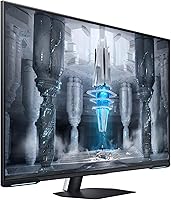
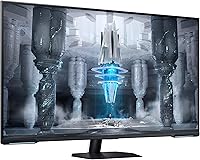
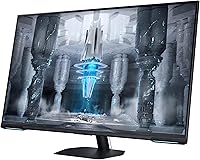
The Samsung 43″ Odyssey Neo G7 Gaming Monitor occupies an interesting space — large enough to function like a television, yet built specifically for gaming. At 43 inches with a Quantum Mini LED panel, it offers noticeably deeper contrast and more controlled local dimming than a standard LED display. This is not a monitor you easily squeeze onto a typical desk; the sheer physical footprint demands careful planning, and sitting too close at a normal desk distance can feel overwhelming. It sits at a premium price point, competing with other large-format gaming displays and, increasingly, budget OLED alternatives. The dual-purpose appeal — gaming one moment, streaming the next — is genuine, but worth examining carefully.
Features & Benefits

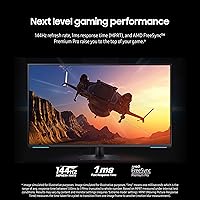
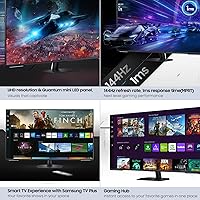
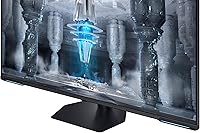
The Quantum Mini LED panel is the standout here. Samsung's local dimming divides the backlight into many small zones, which reduces the halo effect visible on cheaper displays in dark scenes — though it doesn't fully eliminate it. The 144Hz refresh rate paired with 1ms MPRT response time keeps fast-paced games sharp and responsive, a real advantage over 60Hz TV-sized panels. VESA DisplayHDR600 is mid-tier HDR — respectable, but short of what HDR1000-certified screens or OLED panels deliver in peak brightness and shadow detail. AMD FreeSync Premium Pro manages frame rate variability cleanly. The matte coating genuinely reduces glare in bright rooms, where a glossy panel would struggle.

Best For

This 43-inch Samsung gaming monitor makes the most sense for console gamers who want a large 4K screen that handles streaming apps without a second device. PC gamers with generous desk depth — at least 90 to 100 centimeters of viewing distance — will appreciate the immersive field of view in open-world titles. It also suits anyone upgrading from a 27-inch or 32-inch panel who wants a fundamentally bigger viewing experience. The built-in Gaming Hub adds real value for cloud gaming users and even home office setups where the display doubles as an after-hours screen. Competitive FPS players might prefer a smaller, faster OLED display though.

User Feedback

Across 424 ratings, the Odyssey Neo G7 holds a 3.8-star average — a score that signals a divided audience rather than broad satisfaction. Owners consistently praise the picture quality and HDR performance for cinematic content, and many value the Smart TV functionality as a genuine convenience. The criticisms, though, are consistent enough to weigh seriously. Backlight blooming on dark scenes is the most-cited issue; the Mini LED zones reduce it compared to standard LED panels, but it remains visible in night sequences. The stand also draws complaints for lacking stability at this price level. Some users find menu navigation sluggish. A notable subset of reviewers returned this large-format gaming display after choosing an OLED panel at a comparable price.

Pros

  • 4K UHD at 43 inches creates a genuinely immersive field of view for open-world and cinematic titles.
  • Quantum Mini LED local dimming visibly outperforms standard LED panels in contrast-heavy scenes.
  • 144Hz refresh rate and 1ms MPRT keep fast gameplay sharp and responsive across both PC and console.
  • AMD FreeSync Premium Pro eliminates screen tearing cleanly across a wide frame rate range.
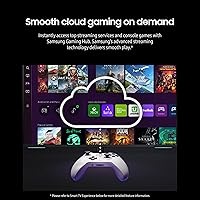
  • Built-in Samsung Gaming Hub removes the need for a separate streaming stick or smart TV.
  • Matte display coating cuts glare effectively in bright rooms and lit home office environments.
  • USB hub functionality with four total ports reduces desktop cable clutter noticeably.
  • Strong out-of-box color accuracy means most users can game and stream without manual calibration.
  • The Odyssey Neo G7 consolidates gaming, cloud streaming, and app-based entertainment into a single device.
  • Quiet operation under typical loads makes extended evening sessions comfortable in silent rooms.

Cons

  • Backlight blooming around bright objects on dark backgrounds is a consistent and well-documented complaint.
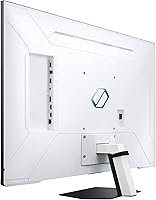
  • The stand wobbles under normal desk conditions — a real frustration at this price level.
  • Menu navigation and OSD response are sluggish, discouraging use of advanced picture settings.
  • VESA DisplayHDR600 is mid-tier HDR; peak brightness falls short of HDR1000 and OLED alternatives.
  • Forty-three inches requires significant desk depth — shallow setups create an uncomfortable viewing distance.
  • Some PC users encounter FreeSync activation issues and resolution handshake problems requiring driver workarounds.
  • The Smart TV OS feels slow compared to a dedicated streaming device or modern smart TV platform.
  • At this price, OLED competitors offer objectively superior contrast and no blooming trade-off.
  • Solo stand assembly is awkward given the monitor's size and weight — a second pair of hands helps.
  • The app library through the Gaming Hub is narrower than buyers accustomed to full smart TV ecosystems expect.

Ratings

The Samsung 43″ Odyssey Neo G7 Gaming Monitor earned a 3.8-star average across 424 verified ratings — a score our AI rating system has analyzed by filtering out incentivized reviews and bot patterns to surface what real buyers consistently report. The scores below reflect genuine strengths in picture quality and versatility alongside recurring frustrations around blooming, stand design, and value compared to OLED alternatives. Both sides of the ownership experience are represented here without bias.
Picture Quality
83%
Owners regularly highlight how sharp and detailed 4K content looks at this screen size, particularly for cinematic single-player games and HDR-enabled streaming. The Quantum Mini LED panel produces noticeably richer blacks than conventional LED monitors, and color accuracy draws consistent praise from users who also use the display for photo browsing and media consumption.
A recurring complaint involves visible blooming around bright objects on dark backgrounds — a limitation inherent to LED-based local dimming that Samsung has not fully resolved at this price level. Some users feel the HDR experience, while solid, falls short of what they expected when comparing it against OLED panels they tested in stores.
HDR Performance
74%
26%
For streaming HDR content on Netflix or Prime Video, most users find the display noticeably more impactful than a standard non-HDR monitor, especially in high-contrast scenes. The VESA DisplayHDR600 certification translates to decent peak brightness and improved shadow detail compared to entry-level panels.
HDR600 is mid-tier certification, and buyers who researched higher-end displays before purchasing often feel the brightness ceiling is limiting in bright room environments. Several reviewers note that competing OLED monitors at a similar price deliver far superior HDR contrast, making this a clear trade-off rather than a premium win.
Gaming Performance
86%
The 144Hz refresh rate and 1ms MPRT response time make a tangible difference in fast-paced titles — motion stays sharp and input lag feels minimal across both PC and console use. AMD FreeSync Premium Pro integration works cleanly, keeping frame delivery smooth even when frame rates dip below the panel's maximum.
A handful of PC users report compatibility friction when pairing the display with certain AMD and Nvidia GPU configurations, requiring driver adjustments before FreeSync operates correctly. Hardcore competitive FPS players sometimes find that the sheer screen size works against them at close desk distances, making a 27-inch or 32-inch setup more practical for that use case.
Smart TV & Streaming Features
78%
22%
The built-in Samsung Gaming Hub and Smart TV app ecosystem genuinely reduce cable clutter — users can switch from a gaming session to Netflix without touching a second device. Cloud gaming access through the Hub adds real convenience for households that want flexibility without a full gaming PC running at all times.
The Smart TV operating system draws mixed reactions, with several owners describing the interface as sluggish when navigating menus or launching apps compared to a dedicated streaming stick or smart TV. Some users also note that the app library, while adequate, is narrower than what a standalone smart TV platform offers.
Build Quality & Stand
61%
39%
The overall chassis feels sturdy at first glance, and at 25.8 pounds the monitor has a solid, grounded presence on a desk. The matte finish on the back panel looks clean and holds up well without visible scuffing under normal handling.
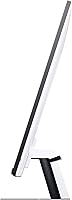
The stand is a consistent sore point among owners — several describe it as wobbly for a display this large and heavy, particularly when adjusting tilt or accidentally nudging the desk. Height and swivel adjustment range is limited compared to what buyers expect at this price point, and many end up purchasing a third-party VESA arm to compensate.
Matte Display Coating
81%
19%
Users in bright living rooms and home offices consistently appreciate the matte surface, which cuts reflections from windows and overhead lighting far more effectively than the glossy panels common on consumer televisions. The anti-glare treatment maintains image clarity without the milky haze that lower-quality matte coatings sometimes introduce.
A minority of users who prefer vibrant, punchy colors find the matte coating slightly dulls saturation compared to a glossy or semi-glossy surface. It is a minor complaint relative to the practical daily benefit, but buyers coming from high-saturation glossy monitors may notice the difference.
Screen Size & Immersion
88%
Upgraders from 27-inch and 32-inch monitors frequently describe the jump to 43 inches as immediately transformative for open-world games and cinematic titles where peripheral screen real estate adds genuine depth. At the right viewing distance, the display fills the field of vision in a way no smaller monitor replicates.
Forty-three inches demands significantly more desk depth than most setups are designed for — users with shallow desks report sitting too close, which exaggerates the need to move their eyes across the panel and causes fatigue. This is a practical constraint that the spec sheet does not communicate, and several reviewers mention it directly as an overlooked buying consideration.
Setup & Installation
69%
31%
Most users complete the physical assembly without major difficulty, and the port layout is accessible enough for standard cable management. Console connections in particular are described as straightforward, with plug-and-play behavior at 4K for current-generation hardware.
PC users occasionally encounter setup friction around FreeSync activation, resolution handshake issues at 144Hz, and firmware-related quirks that require forum research to resolve. The stand assembly itself is manageable but fiddly given the monitor's size and weight, and doing it alone is not recommended.
Connectivity & Ports
76%
24%
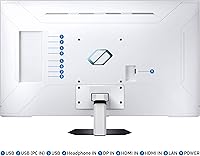
Having two USB 2.0 and two USB 3.0 ports built into the display adds practical desk convenience for peripherals like keyboards, headsets, and USB drives without requiring a separate hub. HDMI inputs cover both console and PC connectivity needs for most standard setups.
Power users with multiple high-bandwidth devices sometimes find the port count limiting, especially for workstation configurations requiring simultaneous connections to two PCs or multiple 4K sources. DisplayPort availability and HDMI 2.1 specification details drew questions from a subset of technically informed buyers.
Value for Money
63%
37%
For buyers who specifically want a large 4K gaming display with a built-in smart platform and do not want to pay for a separate streaming device, the overall package offers reasonable justification for the price. The combination of 144Hz, Quantum Mini LED, and Samsung's app ecosystem in a single unit is genuinely differentiated.
At this price tier, the OLED competition is impossible to ignore — several reviewers explicitly state they returned the Odyssey Neo G7 after comparing it to OLED alternatives offering superior contrast, no blooming, and comparable or better refresh rates. For buyers focused purely on picture fidelity per dollar, the value proposition is harder to defend.
Menu & OSD Navigation
58%
42%
The on-screen display covers all the expected calibration options including color profiles, refresh rate switching, and FreeSync controls, giving users meaningful control over the image when they invest the time to explore it.
The menu system is widely criticized for being slow to respond and unintuitive to navigate, particularly when switching between gaming and streaming modes or adjusting backlight zone settings. Multiple reviews describe the experience as frustrating enough to discourage regular use of the more advanced display settings.
Color Accuracy & Calibration
77%
23%
Out of the box, most users find the color rendering accurate enough for gaming and streaming without manual calibration. The preset game modes are reasonably well-tuned and cover common use cases without requiring technical knowledge.
Enthusiasts who measure panels and compare them against reference standards note some variance from factory calibration, and the monitor lacks hardware calibration support that professionals or serious content creators would expect. Color temperature consistency across the panel also draws occasional criticism at the edges.
Noise & Heat
84%
Under typical gaming and streaming loads, the display runs quietly — owners in quiet rooms report no audible fan noise or coil whine during normal operation, which is a meaningful comfort factor for extended evening use.
During prolonged high-brightness HDR sessions, some users notice the back of the panel becomes warm to the touch, which is not unusual for large LED displays but is worth noting for enclosed or poorly ventilated setups. No serious heat-related performance issues have been widely reported.

Suitable for:

The Samsung 43″ Odyssey Neo G7 Gaming Monitor is built for buyers who want one large display to handle both serious gaming and everyday entertainment without juggling separate devices. Console gamers in particular get tremendous value here — connecting a PS5 or Xbox Series X to a 4K 144Hz display with built-in streaming apps means no television required. PC gamers with deep desks and a preference for immersive single-player or open-world titles will find the screen size genuinely transformative, provided they sit at least 90 centimeters back from the panel. Multimedia users who alternate between gaming sessions and streaming services like Netflix or Prime will appreciate the seamless switching the Samsung Gaming Hub enables. It also works well as a home office anchor display that doubles as an entertainment screen in the evenings, making it a practical pick for anyone who wants one quality screen to cover multiple daily functions.
Not suitable for:

The Samsung 43″ Odyssey Neo G7 Gaming Monitor is a poor fit for competitive FPS or esports-focused players who prioritize raw speed, pixel-perfect precision, and a tight viewing window over screen size and visual richness. Buyers with shallow desks or limited room depth should think carefully — at 43 inches, sitting at a typical monitor distance creates an uncomfortably wide field of view that strains rather than immerses. Anyone researching this display with picture quality as the absolute top priority should know that OLED monitors at a comparable price deliver noticeably better contrast, zero blooming, and deeper blacks — a comparison that has caused a meaningful number of buyers to return this large-format gaming display. Users who find menu-heavy display systems frustrating will likely be irritated by the sluggish OSD and Smart TV navigation. Finally, buyers expecting a rock-solid stand at this price tier will be disappointed — the wobble complaints from real owners are consistent enough to treat as a known limitation rather than an isolated incident.
Specifications

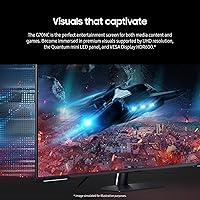
  • Screen Size: The display measures 43 inches diagonally, making it one of the largest monitors in the gaming-focused segment and closer in physical footprint to a small television than a typical desktop monitor.
  • Resolution: Native resolution is 3840x2160 pixels (4K UHD), delivering sharp detail at this screen size with a pixel density that keeps text and fine textures clear at normal desk viewing distances.
  • Panel Technology: The display uses a Quantum Mini LED backlight with Quantum Matrix Technology, which divides the backlight into a high number of small zones for more precise local dimming control than standard LED panels.
  • Refresh Rate: Maximum refresh rate is 144Hz, supporting smooth motion in fast-paced games when paired with a capable GPU or current-generation console.
  • Response Time: Rated at 1ms MPRT (Moving Picture Response Time), which reflects motion clarity rather than pixel transition speed and is most relevant for reducing perceived blur in fast motion.
  • HDR Certification: Certified to VESA DisplayHDR600, meaning the panel meets minimum requirements for 600 nits peak brightness and local dimming, which is a mid-tier HDR standard sitting below HDR1000.
  • Contrast Ratio: Samsung rates the contrast ratio at 1,000,000:1, a figure that reflects the dynamic range achievable through local dimming rather than the native panel contrast measured in a static scene.
  • Adaptive Sync: Compatible with AMD FreeSync Premium Pro, which supports variable refresh rates and low framerate compensation to reduce tearing and stutter across a wide range of frame outputs.
  • Aspect Ratio: Standard 16:9 widescreen aspect ratio, compatible with all conventional gaming, streaming, and productivity content without letterboxing or pillarboxing under normal use.
  • Display Surface: The screen uses a matte anti-glare coating that diffuses ambient light from windows and room lighting, reducing reflections at the cost of a very slight reduction in peak color vibrancy.
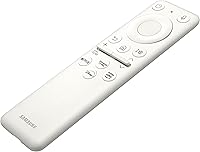
  • Smart Platform: Runs Samsung's Tizen-based Smart TV operating system with built-in support for the Samsung Gaming Hub, plus streaming apps including Netflix, Prime Video, and Disney+, accessible without a connected PC or console.
  • USB Ports: Includes two USB 2.0 ports and two USB 3.0 ports built into the monitor body, usable as a basic peripheral hub for keyboards, headsets, and storage devices.
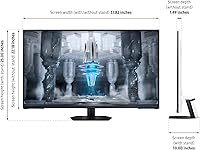
  • Dimensions: With the stand attached, the monitor measures approximately 10 inches deep, 37.82 inches wide, and 25 inches tall, requiring substantial desk depth and width to accommodate comfortably.
  • Weight: The unit weighs 25.8 pounds with the stand included, which is heavy enough that assembling and positioning it is more manageable with two people.
  • Power Supply: Operates on AC 100–240V at 50/60Hz with a 1.5-meter power cable included, making it compatible with standard electrical outlets globally.
  • Model Number: The official Samsung model number is LS43CG702NNXZA, which is the North American variant of the Odyssey Neo G7 43-inch series.
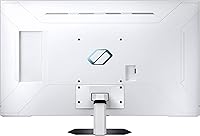
  • Color: Available in Black with a matte finish on the rear chassis, consistent with Samsung's Odyssey gaming monitor design language.
  • VESA Mount: The monitor supports VESA mounting, allowing users to replace the included stand with a compatible third-party monitor arm or wall mount for improved positioning flexibility.

Related Reviews
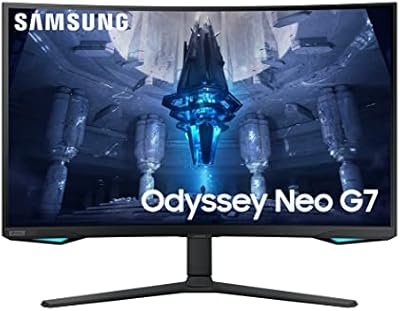
Samsung Odyssey Neo G7 32″ 4K Gaming Monitor
86%
94%
Gaming Performance
91%
Display Quality
88%
Value for Money
90%
Ease of Setup
93%
Color Accuracy
More
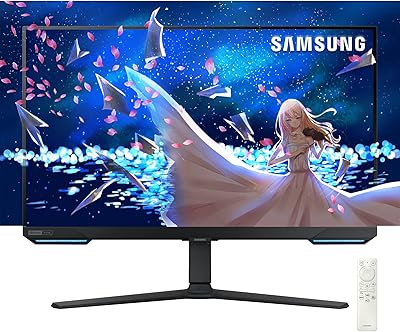
Samsung 32″ Odyssey Neo G8 Gaming Monitor
77%
93%
Image Quality
91%
HDR Performance
89%
Refresh Rate & Smoothness
88%
Contrast & Black Levels
86%
Response Time & Motion Clarity
More
Samsung Odyssey G7 28-inch 4K UHD Gaming Monitor
84%
94%
Display Quality
91%
Gaming Performance
87%
Value for Money
85%
Build Quality
80%
Connectivity Options
More
Samsung Odyssey G32A 32″ Gaming Monitor
75%
91%
Refresh Rate Performance
74%
Response Time & Motion Clarity
53%
Image Sharpness & Pixel Density
67%
Color Accuracy & Vibrancy
83%
Contrast & Black Levels
More
Samsung 27″ Odyssey G32A Gaming Monitor
80%
91%
Gaming Performance
93%
Refresh Rate & Smoothness
84%
Response Time & Motion Clarity
88%
Adaptive Sync (FreeSync Premium)
63%
Image Sharpness & Pixel Density
More
Samsung 34″ Odyssey G5 Ultrawide Gaming Monitor
77%
91%
Immersion & Curvature
88%
Display Resolution & Sharpness
84%
Refresh Rate & Motion Clarity
86%
Contrast & Black Levels
71%
Color Accuracy & Vibrancy
More
SAMSUNG Odyssey G50A 27-Inch Gaming Monitor
84%
94%
Gaming Performance
89%
Display Quality
86%
Ergonomics and Adjustability
92%
Color Accuracy
91%
G-Sync Compatibility
More
Samsung Odyssey G55C 32″ Curved Gaming Monitor

78%
88%
Image Sharpness & Resolution
84%
Refresh Rate & Motion Clarity
91%
Curvature & Immersion
93%
Value for Money
57%
HDR Performance
More
Samsung 32″ Odyssey G65B Curved Gaming Monitor
84%
91%
Display Quality
93%
Gaming Performance
87%
Curvature Immersion
88%
HDR Performance
90%
Response Time
More
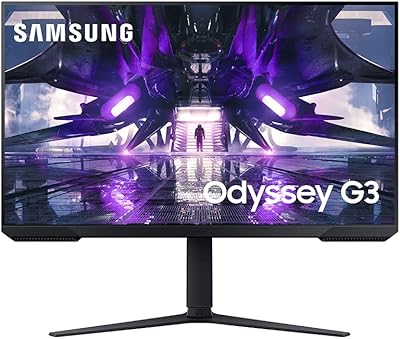
Samsung Odyssey G3 24-Inch FHD Gaming Monitor
83%
91%
Display Quality
94%
Gaming Performance (Refresh Rate/Response Time)
88%
Ease of Setup
85%
Ergonomics & Adjustability
89%
AMD FreeSync Performance
More

FAQ

Current-generation consoles can drive the display at 4K, but 144Hz at full 4K resolution requires HDMI 2.1 bandwidth. Verify your cable and console output settings are configured correctly, as some users have needed to manually enable high refresh rate modes in both the console and monitor menus to get the full benefit.

It depends entirely on your desk depth. Most ergonomic guidelines suggest sitting at least 80 to 100 centimeters from a screen this size to avoid eye strain. If your desk is shallow or you typically sit close, 43 inches can feel overwhelming rather than immersive. Several owners have noted this is the single most underestimated factor before buying.

It is noticeable enough that real owners mention it consistently, particularly during dark game scenes or night-sky backdrops where bright objects like stars or UI elements create a soft halo around them. The Quantum Mini LED local dimming reduces it compared to a standard LED monitor, but it is not eliminated. If perfect blacks with zero blooming are a priority, an OLED panel will serve you better.

Yes, and this is actually one of the most practical use cases for it. The built-in Smart TV apps, Samsung Gaming Hub, and Wi-Fi connectivity mean you can stream content and game without any additional hardware. At 43 inches it fits naturally at a typical TV viewing distance on a media console or desk in a smaller room.

It is certified for AMD FreeSync Premium Pro natively, but many FreeSync displays also work with Nvidia GPUs in G-Sync Compatible mode. You would need to enable G-Sync Compatible in the Nvidia Control Panel, and while most users report it functions well, it is not an officially G-Sync certified panel, so results can vary depending on GPU generation and driver version.

Honestly, a number of owners replace the stand relatively quickly. It handles basic tilt adjustment but has limited height range and is described as wobbly for a display this heavy. If you plan to use this on a proper desk setup and want reliable positioning, budgeting for a VESA-compatible monitor arm is a smart move from the start.

There is a meaningful gap. OLED panels produce perfect blacks by turning off individual pixels entirely, while this display relies on LED zone dimming to approximate deep blacks. For daytime streaming or brightly lit scenes the Odyssey Neo G7 looks excellent, but in a dark room watching HDR content with high contrast, an OLED will visibly outperform it — and that comparison has led some buyers to switch.

The Tizen-based platform includes the major services — Netflix, Amazon Prime Video, Disney+, Apple TV+, and YouTube are all accessible. Samsung Gaming Hub adds cloud gaming through Xbox Game Pass, NVIDIA GeForce Now, and others. The library is solid for most households, though it is not as broad as a dedicated Android TV device.

It handles productivity well, particularly tasks that benefit from screen real estate like spreadsheet work, video editing timelines, or having multiple windows open side by side. The 4K resolution keeps text sharp even at this size. The main productivity caveat is the same as for gaming — you need the desk depth to sit far enough back to use the full screen comfortably.

Physical assembly is straightforward but easier with two people given the weight and size. Console users typically find plug-and-play connectivity at 4K without major issues. PC users occasionally run into FreeSync or resolution handshake problems that require a driver update or manual configuration in both the GPU software and the monitor's OSD menu — it is solvable, but worth knowing in advance rather than being caught off guard.

Where to Buy