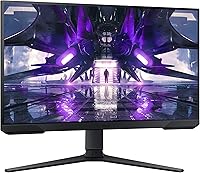
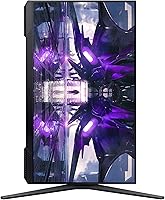
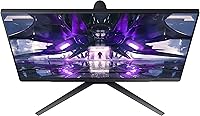
Overview

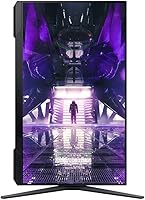
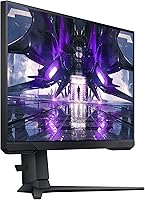
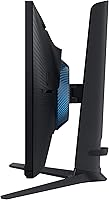
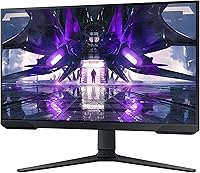
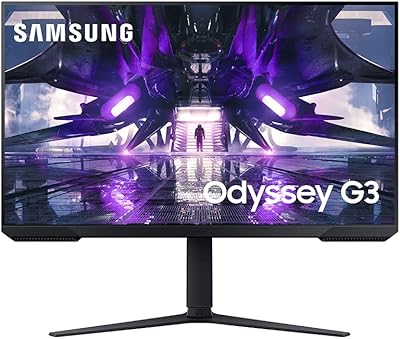
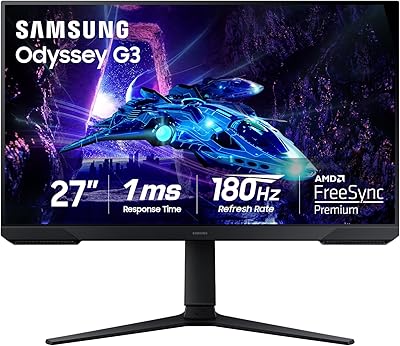
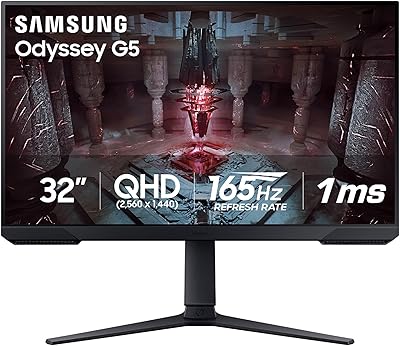
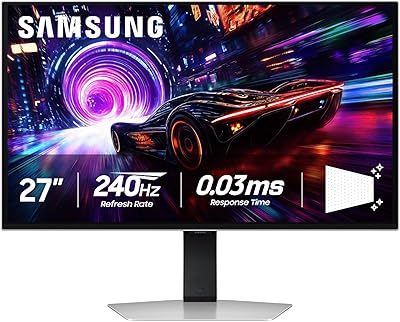
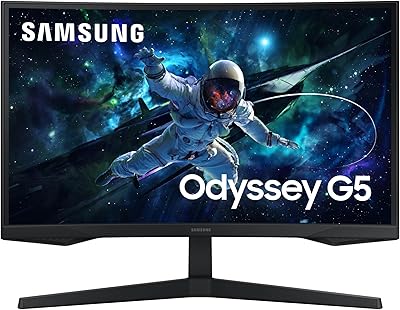
The Samsung 27″ Odyssey G32A Gaming Monitor sits comfortably within Samsung's Odyssey gaming lineup — accessible enough for first-time builders, yet capable enough to keep competitive players happy for years. The G32A makes a deliberate resolution trade-off: 1080p at 165Hz means the focus is on smooth, responsive gameplay rather than pixel density. If you're coming from a creative or color-critical workflow, this isn't your panel. But as a clean, borderless display built for gaming, it fits naturally on almost any desk setup, and Samsung's build quality gives it a presence that feels well above its asking price.
Features & Benefits

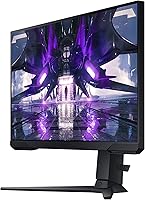
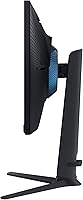
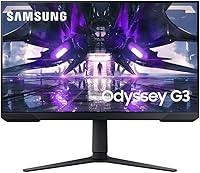
The headline spec here is the 165Hz refresh rate, which makes a genuinely noticeable difference when you're playing fast-paced shooters or racing titles. The response time is quoted at 1ms MPRT — worth knowing that MPRT (Moving Picture Response Time) measures perceived blur reduction, which differs from GtG, but in practice the result is a screen that keeps up with quick movements without ghosting. AMD FreeSync Premium adds adaptive sync with low framerate compensation, so even if your GPU dips, the experience stays relatively smooth. The ergonomic stand — height, swivel, and tilt — is a genuine rarity at this price point, and Eye Saver Mode helps during longer sessions.

Best For

This Samsung gaming monitor is a strong fit for anyone running a mid-range GPU — think an AMD RX 6600 or Nvidia RTX 3060. At 1080p, those cards can consistently push well past 100 frames per second in most titles, meaning you'll actually use that 165Hz headroom rather than let it sit idle. Competitive FPS players and esports enthusiasts will appreciate the fast response and low-latency feel. The slim bezels make this 27-inch display a practical choice for a side-by-side dual-monitor setup, too. Students or first-time builders stepping up from a basic screen will notice a meaningful improvement in both responsiveness and ergonomic comfort.

User Feedback

Across more than 1,100 reviews, the Odyssey G32A holds a 4.6-star rating — at that volume, it signals consistent buyer satisfaction rather than a handful of enthusiastic early adopters. Users frequently praise how smooth the gameplay feels and how much the adjustable stand improves comfort over long sessions. Setup is consistently described as quick and painless. The most common criticism centers on pixel density: some buyers feel that 1080p on a 27-inch panel looks softer than expected, particularly those coming from a smaller, sharper screen. Color accuracy also draws occasional complaints — the Odyssey G32A handles gaming content well, but it isn't a panel built for photo editors or designers.

Pros

  • The 165Hz refresh rate makes fast-paced games feel noticeably smoother compared to a standard 144Hz or 60Hz display.
  • AMD FreeSync Premium keeps gameplay tear-free even when frame rates fluctuate, which is common with mid-range GPUs.
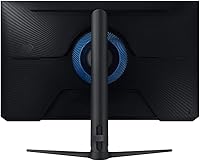
  • The ergonomic stand offers height adjustment, swivel, and tilt — a genuine comfort advantage that many monitors at this price skip.
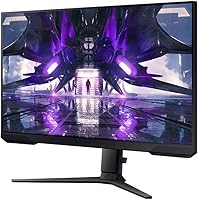
  • Three-sided borderless bezels make the Odyssey G32A a natural fit for clean dual-monitor setups.
  • Eye Saver Mode and flicker-free technology reduce eye strain during extended gaming or work sessions.
  • VESA mount compatibility gives you flexibility if you prefer a monitor arm over the included stand.
  • Setup is quick and straightforward — most users report being up and running within minutes.
  • Over 1,100 customer reviews back up a 4.6-star rating, reflecting broad and consistent buyer satisfaction.
  • Samsung's build quality feels solid and durable, with no widespread reports of early failures or defects.

Cons

  • At 27 inches, the 1080p resolution produces a lower pixel density than many buyers expect — text and fine details can look softer up close.
  • The glossy screen surface picks up reflections in bright rooms, which can be distracting without good ambient light control.
  • Color accuracy is adequate for gaming but falls short for any creative or color-critical work.
  • There is no meaningful HDR support, so buyers expecting vibrant HDR performance will be disappointed.
  • The on-screen display menu has been described by some users as unintuitive and slow to navigate.
  • Console gamers with a current-gen system will be capped at 1080p output, leaving GPU headroom untapped.
  • The glossy panel may show smudges and fingerprints more readily than a matte-finish alternative.
  • Buyers sensitive to pixel density coming from a sharper or smaller screen may find the adjustment period frustrating.

Ratings

The scores below for the Samsung 27″ Odyssey G32A Gaming Monitor were generated by our AI system after analyzing thousands of verified buyer reviews from global markets, with spam, bot-submitted, and incentivized feedback actively filtered out. Each category reflects the honest distribution of real user sentiment — both where this display genuinely delivers and where it falls short. No score has been adjusted for commercial purposes, and critical trade-offs are weighted just as heavily as praised strengths.
Gaming Performance
91%
The 165Hz refresh rate consistently earns high praise from competitive FPS and esports players who notice an immediate, tangible improvement over their previous 60Hz or 144Hz screens. Fast-paced titles like Valorant and CS2 feel noticeably more responsive, and the adaptive sync technology keeps frame delivery smooth even during GPU-intensive sequences.
Users who play graphically demanding, slower-paced titles sometimes feel the 1080p resolution limits the visual payoff of high frame rates. A small number of reviewers also noted occasional adaptive sync disengagement at very low framerates, though this appears to be an edge case rather than a systemic issue.
Refresh Rate & Smoothness
93%
Buyers upgrading from a 60Hz panel consistently describe the step up to 165Hz as one of the most impactful display upgrades they have made. Scrolling through desktop interfaces, browsing, and gameplay all benefit from the higher cadence, and very few users report any instability at the maximum refresh rate.
Reaching 165Hz requires a DisplayPort connection — HDMI 1.4 cannot carry the full bandwidth needed for the maximum refresh rate at 1080p, which catches some buyers off guard during initial setup. Console users in particular are limited by their hardware and will not come close to this figure.
Response Time & Motion Clarity
84%
The 1ms MPRT rating translates to minimal perceived blur during fast lateral movement in shooters and racing games, which competitive players especially appreciate. Most buyers report that ghosting is either absent or barely perceptible under normal gaming conditions.
It is worth noting that MPRT is a backlight strobing measurement, not a traditional gray-to-gray panel transition speed, and some technically informed buyers feel this distinction is undersold. In highly demanding motion sequences, a small subset of users detected residual blur that a true 1ms GtG panel would be less likely to produce.
Adaptive Sync (FreeSync Premium)
88%
AMD GPU owners report near-elimination of screen tearing during variable-framerate sessions, and the low framerate compensation feature helps maintain a watchable experience even during GPU-heavy drops. Nvidia users running G-Sync Compatible mode also report broadly positive results after enabling it through the control panel.
G-Sync Compatible mode on Nvidia cards is not officially certified for this display, meaning the experience can vary depending on the GPU model and driver version. A handful of Nvidia users reported having to experiment with settings before achieving stable adaptive sync behavior.
Image Sharpness & Pixel Density
63%
37%
For gaming from a standard desk distance, most users find the 1080p image perfectly functional and report no significant distraction from pixel density during gameplay. Those coming from older or smaller monitors consistently rate the visual upgrade positively.
This is the most polarizing aspect of the Odyssey G32A. At 27 inches, the roughly 82 pixels-per-inch density sits lower than competing 1440p panels or even a 24-inch 1080p screen, and users who sit close or have experience with sharper displays frequently mention that text looks soft and fine details appear less defined. It is a real limitation that prospective buyers should weigh carefully.
Color Accuracy & Vibrancy
69%
31%
For gaming and streaming video content, the panel's color output is broadly satisfying — saturation is adequate, and the glossy surface contributes a sense of punchiness that matte panels sometimes lack. Casual users who are not comparing it directly against a calibrated display tend to rate the color experience positively.
Anyone who needs accurate color reproduction for photo editing, graphic design, or video color grading will find this display falls well short of purpose-built IPS or OLED panels. Several buyers who intended to use it for mixed gaming and creative work ended up replacing or supplementing it with a more accurate display.
Ergonomics & Stand Adjustability
89%
Height adjustment, swivel, and tilt in a single stand is genuinely uncommon at this monitor's price tier, and buyers consistently single it out as a standout feature. Users who spend long hours gaming or working at a desk appreciate being able to fine-tune the viewing angle without resorting to books or monitor arms.
The height adjustment range, while useful, may not reach high enough for users with standing desks or very tall seating positions. A small number of buyers also noted that the stand's swivel action feels slightly stiffer than expected, though this did not appear to affect long-term usability.
Build Quality & Durability
82%
18%
The overall construction inspires more confidence than many monitors competing at this price point — the stand feels solid, the panel does not flex noticeably under normal adjustment, and there are very few reports of early hardware failures across a substantial review base of over 1,100 buyers.
The rear housing and some stand components use lightweight plastic that can feel slightly hollow when handled. A small number of buyers noted minor wobble when the desk surface vibrates, such as during typing, though this appears more pronounced at lower height settings.
Bezel Design & Aesthetics
86%
The three-sided borderless design is well-executed and makes a meaningful visual difference in dual-monitor configurations, where the gap between two screens is kept to a minimum. On a single-monitor desk, the thin profile keeps the overall setup looking clean and modern without heavy branding.
The bottom bezel is noticeably thicker than the three borderless sides, which is a known design compromise on this style of panel. In a stacked or unconventional multi-monitor arrangement, the bottom chin can become a slight visual interruption.
Glare & Reflectivity
61%
39%
In a controlled or dim gaming environment, the glossy finish actually enhances the perceived contrast and color pop, and users who game in darker rooms frequently prefer this over matte alternatives. The surface clarity also means the image never looks washed out or hazy.
In bright offices or rooms with windows directly in front or behind the user, reflections become a genuine problem that detracts from the experience. Multiple buyers in brightly lit environments specifically called out the glossy surface as a frustration they did not anticipate before purchasing.
Eye Comfort & Fatigue
79%
21%
The combination of flicker-free backlighting and Eye Saver Mode is appreciated by users who game or work for multiple hours in a single session. Several reviewers noted reduced eye strain compared to their previous monitors, particularly during late-night gaming.
The glossy panel can force users to increase brightness to overcome reflections in certain environments, which partially undercuts the eye comfort benefits. Some users also found Eye Saver Mode introduces a noticeable warm color cast that takes adjustment to tolerate.
Connectivity & Port Selection
71%
29%
Having both a DisplayPort and two HDMI inputs covers most common use cases — one port for a PC via DisplayPort and a second device via HDMI simultaneously, which is handy for switching between a console and a desktop without unplugging anything.
The HDMI ports are version 1.4, which limits refresh rate output over HDMI and becomes a bottleneck for users who do not own or want to use a DisplayPort cable. There is no USB hub built into the monitor, which buyers accustomed to more feature-rich displays may miss.
OSD & Menu Usability
66%
34%
Navigation via the rear joystick is a more modern approach than traditional button arrays, and once users learn the menu layout, adjustments like brightness, refresh rate, and FreeSync toggling become reasonably quick to access.
A recurring theme in buyer feedback is that the OSD layout feels unintuitive on first use, with some settings buried deeper in the hierarchy than expected. The menu response can also feel slightly sluggish compared to higher-end Samsung displays, which adds minor friction during initial configuration.
Setup & Out-of-Box Experience
88%
Assembly is consistently described as fast and tool-free, with the stand clicking into place without confusion. Most buyers report being fully set up and gaming within ten to fifteen minutes of opening the box, and the included accessories cover basic needs without requiring immediate additional purchases.
The included cable selection is minimal — typically only a power cable is included, meaning buyers without a spare DisplayPort cable on hand will need to source one separately to take full advantage of the monitor's refresh rate capabilities.
Value for Money
83%
For a buyer whose primary use case is gaming — especially competitive or esports-style gaming — the combination of 165Hz, FreeSync Premium, and an ergonomic adjustable stand at this monitor's price tier is difficult to match. Most satisfied buyers feel the display over-delivers relative to what they expected to spend.
Buyers who discover the 1080p pixel density limitation or the glossy screen reflectivity after purchase sometimes feel the value equation shifts. Compared to some competing panels that offer 1440p at a modest premium, the Odyssey G32A's value case depends heavily on whether 1080p gaming is an acceptable long-term resolution for the buyer's setup.

Suitable for:

The Samsung 27″ Odyssey G32A Gaming Monitor is a strong match for gamers who want a high-refresh-rate experience without pushing into premium display territory. If you're running a mid-range GPU — an AMD RX 6600, an Nvidia RTX 3060, or anything in that range — 1080p is exactly the resolution sweet spot where those cards shine, and you'll have no trouble feeding this panel enough frames to take full advantage of the 165Hz ceiling. Competitive FPS players and esports enthusiasts will find the fast response time and adaptive sync genuinely useful in tense, twitch-reaction moments. The ergonomic stand also makes this a smart pick for students or anyone spending long hours at a desk, since proper monitor positioning matters more than most people expect. And if you're building a dual-monitor workstation for gaming and general use, the slim three-sided bezels keep the setup looking clean without distracting gaps.
Not suitable for:

The Samsung 27″ Odyssey G32A Gaming Monitor is not the right choice for anyone who prioritizes image sharpness or color fidelity above all else. At 27 inches with a 1080p resolution, the pixel density sits noticeably lower than a 24-inch 1080p panel or a 1440p screen of similar size — if you sit close to your monitor or have a trained eye for fine detail, the softness will likely bother you. Graphic designers, photo editors, and video creators should look elsewhere entirely; the glossy IPS-adjacent panel is tuned for gaming, not accurate color reproduction. HDR enthusiasts will also be disappointed, as this display lacks meaningful HDR support. Finally, if you're a console gamer primarily using a PlayStation 5 or Xbox Series X, the 1080p output cap means you won't be using your console hardware to its fullest potential.
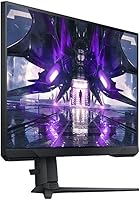
Specifications

  • Screen Size: The panel measures 27 inches diagonally, offering a wide viewing area suited to both gaming and general desktop use.
  • Resolution: Native resolution is 1920x1080 (Full HD), providing a sharp image when paired with content and hardware optimized for 1080p output.
  • Refresh Rate: The display supports a maximum refresh rate of 165Hz, enabling noticeably smoother motion compared to standard 60Hz or 144Hz panels.
  • Response Time: Rated at 1ms MPRT (Moving Picture Response Time), which reduces perceived motion blur during fast-paced on-screen action.
  • Adaptive Sync: AMD FreeSync Premium is supported, including low framerate compensation to maintain smooth visuals when GPU output dips below the panel's refresh range.
  • Aspect Ratio: Standard 16:9 widescreen aspect ratio, compatible with virtually all modern games, video content, and operating system interfaces.
  • Panel Surface: The screen uses a glossy surface finish, which enhances color vibrancy but may reflect ambient light in brightly lit environments.
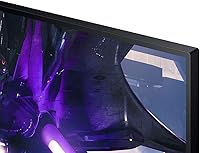
  • Bezel Design: Three-sided borderless construction minimizes visible frame edges on the top and both sides, making it practical for multi-monitor arrangements.
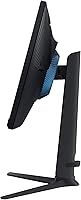
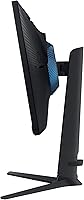
  • Stand Adjustments: The included stand supports height adjustment, swivel, and tilt, allowing users to position the display for ergonomic comfort across different desk and chair setups.
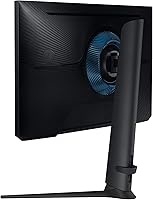
  • VESA Mount: The monitor is VESA mount compatible, so it can be removed from its stand and attached to a third-party monitor arm or wall bracket.
  • Eye Care: Eye Saver Mode reduces blue light emission and the panel is flicker-free, both of which are intended to reduce eye fatigue during extended use.
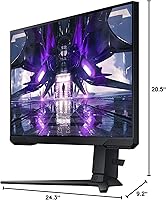
  • Dimensions: With the stand attached, the monitor measures approximately 9.2 x 24.3 x 20.5 inches (depth x width x height).
  • Weight: The full unit including the stand weighs 10.6 pounds, making it manageable for a single person to position and reposition on a desk.
  • Color: Available in black, consistent with the broader Odyssey gaming lineup's understated, desk-friendly aesthetic.
  • Model Number: The official model identifier is LS27AG320NNXZA, which can be used to verify compatibility with accessories, firmware updates, and warranty claims.
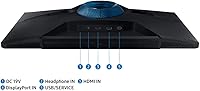
  • Voltage: The monitor operates at 19 volts, and the appropriate power adapter is included in the retail package.
  • Manufacturer: Designed and manufactured by Samsung, a company with an established track record in consumer display hardware across gaming and professional segments.
  • Availability: This model has not been discontinued by the manufacturer, and replacement parts and warranty support remain active as of its product listing.

Related Reviews

Samsung Odyssey G32A 32″ Gaming Monitor
75%
91%
Refresh Rate Performance
74%
Response Time & Motion Clarity
53%
Image Sharpness & Pixel Density
67%
Color Accuracy & Vibrancy
83%
Contrast & Black Levels
More
Samsung Odyssey G50A 27-inch Gaming Monitor
80%
91%
Image Clarity
93%
Refresh Rate Performance
88%
Color Accuracy
58%
HDR Quality
89%
Response Time & Input Lag
More
Samsung Odyssey G50D 27-Inch Gaming Monitor
81%
88%
Image Clarity
91%
Refresh Rate Performance
86%
Response Time & Motion Handling
84%
Color Accuracy
58%
HDR Performance
More
Samsung Odyssey G3 G30D 27″ Gaming Monitor
80%
91%
Gaming Performance
88%
Refresh Rate Value
93%
Ergonomics & Stand
67%
Image Clarity
84%
AMD FreeSync
More
Samsung 27″ Odyssey QHD G65B Curved Gaming Monitor
80%
88%
Picture Quality
92%
Gaming Performance
78%
Build Quality
85%
Curved Display Experience
90%
Price to Performance Ratio
More
Samsung Odyssey G81SF 27-inch Gaming Monitor
80%
96%
Image Quality
97%
Contrast & Black Levels
89%
Refresh Rate & Motion Clarity
88%
Glare Resistance & Matte Coating
91%
HDR Performance
More
Samsung 27-Inch Odyssey G51C Series QHD Gaming Monitor
87%
92%
Display Quality
94%
Gaming Performance
87%
Value for Money
89%
Ergonomics & Comfort
74%
Brightness
More
Samsung Odyssey G55C 27-inch Curved Gaming Monitor
76%
91%
Image Sharpness
89%
Refresh Rate & Motion
84%
Curvature & Immersion
86%
Value for Money
58%
HDR Performance
More
Samsung 34″ Odyssey G5 Ultrawide Gaming Monitor
77%
91%
Immersion & Curvature
88%
Display Resolution & Sharpness
84%
Refresh Rate & Motion Clarity
86%
Contrast & Black Levels
71%
Color Accuracy & Vibrancy
More
Samsung Odyssey G55C 32″ Curved Gaming Monitor
78%
88%
Image Sharpness & Resolution
84%
Refresh Rate & Motion Clarity
91%
Curvature & Immersion
93%
Value for Money
57%
HDR Performance
More

FAQ

This is the most common concern with the Odyssey G32A, and it deserves an honest answer. At 27 inches, 1080p sits at roughly 82 pixels per inch — which is noticeably lower than a 24-inch 1080p screen or a 1440p panel of similar size. For gaming from a typical desk distance of two to three feet, most people adjust quickly and find it perfectly acceptable. That said, if you sit very close or have used a sharper screen recently, the difference in text clarity and fine detail is real. It comes down to what you're prioritizing: if smooth, high-frame-rate gameplay matters more to you than pin-sharp pixels, the trade-off makes sense.

FreeSync Premium works natively with AMD graphics cards, but Nvidia has supported FreeSync-compatible monitors through its G-Sync Compatible program for several years now. Many Nvidia RTX and GTX cards can enable adaptive sync on this display — you would just need to enable G-Sync Compatible mode in the Nvidia Control Panel. It is worth checking Nvidia's official compatibility list to confirm your specific GPU model before assuming it will work automatically.

The Samsung 27″ Odyssey G32A Gaming Monitor includes one DisplayPort 1.2 and two HDMI 1.4 ports. DisplayPort is the recommended connection for PC gaming if you want to reach the full 165Hz refresh rate. HDMI 1.4 has bandwidth limitations that cap output below the maximum refresh rate at 1080p, so PC users should default to DisplayPort. Console users connecting via HDMI will be limited by the console's own output capabilities.
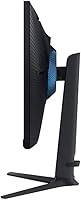
The display is VESA mount compatible, so attaching a third-party monitor arm is straightforward. You'll need to remove the included stand, expose the VESA mounting holes on the rear of the panel, and secure your arm bracket. A 75x75mm or 100x100mm VESA arm will typically fit — just confirm the specification for your specific arm before purchasing.

Assembly is simple. The stand clicks into the base and attaches to the monitor without tools in most cases, and the process takes only a few minutes. Connecting power and a display cable, then adjusting the OSD settings to your preference, adds another few minutes at most. Most buyers report a smooth first-time experience with no frustrating steps.

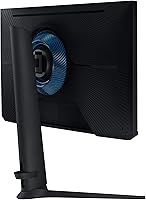
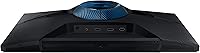
This is one area where the Odyssey G32A gets mixed reviews. The OSD is navigated via a small joystick button on the rear of the monitor, which is a reasonably modern approach, but some users find the menu layout unintuitive at first. It can take a few minutes of exploration to locate specific settings like refresh rate, FreeSync toggle, or Eye Saver Mode. Once you've learned the layout, everyday adjustments become quicker.

It will work, but you won't be using either console to its fullest potential. The panel is capped at 1080p, and current-gen consoles are designed to output at 4K or at least 1440p in many titles. You'll also be limited by HDMI 1.4 bandwidth. For a console-primary setup, a 1440p or 4K display would be a more future-proof choice. If you're using an older console or primarily game on PC, the consideration is less relevant.

It can, depending on your room setup. The glossy finish does enhance color saturation and contrast in controlled lighting, but it reflects overhead lights and windows more than a matte panel would. If your desk faces a window or sits under strong overhead lighting, glare management becomes something you'll actively need to think about — either by repositioning the monitor, adjusting blinds, or diffusing the room light. In a darker or controlled gaming environment, the glossy surface is rarely a problem.

The stand covers height adjustment, tilt, and swivel, which gives you solid positioning flexibility for ergonomic comfort. Build feedback from owners is generally positive — the stand feels stable and doesn't wobble noticeably during use. Height adjustment range is adequate for most sitting positions, though users with standing desks may want to supplement with a monitor arm for maximum flexibility.

General productivity work — spreadsheets, documents, web browsing, video calls — is perfectly fine on this display. The 27-inch size gives you a comfortable amount of screen real estate, and the ergonomic stand helps with positioning for desk work. Where it falls short for professional use is color accuracy; the panel is not calibrated for graphic design, photo editing, or any workflow where precise color rendering matters. For everyday office tasks, though, it gets the job done without issue.

Where to Buy