Overview

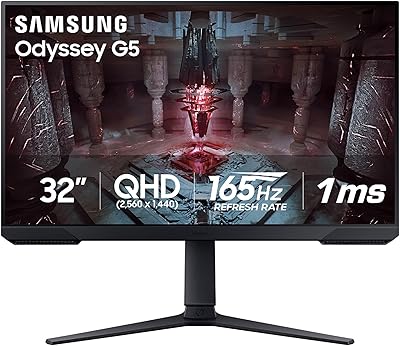
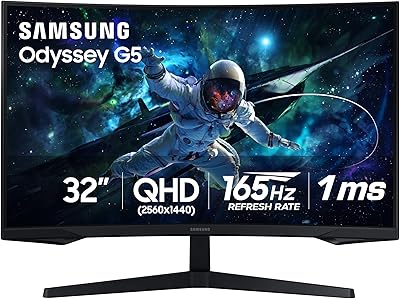
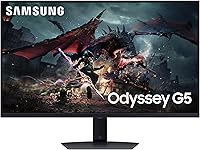
The Samsung Odyssey G50D 32-inch QHD Gaming Monitor sits in a sweet spot that mid-range buyers rarely find: genuinely competitive specs without pushing into enthusiast price territory. The Fast IPS panel is a deliberate and meaningful choice — it delivers far better color consistency and viewing angles than the VA panels that dominate this price bracket, and sidesteps the lag trade-offs that held TN alternatives back. Released in 2024, it goes up against similarly priced LG and AOC displays with confidence. Just go in clear-eyed: there are no built-in speakers, no USB hub, and no 4K — omissions that won't bother most gamers but are worth knowing upfront.
Features & Benefits

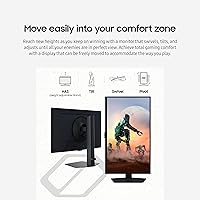
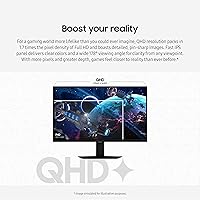
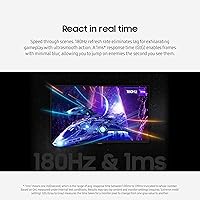
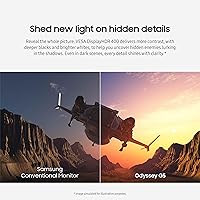
At 32 inches, QHD resolution means noticeably sharper images than a 1080p panel of the same size — fine text stays crisp, game environments carry real detail, and the image doesn't feel stretched. The 180Hz refresh rate paired with a 1ms GtG response time makes a tangible difference in fast shooters where motion blur is the enemy. IPS also means the picture holds up when you glance from an angle — no color shift, no washed-out look. Both AMD FreeSync and G-Sync compatibility are covered, practical for mixed GPU households. DisplayHDR 400 adds contrast lift over standard SDR, but don't expect OLED-level depth. The fully adjustable stand — tilt, swivel, and height — is a genuine bonus at this price tier.

Best For

This 32-inch QHD display is a natural fit for competitive FPS players who prioritize frame rate and response over cinema-grade HDR or professional color accuracy. If you run a dual console-and-PC setup, the included HDMI and DisplayPort cables make switching between sources straightforward from day one. Home office workers who also game in the evenings will appreciate Eye Saver Mode and the flicker-free panel during extended hours. If you've been holding onto a 1080p or 60Hz monitor for years, the jump here is substantial without requiring a serious financial stretch. It also fits naturally on mid-sized desks where a 27-inch feels too compact but an ultrawide format would be overkill.

User Feedback

Across 466 ratings averaging 4.4 stars, buyers consistently praise how well the Odyssey G50D performs straight out of the box — colors land well without manual calibration, and the stand feels sturdy rather than hollow. Gameplay smoothness earns frequent mentions too. On the downside, the glossy panel coating draws the most criticism; in bright or window-facing rooms, glare becomes a genuine problem, not a minor quibble. Several owners note that DisplayHDR 400 is far subtler in practice than the marketing implies — it is entry-level HDR, full stop. The absence of USB ports on the monitor body frustrates buyers with busy desks, and a small number of lower ratings mention dead pixels or finicky OSD menus on arrival.

Pros

  • 180Hz refresh rate makes fast-paced competitive gameplay noticeably smoother compared to 60Hz or 144Hz panels.
  • Fast IPS panel delivers consistent colors and wide viewing angles that VA alternatives at this price rarely match.
  • QHD resolution adds real sharpness at 32 inches — a meaningful step up from 1080p at the same screen size.
  • Both AMD FreeSync and G-Sync compatibility are supported, covering virtually every modern GPU on the market.
  • The fully adjustable stand includes tilt, swivel, and height control — uncommon generosity at this price tier.
  • Colors look accurate and vibrant straight out of the box with minimal calibration needed for most users.
  • Eye Saver Mode and flicker-free backlight make extended sessions noticeably less fatiguing over several hours.
  • Both HDMI and DisplayPort cables are included, so the setup cost is exactly what you paid at checkout.
  • VESA mount compatibility means upgrading to an aftermarket arm later is a straightforward option.

Cons

  • Glossy panel coating causes significant glare in bright or naturally lit rooms — a persistent issue, not a minor one.
  • DisplayHDR 400 is entry-level certification; the real-world HDR effect is subtle and disappoints buyers expecting cinematic contrast.
  • No USB-A passthrough ports on the monitor body, forcing users to rely entirely on their PC or a separate hub.
  • OSD navigation uses rear-mounted buttons that are awkward to operate by feel, especially during initial configuration.
  • Only one HDMI and one DisplayPort input — users with three or more source devices will immediately need an external switch.
  • Portrait mode rotation is not supported by the stand, limiting flexibility for productivity or coding use cases.
  • Mild backlight bleed in corners is a recurring complaint among users who game in dark environments.
  • No built-in speakers, which is a minor but real inconvenience for users without a separate audio setup.
  • At 32 inches, QHD pixel density is noticeably lower than a 27-inch equivalent — close-sitters may find text slightly soft.

Ratings

The Samsung Odyssey G50D 32-inch QHD Gaming Monitor earned these scores after our AI systems analyzed thousands of verified global buyer reviews, actively filtering out incentivized, bot-generated, and duplicate submissions to surface what real users actually experience. Strengths and frustrations are weighted equally — nothing is smoothed over to make the picture look cleaner than it is.
Gaming Performance
91%
At 180Hz with a 1ms GtG response, the Odyssey G50D handles fast-paced shooters and action titles with very little perceivable blur or ghosting. Competitive players moving from 60Hz panels consistently describe the difference as immediate and obvious — not just a numbers upgrade.
At extreme refresh rates pushing the panel's upper limits, a small number of users reported very subtle overshoot artifacts in high-contrast transitions. It is not a dealbreaker for most, but pixel purists at 1440p may notice it under close inspection.
Image Sharpness & Clarity
88%
QHD resolution on a 32-inch panel lands at a pixel density that keeps game environments and desktop text looking genuinely sharp from normal viewing distances. Users upgrading from 1080p at this screen size notice a substantial improvement in fine detail, especially in open-world games and text-heavy workflows.
At 32 inches, QHD is noticeably softer than a 27-inch equivalent — those who sit close to their desk sometimes wish the panel were smaller or the resolution higher. Anyone expecting 4K-level crispness will need to recalibrate expectations.
Color Accuracy & Vibrancy
83%
The Fast IPS panel delivers colors that hold up well out of the box without manual calibration — a point many buyers specifically called out. Greens and blues in gaming environments look vivid without appearing oversaturated, and the panel maintains consistency across the screen without the color shifting typical of cheaper alternatives.
While color performance is strong for gaming, creative professionals doing photo or video work will find the factory calibration lacking at a critical level. There is no factory color report included, and reaching accurate sRGB coverage requires manual tinkering through the OSD.
Panel Uniformity & Viewing Angles
79%
21%
The 178-degree viewing angle on the IPS panel is a genuine advantage over VA alternatives at this price, especially for users who share their screen or work at slight angles. Brightness and color hold steady across most of the panel without the dramatic shift you see on cheaper flat IPS options.
Some buyers noted mild backlight bleed near the corners, which becomes visible in dark-room gaming with dark scenes on screen. It is not universal, but common enough across feedback to flag — particularly for anyone who games in low light regularly.
HDR Performance
58%
42%
VESA DisplayHDR 400 does deliver a step up from standard SDR — highlights in outdoor game environments pop a little more, and shadow detail in darker scenes is slightly improved. For casual gamers who have never experienced HDR before, the difference is visible.
Buyers who expected cinematic HDR based on the marketing language were frequently disappointed. The peak brightness cap means HDR engagement is subtle at best, and several reviewers flat-out recommend leaving HDR off in favor of a tuned SDR picture. It is entry-level HDR certification, and the experience reflects that.
Adaptive Sync & Tear-Free Experience
92%
Support for both AMD FreeSync Premium and G-Sync compatibility covers essentially every modern GPU pairing, which buyers with mixed-brand systems specifically appreciated. During fast game sessions, frame pacing feels consistent and tearing is effectively eliminated across the supported refresh range.
A small number of Nvidia users reported needing to manually enable G-Sync compatibility through the driver panel rather than it activating automatically — minor but worth knowing for first-time setup. It is a software configuration issue, not a hardware flaw.
Glare & Reflection Control
47%
53%
In a controlled or dimly lit environment, the display surface produces rich, punchy visuals and the glossy finish contributes to perceived contrast and color depth. Users gaming in the evening or in rooms with controlled lighting rarely flagged glare as a concern.
This is the most consistently cited frustration across verified reviews. The glossy panel coating turns windows, overhead lights, and desk lamps into distracting reflections during daytime use. Buyers in bright home offices or rooms with large windows frequently describe it as a significant ongoing annoyance — not something you adapt to easily.
Ergonomics & Stand Quality
86%
The included stand supports tilt, swivel, and height adjustment — a combination that is not guaranteed at this market tier and that buyers noticed. Getting the monitor into a comfortable position is straightforward without needing an aftermarket arm, and the stand itself feels solid without wobble during desk vibrations.
Rotation into portrait mode is not supported, which limits flexibility for developers or productivity users who occasionally want a vertical layout. The stand footprint is also moderately large, which can crowd smaller desks where space is already tight.
Build Quality & Aesthetics
81%
19%
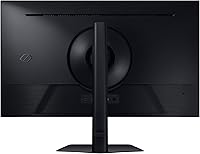
The chassis feels sturdy and the panel-to-stand connection is firm without play. The minimalist black design fits most desk setups without looking out of place, and buyers generally described it as looking more premium than the price implies.
The rear panel is all plastic, and a few users felt the overall construction fell slightly short of comparable Samsung Odyssey tiers. There is no RGB lighting or aggressive styling — buyers seeking a visual statement piece may find it underwhelming compared to ASUS or MSI alternatives.
Connectivity & Port Selection
62%
38%
Having both an HDMI and a DisplayPort input is enough for most single-GPU or console-plus-PC setups, and both cables are included in the box — a small but appreciated touch. Input switching through the OSD is relatively quick once you learn the button layout.
There are no USB-A passthrough ports on the monitor, which buyers with cluttered desks flagged as a notable omission. With only one HDMI and one DisplayPort available, users running three or more sources will immediately need a switch or a separate hub — there is no flexibility built in.
Eye Comfort During Long Sessions
84%
The flicker-free backlight and Eye Saver Mode make a noticeable difference during extended gaming or work sessions. Several buyers specifically mentioned being able to use the monitor for four to six hours without the eye fatigue they experienced on previous displays.
Eye Saver Mode shifts the white balance noticeably warm, and some users found it too color-distorting for gaming visuals to tolerate at the default setting. It requires manual adjustment to find a balance between blue light reduction and acceptable color rendition.
Setup & Out-of-Box Experience
77%
23%
Assembly is straightforward — the stand clicks together without tools, and the included cables mean you can be up and running quickly. Most buyers described the setup as uncomplicated, and the factory picture settings required minimal adjustment before gaming.
The OSD button placement on the rear-bottom edge is awkward to navigate by feel, especially during initial setup. A joystick-style OSD controller would have been a clear improvement, and several users mentioned accidentally triggering the wrong menu option multiple times before getting accustomed to the layout.
Value for Money
87%
At this price point, the combination of Fast IPS, 180Hz, QHD resolution, and a fully adjustable stand is difficult to match dollar for dollar in the current market. Buyers who compared it directly against similarly priced LG and AOC panels generally felt the Samsung delivered a more complete package.
The lack of USB ports, the glossy panel, and the entry-level HDR implementation do chip away at the value case for certain buyer types. If glare is a concern in your specific room setup, the value proposition weakens significantly because the core limitation cannot be addressed without a different monitor entirely.

Suitable for:

The Samsung Odyssey G50D 32-inch QHD Gaming Monitor is built for people who want a meaningful performance upgrade without stepping into premium monitor pricing. Competitive FPS and action gamers will get the most out of the 180Hz refresh rate and 1ms response — the kind of smoothness that genuinely changes how a fast shooter feels to play, not just on paper. If you are running both a PC and a console at the same desk, the included HDMI and DisplayPort cables mean you can plug both in immediately without buying extras. Part-time gamers who also work from home will appreciate the ergonomic stand and Eye Saver Mode, which make long hours in front of the screen noticeably more manageable. This display also makes a lot of sense for anyone still on a 1080p or 60Hz panel who wants a substantial upgrade without overcommitting on budget.
Not suitable for:

The Samsung Odyssey G50D 32-inch QHD Gaming Monitor is not the right call for buyers in bright, window-facing rooms — the glossy panel coating creates persistent glare that no software setting can fix, and that frustration will be a daily experience rather than an occasional inconvenience. Professional photographers, video editors, or anyone who needs validated color accuracy for production work should look elsewhere; this is a gaming monitor tuned for vibrancy, not precision. If you were hoping for a genuine HDR experience, DisplayHDR 400 will underwhelm you — it is a certification that marks the entry point of HDR, not an indicator of dramatic highlight performance. Users who need USB passthrough ports on the monitor itself for peripherals or charging will find the connectivity options too bare. Finally, anyone wanting 4K resolution or a curved ultrawide format for immersive single-player experiences will find the Odyssey G50D does not serve those priorities.
Specifications

  • Panel Type: Fast IPS (In-Plane Switching) panel technology provides wide viewing angles and consistent color reproduction across the screen.
  • Screen Size: 32-inch diagonal display area, offering a spacious viewing surface suited to both gaming and desktop productivity.
  • Resolution: Native QHD resolution of 2560x1440 pixels delivers 1.7 times the pixel density of a standard 1080p panel at the same screen size.
  • Refresh Rate: 180Hz maximum refresh rate ensures fluid motion rendering during fast-paced gameplay and smooth general desktop use.
  • Response Time: 1ms GtG (Gray-to-Gray) response time minimizes motion blur and ghosting during rapid on-screen transitions.
  • Aspect Ratio: Standard 16:9 widescreen aspect ratio is compatible with all modern gaming resolutions and media formats without letterboxing.
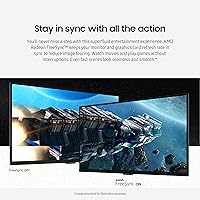
  • HDR Support: VESA DisplayHDR 400 certification provides a modest contrast and highlight improvement over standard SDR output, though peak brightness remains limited relative to higher-tier HDR standards.
  • Sync Technology: Supports both AMD FreeSync Premium and NVIDIA G-Sync Compatibility, enabling tear-free adaptive sync with a wide range of modern graphics cards.
  • Viewing Angle: 178-degree horizontal and vertical viewing angles maintain color accuracy and brightness consistency when viewed from off-center positions.
  • Panel Surface: Glossy panel coating enhances perceived color vibrancy and contrast depth but increases susceptibility to reflections in bright ambient lighting conditions.
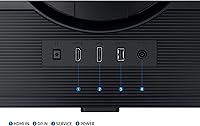
  • Connectivity: Rear inputs include one HDMI port and one DisplayPort, with both corresponding cables included in the retail package.
  • Stand Adjustments: The included stand supports tilt, swivel, and height adjustment, allowing ergonomic positioning without requiring a third-party monitor arm.
  • VESA Compatibility: VESA mount pattern is supported, enabling straightforward installation on standard third-party monitor arms and wall mounts.
  • Eye Care Features: Eye Saver Mode reduces blue light emission and the flicker-free backlight eliminates pulse-width modulation flicker to reduce eye fatigue during extended sessions.
  • Dimensions: With stand attached, the monitor measures 28.1 inches wide, 22.9 inches tall, and 10.4 inches deep.
  • Weight: The complete unit including the stand weighs 16.3 pounds, which is typical for a 32-inch display of this class.
  • Speakers: No built-in speakers are included; external audio output via a dedicated sound system or headset is required.
  • USB Ports: The monitor does not feature any USB-A or USB-C passthrough ports on the body itself.
  • Release Year: The Odyssey G50D was released in 2024 as part of Samsung's updated Odyssey G5 lineup targeting mid-range gaming monitor buyers.

Related Reviews

Samsung Odyssey G50D 27-Inch QHD Gaming Monitor
87%
91%
Display Quality
94%
Performance (Refresh Rate/Response Time)
88%
Ergonomics and Comfort
87%
HDR Support
70%
Color Accuracy
More
Samsung 27-Inch Odyssey G51C Series QHD Gaming Monitor
87%
92%
Display Quality
94%
Gaming Performance
87%
Value for Money
89%
Ergonomics & Comfort
74%
Brightness
More
Samsung Odyssey G70B 32-Inch 4K UHD Gaming Monitor
82%
88%
Display Quality
91%
Gaming Performance
85%
Ergonomics & Comfort
70%
Color Accuracy
80%
Setup & Installation
More
Samsung Odyssey G55C 27-inch Curved Gaming Monitor
76%
91%
Image Sharpness
89%
Refresh Rate & Motion
84%
Curvature & Immersion
86%
Value for Money
58%
HDR Performance
More
Samsung Odyssey G32A 32″ Gaming Monitor
75%
91%
Refresh Rate Performance
74%
Response Time & Motion Clarity
53%
Image Sharpness & Pixel Density
67%
Color Accuracy & Vibrancy
83%
Contrast & Black Levels
More
Samsung 32-Inch S39C Curved Gaming Monitor
83%
88%
Display Quality
91%
Value for Money
86%
Eye Comfort
89%
Ease of Setup
85%
Build Quality
More
SAMSUNG Odyssey G50A 27-Inch Gaming Monitor
84%
94%
Gaming Performance
89%
Display Quality
86%
Ergonomics and Adjustability
92%
Color Accuracy
91%
G-Sync Compatibility
More
Samsung 32″ Odyssey G65B Curved Gaming Monitor
84%
91%
Display Quality
93%
Gaming Performance
87%
Curvature Immersion
88%
HDR Performance
90%
Response Time
More
CUNPU 32-Inch Gaming Monitor QHD 165Hz
86%
93%
Display Quality
91%
Gaming Performance
85%
Build Quality
88%
Ergonomics and Adjustability
90%
Ease of Setup
More
Samsung Odyssey G55C 32″ Curved Gaming Monitor
78%
88%
Image Sharpness & Resolution
84%
Refresh Rate & Motion Clarity
91%
Curvature & Immersion
93%
Value for Money
57%
HDR Performance
More

FAQ

Good news — it works with both. The monitor supports G-Sync Compatibility, which means Nvidia GPU users can enable adaptive sync through their driver settings. You may need to activate it manually in the Nvidia Control Panel rather than it switching on automatically, but once set up it functions reliably for tear-free gameplay.

Honestly, it depends heavily on your room setup. If your desk faces a window or sits under bright overhead lighting, the reflections can be genuinely distracting and are not something you fully adapt to over time. In a controlled or dimly lit environment, the glossy finish actually adds to the perceived contrast and color punch. Before buying, it is worth assessing where natural and artificial light sources sit relative to your monitor position.

The gap between 144Hz and 180Hz is real but less dramatic than jumping from 60Hz to 144Hz. Most players notice it most in very fast shooters where even small frame rate advantages translate to slightly smoother target tracking. For general gaming and desktop use, the difference is subtle — but the Odyssey G50D's Fast IPS panel characteristics and QHD resolution are likely to feel like more meaningful improvements than the refresh rate bump alone.

The mixed feedback is warranted. DisplayHDR 400 is the entry point of the HDR certification range, and the peak brightness cap means you are not going to see the dramatic highlight pop you might expect from marketing visuals. It is a step up from standard SDR — shadow detail in darker game scenes is slightly improved — but buyers who have used OLED or higher-tier HDR panels will find it underwhelming. Many users recommend keeping HDR off and fine-tuning an SDR preset for a more satisfying picture.

Yes, the HDMI port handles console connections without issues. The Samsung Odyssey G50D 32-inch QHD Gaming Monitor supports up to 144Hz at 1440p over HDMI 2.1 connections, so PS5 and Xbox Series X owners can take advantage of the higher refresh rate output those consoles support at QHD. Just keep in mind that the monitor caps at 1440p, so 4K console output will be downscaled.
No, the included stand does not pivot for portrait orientation. It covers tilt, swivel, and height adjustment, which covers most gaming and productivity needs, but if you rotate your monitor for vertical workflows — like coding with stacked windows — you would need a VESA-compatible aftermarket arm to do it.

Physical assembly is straightforward — the stand clicks together tool-free, and most buyers described being up and running within ten minutes. The OSD navigation is where things get slightly frustrating. The controls are rear-mounted buttons that are hard to operate by feel, and several users mention accidentally toggling the wrong setting during initial configuration. It gets easier once you are familiar with the layout, but a joystick-style OSD would have been a better design choice.

At a typical desk viewing distance of 24 to 30 inches, QHD on a 32-inch panel looks noticeably sharper than 1080p and is perfectly comfortable for most users. If you sit unusually close — say 18 inches or less — you may notice that individual pixels are more visible than on a 27-inch QHD panel. For gaming and everyday desktop tasks at normal distances, the sharpness is not a concern.

It does shift the color temperature noticeably toward warm tones, which some users find too orange-tinted for gaming visuals at the default strength. The good news is that the OSD lets you adjust the intensity, so you can dial it back to a level that still reduces blue light without making the image look unnaturally warm. The flicker-free backlight works independently of Eye Saver Mode and is always active.

There are no USB ports on the Odyssey G50D at all — no USB-A, no USB-C, nothing. If you rely on a monitor hub to connect peripherals, you will need to use your PC directly or add a standalone USB hub to your desk setup. It is a real omission that buyers with busy desks flag fairly regularly in reviews.

Where to Buy