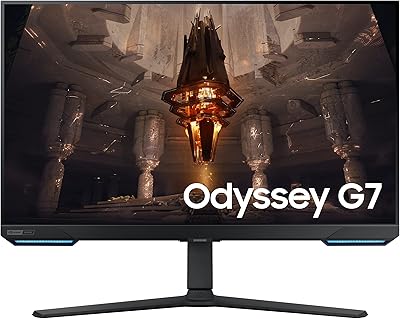
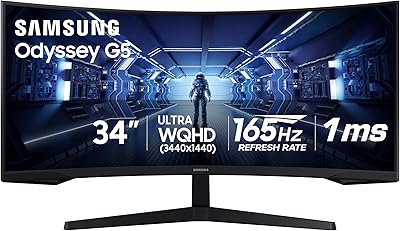
Overview

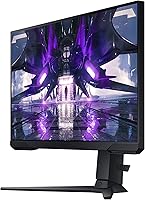
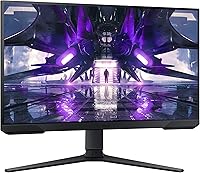
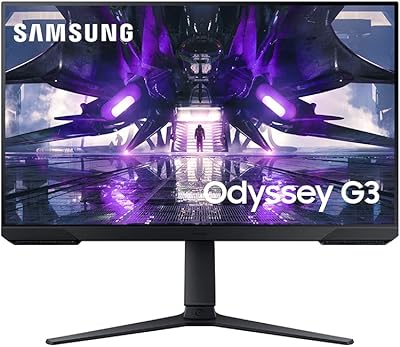
The Samsung Odyssey G32A 32″ Gaming Monitor sits in a comfortable spot in Samsung's Odyssey lineup — large enough to feel immersive, priced accessibly enough to appeal to gamers who don't want to spend premium money on a 1440p panel. Built around a VA panel running at 1920x1080, it launched in early 2022 and has held its ground as a solid mid-range option since. VA technology gives it better contrast than IPS at this price, though it does trail IPS in color accuracy and viewing angles. It's a monitor that makes real trade-offs, and understanding those trade-offs is what separates the right buyer from the wrong one.
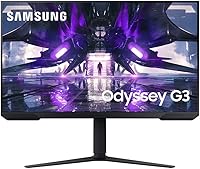
Features & Benefits

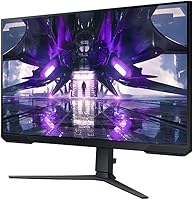
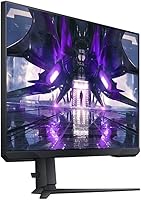
The G32A's 165Hz refresh rate is the headline spec, and it delivers — motion in fast-paced games feels noticeably fluid compared to entry-level 60Hz or 75Hz displays. Worth clarifying upfront: the 1ms figure advertised is MPRT, not GtG. MPRT measures how long a pixel appears on screen, while GtG measures how fast it transitions — a meaningful distinction for informed buyers. AMD FreeSync Premium adds adaptive sync with low framerate compensation, keeping gameplay smooth when your GPU dips. The stand offers height, tilt, and swivel adjustment, which is rarer than it should be at this price point, and the 3-sided borderless frame works cleanly in a dual-monitor arrangement.

Best For

This Odyssey monitor makes the most sense for gamers upgrading from an older 60Hz or 75Hz display who want a significant jump in refresh rate without committing to a higher-resolution panel. At 32 inches with 1080p, pixel density runs lower than ideal — text and fine details can look slightly soft if you sit close — so buyers who prioritize visual sharpness might be better served by a 27-inch 1440p alternative. That said, for competitive FPS gaming, where frame rate and response time outweigh pixel density, this Samsung gaming display punches well within its class. Users wanting a height-adjustable stand without spending extra will find real value here.

User Feedback

Owners consistently praise the smooth high-refresh experience for the price, with many noting it's a substantial upgrade from anything below 100Hz. Where opinions split is on resolution — at 32 inches, 1080p produces a pixel density around 69 PPI, which several reviewers describe as noticeably soft, particularly when browsing or reading text outside of games. Stand assembly gets generally positive marks, though a few users flag the OSD menu navigation as sluggish and unintuitive. Color accuracy draws mixed comparisons to IPS panels, with the VA doing well on deep black levels but showing some washout at wider angles. Connectivity rarely draws strong complaints, though some wish for more port variety.

Pros

  • 165Hz refresh rate delivers genuinely smooth motion that makes a noticeable difference over 60Hz displays.
  • AMD FreeSync Premium eliminates screen tearing without requiring an Nvidia GPU, which broadens compatibility.
  • The height-adjustable stand is a rare and welcome inclusion at this price tier.
  • VA panel contrast produces deep blacks that make dark gaming scenes look more atmospheric than comparable IPS panels.
  • Eye Saver Mode helps reduce strain during long evening sessions without requiring third-party software.
  • 3-sided borderless design makes the G32A a clean option for anyone building a dual-monitor setup.
  • VESA mount support gives buyers the flexibility to switch to a third-party arm if needed.
  • Setup and assembly are straightforward, with most users reporting the stand goes together without hassle.
  • Two USB 3.0 ports on the monitor add useful peripheral connectivity directly at the desk.

Cons

  • 1080p at 32 inches produces noticeably soft image quality — pixel density is a real limitation for non-gaming tasks.
  • The glossy screen surface increases reflections in bright rooms, which can distract during daytime use.
  • OSD menu controls are reported by several users as slow and unintuitive to navigate.
  • Color accuracy lags behind IPS alternatives, which matters for anyone doing creative or design work alongside gaming.
  • VA panel viewing angles shift color and contrast when viewed from the side, limiting screen-sharing use.
  • The 1ms spec is MPRT, not GtG — actual pixel transition speed may disappoint buyers expecting true GtG performance.
  • No built-in speakers means you will need external audio, which adds desk clutter for some setups.
  • Connectivity options are basic and may not satisfy users running multiple input sources simultaneously.

Ratings

The Samsung Odyssey G32A 32″ Gaming Monitor has been evaluated by our AI rating system after analyzing thousands of verified global user reviews, with spam, bot-generated, and incentivized feedback actively filtered out. Scores reflect the honest consensus across real buyers — both the aspects this Odyssey monitor genuinely excels at and the areas where it falls short of expectations. Nothing has been smoothed over to favor the brand.
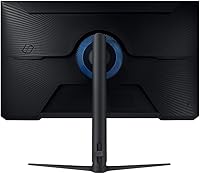
Refresh Rate Performance
91%
Gamers upgrading from 60Hz or 75Hz panels consistently describe the 165Hz experience as a revelation, particularly in fast shooters and action games where motion clarity becomes immediately obvious. The difference is not subtle — panning shots, quick target tracking, and overall fluidity all improve noticeably.
To reach 165Hz, you need DisplayPort rather than HDMI, and not all buyers realize this until after setup. A handful of users also report that without a GPU capable of consistently pushing high framerates, the benefit of the high refresh ceiling is partially wasted.
Response Time & Motion Clarity
74%
26%
For casual to mid-level competitive gaming, motion handling feels snappy and lag is not a tangible issue during normal play. The MPRT rating keeps fast-moving scenes looking clean without obvious ghosting in typical gaming conditions.
The advertised 1ms figure is MPRT, not GtG — a distinction that matters to informed buyers. Some users notice a faint halo or dark smearing on high-contrast edges during rapid camera movement, which is a known VA panel characteristic rather than a flaw unique to this display.
Image Sharpness & Pixel Density
53%
47%
At typical gaming distances of 2–3 feet, the image is functional and games with strong art direction still look visually engaging. Fast-paced gameplay does a reasonable job of masking the lower pixel density since your focus stays on action rather than fine detail.
At 32 inches with 1080p resolution, pixel density sits around 69 PPI — noticeably soft compared to a 27-inch 1080p or any 1440p panel. Text rendering is a real issue for productivity use, and buyers who sit close to their screen or do browser-heavy work alongside gaming find the softness consistently distracting.
Color Accuracy & Vibrancy
67%
33%
The VA panel produces richer blacks and stronger contrast than IPS monitors at a comparable price, which makes dark atmospheric games and cinematic titles look more dramatic. Colors are reasonably saturated for everyday gaming content without requiring significant manual calibration.
Side-by-side with a quality IPS panel, color accuracy falls short — particularly for warmer tones and fine gradients. Viewing angle limitations mean colors shift perceptibly when you move off-center, which becomes noticeable during couch gaming or when sharing the screen with someone seated beside you.
Contrast & Black Levels
83%
This is where VA technology earns its keep: deep blacks make dark scenes in horror games, space titles, and cinematic cutscenes look genuinely dramatic in a way that IPS panels at this price cannot replicate. Users who game in dim or dark rooms particularly appreciate this.
Contrast performance is not uniform — some units exhibit a common VA issue called black crush, where very dark shadow detail gets swallowed rather than rendered. This is not universal but appears with enough frequency in user reports to be worth flagging for buyers who play dark, detail-heavy games.
AMD FreeSync Premium
88%
Users with mid-range AMD GPUs report that FreeSync Premium works as expected, virtually eliminating screen tearing during sessions where framerates fluctuate. The low framerate compensation feature helps maintain smooth delivery even when a game dips below the monitor's minimum sync range.
Nvidia GPU owners can access FreeSync via G-Sync Compatible mode, but results vary by card and driver version — a small number of users report needing to manually enable and test compatibility rather than getting it working automatically out of the box.
Ergonomics & Stand
86%
Height adjustment, tilt, and swivel in a monitor stand at this price point is a genuine differentiator — many competing displays offer only tilt. Users who share a desk or switch between sitting and standing positions find the flexibility genuinely useful over long daily sessions.
The stand does not support pivot rotation to portrait mode, which limits certain niche use cases. A few users also note that the height adjustment mechanism feels slightly stiff during initial setup, though it generally loosens with use over time.
Build Quality & Materials
77%
23%
The overall construction feels solid enough for a mid-range monitor — the panel does not flex noticeably when adjusting position, and the stand base provides stable support without wobble during normal desk use or light bumps.
The plastic finish, while acceptable for the price tier, does not feel premium and picks up fingerprints and dust visibly. A small number of buyers mention minor cosmetic inconsistencies around bezels or stand attachment points out of the box.
OSD & Controls
49%
51%
The on-screen display covers all expected adjustment options including brightness, contrast, refresh rate settings, and Eye Saver Mode toggling, giving users reasonable control over their experience without needing third-party software.
This is one of the most consistent complaint areas: the OSD navigation buttons are stiff, unintuitive, and slow to respond, making basic adjustments like changing inputs or tweaking brightness more frustrating than it should be. Several users describe the menu layout as poorly organized compared to competing monitors.
Eye Comfort & Blue Light
81%
19%
Eye Saver Mode is appreciated by users who do long evening sessions — reducing blue light output without requiring external f.lux-style software is a practical convenience. Several reviewers specifically note less eye fatigue after extended use compared to their previous monitors.
The glossy screen coating undermines some of the eye comfort benefits by increasing glare in anything other than a controlled lighting environment. Users in bright offices or rooms with windows behind them report that reflections become tiring in their own right.
Connectivity & Ports
61%
39%
Two USB 3.0 passthrough ports are a practical addition that many competing monitors skip at this price, making it easy to plug in a mouse, keyboard dongle, or USB drive without reaching around to a PC tower.
The absence of USB-C is a limitation for users with modern laptops, and the overall port selection is lean — only one HDMI and one DisplayPort input means multi-source setups (such as a PC and a console simultaneously connected) are not supported without an external switch.
Dual Monitor Compatibility
82%
18%
The 3-sided borderless design results in a tight, visually consistent seam when pairing two units side by side, and the height-adjustable stand makes it easier to align two panels precisely without shimming or improvising.
The glossy panel surface creates a mismatched aesthetic when paired with a matte monitor from another brand, and the depth of the stand base (nearly 10 inches) can crowd a desk when two of these stands are positioned together.
Value for Money
79%
21%
For buyers whose primary concern is a large high-refresh screen with an adjustable stand and FreeSync support, the G32A delivers a reasonable package at a mid-range price. The ergonomic stand alone justifies a premium over similarly priced monitors that offer only tilt.
At 32 inches, the 1080p resolution is the most significant compromise, and buyers who stretch their budget slightly can access 27-inch 1440p monitors that arguably offer a more balanced experience for both gaming and everyday use. The value proposition depends heavily on whether screen size or image quality is the priority.

Suitable for:

The Samsung Odyssey G32A 32″ Gaming Monitor is a strong fit for gamers who are stepping up from a budget 60Hz or 75Hz display and want a meaningful performance upgrade without spending heavily. If your primary use case is fast-paced gaming — shooters, racing titles, action games — the 165Hz refresh rate and FreeSync Premium combination will feel like a genuine improvement over what most entry-level monitors offer. PC gamers running mid-range AMD GPUs will get the most out of the adaptive sync support, keeping frame delivery smooth even when performance dips. The ergonomic stand, with its height, tilt, and swivel range, makes this Odyssey monitor well suited to shared setups or anyone who spends long hours at a desk and needs to adjust their display regularly. It also works well as a secondary screen in a dual-monitor arrangement, where the 3-sided borderless design keeps the gap between panels tight and clean.
Not suitable for:

The Samsung Odyssey G32A 32″ Gaming Monitor is not the right call for buyers who care deeply about image sharpness and pixel density. At 32 inches with a 1080p resolution, you're looking at roughly 69 pixels per inch — noticeably lower than a 27-inch 1080p or any 1440p panel at this size, and that softness becomes obvious when reading text, browsing, or doing any productivity work. Creative professionals, photo editors, or anyone who values color accuracy should look elsewhere, as the VA panel trails IPS displays in both color reproduction and viewing angle consistency. Buyers hoping for a versatile multi-input workstation monitor may also find the connectivity options limiting. If your budget can stretch to a 27-inch 1440p alternative from brands like LG or AOC, the overall experience — especially outside of gaming — will likely feel more refined.
Specifications

  • Screen Size: The display measures 32 inches diagonally, offering a wide viewing area suited for immersive gaming at typical desk distances.
  • Panel Type: Uses a VA (Vertical Alignment) panel, which provides stronger contrast ratios than IPS but narrower viewing angles.
  • Resolution: Native resolution is 1920x1080 (Full HD), resulting in a pixel density of approximately 69 PPI at 32 inches.
  • Refresh Rate: Supports a maximum refresh rate of 165Hz, enabling notably smoother motion compared to standard 60Hz or 75Hz displays.
  • Response Time: Rated at 1ms MPRT (Moving Picture Response Time), which differs from GtG response time and measures pixel visibility duration rather than transition speed.
  • Adaptive Sync: Compatible with AMD FreeSync Premium, which includes adaptive sync and low framerate compensation to reduce tearing and stutter.
  • Aspect Ratio: Standard 16:9 widescreen aspect ratio, compatible with virtually all modern gaming resolutions and content formats.
  • Screen Surface: Features a glossy screen coating, which can increase reflections in brightly lit environments.
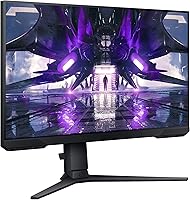
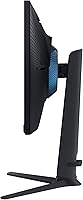
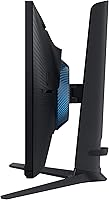
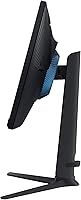
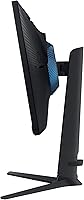
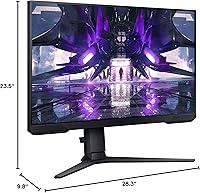
  • Ergonomics: The stand supports height adjustment, tilt, and swivel, allowing meaningful positional customization for different users and desk setups.
  • VESA Compatibility: VESA mount compatible, enabling the monitor to be attached to third-party monitor arms or wall mounts.
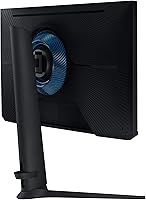
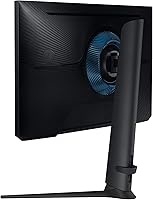
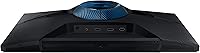
  • Rear Lighting: Equipped with Infinity Core lighting on the rear panel, which adds ambient visual effect to a gaming desk environment.
  • Eye Care: Includes Eye Saver Mode, which reduces blue light emission to help lower eye strain during extended use.
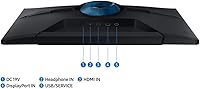
  • USB Ports: Provides 2 USB 3.0 ports, allowing peripherals to be connected directly through the monitor.
  • Dimensions: Physical dimensions with stand measure 9.8 x 28.3 x 23.5 inches (depth x width x height).
  • Weight: The monitor weighs 13.7 pounds with the stand attached, which is typical for a 32-inch display of this class.
  • Power Input: Operates at 19 volts DC input via an external power adapter included in the box.
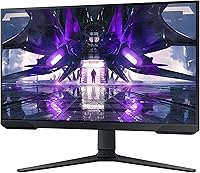
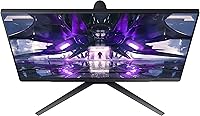
  • Design: Features a 3-sided borderless design, minimizing visible bezels on the top and both sides for cleaner dual-monitor arrangements.
  • Model Number: The official model identifier is LS32AG320NNXZA, which can be used to verify compatibility and locate manufacturer documentation.

Related Reviews

Samsung 27″ Odyssey G32A Gaming Monitor
80%
91%
Gaming Performance
93%
Refresh Rate & Smoothness
84%
Response Time & Motion Clarity
88%
Adaptive Sync (FreeSync Premium)
63%
Image Sharpness & Pixel Density
More
Samsung 32″ Odyssey G65B Curved Gaming Monitor
77%
88%
Image Clarity
91%
Refresh Rate Performance
74%
HDR Quality
87%
Motion & Response
83%
Curvature & Immersion
More
Samsung Odyssey G55C 32″ Curved Gaming Monitor
78%
88%
Image Sharpness & Resolution
84%
Refresh Rate & Motion Clarity
91%
Curvature & Immersion
93%
Value for Money
57%
HDR Performance
More
Samsung 32″ Odyssey Neo G8 Gaming Monitor
77%
93%
Image Quality
91%
HDR Performance
89%
Refresh Rate & Smoothness
88%
Contrast & Black Levels
86%
Response Time & Motion Clarity
More
Samsung Odyssey Neo G7 32″ 4K Gaming Monitor
86%
94%
Gaming Performance
91%
Display Quality
88%
Value for Money
90%
Ease of Setup
93%
Color Accuracy
More
Samsung Odyssey G50D 32-inch QHD Gaming Monitor
78%
91%
Gaming Performance
88%
Image Sharpness & Clarity
83%
Color Accuracy & Vibrancy
79%
Panel Uniformity & Viewing Angles
58%
HDR Performance
More
Samsung Odyssey G70B 32-inch 4K Gaming Monitor
70%
84%
Image Quality
47%
HDR Performance
76%
Gaming Performance
53%
Panel Consistency
71%
Samsung Gaming Hub
More
Samsung Odyssey G8 32″ OLED Gaming Monitor
77%
94%
Image Quality
92%
Gaming Performance
76%
Burn-in Protection
89%
Build Quality
61%
Value for Money
More
Samsung 34″ Odyssey G5 Ultrawide Gaming Monitor
77%
91%
Immersion & Curvature
88%
Display Resolution & Sharpness
84%
Refresh Rate & Motion Clarity
86%
Contrast & Black Levels
71%
Color Accuracy & Vibrancy
More
Samsung Odyssey G50A 27-inch Gaming Monitor
80%
91%
Image Clarity
93%
Refresh Rate Performance
88%
Color Accuracy
58%
HDR Quality
89%
Response Time & Input Lag
More

FAQ

The G32A uses AMD FreeSync Premium, which is natively supported by AMD GPUs. However, many Nvidia GPUs from the GTX 10 series onward also support FreeSync displays through Nvidia's G-Sync Compatible program, so you may still get adaptive sync functionality — just verify your specific GPU model before assuming full compatibility.

That depends on how you use it and how close you sit. At 32 inches, 1080p gives you around 69 pixels per inch, which is noticeably lower than a 27-inch 1080p display. For fast gaming where you're focused on action rather than fine detail, most people adapt quickly. But if you do a lot of reading, web browsing, or productivity work alongside gaming, the image may look softer than you'd like.

MPRT (Moving Picture Response Time) measures how long a pixel remains visible on screen during motion, while GtG (Grey-to-Grey) measures how quickly a pixel physically transitions between shades. The Samsung Odyssey G32A 32″ Gaming Monitor uses the MPRT figure in its marketing, which is achieved partly through backlight strobing. For competitive gaming it still performs well, but buyers should know these two specs are not directly comparable.
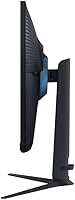
Yes, the G32A is VESA mount compatible, so you can remove the included stand and attach it to any standard VESA-compatible monitor arm or wall bracket. Just check the VESA hole pattern specification before purchasing an arm to ensure it matches.

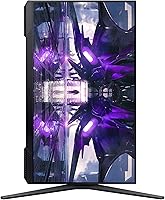
The stand offers height adjustment, tilt, and swivel, which covers the most common ergonomic needs. It does not support pivot rotation to portrait (vertical) mode, so if that's something you need, you would have to use a third-party VESA arm instead.

No, this Odyssey monitor does not include built-in speakers. You will need external speakers or a headset for audio output, which is standard for gaming monitors in this category.

The G32A includes DisplayPort and HDMI inputs for video signal, plus two USB 3.0 ports for connecting peripherals directly through the monitor. It does not offer USB-C connectivity, so keep that in mind if your setup relies on that port type.

It works fine for console use via HDMI, but console gamers should note that the 165Hz refresh rate is only accessible over DisplayPort at full speed. Most consoles output at 60Hz or 120Hz max, so you won't be pushing the display to its refresh rate limit anyway. The large screen size and fast response do make for an enjoyable console experience overall.

It can be, depending on your setup. Glossy panels tend to reflect light sources behind or beside you more than matte screens do. If your desk faces a window or you game in a bright room, reflections may become distracting. A matte screen would be a better choice for high-ambient-light environments.

Most users find assembly fairly straightforward — attaching the stand to the panel typically takes just a few minutes without tools. The main complaint some buyers raise is that the on-screen display menu, used for adjusting brightness and settings, feels slow and unintuitive to navigate. The physical setup itself is not a problem.

Where to Buy