




Overview

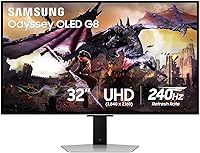
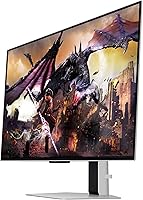
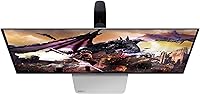
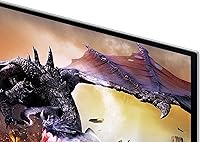
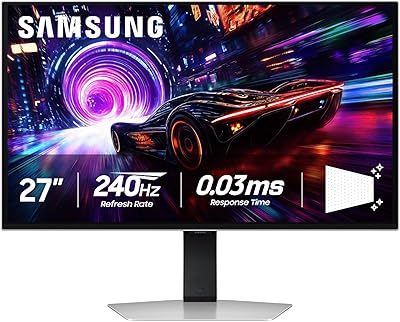
The Samsung Odyssey G8 32″ OLED Gaming Monitor sits at the upper end of the gaming display market, and for good reason — pairing native 4K resolution with a 240Hz refresh rate on a QD-OLED panel is still genuinely uncommon at this screen size. Most monitors force a trade-off: you get the resolution or the speed, rarely both. This one refuses that compromise. It also ships with a built-in Smart platform, which sets it apart from monitors that demand a separate streaming device. Burn-in is the question that follows any OLED purchase, and Samsung has addressed it with both hardware cooling and intelligent software. This is a premium buy aimed at buyers who know exactly what they want.

Features & Benefits

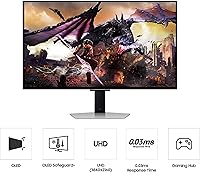
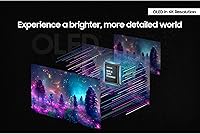
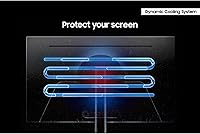
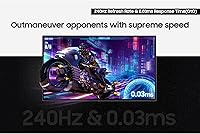
What makes the Odyssey G8 OLED genuinely impressive is that the QD-OLED panel doesn't just deliver on paper specs — the per-pixel contrast and near-infinite black levels translate directly to images that look nothing like a typical IPS or VA display. Quantum dot enhancement pushes color coverage well beyond standard gamuts, which matters for both HDR gaming and color-accurate creative work. The 0.03ms response time isn't just marketing shorthand; at 240Hz, there's essentially no ghost trail behind fast-moving objects, which competitive players will notice immediately. Samsung also introduced a Pulsating Heat Pipe cooling system — a first for monitors — that actively dissipates heat to slow OLED degradation. On the software side, Logo and Taskbar Detection automatically dims static interface elements to reduce long-term wear.

Best For

This 32-inch QD-OLED monitor makes the most sense for a few specific types of buyers. PC gamers running a high-end GPU who've been reluctant to drop to 1440p just to hit higher frame rates finally have a credible 4K option that won't punish them with sluggish response times. Console players with a PS5 or Xbox Series X will appreciate full HDMI 2.1 bandwidth at 4K/120Hz. Designers and photo editors get wide-gamut accuracy in a manageable 32-inch footprint. The built-in Smart platform also makes it a practical choice for a bedroom or secondary setup where connecting a streaming stick feels redundant. Buyers upgrading from a quality IPS panel should expect a visible contrast difference from the first moment they power it on.

User Feedback

With around 82 ratings and a 3.8 out of 5 average, Samsung's flagship gaming display has a relatively small review pool to draw from, so read the feedback as early impressions rather than a settled verdict. Owners who are happy tend to highlight the out-of-box picture quality, the color richness, and the build — the metal chassis genuinely looks and feels premium. Critics point to the price-to-value question, occasional panel uniformity concerns, and a Smart OS that can feel sluggish compared to dedicated streaming devices. On burn-in: most early users report no real-world issues and feel the cooling and detection systems offer reasonable peace of mind. A handful of buyers noted HDR tone mapping quirks that required manual adjustments to get settings dialed in.

Pros

  • Native 4K at 240Hz on an OLED panel is a genuinely rare combination that most competitors still can't match.
  • QD-OLED contrast depth makes dark scenes in games and films look dramatically more convincing than IPS alternatives.
  • The 0.03ms response time eliminates visible ghosting, even in the fastest competitive titles.
  • HDMI 2.1 support makes the Odyssey G8 OLED a strong match for current-gen consoles without any bandwidth compromise.
  • Pulsating Heat Pipe cooling is a meaningful hardware step toward reducing long-term OLED wear — not just a software patch.
  • Logo and Taskbar Detection intelligently dims static UI elements, making desktop use less stressful for burn-in-conscious buyers.
  • The matte, glare-free surface is a practical choice that prevents reflections without noticeably dulling the panel's color output.
  • Built-in 10W speakers and a Smart platform reduce cable clutter and external device dependency.
  • The metal build quality is noticeably premium and holds up well against plastic-chassis competitors in the same price tier.
  • A 3-year warranty provides meaningful long-term coverage for an OLED panel investment.

Cons

  • The price places this 32-inch QD-OLED monitor out of reach for most buyers who don't have a flagship-tier GPU to justify it.
  • Typical brightness of 250 nits underperforms in bright rooms compared to high-brightness mini-LED monitors.
  • The Smart OS can feel sluggish and unpolished compared to a dedicated streaming stick or media player.
  • Occasional panel uniformity concerns have appeared in early user reports, though the sample size remains small.
  • HDR tone mapping may require manual fine-tuning out of the box — it doesn't always look ideal at default settings.
  • Burn-in risk, while mitigated, is never fully eliminated with OLED — static-heavy workflows remain a legitimate concern.
  • At 18.5 pounds, it is heavier than many competing monitors, which can complicate arm mount setups with lower weight ratings.
  • Only 82 ratings on Amazon at time of writing makes it difficult to assess long-term reliability with any real confidence.

Ratings

The Samsung Odyssey G8 32″ OLED Gaming Monitor has been evaluated by our AI rating engine after analyzing verified owner reviews from global markets, with spam, bot-generated, and incentivized submissions actively filtered out. Scores reflect the honest consensus across both enthusiastic advocates and frustrated buyers, so the numbers below represent real-world performance — not manufacturer claims. Standout strengths and genuine pain points are weighted equally to give you a clear, unvarnished picture before you commit.

Image Quality
94%
Owners consistently describe the picture quality as a step-change from anything they owned before — the QD-OLED panel's absolute blacks make HDR gaming look visually arresting in a way that IPS backlighting simply cannot replicate. Color vibrancy in wide-gamut titles and cinematic content draws repeated praise, with many noting that out-of-box calibration is already excellent without manual tweaking.
A small number of users noted that peak brightness at 250 nits can feel underwhelming in SDR content compared to high-brightness mini-LED competitors, particularly in daytime viewing environments. HDR tone mapping in certain games also required manual OSD adjustment to avoid clipped highlights.
Gaming Performance
92%
The combination of 240Hz and 0.03ms response time on a native 4K panel is genuinely rare, and competitive players report that motion clarity in fast titles feels noticeably cleaner than on high-refresh 1440p monitors they previously used. G-Sync Compatible and FreeSync Premium Pro support means VRR works reliably across both major GPU platforms without screen tearing.
A handful of users encountered G-Sync behavior quirks — occasional VRR flickering at certain frame rate ranges that required toggling settings to resolve. Those running mid-tier GPUs also noted that fully utilizing 240Hz at 4K demands serious hardware, so the panel's ceiling isn't always reachable in practice.
Burn-in Protection
76%
24%
Samsung's multi-layered approach — Pulsating Heat Pipe cooling, Thermal Modulation, Logo Detection, and an auto-dim screensaver — gives buyers meaningfully more confidence than older OLED monitors offered. Early adopters who use the panel for mixed gaming and desktop work report no observable burn-in issues after months of use.
The burn-in concern doesn't fully disappear for buyers who leave static productivity layouts on screen for extended daily sessions, and some users feel the auto-dim screensaver triggers too aggressively during slower-paced work. Long-term durability beyond a year or two of heavy use remains an open question given the monitor's relatively recent release date.
Build Quality
89%
The metal chassis consistently draws compliments — owners upgrading from plastic-bodied monitors notice the difference immediately, and the silver finish reads as genuinely premium rather than decorative. The stand feels stable with no wobble during typing, and the overall assembly quality matches what buyers expect at this price tier.
At 18.5 pounds, the monitor is heavier than many arm-mount users anticipated, and a few reported that lower-rated monitor arms struggled to hold it without slow drift. Cable management through the stand is functional but not especially elegant.
Value for Money
61%
39%
For buyers who specifically need 4K at 240Hz on an OLED panel, the Odyssey G8 OLED sits at a price point that is actually competitive given how few direct alternatives exist at this specification level. The 3-year warranty and included cables add practical value that some competing panels at similar prices omit.
The price-to-value debate is the most common criticism across owner reviews — buyers who primarily want a quality 4K monitor for productivity or casual gaming find it difficult to justify the premium over excellent 4K IPS alternatives that cost considerably less. For anyone not running a flagship GPU, the investment in 240Hz capability at 4K goes largely unused.
Color Accuracy
88%
Designers and photo editors who picked up the 32-inch QD-OLED monitor for color work report strong wide-gamut coverage and accurate hue reproduction that holds up well against hardware-calibrated IPS displays used in professional workflows. The quantum dot layer pushes color volume well beyond what standard OLED panels achieve, making it genuinely dual-purpose for creative professionals.
Brightness limitations mean HDR color volume at peak luminance doesn't match the best high-brightness alternatives, which can matter for video color grading workflows. Some users also noted that switching between game and productivity color profiles through the Smart platform menu takes more steps than it should.
Smart Platform Usability
57%
43%
The integrated Smart platform is a meaningful convenience for bedroom and secondary setups where running a separate streaming device feels unnecessary — owners use it for casual Netflix and YouTube sessions without touching a second remote or input. App availability covers the major streaming services most buyers actually use.
Menu navigation and app loading speed draw consistent criticism, with owners describing the OS as sluggish compared to a budget streaming stick. The Smart interface responsiveness lags noticeably behind Samsung's own TV smart platform, and a few apps have been reported as unstable or slow to update.
Connectivity
83%
HDMI 2.1 and DisplayPort cover both console and PC use cases without bandwidth compromise, and the two USB 3.0 ports provide a convenient hub for peripherals directly at the desk. The inclusion of both an HDMI and DisplayPort cable in the box means most buyers can set up immediately without hunting for accessories.
Some users wanted a second HDMI 2.1 port to run a PC and console simultaneously without a switch, which this configuration doesn't support. USB-C input is absent, which limits direct connectivity for certain laptops and creative workstations that rely on it for single-cable setups.
Audio Quality
53%
47%
The built-in 10W speakers are adequate for video calls, casual background audio, and quick media consumption when headphones aren't available — a useful fallback that avoids complete silence in a pinch. Volume output is sufficient for a small room without a second device.
Owners who tested the speakers for gaming or music found the sound thin and lacking low-end presence, which is expected at 10W but still a letdown at this price point. Most reviewers recommend treating the built-in audio as a convenience feature only and budgeting for a soundbar or dedicated headset.
Stand & Ergonomics
78%
22%
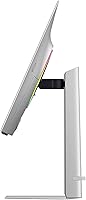
Height, tilt, and swivel adjustments cover the adjustability range that most desk setups require, and the stand base doesn't consume an excessive footprint on the desk surface. The metal construction of the stand matches the monitor body and feels appropriately solid during adjustments.
Pivot rotation for portrait mode is not supported, which is a limitation for developers or writers who occasionally want a vertical orientation. The weight of the panel also means that fine height adjustments can require slightly more force than feels natural.
Setup & Calibration
74%
26%
Most owners reported that the out-of-box image in standard gaming and video modes looked impressive without needing calibration, which is a meaningful time saver for buyers who don't want to spend an hour in the OSD before playing. Physical assembly is straightforward and documented clearly.
HDR behavior in some game titles required manual OSD intervention to correct tone mapping, and a subset of users found the OSD menu navigation less intuitive than competing brands. First-time OLED owners occasionally needed to spend time understanding which burn-in protection settings to activate for their specific use patterns.
Glare & Reflections
84%
The matte anti-glare coating handles ambient light well in typical indoor setups — owners in home offices with side windows note that reflections are manageable without repositioning the display. The coating is light enough that it doesn't introduce a noticeable haze over the panel's color output.
In rooms with very bright overhead lighting or direct sunlight, the 250-nit brightness ceiling means the display can still feel washed out even with the matte surface helping. Users in brightly lit open-plan offices flagged this as a genuine usability concern during daytime hours.
Console Compatibility
86%
PS5 and Xbox Series X owners pairing with this 32-inch QD-OLED monitor via HDMI 2.1 report a substantial visual upgrade over typical gaming TVs at this size, with the contrast depth and motion clarity making an especially strong impression in cinematic single-player titles. Auto low-latency mode activates reliably when switching to a console input.
Console users are capped at 4K/120Hz rather than the panel's full 240Hz capability, which is a hardware limitation of current consoles rather than the monitor itself but is worth setting expectations around. Some users noted minor HDR handshake delays when switching between console and PC inputs.
Long-term Reliability
69%
31%
The 3-year warranty provides more coverage than most competitors offer, and Samsung's inclusion of active hardware cooling is a credible signal that long-term panel health was an engineering priority rather than an afterthought. Early owners have not broadly reported hardware failures in the months since release.
The monitor's limited time on the market means long-term durability data is genuinely thin — 82 Amazon ratings across a relatively short ownership window can't tell you much about what happens after two or three years of daily use. OLED longevity under heavy static workloads specifically remains an open question that won't be answered for some time.

Suitable for:

The Samsung Odyssey G8 32″ OLED Gaming Monitor is purpose-built for buyers who refuse to trade image quality for speed — and have the hardware to back it up. PC gamers running a top-tier GPU will get the most out of native 4K at 240Hz, a combination that until recently simply didn't exist on an OLED panel at this size. Console players with a PS5 or Xbox Series X will find HDMI 2.1 support makes this a natural pairing for 4K gaming without a signal bottleneck. Creative professionals — photographers, video editors, illustrators — will appreciate the wide-gamut color accuracy and the contrast depth that OLED delivers over any IPS alternative in this price range. The built-in Smart platform also makes the Odyssey G8 OLED a practical single-device solution for a bedroom or secondary space where plugging in a separate streaming stick feels unnecessary.

Not suitable for:

The Samsung Odyssey G8 32″ OLED Gaming Monitor is a hard sell for anyone on a tight budget or running mid-range hardware that can't consistently push high frame rates at 4K — paying a premium for 240Hz only to run at 60fps most of the time is a poor use of the investment. Buyers primarily concerned with static productivity work — spreadsheets, coding, long document editing — should think carefully, since OLED panels carry an inherent burn-in risk with persistent on-screen elements, and even with Samsung's mitigation systems in place, that anxiety doesn't fully disappear. At 250 nits typical brightness, this 32-inch QD-OLED monitor is also not the right pick for bright, sun-filled rooms where a high-brightness LCD would perform more reliably. Those who prefer an ultrawide or curved format for immersive single-player gaming will find the standard 16:9 flat panel limiting. Finally, buyers expecting a fully polished Smart TV experience may be frustrated by an OS that doesn't match the responsiveness of a dedicated streaming device.

Specifications

  • Panel Type: Uses a QD-OLED (Quantum Dot OLED) panel, combining per-pixel OLED contrast with quantum dot color enhancement for deeper blacks and wider color coverage than standard OLED.
  • Screen Size: 32-inch diagonal display with a 16:9 aspect ratio and a pixel density of 139 PPI.
  • Resolution: Native 3840 x 2160 (4K UHD) resolution delivers four times the pixel count of 1080p for sharper detail in games, video, and creative work.
  • Refresh Rate: Runs at 240Hz at full 4K UHD resolution, enabling fluid motion in fast-paced titles without dropping to a lower resolution.
  • Response Time: Rated at 0.03ms GtG (Gray-to-Gray), which effectively eliminates visible ghosting or trailing during high-speed motion.
  • Brightness: Typical brightness is rated at 250 nits, which is adequate for controlled or dim environments but may feel limited in brightly lit rooms.
  • Surface Finish: Matte, glare-free screen coating reduces ambient light reflections without the haze introduced by some anti-glare treatments.
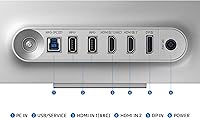
  • Connectivity: Includes one HDMI 2.1 port and one DisplayPort input, supporting full 4K/240Hz output from compatible PCs and 4K/120Hz from current-generation consoles.
  • USB Ports: Equipped with two USB 3.0 downstream ports for connecting peripherals directly to the monitor.
  • Speakers: Built-in stereo speakers deliver 10W of audio output, suitable for casual listening without a separate audio setup.
  • Smart Platform: Integrated Smart TV platform allows direct streaming access to apps and services without requiring an external media device.
  • Sync Technology: G-Sync Compatible certified, and also supports AMD FreeSync Premium Pro for variable refresh rate across both major GPU ecosystems.
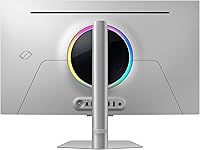
  • Cooling System: Features Samsung's Dynamic Cooling System with a Pulsating Heat Pipe, which circulates coolant to dissipate heat approximately five times more efficiently than earlier graphite sheet designs.
  • Burn-in Protection: Thermal Modulation, Logo and Taskbar Detection, and an automatic screen dimmer after 10 minutes of inactivity work in combination to reduce long-term OLED panel wear.
  • Processor: Powered by the NQ8 AI Gen3 processor, which handles upscaling of lower-resolution content toward 4K and manages display optimization algorithms.
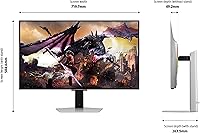
  • Dimensions: Measures 28.3 x 23 x 10.4 inches (W x H x D) with the stand attached, and weighs 18.5 pounds.
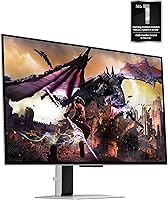
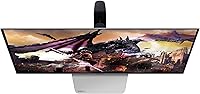
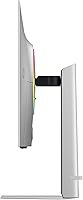
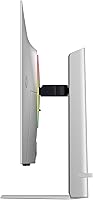
  • Build Material: The chassis and stand are constructed primarily from metal, giving the monitor a noticeably solid and premium feel compared to plastic-bodied competitors.
  • Warranty: Backed by a 3-year manufacturer warranty, which is above average for this product category and provides meaningful coverage for an OLED panel investment.
  • In-Box Contents: Ships with a power cable, HDMI cable, and DisplayPort cable included, so no immediate accessory purchases are required for initial setup.
  • Release Date: First made available on October 31, 2024, making it a relatively recent release with a still-growing owner review base.

Related Reviews
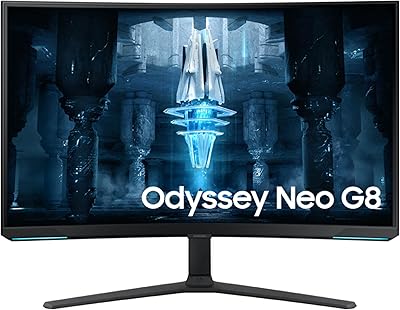
Samsung 32″ Odyssey Neo G8 Gaming Monitor
77%
93%
Image Quality
91%
HDR Performance
89%
Refresh Rate & Smoothness
88%
Contrast & Black Levels
86%
Response Time & Motion Clarity
More
Samsung Odyssey G81SF 27-inch Gaming Monitor
80%
96%
Image Quality
97%
Contrast & Black Levels
89%
Refresh Rate & Motion Clarity
88%
Glare Resistance & Matte Coating
91%
HDR Performance
More
Samsung Odyssey G32A 32″ Gaming Monitor
75%
91%
Refresh Rate Performance
74%
Response Time & Motion Clarity
53%
Image Sharpness & Pixel Density
67%
Color Accuracy & Vibrancy
83%
Contrast & Black Levels
More
Samsung 32″ Odyssey G65B Curved Gaming Monitor
84%
91%
Display Quality
93%
Gaming Performance
87%
Curvature Immersion
88%
HDR Performance
90%
Response Time
More
Samsung Odyssey G55C 32″ Curved Gaming Monitor

78%
88%
Image Sharpness & Resolution
84%
Refresh Rate & Motion Clarity
91%
Curvature & Immersion
93%
Value for Money
57%
HDR Performance
More
Samsung Odyssey G50D 32-inch QHD Gaming Monitor
78%
91%
Gaming Performance
88%
Image Sharpness & Clarity
83%
Color Accuracy & Vibrancy
79%
Panel Uniformity & Viewing Angles
58%
HDR Performance
More
Samsung Odyssey Neo G7 32″ 4K Gaming Monitor
86%
94%
Gaming Performance
91%
Display Quality
88%
Value for Money
90%
Ease of Setup
93%
Color Accuracy
More
Samsung Odyssey G70B 32-Inch 4K UHD Gaming Monitor
82%
88%
Display Quality
91%
Gaming Performance
85%
Ergonomics & Comfort
70%
Color Accuracy
80%
Setup & Installation
More
Samsung 34″ Odyssey G85SB Series QD-OLED Gaming Monitor
89%
95%
Display Quality
93%
Gaming Performance
88%
Color Accuracy
97%
Response Time
94%
Refresh Rate
More
Samsung 27″ Odyssey G32A Gaming Monitor
80%
91%
Gaming Performance
93%
Refresh Rate & Smoothness
84%
Response Time & Motion Clarity
88%
Adaptive Sync (FreeSync Premium)
63%
Image Sharpness & Pixel Density
More

FAQ

It runs at a full 3840 x 2160 resolution at 240Hz — no resolution compromise needed. You will need a DisplayPort connection and a capable GPU to push that consistently, but the panel itself supports it natively.

It's a fair concern with any OLED display, and worth taking seriously rather than dismissing entirely. The Samsung Odyssey G8 32″ OLED Gaming Monitor addresses this on two levels: hardware cooling via a Pulsating Heat Pipe reduces thermal stress on the panel, while software features like Logo Detection, Thermal Modulation, and an auto-dim screensaver handle static element risk during desktop use. Early owners haven't broadly reported burn-in issues, but if you plan to leave a static UI or a fixed HUD on screen for many hours daily over years, it's something to keep in mind.

Yes. The HDMI 2.1 port supports 4K at 120Hz with full bandwidth, which is exactly what both current-gen consoles output at their best. You won't get 240Hz via console — that headroom is for PC — but the visual quality at 120Hz on this panel is excellent.

Quite well, actually. The QD-OLED panel covers a wide color gamut and the contrast depth makes shadow detail far more visible than on a typical IPS monitor. The main caveat is brightness — at 250 nits typical, it's not ideal for HDR color grading workflows where higher sustained brightness is expected. For general creative work, though, it's a strong performer.

Not in most users' experience. It's a light anti-glare treatment that takes the edge off reflections without the muddy haze you get with heavily textured coatings. The QD-OLED panel's color output is vivid enough that the matte layer doesn't feel like it's suppressing anything meaningful.

For casual streaming they work, but the Smart OS responsiveness has been a sticking point for some owners — it can feel slower and less polished than a dedicated streaming device. If you mostly game and occasionally want Netflix or YouTube without switching inputs, it covers that use case fine. Power streamers who care about app availability and snappy navigation might still prefer a separate device.

It's passable for background audio and video calls, but it won't replace even a budget soundbar for gaming or music. If audio quality matters to you at all, budget for separate speakers or headphones — the built-in option is really just a convenience fallback.

The stand offers height, tilt, and swivel adjustments, which covers most desk setups adequately. For VESA arm mounting, it is compatible with standard VESA patterns, but keep the 18.5-pound weight in mind when choosing an arm — some lighter-rated arms won't hold it securely without drifting.

A handful of owners have noted that default HDR tone mapping doesn't always nail the right balance, particularly in games where highlights can look clipped or overly aggressive. It's worth spending some time in the OSD settings to dial in HDR behavior for your primary use case rather than assuming the default preset is optimal.

The contrast difference is immediately obvious — OLED blacks are absolute, while even the best IPS panels have visible backlight bleed in dark scenes. The Odyssey G8 OLED trades some peak brightness against the best high-brightness IPS competitors, and carries the OLED burn-in caveat, but for gaming and immersive media consumption the contrast and motion clarity advantages are substantial. If most of your time is spent in bright, static productivity work, a high-brightness IPS is arguably the safer long-term choice.

Where to Buy