Samsung Odyssey G9 49-inch Curved Gaming Monitor




Overview
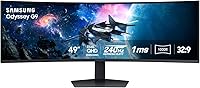
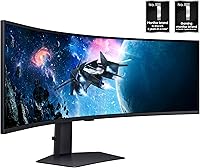
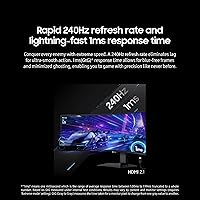
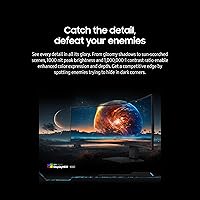
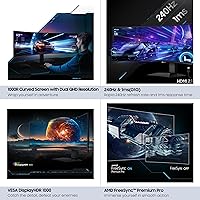
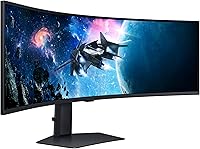
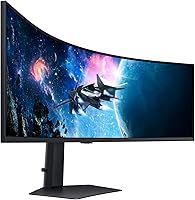
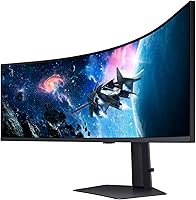
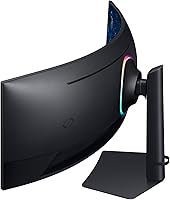
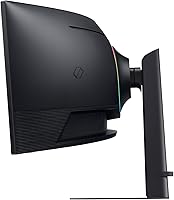
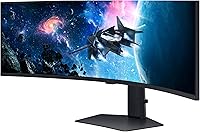
The Samsung Odyssey G9 49-inch Curved Gaming Monitor is a standout choice for gamers seeking an immersive ultra-wide experience. This gaming monitor offers a Dual QHD resolution (5120x1440), delivering sharp and expansive visuals. The 240Hz refresh rate and 1ms response time provide lag-free gaming, ensuring fluid action in fast-paced titles. With VESA DisplayHDR 1000, it enhances contrast and vibrancy, making it ideal for gamers and content creators alike. The 1000R curvature of the screen wraps around your field of view, offering an experience unlike any other.
Features & Benefits
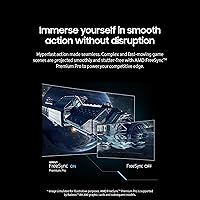
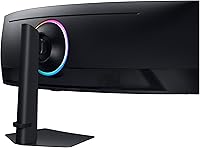
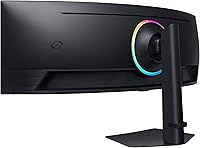
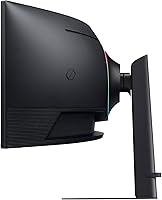
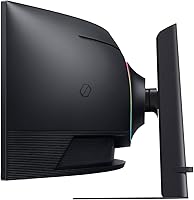
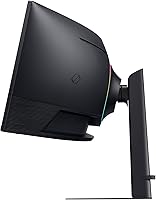
This monitor boasts several features designed for both performance and immersion. The 1000R curve offers a wraparound experience, enhancing your gaming setup by creating a more natural, panoramic view. AMD FreeSync Premium Pro reduces screen tearing and stutter, ensuring smooth, uninterrupted gameplay. CoreSync technology enhances the visual experience further by syncing on-screen colors with your environment. The monitor also comes with a height-adjustable stand and VESA compatibility, giving you flexibility in customizing your viewing position for maximum comfort.
Best For
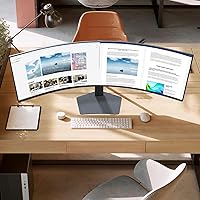
The Samsung Odyssey G9 is best suited for serious gamers who demand an ultra-wide display for full immersion. Its high refresh rate and fast response time make it ideal for competitive players, especially those into FPS or racing games. Content creators and multitaskers will appreciate the expansive workspace provided by its 32:9 aspect ratio, which allows multiple apps or windows to be open simultaneously. If you're building a premium gaming setup, this monitor will deliver the performance and features to elevate your experience to the next level.
User Feedback
User feedback on the Samsung Odyssey G9 highlights its stunning visual clarity and immersive feel, with many praising the sharp resolution and ultra-wide screen. However, some users have noted challenges during setup due to the monitor’s large size and weight, making it a bit difficult to position. The performance in fast-paced games, particularly FPS titles, is highly regarded, with the 240Hz refresh rate and 1ms response time receiving positive reviews. On the downside, a few users have expressed dissatisfaction with the lack of built-in speakers, requiring additional external sound solutions for the full experience.
Pros
- The 240Hz refresh rate and 1ms response time make it perfect for fast-paced gaming, delivering a smooth and lag-free experience.
- The 1000R curved screen offers an immersive, wraparound feel, enhancing gameplay and multitasking productivity.
- Dual QHD resolution (5120x1440) provides incredibly sharp, expansive visuals, ideal for both gaming and creative work.
- AMD FreeSync Premium Pro reduces stutter and screen tearing, improving overall visual fluidity during intense gaming sessions.
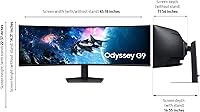
- Height adjustable stand and VESA compatibility allow for easy customization, making it suitable for various desk setups.
- The large, ultra-wide 49-inch display is perfect for users who need ample screen real estate for multitasking or editing.
Cons
- The sheer size and weight of the monitor make setup and placement challenging for users with smaller desks or limited space.
- Lack of built-in speakers requires additional sound equipment, which may be an inconvenience for users who prefer a streamlined setup.
- Some users report difficulty adjusting to the monitor's size, especially when using it for tasks other than gaming.
- The monitor's high price may not justify the features for casual users or those on a tighter budget.
- Not everyone found the ultra-wide aspect ratio useful for all tasks, particularly for those who primarily use the monitor for standard office work.
- The large footprint of the display may not be ideal for those who frequently move or transport their setup.
Ratings
After analyzing a wide range of authentic, verified user reviews from multiple countries and platforms, we've gathered insights on the Samsung Odyssey G9 49-inch Curved Gaming Monitor. Our ratings reflect both its strong points, like impressive visuals and immersive gaming features, and some user concerns, such as setup challenges and lack of built-in speakers. All reviews have been filtered for quality, ensuring that only genuine, high-quality feedback contributes to these scores.
Visual Clarity
Immersion & Curvature
Gaming Performance (FPS)
Ease of Setup
Build Quality
Connectivity & Ports
HDR & Color Accuracy
FreeSync Performance
Adjustability & Ergonomics
Lack of Built-In Speakers
Weight & Size
Overall Value
Suitable for:
The Samsung Odyssey G9 49-inch Curved Gaming Monitor is best suited for serious gamers and content creators who demand top-tier performance and immersive visuals. With its expansive 49-inch ultra-wide screen and Dual QHD resolution, this device offers a remarkable gaming experience, especially for FPS titles that benefit from its 240Hz refresh rate and 1ms response time. It's an excellent choice for users who need a wide workspace for multitasking, such as video editors, designers, and developers. The monitor's immersive 1000R curve and FreeSync Premium Pro technology make it ideal for those seeking a seamless and fluid visual experience. Gamers with high-end systems will find this monitor particularly advantageous for competitive play and cinematic gaming setups, where visual clarity and smooth motion are paramount.
Not suitable for:
This monitor is not the best fit for users with limited desk space or those who prioritize portability. Its large size (49 inches) and hefty build, combined with the need for a stable setup, make it challenging for smaller spaces or frequent movers. Additionally, casual users or those with budget concerns may find the price tag difficult to justify, especially since it lacks built-in speakers, necessitating an external sound solution. If you're simply looking for a monitor for light office work or casual gaming, this device may feel excessive and cumbersome. Those who don't have access to a powerful gaming rig or graphics card might not fully benefit from its high refresh rate and resolution capabilities, limiting its value in non-gaming environments.
Specifications
- Screen Size: The monitor features a 49-inch ultra-wide display, providing a vast, immersive viewing area.
- Resolution: With a Dual QHD resolution of 5120x1440, this display delivers sharp and expansive visuals.
- Curve Radius: The 1000R curve creates an immersive wraparound effect, closely matching the natural curve of your eyes.
- Aspect Ratio: The 32:9 aspect ratio offers a super-wide field of view, perfect for gaming and multitasking.
- Refresh Rate: A 240Hz refresh rate ensures smooth, fluid motion during fast-paced gaming sessions.
- Response Time: With a 1ms (GtG) response time, the monitor minimizes ghosting and blurring in dynamic scenes.
- HDR Support: VESA DisplayHDR 1000 enhances contrast and color accuracy, providing a vibrant visual experience.
- FreeSync: AMD FreeSync Premium Pro helps reduce screen tearing and stuttering, enhancing gaming performance.
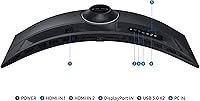
- Ports: Connectivity options include HDMI, DisplayPort, and USB ports for versatile connection possibilities.
- USB Ports: Equipped with 2 USB 3.0 and 2 USB 2.0 ports for convenient device connections.
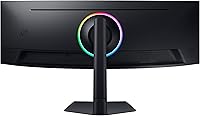
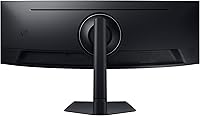
- Stand Adjustability: The height-adjustable stand allows for customizable viewing angles, with options for tilt and swivel.
- VESA Compatibility: The monitor supports VESA mounting, allowing for easy attachment to compatible monitor arms or wall mounts.
- Weight: The monitor weighs 34.4 lbs, making it relatively heavy but stable for secure placement.
- Power Consumption: The monitor has a typical power consumption of 110W, with a lower consumption in standby mode.
- Color Accuracy: With support for high dynamic range and color precision, this display ensures accurate and vibrant visuals.
- G-Sync Support: Although not officially certified, many users report compatibility with NVIDIA’s G-Sync technology.
- Mounting: The monitor can be wall-mounted or placed on a desk using the provided stand, or any VESA-compatible mounting option.
- Gaming Features: The monitor is designed with features like ultra-low latency and high refresh rates, ideal for competitive gaming.
Related Reviews
Samsung Odyssey G55C 27-inch Curved Gaming Monitor
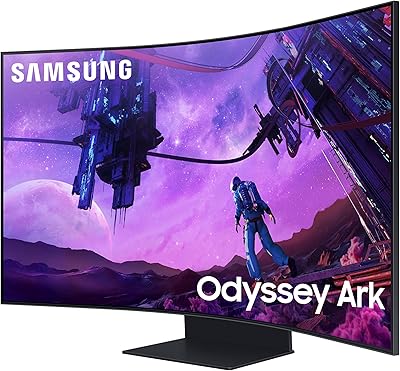
Samsung 55-inch Odyssey Ark Curved Gaming Monitor
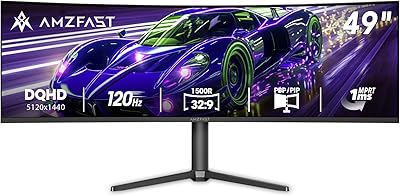
Amzfast AMZG49C7U 49-inch Curved Ultrawide Gaming Monitor

Samsung S39C 27-Inch Curved Gaming Monitor

Samsung S39C 32-Inch Curved Gaming Monitor
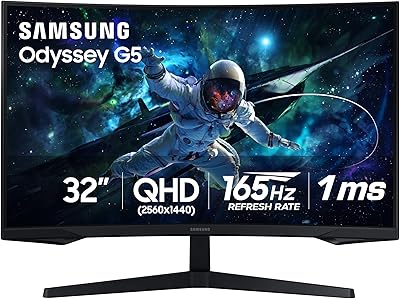
Samsung Odyssey G55C 32″ Curved Gaming Monitor
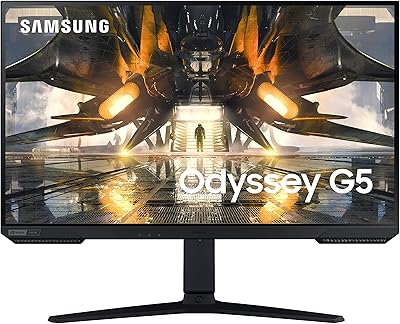
Samsung Odyssey G50A 27-inch Gaming Monitor

Samsung 32″ Odyssey G65B Curved Gaming Monitor

Samsung CRG5 24-Inch Curved Gaming Monitor