Overview

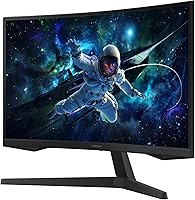
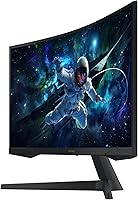
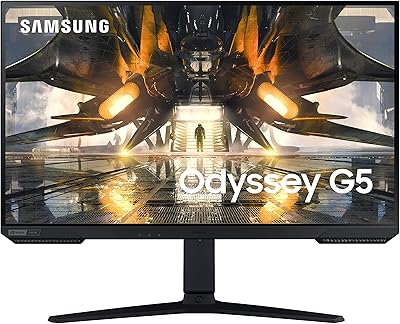
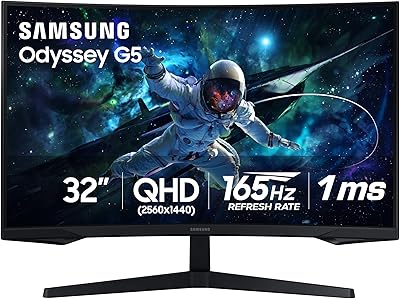
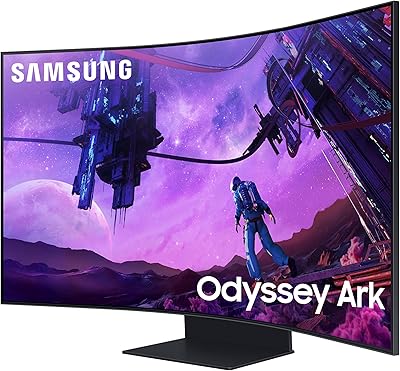
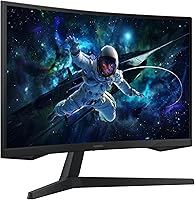
The Samsung Odyssey G55C 27-inch Curved Gaming Monitor sits comfortably in the mid-range of Samsung's Odyssey lineup — capable enough to satisfy serious gamers, priced sensibly enough to avoid sticker shock. The 1000R curvature is its most immediately striking physical trait, wrapping the screen around your field of view in a way flat panels simply cannot replicate. The matte anti-glare coating is a genuinely practical touch for anyone gaming in a room with windows or overhead lighting. That said, this is not a professional color monitor or a display built for creative work — it is designed for gaming, and that focus shapes every trade-off Samsung made here.
Features & Benefits

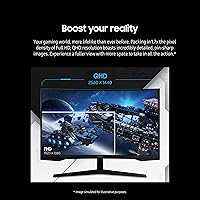
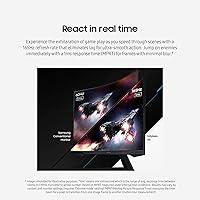
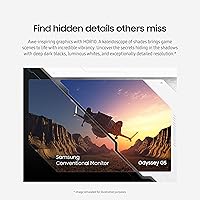
The jump from 1080p to QHD 2560x1440 on a 27-inch screen is more noticeable than most people expect — fine text sharpens up, distant in-game detail reads clearly, and the overall image feels less compressed. The 165Hz refresh rate keeps fast motion fluid whether you are tracking enemies in an FPS or drifting through corners in a racing sim, and the 1ms MPRT response time keeps ghosting minimal. AMD FreeSync Premium handles sync reliably across a wide frame rate range. HDR10 is on the spec sheet, but be realistic: on a VA panel at this price tier, the effect is modest — better contrast in dark scenes, not the punch of a high-end OLED.

Best For

The Odyssey G55C makes the most sense for 1080p upgraders who want a clear visual step up without jumping to a 32-inch panel or a flagship price tag. Competitive players — particularly in FPS and racing genres — will value the high refresh rate far more than they will miss professional color accuracy. Gamers running AMD graphics cards get the added benefit of FreeSync working properly out of the box. This curved gaming monitor also holds up surprisingly well as a dual-purpose home office screen. One caveat: if you are sensitive to ultra-curved displays or frequently share your screen from wider angles, the aggressive 1000R radius may not suit your setup.

User Feedback

Among buyers, consistent praise centers on image sharpness and the immersive feel of the curve — many describe it as a noticeable upgrade from a previous flat 1080p screen. The out-of-box experience is generally smooth, though a handful of users found the on-screen menu navigation slightly clunky at first. The criticism worth taking seriously: Samsung's 27-inch QHD panel ships with a tilt-only stand, offering no height or pivot adjustment, which can be a genuine ergonomic problem for taller users or those with specific desk setups. A monitor arm fixes it but adds to the overall cost. HDR performance draws measured responses too — buyers call it adequate rather than impressive. With over 1,100 ratings averaging 4.4 stars, satisfaction is broad, if not without reservation.

Pros

  • QHD resolution on a 27-inch panel delivers noticeably crisper detail than 1080p — the difference is hard to unsee.
  • The 165Hz refresh rate keeps fast-paced gameplay fluid and responsive without requiring a top-tier GPU to hit those frame rates.
  • AMD FreeSync Premium works reliably across a wide frame rate range, keeping screen tearing out of the picture.
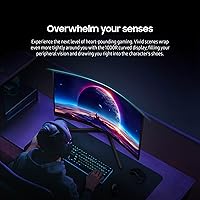
  • The 1000R curve wraps the display around your field of view in a way that makes single-monitor setups feel genuinely immersive.
  • The matte anti-glare coating is a practical win for anyone gaming or working in a room with natural light.
  • Eye care features — blue light reduction and flicker-free backlight — make extended sessions more comfortable over time.
  • VESA mount compatibility gives buyers a clear upgrade path if the stock stand does not meet their ergonomic needs.
  • Broad buyer satisfaction across a large review pool suggests consistent quality control and reliable out-of-box performance.

Cons

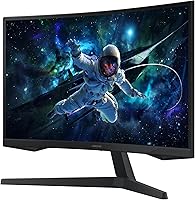
  • The stock stand offers tilt adjustment only — no height, swivel, or pivot, which is a real ergonomic limitation for many users.
  • HDR10 support is entry-level in practice; dark scene contrast improves, but the effect is modest compared to premium display technology.
  • The 1000R curvature is a strong personal preference — buyers who find curved screens uncomfortable will not be won over here.
  • On-screen menu navigation has a learning curve and feels less intuitive than competing monitors in this price range.
  • The Odyssey G55C's VA panel can exhibit some color shift when viewed from wider off-axis angles, which affects shared-screen situations.
  • No built-in USB hub limits desk cable management options compared to similarly priced monitors that include this feature.
  • Buyers coming from OLED or mini-LED displays will find the contrast and black levels noticeably less impressive.

Ratings

The scores below for the Samsung Odyssey G55C 27-inch Curved Gaming Monitor were generated by our AI rating engine after analyzing thousands of verified global buyer reviews, with spam, bot activity, and incentivized submissions actively filtered out before any scoring was applied. Each category reflects the honest distribution of real user experiences — strengths are credited where earned, and recurring frustrations are weighted accordingly. The result is a transparent, balanced scorecard that mirrors what actual buyers encounter after unboxing.
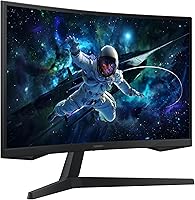
Image Sharpness
91%
Buyers consistently describe the jump to QHD 2560x1440 as immediately noticeable — fine text in strategy games becomes readable, distant in-game terrain shows genuine detail, and the overall image feels less compressed than a typical 1080p screen of the same size. This is one of the most praised aspects of the Odyssey G55C across user reviews.
A small segment of users who upgraded from premium 4K displays found the QHD resolution a step down in pixel density, particularly when working with detailed spreadsheets or photo editing at close range. For that niche, the sharpness advantage over 1080p is real but not fully satisfying.
Refresh Rate & Motion
89%
The 165Hz refresh rate draws consistent praise from competitive players — FPS titles feel noticeably more fluid compared to 60Hz or even 144Hz monitors, and fast camera pans in racing games stay clean rather than smearing. Combined with the 1ms MPRT response time, motion clarity in action-heavy sessions is a genuine strength at this price tier.
Some users note that the 1ms MPRT rating measures motion blur reduction rather than actual pixel transition speed, so in direct back-to-back testing with IPS panels, ghosting is occasionally visible in high-contrast dark scenes. This is a VA panel characteristic rather than a flaw unique to this model, but it is worth knowing in advance.
Curvature & Immersion
84%
The 1000R curve generates strongly positive feedback from single-monitor desktop users — open-world games in particular benefit from the way the screen edges stay in natural peripheral vision without requiring head movement. Many buyers describe it as the feature that makes going back to a flat panel feel like a downgrade.
A meaningful minority of reviewers find the 1000R radius too aggressive for prolonged productivity work, noting that straight horizontal lines in spreadsheets or document editors can appear slightly bowed. Users who sit further than arm's length from their desk tend to find the curvature less impactful as well.
Value for Money
86%
Buyers regularly frame this curved gaming monitor as one of the more competitive options in the mid-range QHD segment — delivering a feature set that would have cost significantly more just a few years ago. For gamers upgrading from an aging 1080p flat panel, the combination of refresh rate, resolution, and curvature at this price point lands well.
Users who compared it closely against similarly priced IPS alternatives occasionally feel the value proposition weakens when HDR limitations and stand restrictions are factored in. If you need a monitor arm and HDR falls flat, the effective cost-to-performance ratio shifts noticeably.
HDR Performance
58%
42%
In supported titles and streaming content, HDR10 does produce a visible improvement in dark scene contrast — shadow detail in horror games and night-time driving sequences looks more layered than in standard dynamic range. For casual viewers who have not used a high-end OLED or mini-LED display, the difference reads as a genuine enhancement.
Buyers with experience on premium HDR displays consistently describe the HDR10 implementation here as entry-level. Without local dimming zones, bright highlights can bleed into adjacent dark areas, and peak brightness falls short of what true HDR impact requires. This is the most commonly cited disappointment in verified reviews.
Stand & Ergonomics
54%
46%
The stock stand is physically stable and keeps the monitor steady without wobble during active gaming sessions. Assembly is tool-free and takes only a few minutes, which buyers with no technical background appreciate during first-time setup.
The absence of height or swivel adjustment is one of the most consistently flagged complaints across buyer reviews. Taller users frequently report neck strain within a few hours of extended gaming, and those with non-standard desk heights often end up propping the monitor on books or investing in a separate VESA arm — an added cost that affects the overall value calculation.
Color Accuracy
67%
33%
For gaming and casual media consumption, colors are vibrant and punchy enough to satisfy the majority of buyers — skin tones in RPG cutscenes look natural and in-game environments feel visually rich. The VA panel's contrast helps saturated colors pop more than a typical budget IPS screen would deliver.
Content creators and anyone doing photo editing quickly notice the panel's color profile drifts outside what professional work demands, and the viewing angle limitations mean colors shift if you are not positioned directly in front of the screen. This monitor was not designed for color-critical workflows and it shows.
Glare & Reflections
83%
The matte anti-glare coating earns practical praise from buyers who game or work near windows — ambient light from overhead fixtures and daylight diffuses across the surface rather than creating distracting mirror reflections. This is a tangible daily comfort advantage over glossy gaming monitors in the same category.
In very dark rooms, some users notice the matte coating introduces a slight haze or grain over the image compared to a glossy panel, which can reduce perceived black depth in dimly lit gaming environments. This trade-off is typical of matte-coated displays rather than a defect specific to this model.
FreeSync Performance
82%
18%
AMD GPU users overwhelmingly report that FreeSync Premium works cleanly on this curved gaming monitor — enabling it through the monitor OSD and GPU driver takes minutes, and the result is a smooth, tear-free experience across a wide frame rate window in demanding open-world titles.
Nvidia GPU owners report mixed results, as the monitor lacks official G-Sync certification. FreeSync functions for many Nvidia users through compatibility mode, but it is inconsistent enough across GPU generations that buyers with green-team builds should verify before purchasing rather than assuming compatibility.
Eye Comfort
78%
22%
The flicker-free backlight and Eye Saver Mode are appreciated by buyers who log four or more hours of gaming or desk work daily — several reviewers specifically note reduced headache frequency compared to older monitors they replaced. The blue light reduction mode is adjustable enough to remain useful without washing out colors completely.
Some users find that Eye Saver Mode desaturates the image more aggressively than competitors' equivalent modes, requiring manual color profile adjustments to restore vibrancy while keeping blue light reduction active. It works, but the calibration out of the box is not refined enough to satisfy everyone.
Build Quality
76%
24%
The overall construction feels solid for a mid-range monitor — the panel housing has minimal flex when pressed, and the matte black finish resists fingerprints well during daily handling. Most buyers describe it as feeling well-assembled and appropriately premium for the price segment.
A small but notable portion of reviewers mention visible plastic seams along the rear housing and a back panel finish that feels slightly cheaper than the front bezel suggests. Nothing that affects performance, but buyers used to flagship build quality may notice the cost-cutting.
Out-of-Box Setup
81%
19%
Physical assembly is frequently described as quick and painless — the stand snaps into the monitor without tools and the initial display configuration is handled automatically by most modern operating systems. Buyers with no monitor setup experience report feeling comfortable completing it solo.
The on-screen display menu system draws consistent mild criticism for its navigation logic, which requires cycling through button presses in a way that feels less intuitive than competitors' joystick-based controls. Reaching HDR and FreeSync settings for the first time takes more patience than it should.
Viewing Angles
61%
39%
For a solo user positioned directly in front of the screen, the viewing angles are entirely adequate — colors and brightness hold up well within a roughly 30-degree horizontal arc from center, which covers standard desktop and gaming positions comfortably.
VA panels are inherently weaker than IPS when viewed off-axis, and the Odyssey G55C is no exception — colors noticeably shift and brightness drops when a second person views the screen from an angle. Buyers who frequently share their screen during co-op gaming or presentations will find this a genuine limitation.
Cable Management
69%
31%
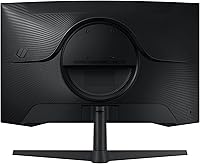
The stand includes a basic cable routing channel along the rear column that keeps power and display cables reasonably tidy from the front view. For a clean desk aesthetic, it does enough without requiring additional accessories.
The routing channel is narrow and accommodates only one or two slim cables comfortably — buyers with multiple peripherals connected via a hub or additional USB devices find it inadequate for keeping the rear of the monitor clutter-free. The lack of a built-in USB hub compounds this issue.

Suitable for:

The Samsung Odyssey G55C 27-inch Curved Gaming Monitor is a strong fit for PC gamers who are ready to leave 1080p behind but are not looking to spend flagship money to do it. If you play fast-paced titles — FPS shooters, racing games, action RPGs — the combination of QHD sharpness and a 165Hz refresh rate delivers a tangible improvement over most entry-level setups. AMD GPU owners in particular will get clean, tear-free performance through FreeSync without any extra configuration headaches. The aggressive 1000R curvature suits single-monitor desktop setups well, pulling the edges of the screen into your peripheral vision in a way that genuinely adds to immersion in open-world and story-driven games. It also holds its own as a dual-purpose work and gaming display — the matte coating keeps glare manageable during daytime hours, and the eye care features make long sessions easier on the eyes.
Not suitable for:

The Samsung Odyssey G55C 27-inch Curved Gaming Monitor is not the right call for buyers who care deeply about color accuracy or HDR quality. Graphic designers, video editors, and photographers will find the VA panel's color performance too limited for professional work, and the HDR10 implementation — while functional — falls well short of what high-end OLED or mini-LED displays deliver. Nvidia GPU users should verify FreeSync compatibility with their specific card before buying, as the experience may be less reliable than it would be on an AMD build. The stand is another real sticking point: with only tilt adjustment available, taller users or anyone with a non-standard desk height will likely need to budget for a monitor arm separately. Finally, if you have ever found curved screens disorienting or you frequently share your screen with someone sitting at an angle, the 1000R curvature may feel more intrusive than immersive.
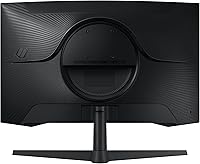
Specifications

  • Screen Size: The display measures 27 inches diagonally, offering a substantial viewing area without requiring the deeper desk depth that 32-inch panels demand.
  • Resolution: Native resolution is 2560x1440 (QHD), delivering roughly 1.7 times the pixel density of a standard 1080p display at this screen size.
  • Panel Type: Uses a VA (Vertical Alignment) panel, which provides stronger contrast ratios and deeper blacks than IPS at the cost of slightly narrower viewing angles.
  • Refresh Rate: Supports a maximum refresh rate of 165Hz, allowing up to 165 frames per second to be displayed for smoother, more fluid motion in games.
  • Response Time: Rated at 1ms MPRT (Moving Picture Response Time), which measures motion blur reduction rather than pixel transition time specifically.
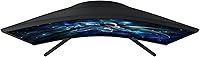
  • Curvature: Features a 1000R curve radius, meaning the screen forms an arc matching a circle with a 1000mm (1-meter) radius — the most aggressive common curvature available on single monitors.
  • HDR Support: Compatible with HDR10 content, though peak brightness and local dimming capabilities are entry-level and typical of VA panels in this price range.
  • Sync Technology: Ships with AMD FreeSync Premium, dynamically matching the monitor's refresh rate to the GPU output to reduce screen tearing and stuttering.
  • Aspect Ratio: Standard 16:9 widescreen aspect ratio, ensuring full compatibility with virtually all games, streaming content, and desktop applications.
  • Screen Surface: Treated with a matte anti-glare coating that diffuses ambient light, making the panel more practical in rooms with windows or overhead lighting.
  • Dimensions: With the stand attached, the monitor measures approximately 9.22 inches deep, 24.34 inches wide, and 20.5 inches tall.
  • Weight: The full unit including stand weighs 9 pounds, which is manageable for solo setup and typical for a monitor of this size and build.
  • Stand Adjustment: The included stand supports tilt adjustment only; there is no height, swivel, or pivot adjustment available without a third-party VESA mount.
  • VESA Compatibility: The monitor supports VESA wall or arm mounting, allowing buyers to replace the stock stand with a fully adjustable third-party arm (verify the exact hole pattern before purchasing).
  • Eye Care: Includes Eye Saver Mode for reduced blue light output and a flicker-free backlight to minimize eye strain during extended use.
  • Color: Available in matte black, with a minimalist industrial finish consistent with the rest of Samsung's Odyssey gaming monitor family.
  • Voltage: Rated for 240 volts, and ships with appropriate power input components; buyers outside the US should confirm local adapter compatibility.

Related Reviews

Samsung Odyssey G50A 27-inch Gaming Monitor
80%
91%
Image Clarity
93%
Refresh Rate Performance
88%
Color Accuracy
58%
HDR Quality
89%
Response Time & Input Lag
More
Samsung S39C 27-Inch Curved Gaming Monitor
75%
83%
Picture Quality & Color Accuracy
88%
Curvature & Immersion
61%
Refresh Rate & Gaming Performance
86%
Eye Comfort & Long-Session Usability
79%
Build Quality & Aesthetics
More
Samsung Odyssey G55C 32″ Curved Gaming Monitor
78%
88%
Image Sharpness & Resolution
84%
Refresh Rate & Motion Clarity
91%
Curvature & Immersion
93%
Value for Money
57%
HDR Performance
More
Samsung Odyssey G3 G30D 27″ Gaming Monitor
80%
91%
Gaming Performance
88%
Refresh Rate Value
93%
Ergonomics & Stand
67%
Image Clarity
84%
AMD FreeSync
More
Samsung 27″ Odyssey QHD G65B Curved Gaming Monitor
80%
88%
Picture Quality
92%
Gaming Performance
78%
Build Quality
85%
Curved Display Experience
90%
Price to Performance Ratio
More
Samsung Odyssey G50D 27-Inch Gaming Monitor
81%
88%
Image Clarity
91%
Refresh Rate Performance
86%
Response Time & Motion Handling
84%
Color Accuracy
58%
HDR Performance
More
Samsung Odyssey G9 49-inch Curved Gaming Monitor
82%
93%
Visual Clarity
90%
Immersion & Curvature
94%
Gaming Performance (FPS)
60%
Ease of Setup
88%
Build Quality
More
Samsung Odyssey G81SF 27-inch Gaming Monitor
80%
96%
Image Quality
97%
Contrast & Black Levels
89%
Refresh Rate & Motion Clarity
88%
Glare Resistance & Matte Coating
91%
HDR Performance
More
Samsung 27-Inch Odyssey G51C Series QHD Gaming Monitor
87%
92%
Display Quality
94%
Gaming Performance
87%
Value for Money
89%
Ergonomics & Comfort
74%
Brightness
More
Samsung 55-inch Odyssey Ark Curved Gaming Monitor
72%
91%
Image Quality
88%
Immersion & Curvature
86%
Refresh Rate & Responsiveness
78%
Built-in Audio
67%
Cockpit Mode Versatility
More

FAQ

FreeSync is AMD's technology, but Nvidia has supported it on many monitors through its G-Sync Compatible program. The Odyssey G55C is not officially G-Sync certified, but many Nvidia users report that FreeSync functions acceptably when enabled through the Nvidia control panel. Results can vary by GPU generation, so it is worth checking community reports for your specific card before buying.

It depends a lot on personal preference and how far you sit from the screen. At a typical desktop distance of around 24 to 30 inches, the 1000R curve is noticeable but most users adapt quickly. People who game for hours tend to find it comfortable, but those transitioning from flat monitors may need a short adjustment period. If you have ever found curved screens disorienting, it is worth trying one in-store before committing.

The included stand only tilts — there is no height, swivel, or pivot adjustment built in. For most users sitting at a standard desk, the fixed height works fine, but taller users or those with ergonomic setups may find it limiting. A VESA-compatible monitor arm is the straightforward fix, though that adds to the total cost.

Honestly, HDR10 on the Samsung Odyssey G55C 27-inch Curved Gaming Monitor is serviceable but not spectacular. You will see improved contrast in dark scenes and slightly richer highlights, but this is a VA panel without dedicated local dimming zones, so the effect is far more subtle than what you would get from a high-end OLED or mini-LED display. If strong HDR performance is a priority, this monitor is not the right tool for that job.
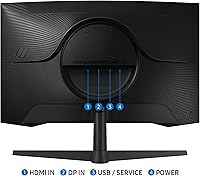
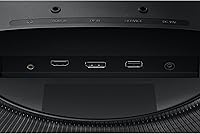
The Odyssey G55C includes DisplayPort and HDMI inputs for connectivity. For full 165Hz performance, you will want to use DisplayPort from a PC. HDMI connections may cap refresh rate depending on the HDMI version supported, so check Samsung's official spec sheet for the exact port configuration to plan your cable setup properly.

It handles movies and streaming well enough for casual viewing — the QHD resolution looks sharp and the curve adds a slight cinematic feel. That said, the HDR limitations mean very bright or high-contrast scenes will not look as vivid as they would on a premium TV or OLED monitor. For a gaming-first setup that also does light media consumption, it is perfectly reasonable.

With the stand attached, the monitor extends about 9.22 inches from front to back. Standard desks with 24 to 30 inches of depth accommodate it without issue. The 1000R curve does not add meaningful physical depth beyond the stand footprint, so space requirements are similar to a flat 27-inch monitor on a comparable stand.

Yes, in a very tangible way. The jump to QHD on a 27-inch panel sharpens in-game text, fine environmental details, and UI elements noticeably. Many buyers who switch back to 1080p after using this curved gaming monitor find it hard to go back. If you are playing detail-rich games like open-world RPGs or simulation titles, the resolution upgrade alone is worth it.

Matte coatings do slightly diffuse the image compared to glossy panels, which can make colors look marginally less saturated under direct comparison. In practice, the trade-off is worth it for most users — the reduction in glare from room lighting makes everyday use far more comfortable, and the difference in vibrancy is subtle rather than dramatic.

Setup is straightforward — the stand clips into the monitor without tools in a few minutes, and Samsung includes basic cable accessories in the box. Buyers generally report the physical assembly as simple and well-guided. The on-screen menu system takes a little getting used to, but basic settings like brightness, refresh rate confirmation, and FreeSync activation are reachable without much frustration.

Where to Buy