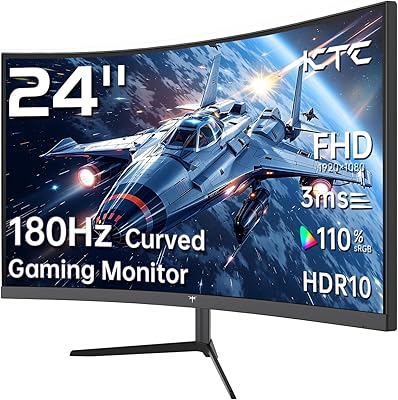
Overview

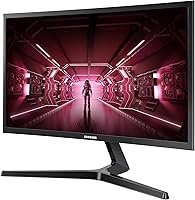
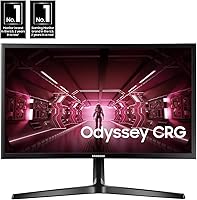
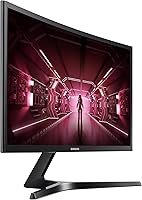
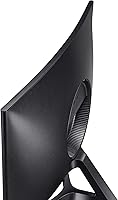
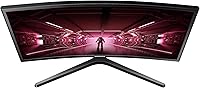
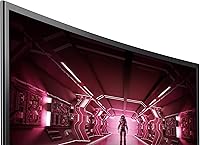
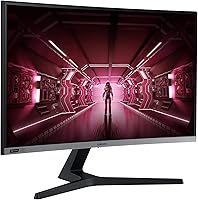
The Samsung CRG5 24-Inch Curved Gaming Monitor sits in a comfortable spot in the market — enough monitor for most PC gamers without the price tag that typically comes with curved displays. The 1800R curvature wraps your field of view just enough to feel immersive without being disorienting, and the 24-inch form factor keeps everything tight and easy to track from a normal desk distance. Samsung's VA panel delivers the kind of deep blacks and punchy contrast you won't find on a comparable IPS display at this price. It's not a pro-level setup, but for anyone stepping up from an aging flat screen or a basic office monitor, the CRG5 makes a convincing case.

Features & Benefits

The 144Hz refresh rate is where this Samsung display earns its keep — in fast shooters or racing games, the difference between this and a standard 60Hz panel is immediately obvious. AMD FreeSync support handles screen tearing without requiring a high-end GPU, which makes it a natural fit for mid-range AMD rigs. The VA panel's 3000:1 contrast ratio means dark scenes actually look dark, not just dark-gray — useful in stealth or horror titles where spotting detail matters. The 4ms response time is adequate for casual and semi-competitive play, but serious tournament-level players may notice faint ghosting in the fastest scenes. Eye Saver Mode is a small but practical addition for long sessions.

Best For

This curved gaming monitor makes the most sense for someone building their first real gaming setup on a budget — particularly if they're running an AMD card and want FreeSync to actually work out of the box. The 24-inch footprint fits comfortably on small desks while still delivering more visual presence than a flat display. Students and dual-purpose users will appreciate that it handles spreadsheets and video just fine alongside gaming sessions. If you're chasing the lowest possible input lag for ranked competitive play, this isn't the right tool. But if you care more about rich contrast and immersion than shaving milliseconds, the CRG5 punches well above what its price would suggest.

User Feedback

Buyers consistently rate this Samsung display highly, with most praise landing on how good the picture looks straight out of the box and how quickly the curved format starts to feel natural. The build quality gets decent marks for the price — nothing premium, but solid enough. Where frustration tends to show up is the stand, which only tilts, leaving anyone who wants height or swivel adjustments shopping for a third-party arm. A few users also flag that color calibration out of the box leans slightly warm and benefits from a quick manual adjustment. Those expecting a flagship experience tend to leave underwhelmed; those treating it as a capable budget option are generally satisfied.

Pros

  • The 144Hz refresh rate makes a genuine, immediately noticeable difference when coming from a standard 60Hz screen.
  • AMD FreeSync eliminates screen tearing effectively without requiring a high-end GPU to get results.
  • The VA panel produces deep, convincing blacks that give dark game environments real atmosphere and detail.
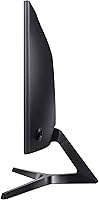
  • The 1800R curve feels natural at typical desk distances and adds immersion without distortion.
  • At this price point, the image quality out of the box surprises most first-time buyers in a positive way.
  • The compact 24-inch footprint fits easily on smaller desks without sacrificing a sense of visual presence.
  • Eye Saver Mode is a practical feature that holds up during extended evening gaming or study sessions.
  • Build quality is solid and stable for the price — nothing flashy, but nothing flimsy either.
  • Full HD resolution keeps GPU demands low, meaning mid-range cards can push high frame rates consistently.

Cons

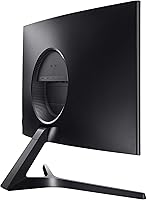
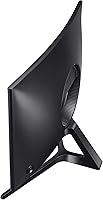
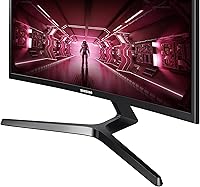
  • The stand offers tilt only — no height adjustment, swivel, or pivot without buying a separate arm.
  • Out-of-the-box color calibration leans warm and typically needs manual tweaking to look its best.
  • Response time is adequate but not competitive-grade; fast motion in shooters can produce faint ghosting.
  • Nvidia GPU users get no FreeSync compatibility, losing one of the monitor's main practical advantages.
  • Viewing angles are noticeably limited off-axis, as expected from a VA panel — a real issue in shared or side-by-side setups.
  • The bezels are not the slimmest available, which matters if you are considering a multi-monitor arrangement.
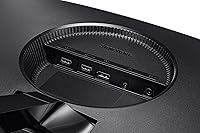
  • Only HDMI connectivity is listed, which may limit flexibility depending on your PC or console setup.
  • The 1080p resolution, while smooth to drive, can look soft on a 24-inch screen compared to 1440p alternatives at a slightly higher price.

Ratings

The Samsung CRG5 24-Inch Curved Gaming Monitor has been scored by our AI system after analyzing thousands of verified global buyer reviews, with spam, bot-submitted, and incentivized feedback actively filtered out before any scoring took place. The ratings below reflect both the genuine strengths and the recurring frustrations real users have reported across different use cases and setups. Nothing has been softened — where the CRG5 earns high marks, the scores show it, and where it falls short, that's reflected too.

Value for Money
88%
For what buyers pay, the combination of a high refresh rate, curved VA panel, and FreeSync from a reputable brand is hard to match at this tier. Most first-time curved monitor buyers report feeling like they got significantly more than they expected for the price, especially when comparing image depth to older flat panels they replaced.
A small segment of buyers who compared it directly to similarly priced IPS alternatives felt the color accuracy trade-off wasn't worth it for their use case. Those doing mixed creative and gaming work occasionally felt the value proposition was less clear than it would be for a dedicated gamer.
Image Quality
83%
The VA panel's high contrast ratio makes dark scenes genuinely dark rather than washed-out gray, which pays off noticeably in atmospheric games and movies. Buyers consistently call out how punchy and vivid the image looks during normal gaming sessions compared to entry-level IPS panels in the same price bracket.
Out-of-the-box color calibration tends to run warm, and many users need to manually adjust settings before the image looks neutral. Color accuracy at wider viewing angles is a known VA limitation, and buyers sitting off to the side of the display will notice color shift fairly quickly.
Gaming Performance
81%
19%
At full refresh rate with FreeSync active on a compatible AMD system, gameplay feels noticeably fluid — especially in fast shooters and driving titles where frame pacing matters. The jump from 60Hz to this display is consistently described by buyers as one of the most impactful single upgrades they made to their setup.
The 4ms response time is honest mid-tier performance — adequate for most play styles, but VA panel ghosting in very dark, fast-moving scenes is a real and frequently mentioned complaint. Competitive players who are used to faster IPS or TN panels will likely feel the difference in the most demanding scenarios.
Curvature & Immersion
86%
The 1800R curve at a standard desk distance creates a naturally immersive viewing experience that most buyers warm up to within the first few sessions. Single-player and open-world games in particular benefit from the way the curve draws the peripheral edges of the screen slightly inward toward the viewer.
A minority of buyers found the curve distracting when switching between gaming and flat document work, particularly for spreadsheets or text-heavy tasks. Those coming from flat monitors occasionally needed an adjustment period, and a small number reported mild disorientation in the first few days of use.
FreeSync Performance
84%
On AMD-based systems, FreeSync works reliably across the supported frame rate range, and buyers with mid-range Radeon cards report clean, tear-free gameplay without needing an expensive GPU to drive it. The practical benefit is most obvious in games that dip and climb in frame rate frequently rather than those that hold a steady ceiling.
Nvidia GPU owners get no reliable adaptive sync benefit, which is a hard limitation that removes one of the display's most compelling selling points for that audience. There is no G-Sync Compatible certification, so buyers planning an Nvidia build should factor this into their decision before purchasing.
Build Quality
71%
29%
The physical construction is sturdy enough for everyday use — the panel doesn't flex excessively, and the stand holds the screen steady without wobble during normal desk activity. For its price tier, buyers generally report that the monitor feels more substantial than competing budget options they considered.
The plastic finish attracts fingerprints and dust noticeably, and the overall material quality reads as budget-grade up close. A number of buyers mentioned that the build does not feel proportionate to Samsung's brand reputation when compared to the company's higher-tier displays.
Stand & Ergonomics
54%
46%
The included stand is stable and does its basic job — the monitor stays in place, and tilt adjustment allows for minor viewing angle corrections. For buyers who were planning to use a monitor arm anyway, the stand limitations are essentially irrelevant.
The stand offers tilt-only adjustment, with no height, swivel, or pivot options — a recurring and genuine frustration in buyer reviews. Users who rely on a specific seated posture or share the monitor with people of different heights will almost certainly need to purchase a separate VESA-compatible arm to make it work comfortably.
Refresh Rate
89%
The 144Hz ceiling is the single most praised specification in buyer feedback, with users consistently describing the visual smoothness as a meaningful and obvious upgrade over their previous displays. In fast-paced genres, the higher frame rate makes target tracking and scene readability noticeably better.
Reaching the full 144Hz benefit requires a capable enough PC to push matching frame rates, and buyers with lower-end systems may not experience the full advantage. On console, the refresh rate advantage disappears entirely since most consoles still output at 60Hz.
Contrast & Black Levels
87%
The VA panel's contrast performance is one of the most consistently praised aspects across all buyer feedback — blacks are deep and shadow detail in dark scenes is genuinely better than what comparable IPS displays at this price can produce. Buyers who play atmospheric or horror games specifically call this out as a deciding factor.
In very bright environments, the deep blacks can make the display look slightly washed in certain lighting conditions due to screen surface reflection. Local dimming is not available, so there is no dynamic contrast control to help in mixed bright-and-dark scenes within the same frame.
Color Accuracy
66%
34%
After manual calibration, the CRG5 produces colors that are warm and vivid for gaming — the image pops in a way that many buyers find immediately appealing, particularly for colorful game environments. Most buyers who spent time adjusting the OSD settings were satisfied with the results they achieved.
Factory calibration is inconsistent, and the VA panel's inherent color shifting at off-axis angles means accurate color reproduction is only reliable when viewed straight on. Buyers using the display for photo editing or color-sensitive creative work have frequently noted that it falls short of even entry-level IPS alternatives for those tasks.
Eye Comfort
78%
22%
Eye Saver Mode is a practical and effective feature for evening or extended sessions — several buyers specifically mentioned using it during late-night study or work stretches alongside gaming. The ability to toggle it quickly through the OSD without navigating deep menus adds to its day-to-day usefulness.
With Eye Saver Mode disabled, extended sessions under bright lighting can be tiring for sensitive users, especially given the warm baseline color profile. A few buyers noted that the lack of flicker-free certification was a concern, though reported issues were not widespread in the feedback pool.
Setup & Installation
82%
18%
Assembly is quick and tool-free — most buyers report having the monitor fully set up and running within ten minutes of opening the box. The packaging is well-organized, and the stand attaches without requiring special instructions or hardware knowledge.
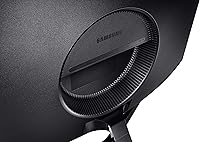
Cable management options on the stand are limited, and several buyers noted that routing cables neatly behind the display requires some improvisation. The OSD buttons are located on the back-bottom edge of the panel, which can be awkward to navigate without looking at where your hand is going.
Connectivity
62%
38%
HDMI connectivity covers the essentials for most buyers — console hookups, basic PC connections, and switching between two sources via a simple input toggle are all straightforward. For the majority of the target audience, a single HDMI port is sufficient.
The absence of DisplayPort is a notable omission for PC gamers who want the most reliable high-refresh-rate connection, as HDMI bandwidth limitations can occasionally affect performance at 144Hz depending on the HDMI version supported. Buyers with multiple devices to connect simultaneously will find the single-input setup restrictive.
Screen Size & Fit
79%
21%
The 24-inch footprint is genuinely practical for smaller desks and bedroom setups — it provides enough visual presence to feel like an upgrade without dominating the workspace. Buyers in compact apartments or dorm rooms frequently highlight the size as a key reason they chose this display over a larger alternative.
Buyers who switched from 27-inch or larger displays occasionally found the 24-inch screen noticeably smaller than expected, particularly when the curve reduces the effective perceived size slightly. For productivity multitasking with multiple windows open simultaneously, the screen real estate can feel tight.

Suitable for:

The Samsung CRG5 24-Inch Curved Gaming Monitor is a strong fit for entry-level PC gamers who are ready to move beyond a flat or 60Hz display but aren't yet ready to spend big on a premium panel. AMD GPU owners in particular get real, tangible value here — FreeSync works reliably at this tier, and the smooth frame delivery it provides makes a noticeable difference in everyday play. The 24-inch curved format is also well-suited to compact desk setups where an ultrawide or larger screen simply won't fit without dominating the space. Students and budget-conscious buyers pulling double duty between gaming and coursework will find the display comfortable for long hours, especially with Eye Saver Mode active. If your priority is rich contrast and visible depth in dark gaming scenes rather than chasing the absolute lowest input lag, this Samsung display delivers well beyond what its price bracket typically promises.

Not suitable for:

Competitive or tournament-focused players who need the sharpest, fastest pixel response available should look elsewhere — the Samsung CRG5 24-Inch Curved Gaming Monitor was not designed with that use case in mind, and demanding players may notice ghosting artifacts in the most motion-heavy scenarios. The stand is a legitimate limitation: it tilts, and that's essentially it, which means anyone who wants to fine-tune height, swivel, or pivot will need to budget for a separate monitor arm. Nvidia GPU users won't have access to G-Sync compatibility here, so those running a green-team rig lose one of the display's stronger selling points. Anyone expecting IPS-level color accuracy or wide viewing angles will be disappointed by the VA panel's performance when viewed off-axis. And if you're a content creator or photo editor, the lack of factory color calibration and the panel's inherent color volume limitations make this the wrong tool for that job.

Specifications

  • Screen Size: The panel measures 23.5 inches diagonally, marketed as a 24-inch class display.
  • Resolution: Runs at 1920x1080 Full HD, delivering a sharp image for everyday gaming and media at this screen size.
  • Panel Type: Uses a VA (Vertical Alignment) panel, which prioritizes deep blacks and high contrast over wide viewing angles.
  • Refresh Rate: Supports up to 144Hz, allowing up to 144 frames per second for noticeably smoother motion in fast-paced games.
  • Response Time: Rated at 4ms, suitable for casual and mid-level gaming but not optimized for the most demanding competitive play.
  • Curvature: Features an 1800R curvature radius, designed to match the natural curve of human vision at close desk distances.
  • Contrast Ratio: Delivers a 3000:1 contrast ratio, producing significantly deeper blacks than typical IPS panels at this price point.
  • Sync Technology: Compatible with AMD FreeSync, which dynamically syncs the display's refresh rate to the GPU output to reduce screen tearing.
  • Aspect Ratio: Standard 16:9 widescreen aspect ratio, compatible with all modern gaming resolutions and media formats.
  • Connectivity: Includes HDMI input for connecting PCs, consoles, or other video sources.
  • Eye Care: Equipped with Eye Saver Mode, which reduces blue light emission to lower eye strain during extended use.
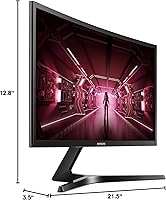
  • Dimensions: Without the stand, the monitor measures 21.5 x 12.8 x 3.5 inches (width x height x depth).
  • Weight: The unit weighs 7.2 pounds without the stand, making it manageable for single-person setup or repositioning.
  • Voltage: Operates at 110 Volts, designed for standard North American power outlets.
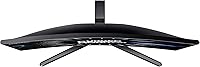
  • Stand Adjustment: The included stand supports tilt adjustment only; height, swivel, and pivot adjustments are not available without a third-party arm.
  • Brand: Manufactured by Samsung Electronics, a globally recognized producer of consumer display technology.
  • Model Number: The official model identifier is LC24RG50FQNXZA, used for warranty registration and support inquiries.
  • Game Mode: Includes a dedicated Game Mode setting that optimizes contrast and sharpness for active gaming scenarios.

Related Reviews
Samsung CF390 24-inch Curved Gaming Monitor

78%
88%
Value for Money
79%
Image Quality
71%
Gaming Performance
86%
Design & Aesthetics
43%
Ergonomics & Stand
More
Sealan 24-Inch Curved Gaming Monitor

86%
92%
Gaming Performance
88%
Visual Quality
91%
Refresh Rate Smoothness
85%
Design & Build
87%
Eye Care Features
More
KTC 24-inch 1500R Curved Gaming Monitor
86%
94%
Gaming Performance
89%
Display Quality
92%
Value for Money
87%
Build Quality
83%
Ergonomics
More
Samsung S39C 27-Inch Curved Gaming Monitor

75%
83%
Picture Quality & Color Accuracy
88%
Curvature & Immersion
61%
Refresh Rate & Gaming Performance
86%
Eye Comfort & Long-Session Usability
79%
Build Quality & Aesthetics
More
Samsung 32-Inch S39C Curved Gaming Monitor
83%
88%
Display Quality
91%
Value for Money
86%
Eye Comfort
89%
Ease of Setup
85%
Build Quality
More
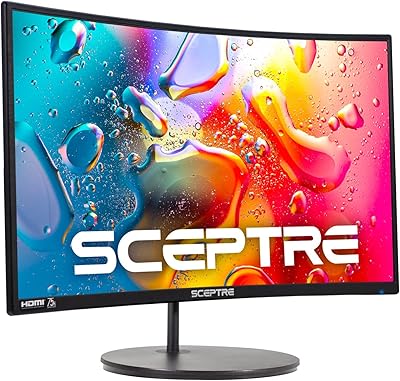
Sceptre C248W-1920RN 24-inch Curved Gaming Monitor
76%
91%
Value for Money
78%
Display Quality
83%
Curvature & Immersion
74%
Refresh Rate & Motion Clarity
67%
Build Quality & Design
More
Samsung Odyssey G3 24-Inch FHD Gaming Monitor
83%
91%
Display Quality
94%
Gaming Performance (Refresh Rate/Response Time)
88%
Ease of Setup
85%
Ergonomics & Adjustability
89%
AMD FreeSync Performance
More
Samsung Odyssey G9 49-inch Curved Gaming Monitor
82%
93%
Visual Clarity
90%
Immersion & Curvature
94%
Gaming Performance (FPS)
60%
Ease of Setup
88%
Build Quality
More
Gawfolk 24.5-inch Gaming Curved Monitor GF245A
84%
86%
Display Quality
88%
Gaming Performance
92%
Value for Money
80%
Build Quality
90%
Ease of Setup
More
Z-Edge UG24 24-inch Curved Gaming Monitor
85%
88%
Gaming Performance
85%
Display Quality
81%
Build Quality
92%
Value for Money
89%
Ease of Setup
More

FAQ

FreeSync is AMD's adaptive sync technology, so it works natively with AMD Radeon GPUs. Nvidia cards can sometimes use FreeSync monitors via G-Sync Compatible mode, but the CRG5 is not officially certified for that, so you may not get adaptive sync benefits if you're on an Nvidia rig.

At 24 inches, 1080p holds up well for gaming and general use — pixel density is high enough that individual pixels aren't obvious during normal play. If you're doing close-up photo work or reading very small text for long stretches, you might notice it, but for gaming it's a non-issue for most people.

The 1800R curve is subtle enough that it doesn't distort straight lines or feel gimmicky. At a typical arm's-length desk distance, it just makes the edges of the screen feel slightly closer to you, which adds a mild sense of depth. Most users stop noticing the curve consciously within a day or two.

Yes, the HDMI port makes it compatible with PlayStation and Xbox consoles. Keep in mind that consoles typically cap output at 60Hz, so you won't be using the 144Hz capability unless you're connected to a PC. It still works fine as a console display at 60Hz.

The CRG5 is VESA mount compatible, so swapping out the included stand for a third-party monitor arm is a straightforward upgrade. Just check that your arm supports the standard 75x75mm VESA pattern before purchasing.

Out of the box, the display is usable but tends to run slightly warm in color tone. Most users spend a few minutes adjusting brightness, contrast, and color temperature in the OSD to get the image looking more neutral. It's a minor step, not a complex calibration process.

At full 144Hz with FreeSync active, motion is clean for most gaming scenarios. Where ghosting can appear is in very dark, fast-moving scenes — it's a characteristic of VA panels in general. For casual and semi-competitive play it's rarely an issue; for high-level competitive shooters, more sensitive players may notice it.

Samsung typically includes an HDMI cable with this display, but it's worth confirming at the time of purchase since box contents can vary by retailer. Having a spare HDMI cable on hand never hurts.

Eye Saver Mode is accessible through the on-screen display menu and can be switched on or off without much digging. Some users leave it on permanently for evening sessions and turn it off during the day when they want more accurate colors.

The main trade you're making is curvature and contrast for viewing angle flexibility. A flat IPS monitor at a similar price would give you better off-axis viewing and more accurate colors out of the box. The CRG5 wins on contrast depth and the immersive feel of the curve, which matters more for solo gaming than for shared or side-by-side viewing.

Where to Buy