Overview

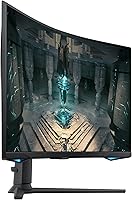
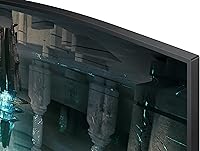
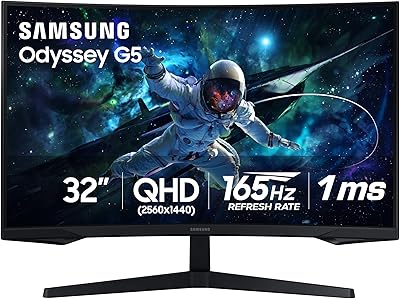
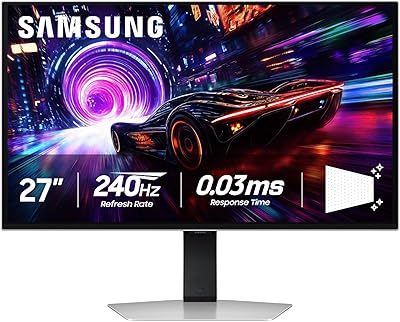
The Samsung 27″ Odyssey G65B Curved Gaming Monitor sits squarely in the mid-to-premium tier for PC gamers who want both speed and visual clarity without committing to an ultra-wide panel. What immediately stands out physically is the 1000R curvature — tighter than the 1500R and 1800R curves found on most competitors, and genuinely built around the idea that the screen should match your peripheral vision rather than fight it. The Odyssey name carries real weight in Samsung's lineup, translating to consistent build quality and predictable panel behavior. At 27 inches with QHD resolution, individual pixels stay invisible at typical desk distances. That said, this is a VA panel, not IPS — deep contrast is its strength, wide viewing angles are not.
Features & Benefits

At 240Hz with 1ms GTG response, the G65B handles fast-paced shooters and racing games with virtually no perceptible ghosting — you'll track moving enemies cleanly rather than chasing a blurry outline. The jump from 1080p to QHD 1440p is genuinely noticeable: text is sharper, distant details read more clearly, but running the panel at its full 240Hz demands a capable GPU — don't expect this pairing to go easy on mid-range hardware. DisplayHDR 600 certification sits between the common HDR 400 floor and the much rarer HDR 1000 tier; contrast improvement is real, but this isn't OLED-level depth. AMD FreeSync Premium Pro keeps screen tearing in check for AMD GPU users. The built-in Gaming Hub also lets you stream titles without a PC connected, a quiet but useful addition.

Best For

This Odyssey curved monitor is a strong fit for competitive PC gamers who care more about high frame rates and fast response than achieving gallery-grade color accuracy. If you're running an AMD GPU, you'll get the cleanest experience — FreeSync Premium Pro is fully native here, while Nvidia users should verify G-Sync compatibility independently. The VA panel's deep contrast ratio is genuinely better appreciated in a dim or dark room; in brightly lit spaces, IPS panels at similar price points tend to look more vivid. It's also a solid upgrade path for anyone still on 1080p or a 60Hz display who wants to address both shortcomings in a single purchase. The Gaming Hub makes it a reasonable standalone streaming device too, though that's a bonus rather than a reason to buy.

User Feedback

Across more than 500 reviews, this 27-inch Samsung gaming display earns a 4.2-star rating — and recurring praise centers on curve immersion and the richness of colors in darker scenes, which is exactly where VA panels do their best work. The criticism is equally consistent: fast dark sequences — think underground tunnels in RPGs or shadowy corridors in FPS games — can show black smearing, a known VA characteristic that no firmware update will fix. Setup feedback is generally positive; the stand offers tilt and height adjustment, and out-of-box calibration is acceptable without immediate tweaking. HDR performance draws mixed reactions — buyers notice a clear improvement over non-HDR viewing, but few describe it as transformative. Against IPS alternatives at a comparable price, most buyers who prioritize contrast and curve over color accuracy consider it the right trade-off.

Pros

  • The 1000R curvature is noticeably tighter than most competitors and creates real peripheral immersion at a normal desk distance.
  • 240Hz refresh rate paired with 1ms GTG response produces clean, ghost-free motion in fast competitive titles.
  • QHD 1440p resolution delivers a sharp, pixel-dense image that holds up well across both gaming and everyday tasks.
  • VA panel contrast produces deep, rich blacks that make dark environments in RPGs and horror games look genuinely atmospheric.
  • AMD FreeSync Premium Pro provides native adaptive sync for AMD GPU owners, eliminating screen tearing without any extra hardware cost.
  • DisplayHDR 600 offers a meaningful brightness and contrast boost over HDR 400 panels, noticeable in high-contrast scenes.
  • The built-in Gaming Hub lets you stream cloud titles without a connected PC, a practical bonus that few monitors at this tier offer.
  • Four onboard USB ports turn the display into a functional peripheral hub, reducing cable clutter on busy desks.
  • Samsung Odyssey build quality is consistently solid — the stand feels sturdy and the chassis resists the flex common in budget monitors.

Cons

  • VA panel black smearing during fast, dark sequences is a persistent hardware trait that no settings adjustment will fully resolve.
  • Viewing angles are narrower than IPS alternatives — colors and contrast shift noticeably when looking at the screen from an angle.
  • Pushing QHD at 240Hz demands a powerful GPU; mid-range cards will struggle to sustain smooth frame rates in demanding modern titles.
  • G-Sync compatibility with Nvidia cards is not guaranteed, making this a significantly better fit for AMD-based systems.
  • HDR performance, while above average for the price, falls well short of what OLED or high-end mini-LED displays deliver.
  • The tight 1000R curvature can feel uncomfortable during spreadsheet work or document editing — it is optimized for gaming, not productivity.
  • Out-of-box color calibration may need manual tweaking for users who want accurate whites and neutral tones from day one.
  • At 14.1 pounds, the monitor is on the heavier side and relocation or desk reconfiguration takes more effort than lighter alternatives.

Ratings

The Samsung 27″ Odyssey G65B Curved Gaming Monitor scores below are generated by our AI review engine after analyzing thousands of verified buyer submissions globally, with bot activity, incentivized reviews, and duplicate low-credibility entries actively filtered out to surface only authentic user experiences. The resulting ratings capture the full picture — the panel's genuine strengths in speed, contrast, and immersion alongside the real frustrations buyers encounter with VA trade-offs, HDR limitations, and viewing angle constraints. Whether you are comparing panel types or deciding if this display suits your GPU and gaming environment, these scores are designed to cut through the noise.
Gaming Performance
91%
At 240Hz with a 1ms GTG response, this Odyssey curved monitor handles fast-paced shooters and racing games with noticeably cleaner motion than most panels in its class. Competitive players consistently report that tracking fast-moving targets feels tighter and more responsive, especially when stepping up from a 144Hz or slower display.
Sustaining 240 frames per second at 1440p demands a powerful GPU — mid-range cards routinely fall short in demanding modern titles. Users on older hardware report spending more time between 120 and 160Hz than at the display's ceiling, which limits the practical return on paying for that maximum refresh rate.
Image Quality
83%
QHD 1440p resolution at 27 inches produces a noticeably sharper image than 1080p — fine textures in open-world environments and distant UI elements both read more clearly at typical desk distances. Out-of-box color vibrancy is strong for a VA panel, and most buyers report satisfying results for gaming without heavy manual calibration.
Color accuracy is not a strength — buyers who mix photo editing or creative work with gaming find the VA panel's color reproduction noticeably shifted. Those who need precise whites and neutral grays will find manual calibration is necessary before the image looks correct for non-gaming tasks.
Contrast & Black Depth
89%
The VA panel's contrast ratio is a standout trait — dark dungeon environments, night-time open worlds, and horror game atmospheres all look significantly richer than on IPS panels at the same price point. Multiple reviewers specifically mention that shadowy scenes feel atmospheric and defined rather than gray and washed-out.
The same VA panel that produces deep blacks also introduces black smearing in fast dark sequences — dark objects moving against very dark backgrounds leave a faint visible trail. Gamers who spend time in underground levels or shadowy fast-action environments report this as genuinely distracting, and no software setting resolves it.
HDR Performance
67%
33%
DisplayHDR 600 is a meaningful step above the HDR 400 floor common on competing monitors — bright highlights in outdoor environments and explosive effects pop noticeably more, and the contrast improvement in HDR-enabled titles is visible when compared directly to SDR mode.
Buyers upgrading from OLED or mini-LED displays are consistently disappointed — this is not true local dimming HDR, and blooming around bright objects on dark backgrounds is a visible limitation. Several reviewers describe the HDR mode as only marginally better than a well-tuned SDR picture in practice.
Build Quality
84%
The Odyssey lineup has built a consistent reputation for solid construction, and the G65B holds that standard — the chassis feels rigid, bezels are slim without feeling fragile, and the stand stays planted without wobble during active gaming sessions or normal desk movement.
A handful of buyers report minor backlight uniformity inconsistencies at panel edges, though this is a common characteristic in VA panels at this tier. Cable management routing along the stand is functional but basic, and does not hide cables as cleanly as premium stands found on monitors in the next price bracket.
Ergonomics & Stand
72%
28%
Height and tilt adjustments cover most standard desk setups comfortably — buyers report being able to position the display correctly for both seated and slightly elevated gaming postures without needing a separate arm or additional hardware.
The stand lacks swivel and pivot rotation, which frustrates users who want to angle the display sideways or rotate into portrait mode for productivity. At 14.1 pounds, repositioning the monitor during a desk rearrangement or to share with a nearby viewer requires noticeably more effort than lighter alternatives.
Value for Money
78%
22%
For AMD GPU owners wanting 240Hz QHD gaming with a strong contrast panel and a built-in Gaming Hub, the price point sits at a reasonable level. Buyers upgrading from 1080p or 60Hz setups consistently describe it as a purchase that addresses multiple display shortcomings simultaneously without requiring two separate upgrades.
Nvidia GPU owners and users needing color accuracy for creative work find the value proposition weaker — they are paying for FreeSync Premium Pro they cannot fully use while accepting color trade-offs that impact their daily workflow. IPS alternatives at a comparable price point draw frequent direct comparisons in buyer reviews.
Connectivity
81%
19%
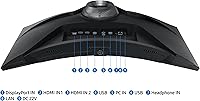
The four-port USB hub integrated into the monitor is genuinely practical — most buyers keep a keyboard, mouse, and headset plugged directly into the display rather than routing cables to a tower under the desk. Having USB 3.0 ports available for faster peripheral data transfer is a welcome addition at this tier.
Users running multi-source setups note that the display input count covers standard PC and console combinations but becomes limiting with more than two active sources. There is no USB-C or Thunderbolt input, which newer laptop owners connecting the monitor as a secondary desk display occasionally flag as a missing convenience.
Curve & Immersion
88%
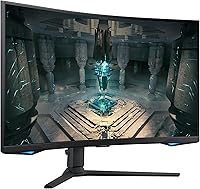
The 1000R curvature is the defining physical experience of this 27-inch Samsung gaming display, and buyers consistently describe the wraparound feel as more involving than flatter displays at the same size. In wide open-world environments and racing games, the curve draws peripheral vision into the action in a way that noticeably changes how gameplay feels.
The 1000R curve is polarizing for non-gaming use — spreadsheet work and extended reading sessions on a tight curve cause mild discomfort for some users, particularly those sitting within 60 to 70 centimetres. A subset of buyers also note that straight horizontal lines can appear slightly bowed when working with design or text-heavy applications.
Color Accuracy
61%
39%
For pure gaming, color saturation is punchy and the out-of-box picture looks vibrant across most game environments — casual gamers and those who primarily play in darker settings report finding the colors satisfying without any initial adjustments needed.
For any color-sensitive workflow — photo editing, video grading, or digital illustration — the VA panel's white balance and color temperature are noticeably off at default settings, and achieving acceptable accuracy requires third-party profiling tools. Reviewers who split time between gaming and creative work consistently flag the panel type as the primary reason they would reconsider this purchase.
Viewing Angles
54%
46%
For solo gaming at a typical centered desk position, viewing angles present no issue whatsoever — the image looks consistent and visually clean when the user is directly in front of the panel at a normal distance.
Stepping noticeably to the side reveals the VA panel's clear limitations — contrast shifts and colors fade faster than on IPS alternatives at the same price, which matters for users who share their screen with others nearby. Buyers who game in co-op setups or use the monitor in shared living spaces consistently flag this as a meaningful drawback.
Setup & Calibration
74%
26%
Assembly is straightforward and most buyers report having the display running within 15 minutes — the stand attaches without tools and the OSD menu follows Samsung's organized layout, making core brightness, contrast, and input adjustments accessible without consulting the manual.
Out-of-box calibration leans warm and slightly over-saturated, and users targeting accurate whites or balanced neutral grays report needing to manually adjust color temperature and RGB offset settings. A small but recurring portion of buyers encounter backlight clouding or dead pixels on delivery, requiring a warranty exchange process.
Gaming Hub
69%
31%
The built-in Gaming Hub is a genuine differentiator — accessing Xbox Game Pass, GeForce Now, or Amazon Luna directly from the monitor without a connected PC is convenient for casual sessions or when multiple household members share a single display.
The Gaming Hub is a secondary feature for the majority of buyers — reviewers who purchased primarily for competitive PC gaming rarely interact with it after initial setup curiosity fades. Performance depends entirely on network quality and cloud service uptime, and it does not replace local play in terms of input latency or reliability.
Motion Handling
77%
23%
In competitive titles with bright, open environments — team-based shooters, racing simulators, battle royale games — motion handling is strong, with fast object tracking producing clean edges across the full 240Hz range. Most buyers upgrading from 144Hz or slower panels immediately notice the improvement in how motion resolves.
The motion story weakens in darker game environments — VA pixel transition times in near-black shades are slower than the GTG specification implies, and this is the root cause of smearing complaints. Buyers who primarily play dark cinematic action games or horror titles report motion artifacts remaining noticeable even at high frame rates.

Suitable for:

The Samsung 27″ Odyssey G65B Curved Gaming Monitor is built for PC gamers who are done making compromises between sharpness and speed. If you're running an AMD GPU and still stuck on a 1080p or 60Hz display, the combination of QHD resolution and 240Hz refresh rate in a single upgrade is a genuinely compelling step forward. AMD FreeSync Premium Pro works natively here, so RX 6000 and 7000 series owners will get tear-free, low-latency performance without needing an Nvidia-specific solution. The 1000R curve rewards those who sit close and play in dimmer rooms — the tight curvature and VA panel's strong contrast ratio make dark game environments look rich rather than flat and murky. Gamers who want a standalone streaming option will also appreciate the built-in Gaming Hub, which lets you access cloud gaming services without a PC running at all.
Not suitable for:

The Samsung 27″ Odyssey G65B Curved Gaming Monitor is not the right pick for everyone, and it is worth being direct about the limitations. If your workflow includes photo editing, graphic design, or any color-critical work, the VA panel's restricted viewing angles and modest color accuracy will frustrate you — this is not a screen you want colleagues leaning across to review. Nvidia GPU owners should also pause: FreeSync panels can sometimes operate in G-Sync Compatible mode, but there is no guarantee of a fully stable experience, and RTX card users may find more reliable options at a comparable price. Anyone gaming in a brightly lit room may find that VA panels look washed out and dull compared to IPS alternatives. Finally, buyers expecting OLED-grade HDR depth will be let down — DisplayHDR 600 is a genuine step up from HDR 400, but it is nowhere near the contrast performance of OLED or premium mini-LED panels.
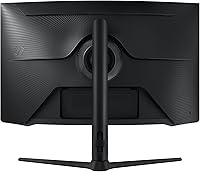
Specifications

  • Screen Size: The display measures 27 inches diagonally, offering a wide viewing area without the desk footprint of an ultra-wide panel.
  • Panel Type: Uses a VA (Vertical Alignment) curved panel, which produces deeper blacks and higher native contrast than IPS at the cost of narrower off-axis viewing angles.
  • Resolution: Native resolution is QHD 2560x1440, delivering a pixel density of approximately 109 PPI — noticeably sharper than 1080p on the same screen size.
  • Refresh Rate: Supports a maximum refresh rate of 240Hz, allowing up to 240 frames per second to be rendered for ultra-smooth motion in fast-paced games.
  • Response Time: Rated at 1ms GTG (Gray-to-Gray), describing the time for a pixel to transition between two non-black shades under optimal panel conditions.
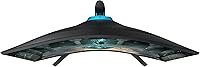
  • Curvature: Features a 1000R curvature radius, the tightest commonly found on consumer gaming monitors, designed to better align with the natural arc of human peripheral vision.
  • HDR Support: Certified DisplayHDR 600, meaning the panel achieves a peak brightness of at least 600 nits and supports local contrast enhancement for improved highlight and shadow rendering.
  • Adaptive Sync: Supports AMD FreeSync Premium Pro, providing variable refresh rate, low framerate compensation, and low-latency HDR support for compatible AMD Radeon GPU setups.
  • Aspect Ratio: Standard 16:9 widescreen aspect ratio, compatible with all conventional gaming and media resolutions without letterboxing or pillarboxing.
  • USB Hub: Includes an integrated USB hub with 2x USB 2.0 and 2x USB 3.0 ports, enabling peripherals to be connected directly to the monitor rather than to the PC.
  • Weight: The monitor with stand attached weighs 14.1 pounds, which is typical for a 27-inch display in the mid-to-premium gaming segment.
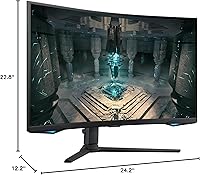
  • Dimensions: Physical dimensions with stand measure 24.2 inches wide, 22.8 inches tall, and 12.2 inches deep, requiring at least 13 inches of desk depth for stable placement.
  • Color Finish: Finished in matte black, which reduces surface glare under ambient lighting and keeps the monitor visually unobtrusive in most desk setups.
  • Gaming Hub: Includes Samsung's built-in Gaming Hub, a smart platform enabling direct access to cloud gaming services without a connected PC or console.
  • Pixel Density: At QHD resolution on a 27-inch screen, pixel density reaches approximately 109 PPI, producing sharp text and fine in-game detail at typical 60–90 cm viewing distances.
  • Release Date: First made available in November 2022 as part of Samsung's Odyssey gaming monitor lineup.

Related Reviews

Samsung 32″ Odyssey G65B Curved Gaming Monitor
77%
88%
Image Clarity
91%
Refresh Rate Performance
74%
HDR Quality
87%
Motion & Response
83%
Curvature & Immersion
More
Samsung Odyssey G55C 27-inch Curved Gaming Monitor
76%
91%
Image Sharpness
89%
Refresh Rate & Motion
84%
Curvature & Immersion
86%
Value for Money
58%
HDR Performance
More
Samsung 27″ Odyssey G32A Gaming Monitor
80%
91%
Gaming Performance
93%
Refresh Rate & Smoothness
84%
Response Time & Motion Clarity
88%
Adaptive Sync (FreeSync Premium)
63%
Image Sharpness & Pixel Density
More
Samsung Odyssey G50A 27-inch Gaming Monitor
80%
91%
Image Clarity
93%
Refresh Rate Performance
88%
Color Accuracy
58%
HDR Quality
89%
Response Time & Input Lag
More
Samsung S39C 27-Inch Curved Gaming Monitor
75%
83%
Picture Quality & Color Accuracy
88%
Curvature & Immersion
61%
Refresh Rate & Gaming Performance
86%
Eye Comfort & Long-Session Usability
79%
Build Quality & Aesthetics
More
Samsung Odyssey G55C 32″ Curved Gaming Monitor
78%
88%
Image Sharpness & Resolution
84%
Refresh Rate & Motion Clarity
91%
Curvature & Immersion
93%
Value for Money
57%
HDR Performance
More
Samsung Odyssey G50D 27-Inch Gaming Monitor
81%
88%
Image Clarity
91%
Refresh Rate Performance
86%
Response Time & Motion Handling
84%
Color Accuracy
58%
HDR Performance
More
Samsung Odyssey G3 G30D 27″ Gaming Monitor
80%
91%
Gaming Performance
88%
Refresh Rate Value
93%
Ergonomics & Stand
67%
Image Clarity
84%
AMD FreeSync
More
Samsung Odyssey G9 49-inch Curved Gaming Monitor
82%
93%
Visual Clarity
90%
Immersion & Curvature
94%
Gaming Performance (FPS)
60%
Ease of Setup
88%
Build Quality
More
Samsung Odyssey G81SF 27-inch Gaming Monitor
80%
96%
Image Quality
97%
Contrast & Black Levels
89%
Refresh Rate & Motion Clarity
88%
Glare Resistance & Matte Coating
91%
HDR Performance
More

FAQ

The G65B is certified for AMD FreeSync Premium Pro, which means AMD GPU owners get the full adaptive sync experience out of the box. Nvidia users can still use the monitor without any issue, but G-Sync Compatible certification is not officially confirmed for this model, so adaptive sync may not function reliably on RTX cards. If tear-free gameplay matters to you and you are on an Nvidia setup, check Nvidia's verified G-Sync Compatible list before committing to a purchase.

For some people, yes. The 1000R curve is noticeably more aggressive than the 1500R and 1800R curves common on office-oriented monitors, and extended document reading or spreadsheet work can feel uncomfortable depending on your screen distance. It excels in a dark gaming environment, but if you spend a significant portion of your day on text-heavy tasks, a flatter curvature or a second dedicated work monitor might serve you better.

Pushing demanding modern titles to 240 frames per second at QHD requires a high-end card — think along the lines of an AMD RX 6800 XT or Nvidia RTX 3080 or above. In lighter esports titles and older games, mid-range hardware can get close to that ceiling. In the most demanding AAA releases, even strong cards will often land between 100 and 180Hz at this resolution and quality level.

It is a genuine improvement over HDR 400 panels — brighter highlights in outdoor scenes and noticeably better shadow detail are both visible. That said, this is still a full-array backlit VA panel rather than an OLED or mini-LED display, so local dimming is limited and some blooming around bright objects on dark backgrounds is present. Treat the HDR as a solid added benefit rather than the primary purchase reason.

In competitive shooters and games with bright, open environments, most players will not notice it. The issue becomes visible in fast-moving dark scenes — underground tunnels, night environments, or objects moving quickly against very dark backgrounds. If your gaming library leans toward horror, dark RPGs, or cinematic titles with a lot of shadowy interiors, you will encounter it. It is a hardware characteristic of VA panels and cannot be corrected through settings adjustments.

The stand supports tilt and height adjustment, which covers the most common ergonomic needs at a typical desk. It does not offer pivot or swivel rotation, so if you want to angle the display significantly side to side or mount it in portrait orientation, a third-party arm is your best option. The monitor uses a standard 100x100mm VESA pattern, which is compatible with the vast majority of aftermarket monitor arms.

The Samsung 27″ Odyssey G65B Curved Gaming Monitor includes a built-in Gaming Hub — a smart TV-style interface that lets you launch cloud gaming services like Xbox Game Pass, GeForce Now, and Amazon Luna directly from the monitor without a PC or console connected. Whether it is useful depends entirely on your habits; for most buyers it is a convenient fallback when the main PC is off, but it is not a compelling reason on its own to choose this display over competitors.
For gaming purposes, most buyers find the out-of-box image acceptable — contrast and color saturation are strong, which is typical of a well-tuned VA panel. If you are sensitive to color accuracy or plan to use the display for any creative work, a quick manual pass through the color temperature and white balance settings will make a noticeable difference. Running through a free calibration tool takes around 20 minutes and is worth doing even on a gaming-focused setup.

This Odyssey curved monitor trades the color accuracy and wide viewing angles of IPS for stronger contrast, deeper blacks, and the immersive 1000R curve. In dim gaming rooms, the VA panel looks richer and more dramatic than IPS. In bright, well-lit environments, IPS panels tend to appear more vivid and consistent from wider viewing positions. The right choice comes down to your room conditions and whether you prioritize contrast depth over color consistency.

For most setups, yes. The four-port USB hub on the monitor itself is convenient for keeping a keyboard, mouse, and headset connected without running cables to the back of a tower. For display inputs, the monitor includes both DisplayPort and HDMI connections, which handles standard PC and console sources. If you are managing more than two video sources simultaneously, you will need an external switch, as display inputs are limited.

Where to Buy