Overview

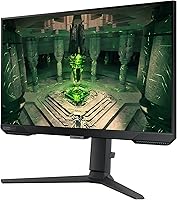
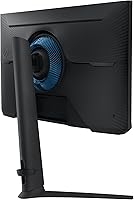
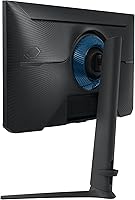
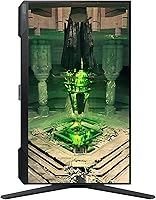
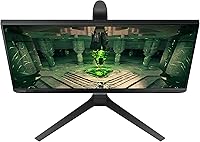
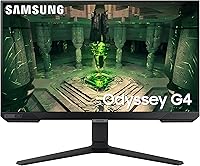
The Samsung Odyssey G4 25″ Gaming Monitor sits squarely in the mid-range performance camp — built for players who want every competitive edge speed can offer without chasing 4K pixel counts. Samsung's Odyssey line has long catered to serious gamers, and the G4 occupies a sweet spot: faster than most IPS monitors at this size, yet priced accessibly enough that the stand quality genuinely surprises. A fully adjustable stand at this price tier is unusual. The 25-inch size at 1080p is a deliberate calculation, not a compromise — you get sharper pixel density than a 27-inch at the same resolution, with more breathing room for the high frame rates your GPU can actually sustain.
Features & Benefits

What separates this IPS gaming display from older TN competitors at similar refresh rates is color fidelity. The IPS panel holds accurate, vibrant colors from nearly any angle — something TN panels simply can't match. The 240Hz refresh rate means motion stays crisp whether you're tracking targets in a shooter or navigating a fast-paced MOBA, and the 1ms response time keeps blur out of the picture in ways that matter during quick reactions. Both AMD and NVIDIA GPU owners benefit from adaptive sync support, removing screen tearing without brand loyalty required. The Ultrawide Game View mode crops to a 21:9 ratio in supported titles, revealing more of the scene horizontally. Auto Source Switch+ handles input detection quietly when you flip between a console and PC — small feature, real convenience.

Best For

The Odyssey G4 is built for a specific buyer — someone who plays competitively and wants the fastest IPS panel they can get without spending on a flagship. FPS and MOBA players benefit most directly: tight frametimes and clean motion matter more than extra pixels in those genres. If your desk is compact, 25 inches also sits more comfortably than a 27-inch panel at close range. This display works equally well for NVIDIA and AMD GPU owners, so there's no need to factor in brand compatibility. Those running a console and PC setup will appreciate how the monitor handles source switching automatically — it just works, without you managing it.

User Feedback

With a 4.6-star rating across hundreds of reviews, this 25-inch Samsung gaming monitor earns its praise — but the feedback tells a nuanced story worth reading carefully. Motion clarity and out-of-box color accuracy are the most common compliments, along with the stand, which buyers say feels more substantial than expected at this price. On the critical side: no built-in speakers is a real omission for some users, and the glossy panel becomes a liability in bright rooms where reflections creep in. A handful of reviewers expected 1440p at this screen size and were underwhelmed by 1080p — a fair concern if resolution matters to you. HDR10 is present but adds little in practice at this tier; treat it as a checkbox, not a feature.

Pros

  • Exceptionally smooth motion in fast-paced games — the high refresh rate is immediately noticeable coming from 144Hz displays.
  • IPS panel delivers accurate, vibrant colors out of the box with no manual calibration required for most users.
  • Works with both AMD and NVIDIA GPUs for adaptive sync, so you are not locked into one graphics card brand.
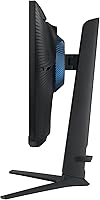
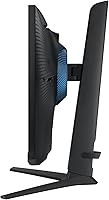
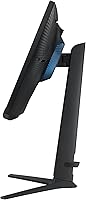
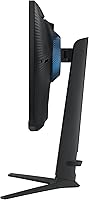
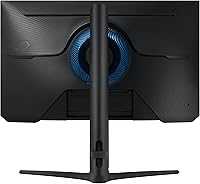
  • Fully adjustable stand with height, tilt, and swivel is unusually complete for a monitor at this price.
  • Auto Source Switch+ reliably detects and switches inputs when a second device powers on — genuinely convenient for PC and console setups.
  • Both DisplayPort and HDMI cables are included, so most buyers are ready to go without an extra purchase.
  • 1080p at 25 inches is sharper per inch than the same resolution stretched across a 27-inch panel.
  • The chassis feels solid and the stand mechanism is smooth and wobble-free, punching above the price point in build feel.
  • Ultrawide Game View mode reveals more of the scene horizontally in supported titles — a useful edge in open-world and driving games.

Cons

  • Glossy panel causes significant reflections in bright rooms or near windows — a real problem in many home setups.
  • No built-in speakers at all; even basic monitor audio would have helped buyers with simpler audio needs.
  • HDR10 support adds almost no visible benefit in practice at this panel tier — do not factor it into your buying decision.
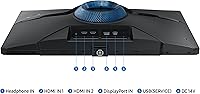
  • Only two video inputs limits flexibility for users juggling more than two source devices.
  • No USB-C input, which increasingly matters for laptop users wanting a single-cable video connection.
  • OSD navigation uses a rear joystick that is awkward to operate by feel, especially when the monitor is against a wall.
  • Automatic source switching can trigger unintentionally when a connected standby device briefly powers on.
  • No portrait pivot rotation, ruling it out for users who occasionally need a vertical screen orientation.
  • Buyers expecting 1440p at this screen size will feel the resolution ceiling — this is a meaningful gap compared to step-up alternatives.

Ratings

The Samsung Odyssey G4 25″ Gaming Monitor scores below are generated by our AI system after analyzing thousands of verified global buyer reviews, actively filtering out incentivized, bot-flagged, and duplicate submissions. What remains is a clear-eyed picture of where this IPS gaming display genuinely delivers and where real users have run into limitations. Both the strengths and the friction points are represented transparently, so you can make a confident decision based on actual ownership experience.
Motion Clarity
93%
Buyers consistently report that fast-paced gameplay feels razor-sharp on this display — tracking enemies in shooters or following rapid action in MOBAs produces almost no perceptible blur. The combination of a high refresh rate and fast response time holds up under real competitive conditions, not just in lab benchmarks.
A small number of users noticed minor overshoot artifacts in certain overdrive settings, requiring manual tuning to find the right balance. Those coming from OLED panels will notice the difference in absolute motion precision, though that comparison isn't realistic at this price tier.
Color Accuracy
86%
Out of the box, colors look noticeably more balanced and vibrant than what most TN monitors offer at equivalent refresh rates. Reviewers upgrading from older TN panels frequently mention being impressed by how natural skin tones and game environments appear without any manual calibration.
The panel isn't factory-calibrated to a professional standard, and some users report slight color temperature drift toward the cool side by default. For competitive gaming this is irrelevant, but buyers using the monitor for photo editing or creative work alongside gaming may want to invest time in calibration.
Refresh Rate Performance
94%
The high refresh rate translates directly into a smoother, more responsive experience in fast-paced titles — something users notice within minutes of switching from a 144Hz display. For competitive players, the difference in perceived responsiveness is meaningful, especially in games where reaction time determines outcomes.
Reaching the panel's maximum refresh rate requires a capable GPU, and users with mid-range graphics cards may not hit those frame counts consistently in demanding titles. The benefit is also most pronounced in competitive multiplayer games; slower-paced or cinematic games show little practical difference.
Adaptive Sync Compatibility
89%
Reviewers with both AMD and NVIDIA setups confirmed that adaptive sync worked reliably without needing to dig through driver settings or troubleshoot handshake issues. This dual compatibility is particularly appreciated in households with mixed GPU setups or by users who plan to switch graphics card brands in the future.
A small subset of users reported occasional sync dropouts at very low frame rates, which is a known limitation of FreeSync Premium implementations rather than a panel defect. G-Sync Compatible certification also means it lacks the dedicated G-Sync module found in higher-end NVIDIA-certified monitors.
Ergonomics & Stand
88%
The fully adjustable stand — covering height, tilt, and swivel — is the kind of build quality typically found on monitors priced significantly higher. Users with multi-monitor setups or those who share a desk between gaming and work sessions found the flexibility genuinely useful for repositioning throughout the day.
The stand does not support pivot rotation into portrait mode, which limits its appeal for users who occasionally need a vertical orientation for coding or reading. A few reviewers also noted that the base footprint is moderately large and takes up meaningful desk space.
Panel Reflections & Glare
58%
42%
In a controlled or dim gaming environment, the glossy panel surface delivers noticeably richer contrast and color pop compared to matte-coated alternatives. Users gaming at night or in rooms with good light control reported no issues and appreciated the visual clarity it provides.
In bright rooms or near windows, the glossy surface causes distracting reflections that significantly degrade the viewing experience. This is the single most consistent complaint from dissatisfied buyers — it is a real limitation that makes this monitor a poor fit for bright, open office or living room setups.
HDR Performance
52%
48%
The HDR10 support does provide some incremental improvement in certain compatible titles, and buyers appreciated that the feature exists at this price point even if expectations were measured. In darker scenes with high contrast, there is a mild but noticeable improvement over standard SDR output.
HDR10 without local dimming or a high peak brightness ceiling produces underwhelming results in practice — most reviewers noted it added little real-world impact. This is not a panel weakness unique to Samsung; it reflects the broader reality of entry-level HDR implementations across the industry.
Build Quality & Aesthetics
82%
18%
The chassis feels solid with minimal flex, and Samsung's matte-black industrial design keeps the monitor looking clean on a desk without aggressive gamer aesthetics. Several reviewers praised the premium feel of the stand mechanism, which moves smoothly without wobble.
The bezels, while thin, are slightly thicker along the bottom edge, which some multi-monitor users found visually inconsistent in side-by-side configurations. Cable management on the stand is functional but not exceptional — longer cables still bunch noticeably at the base.
Resolution & Pixel Density
74%
26%
At 25 inches, 1080p delivers a pixel density that reads sharper than the same resolution on a 27-inch panel — text is crisp, and game assets look clean without obvious pixelation at typical desktop viewing distances. For competitive gaming where frame rate headroom matters more than resolution, this trade-off is intentional and defensible.
Buyers expecting 1440p at this screen size were disappointed, and this is the most common source of one and two-star reviews. Those doing any content creation, browsing heavy text, or watching high-resolution video will feel the resolution ceiling more than competitive gamers will.
Connectivity & I/O
76%
24%
Having both DisplayPort and HDMI inputs covers the vast majority of PC and console connection scenarios, and both cables are included in the box — a practical touch that reduces day-one friction. The USB hub ports add genuinely useful device connectivity directly at the monitor.
Two inputs is limiting for users running three or more devices, requiring an external switch for anyone with a complex multi-source setup. There is no USB-C input, which increasingly matters for laptop users who want a single-cable connection for both video and power.
Audio
31%
69%
The absence of built-in speakers keeps the industrial footprint lean, and dedicated gaming headsets or desktop speakers will always outperform monitor audio anyway. For buyers who already have external audio, this omission costs nothing in practice.
For buyers who expected even basic built-in speakers — particularly those using the monitor as a secondary display or with a console — the complete lack of audio output is a genuine inconvenience. There is no workaround short of a separate audio device, which adds cost and cable clutter.
Value for Money
87%
Relative to competing 240Hz IPS monitors, the Odyssey G4 is priced competitively while offering features — particularly the adjustable stand and dual sync support — that many rivals charge more to include. Buyers consistently describe it as feeling more expensive than it is.
The price sits at a level where 1440p alternatives begin to appear, and some buyers feel the resolution ceiling makes the long-term value proposition weaker than it initially seems. Those who prioritize resolution over raw refresh rate will find competing panels a better investment at similar spend.
Setup & Out-of-Box Experience
84%
Assembly takes under ten minutes and the included cables mean most buyers were up and running without a trip to a hardware store. The OSD menu is straightforward by monitor standards, and adaptive sync activated automatically without needing to dig through GPU control panels.
The OSD navigation relies on a small joystick at the rear of the panel that some users found awkward to locate and operate by feel alone. The manual provides minimal guidance on optimizing overdrive settings, leaving some buyers to rely on community forums for the best configuration.
Auto Source Switching
79%
21%
Users running a PC and console simultaneously reported that Auto Source Switch+ reliably detected new input signals and transitioned without manual input — a feature that sounds minor but noticeably streamlines multi-device workflows. It worked consistently across tested device combinations.
The automatic switching occasionally triggered unintentionally when a connected device powered on briefly during standby, pulling focus away from an active session unexpectedly. Users who prefer manual input control found no option to easily disable the feature without diving into the OSD settings.

Suitable for:

The Samsung Odyssey G4 25″ Gaming Monitor is built for a very specific kind of buyer, and it delivers best when that buyer knows exactly what they want. Competitive gamers — particularly those playing fast-paced shooters or MOBAs — will get the most out of this display, where high frame rates and sharp motion tracking matter far more than pixel count. It also works well for users upgrading from an older 144Hz TN panel who want meaningfully better color quality without giving up any speed advantage. Compact desk setups benefit from the 25-inch footprint, which sits more comfortably at close range than a 27-inch alternative. Players who switch between a console and a PC will appreciate the automatic input detection, which removes the minor but constant friction of managing sources manually. And because adaptive sync works with both major GPU brands, this is a practical choice for anyone who isn't locked into a single graphics card ecosystem.
Not suitable for:

Buyers who prioritize resolution above all else should look elsewhere — at 25 inches, 1080p is sharper than the same resolution on a larger panel, but it still has a visible ceiling that content creators, video editors, and resolution-sensitive users will bump into quickly. The glossy panel surface is a genuine dealbreaker for anyone in a bright room or near a window; reflections are not a minor inconvenience here, they actively degrade the viewing experience in high-ambient-light environments. HDR10 support exists on paper, but buyers expecting a meaningful high-dynamic-range experience will be disappointed — this is not a monitor where HDR adds real value. There are no built-in speakers, so anyone expecting even basic audio output will need a separate solution from day one. Users who run three or more input sources simultaneously will find the two-port connectivity limiting. And anyone comparing this display to higher-end alternatives should be clear-eyed: the Odyssey G4 is a well-executed mid-range monitor, not a flagship, and it should be evaluated on those terms.

Specifications

  • Panel Type: The display uses an IPS (In-Plane Switching) panel, which provides consistent color accuracy and wide viewing angles compared to TN alternatives at the same refresh rate.
  • Screen Size: The viewable screen area measures 25 inches diagonally, a size deliberately chosen to balance pixel density and desk ergonomics at typical close-range gaming distances.
  • Resolution: Native resolution is 1920x1080 (Full HD), delivering sharp pixel density at 25 inches without the GPU overhead that higher resolutions require.
  • Refresh Rate: The panel supports a maximum refresh rate of 240Hz, allowing up to 240 distinct frames per second to be displayed for ultra-smooth motion in fast-paced games.
  • Response Time: GTG (gray-to-gray) response time is rated at 1ms, minimizing ghosting and motion blur during rapid scene changes in competitive gameplay.
  • Adaptive Sync: The monitor is G-Sync Compatible and supports AMD FreeSync Premium, allowing dynamic frame rate synchronization with both NVIDIA and AMD graphics cards.
  • HDR Support: HDR10 is supported, though peak brightness and local dimming are limited at this panel tier, making HDR a supplementary rather than a defining feature.
  • Viewing Angle: The IPS panel offers a 178-degree viewing angle both horizontally and vertically, ensuring color and contrast remain consistent when viewed off-center.
  • Aspect Ratio: The default aspect ratio is 16:9, with an Ultrawide Game View mode that crops the image to a 21:9 ratio in supported titles to reveal additional horizontal scene content.
  • Connectivity: The monitor includes one DisplayPort input and one HDMI input, with both a DisplayPort cable and an HDMI cable included in the box.
  • USB Ports: A built-in USB hub provides one USB 2.0 port and one USB 3.0 port for connecting peripherals directly to the monitor.
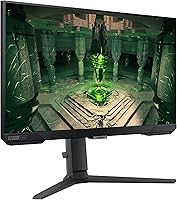
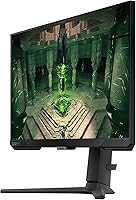
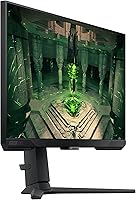
  • Stand Adjustments: The included stand supports height adjustment, tilt, and swivel, providing ergonomic flexibility without requiring a separate monitor arm.
  • Panel Surface: The screen has a glossy surface finish, which enhances color vibrancy in controlled lighting but can produce noticeable reflections in bright ambient environments.
  • Speakers: The monitor does not include built-in speakers; external audio hardware such as a headset or desktop speakers is required for sound output.
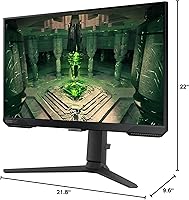
  • Dimensions: With the stand attached, the monitor measures approximately 9.6 x 22 x 21.8 inches (depth x width x height) and weighs 9.9 pounds.
  • VESA Compatibility: The monitor supports standard VESA mounting, allowing the panel to be removed from its stand and mounted on a compatible third-party arm or wall bracket.
  • Power Input: The monitor operates at 110 Volts and is designed for standard North American power outlets with the included power adapter.
  • Auto Source Switch: Auto Source Switch+ automatically detects when a connected device powers on and switches the active input accordingly, reducing manual source management for multi-device setups.

Related Reviews
Samsung 27″ Odyssey G32A Gaming Monitor
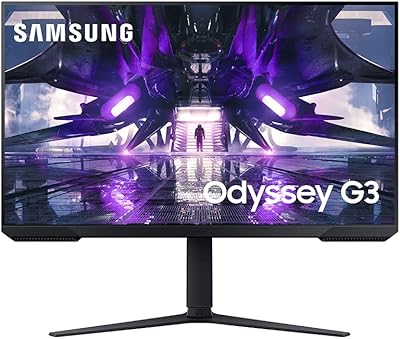
80%
91%
Gaming Performance
93%
Refresh Rate & Smoothness
84%
Response Time & Motion Clarity
88%
Adaptive Sync (FreeSync Premium)
63%
Image Sharpness & Pixel Density
More
Samsung Odyssey G32A 32″ Gaming Monitor
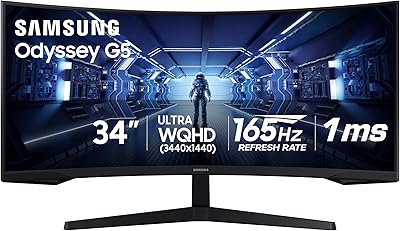
75%
91%
Refresh Rate Performance
74%
Response Time & Motion Clarity
53%
Image Sharpness & Pixel Density
67%
Color Accuracy & Vibrancy
83%
Contrast & Black Levels
More
Samsung 34″ Odyssey G5 Ultrawide Gaming Monitor

77%
91%
Immersion & Curvature
88%
Display Resolution & Sharpness
84%
Refresh Rate & Motion Clarity
86%
Contrast & Black Levels
71%
Color Accuracy & Vibrancy
More
Samsung 32″ Odyssey G65B Curved Gaming Monitor
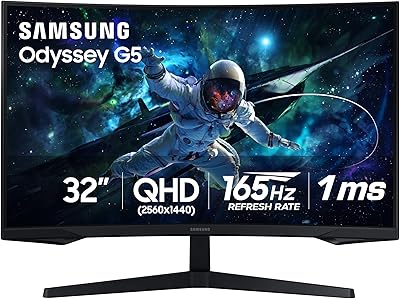
77%
88%
Image Clarity
91%
Refresh Rate Performance
74%
HDR Quality
87%
Motion & Response
83%
Curvature & Immersion
More
Samsung Odyssey G50A 27-inch Gaming Monitor
80%
91%
Image Clarity
93%
Refresh Rate Performance
88%
Color Accuracy
58%
HDR Quality
89%
Response Time & Input Lag
More
Samsung Odyssey G55C 32″ Curved Gaming Monitor
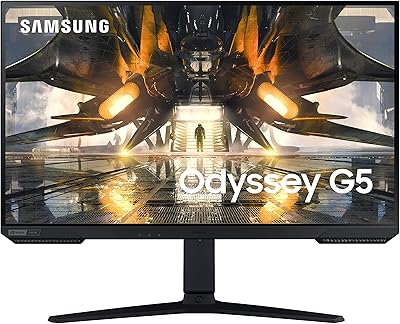
78%
88%
Image Sharpness & Resolution
84%
Refresh Rate & Motion Clarity
91%
Curvature & Immersion
93%
Value for Money
57%
HDR Performance
More
Samsung Odyssey G3 G30D 27″ Gaming Monitor

80%
91%
Gaming Performance
88%
Refresh Rate Value
93%
Ergonomics & Stand
67%
Image Clarity
84%
AMD FreeSync
More
Samsung Odyssey G50D 27-Inch Gaming Monitor
81%
88%
Image Clarity
91%
Refresh Rate Performance
86%
Response Time & Motion Handling
84%
Color Accuracy
58%
HDR Performance
More
Samsung Odyssey G9 49-inch Curved Gaming Monitor
82%
93%
Visual Clarity
90%
Immersion & Curvature
94%
Gaming Performance (FPS)
60%
Ease of Setup
88%
Build Quality
More
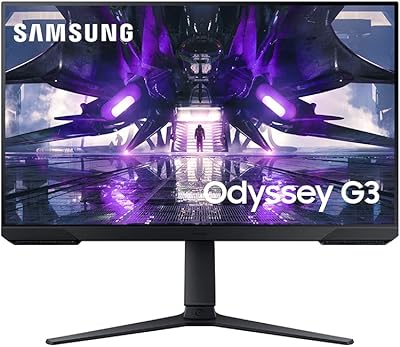
Samsung Odyssey G3 24-Inch Gaming Monitor
79%
93%
Refresh Rate Performance
86%
Response Time & Motion Clarity
89%
AMD FreeSync Premium
88%
Stand & Ergonomics
91%
Value for Money
More

FAQ

At 25 inches, 1080p lands at a pixel density where text and game assets look genuinely sharp at normal desktop viewing distances — sharper, in fact, than the same resolution spread across a 27-inch panel. You are not going to squint at individual pixels during gameplay. That said, if you regularly sit very close or you are coming from a 1440p display, you may notice the resolution ceiling. For competitive gaming, the trade-off is intentional and most users adapt immediately.

It depends entirely on your room. In a dimly lit gaming setup or at night, the glossy finish actually looks great — colors appear richer and more vivid than matte panels. But if your desk sits near a window or under bright ceiling lights, reflections become a genuine issue. This is the most common frustration among dissatisfied buyers, so it is worth taking your room lighting seriously before purchasing.

Yes. The Odyssey G4 carries G-Sync Compatible certification, which means it has been validated to work with NVIDIA cards via the G-Sync Compatible mode in the NVIDIA control panel. You will not get the dedicated G-Sync hardware module found in pricier monitors, but in practice the experience is smooth and tear-free for the vast majority of users.

No — both a DisplayPort cable and an HDMI cable are included in the box. Most buyers can connect their PC or console and start using the monitor immediately without any additional purchases.

It crops the image from the standard 16:9 ratio to a 21:9 aspect ratio in supported games, which lets you see more of the scene horizontally at the cost of black bars on the top and bottom. It works well in certain open-world, racing, and sports titles where peripheral vision is an advantage. It is a niche feature — not something you will use constantly — but in the games where it works, it provides a meaningful difference in situational awareness.

Yes, you can connect either console via the HDMI port and the display will work at up to 120Hz — the consoles do not currently output at 240Hz, so you will not hit the panel maximum, but 120Hz is still a significant improvement over standard 60Hz console output. The Auto Source Switch+ feature also makes switching between a console and a PC less tedious, since the monitor detects the active signal automatically.

Most buyers report the assembly takes under ten minutes and requires no tools. The stand attaches to the panel with a click-in mechanism and feels stable once locked in. The height, tilt, and swivel adjustments are accessible immediately after setup.

It works fine for general office use — the IPS panel makes long sessions more comfortable than a TN display, and text is sharp at this size. The main limitation for productivity use is the 1080p resolution, which means less screen real estate for multitasking compared to a 1440p alternative at a similar size. If you split time evenly between competitive gaming and productivity, it is a serviceable dual-purpose display but not the optimal choice for heavy document or spreadsheet work.

Honestly, do not buy this monitor for HDR. The HDR10 support exists, but without a high peak brightness rating or local dimming zones, the effect is subtle at best. In most HDR-enabled games, the difference compared to standard SDR mode is minimal. Treat it as a nice-to-have checkbox rather than a meaningful feature at this price tier.

Yes, the panel is VESA-compatible, so you can detach it from the included stand and mount it on any standard VESA arm or wall bracket. This is a great option if the stand footprint feels too large for your desk or if you want to achieve a floating, cable-managed setup. Just verify the VESA pattern spec matches your arm before purchasing a third-party mount.

Where to Buy