Overview

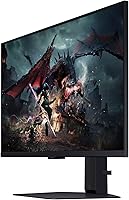
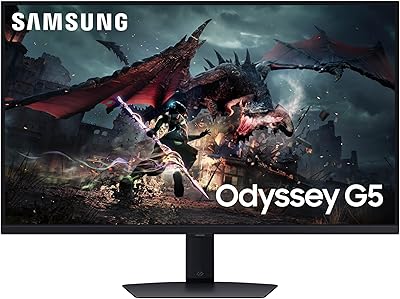
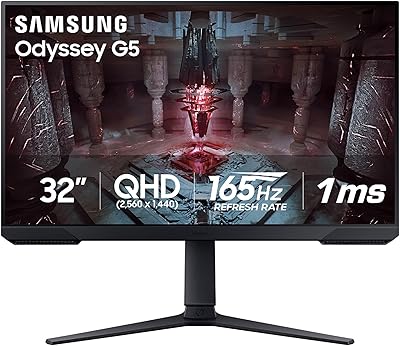
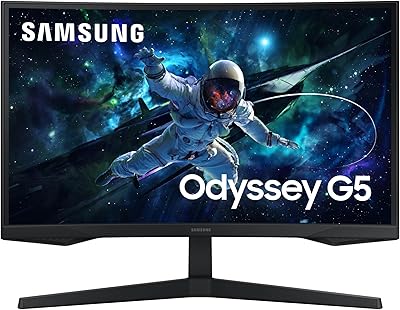
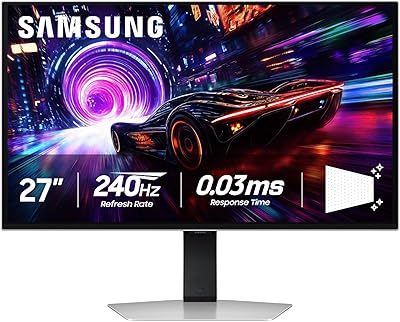
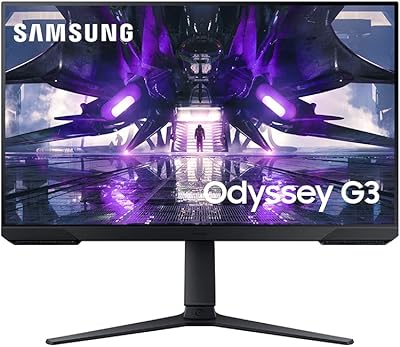
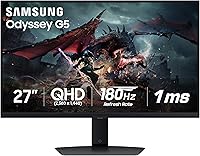
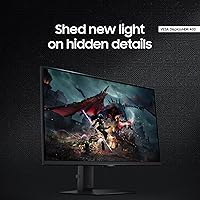
The Samsung Odyssey G50D 27-Inch Gaming Monitor sits comfortably in the mid-range sweet spot — competitive enough for serious players, approachable enough for casual ones. What separates it from many rivals at this tier is the Fast IPS panel, which delivers noticeably better color accuracy and response behavior than the VA panels you often find competing for the same dollar. Samsung's Odyssey G50D lineup spans multiple sizes, and the 27-inch variant hits a resolution-to-screen-size ratio most gamers find ideal for desktop use. One honest caveat upfront: the glossy screen surface can be a liability in bright or window-facing rooms. For buyers who can control their lighting environment, though, the value here is genuinely hard to argue with.
Features & Benefits

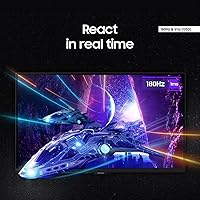
At 2560x1440 on a 27-inch screen, the pixel density is immediately noticeable — text is crisp, game textures actually look finished, and you stop noticing individual pixels. The 180Hz refresh rate is where this Odyssey monitor earns its keep for competitive play; at that speed, motion stays sharp and input feels direct in a way that 60Hz or even 144Hz screens simply cannot replicate. Both AMD FreeSync Premium and G-Sync compatibility are supported, so GPU brand is not a limiting factor. The HDR certification is DisplayHDR 400 — worth naming honestly: it adds visible improvement to contrast in dark scenes, but do not expect the punch of higher-tier HDR. The ergonomic stand covers height, tilt, and swivel, which makes a genuine difference during long sessions.

Best For

The G50D 27-inch is a strong fit for competitive FPS players who care more about frame rate and response than pixel count. If you are gaming on a mid-range Nvidia or AMD card, the dual sync support means you get smooth adaptive sync regardless of which GPU you picked. It is also a solid upgrade path for anyone still on a 1080p display — the jump to 1440p at 27 inches is substantial without the GPU demands that 4K brings. The ergonomic stand and Eye Saver mode make it workable as a hybrid work-and-play setup. Who should look elsewhere? Anyone who needs built-in speakers, wants a curved panel, or works in a bright, glare-prone room where the glossy coating would be a constant irritant.

User Feedback

Buyers who reviewed this Samsung gaming display consistently praised the out-of-box color accuracy — most found it required little to no calibration, which is not always a given at this price tier. The stand earns specific mentions for its build quality and adjustment range. On the downside, the glossy panel surfaces as a recurring complaint from users in rooms with natural light or overhead lighting. The HDR story is similar — several buyers felt the DisplayHDR 400 badge set expectations the panel does not fully satisfy in practice. Positive notes on input responsiveness are common, with most users reporting it feels genuinely snappy in fast-paced titles. Overall, the feedback picture is broadly positive, with room lighting and HDR expectations being the main qualifiers.

Pros

  • The Fast IPS panel delivers strong color accuracy straight out of the box with minimal calibration needed.
  • At 27 inches, the 1440p resolution hits a pixel density that makes a visible, immediate difference over 1080p.
  • The 180Hz refresh rate keeps fast-paced gameplay smooth and responsive in a way lower-refresh monitors cannot match.
  • Dual sync support covers both AMD FreeSync Premium and G-Sync compatibility, removing GPU brand as a concern.
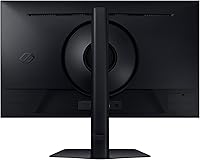
  • The stand is sturdy and offers genuine height, tilt, and swivel adjustability for long-session comfort.
  • Eye Saver Mode and flicker-free technology reduce fatigue noticeably during extended use.
  • Wide 178-degree viewing angles mean color and brightness stay consistent even off-center.
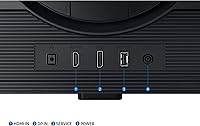
  • Connectivity covers both HDMI and DisplayPort, which keeps cable and device options flexible.
  • The overall build quality feels solid and consistent with what Samsung delivers at this tier.

Cons

  • The glossy panel surface causes distracting reflections in any room with significant ambient or natural light.
  • DisplayHDR 400 is a modest certification — buyers expecting bold, high-contrast HDR performance will be disappointed.
  • No built-in speakers means extra cost and desk space for anyone who needs audio from the display itself.
  • There is no curved panel option for users who prefer that format for immersion.
  • The G50D 27-inch tops out at 1440p, making it the wrong choice for anyone with a 4K-capable GPU looking to use it fully.
  • HDR performance in particular has drawn criticism from buyers who felt the badge oversold the actual result.
  • The glossy coating cannot be changed after purchase, making room setup a non-negotiable consideration.
  • At 14 pounds, it is not especially lightweight for users who reposition their monitor frequently.

Ratings

Our AI rating system analyzed verified global buyer reviews for the Samsung Odyssey G50D 27-Inch Gaming Monitor, actively filtering out incentivized, bot-generated, and outlier feedback to surface what real users consistently experienced. The scores below reflect both the genuine strengths and the recurring frustrations that show up across thousands of honest purchases. Nothing here is softened — strong categories score high, weak ones score low, and every number tells a real story.

Image Clarity
88%
Users who upgraded from 1080p displays frequently described the step up to 1440p on a 27-inch IPS panel as immediately and noticeably better — sharper textures in games, crisper UI text, and finer detail in dark areas all came up repeatedly. For everyday desktop use, the pixel density is genuinely comfortable.
A small number of users coming from high-end 4K panels found the resolution underwhelming by comparison. It is a ceiling some buyers will hit quickly, particularly those with GPUs capable of pushing higher resolutions without performance loss.
Refresh Rate Performance
91%
At 180Hz, this Odyssey monitor consistently earned praise from competitive players who noted that fast-paced FPS titles felt noticeably more responsive compared to their previous 144Hz or 165Hz screens. The smoothness during rapid camera movements in shooters was a recurring highlight in gameplay-focused reviews.
The improvement over 144Hz or 165Hz is real but incremental, and a handful of buyers felt the difference was too subtle to justify prioritizing this monitor over alternatives with other advantages. Players who do not frequently push above 144 frames per second may rarely see the full benefit in practice.
Response Time & Motion Handling
86%
The 1ms GtG rating translates into clean, low-blur motion during fast gameplay according to the majority of reviewers who tested it in demanding titles. Ghost trails and smearing were rarely reported, which is consistent with Fast IPS panel behavior at this refresh rate.
A minority of users noticed mild inverse ghosting in certain overdrive settings, which is a known characteristic of fast IPS panels pushed to aggressive pixel response configurations. Dialing back the overdrive mode typically resolved the issue but required manual adjustment out of the box.
Color Accuracy
84%
Out-of-box color calibration was one of the most consistently praised aspects across verified reviews — buyers noted that colors looked natural and well-balanced without needing to run calibration software or tweak settings manually. For a display at this price tier, that kind of factory consistency is not always guaranteed.
Color volume and saturation do not match what a higher-end IPS or OLED panel would deliver, and users doing creative work like photo editing found the G50D 27-inch fell short of professional-grade accuracy requirements. It is a gaming panel first, and color-critical workflows will expose that.
HDR Performance
58%
42%
In dark gaming scenes, the DisplayHDR 400 certification does provide a visible improvement over pure SDR — shadow detail becomes more readable and high-contrast moments have slightly more punch. For casual HDR gaming in titles with good tone-mapping, it adds a modest but genuine layer of depth.
This is where buyer disappointment was most concentrated. Many users felt the DisplayHDR 400 badge set expectations that the panel cannot meet — the brightness ceiling is too low to deliver the vivid specular highlights and deep blacks associated with true HDR experiences. More than a few reviewers explicitly warned others not to factor HDR into their purchase decision for this display.
Stand & Ergonomics
89%
The stand drew consistent and specific praise across reviews — buyers appreciated that it felt solid and stable rather than plasticky, and the range of height, tilt, and swivel adjustments was broad enough to accommodate a wide variety of desk and seating configurations during long sessions.
There is no portrait mode pivot, which limits flexibility for users who occasionally rotate their display for reading or coding. A small number of users also noted that cable management through the stand base could be tidier, which is a minor quality-of-life complaint but a recurring one.
Glare & Reflection Control
51%
49%
In well-controlled lighting environments — dim rooms, evening gaming setups, or spaces without direct windows — the glossy coating enhances perceived color richness and contrast in a way matte panels typically cannot match, and several users specifically praised how vibrant the image looked under those conditions.
In bright rooms or near windows, the glossy panel becomes a genuine problem. Reviewers in sunlit offices or living rooms reported that reflections were persistent and distracting, significantly degrading the viewing experience. This was one of the most frequently cited complaints across all user feedback, and it is a hardware limitation with no software fix.
Adaptive Sync Implementation
87%
Buyers on both Nvidia and AMD platforms reported that adaptive sync worked reliably without requiring complex setup steps. The combination of FreeSync Premium and G-Sync compatibility gave this Samsung gaming display unusually broad GPU compatibility, which reviewers on mixed or frequently upgraded systems found particularly valuable.
A small number of Nvidia users reported needing to specifically enable G-Sync Compatible mode manually in their control panel settings before the feature activated correctly. It is a simple fix but not immediately obvious to less experienced users, and a few were unaware the step was necessary.
Input Lag
90%
Gaming responsiveness in terms of input lag was rarely a complaint and frequently a compliment — players in competitive titles noted that the display felt immediate and direct, and blind tests comparing it to older monitors consistently favored this one in perceived responsiveness.
Input lag differences at this performance level are largely imperceptible outside of highly controlled testing scenarios, so this high score reflects an absence of complaints more than glowing enthusiasm. There is simply very little to criticize here for the target audience.
Build Quality & Aesthetics
82%
18%
The physical construction of this Odyssey monitor received broadly positive feedback, with buyers noting that the cabinet and stand felt more premium than the price point typically delivers. The clean, understated design with minimal branding was seen as a plus by users who prefer a tidy desk aesthetic.
The plastic construction, while solid, does not feel as refined as monitors at a higher price tier, and a few buyers noted minor flex in the panel housing when adjusting position. Nothing structural, but perceptible to those who handle the display frequently.
Eye Comfort
83%
Extended gaming sessions and work-from-home users both cited the Eye Saver Mode and flicker-free certification as meaningfully helpful — particularly over sessions lasting several hours. Reduced eye fatigue at the end of the day was specifically mentioned in a notable share of long-term owner reviews.
Eye Saver Mode shifts the color temperature noticeably toward warm tones, which some users found acceptable for late-night use but inappropriate during the day or for any work where color balance matters. It is essentially an all-or-nothing toggle rather than a graduated control.
Connectivity & Port Layout
79%
21%
Including both HDMI and DisplayPort cables in the box is a practical touch that buyers appreciated, particularly first-time monitor purchasers who otherwise would have needed to source cables separately. The dual-input setup covers most common use cases without additional purchases.
With only two video inputs total, users running multiple source devices — a gaming PC, a console, and a laptop, for example — will hit the limit quickly and need an external switch. There is also no USB hub functionality, which is an increasingly common expectation at this display size.
Value for Money
88%
Across all review sources, value was consistently cited as a key reason buyers chose this display. A Fast IPS panel with 1440p resolution, 180Hz refresh, and dual adaptive sync at this price point is genuinely competitive, and most buyers expressed satisfaction when comparing what they paid to what they received.
The value calculation weakens for buyers who factor HDR in as a feature, since the DisplayHDR 400 certification adds little practical benefit. If HDR is part of your use case, the effective value drops noticeably compared to alternatives that are more honest about their HDR limitations in their marketing.

Suitable for:

The Samsung Odyssey G50D 27-Inch Gaming Monitor is built for the kind of gamer who wants a meaningful step up from entry-level displays without committing to a premium budget. Competitive FPS and esports players will find the high refresh rate and fast response time genuinely useful in practice, not just on a spec sheet. It also works well for mid-range GPU owners on either team — the dual adaptive sync support means you are covered whether you are running an Nvidia or AMD card. Gamers upgrading from a 1080p screen will notice a real difference in sharpness and detail at 1440p on a 27-inch panel, making it a natural and satisfying step forward. The ergonomic stand and eye comfort features also make it a reasonable fit for hybrid setups where the display pulls double duty between gaming sessions and work hours.
Not suitable for:

The Samsung Odyssey G50D 27-Inch Gaming Monitor has real limitations that certain buyers should weigh carefully before purchasing. Anyone working or gaming in a bright room with windows nearby will likely find the glossy panel surface a persistent frustration — reflections are not subtle, and no software setting fixes a physical coating. Buyers expecting a cinematic HDR experience should temper those expectations significantly; the DisplayHDR 400 certification delivers a modest improvement in contrast rather than the vivid, high-luminance HDR found on more expensive displays. Users who require built-in speakers will need to budget for external audio separately, as there are none included. Those who prefer a curved screen for immersion, or who want to game at 4K resolution, will need to look at different options entirely. It is also not the right pick for color-critical professional work like photo editing or video grading, where panel accuracy needs to be held to a higher standard.
Specifications

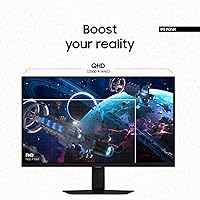
  • Panel Type: The display uses a Fast IPS panel, which offers better color accuracy and wider viewing angles compared to VA alternatives at this price tier.
  • Screen Size: The viewable screen area measures 27 inches diagonally, making it a comfortable fit for most standard desk setups.
  • Resolution: Native resolution is 2560x1440 (QHD), delivering approximately 1.7 times the pixel density of a standard 1080p display at this screen size.
  • Refresh Rate: The panel supports a maximum refresh rate of 180Hz, enabling significantly smoother motion in fast-paced games compared to 60Hz or 144Hz screens.
  • Response Time: Rated at 1ms GtG (gray-to-gray), the response time minimizes motion blur and ghosting during high-speed gameplay.
  • HDR Support: The monitor carries a VESA DisplayHDR 400 certification, offering improved contrast and shadow detail over non-HDR panels, though not full high-luminance HDR performance.
  • Adaptive Sync: Compatible with both AMD FreeSync Premium and Nvidia G-Sync, allowing tear-free gaming regardless of which GPU brand is installed.
  • Aspect Ratio: The panel uses a standard 16:9 widescreen aspect ratio, which is the default format for most PC games, streaming content, and productivity applications.
  • Viewing Angle: Wide viewing angles of 178 degrees both horizontally and vertically ensure consistent color and brightness when viewed off-center.
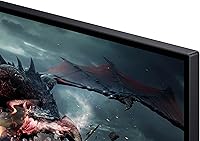
  • Screen Surface: The display features a glossy screen coating, which can enhance perceived color vibrancy but may produce reflections in bright or window-facing environments.
  • Connectivity: The monitor includes both HDMI and DisplayPort inputs, with corresponding cables included in the box for immediate setup.
  • Stand Adjustments: The included stand supports height adjustment, tilt, and swivel, providing meaningful ergonomic flexibility for long gaming or work sessions.
  • Eye Care: Eye Saver Mode reduces blue light output and the panel is certified flicker-free, helping to minimize eye strain during extended use.
  • Dimensions: With the stand attached, the monitor measures 10.4 x 24.1 x 21.7 inches (depth x width x height).
  • Weight: The total unit weight including the stand is 14.1 pounds, which is typical for a monitor of this size and build.
  • VESA Mount: The display supports standard VESA mounting, allowing it to be removed from the included stand and attached to a compatible third-party monitor arm.
  • Color: The monitor ships in a black finish with design elements consistent with the broader Samsung Odyssey gaming lineup.
  • Date Available: This model was first made available for purchase in May 2024, making it a relatively recent addition to Samsung's gaming monitor lineup.

Related Reviews

Samsung Odyssey G50A 27-inch Gaming Monitor
80%
91%
Image Clarity
93%
Refresh Rate Performance
88%
Color Accuracy
58%
HDR Quality
89%
Response Time & Input Lag
More
Samsung Odyssey G3 G30D 27″ Gaming Monitor
80%
91%
Gaming Performance
88%
Refresh Rate Value
93%
Ergonomics & Stand
67%
Image Clarity
84%
AMD FreeSync
More
Samsung Odyssey G50D 32-inch QHD Gaming Monitor
78%
91%
Gaming Performance
88%
Image Sharpness & Clarity
83%
Color Accuracy & Vibrancy
79%
Panel Uniformity & Viewing Angles
58%
HDR Performance
More
Samsung Odyssey G55C 27-inch Curved Gaming Monitor
76%
91%
Image Sharpness
89%
Refresh Rate & Motion
84%
Curvature & Immersion
86%
Value for Money
58%
HDR Performance
More
Samsung 27-Inch Odyssey G51C Series QHD Gaming Monitor
87%
92%
Display Quality
94%
Gaming Performance
87%
Value for Money
89%
Ergonomics & Comfort
74%
Brightness
More
Samsung Odyssey G81SF 27-inch Gaming Monitor
80%
96%
Image Quality
97%
Contrast & Black Levels
89%
Refresh Rate & Motion Clarity
88%
Glare Resistance & Matte Coating
91%
HDR Performance
More
Samsung 27″ Odyssey G32A Gaming Monitor
80%
91%
Gaming Performance
93%
Refresh Rate & Smoothness
84%
Response Time & Motion Clarity
88%
Adaptive Sync (FreeSync Premium)
63%
Image Sharpness & Pixel Density
More
Samsung S39C 27-Inch Curved Gaming Monitor
75%
83%
Picture Quality & Color Accuracy
88%
Curvature & Immersion
61%
Refresh Rate & Gaming Performance
86%
Eye Comfort & Long-Session Usability
79%
Build Quality & Aesthetics
More
Samsung 27″ Odyssey G65B Curved Gaming Monitor
76%
91%
Gaming Performance
83%
Image Quality
89%
Contrast & Black Depth
67%
HDR Performance
84%
Build Quality
More
Samsung Odyssey G3 24-Inch Gaming Monitor
79%
93%
Refresh Rate Performance
86%
Response Time & Motion Clarity
89%
AMD FreeSync Premium
88%
Stand & Ergonomics
91%
Value for Money
More

FAQ

It works with both. The G50D 27-inch supports AMD FreeSync Premium natively and has been validated as G-Sync Compatible, so Nvidia GPU owners get adaptive sync benefits too. You just need to enable G-Sync Compatible mode in the Nvidia Control Panel.

Honestly, it depends heavily on your setup. In a dim or controlled lighting environment, the glossy coating is not an issue. But if you have a window directly behind you or bright overhead lighting, reflections can be noticeable and distracting. If you cannot control your room lighting, a matte-panel alternative would be a safer choice.

The Samsung Odyssey G50D 27-Inch Gaming Monitor carries a DisplayHDR 400 badge, which is the entry-level tier of the VESA HDR certification scale. It adds some visible improvement in dark scenes and contrast compared to SDR, but it is not the dramatic, high-brightness HDR you would see on a premium OLED or Mini-LED display. Keep expectations realistic and you will find it useful; expect cinema-level HDR and you will be disappointed.
Yes, and it handles the dual role reasonably well. The 1440p resolution makes text noticeably sharper than a 1080p screen, which helps during long work sessions. The ergonomic stand lets you dial in a comfortable position, and Eye Saver Mode reduces blue light fatigue. The one caveat for office use is the glossy panel — if your workspace has a lot of ambient light, that can become a problem.

Yes, both an HDMI cable and a DisplayPort cable are included in the box, so you can connect it to your PC without needing to buy additional cables first.

Assembly is straightforward and does not require tools. Once assembled, the stand allows smooth height, tilt, and swivel adjustment. Buyers consistently note that it feels sturdy rather than wobbly, which is not always the case with monitors at this price point.

The difference is real but subtle compared to the jump from 60Hz to 144Hz. Most players notice 180Hz feels slightly more fluid and responsive, especially in fast-paced FPS titles. Whether that incremental gain matters to you depends on how competitive or sensitivity-tuned your play style is.

No, there are no built-in speakers. You will need external speakers or a headset for audio. This is worth factoring in if you were planning to rely on the monitor for sound.

Yes, the display supports standard VESA mounting, so it is compatible with most third-party monitor arms. Removing the included stand is straightforward, and using an arm can free up significant desk space.

It is one of the more natural upgrade paths available. The jump from 1080p to 1440p at 27 inches is immediately visible — textures, text, and fine detail all look sharper. You do not need a top-tier GPU to run 1440p at high frame rates in most games, so it is a realistic upgrade for mid-range systems as well.

Where to Buy