

Overview

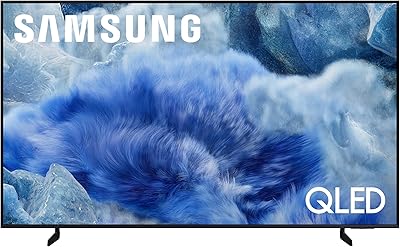
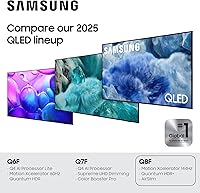
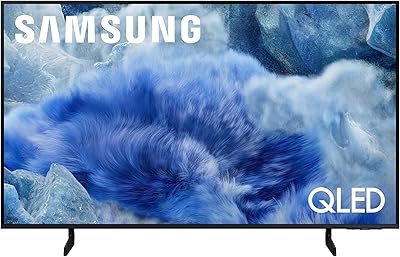
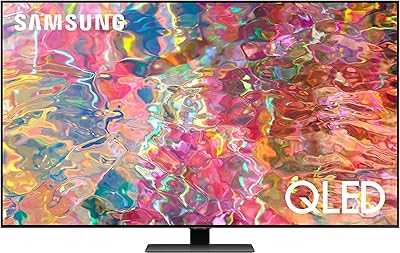
The Samsung 32-inch Q8F QLED 4K Smart TV is a compact premium display that makes the most sense as a bedroom upgrade, office screen, or capable secondary TV. There's an inherent tension worth naming upfront: you're getting a genuinely high-end QLED panel squeezed into a 32-inch frame, which is unusual at this price tier. The 2025 model brings a new Q4 AI Processor — a real step forward from older, budget-era chips — handling picture and audio optimization on the fly. This isn't meant to anchor your living room, but for the right space, it punches well above its size.

Features & Benefits

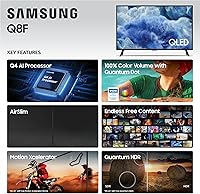
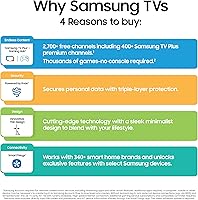
The Quantum Dot panel produces full color volume across the entire spectrum, meaning colors stay accurate and saturated even in bright scenes, not just in dim rooms. The Q4 AI Processor quietly adjusts picture settings and audio output based on what you're watching — a genuinely useful feature rather than a spec-sheet talking point. The AirSlim design keeps the profile thin enough for clean wall mounting. One thing to understand clearly: the native refresh rate is 60Hz. The VRR-up-to-144Hz claim applies only under specific gaming conditions, so don't expect fluid high-refresh motion from standard streaming or broadcast content.

Best For

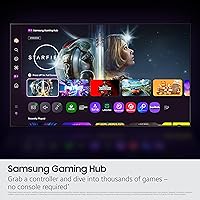
This compact QLED is a strong fit for anyone setting up a bedroom TV, a home office monitor replacement, or a guest room screen. If you're gaming on a PS5 or PC in a smaller space, the built-in game mode and low-latency inputs make it practical without needing a dedicated monitor. Cord-cutters will appreciate Samsung TV Plus — 2,700+ free channels built in, no extra accounts required. It also works well in kitchens or on desktops where the 11.9-pound weight and slim frame make repositioning easy. That said, if your couch sits more than 7 or 8 feet away, a larger screen will serve you better.

User Feedback

Since the 32-inch Samsung Q8F only hit shelves in April 2025, the review pool is still thin — treat early impressions as preliminary rather than definitive. Buyers consistently highlight vivid color accuracy and strong performance in brightly lit rooms, two areas where budget TVs typically fall short. On the critical side, some buyers expecting true high-refresh performance report feeling misled by the 144Hz VRR marketing once they discover the native panel runs at 60Hz. A recurring complaint worth noting: Samsung's smart TV interface surfaces ads in the home menu, which some users find intrusive. Remote quality and build have not drawn significant complaints so far.

Pros

  • Quantum Dot panel produces accurate, vibrant color even in brightly lit rooms where cheaper TVs wash out.
  • The Q4 AI Processor handles upscaling well, so even non-4K content looks respectable on screen.
  • AirSlim design is genuinely slim and light enough to wall-mount without any heavy-duty hardware.
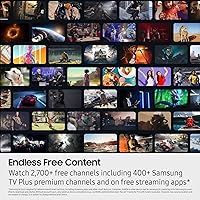
  • Samsung TV Plus delivers over 2,700 free channels out of the box — no subscriptions, no sign-ups required.
  • Game mode with VRR support makes this compact QLED a solid pick for casual console gaming in smaller spaces.
  • Built-in Alexa and Samsung Vision AI allow hands-free control without needing a separate smart speaker.
  • At under 12 pounds, the 32-inch Samsung Q8F is easy to reposition, move between rooms, or travel with.
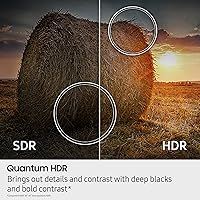
  • Dynamic HDR processing adjusts brightness and contrast scene by scene, noticeably better than static HDR on budget sets.
  • Full connectivity suite — HDMI, USB, Wi-Fi, Bluetooth, and Ethernet — covers virtually every device setup.
  • Pixel density on a 32-inch 4K panel is high, making text and fine details noticeably sharp at close viewing distances.

Cons

  • Native panel refresh rate is 60Hz — the advertised 144Hz VRR only applies under specific gaming conditions, which many buyers miss.
  • Samsung's Tizen smart TV interface displays ads and promoted content on the home screen, which some users find intrusive.
  • At 32 inches, 4K resolution offers minimal visual benefit when viewed from a typical couch distance of 8 feet or more.
  • QLED technology does not match OLED for deep black levels or contrast, a real trade-off for dark-room movie viewing.
  • Early review volume is limited given the April 2025 launch date, so long-term reliability data is not yet available.
  • Built-in speakers on a slim, lightweight TV rarely satisfy anyone who cares about audio quality — a soundbar will be needed.
  • The remote control design has drawn some criticism for build quality relative to the TV's overall price positioning.
  • This small-screen smart TV offers no local dimming zones, which limits how precisely it can control backlight in complex scenes.
  • Price sits noticeably higher than competing 32-inch panels, so buyers purely after screen size get better value elsewhere.

Ratings

Our AI rating system analyzed verified global user reviews for the Samsung 32-inch Q8F QLED 4K Smart TV, actively filtering out incentivized, bot-generated, and duplicate submissions to surface what real buyers genuinely experienced. Scores reflect both the strengths that earned repeat praise and the frustrations that showed up consistently across independent reviewers. Nothing has been smoothed over — the pain points are represented as clearly as the wins.

Picture Quality
88%
Quantum Dot color performance at this screen size genuinely surprised buyers who expected mid-range results. Colors stay rich and accurate even in well-lit rooms, which is where most bedroom and office TVs actually get used every day.
Without local dimming zones, dark scenes in movies can look slightly washed out rather than truly deep. Viewers who regularly watch in a blacked-out room noticed this limitation more than those using it in typical ambient lighting.
Color Accuracy
91%
The full-spectrum Quantum Dot layer delivers color consistency that holds up at different brightness levels, which is rare at this price tier. Skin tones in particular look natural rather than oversaturated, something users noticed when switching from budget panels.
Out-of-the-box calibration skews slightly warm for some users, requiring manual adjustment in the picture settings to match personal preference. Factory settings prioritize vivid over accurate, which can mislead buyers who do not dig into the menu.
Motion Handling
63%
37%
For standard streaming content — sports highlights, dramas, news — motion looks smooth enough that most casual viewers did not register any complaints. The AI processor does a reasonable job filling in frames for upscaled content.
The 60Hz native panel is a real ceiling for motion performance, and buyers expecting high-refresh fluidity based on the 144Hz VRR marketing were frequently disappointed. Fast-paced sports and action sequences show noticeable blur compared to true 120Hz or higher-refresh displays.
Gaming Performance
74%
26%
Game Mode measurably reduces input lag, and VRR support works as intended for compatible consoles like the PS5 and Xbox Series X at lower resolutions. Casual and indie gamers using this as a compact bedroom console setup found it genuinely responsive.
Competitive gamers will quickly run into the native 60Hz ceiling, as the 144Hz VRR benefit is limited to scenarios most everyday console setups do not consistently hit. For anyone prioritizing high-frame-rate gaming above all else, a dedicated gaming monitor is still the smarter buy.
Smart TV Interface
69%
31%
Samsung Tizen is fast, well-organized, and supports virtually every major streaming app without needing any external devices. Samsung TV Plus offering thousands of free channels out of the box was a recurring highlight for cord-cutters who set up the TV and started watching immediately.
Promoted content rows and ads on the home screen drew consistent complaints from buyers who found the interface feels commercial for a paid product. While some ad settings can be reduced in the privacy menu, the home screen cannot be fully cleaned up without workarounds.
Build Quality
78%
22%
The AirSlim chassis feels noticeably more premium than similarly priced budget TVs, with a clean matte bezel and minimal branding on the front face. At 11.9 pounds, the build feels solid rather than flimsy when wall-mounting or repositioning.
The stand design, while functional, feels less substantial than the panel itself and does not offer height or swivel adjustment. A few buyers noted minor flex in the chassis when handling during setup, though no structural failures were reported.
Remote Control
66%
34%
The remote is compact and pairs quickly via Bluetooth, with shortcut buttons for major streaming apps that reduce the number of steps to reach content. Voice command integration with Alexa works reliably for basic tasks like switching inputs or adjusting volume.
Build quality of the remote feels noticeably cheaper than the TV itself, with button travel that several users described as soft and imprecise. Battery life was a secondary complaint, with some users reporting shorter-than-expected replacement cycles under regular daily use.
Audio Quality
57%
43%
Built-in speakers handle dialogue clarity adequately for news and talk shows in a quiet bedroom environment. For casual background viewing, most users found the volume output sufficient without immediately reaching for an external speaker.
Bass response is minimal and the soundstage is noticeably thin for music, movies with dynamic soundtracks, or anything requiring real audio immersion. The majority of buyers who use this TV for more than casual background viewing ended up adding a soundbar within the first month.
Upscaling
82%
18%
The Q4 AI Processor handles HD-to-4K upscaling better than expected at this price point, particularly with streaming content from Netflix and Disney+. Standard HD broadcasts and older streaming shows looked sharper and cleaner than on previous-generation budget Samsung panels.
Heavily compressed sources — such as lower-bitrate cable channels or older DVD rips — expose the limits of the upscaler, producing visible edge artifacts and noise. The processor works best with already decent source quality rather than salvaging truly low-resolution content.
HDR Performance
76%
24%
Dynamic scene-by-scene HDR analysis produces noticeably better highlight detail than static HDR profiles, which is visible in outdoor scenes and high-contrast movie shots. HDR10+ content from compatible streaming platforms translates well to the Quantum Dot panel.
Without Dolby Vision support, a portion of streaming library content falls back to standard HDR10, which some users noticed when comparing the same title across devices. Peak brightness, while competitive for this size class, does not reach the levels of higher-tier QLED models.
Setup & Installation
87%
Stand assembly takes under ten minutes and the on-screen setup wizard walks through Wi-Fi, app sign-ins, and input configuration clearly. Wall mounting is straightforward given the slim profile and low weight, with the standard 200x200mm VESA pattern fitting widely available budget mounts.
The initial Tizen setup process prompts users to sign in to a Samsung account and accept multiple data-sharing permissions, which some privacy-conscious buyers found excessive before they could simply start watching. Skipping account creation is possible but not clearly signposted.
Value for Money
72%
28%
Within the specific 32-inch QLED niche, the combination of Quantum Dot panel, AI processor, and built-in free content is difficult to match at this price. Buyers who needed exactly this size and wanted better-than-budget picture quality felt the pricing was justified.
Buyers who compared it against 43-inch or 50-inch TVs at similar or slightly higher price points often felt the per-inch value was harder to defend. The 60Hz panel limitation is a meaningful trade-off that becomes more noticeable the longer someone owns the TV.
Connectivity
83%
The full suite of HDMI, USB, Bluetooth, Wi-Fi, and Ethernet covers every realistic device connection scenario for a compact TV setup. Bluetooth pairing for headphones and speakers worked reliably according to buyers who use wireless audio to avoid disturbing others nearby.
The exact number and version of HDMI ports is not clearly published in Samsung's marketing materials, which frustrated buyers trying to plan multi-device setups in advance. A few users also noted that Ethernet placement on the unit is slightly awkward for certain wall-mount configurations.
Free Content Library
86%
Samsung TV Plus is one of the most robust free channel offerings built into any smart TV, and cord-cutters specifically praised the combination of local news, sports channels, and on-demand movies with zero ongoing cost. New channels being added regularly kept the library feeling fresh over the first weeks of ownership.
Content quality within the free tier is inconsistent — premium channels sit alongside lower-quality filler, and the interface for browsing Samsung TV Plus is not as polished as dedicated streaming apps. Buyers expecting Netflix-level content depth from the free tier were occasionally underwhelmed.

Suitable for:

The Samsung 32-inch Q8F QLED 4K Smart TV was clearly designed for a specific kind of buyer, and for that buyer it makes a lot of sense. If you need a bedroom TV that delivers noticeably better picture quality than the average budget panel without consuming wall space or overwhelming a smaller room, this fits the brief well. It works equally well for college students, apartment dwellers, or anyone setting up a home office who wants a sharp, capable screen that doubles as a smart TV. Gamers using a PS5 or Xbox in a smaller room will appreciate the low-latency game mode and VRR support for compatible titles. Cord-cutters especially get good value here — Samsung TV Plus alone offers thousands of free channels with no ongoing subscription cost, making this a genuinely self-contained entertainment setup.

Not suitable for:

The Samsung 32-inch Q8F QLED 4K Smart TV is a poor match for anyone planning to use it as a primary living room display or expecting it to serve a couch more than 7 to 8 feet away, where the 32-inch screen will feel underwhelming regardless of picture quality. Home theater enthusiasts who prioritize deep contrast and true blacks will find QLED technology less satisfying than OLED alternatives, even at comparable price points. Buyers drawn in by the 144Hz VRR figure should know the native panel refresh rate is 60Hz — if smooth, high-frame-rate gaming is your primary goal, a dedicated gaming monitor will serve you better. Those who dislike ad-supported smart TV interfaces may find Samsung's Tizen home screen frustrating over time, as it surfaces promoted content prominently. If picture size is what matters most to you and budget is flexible, spending more on a larger screen from a competing brand will likely leave you more satisfied.

Specifications

  • Screen Size: The panel measures 32 inches diagonally, making it well-suited for bedrooms, offices, and smaller living spaces.
  • Display Type: QLED with Quantum Dot technology delivers 100% color volume, producing accurate and saturated colors at any brightness level.
  • Resolution: Native 4K UHD resolution (3840 x 2160 pixels) provides high pixel density at 32 inches, particularly beneficial at close viewing distances.
  • Refresh Rate: The native panel refresh rate is 60Hz; Variable Refresh Rate (VRR) support extends up to 144Hz under compatible gaming conditions only.
  • Processor: The Q4 AI Processor manages real-time upscaling, adaptive picture optimization, and content-aware audio tuning automatically.
  • HDR Support: Dynamic HDR processing analyzes each scene individually to adjust brightness and contrast, rather than applying a fixed static profile.
  • Smart Platform: Runs Samsung Tizen OS with built-in Samsung TV Plus, offering access to 2,700+ free channels and major streaming apps without any subscription.
  • Voice Assistants: Amazon Alexa is built in natively, and Samsung Vision AI provides additional on-device intelligence for content recommendations and voice commands.
  • Connectivity: Includes HDMI, USB, Bluetooth, Wi-Fi, and Ethernet ports, covering the full range of modern devices and network connection options.
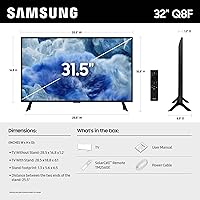
  • Dimensions: With stand, the unit measures 28.5″ wide, 18.8″ tall, and 6.1″ deep, keeping it compact enough for countertop or desk placement.
  • Weight: The TV weighs 11.9 pounds with stand, making it easy to reposition or wall-mount without heavy-duty mounting hardware.
  • Design: The AirSlim profile keeps the chassis thin and low-profile, designed to sit flush against a wall or blend into a minimalist room setup.
  • Included Items: The box includes the TV, power cable, remote control, stand components, and a printed user manual.
  • Model Number: The official Samsung model number is QN32Q8FAAFXZA, which can be used to verify compatibility with mounts, accessories, and replacement parts.
  • Color Finish: Available in black with a matte bezel finish that reduces on-screen glare reflection from room lighting.
  • Game Mode: A dedicated Game Mode reduces input lag and enables VRR for smoother frame delivery when connected to compatible gaming consoles or PCs.
  • Audio: Built-in speakers are included; specific wattage is not officially published, and external audio via Bluetooth or HDMI ARC is recommended for critical listening.
  • Launch Date: This model became available for purchase on April 21, 2025, making it a current-generation 2025 release.

Related Reviews
Samsung 85-inch Q8F QLED 4K Smart TV
77%
83%
Picture Quality
88%
Color Accuracy
81%
Gaming Performance
79%
Motion Handling
74%
Smart TV Platform
More
Samsung 43-Inch Class QLED Q8F 4K UHD Smart TV
85%
91%
Display Quality
88%
Gaming Performance
90%
Picture & Sound Enhancement
87%
Design & Build
79%
User Interface & Smart Features
More
Samsung QN85D 85-inch QLED 4K Smart TV
77%
91%
Picture Brightness
87%
Color Accuracy
74%
Contrast & Black Levels
88%
Motion Handling
83%
AI Upscaling
More
Samsung 65-Inch The Frame LS03F 4K QLED Smart TV
86%
91%
Picture Quality
96%
Design & Aesthetics
84%
Ease of Setup
89%
Gaming Performance
80%
Sound Quality
More
Samsung The Frame LS03F 55-Inch QLED TV
79%
93%
Ambient & Art Mode
81%
Picture Quality
96%
Design & Aesthetics
91%
Cable Management
78%
Gaming Performance
More
Samsung Q80D 85-Inch QLED 4K Smart TV
82%
88%
Picture Quality
74%
Contrast & Black Levels
93%
Brightness
91%
Motion Handling
89%
Gaming Performance
More
Samsung 50-Inch QLED 4K Q80C Series Smart TV
84%
94%
Picture Quality
88%
Sound Quality
91%
Gaming Performance
89%
Value for Money
85%
Smart Features
More
Samsung QN70F 55-inch Neo QLED Smart TV
78%
83%
Picture Quality
88%
Gaming Performance
84%
Motion Handling
81%
Brightness & HDR
78%
Smart TV Platform
More
Samsung Q70A 75-inch QLED 4K Smart TV
77%
78%
Picture Quality
61%
Contrast & Black Levels
84%
Motion Handling
82%
Gaming Performance
83%
Smart TV Experience
More
Samsung The Frame LS03F 50-inch QLED TV
77%
91%
Art Mode & Display Illusion
78%
Picture Quality
94%
Design & Aesthetics
58%
Art Store Value
88%
Installation & Setup
More

FAQ

It is primarily a gaming spec. The native panel refresh rate is 60Hz, which is what you get for standard TV watching, streaming, and browsing. The 144Hz figure only applies when a connected gaming device outputs a VRR-compatible signal under specific conditions. For everyday use, expect 60Hz motion performance.

At close range — say, a desk setup or a bedroom where you sit 4 to 6 feet away — the high pixel density on a 32-inch 4K panel is genuinely noticeable, and text in particular looks crisp. If your typical viewing distance is 8 feet or more, the difference between 4K and 1080p becomes much harder to see, and a larger screen would serve you better.

Samsung TV Plus is a built-in free streaming service that comes pre-loaded on this TV, offering 2,700+ channels covering news, sports, movies, and general entertainment. You do not need to create an account or enter a credit card — it works out of the box as soon as the TV is connected to the internet.

Yes, it works as a PC display via HDMI. The 4K resolution and high pixel density make text and UI elements sharp at desk distances. Keep in mind the response time and refresh rate are tuned for TV use rather than competitive PC gaming, so it is better suited for productivity or casual gaming than high-frame-rate PC titles.

Reasonably well for a QLED panel — Quantum Dot technology maintains color saturation at higher brightness levels better than standard LED TVs. The matte-finish bezel also helps reduce glare. It is not the brightest TV on the market, but daytime viewing in a well-lit room is a genuine strength of this compact QLED compared to budget alternatives.

Samsung Tizen OS does display promoted content and sponsored rows on the home menu, which is a common complaint with Samsung smart TVs across all price tiers. Some of this can be reduced by adjusting privacy and interest-based ad settings in the menu, but the interface cannot be fully stripped of promoted content without third-party solutions.

Samsung has not published the exact HDMI version specification for this model in the official product listing. Based on similar 2025 Samsung QLED models at this tier, expect at least two HDMI inputs. For the most accurate port count and version details, check the spec sheet on Samsung's official support page using model number QN32Q8FAAFXZA.

Samsung TVs, including the 32-inch Samsung Q8F, use their own HDR formats — specifically HDR10+ — rather than Dolby Vision, as Samsung does not license Dolby Vision on its panels. If your streaming service or content relies on Dolby Vision, it will still play but will fall back to standard HDR10 or HDR10+ rendering instead.

Yes, the AirSlim design is specifically built with wall mounting in mind. You will need a VESA-compatible mount — the standard VESA pattern for this TV is 200x200mm, which fits most budget and mid-range TV wall mounts. At under 12 pounds, it does not require heavy-duty hardware, making installation straightforward for most people.

The Q4 AI Processor handles upscaling of lower-resolution content to fill the 4K panel. Results vary by source quality — HD streaming content from major services upscales cleanly, while compressed cable or older DVD-quality content will show more visible artifacts. It is noticeably better at this than entry-level TVs, but no upscaler fully replaces native 4K source material.