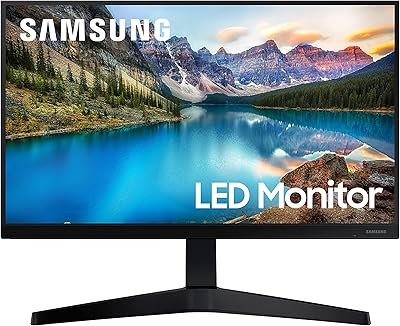
Samsung M50D 32-Inch FHD Smart Monitor


Overview
The Samsung M50D 32-Inch FHD Smart Monitor launched in 2024 as Samsung's answer to a straightforward question: what if your desk display could also be your TV? It sits comfortably in the middle of Samsung's M-series lineup — not entry-level, not flagship — and that positioning makes sense. The 32-inch matte panel with HDR10 support gives it enough screen real estate to double as a secondary TV in a bedroom or small apartment. One honest caveat worth stating upfront: FHD resolution at this size means lower pixel density than you'd get on a smaller 1080p screen, and if you're sitting close at a desk, that softness is noticeable.
Features & Benefits
The M50D packs a surprising amount of functionality into a single screen. Samsung Gaming Hub is a standout for anyone who wants to play cloud-streamed games without owning a console — think casual sessions rather than competitive play. Samsung TV Plus delivers free live channels and on-demand content with no ongoing subscription, which is genuinely useful. Remote PC access and embedded Microsoft 365 support let you handle light work tasks without powering up a separate computer. Smart Home 3D Map View and Galaxy Watch workout tracking round out the feature set — though keep in mind that multi-device control only works if you're already living inside the Samsung Galaxy ecosystem.
Best For
This smart monitor makes the most sense for people in compact spaces who want one screen that genuinely pulls double duty. Small apartment setups, guest rooms, and dorm situations are where it naturally fits. Casual cloud gamers without a console will find Gaming Hub worth exploring, though this is not a display built around serious gaming performance. If you're already using a Galaxy phone, Galaxy Tab, or Galaxy Watch, you'll unlock considerably more of what this hybrid display actually offers. It's also a thoughtful pick for low-vision users, given built-in magnification, color switching, and audio description tools — features that are rarely bundled into a monitor at this price tier.
User Feedback
Buyers have landed this at a steady 4.4-star rating, and the praise is consistent: people appreciate how quickly it gets going out of the box and how reliably the smart TV experience works day-to-day without any external device. The most common criticism is predictable — 1080p at 32 inches looks noticeably soft when you're sitting close at a desk. It's acceptable for couch-distance viewing, less comfortable for focused computer work. Built-in speakers get mixed marks; adequate for background content, but nothing more. Samsung Galaxy owners tend to rate it higher overall, while buyers using it purely as a standalone monitor report more frustration with sharpness and the limited port selection.
Pros
- Genuinely replaces both a monitor and a smart TV, saving space and reducing cable clutter.
- Samsung TV Plus delivers free live and on-demand content with zero subscription fees.
- Gaming Hub lets casual players stream games from major platforms without owning any console.
- Setup is straightforward out of the box — most buyers report being up and running quickly.
- The matte panel cuts down on glare, making it comfortable in brighter rooms.
- Built-in accessibility tools like screen magnification and color switching are rarely found at this screen size.
- Galaxy Watch workout tracking on-screen is a genuinely useful feature for fitness-focused Samsung users.
- Remote PC access and embedded Microsoft 365 support reduce dependency on always having a computer nearby.
- HDR10 support adds some depth to streaming content compared to non-HDR panels in this category.
- Smart Home 3D Map View offers a convenient way to manage connected devices from a single screen.
Cons
- 1080p resolution at 32 inches produces noticeably soft image quality for close desk use.
- Most multi-device features are locked to Samsung Galaxy hardware, limiting appeal for non-Samsung users.
- Built-in speakers are adequate at best — external audio is worth budgeting for.
- The port selection is lean, with only HDMI and two USB-A ports, which can feel restrictive quickly.
- Gaming Hub is designed for casual streaming, not low-latency or high-refresh-rate gaming.
- No USB-C connectivity, which is an increasingly common expectation in this market segment.
- Smart TV interface can feel sluggish compared to dedicated streaming sticks or boxes.
- Remote PC access requires additional setup and a compatible PC, which isn't always made clear upfront.
- At 14.6 pounds, it's on the heavier side for a monitor, which matters if you plan to reposition it often.
Ratings
Our AI rating engine analyzed thousands of verified global purchases of the Samsung M50D 32-Inch FHD Smart Monitor, actively filtering out incentivized, bot-generated, and duplicate submissions to surface what real buyers actually experience. The scores below reflect a balanced synthesis of genuine praise and recurring frustrations — nothing is padded or softened. Whether this hybrid display earns a place in your space depends heavily on how you plan to use it, and these ratings are designed to make that decision clearer.
Smart TV Experience
Image Sharpness
Setup & Ease of Use
Gaming Hub Value
Samsung Ecosystem Integration
Audio Quality
Port Selection
Matte Panel & Glare
Value for Money
Accessibility Features
Smart Home Control
Build Quality & Design
Workout Tracking Feature
Remote PC Productivity
Suitable for:
The Samsung M50D 32-Inch FHD Smart Monitor is built for people who need one screen to handle more than one job. If you live in a studio apartment, a small bedroom, or any space where adding a separate TV simply isn't practical, this hybrid display makes a compelling case for itself. It's also a natural fit for Samsung Galaxy users — those with a Galaxy phone, tablet, or Watch will find the multi-device features genuinely useful rather than just a bullet point on a spec sheet. Casual gamers who want to dip into cloud gaming without committing to a console will get real value out of Gaming Hub, especially for lighter, session-based play. Remote workers who occasionally need to access files or run quick Microsoft 365 tasks without booting up a full PC will also find the built-in productivity tools handy. And for low-vision users, the accessibility toolkit — magnification, color switching, audio descriptions — is a rare and meaningful inclusion at this screen size.
Not suitable for:
The Samsung M50D 32-Inch FHD Smart Monitor is a harder sell if you plan to use it primarily as a traditional desktop monitor for focused, close-range work. At 32 inches with a 1080p panel, pixel density is noticeably lower than smaller FHD monitors, and text or fine detail can look soft when you're sitting just a couple of feet away. Performance-focused gamers should look elsewhere entirely — this is not a high-refresh-rate display, and Gaming Hub is designed around streaming convenience, not low-latency competitive play. If you don't own any Samsung Galaxy hardware, a meaningful chunk of the advertised features simply won't be available to you, which changes the value calculation considerably. The built-in speakers are functional but won't satisfy anyone who cares about audio quality, and the port selection is lean enough that users with multiple peripherals may feel constrained. Buyers who already own a capable standalone monitor and a separate streaming device will likely find little here that justifies the switch.
Specifications
- Screen Size: The panel measures 32 inches diagonally, offering enough screen real estate to serve comfortably as both a desk monitor and a secondary TV.
- Resolution: Native resolution is 1920x1080 (FHD 1080p), which is functional for general use but yields a lower pixel density than smaller 1080p screens.
- Aspect Ratio: Standard 16:9 widescreen aspect ratio, compatible with virtually all streaming content, video calls, and productivity applications.
- Panel Surface: Matte anti-glare coating reduces reflections in brighter environments, making it more comfortable for use near windows or ambient lighting.
- HDR Support: HDR10 is supported, providing improved contrast and color depth on compatible streaming content compared to non-HDR panels.
- Built-in OS: Runs Samsung's Smart TV platform, giving direct access to streaming apps, Samsung TV Plus, and the Gaming Hub without any external device.
- Connectivity: Includes one HDMI port, one USB 2.0 port, and one USB 3.0 port; there is no USB-C port on this model.
- Built-in Speakers: Integrated speakers are included for basic audio output, though they are not tuned for high-fidelity sound and suit casual listening only.
- Gaming Hub: Samsung Gaming Hub is built in, enabling cloud-based game streaming from major platforms without requiring a console or gaming PC.
- Free Streaming: Samsung TV Plus provides access to free live TV channels and on-demand content at no cost and with no subscription required.
- Productivity: Microsoft 365 access is embedded, and the monitor supports remote PC control, allowing light work tasks without a directly connected computer.
- Galaxy Integration: Compatible with Galaxy phones, Galaxy Tab, and Galaxy Watch for multi-device keyboard and mouse sharing and real-time workout data display.
- Smart Home: Features a 3D Map View interface for monitoring and controlling compatible smart home devices, including per-device energy usage tracking.
- Accessibility: Built-in tools include screen magnification, color switching, and audio descriptions for TV settings, designed specifically for low-vision users.
- Dimensions: Product dimensions are approximately 76.2 x 28.2 x 20.4 inches with the stand attached, sized for standard desk or credenza placement.
- Weight: The unit weighs 14.6 pounds with the stand, which is on the heavier end for a 32-inch monitor and worth noting for wall-mount or repositioning plans.
- Color: Available in White, which gives it a clean, modern aesthetic that fits well in living room or bedroom setups alongside other consumer electronics.
- Model Number: The official model number is LS32DM501ENXZA, useful for verifying compatibility with accessories, mounts, and Samsung support resources.
- Release Year: This monitor was released in 2024 as part of Samsung's updated M-series smart monitor lineup.
- Voltage: Operates at 240 volts; buyers should confirm compatibility with local power standards or use an appropriate adapter if needed.
Related Reviews
Samsung M50D 27-inch Smart Monitor
LG 32SR50F-B 32-inch Smart Monitor
Samsung M8 32-Inch 4K Smart Monitor
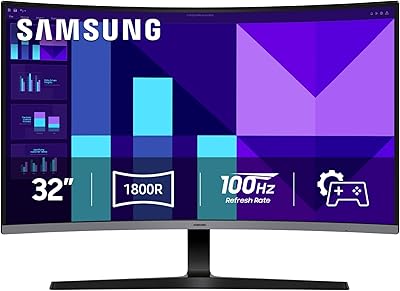
Samsung 32-inch S39GD Curved Monitor
Samsung SR35 27-inch FHD Monitor
Samsung FT45 24-Inch FHD IPS Monitor
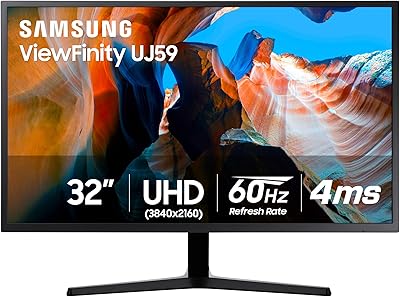
Samsung 32″ UJ59 4K UHD Monitor
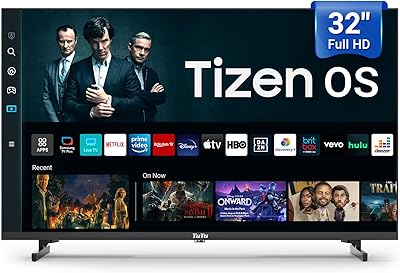
TuTu 32Q1 32-Inch Tizen Smart TV

Samsung S39C 32-Inch Curved Gaming Monitor