

Overview

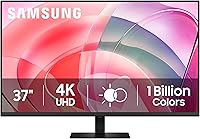
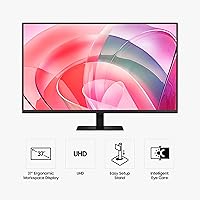
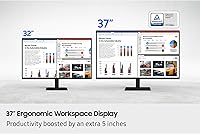
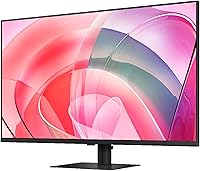
The Samsung ViewFinity S7 37″ 4K Monitor is Samsung's 2025 answer to a question many desk workers quietly ask: what if I want more screen than a 32-inch offers, without the awkward width of an ultrawide? The ViewFinity S7 lands at 37 inches diagonal — a step up that genuinely changes how much you can have open simultaneously. Part of Samsung's S70D lineup, it targets productivity-first users rather than gamers or media enthusiasts. One honest caveat upfront: the glossy panel surface looks crisp in a dim or controlled environment but can introduce annoying reflections near bright windows.

Features & Benefits

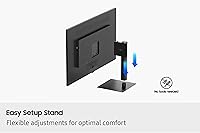
At native 4K resolution spread across 37 inches, text sharpness is a real highlight — small fonts in spreadsheets and code editors stay crisp in a way that 1440p at this size simply cannot match. HDR10 adds practical value too: with support for over a billion colors, photo editing and content review look notably richer, especially in shadow and highlight detail. The TÜV-certified eye care — covering blue light reduction and flicker elimination — is a legitimate perk for anyone clocking eight-plus hours daily, though it won't replace good lighting habits. Setup is refreshingly painless thanks to a tool-free stand, and HDMI plus DisplayPort cover most desktop configurations. Worth noting: no USB-C port means laptop users will need an adapter.

Best For

This 37-inch Samsung monitor makes the most sense for home-office professionals who want to consolidate two smaller screens into one expansive 4K display. If you're coming from a 27 or 32-inch monitor and have felt the pinch of constantly shuffling windows, the jump here feels substantial and immediate. Photo editors and content reviewers will appreciate the color depth and HDR capability without needing to spend on a specialist display. The TÜV eye care certification also makes this a strong pick for anyone who logs long hours and feels the fatigue. What it isn't: a gaming monitor. There's no adaptive sync, no high refresh rate, and Samsung clearly built this for work, not play.

User Feedback

With a 4.3-star average across 81 ratings, the ViewFinity S7 is off to a solid start — though it's worth keeping in mind this monitor only launched in April 2025, so the sample size is small and early reviewers can skew optimistic. Recurring praise centers on the impact of screen size, image clarity at 4K, and how quick the assembly process is. On the critical side, the glossy finish draws complaints from buyers in sunlit rooms, and a few mention the stand's limited adjustment range. Compared to similarly priced 32-inch alternatives, buyers seem willing to pay the size premium — but the lack of USB-C keeps coming up as a notable omission.

Pros

  • The 37-inch 4K panel gives you a noticeably larger workspace than a 32-inch display, making side-by-side multitasking genuinely comfortable.
  • At 3840×2160 on a 37-inch screen, text and fine detail stay sharp and easy to read at a normal desk distance.
  • TÜV-certified flicker reduction and Eye Saver Mode make this a thoughtful choice for anyone logging 8-plus hours daily at a desk.
  • HDR10 support adds real contrast and vibrancy for everyday media consumption compared to a standard SDR panel.
  • Tool-free stand assembly means most buyers can go from box to working display in under ten minutes without hunting for a screwdriver.
  • HDMI and DisplayPort inputs cover the most common dual-source setups, so switching between a desktop and a laptop is straightforward.
  • Early buyer impressions are strong, with a 4.3-star average signaling solid out-of-box satisfaction for a monitor released in 2025.
  • The eco-conscious build — recycled plastics and staple-free packaging — is a genuine differentiator for sustainability-minded buyers.
  • Stepping up to this size from a 27-inch or 32-inch monitor eliminates the need for a dual-display setup in most productivity workflows.

Cons

  • The glossy panel surface catches reflections in bright rooms or near windows, which can be genuinely distracting during long sessions.
  • HDR10 is entry-level HDR — do not expect the dramatic highlights you see on HDR400 or higher certified displays.
  • No USB-C port means laptop users who prefer a single-cable connection will need an external dock or adapter.
  • With only around 81 ratings at time of writing, long-term reliability and panel consistency are still unproven.
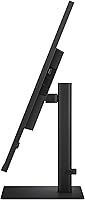
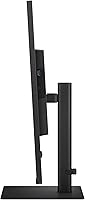
  • The stand's adjustment range is not fully detailed in available specs, raising ergonomic questions for taller users or non-standard desk setups.
  • At 17.86 pounds, this is a heavy panel that may require a sturdier monitor arm if you plan to replace the included stand.
  • The 16:9 aspect ratio means less horizontal immersion than an ultrawide, which some multitaskers find limiting once they have tried the wider format.
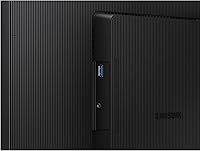
  • No built-in USB hub reduces desk cable management options compared to similarly priced monitors that include downstream USB ports.

Ratings

The Samsung ViewFinity S7 37″ 4K UHD Monitor has been scored by our AI system after analyzing verified global buyer reviews, with spam, bot activity, and incentivized feedback actively filtered out to ensure the ratings reflect genuine ownership experiences. Across every category, both the standout strengths and the real frustrations buyers encountered are transparently reflected — so you can make a confident, informed decision rather than rely on cherry-picked praise.

Screen Real Estate
93%
Owners consistently describe the jump to 37 inches as a genuine workflow transformation — not a marginal upgrade. Having a full browser, a code editor, and a communication app open simultaneously without overlapping feels natural rather than forced, and many remote workers say it finally eliminated their need for a second monitor entirely.
A handful of buyers working at shallow desks found the sheer physical width harder to adjust to than expected, with the outer edges requiring more noticeable head movement. For anyone upgrading from a 24-inch or smaller display, the initial adjustment period can take a few days.
Image Sharpness
91%
The 4K resolution across this panel size hits a sweet spot where text rendering is crisp enough for extended reading sessions and detailed spreadsheet work, without requiring aggressive display scaling on most operating systems. Developers and writers in particular praise how easy it is to read small fonts at 100% scaling without any strain.
At the 37-inch size, pixel density is slightly lower than on a 27-inch 4K panel, which means if you sit very close to the screen — under 20 inches — you may notice individual pixels in large flat-color areas. Most users at a standard desk distance will not encounter this, but it is worth knowing.
Color Accuracy
78%
22%
Out of the box, everyday colors look pleasing and well-balanced — photos on social media, YouTube videos, and standard office documents all render with warmth and vibrancy that exceeds what most budget and mid-range panels deliver. Casual photo viewers and light design reviewers report being satisfied without touching any color settings.
Serious creative professionals will notice the absence of a wide-gamut color space like DCI-P3 or AdobeRGB coverage, meaning this panel is not the right tool for print-accurate photo editing or video color grading. Color calibration tools also reveal panel-level variance that professionals would need to correct manually.
HDR Performance
67%
33%
HDR10 support adds a tangible step up in contrast depth and gradient smoothness compared to standard SDR viewing, and streaming HDR content on platforms like Netflix shows more punch in highlights and shadow detail than most buyers coming from older SDR panels would have seen before.
This is entry-level HDR, and buyers who experienced HDR400 or FALD-equipped displays will find the performance underwhelming by comparison — peak brightness and local dimming are limited, so bright specular highlights lack the true pop that high-end HDR panels deliver. Managing expectations here is genuinely important.
Eye Comfort
89%
The TÜV-certified flicker-free backlight and Eye Saver Mode are among the most consistently praised features from buyers who work long hours at their desks. Several reviewers with a history of eye fatigue and headaches from previous monitors specifically noted a measurable improvement after switching to this display during evening work sessions.
The Eye Saver Mode shifts the white point noticeably warm, which can feel unpleasant for color-sensitive tasks or video watching. Some users also found the mode toggling process less intuitive than expected, requiring navigation through the on-screen display menu rather than a dedicated physical shortcut.
Glossy Panel Trade-off
61%
39%
In controlled lighting conditions, the glossy surface rewards buyers with noticeably richer black depth and more saturated colors than a comparable matte panel — dark-themed coding environments and media consumption both look more immersive as a result. Users in basement offices or windowless rooms report near-zero reflection issues.
In typical home offices with natural light from windows or overhead lighting, reflections become a persistent and distracting problem that no display setting can solve. Multiple buyers explicitly warned that the glossy finish was their single biggest regret and said they would have chosen a matte alternative had they fully understood the trade-off in advance.
Connectivity
72%
28%
HDMI and DisplayPort inputs cover the vast majority of desktop and laptop setups cleanly, and switching between a gaming PC and a work laptop via two source inputs is handled without needing any external switch. For standard desktop users, the port selection is adequate and uncomplicated.
The absence of a USB-C port is a recurring frustration for modern laptop users who want a single-cable connection for both video and power delivery — a feature that many competing monitors in this price range include as standard. There is also no integrated USB hub, which limits desk cable management for multi-peripheral setups.
Stand & Ergonomics
66%
34%
The tool-free Easy Setup Stand lives up to its name — most buyers report going from unboxed to fully assembled in under ten minutes without needing any hardware. For a 37-inch panel at this weight, that kind of frictionless setup experience is genuinely appreciated and reduces the usual new-monitor frustration.
Ergonomic adjustment options appear limited, with height adjustment and pivot functionality either absent or highly constrained — a real issue for taller users or those with non-standard desk heights. Several buyers with back or neck sensitivity ended up purchasing a third-party monitor arm shortly after setup to compensate.
Build Quality
83%
The chassis feels substantial and well-engineered for a productivity display — there is minimal flex in the panel when adjusting position, and the overall construction gives a sense of durability that matches the premium end of the price tier. The matte-black finish on the bezels reads as clean and professional in a home office environment.
A small number of early buyers flagged minor quality control inconsistencies, including slight backlight uniformity variation in corners and subtle color banding at the extreme panel edges. These issues appear infrequent, but given the limited review volume, it is not yet clear how representative they are of the broader production run.
Setup Experience
88%
Beyond the stand assembly, the out-of-box experience is streamlined — the monitor's default calibration is solid enough that most users do not feel the need to immediately dive into settings, and cable management is reasonably tidy. Buyers upgrading from older displays consistently describe it as one of the smoother monitor setups they have experienced.
The on-screen display menu, while functional, has a learning curve for users unfamiliar with Samsung's navigation system — finding specific picture modes or enabling Eye Saver Mode the first time takes longer than it should. A more intuitive button layout or a joystick-style OSD controller would noticeably improve first impressions.
Value for Money
76%
24%
For buyers who genuinely need a large 4K productivity display and want to avoid the complexity of a dual-monitor setup, the ViewFinity S7 delivers a compelling amount of screen for the investment — the combination of size, resolution, and eye care certification is hard to match at a lower price point in the same format.
Buyers who primarily need the screen for general browsing or light office tasks may find the price harder to justify compared to a solid 32-inch 4K alternative that costs less. The lack of USB-C and a limited USB hub also means buyers with modern laptops may need to spend extra on accessories to fill the gaps.
Productivity Workflow
92%
For the specific use case this monitor is designed for — managing multiple applications simultaneously across a large canvas — the ViewFinity S7 performs exceptionally well. Analysts, developers, and content managers running complex multi-window layouts describe it as the single biggest productivity upgrade they made to their home office setup.
The 16:9 aspect ratio, while versatile, does mean horizontal tiling is less generous than what an ultrawide offers in the same footprint. Users who have previously worked on 21:9 or 32:9 displays may find the horizontal span feels conservative by comparison, even at this generous diagonal size.
Eco Credentials
81%
19%
The use of over 14% recycled plastic in the chassis and the switch to glue-assembled, staple-free packaging are meaningful sustainability steps that sustainability-conscious buyers specifically called out as a purchasing factor. For buyers who want their hardware choices to align with environmental values, these are concrete rather than cosmetic commitments.
While the recycled material content and packaging improvements are genuine, the overall eco footprint of a large display — including power consumption over its lifespan — is not fully addressed in available documentation. Buyers looking for comprehensive energy efficiency data or a full lifecycle assessment may find the published information incomplete.
Early Owner Satisfaction
74%
26%
A 4.3-star average from buyers who already own this 2025 release is an encouraging early signal — satisfaction rates for large-format productivity monitors with this kind of feature set rarely debut this strong, and the recurring praise around setup ease and daily workflow impact suggests the core promise is being delivered.
With around 81 ratings collected in the first weeks of availability, the sample size is still too small to draw firm conclusions about long-term reliability, panel longevity, or how the monitor holds up under daily use over months and years. Prospective buyers should treat current scores as promising early indicators rather than settled verdicts.

Suitable for:

The Samsung ViewFinity S7 37″ 4K UHD Monitor is an excellent fit for professionals who spend the majority of their day in front of a screen and feel perpetually squeezed by smaller displays. Remote workers, developers, writers, and analysts will appreciate how the 37-inch 4K canvas lets them keep a code editor, browser, and communication app open simultaneously without the constant tab-switching that kills focus. The jump from a 27-inch or 32-inch monitor is genuinely noticeable here — not just in raw size, but in how much more comfortably you can tile windows side by side without anything feeling cramped. The high pixel density also means text stays razor-sharp even at normal viewing distances, which matters enormously during long reading or writing sessions. Anyone who values eye comfort will find the TÜV-certified flicker-free panel and blue-light filtering a practical daily benefit, especially during back-to-back video calls or late-night work sessions. Light creative users who want vibrant, pleasing color for casual photo browsing or design review — without the cost of a dedicated wide-gamut display — will also find this a satisfying step up.

Not suitable for:

Buyers chasing high refresh rates for competitive gaming should look elsewhere — the ViewFinity S7 is built around clarity and workspace, not response time or frame rate performance. Serious color professionals such as photographers, video editors, and graphic designers who require factory-calibrated wide-gamut accuracy and a matte anti-glare surface will find the glossy panel and the absence of DCI-P3 or AdobeRGB coverage a real limitation. The glossy finish is also a meaningful trade-off for anyone with a bright window behind or beside their desk, since reflections can become a persistent distraction in uncurtained rooms. If your workflow relies heavily on USB-C connectivity — for a single-cable laptop setup, for instance — the lack of a USB-C port means you will need adapters or an external dock, which adds friction and desk clutter. Users who depend on precise ergonomic positioning should also verify the stand's adjustment range before buying, as limited height or pivot options could make long sessions physically uncomfortable. Finally, anyone on a tight budget looking for the cheapest path to a large 4K screen will find more affordable alternatives at smaller sizes that cover the essentials without the premium attached to this size class.

Specifications

  • Screen Size: The panel measures 37 inches diagonally, offering roughly 5 inches more screen area than the common 32-inch class for noticeably more comfortable multitasking.
  • Resolution: Native resolution is 3840×2160 (4K UHD), delivering high pixel density that keeps text crisp and fine details sharp at typical desk viewing distances.
  • Aspect Ratio: The display uses a standard 16:9 aspect ratio, making it broadly compatible with video content, operating systems, and productivity software without letterboxing.
  • HDR Support: HDR10 is supported, providing a wider contrast range and access to 1.07 billion colors compared to standard 8-bit SDR panels.
  • Panel Surface: The screen uses a glossy finish, which enhances color vibrancy and perceived contrast but can produce visible reflections in brightly lit environments.
  • Eye Care: The display is TÜV-certified for flicker-free operation and includes an Eye Saver Mode that reduces blue light output to help minimize eye fatigue during extended sessions.
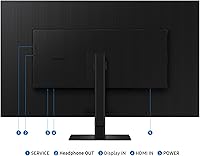
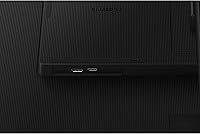
  • Ports: Connectivity includes at least one HDMI port and one DisplayPort input, supporting common desktop and laptop setups without requiring adapters for most users.
  • Stand Setup: The included Easy Setup Stand requires no tools or screws for assembly, allowing most users to have the monitor fully standing within minutes of opening the box.
  • Dimensions: With the stand attached, the monitor measures approximately 32.44 × 22.24 × 9.84 inches (W × H × D), so a desk of at least 35 inches wide is recommended for comfortable placement.
  • Weight: The complete unit with stand weighs 17.86 pounds, which is on the heavier side for a flat panel and should be considered if mounting on a third-party monitor arm.
  • Recycled Materials: The chassis incorporates over 14% recycled plastic content, and the retail packaging is assembled with glue rather than staples as part of Samsung's sustainability commitments.
  • Series: This monitor belongs to the Samsung S70D series, positioned within the ViewFinity lineup as a large-format productivity display released in 2025.
  • Color Depth: The panel renders up to 1.07 billion colors, which enables smoother gradients and more lifelike tonal transitions compared to standard 16.7 million color displays.
  • Power Input: The monitor is rated for 240 volts, and buyers in North America should confirm compatibility with local voltage or verify the included power supply supports dual voltage.
  • Release Date: The ViewFinity S7 S70D became available in April 2025, making it a current-generation model with an active support and firmware update cycle from Samsung.

Related Reviews
Samsung ViewFinity S8 27″ 4K Monitor
75%
91%
Image Clarity
78%
Color Accuracy
88%
Ergonomics & Stand
93%
Setup Experience
74%
Connectivity
More
Samsung ViewFinity S80D 32″ 4K Monitor
79%
93%
Image Clarity
81%
Color Accuracy
78%
Ergonomics & Stand
84%
Connectivity
88%
Eye Comfort
More
Samsung S80UA 27″ 4K UHD IPS Monitor
80%
93%
Image Sharpness & Clarity
88%
Color Accuracy
91%
USB-C Connectivity
89%
Viewing Angles
67%
HDR Performance
More
Samsung 32″ UJ59 4K UHD Monitor
74%
91%
Image Clarity & Resolution
83%
Color Reproduction
88%
Contrast & Black Levels
61%
Gaming Performance
43%
Ergonomics & Stand Design
More
Samsung 43-Inch M7 4K UHD Smart Monitor
85%
94%
Display Quality
89%
Value for Money
86%
Gaming Performance
75%
Ease of Setup
92%
Eco-Friendly Features
More
Samsung TU872 32-Inch 4K Monitor
75%
88%
Image Clarity
84%
Thunderbolt 3 Connectivity
51%
Glare & Panel Surface
86%
Ergonomics & Stand
83%
Build Quality
More
Samsung Odyssey G70B 32-inch 4K Gaming Monitor
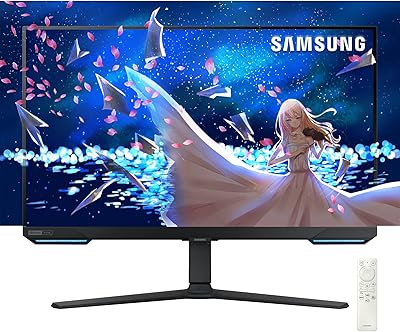
70%
84%
Image Quality
47%
HDR Performance
76%
Gaming Performance
53%
Panel Consistency
71%
Samsung Gaming Hub
More
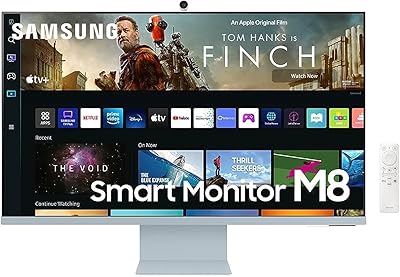
Samsung M8 32-Inch 4K Smart Monitor
71%
84%
Picture Quality
88%
Smart TV Experience
81%
Webcam Quality
73%
PC-Free Productivity
91%
Design & Aesthetics
More
Samsung Odyssey G7 28-inch 4K Gaming Monitor
78%
91%
Image Clarity
88%
Color Accuracy
87%
Gaming Performance
74%
Smart TV Usability
58%
Brightness & HDR
More
Samsung 55-inch Odyssey Ark Curved Gaming Monitor
72%
91%
Image Quality
88%
Immersion & Curvature
86%
Refresh Rate & Responsiveness
78%
Built-in Audio
67%
Cockpit Mode Versatility
More

FAQ

For most productivity workflows, yes — the 37-inch 4K panel gives you enough horizontal space to comfortably run two large windows side by side without them feeling cramped. Developers, writers, and analysts in particular tend to find this size genuinely replaces the need for a second screen. That said, if your work involves more than two concurrent full applications, you may still want a secondary display.

It depends heavily on your room setup. In a controlled environment with the primary light source in front of you or overhead, the glossy finish is manageable and actually makes colors look richer. But if you have a bright window behind you or beside your desk, reflections can become a real distraction. If your home office has lots of ambient light you cannot control, a matte-panel alternative might serve you better.

Based on the available specifications, this monitor does not include a USB-C input. If you rely on a single-cable connection from a modern laptop for both video and power delivery, you will need an external dock or adapter. It is worth factoring that into your buying decision, especially if cable simplicity is a priority.

The included Easy Setup Stand is designed for quick, tool-free assembly, but its ergonomic adjustment range — particularly height adjustment and pivot — is not fully detailed in the published specifications. If precise ergonomic positioning matters to you, it may be worth verifying with Samsung directly or planning for a compatible third-party monitor arm, given the panel's VESA mount compatibility.

HDR10 here is best understood as entry-level HDR — it improves contrast and color range noticeably compared to plain SDR, and everyday content like streaming video or photos will look more vibrant. However, it does not reach the peak brightness or local dimming precision of HDR400 or HDR600 certified panels. If you are expecting dramatic HDR performance comparable to a high-end TV or professional display, temper those expectations.

It can be, depending on your desk depth. The monitor itself is about 32.44 inches wide with the stand, so you will want at least 35 inches of horizontal clearance. More importantly, desk depth matters — at very shallow desks (under 24 inches), a 37-inch screen may feel overwhelming at close range. Most standard office desks with 24 to 30 inches of depth work well, but it is worth measuring before you commit.

At 3840×2160 across 37 inches, the pixel density sits around 119 PPI, which is comfortably sharp for text at normal viewing distances of 24 to 36 inches. Fonts render cleanly, code is easy to read, and spreadsheets stay legible even when zoomed out. It is not as pixel-dense as a 27-inch 4K panel, but for a large-format display, the sharpness is very respectable.

The 37-inch 16:9 panel gives you more vertical space than most ultrawides, which is valuable for documents, coding, and reading long pages. An ultrawide offers more horizontal immersion and can be better for cinematic content or certain creative workflows. The ViewFinity S7 is the stronger choice if you prioritize clean window tiling and document work; ultrawide edges ahead for immersive media and panoramic creative layouts.

Yes, this is actually one of its stronger selling points. The TÜV-certified flicker-free backlight eliminates the subtle screen flicker that can cause headaches during long sessions, and the Eye Saver Mode actively reduces blue light output, which many users find helps them wind down more easily after evening work. It is a meaningful practical benefit, not just a marketing checkbox.

Early impressions are encouraging — a 4.3-star average from around 81 ratings is a solid start for a monitor that only launched in 2025. Buyers frequently mention the screen size impact on their workflow and praise how straightforward the setup process is. That said, the review pool is still relatively small, so long-term durability data is limited for now. It is worth checking back in a few months as more owners weigh in.