Samsung S50GC 34″ Ultrawide QHD Monitor



Overview
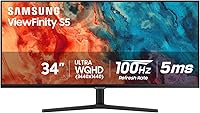
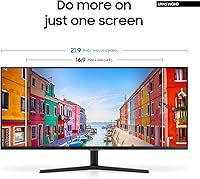
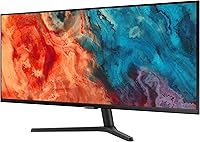
The Samsung S50GC 34″ Ultrawide QHD Monitor sits squarely in Samsung's ViewFinity S5 lineup as a mid-range option aimed at productivity-focused users and casual gamers who want more screen without a flagship price tag. The defining feature is its 34-inch VA panel with a 21:9 aspect ratio — wide enough to genuinely change how you work or play, but not so large it overwhelms a standard desk. The matte anti-glare coating keeps reflections in check during daylight hours, and the slim bezels make extended sessions easier on the eyes. This is a capable, honest monitor — not a premium powerhouse, but a solid step up for anyone tired of cramped 1080p screens.
Features & Benefits
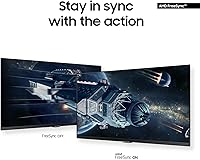
At its core, the Samsung S50GC delivers a 3440x1440 UWQHD resolution on a VA panel, which means noticeably deeper blacks and stronger contrast than what you would typically get from an IPS panel at this price point — useful whether you are editing photos or watching content after hours. The 100Hz refresh rate with AMD FreeSync keeps motion smooth and tear-free for casual gaming without demanding a high-end GPU. HDR10 is present, but worth being upfront about: at this brightness level, the impact is subtle rather than dramatic. On the practical side, PBP and PIP modes let you pull in two separate sources simultaneously, and both an HDMI and DisplayPort cable come included right out of the box.
Best For
This ultrawide monitor makes the most sense for remote workers and multitaskers who are tired of juggling two separate screens. The horizontal real estate is genuinely useful for video editors, designers, or anyone working across multiple windows at once — keep a timeline, a browser, and a reference document visible simultaneously without constant alt-tabbing. It is also a solid pick for students upgrading from a basic 1080p setup, or casual gamers who want fluid visuals without investing in a dedicated high-refresh gaming display. The built-in eye care features — ambient light adjustment, Eye Saver Mode, and Flicker Free technology — make it especially appealing to anyone logging long hours in front of a screen.
User Feedback
With a 4.4-star average across hundreds of buyers, this 34-inch QHD display earns consistent praise for its vivid color reproduction, with many users noting the picture looks noticeably richer than whatever they were replacing. Setup is straightforward, and the build quality feels solid. That said, a few recurring issues are worth knowing: there are no built-in speakers, and the stand lacks height adjustment — a real ergonomic frustration for taller desks or sit-stand setups. HDR10 also draws underwhelmed reactions from users expecting a dramatic uplift. A smaller but consistent thread mentions occasional VA panel ghosting in fast, dark scenes, which is not a dealbreaker for most buyers but is worth factoring in if competitive gaming is your main focus.
Pros
- Wide 21:9 screen genuinely replaces a dual-monitor setup without the cable clutter or bezel gap.
- The VA panel produces deeper blacks and richer contrast than most IPS competitors at this price point.
- 3440x1440 resolution keeps text sharp and detailed across productivity apps and media alike.
- AMD FreeSync delivers tear-free performance that casual gamers will appreciate without needing a high-end GPU.
- Both HDMI and DisplayPort cables are included, so setup requires no additional purchases.
- The ambient light sensor adjusts brightness automatically, reducing manual fiddling throughout the day.
- PBP mode lets users run two computers side by side on one screen at full native resolution.
- Matte anti-glare coating handles window reflections well in typical home and office lighting conditions.
- Eye Saver Mode and Flicker Free technology make a noticeable difference during extended daily use.
- Slim bezels and clean industrial design fit comfortably into both home office and professional environments.
Cons
- The stand offers tilt only — no height, swivel, or pivot adjustment of any kind.
- No built-in speakers means an additional audio purchase for users without a separate sound setup.
- VA panel ghosting in fast, dark scenes is a consistent and documented issue, not an edge case.
- HDR10 produces a subtle improvement at best; do not buy this display expecting impactful HDR.
- No USB hub limits the monitor's usefulness as a central hub for peripherals and accessories.
- OSD menu navigation is unintuitive and takes time to learn, especially for PBP and PIP configuration.
- Off-axis color shift is noticeable on the VA panel when viewing from steeper angles.
- Factory color preset runs slightly warm and requires manual calibration for color-sensitive work.
- At 10.8 pounds, it is manageable but not the easiest display to reposition frequently on a tight desk.
Ratings
The Samsung S50GC 34″ Ultrawide QHD Monitor earns a strong overall standing among mid-range ultrawide displays, and these scores reflect that fairly. Our AI has processed verified global user reviews, actively filtering out incentivized, bot-generated, and low-quality submissions to surface what real buyers consistently experience. Both the genuine strengths and the frustrating limitations are reflected transparently below.
Image Quality
Resolution & Sharpness
Refresh Rate & Smoothness
HDR Performance
Color Accuracy
Build Quality & Design
Ergonomics & Stand
Eye Care & Comfort
Multitasking Capability
Connectivity
Audio
Setup & Out-of-Box Experience
Gaming Performance
Value for Money
Suitable for:
The Samsung S50GC 34″ Ultrawide QHD Monitor is a genuinely strong fit for remote workers and home office users who spend long hours across multiple applications and want to consolidate a cluttered dual-monitor setup into one clean workspace. The 21:9 aspect ratio gives video editors, designers, and writers meaningful room to keep reference material, toolbars, and working documents visible at the same time — without constant window switching. Students upgrading from a basic 1080p display will notice an immediate and meaningful improvement in both productivity and media quality. The built-in ambient light sensor and Eye Saver Mode make it a practical choice for anyone who logs eight-plus hours daily and experiences eye fatigue with standard monitors. Casual gamers who want smooth, tear-free performance without investing in a dedicated high-refresh gaming display will also find this ultrawide monitor a comfortable and capable option at its price tier.
Not suitable for:
The Samsung S50GC 34″ Ultrawide QHD Monitor has real limitations that make it the wrong choice for certain buyers, and it is worth being direct about them. Competitive or serious gamers who rely on fast response times and high refresh rates will find the 100Hz ceiling and VA panel ghosting in dark scenes genuinely frustrating — this is not a display built for twitch-speed shooters. Anyone expecting dramatic HDR performance should recalibrate expectations; the HDR10 implementation here is functional but underwhelming, and buyers coming from a true HDR display will feel the difference immediately. The fixed-height stand is a legitimate ergonomic problem for taller users or sit-stand desk setups, and there is no USB hub to help consolidate peripherals — so if you want your monitor to double as a docking station, this is not the right tool. Professional colorists or photographers who need strict, calibrated color accuracy right out of the box should also look at more specialized alternatives, as the factory preset requires manual adjustment to meet professional-grade color standards.
Specifications
- Panel Type: This monitor uses a VA (Vertical Alignment) flat panel, which delivers stronger contrast ratios and deeper blacks compared to IPS panels at a similar price point.
- Screen Size: The display measures 34 inches diagonally, providing substantial horizontal workspace well suited to multitasking and wide-format content.
- Resolution: Native resolution is 3440x1440 pixels (UWQHD), offering significantly more screen real estate than standard 1080p or 1440p 16:9 displays.
- Aspect Ratio: The panel uses a 21:9 ultrawide aspect ratio, enabling side-by-side application layouts without the physical gap of a dual-monitor setup.
- Refresh Rate: The maximum refresh rate is 100Hz, which reduces motion blur and improves fluidity compared to standard 60Hz panels during both work and casual gaming.
- Response Time: The rated response time is 5ms, adequate for everyday productivity and casual gaming but not optimized for competitive fast-paced gaming scenarios.
- HDR Support: The monitor supports HDR10, expanding displayable color data beyond standard SDR, though peak brightness limits the real-world HDR impact at this tier.
- Adaptive Sync: AMD FreeSync is supported, synchronizing the monitor refresh rate with compatible AMD GPU output to eliminate screen tearing during variable frame rate content.
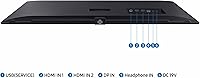
- Connectivity: The monitor includes one HDMI port and one DisplayPort input, with both an HDMI cable and a DisplayPort cable included in the retail package.
- USB Hub: There is no integrated USB hub on this monitor, meaning peripheral devices must be connected directly to the host computer or a separate hub.
- Speakers: This monitor has no built-in speakers; users require a separate audio solution such as external speakers or headphones connected to their source device.
- Surface Finish: The screen uses a matte anti-glare coating that diffuses ambient light reflections, making it more comfortable to use in rooms with windows or overhead lighting.
- Eye Care: The monitor includes an ambient light sensor for automatic brightness adjustment, Eye Saver Mode for blue light reduction, and Flicker Free technology to minimize eye fatigue.
- Multitasking Modes: PBP (Picture by Picture) and PIP (Picture in Picture) modes allow simultaneous input from two separate sources, useful for users running two computers or devices.
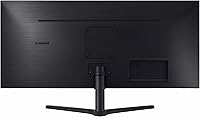
- Stand Adjustment: The included stand supports tilt adjustment only; it does not offer height, swivel, or pivot adjustment, which may require a third-party VESA arm for ergonomic setups.
- VESA Compatibility: The monitor is VESA mount compatible, allowing users to replace the included stand with a third-party wall mount or monitor arm for full ergonomic flexibility.
- Dimensions: With the stand attached, the monitor measures approximately 32.1 inches wide, 18 inches tall, and 8.7 inches deep.
- Weight: The monitor weighs approximately 10.8 pounds with the stand, making it manageable for a single person to position on a standard desk.
- Power Input: The monitor operates at 110 Volts, designed for standard North American wall outlets with no additional voltage converter required.
- Color & Finish: The exterior is finished in black with a clean, minimal aesthetic and slim bezels on three sides that reduce visual distraction during extended use.
Related Reviews
Samsung S34J552 34″ Ultrawide Curved Monitor
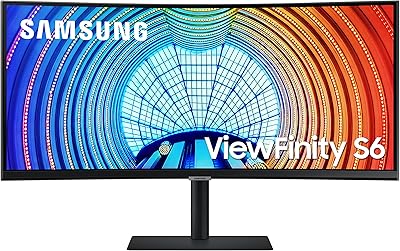
Samsung ViewFinity S65UA 34″ Ultrawide Curved Monitor
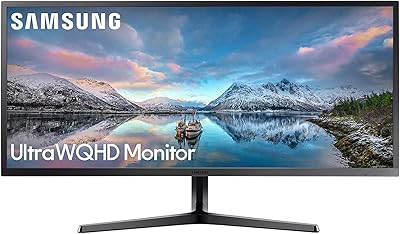
Samsung 34-Inch SJ55W Ultrawide Monitor
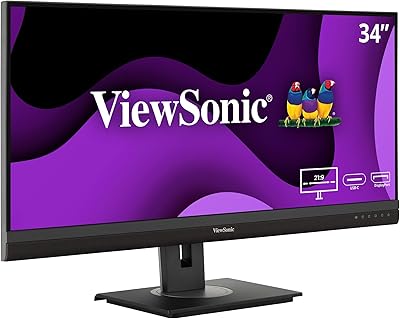
ViewSonic VG3456A 34-inch QHD Ultrawide Monitor
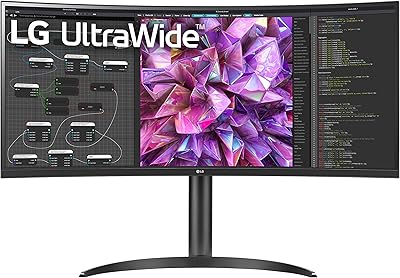
LG 34WQ73A-B 34-Inch UltraWide QHD Monitor
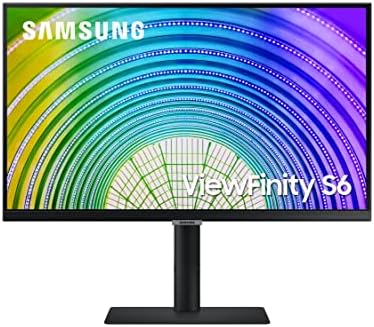
Samsung S60A 24-inch QHD Monitor
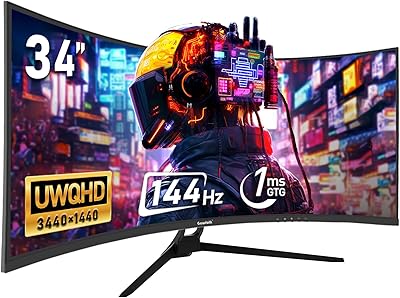
Gawfolk GF340A 34″ Ultrawide Curved Monitor
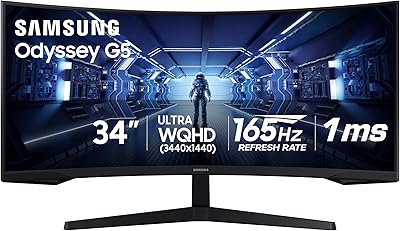
Samsung 34″ Odyssey G5 Ultrawide Gaming Monitor
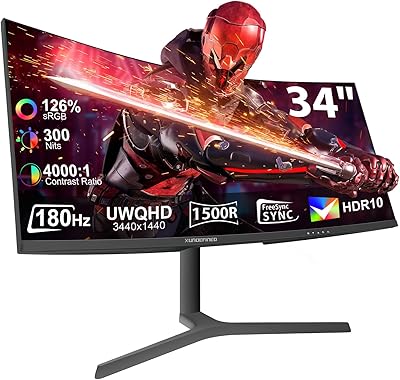
XUNDEFINED X34U180A 34-inch Curved Ultrawide Gaming Monitor