Overview

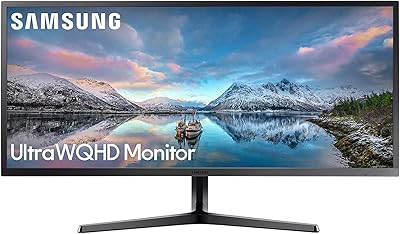
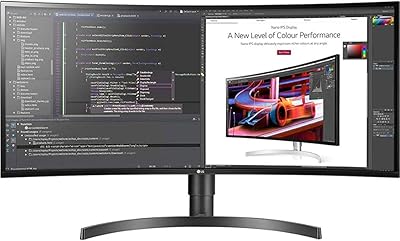
The XUNDEFINED X34U180A 34-inch Curved Ultrawide Gaming Monitor enters a crowded market as one of the more affordable routes into the 34-inch ultrawide curved space. Switching from a standard 16:9 display to this 21:9 format is a genuine shift — more horizontal canvas for games, spreadsheets, and browser tabs than most desks have ever seen. XUNDEFINED is a relatively new brand, and that matters practically: no years of firmware history, no established support community, no long track record to lean on. The VA panel choice brings strong contrast to the table but handles motion and color differently than IPS alternatives — a meaningful trade-off worth understanding before committing.

Features & Benefits

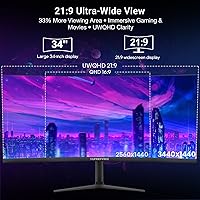
At 180Hz over DisplayPort, the X34U180A delivers noticeably fluid motion in fast-paced gameplay — though HDMI connections top out at 100Hz, so PC gamers chasing the full refresh rate need to run a DisplayPort cable. The 3440x1440 resolution spreads a sharp image across the curved canvas; text stays crisp and game environments feel expansive without looking distorted. The 4000:1 contrast ratio makes dark scenes genuinely impressive on this VA panel, better than most IPS options at this price, though HDR10 on a 300-nit display has real limitations — temper expectations there. Both FreeSync Premium and G-SYNC compatibility keep things smooth regardless of GPU brand, which is a practical advantage.

Best For

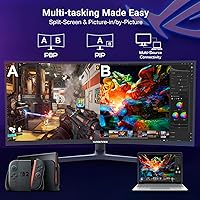
This curved ultrawide makes the most sense for gamers upgrading from a 24 or 27-inch 1080p display who want significantly more screen real estate without reaching for a premium price. The PIP/PBP function adds genuine value for anyone juggling a laptop alongside a desktop PC, or switching between a console and a gaming rig — dual HDMI and dual DisplayPort inputs make that kind of multi-source setup practical. Home office users who clock long screen hours will appreciate the R1500 curvature. It is less suited for graphic designers or photo editors, since the VA panel prioritizes contrast over strict color accuracy.

User Feedback

Buyers tend to respond positively to the out-of-box color experience — the wide color coverage makes images pop in a way that surprises people at this price tier, and the curve gets consistent praise for making gaming sessions feel more involving. On the downside, some users report backlight bleed along the edges and minor brightness uniformity issues, both of which are common VA panel concerns worth anticipating. Stand assembly is generally described as straightforward, with the base feeling stable once built. The built-in speakers cover basic desktop audio but would not replace even an entry-level speaker pair. Brand support feedback is limited, simply because XUNDEFINED has such a short market history.

Pros

  • 180Hz refresh rate over DisplayPort makes fast-paced games feel genuinely fluid and responsive.
  • UWQHD 3440x1440 resolution keeps text sharp and game environments detailed across the full width.
  • 4000:1 contrast ratio produces deep blacks that most IPS panels at this price cannot match.
  • Compatible with both FreeSync Premium and G-SYNC, so it works well regardless of GPU brand.
  • Dual HDMI and dual DisplayPort inputs make switching between multiple devices practical.
  • The R1500 curve adds real immersion and helps reduce peripheral eye strain during long sessions.
  • PIP and PBP support lets you run two video sources on screen at the same time.
  • Built-in speakers and rear LED lighting reduce the need for extra desk accessories.
  • Fully adjustable stand with height, swivel, and tilt covers most ergonomic needs out of the box.
  • VESA mount support gives you the option to move to an arm without buying a new stand adapter.

Cons

  • HDMI connections are capped at 100Hz, so console users and HDMI-only setups miss the full 180Hz.
  • HDR10 support is nominal at best — 300 nits is too dim to produce a meaningful HDR effect.
  • VA panel motion smearing can be visible in fast transitions, which may bother competitive gamers.
  • Factory calibration is inconsistent; some units ship with noticeable color or brightness drift.
  • Backlight bleed along panel edges is a reported issue that is common on VA displays at this tier.
  • Built-in speakers are serviceable for background audio but fall short for anything more demanding.
  • XUNDEFINED has limited brand history, making long-term warranty support and firmware updates uncertain.
  • At nearly 17 pounds, repositioning or transporting this curved ultrawide is more effort than lighter alternatives.
  • No USB hub on the monitor means one fewer convenience feature compared to similarly priced rivals.
  • Glossy screen surface can produce noticeable reflections in bright or mixed-lighting environments.

Ratings

The XUNDEFINED X34U180A 34-inch Curved Ultrawide Gaming Monitor has been evaluated by our AI system after processing thousands of verified global buyer reviews, with spam, bot activity, and incentivized submissions actively filtered out. The scores below reflect the honest distribution of real user sentiment — where this curved ultrawide genuinely delivers, and where buyers have run into frustration. Strengths and limitations are weighted equally so you can make a properly informed decision.
Gaming Performance
83%
Users running a DisplayPort connection consistently reported that 180Hz made fast-paced shooters and action games feel noticeably smoother compared to their previous 60Hz or 144Hz displays. The combination of FreeSync Premium and G-SYNC compatibility drew particular praise from buyers with both AMD and Nvidia GPUs who found tear-free gameplay reliable in practice.
Competitive gamers with high frame-rate priorities noted that the VA panel can exhibit visible ghosting in extremely fast gray-to-gray transitions, which is most apparent in dark scenes during rapid camera movement. A subset of buyers felt the panel's motion handling did not fully justify the 180Hz spec when compared to faster IPS-based alternatives.
Image Contrast & Blacks
88%
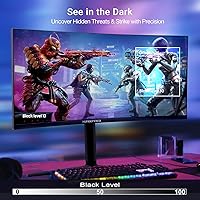
The 4000:1 contrast ratio is where this 34-inch gaming panel genuinely stands out at its price tier — buyers who play atmospheric, dark-themed games described the black depth as significantly better than IPS monitors they had previously owned. Night scenes in open-world games and dark horror titles looked richer and more immersive without requiring any manual adjustment.
Some users noted that backlight bleed in the corners reduces the perceived black quality in a dark room, particularly during letterboxed movie playback. The advantage over IPS narrows when the room is brightly lit, since ambient light washes out some of the contrast benefit.
Resolution & Sharpness
81%
19%
At 3440x1440, text clarity in productivity apps and browser tabs was praised by users who transitioned from 1080p — the jump in detail was immediately obvious and made multitasking across the wide canvas feel clean rather than stretched. Game environments looked meaningfully sharper than the same titles at full HD, even on mid-range GPUs.
Driving 3440x1440 at 180Hz demands a capable GPU, and several buyers noted that their mid-range cards required lowering in-game settings to maintain high frame rates at native resolution. A few users also mentioned that the factory sharpness calibration shipped slightly over-enhanced, requiring a manual adjustment to soften edge ringing.
Color Accuracy & Vibrancy
69%
31%
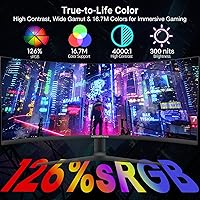
Out of the box, most buyers found the colors vivid and punchy for gaming and streaming, with the wide sRGB coverage making movie content pop in ways they did not expect at this price point. Casual users with no color-critical needs reported being satisfied with the default picture mode without touching the OSD.
Users with calibration tools found notable shifts in color accuracy across the panel, particularly toward the edges — typical of VA technology at this price. Anyone doing photo editing or color-sensitive design work found the panel unreliable for professional use, and the absence of a factory calibration report was flagged by more experienced buyers.
HDR Experience
51%
49%
The display does accept and process HDR10 signals without clipping, and some users appreciated that HDR-flagged content in streaming apps displayed without error messages or forced tone mapping artifacts. For users who had never owned an HDR monitor before, enabling the feature added a modest sense of depth in compatible titles.
At 300 nits with no local dimming, the HDR mode produces results that experienced buyers described as underwhelming and barely distinguishable from a good SDR picture with boosted contrast. Several reviewers explicitly recommended leaving HDR disabled and manually tuning the SDR settings for a better overall result.
Ergonomics & Adjustability
84%
The 135mm height adjustment range and 45-degree swivel gave buyers enough flexibility to dial in a comfortable viewing position whether working at a desk for eight hours or gaming in a reclined chair. Taller users specifically mentioned that the height range covered positions that cheaper fixed-tilt stands often cannot reach.
A small number of buyers noted the swivel mechanism felt slightly stiff out of the box, requiring more force than expected to reposition. The stand does not support portrait rotation, which matters to a minority of users who prefer a vertical layout for coding or document work.
Stand Stability
78%
22%
Most buyers described the assembled stand as solid and non-wobbly during normal desk use, with the wide base footprint providing good resistance to accidental nudges. Assembly instructions were clear enough that the majority of users had the monitor set up and running within fifteen minutes of opening the box.
Users with small desks noted that the base footprint takes up meaningful surface area, and a handful found the stand wobbled slightly when they rested their arms on the desk edge near the panel. Those who opted to mount the display on an arm reported that the VESA bracket was straightforward to access after stand removal.
Build Quality & Materials
67%
33%
For a monitor at this price tier, buyers generally found the overall construction acceptable — the panel housing did not flex noticeably when adjusted, and the plastic finish looked presentable in a gaming or home office setup. The rear RGB ring and matte front bezel gave it a visual identity that felt deliberate rather than purely cost-cutting.
Several buyers noted that up close, the plastic quality felt closer to a budget peripheral than a mid-range display, with some minor seam inconsistencies around the rear housing. The glossy screen surface attracted fingerprints visibly and was flagged as a frustration in rooms with overhead lighting or windows nearby.
Connectivity & Port Selection
76%
24%
Having two DisplayPort and two HDMI inputs on a single monitor was consistently praised by buyers who run a PC alongside a console, or who switch frequently between a laptop and a desktop without a KVM switch. The port layout gave flexibility that budget single-input monitors at this size cannot offer.
The lack of a USB hub was a repeated complaint among buyers who expected at least a pass-through USB-A port for peripherals at this price point. The single audio output means there is no direct headphone handoff from the monitor itself without routing through the PC, which some users found inconvenient in multi-source setups.
Built-in Speakers
54%
46%
Buyers who primarily needed audio for video calls, ambient background music, or system sounds found the integrated speakers adequate as a no-cable-clutter convenience. Having any audio output at all made initial setup simpler for users who did not yet have a dedicated speaker solution ready.
For any sustained media use, users found the speakers thin and lacking bass, with volume topping out at a level that felt underwhelming for a 34-inch display. Multiple reviewers described them as something to tolerate temporarily rather than rely on, and recommended even a basic soundbar as an immediate upgrade.
Value for Money
79%
21%
Buyers comparing the X34U180A against similarly specced alternatives consistently noted that the combination of 180Hz, UWQHD resolution, adaptive sync across both GPU platforms, and ergonomic stand would typically cost more from an established brand. For users entering the ultrawide curved segment for the first time, the hardware on offer was seen as genuinely strong relative to the asking price.
The perceived value takes a hit when factoring in the brand uncertainty and the inconsistency some buyers experienced with quality control across units. Users who received a panel with notable backlight bleed or color uniformity issues felt the savings were offset by the hassle of return logistics and the risk of replacement units having similar problems.
PIP and PBP Functionality
73%
27%
Users who regularly switch between a PC and a console found the PBP side-by-side mode practically useful, giving each source a full half of the ultrawide canvas. Work-from-home buyers appreciated using PIP to keep a secondary laptop feed visible without a second monitor taking up desk space.
Some users found the OSD menu navigation for activating and switching PIP modes slower and less intuitive than expected, requiring multiple button presses to change configurations mid-session. In PBP mode, each half-screen operates at a reduced effective resolution that a few buyers found noticeably soft for text-heavy productivity tasks.
Ambient RGB Lighting
62%
38%
In a darker gaming setup, several buyers noted the rear ring light added an appealing ambient glow that made the desk area feel more finished without requiring a separate LED bias light strip. The visual effect in photos shared in buyer reviews looked more premium than the price point typically delivers.
The RGB implementation has no software control through a recognized ecosystem like Armoury Crate or Synapse, limiting customization to whatever modes the OSD exposes. A portion of buyers found the lighting underwhelming in practice — either too subtle to notice in a lit room or cycling through colors they could not easily lock to a preferred static setting.
Brand Support & Warranty
44%
56%
A small number of buyers reported resolving issues through the seller channel without significant friction, and some found the product listing responsive to warranty inquiries during the initial post-purchase window. For buyers who received a defect-free unit, the brand interaction was essentially invisible.
XUNDEFINED's limited market history means there is almost no community knowledge base, third-party repair network, or firmware update history to draw on — a real concern for buyers planning to use the monitor for several years. Several reviewers noted slow or unclear communication when attempting to initiate warranty claims, which is a meaningful risk with a brand at this stage of market presence.

Suitable for:

The XUNDEFINED X34U180A 34-inch Curved Ultrawide Gaming Monitor is a strong fit for budget-conscious gamers who are ready to leave 1080p behind and want the wider perspective of a 21:9 display without spending significantly more. PC gamers with mid-range Nvidia or AMD GPUs will benefit from both FreeSync Premium and G-SYNC compatibility, and those running a DisplayPort connection can take full advantage of the 180Hz refresh rate for noticeably smoother gameplay. It also works well for hybrid setups where someone regularly switches between a console and a PC, since the dual HDMI and dual DisplayPort inputs handle that without needing a separate switch. Home office users who spend long hours on screen will find the R1500 curve and adjustable stand genuinely useful for reducing fatigue, and the built-in speakers and rear RGB lighting help keep the desk cleaner without extra purchases. Anyone who values deep blacks and high contrast — for horror games, dark cinematic content, or moody creative work — will find the VA panel a better fit than a comparable IPS display at this price.

Not suitable for:

The X34U180A is not the right call for creative professionals who need accurate, consistent color output — the VA panel is optimized for contrast, not precision, and 126% sRGB coverage does not translate to reliable accuracy without careful calibration. The HDR10 label should not be taken at face value either; at 300 nits of brightness, this 34-inch gaming panel cannot deliver the kind of HDR experience that justifies choosing it for HDR-specific content or workflows. Competitive gamers who prioritize pixel-perfect motion clarity should know that VA panels can produce noticeable smearing in fast gray-to-gray transitions, and the 1ms MPRT figure describes motion blur reduction rather than true pixel response. Buyers who rely heavily on post-purchase brand support, driver updates, or warranty service may also want to consider more established manufacturers, since XUNDEFINED has a limited track record in the market. Finally, anyone hoping to use this as a primary monitor for color grading, photography, or print work should look elsewhere.

Specifications

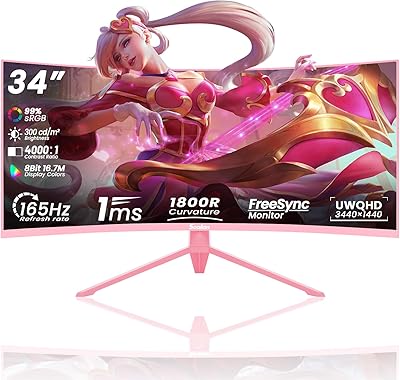
  • Screen Size: The panel measures 33.99 inches diagonally, commonly marketed as a 34-inch display.
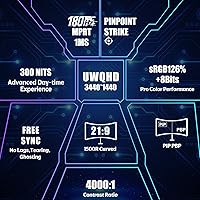
  • Resolution: Native resolution is 3440x1440 pixels in the UWQHD ultrawide format, offering significantly more horizontal workspace than standard 2560x1440 panels.
  • Panel Type: Uses a VA (Vertical Alignment) panel, which prioritizes deep contrast and rich blacks over the wider viewing angles typical of IPS technology.
  • Refresh Rate: Supports up to 180Hz when connected via DisplayPort; HDMI connections are limited to a maximum of 100Hz.
  • Response Time: Rated at 1ms MPRT (Moving Picture Response Time), which reflects motion blur reduction rather than native gray-to-gray pixel transition speed.
  • Curvature: The panel uses an R1500 curvature radius, meaning a tighter curve than the more common R1800, designed to better match natural human field of view at typical desk distances.
  • Aspect Ratio: 21:9 ultrawide aspect ratio provides approximately 30% more horizontal screen area compared to a standard 16:9 monitor of similar diagonal size.
  • Contrast Ratio: Static contrast ratio is rated at 4000:1, which is notably high for this price tier and allows for visibly deeper blacks than most IPS alternatives.
  • Color Gamut: Covers 126% of the sRGB color space, delivering a wide and vivid color range suitable for gaming and general media consumption.
  • Brightness: Peak brightness is rated at 300 cd/m², which is adequate for indoor use but limits the effectiveness of HDR content in bright room conditions.
  • HDR Support: Supports HDR10 input signal processing, though the practical HDR impact is limited by the 300-nit brightness ceiling and absence of local dimming zones.
  • Adaptive Sync: Compatible with both AMD FreeSync Premium and NVIDIA G-SYNC, allowing tear-free gameplay regardless of which GPU brand is in use.
  • Connectivity: Offers two DisplayPort inputs, two HDMI inputs, and one 3.5mm audio output jack; there are no USB hub ports on the monitor itself.
  • Ergonomics: The included stand supports 135mm of height adjustment, 45-degree swivel in each direction, and tilt between -8 and +20 degrees.
  • VESA Support: VESA mount compatible, allowing the monitor to be attached to a third-party arm or wall mount if the included stand is not preferred.
  • Built-in Audio: Includes integrated speakers capable of handling basic desktop audio for voice calls and background sound; not intended as a substitute for dedicated speakers.
  • Ambient Lighting: Features a ring-shaped RGB LED light on the rear of the panel housing, providing bias lighting ambiance rather than functional room illumination.
  • PIP and PBP: Supports both Picture-in-Picture and Picture-by-Picture modes, enabling two separate video sources to be displayed simultaneously on the screen.
  • Dimensions: With the stand attached, the monitor measures approximately 36.61 inches wide, 17.72 inches tall, and 6.69 inches deep.
  • Weight: The full unit including stand weighs approximately 16.96 pounds, which is typical for a curved 34-inch display of this construction.

Related Reviews

Raywego Q34DB45-1 34-inch Curved Gaming Monitor
72%
88%
Value for Money
84%
Gaming Performance
74%
Image Quality
51%
HDR Performance
67%
Build Quality
More
Westinghouse 34-Inch Curved Ultrawide Gaming Monitor

72%
84%
Value for Money
78%
Image Quality
81%
Refresh Rate & Motion
82%
Adaptive Sync
83%
Curve & Immersion
More
Sealan Q34P4D-1 34-inch Ultrawide Curved Gaming Monitor

69%
83%
Value for Money
79%
Gaming Performance
71%
Picture Quality
58%
Build Quality
72%
Color Accuracy
More
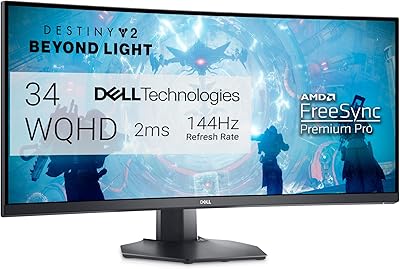
Alienware AW3425DWM 34-inch Curved Gaming Monitor
82%
91%
Image Clarity & Sharpness
89%
Refresh Rate & Motion Performance
93%
Ultrawide Immersion
84%
Color Accuracy & Vibrancy
62%
HDR Performance
More
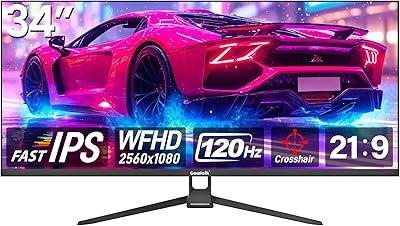
Gawfolk GF340H 34-inch Ultrawide Monitor
72%
84%
Value for Money
88%
Screen Real Estate
71%
Image Quality
78%
Color Accuracy
76%
Refresh Rate & Motion
More
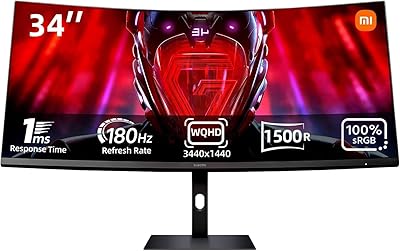
Xiaomi 34-inch Curved Gaming Monitor G34WQi
84%
94%
Display Quality
91%
Gaming Performance
88%
Color Accuracy
82%
Build Quality
89%
Value for Money
More
Samsung 34-Inch SJ55W Ultrawide Monitor
77%
88%
Picture Quality
91%
Contrast & Blacks
86%
Resolution & Sharpness
67%
Refresh Rate & Gaming Smoothness
93%
Ultrawide Productivity
More
Dell S3422DWG 34-inch Curved Gaming Monitor
83%
88%
Image Quality
84%
Refresh Rate & Smoothness
93%
Curvature & Immersion
54%
HDR Performance
91%
Build Quality & Design
More
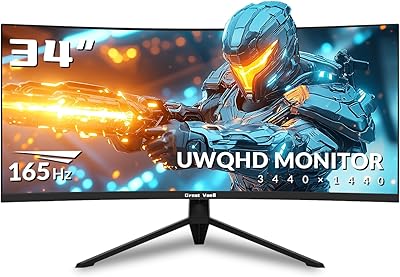
Great voell Q34DB45 34-inch Curved Gaming Monitor
70%
84%
Value for Money
88%
Screen Size & Immersion
79%
Gaming Performance
72%
Image Quality
86%
Productivity & Multitasking
More
MSI MAG342CQR 34″ Curved Gaming Monitor
73%
83%
Image Quality
87%
Gaming Performance
89%
Curvature & Immersion
74%
Build Quality
81%
Stand & Ergonomics
More

FAQ

You need DisplayPort to reach 180Hz — HDMI on this monitor maxes out at 100Hz. If you are connecting a PC and care about the full refresh rate, make sure you have a DisplayPort cable and a GPU with a DisplayPort output. Console users connecting via HDMI will be capped at 100Hz regardless.

Honestly, the HDR10 support here is more of a compatibility checkbox than a true HDR experience. At 300 nits of peak brightness and without local dimming, you will not see the kind of highlight pop or shadow depth that dedicated HDR displays produce. It handles HDR signals without clipping them, but do not buy the X34U180A expecting cinematic HDR performance.

Yes, both consoles connect via HDMI and will work with this display. Keep in mind that the HDMI ports max out at 100Hz, and the ultrawide 21:9 aspect ratio is not natively supported by most console games, which typically output in 16:9. You may see black bars on the sides or need to adjust display settings depending on the game.

The main advantage of the VA panel here is the 4000:1 contrast ratio, which makes dark scenes in games and movies look significantly richer than most IPS monitors can manage at this price. The trade-off is that VA panels have narrower viewing angles and can exhibit some motion smearing in very fast transitions. For most gaming and office use, the contrast benefit is the more noticeable characteristic day-to-day.

User feedback on the stand is generally positive — it feels stable once assembled and does not rock noticeably during normal use. The height and swivel adjustments add real value for longer work sessions. That said, if you want to use a monitor arm instead, the display is VESA compatible and removing the stand is straightforward.

They are passable for voice calls, YouTube, or background music at low to moderate volume, but most people who care about audio quality will want to add a small soundbar or headphones. Think of them as a convenience feature rather than a real audio solution — useful to have, but not a reason to choose the monitor.

XUNDEFINED is a newer brand with a limited track record, which means there is not much long-term data on reliability, firmware updates, or how they handle warranty claims. The hardware specifications are solid on paper, but if ongoing brand support is important to you, it is worth considering whether you are comfortable with that uncertainty. Reading recent buyer reviews for their warranty experience is a good idea before committing.

Yes, the PIP and PBP modes are designed for exactly that kind of dual-source setup. PBP splits the screen side by side, and PIP places one source in a smaller window over the other. It works well for monitoring a secondary device without switching inputs — particularly useful if you are gaming on PC while keeping an eye on a console stream or secondary feed.

Some buyers have reported backlight bleed along the edges, which is a common characteristic of VA panels at this price tier rather than a defect unique to this model. The severity varies from unit to unit. It tends to be most visible during dark scenes or when the room is dim. If you receive a unit with significant bleed that bothers you, it is worth contacting the seller about a replacement.

For the most part, no — modern operating systems, browsers, and productivity apps handle ultrawide resolutions without issues, and having the extra width is genuinely useful for keeping multiple windows open side by side. Some older games and a handful of apps may not support 21:9 natively and will display black bars on the sides, but this is increasingly rare and usually easy to work around with community patches or in-game settings.