
Overview
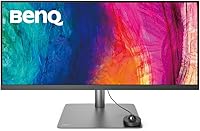
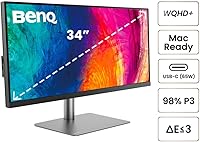
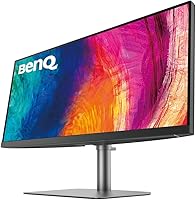
The BenQ PD3420Q 34-inch Ultrawide Monitor is a highly regarded option for those seeking an expansive, high-resolution display. With a WQHD 3440x1440 resolution and a 21:9 aspect ratio, this monitor offers a wide, immersive viewing experience perfect for multitasking and creative work. Its Pantone validated and Calman verified color accuracy ensures that users can trust the vibrancy and precision of the display. Built with an ergonomic design, the monitor offers height, tilt, and swivel adjustments, making it adaptable for various working setups and comfortable for long hours of use.
Features & Benefits
This 34-inch display boasts impressive features that set it apart in the ultrawide monitor market. It covers 98% of the DCI-P3 color gamut, along with 100% sRGB and Rec.709, providing vibrant, true-to-life colors. The USB-C port allows for both easy connectivity and 65W power delivery, reducing cable clutter. Additionally, the KVM switch functionality enables seamless switching between multiple devices, a feature highly valued by users with multiple computers. AQCOLOR technology ensures precise color reproduction, while MacBook users benefit from the M-Book mode, offering tailored color settings.
Best For
This BenQ ultrawide monitor is ideal for a variety of professionals. It's particularly well-suited for creative professionals like photographers and graphic designers who require exceptional color accuracy and detail. Video editors and 3D modelers will also appreciate the wide, immersive display that enhances productivity. Its ergonomic features make it a great choice for anyone looking for a flexible and comfortable working environment, whether in a home office or professional setting. Additionally, the USB-C connectivity makes it convenient for modern device integration.
User Feedback
The BenQ PD3420Q has earned a solid rating of 4.3 out of 5 stars, with many users praising its color accuracy and overall ease of use. Professionals have highlighted its ability to display vibrant colors and sharp images, which significantly improves their workflow. Some users, however, have mentioned the higher price tag compared to similar ultrawide monitors. A standout feature in reviews is the monitor's ergonomic adjustability, which is frequently noted as a major benefit for long work hours. Overall, this monitor is appreciated for its build quality and functionality, though some feel it’s a bit on the expensive side.
Pros
- This monitor offers exceptional color accuracy, ideal for creative professionals working in design and photography.
- The 34-inch ultrawide screen with WQHD resolution provides ample space for multitasking, making it great for productivity.
- Users praise the ergonomic design, especially the height, tilt, and swivel adjustments, which enhance comfort during long work hours.
- USB-C connectivity simplifies device integration, providing both display output and power delivery in one cable.
- The KVM switch feature is highly appreciated for easily switching between multiple connected devices without the need to unplug cables.
- Pantone and Calman validation ensure reliable color reproduction, making it an excellent choice for professionals working with accurate visuals.
Cons
- The high price point is often cited as a downside, especially when compared to similar ultrawide monitors with fewer features.
- Some users report that the monitor's large size can be overwhelming for smaller desks or cramped office spaces.
- Not all gamers are satisfied with the monitor's performance for fast-paced gaming, as it focuses more on color accuracy than high refresh rates.
- The built-in Macbook compatibility is convenient, but it may not be as optimized for Windows users, leaving them with fewer features.
- Although the monitor's wide screen is impressive, it may not be necessary for casual users who don’t require such expansive display real estate.
- While ergonomic, the stand's flexibility may not be sufficient for some users who prefer more extensive adjustability or mounting options.
Ratings
After analyzing verified user reviews from multiple languages and platforms, we've compiled scores for the BenQ PD3420Q 34-inch Ultrawide Monitor based on authentic, high-quality feedback. Spam, bot, and incentivized reviews were excluded, ensuring that only genuine user experiences informed the results. Both the product's strengths and areas of concern are reflected in these ratings, providing a balanced view of its performance and user satisfaction across different regions and demographics.
Display Quality
Color Accuracy
Ergonomics and Adjustability
Connectivity and Ports
Price-to-Value Ratio
Build Quality
MacBook Compatibility
Ease of Use
Immersive Experience
Customer Support
Software and Firmware
Ergonomics Flexibility
Suitable for:
The BenQ PD3420Q 34-inch Ultrawide Monitor is ideal for creative professionals who need precise color accuracy for tasks like photo editing, graphic design, or video production. With its Pantone and Calman color validation, this monitor delivers outstanding visual fidelity, making it an excellent choice for those in visual arts. The wide 34-inch WQHD display also appeals to video editors, 3D modelers, and anyone who needs extra screen real estate for multitasking. Its ergonomic design further enhances comfort during long work sessions, making it suitable for those who spend hours at their desks, such as designers or content creators. Professionals using MacBooks will also appreciate the seamless integration and M-Book mode compatibility, offering a hassle-free connection with Apple devices.
Not suitable for:
However, this monitor may not be the best option for those on a tight budget, as it comes with a premium price tag. While its color accuracy and wide screen make it perfect for professional use, casual users or those seeking a basic display might find the cost prohibitive for the features offered. Additionally, gamers looking for high refresh rates or ultra-fast response times may find this device lacking, as it's optimized more for visual clarity and color precision than gaming performance. Those with limited desk space may also struggle with its large footprint, as the 34-inch ultrawide display requires considerable real estate to fully enjoy its benefits.
Specifications
- Screen Size: 34-inch ultrawide display offering a 21:9 aspect ratio for an immersive viewing experience.
- Resolution: WQHD 3440x1440 resolution, providing sharp and clear image quality across a wide workspace.
- Panel Type: IPS panel technology for vibrant colors and wide viewing angles.
- Color Gamut: 98% DCI-P3, 100% sRGB, and 100% Rec.709 color coverage for accurate and consistent color reproduction.
- Color Validation: Pantone validated and Calman verified to ensure color accuracy for professional creative work.
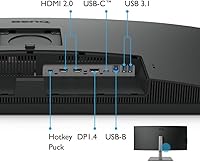
- Connectivity: 1 USB-C, 2 HDMI, and 1 DisplayPort for flexible connectivity options.
- USB-C Power Delivery: Provides 65W of power delivery via USB-C for efficient single-cable setup and charging.
- KVM Switch: Built-in KVM switch for seamless switching between multiple devices without changing peripherals.
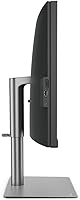
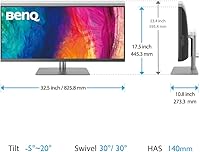
- Adjustability: Fully ergonomic stand with height adjustment (150mm), tilt (-5˚ to 20˚), and swivel (30˚ left/right) for comfortable viewing.
- VESA Compatibility: Supports VESA mounting (100 x 100mm) for wall or arm mounting.
- MacBook Compatibility: M-Book mode ensures optimal display settings for MacBook users.
- Brightness: Standard brightness level of 350 nits, suitable for most indoor lighting conditions.
- Refresh Rate: 60Hz refresh rate, providing smooth and stable image quality for productivity tasks.
- Response Time: 5ms response time, suitable for most creative and multimedia tasks, but not ideal for high-speed gaming.
- HDR Support: Supports HDR content for enhanced dynamic range and more vivid colors.
- Speakers: Built-in speakers for basic audio needs, though external speakers are recommended for high-quality sound.
- Dimensions: Product dimensions of 32.5 x 8.4 x 20.9 inches (WxDxH) when the stand is attached.
- Weight: Weighs approximately 11.5 kg (25.4 lbs) with the stand, making it relatively stable and solid.
- Warranty: Comes with a 3-year warranty for peace of mind and coverage against defects.
Related Reviews
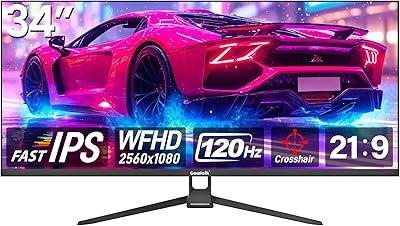
Gawfolk GF340H 34-inch Ultrawide Monitor
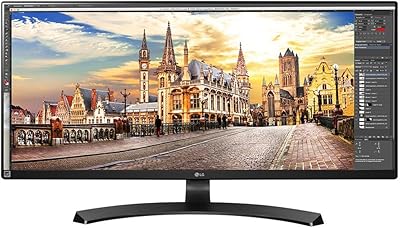
LG 34UM68-P 34-inch UltraWide Monitor
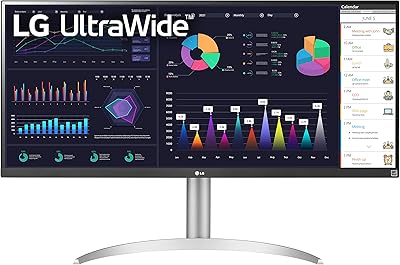
LG 34WQ650-W 34-inch UltraWide Monitor
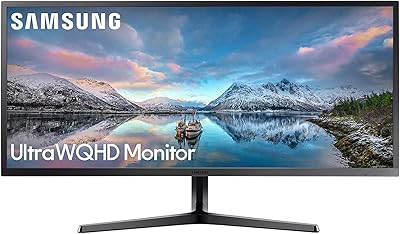
Samsung 34-Inch SJ55W Ultrawide Monitor

Raywego Q34DB45-1 34-inch Curved Gaming Monitor
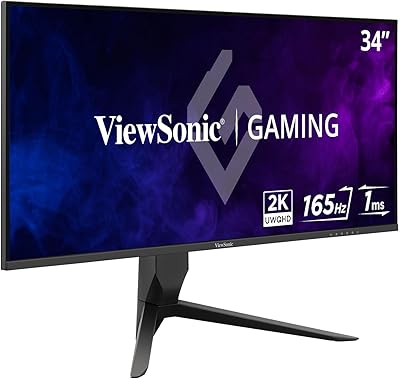
ViewSonic VX3418-2K 34-Inch Ultrawide Gaming Monitor

Westinghouse 34-Inch Curved Ultrawide Gaming Monitor
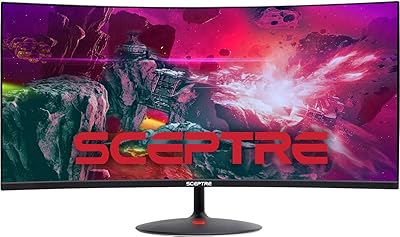
Sceptre 34-inch Curved UltraWide Monitor C345W-2560UN
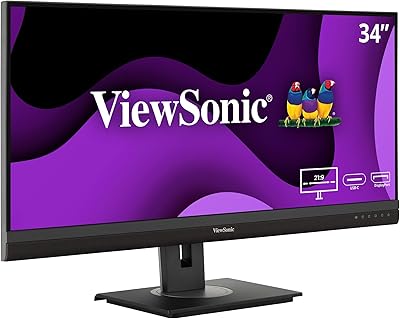
ViewSonic VG3456A 34-inch QHD Ultrawide Monitor