Overview

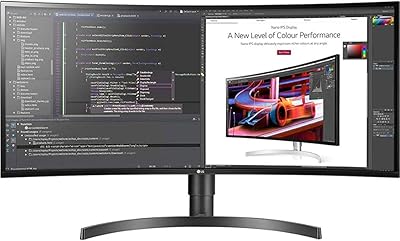
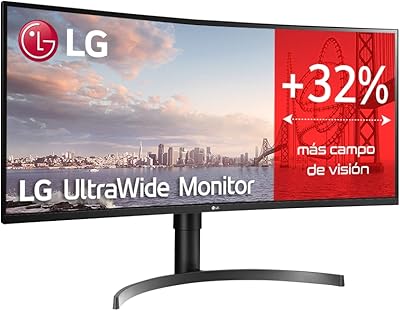
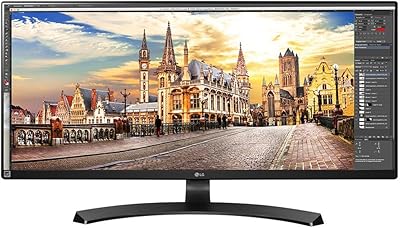
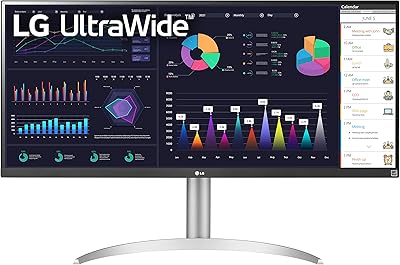
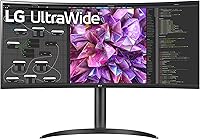
The LG 34WQ73A-B 34-Inch UltraWide QHD Monitor sits in an interesting spot — it is clearly built for professionals who spend long hours at a desk, but it does not ignore the occasional gaming session either. The 21:9 curved IPS panel is the first thing you notice, wrapping your peripheral vision in a way that a standard 16:9 display simply cannot. LG has been making monitors long enough to know what working adults actually need, and this ultrawide monitor reflects that experience. It competes in the mid-to-premium ultrawide tier, where the bar for color accuracy and connectivity is genuinely high.
Features & Benefits

The 3440x1440 IPS panel covers 99% of the sRGB spectrum, which means color-sensitive tasks like retouching photos or reviewing design mockups look accurate without extra calibration work. Plug in a laptop via USB-C and you get up to 90 watts of charging alongside video — one cable, clean desk. The built-in KVM switch is worth calling out specifically: it lets you use a single keyboard, mouse, and monitor to control two separate computers, switching between them without physically swapping cables. For anyone running a personal machine alongside a work laptop, that is genuinely useful. Reader Mode and Flicker Safe round things out for long-session comfort.

Best For

This curved IPS display is a natural fit for hybrid and remote workers who regularly toggle between a personal computer and a work-issued machine — the KVM setup was practically designed for that scenario. Photographers and designers who need colors they can trust will feel at home here too, since the panel holds up well in real editing workflows. It also works for casual gamers who want a wide, immersive field of view, though anyone prioritizing frame rate above all else should look elsewhere. If your pain point is a cluttered, cable-heavy desk, the USB-C single-cable workflow addresses that directly.

User Feedback

Owners are broadly happy with the LG 34-inch UltraWide, and the most repeated compliment is how good the colors look straight out of the box — most buyers did not feel the need to spend time tweaking calibration settings. The KVM and USB-C combination draws consistent praise from people with multi-device setups. On the critical side, the 60Hz refresh rate is a real sticking point for users who also game competitively; it is simply not built for that use case. A smaller number of buyers noticed slight backlight inconsistency along panel edges under certain conditions. That said, setup is described as straightforward, and the on-screen menu is considered easier to navigate than most competing brands.

Pros

  • Color accuracy out of the box is strong enough that most users never need to manually calibrate it.
  • The built-in KVM switch lets you control two computers with one keyboard and mouse — a genuine desk-life upgrade.
  • USB-C delivers video and up to 90W of charging through a single cable, dramatically cutting cable clutter.
  • The 21:9 ultrawide format makes side-by-side multitasking feel natural rather than forced or cramped.
  • Matte panel surface handles reflections well, keeping the image usable even in bright, window-heavy rooms.
  • Reader Mode and Flicker Safe noticeably reduce eye fatigue during long work sessions, according to consistent user reports.
  • The virtually borderless design integrates cleanly into dual-monitor setups without distracting bezels.
  • OSD navigation is more intuitive than most competing brands at this price tier.
  • VESA mount compatibility gives buyers full flexibility to use their preferred arm or wall-mount solution.
  • Ultrawide immersion in open-world and narrative games is a meaningful upgrade over standard 16:9 displays.

Cons

  • The 60Hz refresh rate is a genuine dealbreaker for competitive or fast-paced gaming use cases.
  • No built-in speakers means buyers need a separate audio solution for calls or media — an oversight at this price.
  • Backlight uniformity near panel edges has been flagged by a recurring minority of buyers, suggesting some production variance.
  • Power-hungry 15-inch and 16-inch laptops under heavy load may find 90W USB-C charging insufficient.
  • KVM and input-switching configuration requires OSD navigation that feels more complex than it needs to be.
  • Buyers without a USB-C port on their laptop lose one of the most compelling reasons to choose this ultrawide monitor.
  • HDR10 support is present on paper, but the panel brightness limits how impactful HDR actually looks in practice.
  • Some older or less optimized applications do not handle the 21:9 aspect ratio well, requiring manual adjustments.

Ratings

The LG 34WQ73A-B 34-Inch UltraWide QHD Monitor earns strong marks overall, and the scores below reflect an AI-driven analysis of thousands of verified global buyer reviews — with spam, bot submissions, and incentivized feedback actively filtered out. The result is an honest picture of where this curved IPS display genuinely excels and where real-world buyers have run into friction. Both the highs and the recurring frustrations are represented transparently.
Color Accuracy
91%
Most buyers report the panel is impressively accurate straight out of the box — photo editors and designers note that skin tones and gradients hold up well without spending time on manual calibration. The 99% sRGB coverage is felt in practice, not just on a spec sheet.
A handful of users working in wider color spaces like DCI-P3 found the coverage limiting for professional print or video production work. HDR10 support is present but the real-world HDR experience is modest given the panel's peak brightness ceiling.
Productivity & Multitasking
93%
The 21:9 ultrawide format genuinely transforms how people work — buyers consistently describe being able to keep a spreadsheet, email client, and browser open simultaneously without overlapping windows. The extra horizontal real estate pays off during video calls with shared content on one side.
The wide aspect ratio can feel awkward with apps that do not scale well horizontally, and a small number of users noted that some older software presents pillarboxed or stretched interfaces that require manual adjustment.
KVM & Multi-Device Setup
88%
The built-in KVM switch is one of the most praised features among buyers juggling a personal laptop and a work machine. Being able to share one keyboard and mouse across two computers without a separate switch box is a real desk-life convenience that users say they did not expect to rely on so heavily.
A few buyers found the KVM switching process slightly unintuitive to configure initially, requiring a read-through of the manual. Some also wish the switching could be triggered more quickly via a dedicated physical button rather than navigating the OSD menu.
USB-C Connectivity & Cable Management
89%
Connecting a modern laptop with a single USB-C cable — getting video, data, and up to 90 watts of charging simultaneously — is something buyers frequently highlight as a genuine quality-of-life upgrade. Desk setups go from a tangle of cables to something noticeably cleaner.
Users with older laptops lacking USB-C have to rely on HDMI or DisplayPort, which means they miss the power delivery benefit entirely. A minority also noted that 90W is sufficient for most ultrabooks but falls short for power-hungry 15-inch or 16-inch laptops under load.
Refresh Rate & Gaming Performance
61%
39%
For casual gaming — open-world titles, RPGs, strategy games — the ultrawide field of view adds real immersion, and Dynamic Action Sync does take a noticeable edge off input lag. Black Stabilizer is a practical touch for dark-environment games where shadow detail matters.
The 60Hz refresh rate is the most cited disappointment among buyers who also game competitively. Coming from a 144Hz display, the difference is immediately obvious, and this monitor simply is not built for fast-paced shooters or fighting games where frame rate is a competitive factor.
Build Quality & Design
84%
The virtually borderless panel design looks clean in person, and the stand feels sturdy without being overly bulky. Buyers setting up dual-monitor arrangements appreciate how little the thin bezels distract between screens.
The stand offers reasonable height and tilt adjustment, but a few buyers noted the lack of pivot rotation as a minor limitation. The overall plastic construction, while solid, does not feel as premium as some rival monitors in the same price range.
Eye Comfort & Long-Session Use
86%
Reader Mode and Flicker Safe are features buyers who work 8-plus hour days genuinely notice — several reviewers mentioned reduced end-of-day eye fatigue compared to previous monitors. The matte panel surface also cuts glare effectively in bright home office environments.
Reader Mode does shift the color temperature visibly warm, which makes it unsuitable when doing color-sensitive work simultaneously. A small number of users sensitive to PWM flickering reported that Flicker Safe did not fully resolve their discomfort at lower brightness levels.
Panel Uniformity
71%
29%
For most everyday tasks — document editing, browsing, video playback — the panel uniformity is perfectly acceptable and the majority of buyers never raise it as a concern. Center-screen performance is consistently clean and bright.
A recurring minority complaint involves slightly uneven backlight near the bottom corners, visible on dark solid-color backgrounds or in dimly lit scenes. It is not universal, but enough buyers mention it to suggest some unit-to-unit variance in quality control.
OSD & Setup Experience
82%
18%
The on-screen display menu is frequently called out as being better organized than competing brands, and LG's OnScreen Control software gives buyers a convenient way to manage picture presets from the desktop without touching the physical buttons.
Physical OSD buttons are positioned on the underside of the monitor, which some buyers find awkward to locate without looking. First-time setup of features like KVM or input switching requires more menu navigation than it probably should.
Value for Money
78%
22%
At its price point, this ultrawide monitor delivers a combination of panel quality, USB-C power delivery, and built-in KVM that would cost meaningfully more if purchased as separate components. Buyers coming from basic 1080p or 1440p monitors feel the upgrade is clearly justified.
Buyers comparing it narrowly on gaming specs can find competing options offering higher refresh rates for similar money. Those who do not use the KVM or USB-C features may feel they are paying a premium for connectivity they never actually need.
Image Sharpness & Clarity
87%
At 34 inches with a 3440x1440 resolution, pixel density is high enough that text and fine detail look crisp during everyday work. Buyers editing photos or reading long documents find the added clarity over a 1080p display immediately apparent.
At native resolution, some users find UI elements and text slightly small in Windows without display scaling adjustments. Buyers accustomed to 4K displays may notice the resolution gap in extremely fine-detail tasks, though for most use cases it is a non-issue.
Speakers
32%
68%
The absence of built-in speakers is a non-issue for buyers who already own a dedicated audio setup or use headphones, and some users appreciate not paying for speaker hardware they would never use.
There are no speakers included, which catches some buyers off guard at this price tier. Users who expected even basic built-in audio for video calls or casual media will need to budget for an external solution separately.
Curved Panel Experience
83%
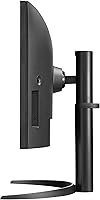
The gentle curve enhances the sense of depth and immersion in both work and media consumption, and buyers using this as a single primary monitor consistently find it comfortable to view edge-to-edge without turning their head unnaturally.
In a multi-monitor arrangement, mismatched curvature with a flat secondary screen can create a slight visual inconsistency. A minority of buyers also feel the curve adds no meaningful benefit for their specific use cases and would have preferred a flat panel option.

Suitable for:

The LG 34WQ73A-B 34-Inch UltraWide QHD Monitor was clearly designed with the hybrid professional in mind — someone who splits time between a personal machine and a work laptop and wants both connected to a single, clean setup without a rats nest of cables and peripheral switches. Remote workers who spend hours on video calls, side-by-side document editing, or managing multiple application windows will feel the wide 21:9 format working in their favor every single day. Creative professionals like photographers and graphic designers will appreciate that the IPS panel delivers reliable, calibrated color without requiring a lengthy setup ritual before getting to work. It also suits anyone who games casually after hours — the ultrawide field of view adds genuine immersion in open-world or narrative titles where atmosphere matters more than raw frame rate. If desk organization is a persistent frustration, the USB-C single-cable workflow for modern laptops solves that problem in a way that feels surprisingly impactful in daily use.
Not suitable for:

The LG 34WQ73A-B 34-Inch UltraWide QHD Monitor is the wrong choice if competitive gaming is a serious priority. A 60Hz refresh rate is a hard ceiling, and buyers coming from high-refresh displays will feel that difference immediately in fast-paced shooters or fighting games where every frame counts. Professional colorists or photographers working in wider color spaces like DCI-P3 or AdobeRGB should also look elsewhere, as the panel is tuned for sRGB and will fall short of broadcast or print production standards. Users without a USB-C equipped laptop will miss out on the single-cable convenience that justifies a meaningful portion of the price premium, making the value equation less compelling. Anyone expecting built-in speakers for video calls or casual media will need to factor in the cost of an external audio solution, since there are none included. Finally, buyers tight on desk space should measure carefully — at 34 inches wide, this curved IPS display commands significant room and does not suit compact workstations.
Specifications

  • Screen Size: The panel measures 34 inches diagonally, providing a wide viewing area suited to side-by-side multitasking and immersive media consumption.
  • Resolution: Native resolution is 3440x1440 (QHD UltraWide), delivering noticeably sharper text and detail compared to a standard 1080p display at this screen size.
  • Panel Type: An IPS (In-Plane Switching) panel is used, offering wide viewing angles and consistent color representation across the full screen surface.
  • Aspect Ratio: The 21:9 ultrawide aspect ratio provides significantly more horizontal screen space than a standard 16:9 monitor of comparable diagonal size.
  • Refresh Rate: The display runs at a maximum refresh rate of 60Hz, which is standard for productivity-focused monitors but below the threshold recommended for competitive gaming.
  • Response Time: Gray-to-gray response time is rated at 5ms, adequate for everyday work and casual gaming but not optimized for fast-action competitive play.
  • Color Gamut: The panel covers 99% of the sRGB color spectrum, making it well-suited for photography review, graphic design, and general color-accurate work.
  • HDR Support: HDR10 is supported, enabling compatible content to display with a broader tonal range, though peak brightness limits the intensity of the HDR effect.
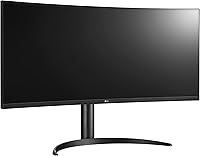
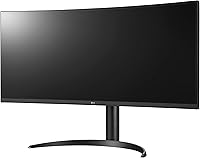
  • Curvature: The screen features a gentle curve designed to reduce edge distortion and provide a more comfortable viewing angle across the full 34-inch width.
  • Surface Finish: A matte anti-glare coating is applied to the panel surface, reducing reflections from ambient light sources in typical office or home environments.
  • USB-C Power: The USB-C port supports up to 90W of power delivery, allowing compatible laptops to charge and transmit video through a single cable connection.
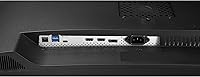
  • Inputs: Connectivity includes two HDMI ports, one DisplayPort, and one USB-C port, providing flexible options for connecting multiple source devices simultaneously.
  • KVM Switch: A built-in KVM (Keyboard, Video, Mouse) switch allows one set of peripherals to control two connected computers without any external switching hardware.
  • Eye Care: Reader Mode reduces blue light output and Flicker Safe technology virtually eliminates screen flicker, both aimed at reducing eye fatigue during extended use.
  • Speakers: No built-in speakers are included; users requiring audio output will need a separate external speaker or headphone solution.
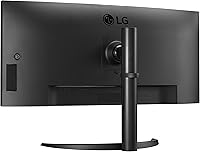
  • VESA Mount: The monitor is VESA mount compatible, allowing it to be used with a wide range of third-party monitor arms and wall-mount brackets.
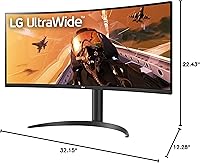
  • Dimensions: The monitor measures 32.15 inches wide, 22.43 inches tall, and 12.28 inches deep with the stand attached, requiring a reasonably deep desk surface.
  • Weight: Total weight with stand is 18.92 pounds, which is typical for a 34-inch curved ultrawide and should be considered when selecting a monitor arm.

Related Reviews

LG 34BL85C-B 34-inch UltraWide Curved Monitor
86%
92%
Display Quality
87%
Build Quality
88%
Ease of Setup
85%
Gaming Performance
90%
Multitasking Experience
More
LG 35WN65C-B 35-inch Curved UltraWide QHD Monitor
85%
91%
Display Quality
88%
Gaming Performance
89%
Build Quality
85%
Ease of Setup
92%
Multitasking & Productivity
More
LG 34WQ650-W 34-inch UltraWide Monitor
77%
83%
Display Quality
91%
Productivity & Multitasking
88%
USB-C Connectivity
86%
Ergonomics & Stand
78%
Color Accuracy
More
LG 34UM68-P 34-inch UltraWide Monitor
78%
91%
Multitasking Performance
86%
Color Accuracy
88%
Viewing Angles
63%
Resolution & Sharpness
67%
Gaming Experience
More
LG 32U631A-B 32-inch QHD Monitor
80%
91%
Image Clarity & Sharpness
88%
Color Accuracy & Vibrancy
54%
Stand & Ergonomics
73%
USB-C Connectivity
82%
Refresh Rate & Motion Performance
More
ViewSonic VG3456A 34-Inch Ultrawide QHD IPS Monitor
86%
91%
Display Quality
88%
Ergonomics and Comfort
90%
Connectivity and Ports
85%
Ease of Setup
89%
Performance for Content Creation
More
LG 27GS60QC-B 27″ Curved Gaming Monitor
78%
91%
Motion & Refresh Performance
88%
Image Clarity & Sharpness
84%
Contrast & Black Levels
77%
Color Accuracy & Gamut
52%
HDR Performance
More
LG 27GN800-B 27-inch QHD Gaming Monitor
77%
88%
Image Quality
86%
Motion Performance
91%
Adaptive Sync
41%
Ergonomics & Stand
87%
Value for Money
More
LG 27GR83Q-B 27-inch QHD Gaming Monitor
80%
93%
Motion Clarity & Refresh Rate
89%
Image & Color Quality
58%
HDR Performance
84%
Build Quality & Materials
88%
Ergonomic Stand
More
LG 27GP850-B 27-Inch QHD Gaming Monitor
78%
91%
Image Quality
93%
Motion Performance
88%
Color Accuracy
54%
HDR Performance
89%
Refresh Rate & Sync
More

FAQ

Yes, it connects cleanly to modern MacBooks via a single USB-C cable, handling video output and charging simultaneously. Just make sure your MacBook supports DisplayPort Alt Mode over USB-C, which all recent Apple Silicon models do. The charging speed tops out at 90W, which is fine for most MacBook Air and 14-inch MacBook Pro models but may charge the 16-inch Pro more slowly under heavy load.

A KVM switch lets you control two separate computers — say, a personal desktop and a work laptop — using the same keyboard, mouse, and monitor. Instead of physically unplugging and swapping peripherals, you switch between them through the monitor itself. Initial setup does require a trip through the OSD menu, and a few users find it slightly involved the first time, but once configured it works reliably day to day.

For casual gaming — RPGs, strategy titles, open-world games — 60Hz is perfectly watchable and the ultrawide field of view more than compensates for the refresh rate. If you play competitive shooters or fighting games where frame rate directly affects your reaction time, though, 60Hz will feel limiting, especially if you are coming from a 144Hz display. This monitor is better described as gaming-capable rather than gaming-focused.

Most buyers find the colors accurate enough to use immediately for photo editing and design work without manual calibration. The 99% sRGB coverage is reflected in how the panel handles skin tones and color gradients in real editing sessions. That said, if you work to strict commercial color standards, running a hardware calibration tool is always worthwhile regardless of the display.

Yes, that is precisely what the built-in KVM is designed for. You can have two computers physically connected to the LG 34WQ73A-B 34-Inch UltraWide QHD Monitor simultaneously and switch which one is active through the OSD controls. You share the same keyboard, mouse, and monitor across both machines, which is one of the standout practical features for home office users.
It works, but there will be a visible visual mismatch between the curved surface and a flat secondary monitor placed beside it. Most users adapt to it quickly and it does not affect functionality. If visual consistency across your setup matters to you, pairing it with another curved display or using it as a standalone primary monitor will look more cohesive.

The stand footprint adds about 12 inches of depth behind the screen, so a desk with at least 24 to 28 inches of total depth is comfortable. At 32 inches wide, it dominates most standard desks horizontally too. If space is tight, the VESA mount compatibility means you can put it on an arm and reclaim all of the stand footprint.

The majority of buyers do not report any noticeable uniformity issues during normal use. A recurring minority, however, has noted some unevenness near the bottom corners when viewing dark, solid-color backgrounds — think loading screens or dark UI themes. It appears to vary between individual units, so it is not a guaranteed issue, but it is worth knowing about if a perfectly uniform dark screen matters to your workflow.

This particular model does not list FreeSync support in its official specifications. If adaptive sync is important for your gaming setup, you will want to verify compatibility with your specific GPU before purchasing, as the absence of certified FreeSync or G-Sync support means you may see screen tearing in frame-rate-variable scenarios.

You need a USB-C cable rated for the full 90W delivery, which means a USB Power Delivery compliant cable capable of handling higher wattage. The cable included in the box should support this, but if you use a third-party cable, check that it is rated accordingly — a standard cheap USB-C cable will connect fine for video but may charge at a much lower wattage than expected.

Where to Buy