Overview

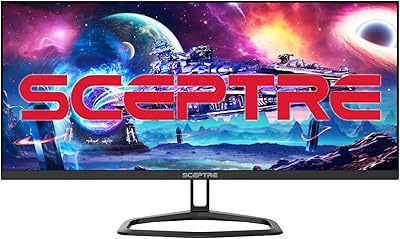
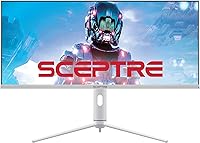
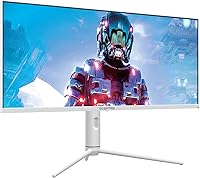
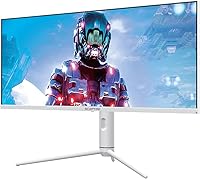
The Sceptre E345B 34″ UltraWide Monitor enters a competitive space where most 34-inch 1440p panels demand a serious premium, and it does so at a price that genuinely surprises. The 21:9 aspect ratio is the real draw — it adds meaningful horizontal real estate whether you're juggling spreadsheets side by side or tracking enemies across a wide virtual horizon. Sceptre is a value-oriented brand, and buyers should calibrate expectations accordingly: this isn't a boutique display, but a practical one. The white colorway is a genuine differentiator in a sea of matte-black panels, while the IPS panel ensures color consistency across wide viewing angles — something you can't take for granted at this price point.

Features & Benefits

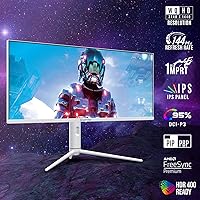
At 3440x1440p across 34 inches, sharpness is solid — text is crisp and fine detail in games holds up well without demanding a 4K-tier GPU. The 144Hz refresh rate keeps motion fluid, though it's worth being clear about the 1ms figure: that's MPRT, a backlight-strobing measurement that flatters spec sheets more than the practically relevant GtG number does. HDR400 is present, but treat it as a checkbox — 350 nits of peak brightness won't deliver dramatic contrast. AMD FreeSync Premium is legitimately useful, eliminating screen tearing for compatible GPU users. The height-adjustable stand and USB-C input round out a connectivity package that honestly punches above its weight class.

Best For

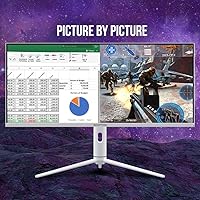
This ultrawide monitor makes the most sense for a specific kind of buyer. Gamers who want the immersive width of a 21:9 display without stretching into premium-brand territory will find real value here — especially those running AMD graphics cards who can lean fully into FreeSync Premium. It's equally at home in a home office: having two full-size windows open side by side genuinely reshapes how you work, whether that's a browser alongside a spreadsheet or a video call next to a document. Students building a clean desk setup will appreciate the white finish, and movie fans chasing that cinematic widescreen look on a budget fit squarely in the target audience.

User Feedback

The Sceptre 34-inch sits at 3.7 stars across nearly 190 ratings, which tells a nuanced story. Buyers who entered with calibrated expectations tend to come away satisfied — they praise the generous screen real estate, the adjustable stand, and the value relative to competing brands. Critics, however, flag a few recurring issues: the glossy panel causes real glare problems in bright rooms, backlight bleed appears along the edges for some units, and the plastic construction feels noticeably light. HDR disappoints users who expected something meaningful at this certification level. Build quality concerns appear to drive most low-star reviews rather than core display performance, which is worth keeping in mind when weighing the ratings.

Pros

  • Wide 21:9 aspect ratio makes multitasking and immersive gaming genuinely more comfortable
  • 144Hz refresh rate keeps motion fluid well beyond what standard 60Hz panels can offer
  • AMD FreeSync Premium eliminates screen tearing for compatible GPU users at no extra cost
  • USB-C input adds flexibility for laptop users who want a single-cable connection
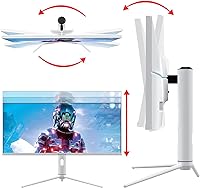
  • Height-adjustable stand is a rare and welcome inclusion in the budget ultrawide category
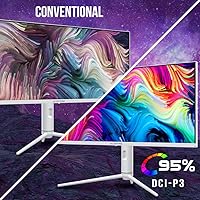
  • 95% DCI-P3 color gamut coverage delivers vibrant, punchy colors for everyday use
  • The white colorway is a standout design choice that suits minimalist and bright desk setups
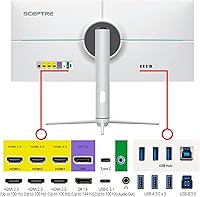
  • Connectivity options — DisplayPort, dual HDMI, and USB-C — cover nearly every common setup
  • 3440x1440p resolution provides noticeably sharper detail than a standard 1080p ultrawide

Cons

  • HDR400 performance is underwhelming in practice — peak brightness simply cannot deliver meaningful HDR impact
  • Glossy panel coating causes significant glare in rooms with windows or overhead lighting
  • Plastic construction feels lightweight in a way that some buyers associate with fragility
  • Backlight bleed along panel edges has been reported by a meaningful share of users
  • The advertised 1ms figure is MPRT, not GtG — real-world pixel response may not match expectations
  • No G-Sync support limits appeal for Nvidia GPU users seeking tear-free performance
  • Out-of-box color calibration may require manual adjustments to reach accurate whites and neutrals
  • IPS glow is a known risk on large IPS panels and this ultrawide is not immune to it
  • At 20.9 pounds, the monitor is heavier than expected, which can complicate desk repositioning

Ratings

The Sceptre E345B 34″ UltraWide Monitor scores below are generated by AI after analyzing verified global user reviews, with spam, bot-submitted, and incentivized feedback actively filtered out. This IPS ultrawide attracted a wide range of buyers — from budget-conscious gamers to home office multitaskers — and the scores transparently reflect both where it genuinely delivers and where real-world frustrations consistently surfaced.

Value for Money
81%
19%
For buyers entering the ultrawide market without a large budget, this monitor represents a rare opportunity to get 34-inch 1440p real estate with 144Hz and FreeSync Premium at a price most competitors can't match. Users repeatedly cite the feature-to-cost ratio as the primary reason they'd recommend it to friends.
A handful of reviewers felt the savings came with meaningful trade-offs in panel consistency and build precision, noting that unit-to-unit variance made the purchase feel riskier than buying from a more established display brand at a higher price point.
Display Clarity
77%
23%
At 3440x1440p on a 34-inch panel, text sharpness is noticeably better than 1080p ultrawides, and users working with dense spreadsheets or multi-window browser sessions praised how much readable content fits on screen without scaling issues.
Some users noted that out-of-box white balance skews slightly warm, and without manual calibration, fine gradients in photo editing or design work can look less precise than panels from brands that invest more in factory calibration at this resolution.
Gaming Performance
74%
26%
The combination of 144Hz, AMD FreeSync Premium, and the wide 21:9 field of view creates a genuinely engaging gaming experience for titles that support ultrawide resolutions — open-world games and racing simulators in particular feel substantially more immersive.
The 1ms MPRT figure is misleading for competitive gaming contexts, as the actual pixel transition speed is higher than that metric implies. Hardcore competitive players who rely on the fastest possible response times may find the panel trails behind dedicated eSports monitors.
HDR Quality
41%
59%
HDR400 certification means the monitor is technically compliant with a baseline HDR standard, and in very dark room conditions, some users noticed slightly improved contrast and richer shadow detail compared to SDR output on the same content.
At 350 nits of typical brightness, the HDR experience falls well short of what modern HDR content is mastered for. Multiple reviewers described enabling HDR mode as actively worsening the picture, with washed-out highlights rather than the punch they expected — a recurring point of disappointment across verified feedback.
Build Quality
53%
47%
The stand is genuinely solid for a monitor in this price range, and height adjustment works smoothly without wobble once positioned — a feature many budget competitors omit entirely, and one that daily office users found made a real ergonomic difference.
The chassis is predominantly lightweight plastic, and several buyers described it as feeling less substantial than expected when adjusting or repositioning the monitor. A small but consistent number of reviews flagged creaking or flexing along panel edges that raised durability concerns over time.
Color Accuracy
68%
32%
The 95% DCI-P3 coverage means saturated colors in games, streaming content, and creative applications look vivid and punchy right out of the box, which casual users and content consumers tend to appreciate without needing to touch the OSD settings.
Factory calibration isn't tight enough for users who care about precise color grading or print-matched workflows. Delta E consistency across the panel — especially toward corners — drew criticism from buyers who tested it against a colorimeter after purchase.
Brightness
58%
42%
For a typical indoor setup with controlled lighting, 350 nits is workable throughout most of the day, and users in home offices with curtains or diffused overhead lighting found the brightness ceiling adequate for long work sessions.
In any environment with significant ambient light — a room with a window behind the workstation or harsh overhead fluorescents — the panel struggles to compete with glare, and the brightness headroom isn't enough to push through reflections the way a matte, higher-nit panel would.
Glare & Reflections
44%
56%
The glossy coating does enhance color saturation and perceived contrast in controlled lighting environments, giving the image a slightly more vivid and punchy character compared to matte-coated alternatives at the same brightness level.
This is one of the most consistently mentioned pain points across reviews. Users in bright rooms or near windows described the glossy surface as a serious practical problem, with reflections sharp enough to disrupt focus during both work and gaming sessions — a trade-off that wasn't always clear from product listings.
Connectivity
79%
21%
Dual HDMI, DisplayPort, and USB-C input give this ultrawide genuine versatility — users appreciated being able to keep a desktop and a laptop connected simultaneously and toggle between them without re-plugging cables, which suits hybrid work setups well.
There is only a single USB downstream port, which limits the monitor's usefulness as a hub. Buyers hoping to use it as a central connection point for keyboards, drives, and other peripherals alongside their laptop found the port count too lean for that workflow.
Ergonomics
72%
28%
Height adjustment is smooth and covers a meaningful range, letting users dial in the screen position to match their chair and desk height — a feature that makes a noticeable difference across long work-from-home sessions compared to fixed-stand budget monitors.
Tilt range is limited, and the stand doesn't offer swivel, which means repositioning the screen for a second viewer or adjusting the viewing angle for a reclined posture requires physically moving the entire monitor base rather than just the head.
Image Uniformity
56%
44%
At typical viewing distances and with standard content, most users don't encounter uniformity issues during day-to-day use — gaming and productivity tasks with bright backgrounds are generally unaffected by minor panel inconsistencies.
Backlight bleed along the bottom and side edges was flagged by a notable portion of reviewers, and IPS glow in dark scenes — particularly visible during cinematic content with large black areas — was described as moderately distracting by users who game or watch films in dim rooms.
Ultrawide Compatibility
71%
29%
The 21:9 format is now broadly supported across most AAA game titles, productivity suites, and media players, and users found that the transition to ultrawide felt immediately natural for both gaming immersion and window management in day-to-day work.
Older titles and some competitive multiplayer games either don't support 21:9 natively or artificially restrict the field of view, which means a portion of a gamer's library may render in 16:9 with black bars — something buyers coming from standard monitors didn't always anticipate.
Setup & Installation
83%
Assembly is straightforward, with the stand clicking into place without tools and cables fitting securely into clearly labeled ports. Most users reported being up and running within ten minutes of opening the box, which is a meaningful plus for less technical buyers.
The OSD menu navigation using the rear buttons is stiff and unintuitive, and several users needed multiple attempts to find the input-switching option. The included documentation covers the basics but doesn't walk through calibration or FreeSync activation clearly enough for first-time monitor buyers.
Aesthetic Design
76%
24%
The white finish is a genuine point of differentiation that resonated strongly with users building minimalist or Scandinavian-style desk setups — multiple reviewers mentioned the color was a deciding factor in choosing this model over functionally similar black-chassis alternatives.
The design is clean but not refined — the bezel thickness on the bottom edge in particular looks dated compared to near-borderless panels from competing brands. A few buyers noted that close-up, the white plastic picks up scuffs and fingerprints more visibly than a dark matte finish would.

Suitable for:

The Sceptre E345B 34″ UltraWide Monitor is a strong fit for buyers who want the ultrawide experience without committing to a premium-brand price tag. Gamers running AMD GPUs will get the most out of it — FreeSync Premium keeps gameplay tear-free, and 144Hz at this resolution is genuinely capable for fast-paced titles. Remote workers and students stand to gain a lot from the 21:9 canvas, where running two full-width windows side by side becomes a real productivity upgrade rather than a cramped compromise. The height-adjustable stand is a practical bonus that many budget monitors skip entirely, making longer work sessions more comfortable. Those building a clean, light-colored desk setup will also find the white finish refreshing — it's a rarity at this price point and makes the monitor feel more considered than its cost suggests.

Not suitable for:

Buyers with high expectations around HDR or premium build quality are likely to walk away disappointed by this IPS ultrawide. The HDR400 certification sounds impressive on paper, but 350 nits of brightness won't produce the dramatic highlights that modern HDR content is designed to showcase — it's largely a checkbox feature at this tier. Creative professionals who depend on factory-accurate color calibration should also look elsewhere, as out-of-box accuracy on budget IPS panels rarely meets production-grade standards without manual calibration. The glossy panel surface is a genuine problem if your workspace gets natural light from windows — reflections can be distracting enough to undercut the otherwise solid image quality. And if you're running a high-end Nvidia GPU, you'll miss out on G-Sync compatibility, which is a meaningful consideration for those who've invested heavily on the green side of the GPU market.

Specifications

  • Screen Size: The panel measures 34 inches diagonally, delivering a wide viewing area suited to both immersive gaming and side-by-side multitasking.
  • Resolution: Native resolution is 3440x1440p (WQHD), offering significantly more horizontal screen space than a standard 16:9 1440p display.
  • Aspect Ratio: The 21:9 ultrawide aspect ratio provides expanded peripheral coverage compared to conventional widescreen monitors.
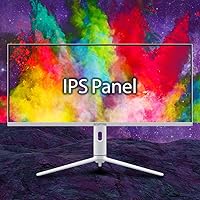
  • Panel Type: An IPS (In-Plane Switching) panel delivers consistent color accuracy and wide viewing angles up to 178 degrees horizontally and vertically.
  • Refresh Rate: The display supports a refresh rate of up to 144Hz, enabling smoother motion in fast-paced gaming and general use.
  • Response Time: Rated at 1ms MPRT (Moving Picture Response Time), a backlight-strobing metric distinct from the GtG pixel transition measurement.
  • HDR Support: HDR400 certification indicates support for High Dynamic Range content with a peak brightness ceiling of approximately 400 nits under ideal conditions.
  • Brightness: Typical brightness is rated at 350 nits, which is adequate for indoor use but may struggle in very bright or sunlit environments.
  • Color Gamut: Covers 95% of the DCI-P3 color space, providing vivid, saturated color output well above sRGB-only panels in this category.
  • Sync Technology: AMD FreeSync Premium synchronizes the GPU and monitor refresh rates to eliminate screen tearing and stuttering during gameplay.
  • Inputs: Connectivity includes one USB-C port, one DisplayPort, and two HDMI ports, covering a broad range of devices and configurations.
  • USB Ports: The monitor includes one USB port for peripheral connectivity alongside its video input options.
  • Panel Surface: The screen uses a glossy surface coating, which enhances color vibrancy but increases susceptibility to reflections in bright rooms.
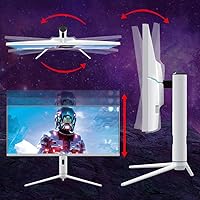
  • Stand: The included stand supports height adjustment, allowing users to position the screen at a comfortable eye level without a third-party arm.
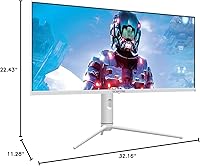
  • Dimensions: With the stand attached, the monitor measures approximately 32.16 inches wide, 22.43 inches tall, and 11.28 inches deep.
  • Weight: The full unit including stand weighs 20.9 pounds, which is on the heavier side for a plastic-chassis monitor of this size.
  • Color: Available in white, a less common finish in the monitor market that suits minimalist and light-colored desk setups.
  • Power: Operates on 110V standard household current with no external power brick required beyond the included cable.
  • Batteries: Two AAA batteries are included and required for the remote control functionality bundled with the monitor.
  • Model Number: The official model designation is E345B-QUN168W, useful for warranty registration, driver lookups, and support inquiries.

Related Reviews
Sceptre 34-inch Curved UltraWide Monitor C345W-2560UN
82%
89%
Value for Money
84%
Gaming Performance
87%
Display Quality
80%
Ergonomics & Comfort
75%
Build Quality
More
BenQ PD3420Q 34-inch Ultrawide Monitor
87%
91%
Display Quality
94%
Color Accuracy
88%
Ergonomics and Adjustability
89%
Connectivity and Ports
75%
Price-to-Value Ratio
More
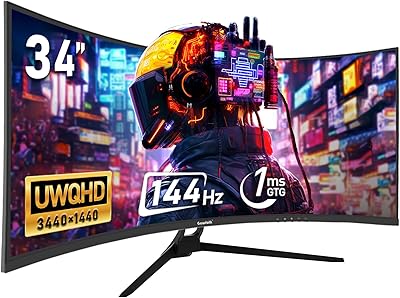
Gawfolk GF340A 34″ Ultrawide Curved Monitor
87%
94%
Display Quality
91%
Color Accuracy
92%
Refresh Rate Performance
89%
Build Quality
88%
Eye Comfort
More
Samsung S34J552 34″ Ultrawide Curved Monitor
75%
93%
Screen Real Estate
84%
Image Clarity
71%
Color Accuracy
88%
Contrast & Blacks
38%
Ergonomics & Stand
More
Samsung ViewFinity S65UA 34″ Ultrawide Curved Monitor
77%
91%
Productivity & Multitasking
84%
Image & Color Quality
89%
USB-C Connectivity
58%
Backlight Uniformity
47%
HDR Performance
More
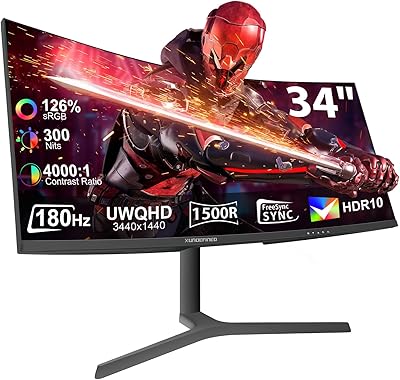
XUNDEFINED X34U180A 34-inch Curved Ultrawide Gaming Monitor
71%
83%
Gaming Performance
88%
Image Contrast & Blacks
81%
Resolution & Sharpness
69%
Color Accuracy & Vibrancy
51%
HDR Experience
More
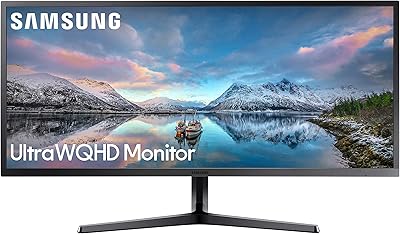
Samsung S50GC 34″ Ultrawide QHD Monitor
75%
88%
Image Quality
91%
Resolution & Sharpness
84%
Refresh Rate & Smoothness
57%
HDR Performance
82%
Color Accuracy
More
Sceptre E305B-FU200T 30-inch Ultrawide Monitor
79%
91%
Value for Money
88%
Gaming Performance
79%
Picture Quality
93%
Ultrawide Immersion
74%
Build Quality
More
ViewSonic VX3418-2K 34-Inch Ultrawide Gaming Monitor
73%
89%
Value for Money
82%
Display Quality
81%
Gaming Performance
49%
Ergonomics & Stand
77%
Adaptive Sync Performance
More
LG 34WK95U-W 34″ UltraWide 5K Monitor
85%
94%
Display Quality
91%
Color Accuracy
89%
Build Quality
90%
Connectivity
85%
Ergonomics
More

FAQ

It works with Nvidia GPUs for standard display output — you can connect and use it without any issues. However, FreeSync Premium only activates with compatible AMD graphics cards, so Nvidia users won't get the adaptive sync benefits. G-Sync compatibility is not supported on this model.

The 1ms figure refers to MPRT, which measures how long a pixel appears visible during backlight strobing — not how quickly it transitions between colors. The more practically relevant GtG (grey-to-grey) response time is not officially published for this panel, and it's likely higher than 1ms. For most gaming use cases it performs fine, but competitive players who obsess over pixel response should factor this in.

Honestly, HDR400 is the entry-level tier of HDR certification, and 350 nits of typical brightness limits how dramatic the effect can be. You'll notice a modest improvement in contrast and color intensity on supported content, but don't expect the kind of HDR pop you'd see on an OLED or a high-brightness mini-LED panel. It's a nice-to-have, not a headline feature.

Yes, the USB-C port supports video input, which makes it convenient for laptop users who want a cleaner single-cable setup. That said, it's worth confirming your laptop's USB-C port supports DisplayPort Alt Mode, as not all USB-C ports output video — some are only for charging or data transfer.

This is one of the more consistent complaints from real-world users. If your workspace has windows behind you or overhead lighting that reflects off the screen, glare can be genuinely distracting. The Sceptre E345B 34″ UltraWide Monitor is best suited to rooms where you can control ambient lighting — it's not a great pick for bright, sunlit offices.

The stand is height-adjustable, which is the most useful ergonomic feature for day-to-day comfort. Swivel and tilt range are limited, so if you need a lot of flexibility in screen positioning, a third-party VESA arm may serve you better — the monitor does support VESA mounting.

It's actually one of the more enjoyable aspects of owning a 21:9 display. Most films are natively shot in widescreen ratios close to 21:9, so you get a true edge-to-edge picture without the black bars you'd normally see on a 16:9 monitor. The color gamut coverage makes colors feel lively, and the screen size is genuinely cinematic for a desktop setup.

Very well, in practical terms. Having 3440 pixels of horizontal space means you can realistically run three columns of content side by side — a browser, a code editor, and a terminal, for example — without any window feeling cramped. Remote workers and developers tend to appreciate this more than almost any other feature on the panel.

Backlight bleed along the edges and IPS glow in darker scenes are the two most frequently reported issues. Neither is unique to this brand — they're common characteristics of large IPS panels — but the rate of occurrence seems slightly elevated in user reviews compared to premium-tier competitors. It may be worth inspecting your unit shortly after arrival to catch any defects within the return window.

It feels like what it is — a value-tier monitor. The plastic chassis is lightweight, which contributes to some buyers describing it as feeling insubstantial. It's not fragile, and it functions as intended, but if you're used to handling monitors from brands like LG or Dell at higher price points, the difference in material feel is noticeable. Manage expectations and it's fine; expect a premium feel and you may be let down.