Overview

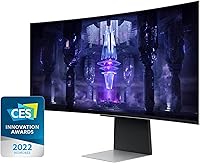
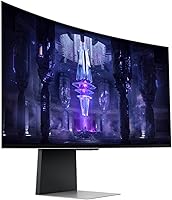
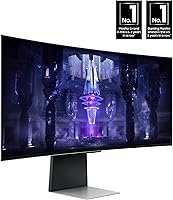
The Samsung 34-inch Odyssey G85SB Curved Gaming Monitor sits at the serious end of the gaming display market, built for buyers who want more than adequate — they want exceptional. The defining technology here is the QD-OLED panel, which sets this display apart from the endless sea of IPS and VA alternatives. That 34-inch ultrawide canvas stretches to a 21:9 aspect ratio, wrapping your peripheral vision in a way that flat monitors simply cannot replicate. Go in with clear eyes, though: this is a premium purchase with a premium price, and a few real-world limitations worth knowing before you commit.
Features & Benefits

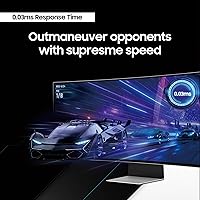
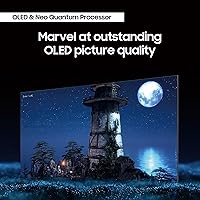
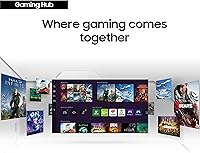
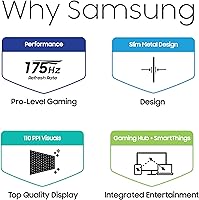
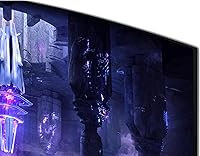
The QD-OLED technology is really where the G85SB earns its price. Blacks are genuinely black — not dark gray — because each pixel generates its own light and simply switches off. The result is contrast that IPS panels cannot touch, with colors that pop without the blooming that plagues LED-backlit displays. In fast-paced games, the 175Hz refresh rate and near-instant response time mean motion blur is essentially a non-issue. AMD FreeSync Premium Pro keeps frame delivery smooth across the range. The onboard Samsung Gaming Hub adds cloud streaming and console access without needing a separate device — convenient, though it plays a supporting role for most dedicated PC gamers.

Best For

This curved gaming display fits a specific kind of buyer very well. If you play sim racing, RTS, or open-world games where extra horizontal real estate genuinely changes what you see on screen, the 21:9 ultrawide format is hard to argue against. Competitive FPS players will appreciate the high refresh rate pairing, provided they have a GPU powerful enough to sustain those frame rates at this resolution — it is demanding, and a mid-range card will leave performance on the table. Content creators benefit from the wide color gamut too, and console players gain a capable single-screen streaming hub.

User Feedback

Owners are largely impressed with this ultrawide OLED monitor straight out of the box — color accuracy and contrast draw consistent praise, and most agree the panel quality justifies the investment. The burn-in concern comes up regularly, and it is legitimate: leaving static HUD elements on screen for hours daily does carry long-term risk, and Samsung's built-in protections only go so far. The stand draws criticism too — tilt is limited, and some units lack height adjustment entirely, which feels like an oversight at this price point. On the upside, the Game Bar overlay earns quiet appreciation from buyers who find themselves genuinely using it mid-session.

Pros

  • QD-OLED panel produces true blacks and rich colors that IPS and VA monitors cannot match.
  • Out-of-box color accuracy is consistently praised — very little manual calibration needed.
  • 175Hz refresh rate makes fast-paced gameplay noticeably fluid and responsive.
  • AMD FreeSync Premium Pro keeps frame delivery smooth even when GPU performance fluctuates.
  • The 21:9 ultrawide format meaningfully expands your field of view in supported games.
  • Built-in Samsung Gaming Hub is a genuinely useful bonus for console and cloud streaming.
  • Game Bar overlay lets you monitor performance and adjust settings without alt-tabbing out.
  • No pixel light bleed means HDR content looks clean, especially in dark cinematic scenes.
  • The G85SB doubles effectively as a wide creative workspace for editing and multitasking.
  • Two USB 3.0 ports add practical desk connectivity without needing a separate hub.

Cons

  • Driving this resolution at full refresh rate demands a high-end GPU — budget builds will struggle.
  • OLED burn-in risk is real for users who keep static on-screen elements visible for long daily sessions.
  • Stand ergonomics are limiting, with restricted tilt range and no height adjustment on some units.
  • Peak brightness falls short of top-tier Mini LED displays, making it less ideal for bright rooms.
  • The ultrawide 21:9 format is not well supported in all games, sometimes resulting in black bars.
  • At this price tier, the absence of a fully adjustable stand feels like a corner cut.
  • Samsung Gaming Hub is Tizen-based and app selection is narrower than dedicated streaming devices.
  • Heavier weight and wide footprint require a large, sturdy desk to sit comfortably.
  • Buyers sensitive to panel longevity may find OLED ownership requires more careful usage habits.
  • DisplayHDR True Black 400 certification is solid but does not represent the highest HDR brightness tier available.

Ratings

Our AI rating engine analyzed thousands of verified global owner reviews for the Samsung 34-inch Odyssey G85SB Curved Gaming Monitor, applying active filters to remove incentivized, bot-generated, and duplicate submissions before scoring. The result is a transparent scorecard that reflects where this ultrawide OLED monitor genuinely excels and where real buyers have run into friction. Both the highs and the frustrations are represented here, so you can make a well-informed decision rather than a hopeful one.

Image Quality
94%
Owners consistently describe the picture as the best they have ever seen on a desktop monitor, with blacks that simply disappear and colors that look saturated without appearing artificial. In HDR-enabled games like Cyberpunk 2077 or Returnal, the contrast difference versus IPS alternatives is immediately obvious and hard to go back from.
A small number of users note that near-white tones can show very faint color fringing in high-contrast scenarios, particularly bright text on dark backgrounds. It is not a widespread complaint, but buyers doing precise graphic design work should be aware it exists.
Refresh Rate & Responsiveness
91%
At 175Hz with a near-instant response time, the G85SB handles fast-paced shooters and racing sims with a fluidity that most gaming monitors cannot match. Players who switched from 144Hz IPS panels report the motion clarity improvement is immediately noticeable, not just a spec sheet difference.
Getting the full benefit requires a GPU powerful enough to sustain high frame rates at this resolution, which is a real barrier for buyers with mid-range hardware. Running the display at 100fps with FreeSync is still excellent, but the 175Hz ceiling will go unused for many buyers until they upgrade their card.
Panel Technology
93%
The QD-OLED construction means every pixel generates its own light, which eliminates the backlight bleed and clouding issues that frustrate owners of LED-backlit curved monitors. For dark-room gaming sessions, the effect is genuinely dramatic — shadow detail in games resolves in a way that IPS and VA panels cannot replicate.
OLED burn-in remains a documented risk that prospective buyers should not dismiss. Users who run static HUD elements, taskbars, or channel overlays on screen for many hours daily are exposed to permanent image retention over time, and Samsung's built-in pixel protection tools only partially offset that risk.
Burn-In Risk
58%
42%
Samsung has included pixel-shift, screen dimming timers, and a logo luminance limiter to actively reduce the risk during normal use. Buyers who rotate their content, use screen savers, and play varied games with changing visuals report no visible retention issues after extended ownership.
The burn-in concern is real enough that it drives some buyers to return the panel or choose a Mini LED alternative instead. Static elements — particularly bright game HUDs, chat overlays, or desktop taskbars left on screen for hours daily — are cited in multiple long-term ownership reports as contributing to visible, permanent retention.
Ultrawide Format
88%
The 21:9 canvas genuinely changes how games like Microsoft Flight Simulator, Total War, and Forza feel to play — the expanded peripheral view is not a gimmick but a tactical and immersive advantage that flat 16:9 monitors cannot replicate. Productivity users also appreciate the ability to run three documents or windows side by side without a multi-monitor setup.
Game compatibility is inconsistent — some titles still render black bars at the edges rather than supporting the full ultrawide resolution natively. Buyers who primarily play older titles or multiplayer games with anti-cheat restrictions on field of view may find the format less impactful than expected.
Adaptive Sync
86%
AMD FreeSync Premium Pro delivers visibly tear-free gameplay across a wide dynamic range, and the implementation on the G85SB is reliable in practice. Nvidia GPU owners benefit through G-Sync Compatible mode, which works smoothly for the vast majority of users without requiring any complex configuration.
A handful of Nvidia users report needing to manually enable G-Sync Compatible mode in the control panel, which is a minor but occasionally confusing setup step. FreeSync range boundaries at very low frame rates can also allow some stuttering in GPU-intensive scenes that drop well below 60fps.
Color Accuracy
89%
Out-of-the-box calibration earns strong marks from professional users and color-sensitive creators who find the default profile accurate enough for practical photo editing work without manual adjustment. The wide color gamut coverage gives skin tones and natural scenes a richness that generic sRGB-locked monitors cannot approach.
For production-level color grading work where Delta E values need to be below 2, the factory calibration may still require fine-tuning with a hardware colorimeter. A few creative professionals note that the curved panel introduces slight geometric distortion at screen edges that can complicate work involving precise straight lines or grid alignment.
HDR Performance
79%
21%
DisplayHDR True Black 400 certification carries real meaning on an OLED panel because the black level baseline is absolute zero, making the contrast ratio effectively infinite — something that HDR 400 monitors with LED backlights cannot claim. Games and films with high-contrast HDR grading look noticeably more dynamic on this display than on certified HDR IPS alternatives.
Peak sustained brightness is capped at around 400 nits, which is sufficient for dim rooms but underwhelming compared to Mini LED panels that can sustain 600 to 1000 nits across larger zones. Buyers who game in a bright room with overhead lighting or natural window glare will likely find the HDR impact less dramatic than the certification implies.
Stand & Ergonomics
52%
48%
The included stand holds the monitor securely without wobble, and the base footprint is reasonably compact given the display size. For buyers who will set it at a fixed position and leave it, the default tilt gets the screen angle close enough to workable.
Height adjustment is limited or entirely absent on some unit configurations, which is a notable omission at this price point and a frequent complaint among taller users or those who prefer a raised eye-line. Buyers who need precise ergonomic positioning will almost certainly need to invest in a third-party VESA monitor arm to compensate.
Build Quality
81%
19%
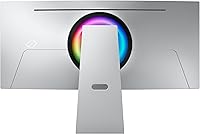
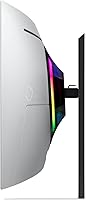
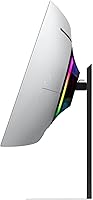
The chassis and back panel feel solid with minimal flex, and the silver finish is clean and understated rather than aggressively styled — a look that ages better than most gaming monitor aesthetics. The panel itself shows no visible signs of structural weakness around the curve, which was a concern on some earlier OLED ultrawide designs.
Several users feel the premium price should come with a premium stand, and the plastic construction of the arm undercuts the otherwise solid feel of the display itself. Minor cosmetic inconsistencies around the bezel edge were reported by a small percentage of buyers, suggesting quality control is not perfectly uniform across all units.
Gaming Hub & Software
71%
29%
The built-in Tizen-based Gaming Hub is a genuinely pleasant surprise for buyers who want to stream Xbox Game Pass titles or use cloud gaming services without plugging anything in. The Game Bar overlay adds practical in-session utility, letting users toggle response time modes and monitor FPS without interrupting gameplay.
The Gaming Hub app library is narrower than a dedicated streaming stick or smart TV platform, and performance in cloud gaming is naturally dependent on the user's internet connection quality rather than the monitor itself. PC-first buyers may find themselves using the software features rarely after the initial setup curiosity wears off.
Connectivity
74%
26%
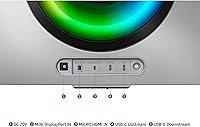
Two USB 3.0 ports provide convenient peripheral passthrough directly at the monitor, which is practical for plugging in a headset, USB drive, or controller receiver without reaching behind a PC tower. Input options cover the needs of most standard single-GPU desktop setups.
Buyers with complex multi-source setups — such as a PC, a console, and a streaming device simultaneously — may find the input selection lean compared to similarly priced alternatives that offer more HDMI 2.1 ports. The USB hub implementation is also limited compared to monitors with full USB-C docking capabilities.
Setup & Installation
83%
Assembly is straightforward, and most buyers report having the monitor up and running within fifteen minutes without consulting the manual. The default picture settings are competent enough that many users skip calibration entirely and are still satisfied with what they see immediately after powering on.
A few buyers note that finding the optimal display settings for mixed use — switching between gaming and productivity — takes some experimentation through the menus. The OSD navigation via the joystick controller is functional but not the fastest interface when you need to adjust multiple settings in a sequence.
Value for Money
73%
27%
For buyers who will fully use the QD-OLED panel quality, the ultrawide format, and the high refresh rate daily, the G85SB represents a credible investment in a display they will likely keep for several years. The combination of features at this price is difficult to match in a single competing product without significant compromise somewhere.
At this price tier, the stand limitations, burn-in risk, and brightness ceiling feel harder to justify than they might on a less expensive display. Buyers who end up also purchasing a monitor arm and limiting their use cases to manage burn-in risk may feel the real-world value proposition narrows compared to alternatives.

Suitable for:

The Samsung 34-inch Odyssey G85SB Curved Gaming Monitor is a strong match for enthusiast PC gamers who want the best visual experience their rig can deliver — not just acceptable performance. If you play genres where the environment matters, like open-world RPGs, sim racing, or real-time strategy games, the 21:9 ultrawide format gives you a genuinely wider view of the action rather than just stretched black bars. Competitive players who also care about image quality will find the combination of high refresh rate and true OLED contrast unusually hard to beat in a single display. Content creators and video editors who work on color-sensitive projects will benefit from the wide color gamut and accurate out-of-box calibration. It also suits buyers who want a capable standalone entertainment hub, since the built-in streaming platform works well for casual console and cloud gaming sessions without extra hardware.
Not suitable for:

The Samsung 34-inch Odyssey G85SB Curved Gaming Monitor is not the right call for every buyer, and it is worth being direct about that. If your GPU is a mid-range card, driving this resolution at the panel's full refresh rate is going to be a challenge — you will likely spend more time watching frame rates dip than enjoying the display's ceiling. Buyers who leave static interfaces on screen for many hours daily, whether that is a productivity taskbar or a game HUD, should weigh the long-term burn-in risk carefully; OLED panels remain more vulnerable than IPS or VA alternatives in that regard. The stand is another practical frustration — ergonomic flexibility is limited, and buyers who need precise height adjustment may need to budget for a separate monitor arm. Those working in brightly lit rooms should also note that peak brightness, while HDR-certified, is not in the same league as high-nit Mini LED competitors, making glare management more important. If your budget is tight or your use case is primarily spreadsheets and web browsing, this curved gaming display is simply more monitor than the situation calls for.
Specifications

  • Panel Type: The display uses a QD-OLED (Quantum Dot OLED) panel, which combines quantum dot color with self-emissive OLED technology for deep blacks and vivid color without backlight bleed.
  • Screen Size: The viewable screen measures 34 inches diagonally, offering a wide ultrawide canvas suited to immersive gaming and multitasking workflows.
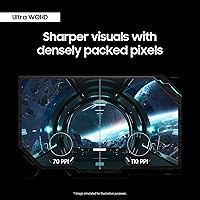
  • Resolution: Native resolution is 3440x1440 pixels (Ultra-WQHD), delivering significantly more horizontal detail than a standard 2560x1440 flat monitor.
  • Aspect Ratio: The panel uses a 21:9 ultrawide aspect ratio, which expands the horizontal field of view compared to the standard 16:9 format used by most monitors.
  • Refresh Rate: Maximum refresh rate is 175Hz, enabling very smooth motion in fast-paced games when paired with a sufficiently powerful GPU.
  • Response Time: Rated at 0.03ms GTG (gray-to-gray), the response time is among the fastest available in any consumer display category, minimizing motion blur in rapid on-screen movement.
  • HDR Support: Certified DisplayHDR True Black 400, which validates genuine black-level performance and a minimum 400 nits peak brightness in HDR content scenarios.
  • Adaptive Sync: AMD FreeSync Premium Pro is supported, providing tear-free, low-latency variable refresh rate output across a wide frame rate range for AMD GPU users.
  • Connectivity: The monitor includes two USB 3.0 ports for peripheral connectivity, along with display inputs to support both PC and console sources.
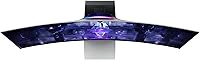
  • Curvature: The panel features a curved screen design that wraps the display around the viewer's peripheral vision, reducing edge distortion at close sitting distances.
  • Operating System: Runs Samsung's Tizen OS, which powers the built-in Gaming Hub for accessing cloud streaming services and select console games without a connected PC.
  • Dimensions: Physical dimensions are 32 inches wide, 20.6 inches tall, and 7.6 inches deep with the stand attached, requiring a desk surface of at least 33 inches in width for comfortable placement.
  • Weight: The full unit with stand weighs 16.5 pounds, which is typical for a 34-inch curved display and manageable for a single-person setup.
  • Color Finish: The monitor ships in a silver colorway with a clean, minimal aesthetic that fits most desk setups without demanding attention.
  • Power Supply: Operates on AC power at up to 240 volts, compatible with standard power infrastructure in North America and internationally with appropriate adapters.
  • Game Bar: An onboard Game Bar overlay allows real-time monitoring and adjustment of FPS, HDR mode, response time, and screen ratio without interrupting gameplay.

Related Reviews
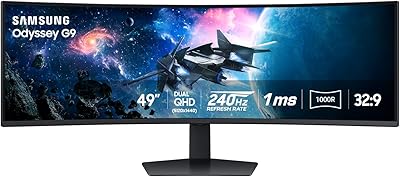
Samsung Odyssey G9 49-inch Curved Gaming Monitor
82%
93%
Visual Clarity
90%
Immersion & Curvature
94%
Gaming Performance (FPS)
60%
Ease of Setup
88%
Build Quality
More
Samsung Odyssey G55C 27-inch Curved Gaming Monitor
76%
91%
Image Sharpness
89%
Refresh Rate & Motion
84%
Curvature & Immersion
86%
Value for Money
58%
HDR Performance
More
Samsung 55-inch Odyssey Ark Curved Gaming Monitor

72%
91%
Image Quality
88%
Immersion & Curvature
86%
Refresh Rate & Responsiveness
78%
Built-in Audio
67%
Cockpit Mode Versatility
More
Alienware AW3425DWM 34-inch Curved Gaming Monitor
82%
91%
Image Clarity & Sharpness
89%
Refresh Rate & Motion Performance
93%
Ultrawide Immersion
84%
Color Accuracy & Vibrancy
62%
HDR Performance
More
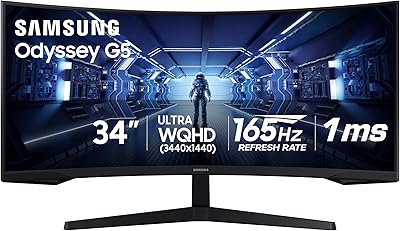
Samsung 34″ Odyssey G5 Ultrawide Gaming Monitor

77%
91%
Immersion & Curvature
88%
Display Resolution & Sharpness
84%
Refresh Rate & Motion Clarity
86%
Contrast & Black Levels
71%
Color Accuracy & Vibrancy
More
Samsung Odyssey G55C 32″ Curved Gaming Monitor
78%
88%
Image Sharpness & Resolution
84%
Refresh Rate & Motion Clarity
91%
Curvature & Immersion
93%
Value for Money
57%
HDR Performance
More
Samsung S39C 27-Inch Curved Gaming Monitor
75%
83%
Picture Quality & Color Accuracy
88%
Curvature & Immersion
61%
Refresh Rate & Gaming Performance
86%
Eye Comfort & Long-Session Usability
79%
Build Quality & Aesthetics
More
Dell S3422DWG 34-inch Curved Gaming Monitor
83%
88%
Image Quality
84%
Refresh Rate & Smoothness
93%
Curvature & Immersion
54%
HDR Performance
91%
Build Quality & Design
More
Raywego Q34DB45-1 34-inch Curved Gaming Monitor
72%
88%
Value for Money
84%
Gaming Performance
74%
Image Quality
51%
HDR Performance
67%
Build Quality
More
Samsung 32″ Odyssey G65B Curved Gaming Monitor

77%
88%
Image Clarity
91%
Refresh Rate Performance
74%
HDR Quality
87%
Motion & Response
83%
Curvature & Immersion
More

FAQ

It is a legitimate concern worth understanding before you buy. QD-OLED panels, like all OLED technology, can develop permanent image retention if the same static elements — think a game HUD, taskbar, or channel logo — sit in the same position for hundreds of hours. Samsung includes pixel-shift and screen saver protections that reduce the risk meaningfully, but they do not eliminate it entirely. If you game in long daily sessions with static overlays, it is worth enabling those protections and occasionally varying your content.

You will want a high-end card to make the most of the G85SB at its full 175Hz ceiling. At 3440x1440 resolution, mid-range GPUs like the RTX 3060 or RX 6650 XT will push many titles comfortably, but demanding modern games may drop below 100fps at high settings. AMD FreeSync Premium Pro helps smooth out those dips, but buyers with entry-level or older cards should temper their frame rate expectations.

It works with Nvidia RTX cards just fine. While AMD FreeSync Premium Pro is the listed adaptive sync standard, Nvidia GPUs support FreeSync-compatible monitors through their G-Sync Compatible certification system. You will get variable refresh rate support with an RTX card, though you may want to verify G-Sync Compatible status in Nvidia's control panel settings.

Yes, you can connect a console via HDMI, though the experience has some caveats. Consoles currently output at 4K or 1080p natively, and this display runs at 3440x1440, so the signal will be scaled or letterboxed depending on your console's settings. The Gaming Hub also provides cloud streaming options as an alternative way to play console titles without a direct connection.

The stand is functional but limited. Tilt adjustment is available, but height adjustment is restricted or absent depending on the unit configuration, which is a genuine frustration at this price point. If ergonomic positioning is important to you — particularly monitor height — budgeting for a third-party VESA monitor arm is a practical solution, as the display is VESA mount compatible.

Peak brightness under the DisplayHDR True Black 400 certification sits around 400 nits in HDR highlights, which is solid but not top-of-market. In a dim or moderately lit room it looks stunning, but in a sun-drenched space with windows behind you, reflections and perceived brightness can be a challenge. OLED screens tend to have more reflective surfaces than matte-finish IPS panels, so room lighting setup genuinely matters here.

Gaming Hub is Samsung's built-in smart platform running on Tizen OS, giving you access to cloud gaming services and streaming apps directly from the monitor without a PC, console, or streaming stick plugged in. It is a genuine convenience for casual gaming sessions or if you want a second setup without extra hardware. That said, most dedicated PC gamers will probably ignore it entirely — it is a useful bonus, not a reason to buy.

It is genuinely capable for color-sensitive work. QD-OLED panels cover a wide color gamut that surpasses most IPS monitors, and the out-of-box calibration is strong. The ultrawide canvas is also practical for editing timelines and multi-panel workflows. Just be aware that the curved screen can introduce slight geometric distortion at the edges, which some editors find distracting when working with straight lines or grid-based layouts.

The Game Bar is an on-screen display you can call up with a shortcut while in-game. It shows real-time FPS, lets you switch HDR modes, adjust response time settings, and change aspect ratio — all without alt-tabbing or pausing. It disappears when you dismiss it, and most users find it unobtrusive. It is particularly handy for fine-tuning picture mode settings on the fly when switching between game genres.

QD-OLED handles this better than older WRGB OLED designs, which were more prone to color fringing around bright white text on dark backgrounds. The quantum dot layer improves subpixel color accuracy significantly. Some users do notice very subtle fringing in specific high-contrast scenarios — bright white text on pure black, for example — but for gaming and video content, it is rarely an issue in practice.

Where to Buy