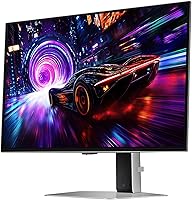
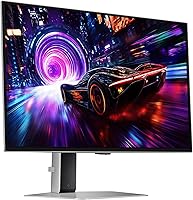
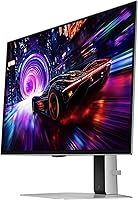
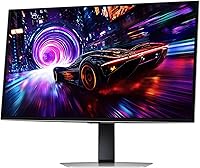
Overview

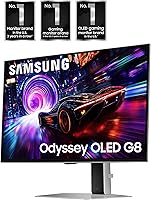
The Samsung Odyssey G81SF 27-inch Gaming Monitor is Samsung's 2025 push to prove that 4K and 240Hz can genuinely coexist in a single panel without compromise. This isn't a monitor that asks you to choose between competitive speed and cinematic image quality — it tries to deliver both. The Pulsating Heat Pipe cooling system, a first for any consumer monitor, signals that Samsung engineered this from the inside out rather than simply padding a spec sheet. That said, the premium price puts it squarely in enthusiast territory. If you're pairing it with a mid-range GPU, you'll likely feel the gap between what this display can do and what your hardware can actually feed it.
Features & Benefits

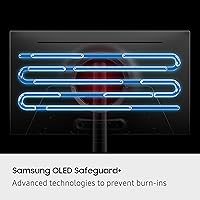
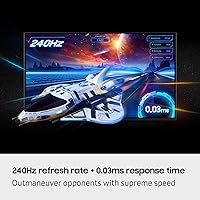
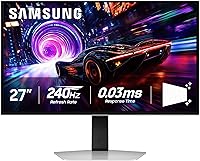
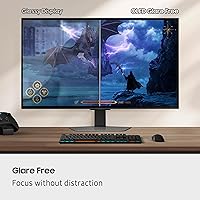
At the heart of the Odyssey G81SF is a QD-OLED panel that combines per-pixel lighting with quantum dot color, producing blacks that are genuinely black and colors that feel vivid without being overdone. Running 4K at 240Hz simultaneously is technically impressive, but it demands a powerful GPU — think RTX 4080 territory for consistently high frame rates in modern titles. The 0.03ms response time keeps motion crisp, and dual sync support covers both AMD and Nvidia setups. What really stands out day-to-day is the matte Glare-Free coating: unlike most glossy OLEDs, this one holds up in a bright room without becoming a mirror. The Pulsating Heat Pipe actively manages panel temperatures, which should support long-term OLED health.

Best For

Samsung's 4K gaming display makes the most sense in a high-end PC setup where the hardware can actually push it. Enthusiast gamers running an RTX 4080 or 4090 are the obvious target — they're the ones who will realistically hit high frame rates at full 4K in demanding titles. The matte coating also opens this up to anyone who previously dismissed OLED due to reflections; bright room setups are no longer an automatic dealbreaker. Content creators and artists who need wide-gamut color accuracy alongside gaming performance will find it a capable dual-purpose screen. Console gamers, however, should probably look elsewhere — current consoles cap at 120Hz, meaning you'd be paying for panel potential you simply cannot use.

User Feedback

Across 111 ratings averaging 4.3 stars, this 27-inch QD-OLED monitor is well-received but not without real criticisms. Most owners praise the image quality and black levels, and several specifically highlight the matte coating as a genuine improvement over glossy OLED alternatives in real-world conditions. The ergonomic stand and setup experience earn consistently positive remarks too. On the other side, the steep GPU requirement is a recurring frustration — buyers who underestimated this have noted disappointment when frame rates fall short of the panel's ceiling. The lack of built-in speakers draws occasional complaints, and price-to-value remains a genuine debate. A handful of early adopters mention the new cooling system with cautious optimism, though long-term burn-in data is simply too early to draw conclusions from.

Pros

  • QD-OLED panel delivers absolute black levels and color depth that IPS and VA monitors simply cannot match.
  • The matte Glare-Free coating makes this one of the only OLED monitors practical for bright room use.
  • 4K resolution at a high refresh rate in a 27-inch panel is a genuinely rare combination in 2025.
  • DisplayHDR True Black 400 certification produces real HDR impact, not the watered-down version on budget monitors.
  • Near-zero pixel response keeps motion crisp even in the fastest competitive titles.
  • Dual sync support covers both AMD and Nvidia GPU owners without needing separate hardware configurations.
  • The Pulsating Heat Pipe cooling system actively reduces panel temperatures, a first for consumer monitors.
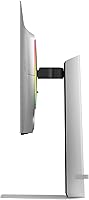
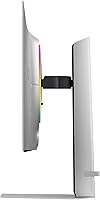
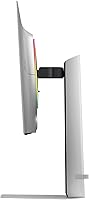
  • Ergonomic stand supports height, tilt, and swivel adjustments to suit a wide range of desk setups.
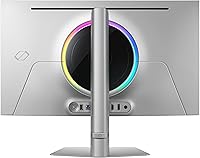
  • Clean, understated design with thin bezels works well in both gaming and professional multi-monitor arrangements.
  • Setup is straightforward, with both HDMI and DisplayPort cables included out of the box.

Cons

  • No built-in speakers and no audio passthrough jack — external audio is a mandatory additional expense.
  • Fully unlocking 240Hz at 4K requires a top-tier GPU, making real-world total costs much higher.
  • No USB-C or Thunderbolt port limits single-cable convenience for laptop users.
  • The rear OSD joystick is awkward to locate without looking away from the screen.
  • Long-term OLED burn-in risk remains an open question — the cooling system is new and unproven over years of use.
  • Port selection is modest for the price tier; multi-device users will likely need a separate hub.
  • The matte coating introduces a subtle texture that purists may notice on fine static detail or desktop UI.
  • No companion desktop software for profile management, which some competing monitors at this price offer.
  • The stand lacks portrait pivot rotation, limiting flexibility for users who prefer vertical orientation.
  • At this price, the overall connectivity package feels underdeveloped compared to what rivals bundle in.

Ratings

The Samsung Odyssey G81SF 27-inch Gaming Monitor earns its place among the most technically ambitious 27-inch displays of 2025, but the real question is whether real buyers find it worth the investment — and the answer is more nuanced than the spec sheet suggests. Our AI has analyzed verified purchase reviews from global buyers, filtering out incentivized, duplicate, and bot-generated submissions to surface what genuine owners actually experience day to day. Both the standout strengths and the recurring frustrations are reflected honestly in the scores below.
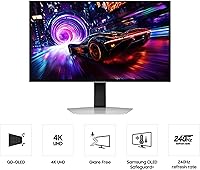
Image Quality
96%
Owners consistently describe the picture as nothing short of transformative, especially coming from IPS or VA panels. The QD-OLED technology produces colors that feel saturated without being garish, and shadow detail in dark scenes — caves, night maps, horror titles — is genuinely revealing rather than just dimly lit.
A small number of users with calibrated professional monitors note that out-of-box color accuracy, while excellent for gaming, may require some tuning for strict color-critical work. The panel's vibrancy can also feel slightly oversaturated in SDR content for those who prefer a neutral, muted look.
Contrast & Black Levels
97%
This is where the Odyssey G81SF genuinely outpaces every non-OLED competitor in its size class. Blacks are absolute — there is no backlight bleed, no clouding, and no gray haze in dark corners. Buyers who game in dim rooms report that the depth and dimensionality of the image is unlike anything they have experienced on LCD.
Like all OLED-based displays, very bright static elements against a dark background can create subtle haloing at the edges of high-contrast objects. It is rarely distracting in motion, but users who primarily browse white-background web pages may occasionally notice it.
Refresh Rate & Motion Clarity
89%
At 240Hz, fast-paced titles like tactical shooters and racing games feel visibly cleaner and more responsive than at 144Hz. The near-instantaneous pixel response means motion blur is essentially a non-issue, and competitive players who have made the switch report it as a noticeable improvement in tracking fast-moving targets.
Hitting 240 frames per second at 4K resolution is a significant GPU ask — most users report regularly achieving 240Hz only in lighter esports titles, not in demanding AAA games. Anyone expecting a locked 240fps in something like Cyberpunk or Alan Wake 2 without turning down settings will be disappointed.
Glare Resistance & Matte Coating
88%
This is one of the most practically impactful decisions Samsung made with this panel. Buyers who game near windows or under overhead lighting consistently praise the matte surface for letting them actually see the screen rather than their own reflection. It is a meaningful real-world upgrade over the glossy finish on competing OLED monitors.
The matte coating does introduce a very slight texture to the image that purists notice on static content — photographs or desktop UI can look fractionally less razor-sharp compared to a glossy panel. For most gaming use, it is a non-issue, but creative professionals doing fine detail work may prefer a glossy alternative.
HDR Performance
91%
The DisplayHDR True Black 400 certification carries real weight here because OLED can actually achieve true black rather than simply dimming a backlight zone. In HDR-enabled titles, specular highlights — sunlight on water, explosions, glowing UI elements — pop with a punch that FALD or edge-lit LCD panels genuinely cannot match.
The 400-nit peak brightness ceiling, while sufficient for most indoor viewing conditions, does not match the raw highlight punch of high-end mini-LED monitors reaching 1000 nits or more. In very bright viewing environments, HDR impact feels less dramatic than buyers who have seen premium TV-grade HDR might expect.
Response Time & Input Lag
93%
The near-zero pixel response eliminates the faint ghosting trails that even fast IPS panels exhibit during rapid movement. Competitive players transitioning from high-end 1080p or 1440p monitors report that the responsiveness feels equivalent or better, removing any concern that the jump to 4K OLED would compromise precision.
A small number of users report that at certain refresh rate settings below 240Hz — particularly if frame rates dip during GPU-heavy moments — there can be occasional inconsistency in perceived smoothness. This is more a system-level issue than a panel flaw, but it is worth noting for those with variable GPU performance.
Sync & Tear-Free Performance
87%
Dual sync support means both AMD and Nvidia GPU owners can use variable refresh rate natively, which is a practical convenience that not all premium monitors offer. Buyers with mid-range GPUs who cannot consistently hit high frame rates particularly appreciate how well the panel handles variable frame delivery without visible tearing.
Some users have noted that G-Sync compatibility, while functional, does not always feel as finely tuned as a native G-Sync module — occasional minor artifacts have been reported at very low frame rates. FreeSync Premium Pro users generally report a cleaner experience across the full VRR range.
Thermal Management & Long-Term Reliability
78%
22%
The Pulsating Heat Pipe system is a genuine engineering differentiator and buyers who understand OLED longevity concerns appreciate Samsung addressing it proactively. Early owners report that the monitor runs noticeably cooler than previous OLED monitors during extended sessions, which is a promising indicator for panel lifespan.
The technology is too new for any verified long-term burn-in data to exist — this is a 2025 release, and OLED degradation plays out over years, not weeks. The cooling system is a meaningful mitigation effort, but buyers who keep static HUD elements on screen for hundreds of hours should still exercise reasonable caution.
Ergonomics & Stand Quality
82%
18%
The stand covers height adjustment, tilt, and swivel, which covers most desk setups without needing an aftermarket arm. Users praise how straightforward the physical assembly process is, with the monitor clipping into the stand securely without tools — setup from box to gaming typically takes under ten minutes.
A handful of buyers note that the stand feels slightly plasticky relative to the monitor's premium price point, and pivot rotation for portrait mode is absent. Those who need precise multi-monitor alignment often end up replacing the stand with a VESA arm anyway, which makes the included stand feel like a lesser priority in the design.
Build Quality & Aesthetics
84%
The chassis is slim and understated — no aggressive RGB strips or gamer-centric styling that would look out of place in a professional setup. The thin bezels on three sides make it a clean option for multi-monitor configurations, and buyers consistently describe the physical build as feeling solid and premium when interacting with the rear I/O and stand.
The all-black plastic rear panel, while tidy, does attract fingerprints and shows dust more readily than matte-texture or brushed-metal alternatives. A few users also mention that the OSD joystick placement on the rear feels slightly awkward to locate without looking away from the screen.
Connectivity & Port Selection
71%
29%
Two USB 3.0 ports provide convenient passthrough for peripherals without routing cables all the way to a tower, and the inclusion of both HDMI and DisplayPort covers most setup configurations out of the box. Cables for both video connections are included, which buyers find cuts out a common day-one frustration.
There is no USB-C or Thunderbolt port, which is increasingly expected at this price tier — laptop users who want a single-cable docking solution are out of luck. The overall port count is also modest, and users with multiple devices to switch between often need to add a separate hub or KVM switch.
Audio
41%
59%
There is nothing negative to say about something that was never promised — the absence of speakers is clearly communicated upfront, and buyers who read the specs before purchasing are not caught off guard. For the target audience using headsets or external speaker systems, this is a non-issue.
The complete lack of built-in speakers is a recurring complaint from buyers who assumed a monitor at this price would include at least basic audio output. Even a 3.5mm audio passthrough jack is absent, which means users who want desk speakers connected through the monitor need a separate audio solution entirely.
GPU Compatibility & System Requirements
63%
37%
For buyers pairing this with a top-tier GPU, the experience is exactly what the spec sheet promises — rich 4K visuals with genuinely high frame rates in appropriately optimized titles. Esports and less demanding games run at or near the 240Hz ceiling even on slightly older high-end hardware.
This is the most common source of post-purchase regret in owner reviews. Buyers with mid-range GPUs — cards in the RTX 3070 or RX 6800 class — frequently find themselves either dropping resolution or sacrificing visual settings to hit acceptable frame rates. The monitor exposes GPU bottlenecks faster than almost any other display on the market.
Value for Money
69%
31%
For buyers who specifically want a matte QD-OLED panel at 27 inches with 4K and 240Hz, the Odyssey G81SF is one of very few options that actually checks all those boxes simultaneously. Those who prioritize that specific combination tend to view the price as reasonable given the scarcity of direct competition.
At its price point, the absence of speakers, limited port selection, and the additional GPU investment required to unlock its full potential make the total cost of ownership higher than it appears at first glance. Buyers comparing it against premium 27-inch IPS alternatives at significantly lower price points often find the gap harder to justify unless OLED image quality is a firm priority.
Software & OSD Experience
74%
26%
Samsung's on-screen menu system covers the expected range of picture modes, refresh rate settings, and input switching without burying options in confusing submenus. The Thermal Modulation System runs silently in the background and requires no user configuration, which most buyers appreciate as a set-and-forget reliability feature.
The OSD navigation via rear joystick takes some adjustment, and a few users report that certain picture mode settings reset unexpectedly after firmware updates. There is no companion desktop software for fine-tuned profile management, which rivals at similar price points sometimes offer.

Suitable for:

The Samsung Odyssey G81SF 27-inch Gaming Monitor is built for a specific kind of buyer, and when it lands in the right setup, it genuinely delivers. Enthusiast PC gamers running top-tier graphics cards will find this the most well-rounded 27-inch display available in 2025 — the combination of true 4K resolution and a high refresh rate in a single matte OLED panel is still remarkably rare. Gamers who play in naturally bright rooms or near windows will particularly appreciate the matte coating, which solves the glare problem that made previous glossy OLEDs impractical outside of darkened rooms. Content creators and digital artists who also game will find the wide-gamut color accuracy useful for both work and play without needing two separate monitors. Users upgrading from a 1440p or older OLED panel will notice a substantial and immediate visual improvement, making the investment feel more tangible than it might for someone coming from an already capable 4K IPS display.
Not suitable for:

The Samsung Odyssey G81SF 27-inch Gaming Monitor is genuinely not the right choice for a wide segment of buyers who might otherwise be tempted by its specifications. Gamers running mid-range graphics hardware will hit a frustrating ceiling — the panel is capable of far more than most cards in that tier can actually deliver at full 4K, which makes the purchase feel wasteful in practice. Console-only gamers should look elsewhere entirely, as current-generation consoles top out at 120Hz, meaning a significant portion of what makes this display special simply goes unused. Buyers hoping for a full desk setup in one box will be disappointed by the absence of built-in speakers and the limited port selection, which often requires additional accessories to cover basic needs. Those with OLED burn-in anxiety should also approach with realistic expectations — the Pulsating Heat Pipe cooling is a thoughtful engineering step forward, but it is a risk-reduction measure, not a guarantee, and buyers who display static content for prolonged periods daily should factor that into their decision.
Specifications

  • Panel Type: QD-OLED (Quantum Dot Organic Light-Emitting Diode), providing per-pixel illumination with no backlight required.
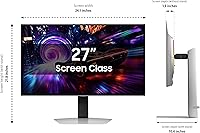
  • Screen Size: 27-inch diagonal display with a 16:9 aspect ratio and a pixel density of 166 PPI.
  • Resolution: Native 3840 x 2160 (4K UHD), delivering four times the pixel count of a standard 1080p display.
  • Refresh Rate: 240Hz maximum refresh rate, operable simultaneously at full 4K resolution without downsampling.
  • Response Time: 0.03ms GtG (Gray-to-Gray) pixel response time, effectively eliminating motion blur and ghosting during fast gameplay.
  • HDR Certification: VESA DisplayHDR True Black 400 certified, with a peak brightness sufficient for real HDR impact and genuine absolute black output.
  • Sync Support: Compatible with both AMD FreeSync Premium Pro and NVIDIA G-Sync, supporting variable refresh rate across both major GPU platforms.
  • Screen Coating: Proprietary Glare-Free matte coating rated 54% less glossy than standard anti-reflection film, designed for use in ambient light environments.
  • Cooling System: Pulsating Heat Pipe thermal management system, a consumer monitor first, capable of diffusing heat significantly faster than conventional graphite sheet solutions.
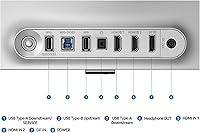
  • Connectivity: Includes HDMI and DisplayPort video inputs; both corresponding cables are included in the box.
  • USB Ports: Two USB 3.0 Type-A ports for peripheral passthrough directly from the monitor.
  • Audio Output: No built-in speakers and no dedicated headphone jack; external audio solutions are required.
  • Stand Adjustments: Ergonomic stand supports height adjustment, tilt, and swivel; portrait pivot rotation is not supported.
  • VESA Mounting: Standard VESA mount compatibility allows the included stand to be replaced with a third-party monitor arm or wall mount.
  • Dimensions: Assembled unit measures 10.37 x 24.08 x 21.82 inches (depth x width x height) with stand attached.
  • Weight: Complete unit with stand weighs 15.21 pounds, typical for a 27-inch monitor with an integrated ergonomic stand.
  • Power Input: Rated for 240-volt input; buyers in North America should verify compatibility with local power supply before use.
  • Release Year: First made available in April 2025, representing Samsung's latest QD-OLED generation at the 27-inch size.
  • Color: Available in Black only; no alternative colorway options are currently offered for this model.
  • Model Number: Official Samsung model identifier is LS27FG810SNXZA, part of the G81SF series within the Odyssey lineup.

Related Reviews
SAMSUNG Odyssey G50A 27-Inch Gaming Monitor
84%
94%
Gaming Performance
89%
Display Quality
86%
Ergonomics and Adjustability
92%
Color Accuracy
91%
G-Sync Compatibility
More
Samsung Odyssey G50D 27-Inch QHD Gaming Monitor
87%
91%
Display Quality
94%
Performance (Refresh Rate/Response Time)
88%
Ergonomics and Comfort
87%
HDR Support
70%
Color Accuracy
More
Samsung Odyssey G3 G30D 27″ Gaming Monitor
80%
91%
Gaming Performance
88%
Refresh Rate Value
93%
Ergonomics & Stand
67%
Image Clarity
84%
AMD FreeSync
More
Samsung Odyssey G55C 27-inch Curved Gaming Monitor
76%
91%
Image Sharpness
89%
Refresh Rate & Motion
84%
Curvature & Immersion
86%
Value for Money
58%
HDR Performance
More
Samsung 27-Inch Odyssey G51C Series QHD Gaming Monitor
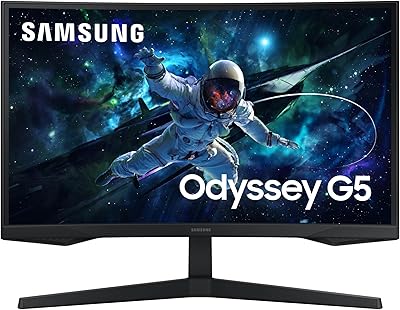
87%
92%
Display Quality
94%
Gaming Performance
87%
Value for Money
89%
Ergonomics & Comfort
74%
Brightness
More
Samsung 27″ Odyssey G32A Gaming Monitor

80%
91%
Gaming Performance
93%
Refresh Rate & Smoothness
84%
Response Time & Motion Clarity
88%
Adaptive Sync (FreeSync Premium)
63%
Image Sharpness & Pixel Density
More
Samsung S39C 27-Inch Curved Gaming Monitor
75%
83%
Picture Quality & Color Accuracy
88%
Curvature & Immersion
61%
Refresh Rate & Gaming Performance
86%
Eye Comfort & Long-Session Usability
79%
Build Quality & Aesthetics
More
Samsung 27″ Odyssey QHD G65B Curved Gaming Monitor
80%
88%
Picture Quality
92%
Gaming Performance
78%
Build Quality
85%
Curved Display Experience
90%
Price to Performance Ratio
More
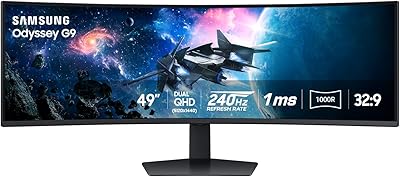
Samsung Odyssey G9 49-inch Curved Gaming Monitor
82%
93%
Visual Clarity
90%
Immersion & Curvature
94%
Gaming Performance (FPS)
60%
Ease of Setup
88%
Build Quality
More
Samsung Odyssey G50D 32-inch QHD Gaming Monitor
78%
91%
Gaming Performance
88%
Image Sharpness & Clarity
83%
Color Accuracy & Vibrancy
79%
Panel Uniformity & Viewing Angles
58%
HDR Performance
More

FAQ

Honestly, yes — more than with most monitors. Running 4K at high frame rates in demanding modern games requires serious GPU headroom. Cards in the RTX 4080 or RX 7900 XTX class are where you start seeing the panel used closer to its potential. With a mid-range card, you will either need to lower resolution or reduce visual settings, which somewhat defeats the purpose of buying a 4K display at this price.

It is one of the most practically significant things about the Odyssey G81SF. Most OLED monitors use a glossy surface that turns into a near-mirror under overhead lighting or near a window. This coating cuts that reflection substantially, meaning you can game in a normally lit room without constantly fighting your own reflection. There is a very slight texture to the image on static content if you look closely, but the vast majority of owners consider that a completely worthwhile trade-off.

Burn-in is a real consideration with any OLED panel, and it would be misleading to say otherwise. Samsung's Pulsating Heat Pipe cooling system actively manages panel temperature to slow the degradation process, which is a genuine step forward — but it is a mitigation strategy, not a permanent solution. If you display static HUD elements, taskbars, or news tickers for many hours a day over years, some risk remains. Casual to heavy gamers who vary their content are at much lower risk in practice.

It works, but you would be leaving a lot of the panel's capability unused. Current consoles top out at 4K 120Hz, which means the 240Hz refresh rate goes entirely untapped. The image quality and HDR performance are still excellent at 120Hz, but paying a premium price for a 240Hz OLED and using it at 120Hz is hard to justify when purpose-built console monitors exist at lower price points.

There are no built-in speakers, and there is no 3.5mm headphone jack on the monitor either. You will need to connect audio through your PC, a DAC, or a separate speaker system. For most gamers using headsets this is not a daily inconvenience, but if you were planning to connect desktop speakers through the monitor, you will need to rethink that part of your setup.

The QD-OLED panel covers a very wide color gamut and produces genuinely accurate, vivid color — so for most creative workflows, including photo editing, digital illustration, and video color grading, it performs well. Just be aware that the matte coating introduces a subtle texture that some photographers find slightly distracting when evaluating fine image detail. For a dual-purpose gaming and creative workstation, it is a strong option.

Most buyers report it takes under ten minutes from opening the box to having the monitor on their desk and running. The stand clicks into the monitor without tools, and both an HDMI and a DisplayPort cable are included, so you are not hunting for cables on day one. The physical build is straightforward enough that you do not need the manual for basic setup.

No, portrait pivot rotation is not supported by the included stand. You can adjust height, tilt, and swivel, which covers most standard gaming setups comfortably. If portrait mode is important to you, you would need to use a compatible third-party VESA monitor arm instead.

It is a cooling mechanism built into the monitor chassis that circulates a coolant to pull heat away from the OLED panel much faster than the graphite sheet solutions used in most displays. The goal is to keep the panel running cooler during long sessions, which helps preserve image quality and slow the natural aging of OLED materials over time. It operates passively and silently — there are no fans involved, so it adds zero noise to your setup.

The full 240Hz refresh rate is available at the native 3840 x 2160 resolution simultaneously — no resolution downscaling is required. That said, actually feeding the panel 240 frames per second at 4K from your PC requires a very powerful graphics card and a DisplayPort connection. The capability is real, but achieving it in practice depends entirely on your hardware.

Where to Buy