Overview

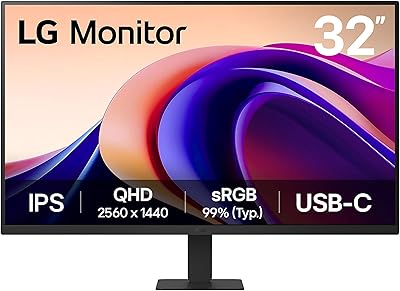
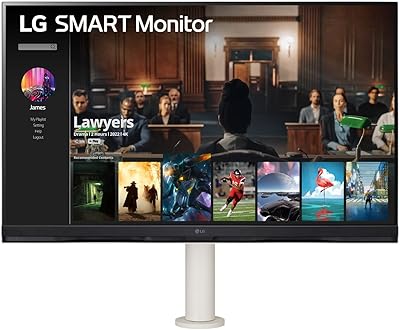
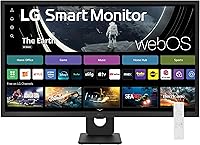
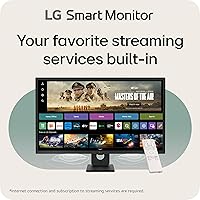
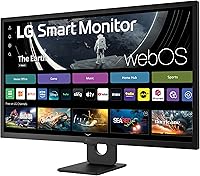
The LG 32SR50F-B 32-inch Smart Monitor is one of those rare displays that sits squarely between two worlds — a proper PC monitor on one hand and a capable streaming device on the other. For anyone furnishing a home office or a compact apartment, that dual nature is genuinely useful. The 31.5-inch IPS panel holds its own against similarly priced monitors, offering respectable color reproduction and wide viewing angles you can actually notice. The real differentiator is webOS 23 built right in, meaning no Chromecast, no Fire Stick, no extra box cluttering your desk. Just know going in: this is not a display built for competitive gaming or color-critical professional work.

Features & Benefits

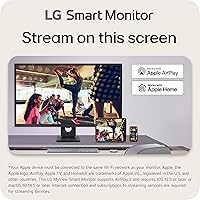
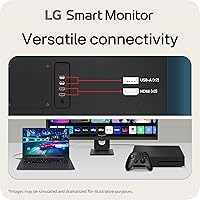
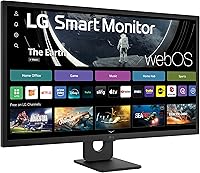
The IPS panel delivers consistent, accurate color across a wide angle — sit off to the side and the image holds up, which matters for shared viewing or multi-person video calls. At 1080p on a 31.5-inch screen, sharpness is acceptable for general use, though text can look slightly soft if you sit very close. The webOS 23 platform is polished and responsive: Netflix, Prime Video, Disney+, and the Apple TV app launch quickly, and 300+ free LG Channels add real variety. AirPlay 2 and HomeKit work without any dongle for Apple users. Two HDMI ports handle a laptop and a console simultaneously, and the built-in speakers cover calls and casual viewing without embarrassing themselves.

Best For

This hybrid display makes the most sense for people who want one screen to handle two jobs. Remote workers who spend the day on spreadsheets and video calls, then want to unwind with a show at the desk, will appreciate not needing a separate streaming device. It is a strong pick for small apartment setups where space and budget both matter. Apple users get particular value from AirPlay 2, which lets you mirror or cast from an iPhone or Mac without buying any extra accessories. Light console gamers will find it serviceable, but anyone chasing high refresh rates or pixel-perfect sharpness should look elsewhere — the 32SR50F-B trades those specs for smart platform convenience.

User Feedback

With over 260 ratings and a 4.2-star average, the consensus on this LG smart monitor is broadly positive. Buyers consistently highlight how quickly it sets up and how responsive the webOS interface feels day-to-day — no sluggish menus, no long waits. Picture quality earns praise given the price point. The most repeated complaint, though, centers on pixel density: at this screen size, 1080p looks noticeably soft up close, and some buyers wish they had chosen a smaller panel or higher resolution. The stand also draws criticism — tilt is the only adjustment, and there is no height movement at all. Speaker impressions are mixed; passable for calls, thin for music. Long-term reliability has not emerged as a widespread concern.

Pros

  • WebOS 23 runs Netflix, Prime Video, Disney+, and more without any extra streaming device.
  • The IPS panel delivers accurate, consistent color even when viewed from an angle.
  • AirPlay 2 and HomeKit work out of the box for Apple users — no dongle required.
  • Two HDMI ports let you keep a laptop and a console plugged in simultaneously.
  • The matte anti-glare surface handles bright rooms better than glossy alternatives.
  • Setup is straightforward; most buyers report being up and running within minutes.
  • Over 300 free LG Channels add genuinely useful variety beyond the paid streaming apps.
  • The virtually frameless design keeps the look clean and uncluttered on a desk.
  • Bluetooth connectivity adds flexibility for wireless peripherals and audio devices.
  • At its price point, the overall feature set is hard to match with a standard monitor plus a streaming stick.

Cons

  • At 31.5 inches, 1080p resolution looks noticeably soft for users who sit close to the screen.
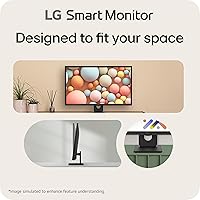
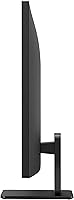
  • The stand only tilts — there is no height, swivel, or pivot adjustment built in.
  • Built-in speakers are thin and lack bass; not a substitute for even a basic soundbar.
  • No USB-C port limits connectivity options for modern ultrabooks and MacBooks.
  • Refresh rate specs make this hybrid display a poor fit for fast-paced or competitive gaming.
  • The 32SR50F-B is heavier than many monitor-only alternatives at the same screen size.
  • WebOS app availability may shrink over time as the platform ages without guaranteed long-term updates.
  • HDR 10 support exists on paper, but the panel brightness ceiling limits real-world HDR impact.
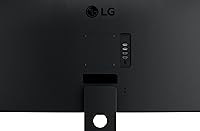
  • No VESA mount compatibility information is clearly documented, complicating arm upgrades.
  • Buyers wanting sharper text for extended reading or coding sessions may find the pixel density unsatisfying.

Ratings

The scores below reflect an AI-driven analysis of verified buyer reviews for the LG 32SR50F-B 32-inch Smart Monitor, drawn from hundreds of real-world ratings with spam, bot activity, and incentivized feedback actively filtered out. This hybrid display earns genuine praise in several areas while carrying a few consistent frustrations that buyers should understand before purchasing. Both sides of that picture are reflected transparently in each category score.

Smart Platform (webOS)
88%
WebOS 23 is the headline feature here, and for most buyers it delivers. Apps like Netflix, Prime Video, and Disney+ launch quickly, the interface rarely stutters, and the 300+ free LG Channels are a genuine bonus that buyers did not expect to use — but do. It replaces a streaming stick entirely for most households.
A small but recurring concern involves long-term app support: as webOS ages, some buyers worry about whether the platform will keep pace with new streaming services or receive timely firmware updates. A handful of users have also noted occasional UI slowdowns after extended use without a reboot.
Picture Quality
77%
23%
The IPS panel produces colors that look natural and well-balanced for everyday content — streaming shows, web browsing, and video calls all look pleasing without any noticeable color shifting when viewed from the side. The matte coating handles overhead lighting and window glare better than glossy alternatives in this price range.
At 31.5 inches, the 1080p resolution starts to show its limits for anyone sitting at a typical desk distance. Pixel density is not high enough to make text look truly sharp, and fine details in photos or complex UI layouts can appear slightly soft — a complaint that surfaces consistently across the review pool.
Value for Money
82%
18%
For buyers replacing both a monitor and a separate streaming device, the value equation is genuinely favorable. You get a large IPS display, a capable smart TV platform, AirPlay 2, Bluetooth, and dual HDMI in a single purchase — a combination that would cost meaningfully more if assembled from separate components.
Buyers who already own a streaming stick or smart TV may find the premium over a standard 32-inch monitor harder to justify, especially since the display does not outperform dedicated monitors in core specs like resolution or refresh rate. A few reviewers felt the stand quality did not match the overall price positioning.
Apple Ecosystem Integration
91%
AirPlay 2 and HomeKit work reliably and require no extra hardware — iPhone and Mac users can cast or mirror content within seconds of initial setup. For households already invested in Apple devices, this feature alone resolves a pain point that usually requires an Apple TV or a third-party adapter.
The integration is naturally less compelling for Android or Windows-only households, where Bluetooth is the main wireless option and AirPlay is irrelevant. A small number of Apple users have noted occasional AirPlay disconnects when the network is congested, requiring a manual reconnection.
Setup & Ease of Use
86%
Physical assembly is quick — the stand attaches without tools, and first-time webOS configuration walks users through Wi-Fi connection and app sign-ins clearly. Most buyers across the review pool describe the out-of-box experience as among the smoother monitor setups they have encountered.
A handful of users found the webOS initial setup slightly lengthy if they wanted to configure every streaming service and HomeKit integration at once. The remote control that ships with the unit is functional but compact, and some buyers found the button layout required adjustment time.
Connectivity & Ports
74%
26%
Two HDMI ports cover the most common use case well — keeping a laptop and a gaming console plugged in simultaneously without swapping cables. The two USB ports are handy for charging phones or connecting a keyboard, and Bluetooth handles wireless peripherals cleanly.
The absence of a USB-C port is the most frequently noted connectivity gap, particularly for MacBook and modern ultrabook users who prefer a single-cable connection for power and display. Buyers expecting a DisplayPort input will also be disappointed, as neither HDMI port supports that standard.
Audio Quality
58%
42%
The built-in stereo speakers are sufficient for video calls, background news, and casual streaming at modest volumes. Most buyers acknowledge they are more than adequate for a monitor at this tier, especially compared to displays that ship with no speakers at all.
Anyone expecting TV-level audio from the 32SR50F-B will be disappointed quickly. Bass is essentially absent, volume headroom is limited, and music listening feels thin and flat. Buyers consistently recommend pairing this display with even a basic external speaker or soundbar for a more satisfying audio experience.
Stand & Ergonomics
47%
53%
The stand holds the display stably and does not wobble under normal desk conditions. The tilt adjustment — while the only axis available — is smooth and covers a reasonable range for basic screen angle preferences.
The lack of height or swivel adjustment is the most polarizing hardware complaint in the entire review pool. Buyers who need to raise, lower, or rotate the screen for ergonomic reasons must purchase a third-party monitor arm, which adds cost and complication. For a display aimed at home office workers, this omission stands out.
Build Quality & Design
79%
21%
The three-side virtually frameless design looks clean and modern on a desk, and the matte black finish resists fingerprints better than shinier alternatives. The overall construction feels solid for the price, and buyers generally report no flex or creaking in the panel or stand assembly.
The stand feels somewhat lightweight relative to the panel size, and a few buyers noted it feels plasticky compared to premium monitor stands. The flat stand profile, while sleek, contributes to the ergonomic limitations mentioned elsewhere, and the cable management situation behind the stand is minimal at best.
Gaming Performance
52%
48%
The 32SR50F-B handles casual console gaming and light PC gaming without significant issues. Single-player narrative games and slower-paced titles look fine on the IPS panel, and the dual HDMI setup makes switching between consoles straightforward.
Competitive or fast-paced gaming reveals the display's limits clearly — refresh rate and input lag specs are not built for that use case. Motion blur in action-heavy scenes is noticeable, and the 1080p resolution, while standard for consoles, does not take advantage of 4K-capable hardware like a PlayStation 5 or Xbox Series X.
HDR Performance
53%
47%
HDR 10 certification means the display is technically compatible with HDR content from streaming services, and some buyers notice a modest improvement in highlight detail when HDR is enabled on supported apps.
Real-world HDR impact is underwhelming because the panel's peak brightness is too low to produce the contrast range where HDR makes a visible difference. Most experienced buyers recommend leaving HDR processing off and relying on the panel's standard color output, which is more consistent.
Remote Control
68%
32%
The included remote is a practical inclusion that turns this into a genuine standalone smart display — you can navigate webOS, adjust volume, and switch inputs from across the room without touching a keyboard or mouse. It pairs reliably and does not require line-of-sight.
The remote is compact and the button layout is not immediately intuitive for new webOS users. Some buyers also noted that the remote is easy to misplace given its small size, and there is no backlight for use in dim viewing conditions.
Viewing Angles
83%
IPS technology delivers on its core promise here. Brightness and color remain consistent across a wide horizontal arc, which benefits shared viewing situations — a partner sitting beside you at a desk or watching from an angle on a couch will see a nearly identical image to someone directly in front of the screen.
While IPS angles are strong, some buyers noted that extreme off-axis viewing introduces a slight brightness drop, which is expected behavior for the panel type but worth flagging. The matte coating can also appear slightly milky in very dark scenes under bright ambient light.

Suitable for:

The LG 32SR50F-B 32-inch Smart Monitor is built for people who want one screen to pull double duty without spending on two separate devices. Remote workers and students will find real value here — you can run a full workday through a laptop or desktop connection, then switch over to Netflix or Disney+ the moment you clock out, all without touching a single extra cable or remote. It fits naturally into small apartments or dorm rooms where desk space is limited and every purchase has to justify itself. Apple households get a particular boost: AirPlay 2 lets you cast or mirror from an iPhone or Mac in seconds, and HomeKit means the display can slot into an existing smart home setup without buying a hub or adapter. If your priority is convenience, versatility, and a clean desk, this hybrid display delivers exactly that.

Not suitable for:

The LG 32SR50F-B 32-inch Smart Monitor has clear limits that certain buyers will hit quickly. If you sit close to a 31.5-inch screen — as most desk users do — 1080p resolution will start to look soft, and text rendering will not be as crisp as a 1440p or 4K alternative in the same size class. Competitive or serious gamers should look elsewhere: the panel is not built for high refresh rates or low input lag, and those specs matter when frames-per-second count. Photographers, video editors, or anyone doing color-critical work will find the color accuracy and resolution insufficient for professional output. The stand only tilts, so if you have ergonomic needs — height adjustment, pivot, or swivel — you will need a third-party arm. And if you were hoping the built-in speakers would replace a soundbar, keep your expectations in check.

Specifications

  • Screen Size: The panel measures 31.5 inches diagonally, housed in a chassis marketed as a 32-inch class display.
  • Resolution: Native resolution is 1920x1080 (Full HD), delivering a pixel density that is adequate for general use at normal viewing distances.
  • Panel Type: An IPS (In-Plane Switching) panel provides consistent color accuracy and wide viewing angles of approximately 178 degrees horizontally and vertically.
  • HDR Support: HDR 10 is supported, though the panel brightness ceiling means HDR impact is modest compared to higher-end displays.
  • Surface: The screen features a matte anti-glare coating that reduces reflections in bright or mixed-lighting environments.
  • Smart OS: WebOS 23 is built into the display, providing direct access to streaming platforms and smart home features without any external device.
  • Streaming Apps: Pre-installed apps include Netflix, Prime Video, Disney+, the Apple TV app, and HBO Max, along with 300+ free LG Channels.
  • Wireless: The display supports Bluetooth, Apple AirPlay 2, and Apple HomeKit for wireless content casting and smart home integration.
  • Connectivity: Physical ports include two HDMI inputs and two USB ports for connecting computers, consoles, and peripherals.
  • Audio: Two built-in stereo speakers are included and are suited for video calls and casual media playback at moderate volume levels.
  • Stand Adjustment: The included stand supports tilt adjustment only; height, swivel, and pivot adjustments are not available on the stock stand.
  • Aspect Ratio: The panel uses a standard 16:9 widescreen aspect ratio, compatible with virtually all modern content formats.
  • Dimensions: The assembled unit measures 28.81 x 20.52 x 8.26 inches (width x height x depth including stand).
  • Weight: The complete unit including the stand weighs 14.55 pounds, which is typical for a display of this size and feature set.
  • Color: The display ships in black with a virtually frameless three-side border design and a flat, low-profile stand.
  • Voltage: The unit is rated at 240V; buyers outside compatible regions should verify local power requirements before purchasing.
  • Compatibility: The display is compatible with laptops, desktop PCs, gaming consoles, and Apple devices via HDMI, USB, or wireless connection.
  • Release Date: This model was first made available in April 2024, positioning it as a relatively current product in LG's smart monitor lineup.

Related Reviews
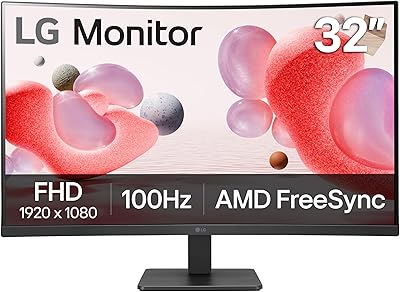
LG 32MR50C-B 32-Inch Curved Monitor
75%
91%
Value for Money
78%
Picture Quality
83%
Refresh Rate & Motion Handling
52%
Ergonomics & Stand
84%
Curvature & Immersion
More
LG 32U631A-B 32-inch QHD Monitor
80%
91%
Image Clarity & Sharpness
88%
Color Accuracy & Vibrancy
54%
Stand & Ergonomics
73%
USB-C Connectivity
82%
Refresh Rate & Motion Performance
More
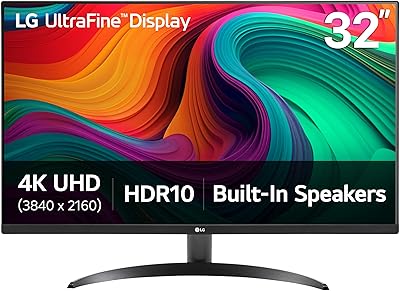
LG 32UR500K-B 32-inch 4K UHD Monitor
74%
91%
Image Clarity & Sharpness
88%
Color Accuracy & Gamut
58%
HDR Performance
47%
Stand & Ergonomics
82%
Build Quality & Design
More
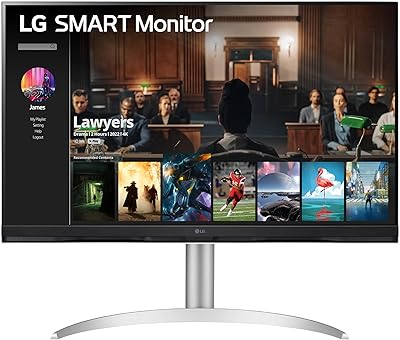
LG 32SQ730S 32-Inch 4K UHD Smart Monitor
85%
93%
Display Quality
89%
Smart Features
85%
Build Quality
90%
Ease of Setup
91%
Ergonomics/Comfort
More
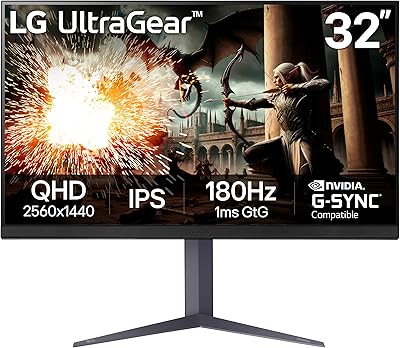
LG 32GQ750-B 32-inch 4K Gaming Monitor
77%
91%
Image Clarity
86%
Refresh Rate & Smoothness
88%
HDMI 2.1 Compatibility
83%
Contrast & Black Levels
67%
Motion Clarity
More
LG UltraGear 32″ QHD Gaming Monitor
80%
91%
Gaming Performance
84%
Image Quality
54%
HDR Experience
88%
Ergonomics & Stand
79%
Build Quality
More
LG 27MK600M 27-inch IPS Monitor
75%
83%
Image Quality
71%
Color Accuracy
78%
Panel Uniformity
74%
Refresh Rate & Smoothness
62%
Response Time
More
LG 24GQ50F-B 24-Inch Gaming Monitor
86%
91%
Gaming Performance
92%
Value for Money
88%
Visual Clarity
84%
Build Quality
61%
Ergonomics & Adjustability
More
LG 32SQ780S 32-Inch 4K UHD Monitor
82%
91%
Display Quality
87%
Ergonomics and Adjustability
83%
Smart Features (webOS & ThinQ)
89%
Connectivity Options
78%
Ease of Setup
More
LG 27MS550-B 27-inch IPS Monitor
85%
91%
Display Quality
87%
Ergonomics
92%
Value for Money
80%
Gaming Performance
85%
Build Quality
More

FAQ

Yes, a Wi-Fi connection is required to use streaming apps like Netflix or Prime Video and to access LG Channels. The display functions as a standard monitor over HDMI without internet, but the webOS smart features depend on a live connection.

Absolutely. You connect via one of the two HDMI ports and the display works just like any other external monitor. The smart features are completely independent, so you can switch between your laptop input and the built-in apps without any conflict.

That depends on how close you sit. At a typical TV viewing distance of a few feet, 1080p on 31.5 inches looks perfectly fine. If you use it as a primary desktop monitor and sit within arm's reach, you may notice that text and fine details are slightly soft compared to a 1440p panel of the same size. It is one of the more common trade-offs buyers mention.

As long as the 32SR50F-B is connected to Wi-Fi and your iPhone, iPad, or Mac is on the same network, you can cast or mirror content directly from the Control Center without any adapter or Apple TV box. It works reliably for video streaming, screen mirroring, and audio playback.

Yes, both consoles connect through HDMI without any issues. Keep in mind that this monitor is designed for general use rather than gaming, so it does not offer a high refresh rate or a dedicated low-latency game mode. It is usable for casual play, but serious or competitive gamers will want a display built specifically for that purpose.

Honestly, no. The built-in speakers handle video calls and background TV watching without embarrassing themselves, but they lack bass and volume for music or immersive movie audio. If sound quality matters to you, budget for an external speaker or soundbar alongside this display.

The stock stand only allows tilt adjustment — there is no height, swivel, or pivot movement built in. If ergonomics are a priority for you, the most practical solution is to pair this display with a third-party VESA monitor arm, which gives you full positional flexibility.

You will want to verify VESA compatibility with LG directly or check the product documentation before purchasing a mount, as the official listing does not clearly confirm VESA specs. Third-party arms are a popular choice among buyers who want height and tilt flexibility beyond what the stock stand offers.

It handles a standard workday well for tasks like email, video calls, document editing, and web browsing. The matte screen helps in mixed-light office setups, and the wide IPS viewing angles mean the image looks consistent even if you shift in your chair. The main thing to be mindful of is resolution — if your work involves detailed design or lots of small text, the 1080p limit at this screen size can feel restrictive after a few hours.

LG has a reasonable track record of pushing firmware and app updates to its webOS devices, but long-term support timelines for specific models are not officially guaranteed. Most buyers have not flagged update issues with this model, though it is always worth checking LG's support page periodically to keep the platform current.

Where to Buy

Microless.com
In stock $194.78
Zone Home Entertainment
In stock $279.99
Watertown Appliance
In stock $279.99
SouthCoast Appliance
In stock $279.99